



使用者註冊是客戶旅程中最關鍵的時刻之一,而信箱驗證在確保這一體驗既安全又流暢方面發揮著關鍵作用。正確實施後,註冊時的信箱驗證可以防止虛假帳號、降低退信率,並與真實使用者建立信任基礎。然而,實施不當可能會讓使用者感到沮喪、提高流失率並損害品牌聲譽。本綜合指南探討了在使用者註冊過程中實施信箱驗證的最佳實踐,在安全性需求和最佳使用者體驗之間取得平衡。欲了解基礎概念,請參閱我們的信箱驗證完整指南。
註冊時信箱驗證的關鍵作用
了解註冊時信箱驗證的重要性有助於團隊確定實施優先順序並分配適當的資源。
為什麼要在註冊時驗證信箱
註冊時的信箱驗證具有多個關鍵功能,可以保護您的業務和使用者。主要目的是確保使用者提供他們實際擁有並可以存取的有效、可送達的信箱位址。
如果沒有信箱驗證,您的使用者資料庫會迅速充斥著拼字錯誤、虛假地址和廢棄帳號。在註冊時輸錯信箱位址的使用者將無法使用密碼重設功能和接收重要通知。來自機器人和惡意行為者的虛假信箱位址會造成安全漏洞並扭曲您的分析資料。
信箱驗證還從第一次互動開始就在您的應用程式和使用者之間建立了溝通管道。當使用者確認他們的信箱位址時,他們展示了意圖和參與度,使他們更有可能成為活躍、有價值的客戶。
對業務指標的影響
註冊時信箱驗證的品質直接影響關鍵業務指標,包括轉換率、客戶生命週期價值和行銷效果。
研究顯示,註冊時輸入的信箱位址中有 20-30% 包含錯誤或故意偽造。如果沒有驗證,這些無效位址會虛增使用者數量,但不提供任何實際價值。傳送到這些位址的行銷活動會退信,損害您的寄件人聲譽並降低對合法使用者的送達率。
實施適當信箱驗證的公司報告稱退信率降低了 40-60%,郵件參與度指標提高了 25-35%,與帳號存取問題相關的客戶支援工單顯著減少。
平衡安全性和使用者體驗
註冊時信箱驗證的挑戰在於平衡徹底的驗證與流暢的使用者體驗。過於激進的驗證會讓合法使用者感到沮喪並增加流失率,而驗證不足則會讓無效位址進入您的系統。
最佳實施方案透過使用智慧的多層驗證來找到這種平衡,即時捕獲明顯錯誤,同時非同步執行更深入的驗證。這種方法為常見錯誤提供即時回饋,同時不會在註冊過程中阻塞使用者。
註冊時信箱驗證的類型
不同的驗證方法服務於不同的目的,並提供不同程度的信箱有效性保證。
語法驗證
語法驗證是信箱驗證的第一層也是最快的一層,檢查輸入的位址是否符合信箱位址的基本格式要求。此驗證完全在瀏覽器中進行並提供即時回饋。
有效的語法驗證可以捕獲缺失的 @ 符號、無效字元、不完整的網域名稱和其他明顯的格式錯誤。雖然語法驗證無法驗證位址是否真實存在,但它可以防止使用者提交明顯無效的位址。
網域驗證
網域驗證超越語法,檢查信箱網域是否存在且可以接收郵件。這涉及 DNS 查詢以驗證 MX 記錄,確認網域配置了接受傳入郵件的郵件伺服器。
網域驗證可以捕獲常見信箱提供商名稱中的拼字錯誤,例如 "gmial.com" 而不是 "gmail.com",並識別不存在的網域。這一層驗證需要伺服器端處理,但仍然可以提供相對較快的回饋。
信箱驗證
信箱驗證是最徹底的郵件驗證形式,檢查郵件伺服器上是否存在特定的信箱。這涉及與收件人郵件伺服器的 SMTP 通訊以驗證位址是否可送達。
雖然信箱驗證提供最高的準確性,但它也需要最長的完成時間,並面臨灰名單和全捕獲配置等挑戰。大多數註冊流程在使用者提交表單後非同步執行此驗證。
信箱確認
信箱確認是傳統方法,使用者會收到一封包含驗證連結的郵件,必須點擊該連結以確認所有權。雖然這提供了存取權限的明確證明,但它會給註冊過程增加摩擦並延遲帳號啟用。
現代最佳實踐將註冊時的即時驗證與高安全性應用程式的可選信箱確認相結合,同時提供即時驗證和經過驗證的所有權。
註冊時信箱驗證的使用者體驗最佳實踐
使用者體驗考量應該指導您在信箱驗證實施中的每一個決策。
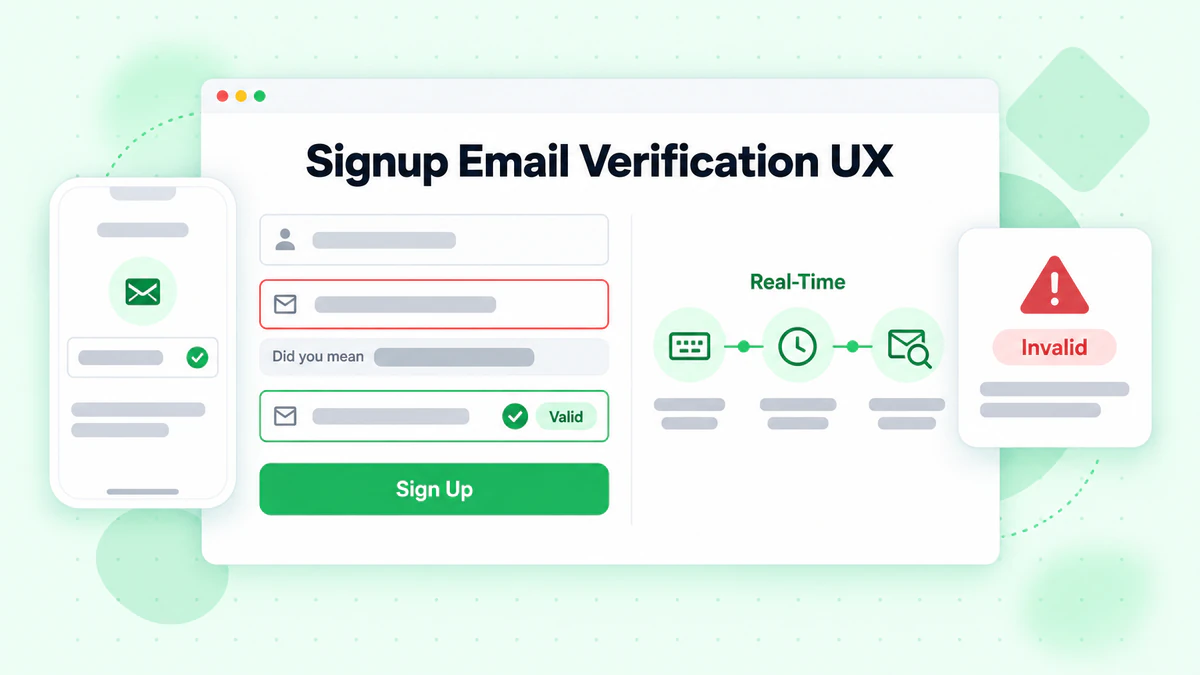
即時內聯驗證
即時內聯驗證在使用者輸入時提供即時回饋,在表單提交之前捕獲錯誤。這種方法透過防止在完成整個表單後出現令人沮喪的錯誤訊息,極大地改善了使用者體驗。
有效的內聯驗證直接在信箱欄位旁顯示驗證狀態,為有效、無效和驗證中狀態使用清晰的視覺指示器,並提供具體、可操作的錯誤訊息,幫助使用者糾正錯誤。
// React component with real-time email validation
import { useState, useCallback, useEffect } from 'react';
import debounce from 'lodash/debounce';

function SignupEmailInput({ onEmailValidated }) {
  const [email, setEmail] = useState('');
  const [status, setStatus] = useState({
    state: 'idle', // idle, validating, valid, invalid
    message: ''
  });

  // Debounced validation function
  const validateEmail = useCallback(
    debounce(async (emailValue) => {
      if (!emailValue) {
        setStatus({ state: 'idle', message: '' });
        return;
      }

      // Quick syntax check
      const syntaxValid = /^[^\s@]+@[^\s@]+\.[^\s@]+$/.test(emailValue);
      if (!syntaxValid) {
        setStatus({
          state: 'invalid',
          message: 'Please enter a valid email address'
        });
        return;
      }

      setStatus({ state: 'validating', message: 'Checking email...' });

      try {
        const response = await fetch('/api/validate-email', {
          method: 'POST',
          headers: { 'Content-Type': 'application/json' },
          body: JSON.stringify({ email: emailValue })
        });

        const result = await response.json();

        if (result.valid) {
          setStatus({ state: 'valid', message: 'Email looks good!' });
          onEmailValidated(emailValue);
        } else {
          setStatus({
            state: 'invalid',
            message: result.suggestion
              ? `Did you mean ${result.suggestion}?`
              : result.message || 'This email address is not valid'
          });
        }
      } catch (error) {
        // On error, allow submission but log the issue
        setStatus({ state: 'valid', message: '' });
        console.error('Email validation error:', error);
      }
    }, 500),
    [onEmailValidated]
  );

  useEffect(() => {
    validateEmail(email);
    return () => validateEmail.cancel();
  }, [email, validateEmail]);

  const getStatusIcon = () => {
    switch (status.state) {
      case 'validating':
        return <span className="spinner" aria-label="Validating" />;
      case 'valid':
        return <span className="check-icon" aria-label="Valid">✓</span>;
      case 'invalid':
        return <span className="error-icon" aria-label="Invalid">✗</span>;
      default:
        return null;
    }
  };

  return (
    <div className="email-input-container">
      <label htmlFor="email">Email Address</label>
      <div className="input-wrapper">
        <input
          id="email"
          type="email"
          value={email}
          onChange={(e) => setEmail(e.target.value)}
          placeholder="you@example.com"
          aria-describedby="email-status"
          className={`email-input ${status.state}`}
        />
        <span className="status-icon">{getStatusIcon()}</span>
      </div>
      {status.message && (
        <p
          id="email-status"
          className={`status-message ${status.state}`}
          role={status.state === 'invalid' ? 'alert' : 'status'}
        >
          {status.message}
        </p>
      )}
    </div>
  );
}
拼字錯誤建議和自動修正
最使用者友善的信箱驗證功能之一是偵測常見拼字錯誤並建議更正。當使用者輸入 "user@gmial.com" 時,建議 "gmail.com" 作為替代方案可以節省挫折感並防止帳號遺失。
拼字錯誤偵測演算法將輸入的網域與常見信箱提供商資料庫進行比較,並使用編輯距離計算來識別可能的錯誤。
// Common email domain typo suggestions
const commonDomains = {
  'gmail.com': ['gmial.com', 'gmal.com', 'gamil.com', 'gmail.co', 'gmail.om'],
  'yahoo.com': ['yaho.com', 'yahooo.com', 'yahoo.co', 'yhoo.com'],
  'hotmail.com': ['hotmal.com', 'hotmial.com', 'hotmail.co', 'hotmai.com'],
  'outlook.com': ['outlok.com', 'outloo.com', 'outlook.co'],
  'icloud.com': ['iclod.com', 'icloud.co', 'icoud.com']
};

function suggestEmailCorrection(email) {
  const [localPart, domain] = email.toLowerCase().split('@');

  if (!domain) return null;

  // Check for exact typo matches
  for (const [correctDomain, typos] of Object.entries(commonDomains)) {
    if (typos.includes(domain)) {
      return {
        suggestion: `${localPart}@${correctDomain}`,
        reason: 'typo'
      };
    }
  }

  // Check edit distance for close matches
  for (const correctDomain of Object.keys(commonDomains)) {
    if (levenshteinDistance(domain, correctDomain) <= 2) {
      return {
        suggestion: `${localPart}@${correctDomain}`,
        reason: 'similar'
      };
    }
  }

  return null;
}

function levenshteinDistance(str1, str2) {
  const matrix = Array(str2.length + 1).fill(null)
    .map(() => Array(str1.length + 1).fill(null));

  for (let i = 0; i <= str1.length; i++) matrix[0][i] = i;
  for (let j = 0; j <= str2.length; j++) matrix[j][0] = j;

  for (let j = 1; j <= str2.length; j++) {
    for (let i = 1; i <= str1.length; i++) {
      const indicator = str1[i - 1] === str2[j - 1] ? 0 : 1;
      matrix[j][i] = Math.min(
        matrix[j][i - 1] + 1,
        matrix[j - 1][i] + 1,
        matrix[j - 1][i - 1] + indicator
      );
    }
  }

  return matrix[str2.length][str1.length];
}
清晰的錯誤訊息
錯誤訊息應該具體、有用且可操作。像 "無效信箱" 這樣的模糊訊息會讓不理解問題所在的使用者感到沮喪。相反,提供關於如何解決問題的清晰指導。
有效的錯誤訊息解釋具體問題並建議如何修復。例如,與其說 "信箱格式無效",不如使用 "信箱位址需要一個 @ 符號,後跟一個網域,例如 example.com。"
function getHelpfulErrorMessage(validationResult) {
  const { error, code } = validationResult;

  const errorMessages = {
    'MISSING_AT': 'Please include an @ symbol in your email address',
    'MISSING_DOMAIN': 'Please add a domain after the @ symbol (like gmail.com)',
    'INVALID_DOMAIN': 'This email domain doesn\'t appear to exist. Please check for typos',
    'DISPOSABLE_EMAIL': 'Please use a permanent email address, not a temporary one', // 參考:/blog/disposable-email-detection
    'ROLE_BASED': 'Please use a personal email address instead of a role-based one (like info@ or admin@)',
    'SYNTAX_ERROR': 'Please check your email address for any typos',
    'MAILBOX_NOT_FOUND': 'We couldn\'t verify this email address. Please double-check it\'s correct',
    'DOMAIN_NO_MX': 'This domain cannot receive emails. Please use a different email address'
  };

  return errorMessages[code] || 'Please enter a valid email address';
}
漸進式需求披露
不要一開始就用所有驗證規則讓使用者不知所措。相反,當需求變得相關時逐步揭示它們。僅在使用者開始輸入時顯示格式提示,並僅在驗證失敗時顯示特定錯誤訊息。
這種方法使初始表單保持乾淨簡單,同時仍在使用者需要時提供所有必要的指導。
實施信箱驗證 API
像 BillionVerify 這樣的專業信箱驗證 API 提供全面的驗證,而無需建置自訂驗證基礎設施的複雜性。
選擇合適的 API
在為註冊流程選擇信箱驗證 API 時,要考慮速度、準確性、覆蓋範圍和成本。註冊驗證需要快速回應時間以保持良好的使用者體驗,內聯驗證通常要求在 500 毫秒以下。
BillionVerify 的信箱驗證 API 提供針對註冊流程優化的即時驗證,包括語法驗證、網域驗證、信箱驗證、一次性信箱偵測和可送達性評分等全面檢查。
整合最佳實踐
以增強而非阻礙註冊體驗的方式整合信箱驗證 API。優雅地處理 API 錯誤,實施逾時,並為服務不可用時準備備用策略。
// Express.js email validation endpoint
const express = require('express');
const rateLimit = require('express-rate-limit');

const app = express();

// Rate limiting for signup validation
const signupLimiter = rateLimit({
  windowMs: 60 * 1000,
  max: 20,
  message: { error: 'Too many requests, please try again later' }
});

app.post('/api/validate-email', signupLimiter, async (req, res) => {
  const { email } = req.body;

  if (!email) {
    return res.status(400).json({
      valid: false,
      message: 'Email is required'
    });
  }

  // Quick local validation first
  const localValidation = validateEmailLocally(email);
  if (!localValidation.valid) {
    return res.json(localValidation);
  }

  // Check for typo suggestions
  const typoSuggestion = suggestEmailCorrection(email);

  try {
    // Call BillionVerify API with timeout
    const controller = new AbortController();
    const timeout = setTimeout(() => controller.abort(), 3000);

    const response = await fetch('https://api.billionverify.com/v1/verify', {
      method: 'POST',
      headers: {
        'Authorization': `Bearer ${process.env.BV_API_KEY}`,
        'Content-Type': 'application/json'
      },
      body: JSON.stringify({ email }),
      signal: controller.signal
    });

    clearTimeout(timeout);

    const result = await response.json();

    return res.json({
      valid: result.deliverable,
      message: result.deliverable ? '' : getHelpfulErrorMessage(result),
      suggestion: typoSuggestion?.suggestion,
      details: {
        isDisposable: result.is_disposable,
        isCatchAll: result.is_catch_all,
        score: result.quality_score
      }
    });
  } catch (error) {
    // On timeout or error, allow submission with warning
    console.error('Email validation API error:', error);

    return res.json({
      valid: true,
      warning: 'Unable to fully verify email',
      suggestion: typoSuggestion?.suggestion
    });
  }
});

function validateEmailLocally(email) {
  if (!email || typeof email !== 'string') {
    return { valid: false, message: 'Email is required' };
  }

  const trimmed = email.trim();

  if (trimmed.length > 254) {
    return { valid: false, message: 'Email address is too long' };
  }

  if (!trimmed.includes('@')) {
    return { valid: false, message: 'Please include an @ symbol', code: 'MISSING_AT' };
  }

  const [localPart, domain] = trimmed.split('@');

  if (!domain || domain.length === 0) {
    return { valid: false, message: 'Please add a domain after @', code: 'MISSING_DOMAIN' };
  }

  if (!domain.includes('.')) {
    return { valid: false, message: 'Domain should include a dot (like .com)', code: 'INVALID_DOMAIN' };
  }

  const emailRegex = /^[^\s@]+@[^\s@]+\.[^\s@]+$/;
  if (!emailRegex.test(trimmed)) {
    return { valid: false, message: 'Please check the email format', code: 'SYNTAX_ERROR' };
  }

  return { valid: true };
}
處理邊緣情況
現實世界的註冊流程會遇到許多需要周到處理的邊緣情況。
加號位址和子位址
許多信箱提供商支援加號位址,使用者可以在其信箱位址中新增加號和附加文字(user+signup@gmail.com)。這是一些使用者依賴的用於過濾的合法功能,因此您的驗證應該接受這些位址。
但是,請注意某些使用者濫用加號位址來使用實際上是相同信箱位址建立多個帳號。在檢查重複帳號時,考慮透過刪除加號位址來規範化位址。
function normalizeEmailForDuplicateCheck(email) {
  const [localPart, domain] = email.toLowerCase().split('@');

  // Remove plus addressing
  const normalizedLocal = localPart.split('+')[0];

  // Handle Gmail dot trick (dots are ignored in Gmail addresses)
  let finalLocal = normalizedLocal;
  if (domain === 'gmail.com' || domain === 'googlemail.com') {
    finalLocal = normalizedLocal.replace(/\./g, '');
  }

  return `${finalLocal}@${domain}`;
}
國際信箱位址
信箱位址可以在本機部分和網域中包含國際字元(IDN - 國際化網域名稱)。您的驗證應該正確處理這些位址以支援全球使用者。
function validateInternationalEmail(email) {
  // Convert IDN to ASCII for validation
  const { toASCII } = require('punycode/');

  try {
    const [localPart, domain] = email.split('@');
    const asciiDomain = toASCII(domain);

    // Validate the ASCII version
    const asciiEmail = `${localPart}@${asciiDomain}`;
    return validateEmailLocally(asciiEmail);
  } catch (error) {
    return { valid: false, message: 'Invalid domain format' };
  }
}
企業和自訂網域
使用企業信箱位址註冊的使用者可能具有不尋常的網域配置,會在驗證中導致誤報。實施備用策略,並在驗證結果不確定時考慮允許提交。
信箱確認流程設計
對於需要經過驗證的信箱所有權的應用程式,確認流程設計會顯著影響使用者啟用率。
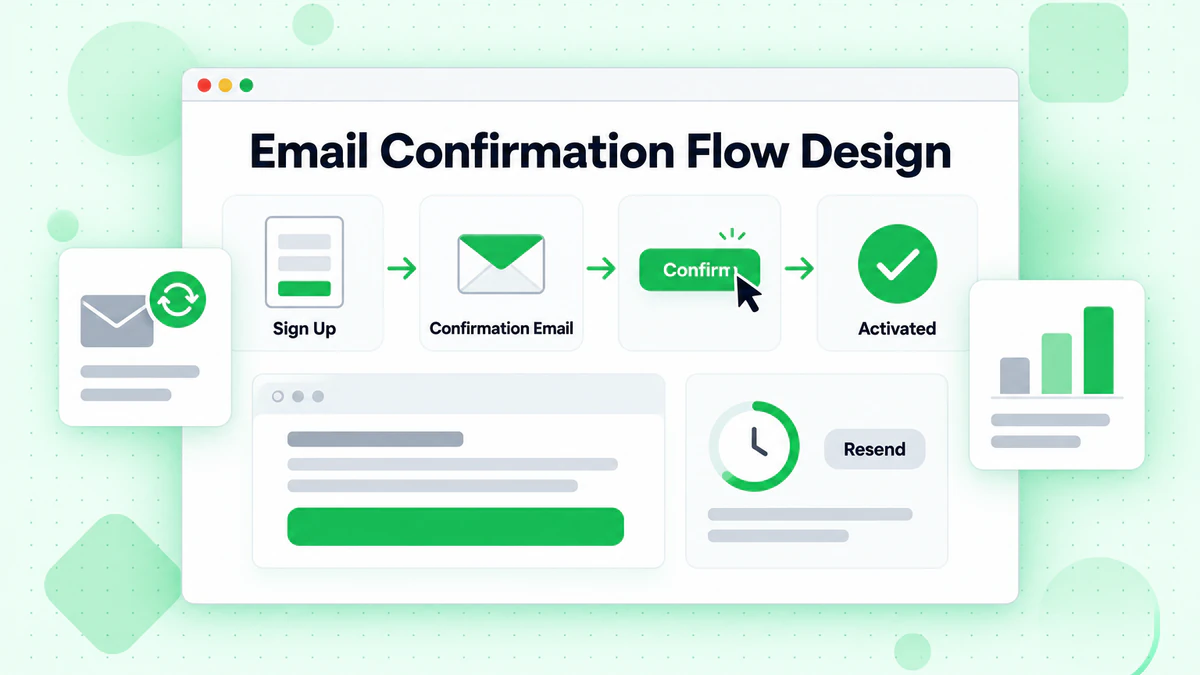
優化確認郵件送達
確認郵件應該快速到達並且易於識別。使用清晰、可識別的寄件人名稱和主旨。保持郵件正文簡單,帶有突出的行動號召按鈕。
async function sendConfirmationEmail(user) {
  const token = generateSecureToken();
  const confirmationUrl = `${process.env.APP_URL}/confirm-email?token=${token}`;

  // Store token with expiration
  await storeConfirmationToken(user.id, token, {
    expiresIn: '24h'
  });

  await sendEmail({
    to: user.email,
    from: {
      name: 'Your App',
      email: 'noreply@yourapp.com'
    },
    subject: 'Confirm your email address',
    html: `
      <div style="max-width: 600px; margin: 0 auto; font-family: sans-serif;">
        <h1>Welcome to Your App!</h1>
        <p>Please confirm your email address to complete your registration.</p>
        <a href="${confirmationUrl}"
           style="display: inline-block; padding: 12px 24px;
                  background-color: #007bff; color: white;
                  text-decoration: none; border-radius: 4px;">
          Confirm Email Address
        </a>
        <p style="margin-top: 20px; color: #666; font-size: 14px;">
          This link expires in 24 hours. If you didn't create an account,
          you can safely ignore this email.
        </p>
      </div>
    `,
    text: `Welcome! Please confirm your email by visiting: ${confirmationUrl}`
  });
}

function generateSecureToken() {
  const crypto = require('crypto');
  return crypto.randomBytes(32).toString('hex');
}
處理未確認帳號
為未確認帳號定義明確的策略。允許有限存取以鼓勵使用者完成確認,同時保護敏感功能。在戰略性間隔傳送提醒郵件。
// Middleware to check email confirmation status
function requireConfirmedEmail(options = {}) {
  const { allowGracePeriod = true, gracePeriodHours = 24 } = options;

  return async (req, res, next) => {
    const user = req.user;

    if (user.emailConfirmed) {
      return next();
    }

    // Allow grace period for new signups
    if (allowGracePeriod) {
      const signupTime = new Date(user.createdAt);
      const gracePeriodEnd = new Date(signupTime.getTime() + gracePeriodHours * 60 * 60 * 1000);

      if (new Date() < gracePeriodEnd) {
        req.emailPendingConfirmation = true;
        return next();
      }
    }

    return res.status(403).json({
      error: 'Email confirmation required',
      message: 'Please check your email and click the confirmation link',
      canResend: true
    });
  };
}
重發功能
提供清晰的選項來重發確認郵件,但實施速率限制以防止濫用。
app.post('/api/resend-confirmation', async (req, res) => {
  const user = req.user;

  if (user.emailConfirmed) {
    return res.json({ message: 'Email already confirmed' });
  }

  // Check rate limit
  const lastSent = await getLastConfirmationEmailTime(user.id);
  const minInterval = 60 * 1000; // 1 minute

  if (lastSent && Date.now() - lastSent < minInterval) {
    const waitSeconds = Math.ceil((minInterval - (Date.now() - lastSent)) / 1000);
    return res.status(429).json({
      error: 'Please wait before requesting another email',
      retryAfter: waitSeconds
    });
  }

  await sendConfirmationEmail(user);
  await updateLastConfirmationEmailTime(user.id);

  res.json({ message: 'Confirmation email sent' });
});
行動裝置註冊考量因素
由於螢幕較小和觸控介面,行動裝置註冊流程需要特別注意信箱驗證。
行動裝置優化的輸入欄位
使用適當的輸入類型和屬性來優化行動裝置鍵盤和自動完成體驗。
<input
  type="email"
  inputmode="email"
  autocomplete="email"
  autocapitalize="none"
  autocorrect="off"
  spellcheck="false"
  placeholder="your@email.com"
/>
觸控友善的錯誤顯示
行動裝置上的錯誤訊息應該清晰可見,不被鍵盤遮擋。考慮將錯誤定位在輸入欄位上方或使用提示通知。
確認的深層連結
當應用程式已安裝時,行動裝置確認郵件應該使用深層連結或通用連結直接在您的應用程式中開啟,提供無縫體驗。
function generateConfirmationUrl(token, platform) {
  const webUrl = `${process.env.WEB_URL}/confirm-email?token=${token}`;

  if (platform === 'ios') {
    return `yourapp://confirm-email?token=${token}&fallback=${encodeURIComponent(webUrl)}`;
  }

  if (platform === 'android') {
    return `intent://confirm-email?token=${token}#Intent;scheme=yourapp;package=com.yourapp;S.browser_fallback_url=${encodeURIComponent(webUrl)};end`;
  }

  return webUrl;
}
分析和監控
追蹤關鍵指標以持續改進您的註冊信箱驗證流程。
要追蹤的關鍵指標
監控這些指標以了解驗證效能並識別改進領域:
// Analytics tracking for email verification
const analytics = {
  trackValidationAttempt(email, result) {
    track('email_validation_attempt', {
      domain: email.split('@')[1],
      result: result.valid ? 'valid' : 'invalid',
      errorCode: result.code,
      responseTime: result.duration,
      hadSuggestion: !!result.suggestion
    });
  },

  trackSuggestionAccepted(original, suggested) {
    track('email_suggestion_accepted', {
      originalDomain: original.split('@')[1],
      suggestedDomain: suggested.split('@')[1]
    });
  },

  trackSignupCompletion(user, validationHistory) {
    track('signup_completed', {
      emailDomain: user.email.split('@')[1],
      validationAttempts: validationHistory.length,
      usedSuggestion: validationHistory.some(v => v.usedSuggestion),
      totalValidationTime: validationHistory.reduce((sum, v) => sum + v.duration, 0)
    });
  },

  trackConfirmationStatus(user, status) {
    track('email_confirmation', {
      status, // sent, clicked, expired, resent
      timeSinceSignup: Date.now() - new Date(user.createdAt).getTime(),
      resendCount: user.confirmationResendCount
    });
  }
};
A/B 測試驗證流程
測試不同的驗證方法以優化轉換率。比較即時驗證與提交時驗證、不同的錯誤訊息樣式以及各種確認流程設計。
安全考量因素
註冊時的信箱驗證是一項安全敏感操作,需要仔細實施。
防止列舉攻擊
攻擊者可能使用註冊流程來確定哪些信箱位址已經註冊。實施一致的回應時間和訊息以防止列舉。
async function handleSignup(email, password) {
  const startTime = Date.now();
  const minResponseTime = 500;

  try {
    const existingUser = await findUserByEmail(email);

    if (existingUser) {
      // Don't reveal that user exists
      // Instead, send a "password reset" email to the existing user
      await sendExistingAccountNotification(existingUser);
    } else {
      const user = await createUser(email, password);
      await sendConfirmationEmail(user);
    }

    // Consistent response regardless of whether user existed
    const elapsed = Date.now() - startTime;
    const delay = Math.max(0, minResponseTime - elapsed);

    await new Promise(resolve => setTimeout(resolve, delay));

    return {
      success: true,
      message: 'Please check your email to complete registration'
    };
  } catch (error) {
    // Log error but return generic message
    console.error('Signup error:', error);
    return {
      success: false,
      message: 'Unable to complete registration. Please try again.'
    };
  }
}
Token 安全性
確認 token 必須是加密安全的並得到適當管理。
const crypto = require('crypto');

async function createConfirmationToken(userId) {
  // Generate secure random token
  const token = crypto.randomBytes(32).toString('hex');

  // Hash token for storage (don't store plaintext)
  const hashedToken = crypto
    .createHash('sha256')
    .update(token)
    .digest('hex');

  // Store with expiration
  await db.confirmationTokens.create({
    userId,
    tokenHash: hashedToken,
    expiresAt: new Date(Date.now() + 24 * 60 * 60 * 1000)
  });

  return token;
}

async function verifyConfirmationToken(token) {
  const hashedToken = crypto
    .createHash('sha256')
    .update(token)
    .digest('hex');

  const record = await db.confirmationTokens.findOne({
    where: {
      tokenHash: hashedToken,
      expiresAt: { $gt: new Date() },
      usedAt: null
    }
  });

  if (!record) {
    return { valid: false, error: 'Invalid or expired token' };
  }

  // Mark token as used
  await record.update({ usedAt: new Date() });

  return { valid: true, userId: record.userId };
}
測試您的實作
全面的測試確保信箱驗證在所有場景中都能正常運作。
註冊驗證的測試案例
describe('Signup Email Verification', () => {
  describe('Syntax Validation', () => {
    it('accepts valid email formats', () => {
      const validEmails = [
        'user@example.com',
        'user.name@example.com',
        'user+tag@example.com',
        'user@subdomain.example.com',
        'user@example.co.uk'
      ];

      validEmails.forEach(email => {
        expect(validateEmailLocally(email).valid).toBe(true);
      });
    });

    it('rejects invalid email formats', () => {
      const invalidEmails = [
        'invalid',
        '@example.com',
        'user@',
        'user@@example.com',
        'user@.com'
      ];

      invalidEmails.forEach(email => {
        expect(validateEmailLocally(email).valid).toBe(false);
      });
    });
  });

  describe('Typo Suggestions', () => {
    it('suggests corrections for common typos', () => {
      const typos = [
        { input: 'user@gmial.com', expected: 'user@gmail.com' },
        { input: 'user@yaho.com', expected: 'user@yahoo.com' },
        { input: 'user@hotmal.com', expected: 'user@hotmail.com' }
      ];

      typos.forEach(({ input, expected }) => {
        const suggestion = suggestEmailCorrection(input);
        expect(suggestion?.suggestion).toBe(expected);
      });
    });
  });

  describe('API Integration', () => {
    it('handles API timeouts gracefully', async () => {
      // Mock a timeout
      jest.spyOn(global, 'fetch').mockImplementation(() =>
        new Promise((_, reject) =>
          setTimeout(() => reject(new Error('Timeout')), 100)
        )
      );

      const result = await validateEmailWithAPI('user@example.com');

      // Should allow submission on timeout
      expect(result.valid).toBe(true);
      expect(result.warning).toBeTruthy();
    });
  });
});
結論
在使用者註冊過程中實施信箱驗證需要平衡多個關注點,包括使用者體驗、安全性、準確性和效能。透過遵循本指南中概述的最佳實踐,您可以建立既保護應用程式免受無效資料影響,又為合法使用者提供流暢、無挫折體驗的註冊流程。
成功的註冊信箱驗證的關鍵原則包括:提供帶有有用回饋的即時內聯驗證、建議糾正常見拼字錯誤、使用漸進式披露避免讓使用者不知所措、對 API 故障實施強大的錯誤處理,以及追蹤指標以持續改進體驗。
無論您是建置自訂驗證邏輯還是整合像 BillionVerify 這樣的專業服務,本文涵蓋的技術和模式都為註冊信箱驗證提供了堅實的基礎,可以將訪客轉化為參與的使用者,同時保持資料品質。
立即開始在您的註冊流程中實施更好的信箱驗證。BillionVerify 的信箱驗證 API 提供即時註冊驗證所需的速度和準確性。立即開始獲取免費額度,體驗優質信箱驗證帶來的不同。如需協助選擇合適的解決方案,請參閱我們的最佳信箱驗證服務比較。
使用 Instantly 或 Smartlead 的團隊,在每次活動前透過 BillionVerify 清洗名單,可顯著提升送達率。
在選擇驗證服務商之前,比較 BillionVerify 與 ZeroBounce 在準確率和速度方面的差異。