


Email verification during signup is the set of checks that runs while someone creates an account, to confirm that the email address they typed is well formed, can receive mail and belongs to them. No single check does all three jobs. A format test and a typo hint run in the browser in an instant, a deliverability check asks DNS and the receiving mail server whether the mailbox can take mail, and a confirmation email proves that the person can read that inbox. Each step costs users a little more effort than the last, so the craft lies in choosing the lightest email verification that still protects your sender reputation and your accounts.
This guide builds signup email verification step by step, from the markup of the field to the lifetime of the confirmation link. It rests on primary sources read in November 2026: the GOV.UK Design System, the OWASP Cheat Sheet Series, NIST, the W3C accessibility criteria, Amazon SES documentation and the docs of three sign-in providers. The Node.js samples were run with Node.js 26 before publication, with their output printed beside them, and the HTML form was exercised in a headless browser. We have no connection with any organization cited here, and vendors change their rules often, so recheck a number before you build on it. The guide also absorbs our earlier article on why registration emails deserve a check, and it keeps only the claims that a source supports.
Key facts (checked November 2026):
- The GOV.UK Design System email addresses pattern sets
type="email",autocomplete="email"andspellcheck="false", tells teams to warn about misspelled provider names such ashomtail.combut let the user proceed, and calls confirmation loops disruptive. - The Amazon SES bounce FAQ advises a bounce rate below 2%, places an account under review at 5% and may pause sending at 10%.
- NIST SP 800-63A-4 requires a confirmation code to have at least 6 decimal digits, to be valid for at most 24 hours when sent to an email address and to be invalidated on use.
- The OWASP Email Validation and Verification cheat sheet says to accept a broad range of formats, to keep accounts inactive until ownership is verified and to prefer risk-based controls over blocking disposable domains.
- WCAG 2.2 success criterion 3.3.3, at Level AA, requires a form to suggest a correction whenever it detects an input error and knows the fix.
- BillionVerify's API reference lists a disposable-domain check that uses no credits, and a
check_smtpswitch that skips live SMTP.
The Three Checks Behind Signup Email Verification
People use the phrase email verification during signup for three different jobs, and that confusion causes most weak designs. The first job reads the characters and asks whether the string could be an address. The second asks the network whether mail can reach it. The third sends a verification email and waits for the person to prove that it arrived. The table sets them side by side.
| Check | Question it answers | Where it runs | What it cannot tell you |
|---|---|---|---|
| Format and typo hint | Is this shaped like an address, and is the domain a likely slip? | Browser and server, no network | Whether the domain or mailbox exists |
| Deliverability check | Does the domain accept mail, and does its server take this recipient? | Server, through DNS and SMTP or an API | Whether the person who typed it owns it |
| Confirmation email | Can this person read that inbox? | A sent mail with a link or code | Who the person is |
The last cell is a limit that GOV.UK states plainly: a confirmed address does not prove a person's identity, only that they had access to the inbox at the time. Our guide to email syntax validation covers the first row in depth, including length limits and why a short pattern beats a long one. The second row has two parts that matter at signup. An MX record check tells you whether the domain publishes mail servers, and SMTP verification asks the server whether it would accept the mailbox.
A format check cannot verify email address ownership, and neither can a DNS lookup. That is why signup email verification ends with a message the person must open. One DNS result still deserves a special rule. A domain can publish a "null MX" record to announce that it accepts no mail at all, and RFC 7505 says the purpose is to report a failure when the sender submits the message, not hours or days later. It names mistyped recipients as the typical case. A signup form is the cheapest place to apply that lesson, because a domain with a null MX can be refused on the spot, with no bounce to wait for.
Why Registration Emails Need Verifying
An unverified registration entry fails in three ways. The user mistypes it and never receives a welcome note or a password reset. Someone else types it, deliberately or by accident, and your mail reaches a stranger. Or the entry is made up to get past the form, and nobody reads it. All three end the same way for the sender: the first campaign bounces or goes unread, and mailbox providers notice.
Amazon SES shows how seriously a large provider takes this. Its bounce FAQ says high bounce rates are used by email providers and anti-spam organizations to spot bad sending practices, and that they can push mail into the spam folder rather than the inbox. SES counts only hard bounces, which are permanent failures such as "address does not exist", and only those sent to domains you have not verified with SES. Its guidance is to stay under 2%, expect a review at 5% or more, and expect a possible sending pause at 10% or more. Other providers set their own limits, but the logic carries over: a form with no email address verification feeds directly into the bounce rate of your first campaign. Our article on how to reduce email bounce rate follows that trail into list hygiene.
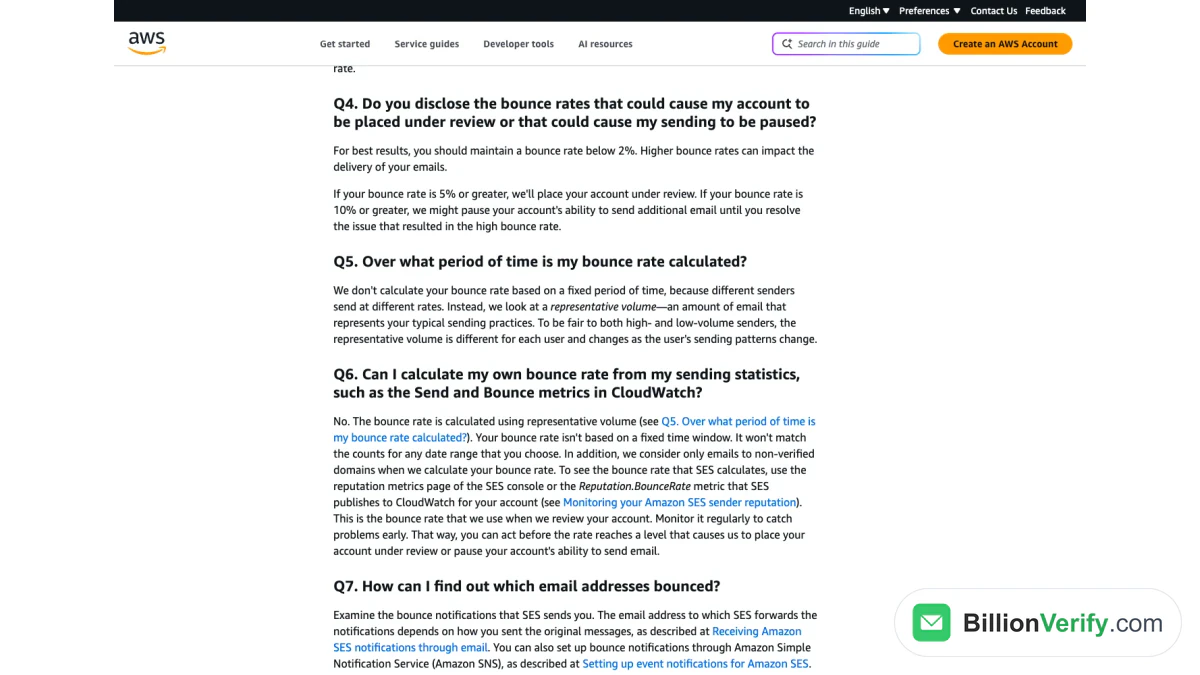
Screenshot: Amazon's SES documentation answer on the bounce rate levels for review and pause, captured in November 2026.
The same FAQ lists what to do at the form. It recommends typing the field twice and comparing the two entries, and it recommends double opt-in, meaning a confirmation email that must be clicked before anything else is sent. In its words, this prevents people from signing up other people as well as accidental sign-ups. It also warns against handing out any benefit before the address is verified, because that encourages fictional entries. The advice is blunt and aimed at senders; a later section shows where GOV.UK and the WCAG rules push back on the repeated field.
Security is the other half of the case. OWASP treats the address as an identifier and warns that sloppy handling of validation, normalization and verification can lead to account takeover, user enumeration and identity confusion. Its threat model includes attackers who register equivalent or visually similar addresses and who abuse password reset or email change flows. None of that is a deliverability problem, yet all of it starts at the signup form.
Build the Email Field
The field itself prevents more errors than any later step. The markup below follows the GOV.UK pattern and adds the error handling that it describes. It was loaded in a headless browser, and a submit with tom@@mail.example showed the message, set aria-invalid="true", put "Error:" at the start of the page title and moved focus to the summary.
<div id="error-summary" role="alert" tabindex="-1" hidden>
  <h2>There is a problem</h2>

</div>

<form id="signup" action="/signup" method="post" novalidate>
  <label for="email">Email address</label>
  <div id="email-hint">We will send a confirmation link to this address</div>
  <p id="email-error" hidden><span class="visually-hidden">Error:</span> <span id="email-error-text"></span></p>
  <input id="email" name="email" type="email" spellcheck="false" autocomplete="email"
         aria-describedby="email-hint email-error">
  <button type="submit">Continue</button>
</form>

<script>
const form = document.getElementById("signup");
const input = document.getElementById("email");
const FORMAT = /^[^\s@]+@[^\s@]+\.[^\s@]+$/;

form.addEventListener("submit", (event) => {
  const value = input.value.trim();
  const message = value === "" ? "Enter your email address"
    : FORMAT.test(value) ? "" : "Enter an email address in the correct format, like name@example.com";
  const summary = document.getElementById("error-summary");
  document.getElementById("email-error").hidden = !message;
  summary.hidden = !message;
  input.setAttribute("aria-invalid", message ? "true" : "false");
  if (message) {
    event.preventDefault();
    document.getElementById("email-error-text").textContent = message;
    document.getElementById("error-summary-link").textContent = message;
    document.title = "Error: Create an account";
    summary.focus(); // GOV.UK moves focus to the summary
  }
});
</script>
What each attribute does
Setting type="email" makes devices show the right keyboard and gives you the built-in browser rule. The MDN reference for the email input adds a warning that a user can edit the HTML or bypass the form, so the server must validate whatever it receives. The spellcheck="false" attribute stops the browser from underlining a name it does not know. The autocomplete="email" token lets the browser fill the field from earlier entries. GOV.UK ties it to criterion 1.3.5 of WCAG, and the MDN page on autocomplete confirms that valid tokens satisfy that criterion while made-up values do not.
The same pattern asks for a hint that says why you want the address, room for 254 characters, a field wide enough to show at least 30 and permission to paste. The novalidate attribute is GOV.UK's choice as well. Its validation pattern turns off HTML5 validation because the style and placement of browser messages cannot be made consistent, and because its own error components are known to be accessible. That is a trade-off, not a rule for everyone: you give up the free browser check and take on the work of writing the messages yourself, as the script above does.
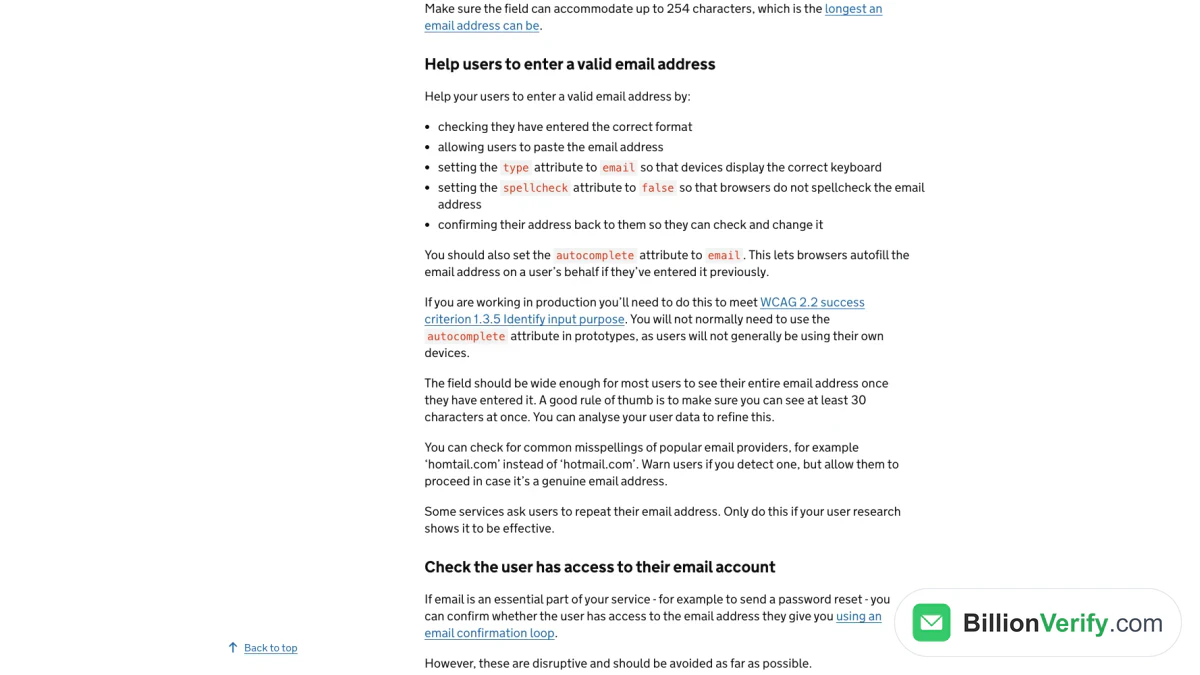
Screenshot: GOV.UK guidance on the type, spellcheck and autocomplete attributes, taken in Nov 2026.
Wording and placement of error messages
GOV.UK puts the error in red after the question and its hint, adds a red border to connect the two, and prefixes the text with a visually hidden "Error:" for screen reader users. It also shows an error summary at the top of the page, moves focus to it and repeats the same words in both places. The page title starts with "Error:", and the form keeps what the user typed, so nobody has to start again.
The error message component is just as firm about wording. A message must say what happened and how to fix it, in plain language, without "please", "sorry" or the words "valid" and "invalid". Different problems need different messages. The table gives a set for the cases that a signup form meets, and the first two use GOV.UK's own phrases.
| Situation | Message | Why |
|---|---|---|
| Field left empty | Enter your email address | An instruction for a missing answer |
| Wrong format | Enter an email address in the correct format, like name@example.com | GOV.UK's template, with an example |
| Likely domain typo | Did you mean ana@gmail.com? | A suggestion the user can accept or ignore |
| Mailbox not found | We could not find a mailbox for this address. Check it for typos. | Says what happened and what to do |
| Link expired | This link has expired. We can send you a new one. | GOV.UK wants an expired link explained |
When to show the message
GOV.UK's validation pattern takes a firm line: do not validate when the user moves away from a field, and wait until they try to continue. Checking a half-typed answer causes problems, especially for slow typists, and early validation belongs in a form only if your own research shows that it solves more problems than it causes. The standards-backed default is therefore a format check on submit, with the typo suggestion shown in the same response.
If your research does support live hints, treat them as status messages. WCAG success criterion 4.1.3 says a status message must be programmatically determinable through a role or property, so that assistive technology announces it without taking focus. A role="status" region that says "Checking this email" and later "This looks fine" meets that test. Never move focus to a live hint, and never let it block the Continue button.
Should the form ask for the address twice?
The sources disagree, so the decision is yours. Amazon SES recommends a second field and a match check. GOV.UK says to repeat the entry only if your research shows it is effective, and to read it back to the user instead. WCAG success criterion 3.3.7, a Level A rule, says information that must be entered again in the same process has to be auto-populated or available to select, unless re-entry is essential, needed for security, or no longer valid. A second field is therefore a choice you must be able to justify. A typo suggestion plus an email confirmation step catches the same mistakes without it.
Catch Typos Without Blocking Real Users
Most mistyped domains sit a keystroke or two from a large provider. A small function can compare the domain with a short list and suggest the closest match. The version below uses edit distance, the number of insertions, deletions and substitutions between two strings, and it returns a suggestion rather than a verdict. The five providers in the list are our own choice; extend it with the domains your users really have.
const PROVIDERS = ["gmail.com", "yahoo.com", "outlook.com", "hotmail.com", "icloud.com"];

function distance(a, b) {
  const row = Array.from({ length: b.length + 1 }, (_, j) => j);
  for (let i = 1; i <= a.length; i++) {
    let prev = row[0];
    row[0] = i;
    for (let j = 1; j <= b.length; j++) {
      const next = Math.min(row[j] + 1, row[j - 1] + 1, prev + (a[i - 1] === b[j - 1] ? 0 : 1));
      prev = row[j];
      row[j] = next;
    }
  }
  return row[b.length];
}

// Returns a suggestion or null. The caller must warn, never block.
export function suggestDomain(email) {
  const at = email.lastIndexOf("@");
  if (at < 1) return null;
  const domain = email.slice(at + 1).toLowerCase();
  if (PROVIDERS.includes(domain)) return null;
  const close = PROVIDERS.map((p) => [p, distance(domain, p)]).filter(([, d]) => d <= 2);
  close.sort((x, y) => x[1] - y[1]);
  return close.length ? `${email.slice(0, at)}@${close[0][0]}` : null;
}

for (const sample of ["ana@gmial.com", "tom@hotmal.com", "li@yahho.com", "kim@gmail.com", "bob@mail.com", "dev@example.org"]) {
  console.log(sample.padEnd(18), suggestDomain(sample));
}

// ana@gmial.com      ana@gmail.com
// tom@hotmal.com     tom@hotmail.com
// li@yahho.com       li@yahoo.com
// kim@gmail.com      null
// bob@mail.com       bob@gmail.com
// dev@example.org    null
The fifth line is the reason for the warning in the comment. The domain mail.com belongs to a real provider that sits a single keystroke from gmail.com, so the function guesses wrong for its customers. GOV.UK's advice covers exactly this case: warn the user if you detect a misspelling, but allow them to proceed in case it is a genuine address. WCAG 3.3.3 allows suggestions only when they would not jeopardize the security or purpose of the content, which is another reason to word the hint as a question. Hosted services can return a suggestion of their own; the BillionVerify response, for example, includes a domain_suggestion field.
Run the Deeper Check Without Slowing the Form
A format check and a suggestion cannot tell you that someone@gmail.com has no mailbox. To verify email address entries beyond their shape, the server needs a deliverability check, either built from DNS and SMTP or bought as a hosted API. Two design questions follow. The first is when to run it, and the second is what to do with each answer.
Where the check sits in the flow
You can run the call while the user waits on the submit, which holds the form for as long as the call takes, or after the account exists, which holds nothing but leaves a bad entry in your database. A hybrid is common: run it inline with a short timeout, and if no answer arrives in time, let the signup continue and rely on the verification email. Either way the call belongs on your server, because an API key in browser code is public. The rule that makes the hybrid safe is to fail open. A timeout, a rate limit or an error from the verifier must never stop a real person from registering.
What to do with each result
Email address verification APIs return a status, not a yes or no, and each status asks for a different response. The BillionVerify verification reasons reference documents six: valid, invalid, catch-all, role, disposable and unknown. The table maps them to a decision at signup. The mapping is our recommendation, and the OWASP guidance supports its most debated row, since it favors graded responses to temporary inboxes over outright bans.
| Status | Meaning | Action at signup |
|---|---|---|
| valid | The server accepted the mailbox | Continue, then send the verification email |
| invalid | Syntax, DNS or SMTP says mail cannot arrive | Ask the user to check the entry |
| catch-all | The domain accepts every recipient | Continue; only the verification email proves the mailbox |
| role | A shared inbox such as info@ or support@ | Continue or ask for a personal address, by your policy |
| disposable | A known temporary-mail domain | Allow with limits, or ask for another address |
| unknown | The check could not conclude | Continue; never block on this |
Two rows deserve a second look. The documented reasons explain that Apple iCloud, Proton and Tuta allow no reliable check, so their addresses always come back as unknown with the reason smtp_unverifiable. Blocking on unknown would lock out every user of those services. The catch-all row exists because a catch-all domain accepts mail for any recipient, so no SMTP reply can show that a particular mailbox is real; the verification email has to do that work. For temporary inboxes, a disposable email detection check can run on its own, and BillionVerify's single call reports is_disposable alongside the status.
The server code
The function below ties the pieces together: the loose format test, the typo suggestion, a call to the BillionVerify single-email endpoint with a timeout, and the mapping from the table. The call follows the quickstart, and the five-second timeout is our own choice. It was run with a real key in November 2026, and the printed lines are its output for six samples that cover each path.
import { suggestDomain } from "./typo.mjs"; // the function from the previous section, without its demo loop

const LOOSE = /^[^\s@]+@[^\s@]+\.[^\s@]+$/;
const FORMAT_MESSAGE = "Enter an email address in the correct format, like name@example.com";

export async function checkSignupEmail(input) {
  const email = input.trim();
  if (!LOOSE.test(email) || email.length > 254) {
    return { action: "ask", message: FORMAT_MESSAGE };
  }

  let result;
  try {
    const response = await fetch("https://api.billionverify.com/v1/verify/single", {
      method: "POST",
      headers: { "BV-API-KEY": process.env.BV_API_KEY, "Content-Type": "application/json" },
      body: JSON.stringify({ email }),
      signal: AbortSignal.timeout(5000), // our choice: never hold the signup page hostage
    });
    if (!response.ok) throw new Error(`HTTP ${response.status}`);
    result = (await response.json()).data;
  } catch {
    // Fail open: the confirmation email decides when the verifier is slow or down.
    return { action: "accept", note: "verifier unavailable" };
  }

  const suggestion = result.domain_suggestion || suggestDomain(email);
  if (suggestion && result.status !== "valid") {
    return { action: "warn", message: `Did you mean ${suggestion}?`, suggestion }; // never block on a guess
  }
  switch (result.status) {
    case "invalid":
      return { action: "ask", message: "We could not find a mailbox for this address. Check it for typos." };
    case "disposable":
      return { action: "limit", note: "temporary inbox: allow, but hold sensitive features" };
    default: // valid, role, catchall, unknown
      return { action: "accept", status: result.status };
  }
}

// tom@@mail.example           {"action":"ask","message":"Enter an email address in the correct format, like name@example.com"}
// tom@example.com             {"action":"ask","message":"We could not find a mailbox for this address. Check it for typos."}
// support@billionverify.com   {"action":"accept","status":"role"}
// ana@gmial.com               {"action":"warn","message":"Did you mean ana@gmail.com?","suggestion":"ana@gmail.com"}
// someone@mailnull.com        {"action":"limit","note":"temporary inbox: allow, but hold sensitive features"}
// ana.demo.84721.x@gmail.com  {"action":"ask","message":"We could not find a mailbox for this address. Check it for typos."}
The first sample never leaves your server. The second belongs to example.com, which publishes a null MX record, so the API calls it invalid before any mailbox is tried. With the fetch call replaced by a stub that always times out, the same function returned { action: 'accept', note: 'verifier unavailable' }, which is the fail-open path in action. Our real-time email validation API guide covers the API side in more depth, and this guide covers the wording, error placement and timing of the hint on the form.
Design the Confirmation Step
Email verification during signup ends at the inbox. A confirmation email is the only check that proves someone controls it, and it is also the check that users notice. GOV.UK's confirmation pattern says to use an email confirmation loop only if critical functionality is available only through email, such as a password reset, or if sending to a wrong address would expose someone's sensitive information to a stranger. It lists the usual faults: confusing users about the journey outside the service, assuming everyone has an inbox they can reach, sending the mail too slowly and not taking steps to keep it out of spam folders. OWASP takes the stricter line that accounts should not be activated before ownership is verified. Which advice fits depends on what you do with the address. A service that sends resets and receipts needs the loop; a form that only wants a receipt copy may not.
Blocking or non-blocking
The GOV.UK pattern describes two versions of the email confirmation loop. In a blocking loop, nothing works until the address is confirmed, which keeps the flow simple but locks out anyone whose mail never arrives, so it must go out instantly. In a non-blocking loop, people carry on and get regular reminders, and some features stay locked until they confirm. That version needs more careful design because you cannot guarantee that everyone will confirm. The pattern also allows a mix, starting on the soft version and switching to the hard version later.
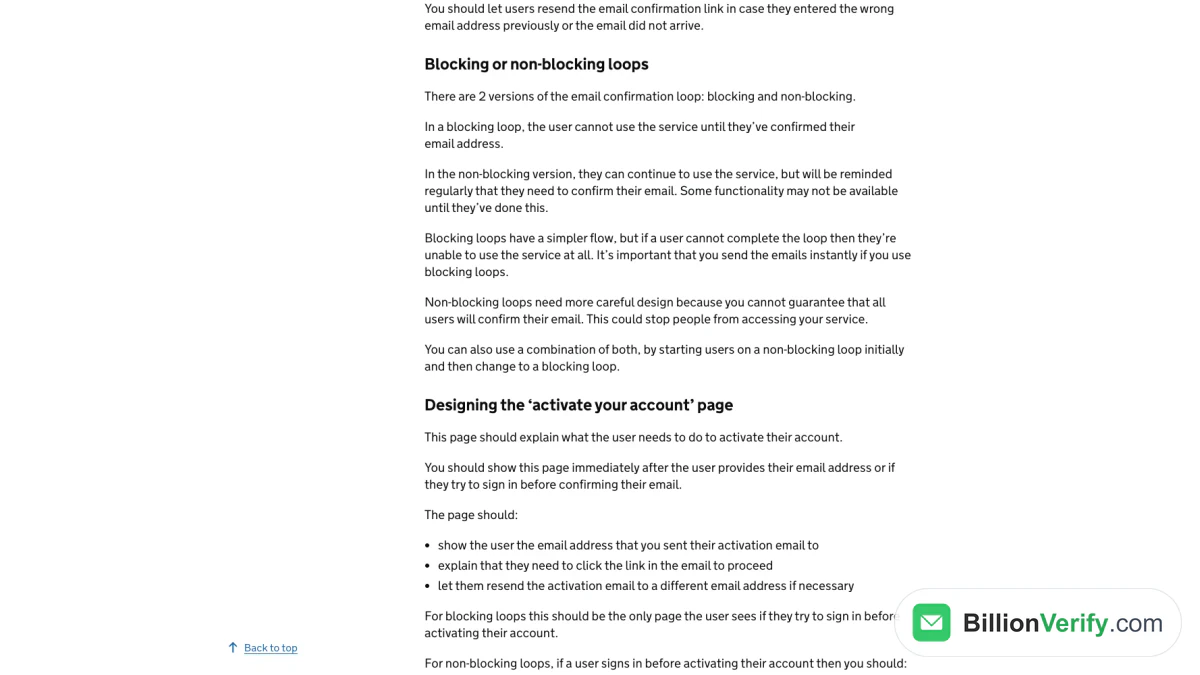
Screenshot: the GOV.UK confirm an email address pattern with its blocking and non-blocking sections, viewed in Nov 2026.
Link or code
Most email confirmation loops send a link to click, and the pattern also allows a security code to type in. The sign-in platforms offer both. Auth0's email templates include a verification email with a link, sent when a user signs up or logs in for the first time, and a code variant for tenants that enable code-based verification. Firebase exposes the link flow through sendEmailVerification and an emailVerified property on the user. Supabase requires confirmation by default on hosted projects.
NIST sets the numbers for either choice. In its identity proofing volume, a confirmation code needs six or more decimal digits from an approved random generator, and it may appear as a code to type or as a secure link that carries it. For an email destination it may stay valid for 24 hours at most, and using it must invalidate it. A field for a typed code should carry autocomplete="one-time-code", which MDN describes as the token for a code received by SMS, email or an authenticator app.
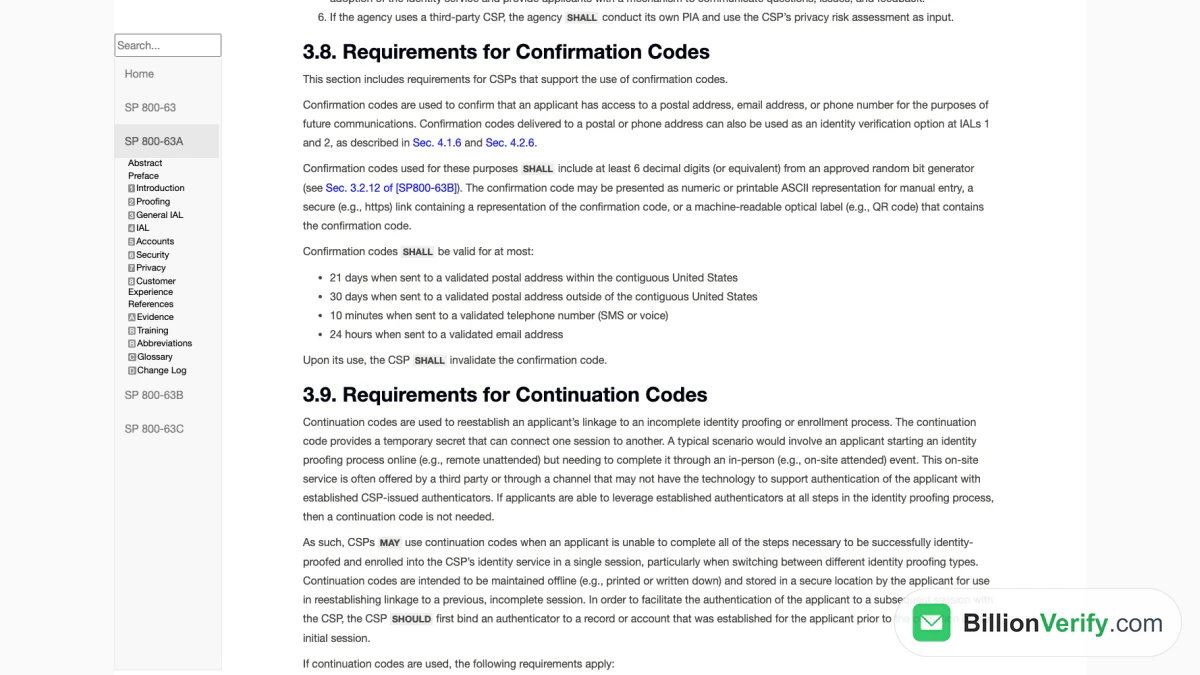
Screenshot: the confirmation code section of NIST's identity proofing volume, with the maximum lifetime for each delivery channel, as of Nov 2026.
NIST's companion document, SP 800-63B-4, adds a boundary that is easy to misread. It forbids email as an out-of-band authentication channel, because mail can be reached with only a password, intercepted in transit or rerouted through DNS spoofing. It then states that codes sent to validate email addresses are not authentication processes and are not affected by that ban. A signup confirmation is fine; treating the inbox as a strong login factor is not.
The page after signup
The GOV.UK pattern says to start the email confirmation step with the "activate your account" page, shown immediately. The page should name the address that received the confirmation email, explain that the user must click the link, and let them resend it, to a different address if needed. A person who mistyped the entry needs that last option more than anyone, because without it the account is stuck. If the form also collects a phone number for a text-message code, run it through a phone number validator before sending, so the same dead end does not appear on a second channel.
Expiry, resend and rate limits
The pattern asks teams to set an expiry and to expire the link when it has been used once, when a newer link supersedes it, or when the user changes the address. When someone opens an expired or used link, the email confirmation page should say so and explain why. Resending the confirmation email needs a limit. Supabase's rate limit table shows a design with a 60-second window before a new signup request for the same user and, on its built-in mail provider, a cap of 2 emails per hour for the project, which matters when you test. The OWASP Forgot Password cheat sheet asks for the same hygiene on tokens: generated with a cryptographically secure random number generator, long enough to resist brute force, stored securely, and single use with an expiry.
The code below follows those rules with Node's crypto module. It stores only a hash of each token, so a database leak does not reveal usable links, sets a 24-hour life that matches the NIST ceiling for email, and refuses a second use. The code path uses six digits and a 15-minute life, which is our own shorter choice; a typed code also needs an attempt limit that this sample leaves out.
import { createHash, randomBytes, randomInt } from "node:crypto";

const DAY_MS = 24 * 60 * 60 * 1000;
const sha256 = (value) => createHash("sha256").update(value).digest("hex");
const store = new Map(); // tokenHash -> { userId, expiresAt, usedAt }

export function createLinkToken(userId, now = Date.now()) {
  const token = randomBytes(32).toString("base64url"); // goes into the emailed link
  store.set(sha256(token), { userId, expiresAt: now + DAY_MS, usedAt: null });
  return token;
}

export function createCode(userId, now = Date.now()) {
  const code = String(randomInt(0, 1_000_000)).padStart(6, "0"); // 6 decimal digits
  store.set(sha256(`${userId}:${code}`), { userId, expiresAt: now + 15 * 60 * 1000, usedAt: null });
  return code;
}

export function confirm(key, now = Date.now()) {
  const row = store.get(sha256(key));
  if (!row) return { ok: false, why: "unknown" };
  if (row.usedAt) return { ok: false, why: "already used" };
  if (now > row.expiresAt) return { ok: false, why: "expired" };
  row.usedAt = now;
  return { ok: true, userId: row.userId };
}

// token length    43
// first click     { ok: true, userId: 'user-1' }
// second click    { ok: false, why: 'already used' }
// after 25 hours  { ok: false, why: 'expired' }
// right code      { ok: true, userId: 'user-3' }
// wrong code      { ok: false, why: 'unknown' }
Security Details That Signup Forms Miss
Three problems appear only once the email verification flow works. They concern what the response reveals, how emails are compared and what the confirmed address is allowed to do. Each has a short rule in the OWASP material.
Do not reveal which emails are registered
If the form says "this email is already in use", an attacker can test addresses in turn to learn who has an account. The OWASP Authentication cheat sheet lists account creation among the flows that need a generic response, and it gives the safe wording: "A link to activate your account has been emailed to the address provided." A way to keep the response identical is to send the link to a new address and a notice to an existing user. The guide also warns that response time can be a discrepancy factor, so both paths should do the same work before they answer. The cost is a small loss of clarity for legitimate users, which that page names as a UX trade-off to weigh by how critical the application is.
Compare emails with a written policy
Two strings that look different can name the same mailbox, and two that look the same can name different ones. OWASP asks teams to define a normalization strategy before storing or comparing anything: lowercase the domain, convert internationalized domains to punycode, avoid provider-specific transformations such as removing Gmail dots unless you control them, and store both the original input and a canonical form. The sample below is one such policy. It folds the case of the local part because accounts here are keyed by the entry, which is a decision to write down, not a law of email. Plus tags and dots stay untouched.
import { domainToASCII } from "node:url";

export function emailKeys(input) {
  const original = input.trim();
  const at = original.lastIndexOf("@");
  if (at < 1) return null;
  const domain = domainToASCII(original.slice(at + 1));
  if (!domain) return null;
  return { original, canonical: `${original.slice(0, at).toLowerCase()}@${domain}` };
}

// "  Jane.Doe+news@Example.COM "  { original: 'Jane.Doe+news@Example.COM', canonical: 'jane.doe+news@example.com' }
// "ivan@Пример.рф"               { original: 'ivan@Пример.рф', canonical: 'ivan@xn--e1afmkfd.xn--p1ai' }
// "bad@xn--iñvalid.com"          null
Send mail to the original, compare on the canonical form, and never rewrite what the user typed. Treat internationalized local parts with extra care, since the same guidance warns about look-alike characters from different scripts. When a signup looks suspicious for reasons that the format and status checks cannot see, a reverse email lookup reads the domain, mail routing and public profile behind the address before you decide how much to trust it.
Treat the inbox as a weak factor
Confirming an address at signup does not make email a safe place for sign-in codes or recovery on its own. OWASP says to treat email as a weak factor and to require multi-factor authentication for sensitive operations. It also says to treat an email change as an identity change: require re-authentication, notify the old address and require confirmation from the new address. Logging deserves the same care. The guidance says to avoid logging full emails, using a masked form such as j***@example.com, and never to log verification tokens or full verification URLs.
Measure the Funnel and Test the Flow
You cannot tune email verification during signup if you cannot see it, and the figures that matter are your own. Count how many submissions fail the format rule, how often the typo suggestion appears and how often users accept it, how every email address verification result splits across the statuses, how many confirmation emails are sent, opened and clicked, how many links expire unused and how often users press resend. Then watch the hard bounce rate on the first campaign sent to new accounts, since that is the number mailbox providers see. GOV.UK's error message guidance asks teams to track how often people see each error, so they can improve the wording and test variations.
Test the paths the code in this guide handles, because each path is a way for a real user to get stuck. Submit an empty field and a pasted entry with a trailing space. Try a domain typo, a provider that always returns unknown, a disposable domain and a null MX domain. Cut the verifier's network access and confirm that signup still completes. Open the verification email link twice, open it after expiry, and request a resend of the email confirmation inside the rate limit window. Finally, register one mailbox in two letter cases and confirm that the second attempt gets the generic response.
Where BillionVerify Fits
When you test a form, the BillionVerify Email Checker lets you verify email address mailboxes one at a time without an account, running the full chain: syntax, DNS, MX and a live SMTP check, with disposable, role and catch-all results reported separately. For files and API calls, a free online email verification tool applies the same layers in bulk or through the REST API used in the sample above. Valid and invalid results cost 1 credit each, unknown results cost nothing, catch-all domains come back as their own category instead of valid, and a result is rechecked free within 24 hours. A free account gets 20 credits on each day it is used, up to 600 a month, and no credit card is needed.
The API also has a separate disposable-domain call that is free of credits, plus a check_smtp setting that skips the live mailbox check for flows that want a domain-level answer only. Sites on WordPress can skip the code: the free WordPress plugin checks entries on the registration form and other forms, and its page says that forms keep working as normal if the API is unreachable or credits run out. Teams whose accounts signed up before any check existed can clean the existing list with bulk email verification instead of waiting for the first campaign to bounce.
FAQs
Should I verify the email before or after the user submits the form?
Validate the format and show a typo hint at submit, and run the deeper call in the same request with a short timeout. If the verifier does not answer in time, accept the signup and let the confirmation decide. Running the call only once the account is created is simpler, but it leaves bad entries in your database until you clean them.
Do I still need a confirmation email if I run a deliverability check?
Yes, because the address will carry resets, receipts or marketing, and the verification email is the proof of ownership. A deliverability check can show that a mailbox accepts mail, but it cannot show that the person typing it owns that mailbox. Catch-all domains and providers that block mailbox checks make the gap wider, because they return no per-recipient answer at all.
Is it acceptable to block disposable emails at signup?
It is acceptable, but OWASP leans toward graded responses. A softer policy lets the user in with limits, such as no trial credits or no invitations until the user confirms. Blocking outright suits services where one abusive account is costly, and it should come with a message that asks for a permanent address.
How long should a confirmation link stay valid?
For email, NIST caps a confirmation code at 24 hours, and GOV.UK adds rules for the email confirmation link: it should stop working once used, once replaced by a newer link, or after a switch to a new address. A shorter life such as an hour is a reasonable choice if resending is easy and rate limited.
What should happen when the verification service times out?
Allow the registration to go through. Email verification here is an extra safety net and your confirmation is the real gate, so an outage should degrade to that step alone. Log the failure with a masked email, and make sure the confirmation email still goes out promptly.
Can unconfirmed users sign in?
That depends on whether your loop is blocking. A blocking loop shows only the "check your email" page until confirmation arrives. A non-blocking loop lets users in with some features locked and reminds them to confirm. Most services do better with a non-blocking start that turns blocking after a set period.
Watch: How to Download Your Verified Email List From BillionVerify
