



Real-time email validation checks an address while the user is still on your form. It runs in the few hundred milliseconds between "Submit" and the next screen, and it answers one question: should this address get into your database? A real-time email validation API makes that call for you. It looks at syntax, the domain and its MX records, disposable and role signals, catch-all behavior and, when you ask for it, the mailbox itself. Then it returns a structured result your code can act on.
This guide is for developers who are adding that gate to a signup, checkout or lead form. It covers what the checks do, how to call an API, how to turn each status into a product decision, and how to stay fast when a mail server is slow. The examples use the BillionVerify email validation API, but the design advice applies to any provider.
What Is Real-Time Email Validation?
Real-time email validation is a check that runs at the moment an address is entered, not days later when a campaign goes out. The user types an address. Your frontend or backend sends it to an email checker API. The API answers with a status such as valid, invalid or catchall, plus the signals behind it. Your application then allows the signup, blocks it, or asks the user to fix a typo.
The point is timing. A typo like gmial.com costs nothing to fix while the user is still on the form. After the welcome email bounces, the same typo costs you the customer. Bad addresses also hurt your sender reputation, because every hard bounce tells mailbox providers you send to unconfirmed addresses. Real time email verification stops them at the door.
It also helps against fraud: a real-time check can flag a throwaway inbox before the account exists.
Real-Time vs Bulk Email Validation
Both approaches use the same checks. They differ in when they run and how much time they have.
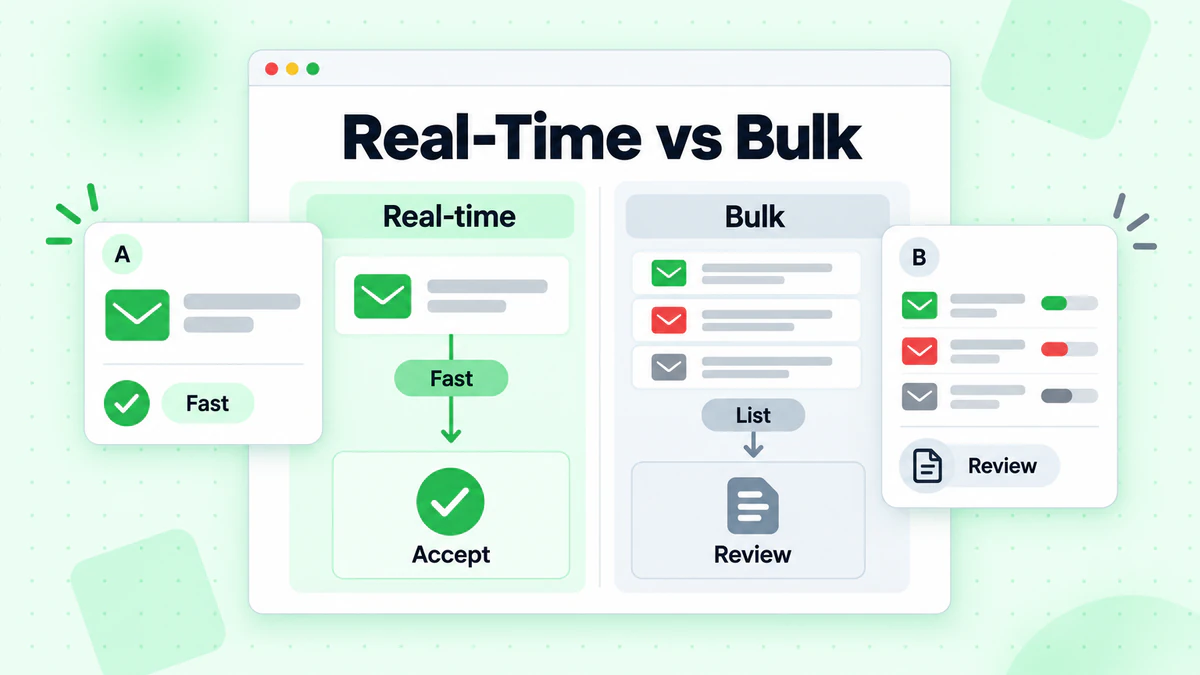
- Real-time validation runs on one address at a time, inside a user request. It has a strict time budget, often well under a second, because a slow form loses signups. It prevents bad data from getting in.
- Bulk validation runs on a whole list, in the background. It can take minutes or hours, and nobody is waiting on a screen. It cleans data that is already in your system, for example before a big campaign or after a CRM import.
Most teams need both. Real-time checks keep new data clean, and a periodic bulk verification pass catches addresses that went bad over time, such as employees who left a company. For a deeper comparison, see real-time vs bulk email validation.
What a Real-Time Check Actually Tests
An email validation API runs a series of checks, from cheap to expensive. Each one rules out a different kind of bad address.
Syntax
The first check is the format. Is there exactly one @? Is the local part made of allowed characters? Does the domain look like a domain? Syntax rejects obvious junk, such as john@@example or jane.example.com. It is fast and needs no network call. But a perfect syntax says nothing about whether the mailbox exists.
Domain and MX records
Next, the API looks up the domain in DNS. A domain with no MX records cannot receive email, so an address there is useless no matter how clean it looks. This catches misspelled domains and dead company domains. BillionVerify returns the MX hosts it found in mx_records, and domain_suggestion can carry a likely correction when the domain looks like a typo of a common one.
Disposable, role and free-provider signals
Some addresses exist but are still a poor fit for your product:
- Disposable addresses come from temporary inbox services and usually stop working within hours. See how disposable email detection works.
- Role addresses such as
info@orsupport@go to a team, not a person. They are usually deliverable but tend to engage less. - Free-provider addresses such as Gmail are normal for consumers, but worth recording on a B2B form.
The API reports these as flags (is_disposable, is_role, is_free) so you can decide per product.
Catch-all domains
Some mail servers accept mail for any address at their domain, real or not. For these catch-all domains, a mailbox check cannot prove that a specific inbox exists. A catch-all result is not a bad result. It means the certainty is lower, so the score matters more than the label. Catch-all email detection explains how this works and why it matters.
SMTP mailbox check
The deepest check asks the recipient's mail server over SMTP whether the mailbox would accept a message, without sending one. It finds addresses on real domains that no longer exist, such as a former employee's inbox. It is also the slowest step, because it depends on someone else's server. In BillionVerify it is controlled by the check_smtp parameter. If you leave it out, the API runs the SMTP check; send check_smtp: false to skip it.
Domain reputation
BillionVerify can also return a domain_reputation object with blacklist results for the IP of the domain's mail server. It is for information only: it does not change the status, the score or the cost.
How to Call a Real-Time Email Validation API
With BillionVerify, a single real-time check is one HTTPS request. The base URL is https://api.billionverify.com/v1, and your API key goes in the BV-API-KEY header. Keep that key on your server. Never ship it in browser code.
Here is a minimal request, based on the API reference:
curl -X POST https://api.billionverify.com/v1/verify/single \
  -H "BV-API-KEY: sk_xxx" \
  -H "Content-Type: application/json" \
  -d '{"email":"test@example.com","check_smtp":true}'
The request takes three parameters:
| Parameter | Default | What it does |
|---|---|---|
email | required | The address to validate |
check_smtp | on | Set false to skip the live SMTP mailbox check |
force_refresh | false | Skips cached results; the fresh result is billed like a new check |
A successful response wraps the result in a standard envelope. Here is a shortened example for a deliverable address:
{
  "success": true,
  "code": "0",
  "message": "Success",
  "data": {
    "email": "user@example.com",
    "status": "valid",
    "score": 0.95,
    "is_deliverable": true,
    "is_disposable": false,
    "is_catchall": false,
    "is_role": false,
    "is_free": false,
    "domain": "example.com",
    "mx_records": ["mail.example.com"],
    "check_smtp": true,
    "reason": "smtp_deliverable",
    "domain_suggestion": "",
    "response_time": 250,
    "credits_used": 1
  }
}
If you prefer an SDK, BillionVerify publishes official ones for Node.js, Python, TypeScript, Go, PHP and Java. In Node.js, npm install billionverify-sdk gives you a client with a verify method; in Python, the package is billionverify.
Reading the Response: Status, Score and Reason
The status field is what most code branches on. Here is what each status means and a sensible default for a signup form:
| Status | Meaning | Signup form default |
|---|---|---|
valid | The mailbox exists and can receive mail | Accept |
invalid | The address does not exist or cannot receive mail | Block and ask for another address |
disposable | A temporary inbox | Block, or accept with limits |
catchall | The domain accepts every address | Accept and monitor |
role | A shared inbox such as info@ | Accept, maybe flag for sales |
unknown | Deliverability could not be confirmed | Accept and re-check later |
The score gives you a finer signal between 0 and 1. As a rough guide, valid results score 0.85 to 1.0, catchall about 0.55 to 0.75, unknown 0.3 to 0.6, disposable 0.1 and invalid 0. A role result keeps the score of the underlying check. You can use the score to set your own threshold for borderline cases, for example to accept catch-all addresses only above a certain score on a high-value form.
The reason field explains the verdict. An invalid result may come with invalid_syntax, no_mx_records or mailbox_not_found, and each points to a different message for the user. A syntax problem means "check the format". A missing mailbox means "this inbox does not exist". The verification reasons page lists every reason and says which unknown reasons are worth retrying.
Two fields help the user directly: domain_suggestion can power a "Did you mean gmail.com?" hint, and is_disposable explains why a throwaway address was refused.
Designing the Signup Flow Around a Latency Budget
The hard part is fitting the check into a form without slowing it down. Start with a budget. Decide how long you are willing to hold the user, for example 300 to 500 milliseconds on submit. Everything else follows from that number.
BillionVerify's product copy puts cached results under 200 ms and a full SMTP check at 1–3 seconds on average. That gap leaves you two good designs:
- Full check with a timeout. Call the API with SMTP on and a timeout of 2–3 seconds. Most answers arrive in time and give you a clear
validorinvalid. If the timeout fires, fail open and re-check later. - Fast check now, deep check later. Call the API with
check_smtp: false. This only settles clear cases: bad syntax, a domain with no MX records, disposable and role addresses. An address on a working domain comes back asunknownwith the reasonsmtp_unverifiable, which is expected. Accept it, then run a second call with SMTP on from a background job. If the mailbox does not exist, mark the account and ask the user to confirm their address.
A few frontend habits help as well:
- Validate on blur or submit, not on every keystroke. Checking
j,jo,johwastes calls and credits. - Run local syntax checks first to save a round trip on obvious mistakes.
- Call the API from your backend. Your server holds the API key and records the result; the browser only shows the outcome.
For UX details such as wording, error placement and when to show a hint, see email verification during signup.
Fail Open or Fail Closed? Handling Timeouts and Unknowns
The pattern that works for most products is: fail closed on clear errors, fail open on uncertainty.
- Fail closed means you block the signup. Do this when the API says the address is clearly bad:
invalidwithinvalid_syntaxorno_mx_records, or adisposableaddress on a form where throwaway accounts cause harm. - Fail open means you let the user through and follow up later. Do this when the answer is uncertain: an
unknownstatus, a catch-all domain, or your own timeout firing before the API answers.
Why not block uncertain addresses too? Real people sit behind many of them. Corporate mail servers often greylist or rate-limit SMTP checks, so blocking them costs real signups. Accept, tag the record, and re-check later.
Set a client-side timeout on your API call that matches your latency budget. When it fires, treat the result as unknown: accept, store a flag, and queue a background re-check. Retry unknown results later rather than inside the request.
Example: Validate an Email on Signup in Node.js
The sketch below shows the fast check (design 2) in a signup handler. It uses the documented REST endpoint and response fields, a timeout, and the fail open or closed rules above. Adapt the names to your framework.
const BLOCK = new Set(['invalid', 'disposable']);

async function checkEmail(email) {
  const controller = new AbortController();
  const timer = setTimeout(() => controller.abort(), 400);

  try {
    const response = await fetch('https://api.billionverify.com/v1/verify/single', {
      method: 'POST',
      headers: {
        'BV-API-KEY': process.env.BV_API_KEY,
        'Content-Type': 'application/json',
      },
      body: JSON.stringify({ email, check_smtp: false }),
      signal: controller.signal,
    });
    const body = await response.json();
    if (!body.success) return { allow: true, recheck: true };

    const { status, reason, domain_suggestion } = body.data;
    if (BLOCK.has(status)) {
      return { allow: false, reason, suggestion: domain_suggestion };
    }
    return { allow: true, recheck: status === 'unknown' || status === 'catchall' };
  } catch {
    // Timeout or network error: fail open and re-check in the background.
    return { allow: true, recheck: true };
  } finally {
    clearTimeout(timer);
  }
}
Without SMTP, most real addresses come back unknown and get the recheck flag. After the account is saved, a background job calls the same endpoint with SMTP on for every record marked recheck. The Node.js tutorial walks through a fuller setup, including the official SDK. The same request works from Python or any language with an HTTP client.
Rate Limits, Caching and Cost
A real-time check sits on your signup path, so its limits become your limits. Plan for them.
Rate limits. BillionVerify protects its capacity with per-account limits. When you hit one, the API returns HTTP 429 with code 1003 and a Retry-After header. Back off and retry, and keep your own fail-open rule in place so a limit never blocks a real user.
Caching. Results are cached, which is why repeat checks come back fast. Re-checking an address your account verified in the last 24 hours is free. Use force_refresh: true only when you really need a fresh answer, because it skips the cache and is billed like a new check.
Cost. A single check normally uses 1 credit, shown in credits_used. Every unknown result is free, and so are syntax failures. Validate on submit rather than on every keystroke, and do not re-check an address you verified recently. BillionVerify gives 20 free credits every day you log in, up to 600 a month, which is enough to build and test an integration. Paid credit packs are listed on the pricing page.
Beyond the Form: Batches, Files and Webhooks
Real-time validation covers new addresses one by one. For everything else, the same API has other entry points:
- Small batches.
POST /verify/bulkchecks up to 50 addresses in one request, which suits a CRM sync or an import screen. - Large lists.
POST /verify/fileaccepts a CSV, TXT or XLSX file and processes it in the background. - Webhooks. Instead of polling a file job, register a webhook for
file.completedandfile.failedevents. See the guide to email verification webhooks for signature checks and retries. - Disposable-only checks.
POST /verify/disposableanswers just the disposable question and does not use credits.
A common setup: real-time checks on every form, a nightly batch for records marked recheck, and a file job before large campaigns.
Real-Time Email Validation Checklist
Before you ship, go through this list:
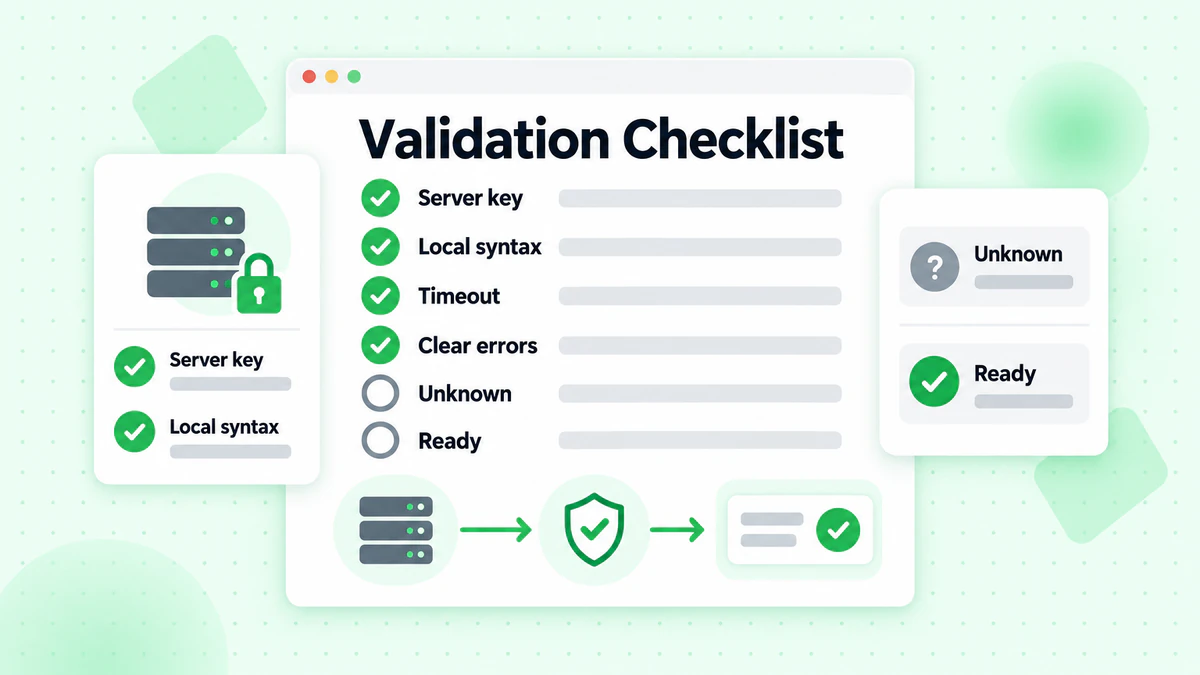
- The API key lives on the server, never in the browser.
- Syntax is checked locally before the API call.
- The request path uses
check_smtp: falseand a timeout that fits your latency budget. invalidanddisposablehave clear, specific error messages.unknown,catchalland timeouts fail open and are queued for a re-check.domain_suggestionpowers a typo hint.- 429 responses back off without blocking users.
- Results are stored with the user record, so you can measure bounce rates later.
FAQ
What is a real-time email validation API?
A real-time email validation API checks a single email address while a user submits a form and returns a verdict in a fraction of a second. It runs syntax, domain, MX, disposable, role and catch-all checks, and optionally an SMTP mailbox check, so your app can accept, block or flag the address before it reaches your database.
How is real-time email validation different from bulk validation?
Real-time email validation checks one address at a time inside a user request and must answer fast. Bulk validation checks a whole list in the background and can take much longer. Use real-time checks to keep new data clean and bulk checks to clean data you already have.
Should I run the SMTP check on every signup?
It depends on your latency budget. The SMTP check is what confirms a mailbox, so without it most real addresses come back unknown. If you can wait 2–3 seconds, run it on submit with a timeout. If not, run the fast check with check_smtp: false and do the SMTP check in a background job.
What should I do with catch-all and unknown results?
Accept them and re-check later. A catch-all domain accepts every address, so a mailbox check cannot prove the inbox exists, and an unknown result means the check could not finish. Blocking these users loses real signups; tagging them and re-checking keeps your data clean without hurting conversion.
Can I call the email checker API from the browser?
No. That exposes your API key. Call the API from your backend and return only the decision.
How fast is real time email verification?
With BillionVerify, cached results return in under 200 ms and a full SMTP check takes 1–3 seconds on average. That is why the fast check without SMTP belongs in the request path and the SMTP check in the background.
How much does an email validation API cost?
In BillionVerify, a single check normally uses 1 credit, and every unknown result is free. You get 20 free credits every day you log in, up to 600 a month, and paid credit packs are on the pricing page. force_refresh skips the cache and is billed like a new check.
Start Validating Emails in Real Time
Real-time email validation means fewer bounces, fewer fake accounts and fewer users lost to a typo. Put a fast check in the request path, move the slow check to the background, and let clear failures block while uncertain results pass. Create a free BillionVerify account, get an API key, and make your first validate email API call from the docs above.