



Building applications that collect email addresses requires robust email verification to maintain data quality and protect your sender reputation. Node.js developers have powerful tools at their disposal for integrating email verification services into their applications. This comprehensive tutorial walks you through implementing email verification API integration with Node.js, from basic setup to production-ready implementations. For foundational concepts, see our complete guide to email verification.
Why Node.js for Email Verification Integration
Node.js has become the preferred runtime for building modern web applications, and its asynchronous nature makes it particularly well-suited for API integrations like email verification. When users submit email addresses through your forms, you need fast, non-blocking verification that doesn't slow down the user experience. Node.js excels at handling multiple concurrent API requests efficiently, making it ideal for both real-time single email verification and batch processing scenarios.
The npm ecosystem provides excellent HTTP client libraries that simplify API integration. Whether you prefer the built-in fetch API, axios, or node-fetch, implementing an email validator in Node.js requires minimal boilerplate code while offering maximum flexibility for customization.
Setting Up Your Node.js Project
Before diving into email verification implementation, ensure your development environment is properly configured. You'll need Node.js version 18 or higher to take advantage of the native fetch API, though earlier versions can use node-fetch as a polyfill.
Installing Dependencies
Create a new project directory and initialize it with npm. Your package.json should include the necessary dependencies for HTTP requests and environment variable management. The dotenv package helps keep your API credentials secure by loading them from environment files rather than hardcoding sensitive information in your source code.
// package.json
{
  "name": "email-verification-demo",
  "version": "1.0.0",
  "type": "module",
  "dependencies": {
    "dotenv": "^16.3.1"
  }
}
Configuring Environment Variables
Store your BillionVerify API key in an environment file. Never commit API keys to version control. The .env file keeps credentials separate from your codebase, following security best practices that every email verification service recommends.
# .env
BV_API_KEY=your_api_key_here
Implementing Single Email Verification
The foundation of any email verification integration is the ability to verify individual email addresses. This functionality powers real-time validation during user registration, contact form submissions, and any scenario where immediate feedback is required.
Making Your First API Call
The BillionVerify email verification API accepts POST requests with the email address in the request body. The response includes comprehensive verification results including validity status, deliverability assessment, and detailed checks for disposable emails, role-based addresses, and catch-all domains.
// verify-email.js
import 'dotenv/config';

const API_BASE_URL = 'https://api.billionverify.com/v1';
const API_KEY = process.env.BV_API_KEY;

async function verifyEmail(email) {
  const response = await fetch(`${API_BASE_URL}/verify`, {
    method: 'POST',
    headers: {
      'Authorization': `Bearer ${API_KEY}`,
      'Content-Type': 'application/json'
    },
    body: JSON.stringify({ email })
  });

  if (!response.ok) {
    throw new Error(`Verification failed: ${response.status}`);
  }

  return response.json();
}

// Usage example
const result = await verifyEmail('user@example.com');
console.log(result);
Understanding Response Fields
The verification response provides actionable intelligence about each email address. Understanding these response fields helps you make informed decisions about whether to accept an email address into your system.
| Field | Description | Use Case |
|---|---|---|
| is_valid | Overall validity assessment | Primary accept/reject decision |
| is_deliverable | Can receive emails | Email campaign eligibility |
| is_disposable | Temporary email service (see disposable detection) | Fraud prevention |
| is_role_based | Generic address (info@, support@) | B2B targeting |
| is_catch_all | Domain accepts all addresses (see catch-all detection) | Risk assessment |
| risk_score | 0-100 risk rating | Nuanced filtering |
Building a Reusable Email Validator Class
Production applications benefit from encapsulating email verification logic in a reusable class. This approach provides consistent error handling, automatic retries, and a clean interface for the rest of your application to consume.
Class Architecture
The EmailValidator class abstracts away the HTTP details and provides methods for common verification scenarios. It handles API authentication, request formatting, and response parsing, allowing your application code to focus on business logic rather than API mechanics.
// EmailValidator.js
import 'dotenv/config';

class EmailValidator {
  constructor(apiKey = process.env.BV_API_KEY) {
    this.apiKey = apiKey;
    this.baseUrl = 'https://api.billionverify.com/v1';
    this.maxRetries = 3;
    this.retryDelay = 1000;
  }

  async verify(email) {
    let lastError;

    for (let attempt = 1; attempt <= this.maxRetries; attempt++) {
      try {
        const response = await fetch(`${this.baseUrl}/verify`, {
          method: 'POST',
          headers: {
            'Authorization': `Bearer ${this.apiKey}`,
            'Content-Type': 'application/json'
          },
          body: JSON.stringify({ email })
        });

        if (response.status === 429) {
          // Rate limited - wait and retry
          await this.sleep(this.retryDelay * attempt);
          continue;
        }

        if (!response.ok) {
          throw new Error(`API error: ${response.status}`);
        }

        return await response.json();
      } catch (error) {
        lastError = error;
        if (attempt < this.maxRetries) {
          await this.sleep(this.retryDelay * attempt);
        }
      }
    }

    throw lastError;
  }

  async isValid(email) {
    const result = await this.verify(email);
    return result.is_valid && result.is_deliverable;
  }

  async isHighRisk(email) {
    const result = await this.verify(email);
    return result.risk_score > 70 || result.is_disposable;
  }

  sleep(ms) {
    return new Promise(resolve => setTimeout(resolve, ms));
  }
}

export default EmailValidator;
Automatic Retry Logic
This class implements exponential backoff for failed requests, which is essential for production reliability. When the email verification service returns a rate limit error or experiences temporary issues, the class automatically retries with increasing delays between attempts.
Integrating with Express.js Applications
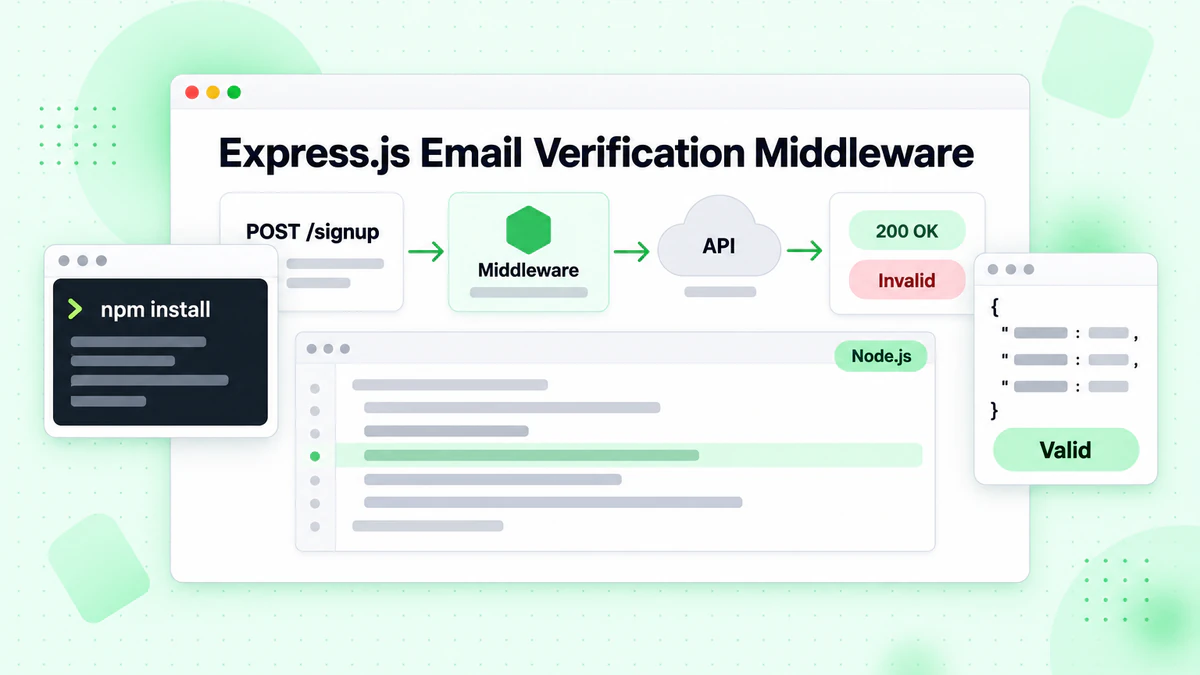
Most Node.js web applications use Express.js or similar frameworks. Integrating email verification into your Express routes enables real-time validation during form submissions. Users receive immediate feedback about invalid email addresses, improving the registration experience while protecting your email list quality.
Creating Verification Middleware
Create a middleware function that validates email addresses before they reach your route handlers. This approach separates verification logic from business logic, making your code more maintainable and testable.
// server.js
import express from 'express';
import EmailValidator from './EmailValidator.js';

const app = express();
const validator = new EmailValidator();

app.use(express.json());

// Middleware for email verification
const verifyEmailMiddleware = async (req, res, next) => {
  const { email } = req.body;

  if (!email) {
    return res.status(400).json({ error: 'Email is required' });
  }

  try {
    const result = await validator.verify(email);

    if (!result.is_valid) {
      return res.status(400).json({
        error: 'Invalid email address',
        details: result
      });
    }

    if (result.is_disposable) {
      return res.status(400).json({
        error: 'Disposable email addresses are not allowed'
      });
    }

    // Attach verification result for downstream use
    req.emailVerification = result;
    next();
  } catch (error) {
    console.error('Email verification failed:', error);
    // Allow request to proceed but flag as unverified
    req.emailVerification = { verified: false, error: error.message };
    next();
  }
};

// Registration endpoint with email verification
app.post('/api/register', verifyEmailMiddleware, async (req, res) => {
  const { email, name, password } = req.body;

  // Email is already verified by middleware
  // Proceed with registration logic

  res.json({
    success: true,
    message: 'Registration successful',
    emailVerification: req.emailVerification
  });
});

app.listen(3000, () => {
  console.log('Server running on port 3000');
});
Handling Verification Results
The middleware approach provides flexibility in how strictly you enforce email verification. Some applications may choose to reject all unverified emails, while others might accept them with a warning flag for manual review. The email validation results attached to the request object enable downstream handlers to make nuanced decisions.
Batch Email Verification for List Cleaning
While real-time verification handles individual addresses, many applications need to verify large email lists. Marketing teams regularly clean their subscriber lists, and CRM systems periodically validate stored contacts. The batch verification endpoint processes multiple emails efficiently, reducing API calls and improving throughput.
Submitting Batch Jobs
Batch operations require different handling than single verifications. You'll need to manage job submission, status polling, and result retrieval as separate operations. This asynchronous pattern allows the email verification service to process large lists without timing out.
// batch-verify.js
import EmailValidator from './EmailValidator.js';

class BatchEmailValidator extends EmailValidator {
  async submitBatch(emails) {
    const response = await fetch(`${this.baseUrl}/verify/batch`, {
      method: 'POST',
      headers: {
        'Authorization': `Bearer ${this.apiKey}`,
        'Content-Type': 'application/json'
      },
      body: JSON.stringify({ emails })
    });

    if (!response.ok) {
      throw new Error(`Batch submission failed: ${response.status}`);
    }

    return response.json();
  }

  async getBatchStatus(jobId) {
    const response = await fetch(`${this.baseUrl}/verify/batch/${jobId}`, {
      headers: {
        'Authorization': `Bearer ${this.apiKey}`
      }
    });

    if (!response.ok) {
      throw new Error(`Status check failed: ${response.status}`);
    }

    return response.json();
  }

  async verifyBatch(emails, options = {}) {
    const {
      pollInterval = 5000,
      maxWaitTime = 300000,
      onProgress = () => {}
    } = options;

    // Submit the batch job
    const { job_id } = await this.submitBatch(emails);

    const startTime = Date.now();

    // Poll for completion
    while (Date.now() - startTime < maxWaitTime) {
      const status = await this.getBatchStatus(job_id);

      onProgress({
        processed: status.processed,
        total: status.total,
        percentage: Math.round((status.processed / status.total) * 100)
      });

      if (status.status === 'completed') {
        return status.results;
      }

      if (status.status === 'failed') {
        throw new Error(`Batch job failed: ${status.error}`);
      }

      await this.sleep(pollInterval);
    }

    throw new Error('Batch verification timed out');
  }
}

// Usage example
const batchValidator = new BatchEmailValidator();

const emails = [
  'user1@example.com',
  'user2@company.org',
  'invalid@fake.domain',
  // ... more emails
];

const results = await batchValidator.verifyBatch(emails, {
  onProgress: (progress) => {
    console.log(`Progress: ${progress.percentage}%`);
  }
});

// Process results
const validEmails = results.filter(r => r.is_valid);
const invalidEmails = results.filter(r => !r.is_valid);

console.log(`Valid: ${validEmails.length}, Invalid: ${invalidEmails.length}`);
Polling for Results
The batch verification implementation includes a progress callback, allowing your application to display verification progress to users or log it for monitoring. This is particularly useful when processing lists with thousands of email addresses that may take several minutes to complete.
Error Handling and Resilience
Production email verification integrations must handle errors gracefully. Network issues, API rate limits, and service unavailability are inevitable in distributed systems. Implementing proper error handling ensures your application remains functional even when the verification service experiences problems.
Custom Error Classes
Create a comprehensive error handling strategy that distinguishes between different error types. Transient errors like rate limits deserve retry attempts, while permanent errors like invalid API keys require immediate attention and alerting.
// errors.js
class EmailVerificationError extends Error {
  constructor(message, code, retryable = false) {
    super(message);
    this.name = 'EmailVerificationError';
    this.code = code;
    this.retryable = retryable;
  }
}

class RateLimitError extends EmailVerificationError {
  constructor(retryAfter) {
    super('Rate limit exceeded', 'RATE_LIMITED', true);
    this.retryAfter = retryAfter;
  }
}

class AuthenticationError extends EmailVerificationError {
  constructor() {
    super('Invalid API key', 'AUTH_FAILED', false);
  }
}

// Enhanced validator with error handling
class RobustEmailValidator extends EmailValidator {
  async verify(email) {
    try {
      const response = await fetch(`${this.baseUrl}/verify`, {
        method: 'POST',
        headers: {
          'Authorization': `Bearer ${this.apiKey}`,
          'Content-Type': 'application/json'
        },
        body: JSON.stringify({ email })
      });

      if (response.status === 401) {
        throw new AuthenticationError();
      }

      if (response.status === 429) {
        const retryAfter = response.headers.get('Retry-After') || 60;
        throw new RateLimitError(parseInt(retryAfter));
      }

      if (response.status >= 500) {
        throw new EmailVerificationError(
          'Service temporarily unavailable',
          'SERVICE_ERROR',
          true
        );
      }

      if (!response.ok) {
        const error = await response.json();
        throw new EmailVerificationError(
          error.message || 'Verification failed',
          'API_ERROR',
          false
        );
      }

      return response.json();
    } catch (error) {
      if (error instanceof EmailVerificationError) {
        throw error;
      }

      // Network or parsing error
      throw new EmailVerificationError(
        error.message,
        'NETWORK_ERROR',
        true
      );
    }
  }
}

export { EmailVerificationError, RateLimitError, AuthenticationError, RobustEmailValidator };
Implementing Graceful Degradation
Your application code can then handle different error types appropriately, providing meaningful feedback to users and triggering appropriate alerts for operations teams.
Implementing Caching for Performance
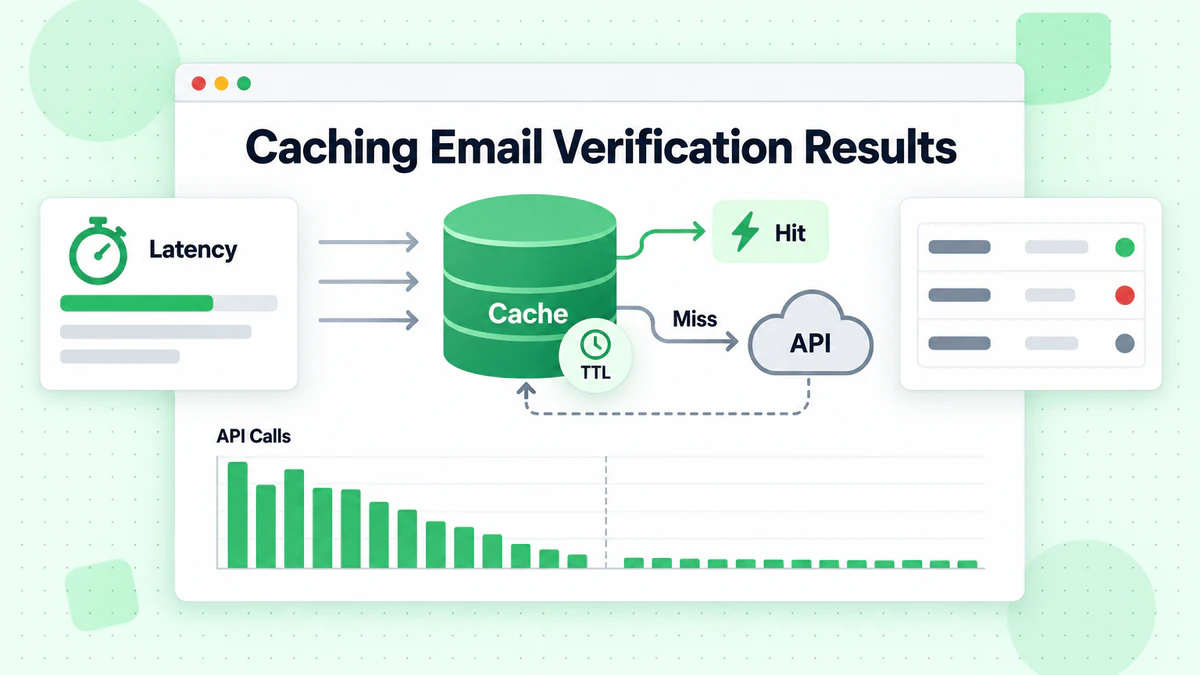
Email verification API calls have a cost, both in terms of money and latency. Implementing a caching layer reduces redundant verifications for the same email addresses while improving response times. A well-designed cache respects the dynamic nature of email validity while providing meaningful performance benefits.
In-Memory Cache Strategy
Choose an appropriate cache duration based on your use case. Email validity can change—mailboxes are deleted, domains expire, catch-all configurations change. A cache duration of 24 hours balances performance with accuracy for most applications.
// cached-validator.js
class CachedEmailValidator extends EmailValidator {
  constructor(apiKey, cacheOptions = {}) {
    super(apiKey);
    this.cache = new Map();
    this.cacheTTL = cacheOptions.ttl || 24 * 60 * 60 * 1000; // 24 hours
    this.maxCacheSize = cacheOptions.maxSize || 10000;
  }

  getCacheKey(email) {
    return email.toLowerCase().trim();
  }

  getCached(email) {
    const key = this.getCacheKey(email);
    const cached = this.cache.get(key);

    if (!cached) return null;

    if (Date.now() > cached.expiresAt) {
      this.cache.delete(key);
      return null;
    }

    return cached.result;
  }

  setCache(email, result) {
    // Implement LRU eviction if cache is full
    if (this.cache.size >= this.maxCacheSize) {
      const oldestKey = this.cache.keys().next().value;
      this.cache.delete(oldestKey);
    }

    const key = this.getCacheKey(email);
    this.cache.set(key, {
      result,
      expiresAt: Date.now() + this.cacheTTL
    });
  }

  async verify(email) {
    // Check cache first
    const cached = this.getCached(email);
    if (cached) {
      return { ...cached, fromCache: true };
    }

    // Perform verification
    const result = await super.verify(email);

    // Cache successful results
    if (result && !result.error) {
      this.setCache(email, result);
    }

    return { ...result, fromCache: false };
  }

  clearCache() {
    this.cache.clear();
  }

  getCacheStats() {
    return {
      size: this.cache.size,
      maxSize: this.maxCacheSize
    };
  }
}

export default CachedEmailValidator;
Cache Invalidation
For production applications handling high volumes, consider using Redis or Memcached instead of an in-memory cache. These external cache stores persist across application restarts and can be shared among multiple application instances in a clustered deployment.
Testing Your Email Verification Integration
Comprehensive testing ensures your email verification integration works correctly across all scenarios. Unit tests verify individual components, while integration tests confirm proper API communication. Mock the HTTP layer during unit tests to avoid making actual API calls.
Unit Testing with Mocks
// validator.test.js
import { jest } from '@jest/globals';
import EmailValidator from './EmailValidator.js';

describe('EmailValidator', () => {
  let validator;

  beforeEach(() => {
    validator = new EmailValidator('test-api-key');
    global.fetch = jest.fn();
  });

  test('returns valid result for valid email', async () => {
    fetch.mockResolvedValueOnce({
      ok: true,
      json: () => Promise.resolve({
        is_valid: true,
        is_deliverable: true,
        is_disposable: false,
        risk_score: 10
      })
    });

    const result = await validator.verify('valid@example.com');

    expect(result.is_valid).toBe(true);
    expect(result.is_deliverable).toBe(true);
  });

  test('handles rate limiting with retry', async () => {
    fetch
      .mockResolvedValueOnce({ ok: false, status: 429 })
      .mockResolvedValueOnce({
        ok: true,
        json: () => Promise.resolve({ is_valid: true })
      });

    const result = await validator.verify('test@example.com');

    expect(fetch).toHaveBeenCalledTimes(2);
    expect(result.is_valid).toBe(true);
  });

  test('throws after max retries exceeded', async () => {
    fetch.mockResolvedValue({ ok: false, status: 500 });

    await expect(validator.verify('test@example.com'))
      .rejects.toThrow('API error: 500');
  });
});
Testing Edge Cases
Include tests for edge cases like network failures, malformed responses, and unusual email formats. The email checker should handle all scenarios gracefully without crashing your application.
Monitoring and Logging Best Practices
Production email verification integrations require monitoring to track performance, identify issues, and optimize costs. Implement structured logging that captures verification outcomes, response times, and error rates.
Structured Logging
// monitored-validator.js
class MonitoredEmailValidator extends EmailValidator {
  constructor(apiKey, logger = console) {
    super(apiKey);
    this.logger = logger;
    this.metrics = {
      totalRequests: 0,
      successfulVerifications: 0,
      failedVerifications: 0,
      cacheHits: 0,
      totalLatency: 0
    };
  }

  async verify(email) {
    const startTime = Date.now();
    this.metrics.totalRequests++;

    try {
      const result = await super.verify(email);
      const latency = Date.now() - startTime;

      this.metrics.successfulVerifications++;
      this.metrics.totalLatency += latency;

      this.logger.info({
        event: 'email_verification',
        email: this.maskEmail(email),
        is_valid: result.is_valid,
        latency_ms: latency
      });

      return result;
    } catch (error) {
      this.metrics.failedVerifications++;

      this.logger.error({
        event: 'email_verification_error',
        email: this.maskEmail(email),
        error: error.message,
        latency_ms: Date.now() - startTime
      });

      throw error;
    }
  }

  maskEmail(email) {
    const [local, domain] = email.split('@');
    const maskedLocal = local.charAt(0) + '***' + local.slice(-1);
    return `${maskedLocal}@${domain}`;
  }

  getMetrics() {
    return {
      ...this.metrics,
      averageLatency: this.metrics.totalRequests > 0
        ? Math.round(this.metrics.totalLatency / this.metrics.totalRequests)
        : 0,
      successRate: this.metrics.totalRequests > 0
        ? (this.metrics.successfulVerifications / this.metrics.totalRequests * 100).toFixed(2)
        : 0
    };
  }
}

export default MonitoredEmailValidator;
Tracking Metrics
Set up alerts for elevated error rates or unusual patterns that might indicate API issues or abuse attempts. Monitoring dashboards help you understand verification patterns and optimize your implementation over time.
Security Considerations
Email verification integrations handle potentially sensitive data and require careful security consideration. Protect your API keys, validate inputs, and implement rate limiting on your own endpoints to prevent abuse.
Protecting API Credentials
Never expose your BillionVerify API key to client-side code. All verification requests should route through your backend server, which holds the API credentials securely. This prevents malicious actors from using your API quota for their own purposes.
Input Validation and Rate Limiting
Implement input validation before sending emails to the verification API. Basic format validation on your side reduces unnecessary API calls and provides faster feedback for obviously invalid inputs.
// secure-validator.js
class SecureEmailValidator extends EmailValidator {
  constructor(apiKey, options = {}) {
    super(apiKey);
    this.rateLimiter = new Map();
    this.maxRequestsPerMinute = options.maxRequestsPerMinute || 100;
  }

  validateEmailFormat(email) {
    if (!email || typeof email !== 'string') {
      throw new Error('Email must be a non-empty string');
    }

    const emailRegex = /^[^\s@]+@[^\s@]+\.[^\s@]+$/;
    if (!emailRegex.test(email)) {
      throw new Error('Invalid email format');
    }

    if (email.length > 254) {
      throw new Error('Email exceeds maximum length');
    }

    return email.toLowerCase().trim();
  }

  checkRateLimit(clientId) {
    const now = Date.now();
    const windowStart = now - 60000;

    if (!this.rateLimiter.has(clientId)) {
      this.rateLimiter.set(clientId, []);
    }

    const requests = this.rateLimiter.get(clientId);
    const recentRequests = requests.filter(time => time > windowStart);

    if (recentRequests.length >= this.maxRequestsPerMinute) {
      throw new Error('Rate limit exceeded. Please try again later.');
    }

    recentRequests.push(now);
    this.rateLimiter.set(clientId, recentRequests);
  }

  async verify(email, clientId = 'default') {
    this.checkRateLimit(clientId);
    const sanitizedEmail = this.validateEmailFormat(email);
    return super.verify(sanitizedEmail);
  }
}

export default SecureEmailValidator;
Conclusion
Implementing email verification in Node.js applications provides the foundation for maintaining high-quality email lists and protecting your sender reputation. The techniques covered in this tutorial—from basic API integration to production-ready patterns including caching, error handling, and monitoring—equip you to build robust email validation into any Node.js application.
BillionVerify's email verification API integrates seamlessly with Node.js, offering real-time single email verification and batch processing capabilities. The response data enables nuanced decision-making about email acceptance, from simple valid/invalid determinations to sophisticated risk-based filtering.
Start with the basic implementation to understand the API patterns, then progressively add caching, monitoring, and error handling as your application's requirements evolve. The email checker patterns demonstrated here scale from startup MVPs to enterprise-grade applications processing millions of verifications.
Whether you're building a user registration system, cleaning marketing lists, or validating contact form submissions, proper email verification protects your email deliverability and ensures your messages reach real recipients. For help choosing the right solution, see our best email verification service comparison. Take the first step by signing up for a BillionVerify account and integrating email verification into your Node.js application today.