🎬 Introducing Potto AI: turn screenshots, documents and links into motion graphics videos and AI images.Try Potto AI

Verify Billions of Emails.At 1% the Cost.

Built to understand every business, for real email deliverability insight, with realtime SMTP verification.

Email Checker

What is the BillionVerify email checker?

An email checker tells you whether an email address can receive mail before you send to it. The BillionVerify email checker reads each address, looks up mail servers for its domain, and asks a receiving server whether that mailbox exists, all without sending a message. In about a second you get a clear status: valid, invalid, catch-all, disposable, role, or unknown.

That is what email verification means in practice: proving an address is real and safe to use, not only that it looks right. A format check catches typing mistakes. Only a live SMTP check shows that a mailbox accepts mail. BillionVerify runs both, so one email verifier covers sign-up forms, sales prospecting, and list cleanup before every campaign.

Check if email is valid one address at a time, upload a full file for bulk email verification, or call the API from your own app. Every logged-in account gets free daily credits, and free credits never expire.


Single checks

Paste an address into the email verifier and get its status with the reason behind it.

Bulk files

Upload CSV or XLSX lists. Duplicates are removed before checking.

API and AI agents

Verify in real time from forms, CRMs, MCP clients, and agent skills.

Product Features

Email checker features for every workflow

From one address to millions of rows, the same email verification engine runs syntax, domain, MX, SMTP, and risk checks, then returns a status you can act on.

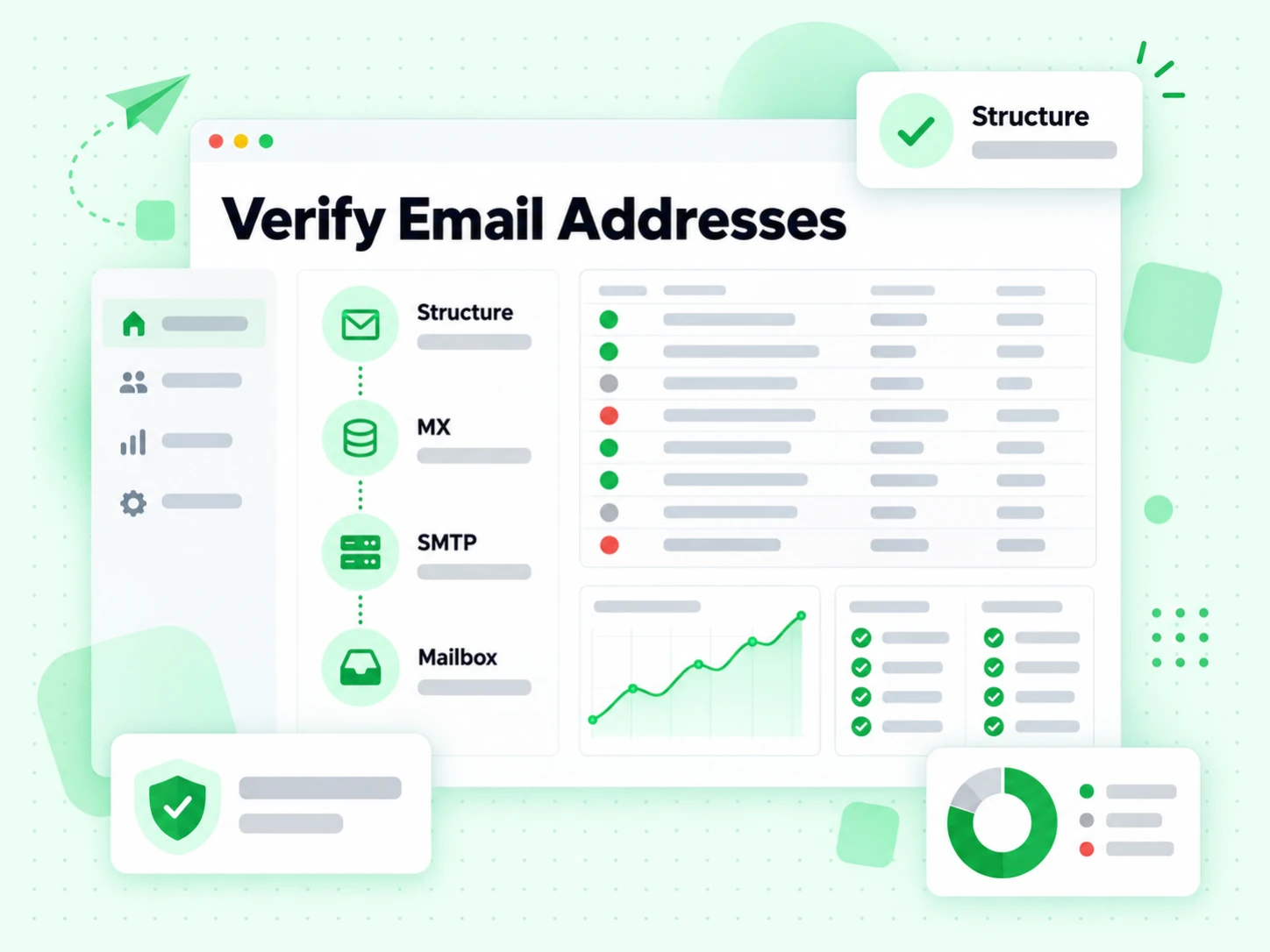
Verify Email Addresses pipeline stepping through structure, MX, SMTP and mailbox checks
Email Checker

Check Any Address in Seconds

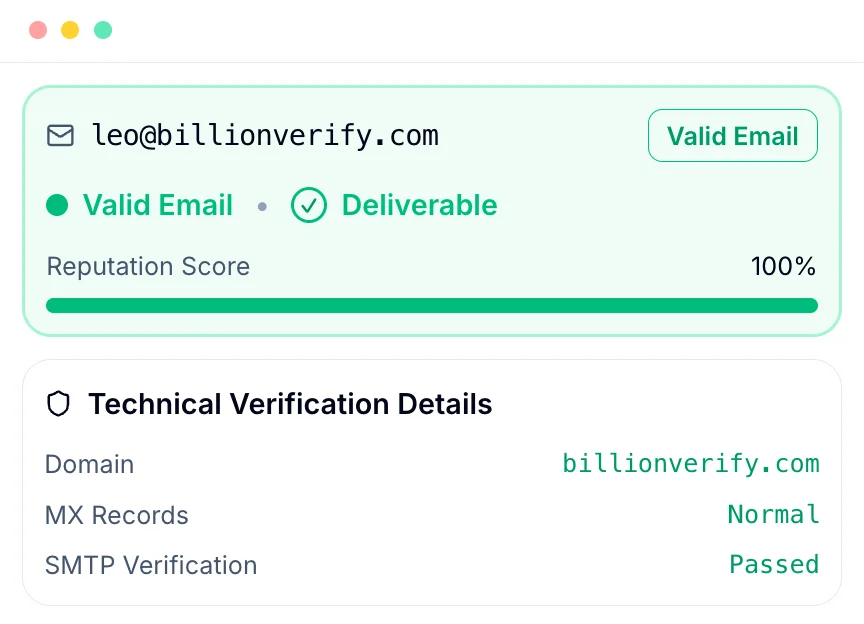
Paste one email into the email checker and see whether it can receive mail before it reaches a lead list, sign-up flow, or outbound sequence. Each result shows a status, SMTP response, MX records, and flags for disposable, role, and catch-all addresses, so you know why an email passed or failed.

Live SMTP checkMX lookupRisk flags
Try the Email Checker Free
BillionVerify single email verification result showing valid status, deliverable flag, reputation score, and SMTP check details
Bulk Email Verification

Clean Every List

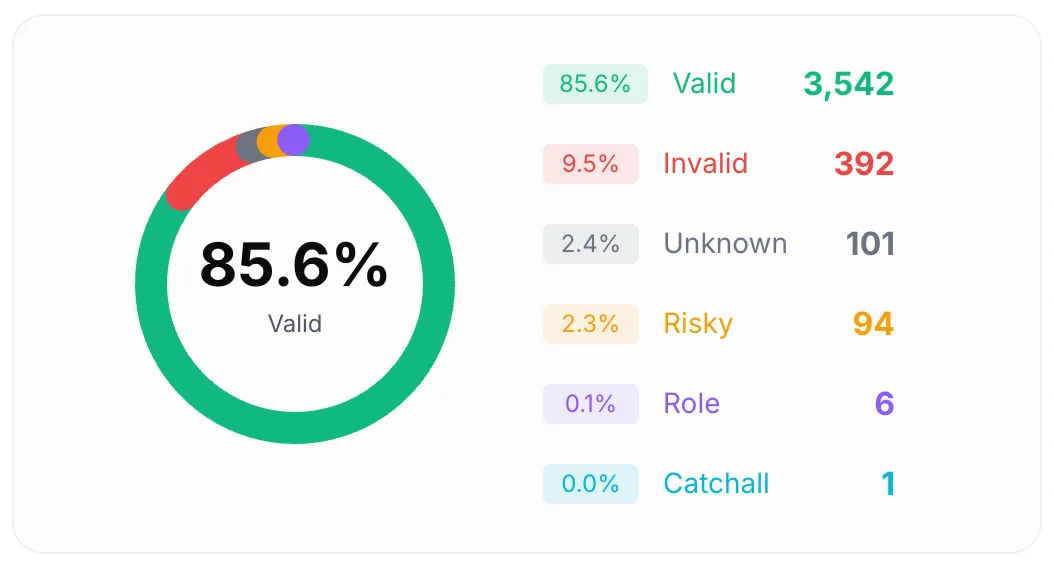
Upload a list and our bulk email checker sorts every row into valid, invalid, catch-all, disposable, role, and unknown. A status breakdown shows how healthy your email list is at a glance, and filtered exports let sales and marketing teams keep only addresses that are safe to send.

Status breakdownDuplicate removalFiltered export
Try the Email Checker Free
BillionVerify bulk email verification result distribution chart showing valid, invalid, unknown, risky, role, and catch-all counts
Email List Cleaning

Upload Files, Get Results

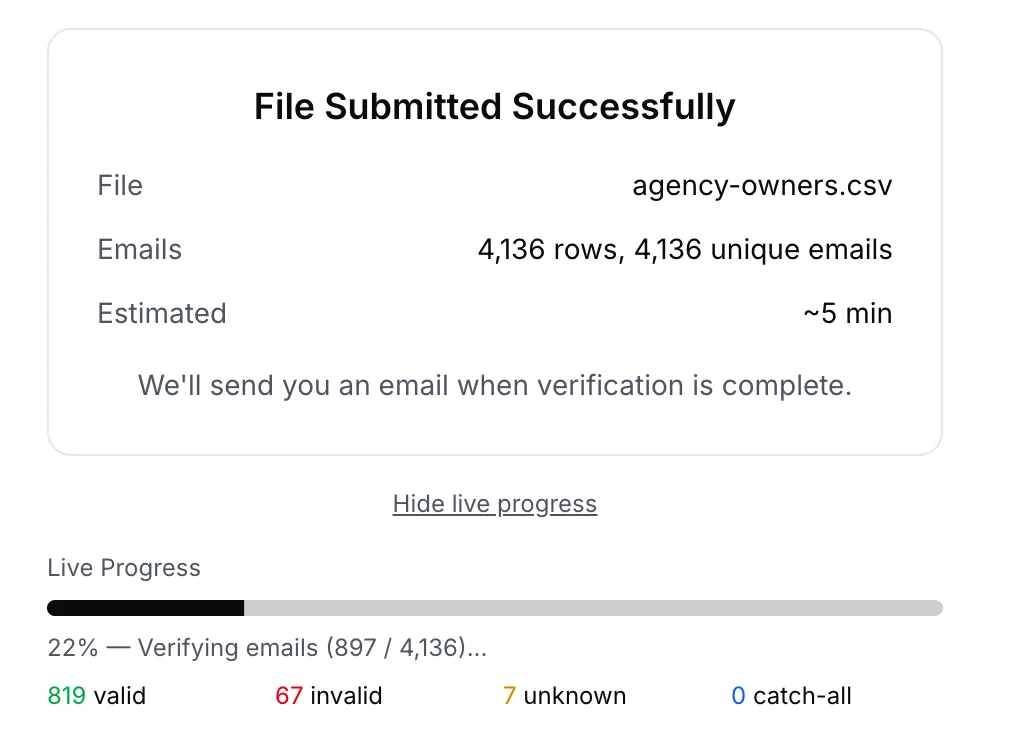
Drop in a CSV or XLSX file and let BillionVerify run the job in the background. Watch progress by status, close your browser tab, and come back to a finished file. Unknown results are not charged, so you only pay for emails our email verifier could answer.

CSV and XLSXLive progressEmail notification
Try the Email Checker Free
BillionVerify bulk file verification confirmation screen
Email Validation API

Verify at the Point of Entry

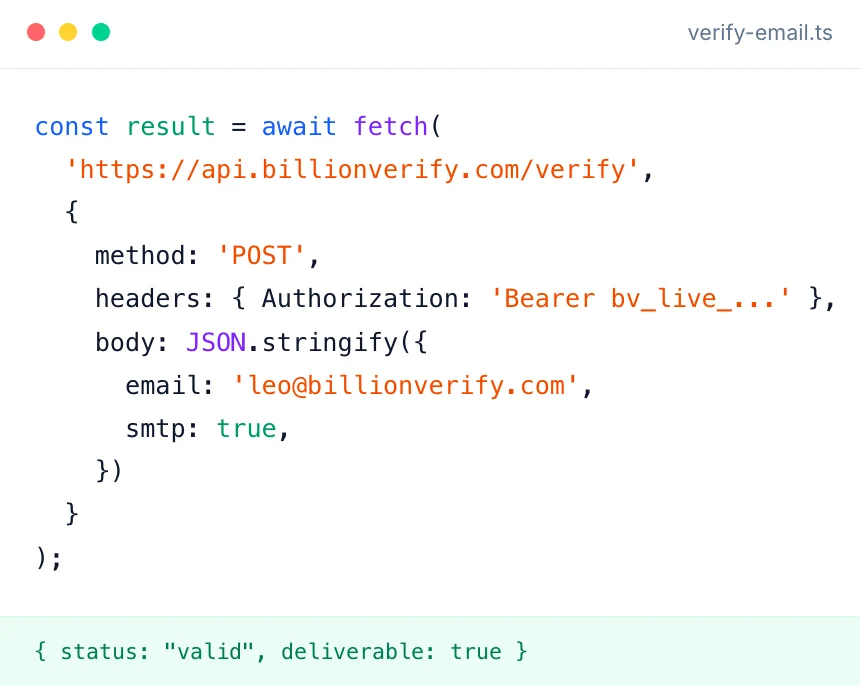
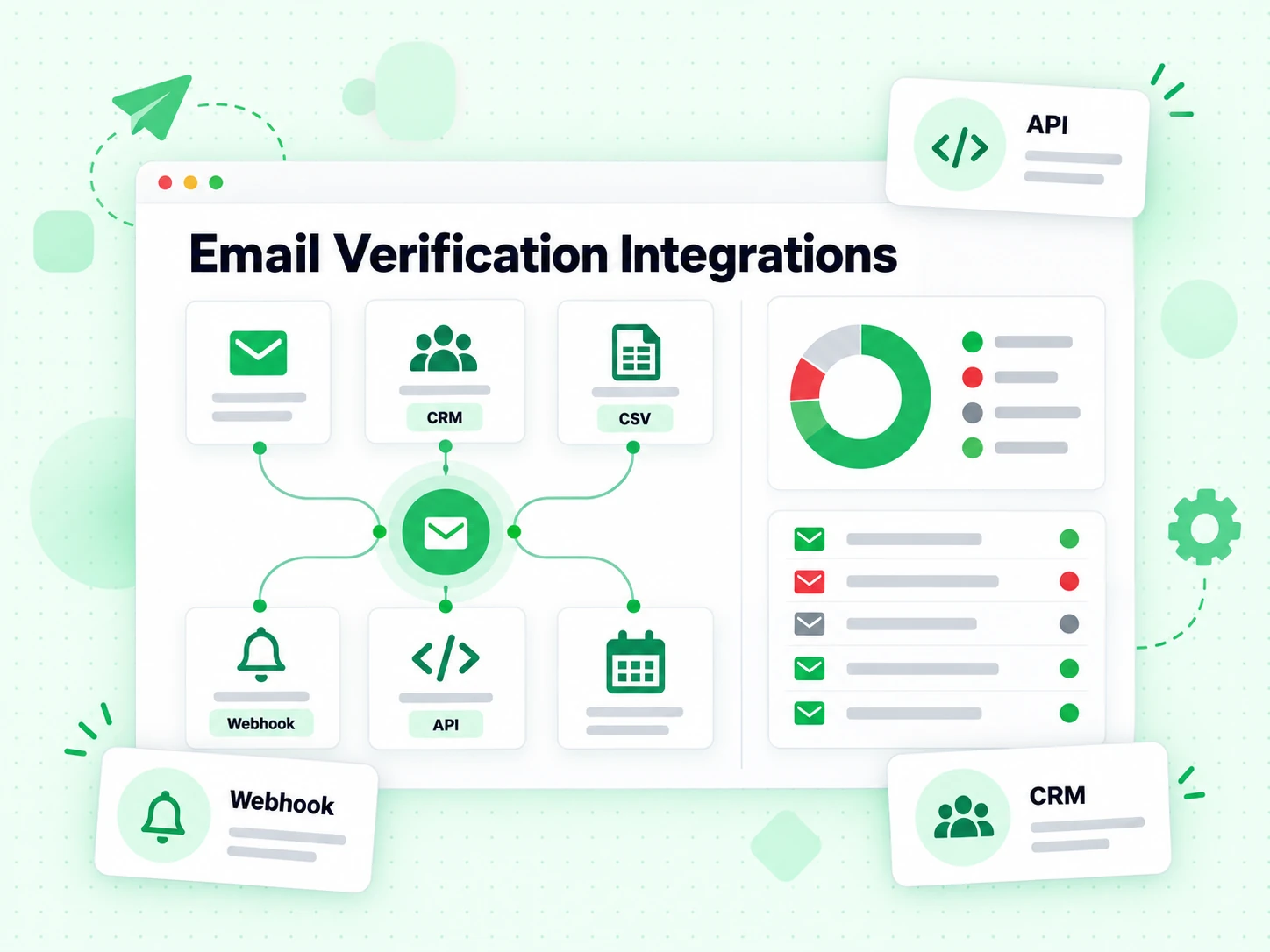
Call the email verification API at sign-up, during lead enrichment, or inside an automation, and get structured JSON back in real time. Batch requests check up to 50 addresses per call, and file jobs can send a webhook when they finish. It also powers our MCP server and agent skills.

Structured JSONBatch requestsWebhooks
Try the Email Checker Free
BillionVerify email validation API endpoint and response example
Whitelabel Service

Launch Your Own Verifier

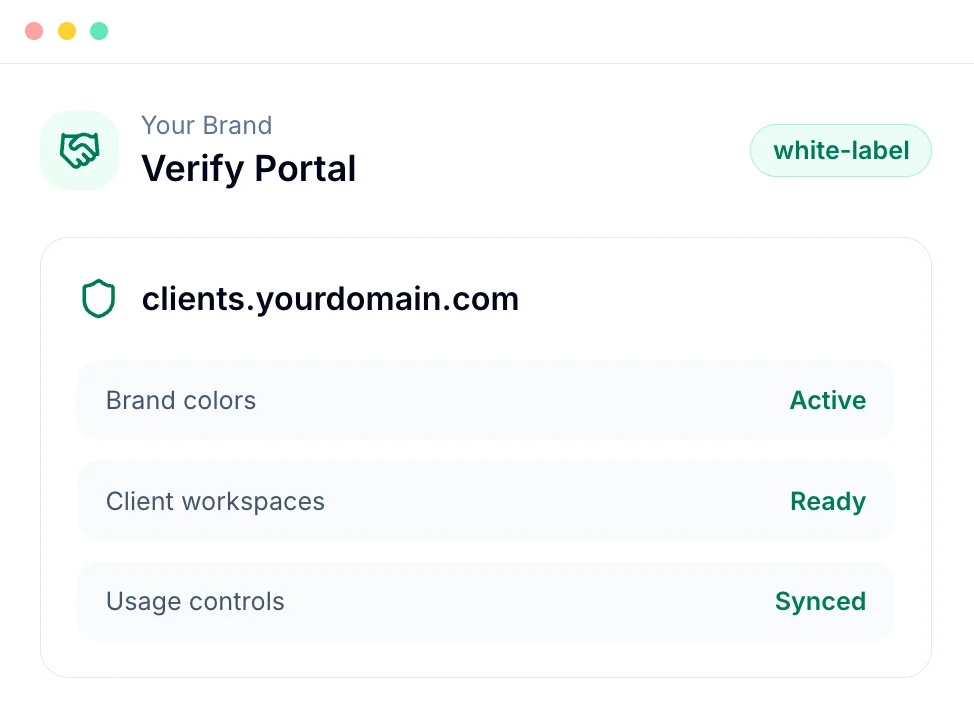
Offer email verification under your own brand. The white-label portal runs on your domain with your logo and colors, gives each client a separate workspace, and lets you manage usage, so agencies and resellers can sell a branded email verifier without building one.

Custom domainClient workspacesBrand controls
Launch Now
BillionVerify white-label portal with custom branding

How does the email checker verify an address?

To check if email is valid, every request runs four layers in order. An address that fails early stops there, so you get a fast answer and a clear reason.

  1. 1

    Syntax and format

    First, the email checker reads each address the way a mail server would. It catches missing @ signs, illegal characters, extra dots, and other structural errors. Emails that fail here are marked invalid and cost no credits.

  2. 2

    Domain and MX records

    Next it looks up the domain in DNS. A domain with no mail server cannot receive email, so the address fails with that reason. This step also notes free webmail domains such as Gmail and Yahoo.

  3. 3

    SMTP mailbox check

    Then BillionVerify connects to a receiving mail server and asks whether it accepts mail for that exact mailbox. This conversation ends before any message is sent, so nobody receives a test email. It is this step that separates real email verification from a format check.

  4. 4

    Risk signals

    Finally the email verifier adds context: role addresses such as info@ or support@, catch-all domains that accept every address, and disposable inboxes. A mailbox can accept mail and still carry a flag, so each signal is reported on its own.

What do email checker results mean?

Every address our email verifier checks gets one status. Here is how to read each one and what to do next.

Valid

The mailbox exists and accepted the SMTP check. Safe to send for campaigns and one-to-one email.

Invalid

This email address is malformed, its domain has no mail server, or its server rejected that mailbox. Remove it, because it will hard-bounce.

Catch-all

The domain accepts mail for any address, so no checker can prove this mailbox exists. Send with care or keep it in its own segment.

Disposable

A temporary inbox from a throwaway email service. Block it at sign-up, since it rarely belongs to a real customer.

Role

A shared address such as info@, sales@, or support@. It may be real, but it reaches a team rather than one person.

Unknown

The server gave no final answer, often because of greylisting or a timeout. Unknown results are free, so you can retry later.

How do you check if an email is valid?

You can run your first check in under a minute. Here is how to check if email is valid, from one address to a cleaned list.

  1. Step 1

    Create a free account

    Sign up with your email or a Google account. Each day you log in, 20 free credits are added, up to 600 a month. To test a single address first, the free email checker works without signing up.

  2. Step 2

    Paste an address or upload a list

    Type one address into the BillionVerify email checker for an instant answer, or upload a CSV or XLSX file that holds your whole list. Large files run in the background while you keep working.

  3. Step 3

    Read the results and act on them

    Keep valid addresses, remove invalid ones, and decide how to treat catch-all, role, and disposable results. Export the list filtered by status and import it back into your CRM or email platform.

Who uses an email checker?

Teams that send email for revenue check addresses before every send, sequence, and client handoff.

Sales Teams

Verify prospect lists before sequences start, so reps spend time on buyers they can reach. Fewer bounces also keep outbound domains out of spam folders.

Marketing Teams

Clean newsletter and campaign lists to keep bounce rates low and inbox placement high. Check new sign-ups as they arrive, not months later.

Agencies

Apply one email verification standard to every client list you import or deliver, and show clients a clear report of what was removed.

Why verify emails before you send?

A bad address costs more than one wasted send. Here is what regular email verification protects.

Lower bounce rates

Mailbox providers watch hard bounces closely, and a high bounce rate can push your mail to spam. Running the BillionVerify email checker before each campaign removes the addresses that would bounce.

Protect sender reputation

Old lists collect abandoned inboxes and mistyped contacts. Cleaning them out on a schedule keeps your sending domain trusted, so your messages keep reaching the inbox.

Stop paying for dead contacts

Most email platforms charge by contact or by send. Removing invalid and duplicate rows lowers that bill and makes open and reply rates reflect real people.

Cleaner sign-ups

Checking addresses on your forms stops typos, fake sign-ups, and disposable inboxes before they turn into accounts you can never reach.

How accurate is the BillionVerify email checker?

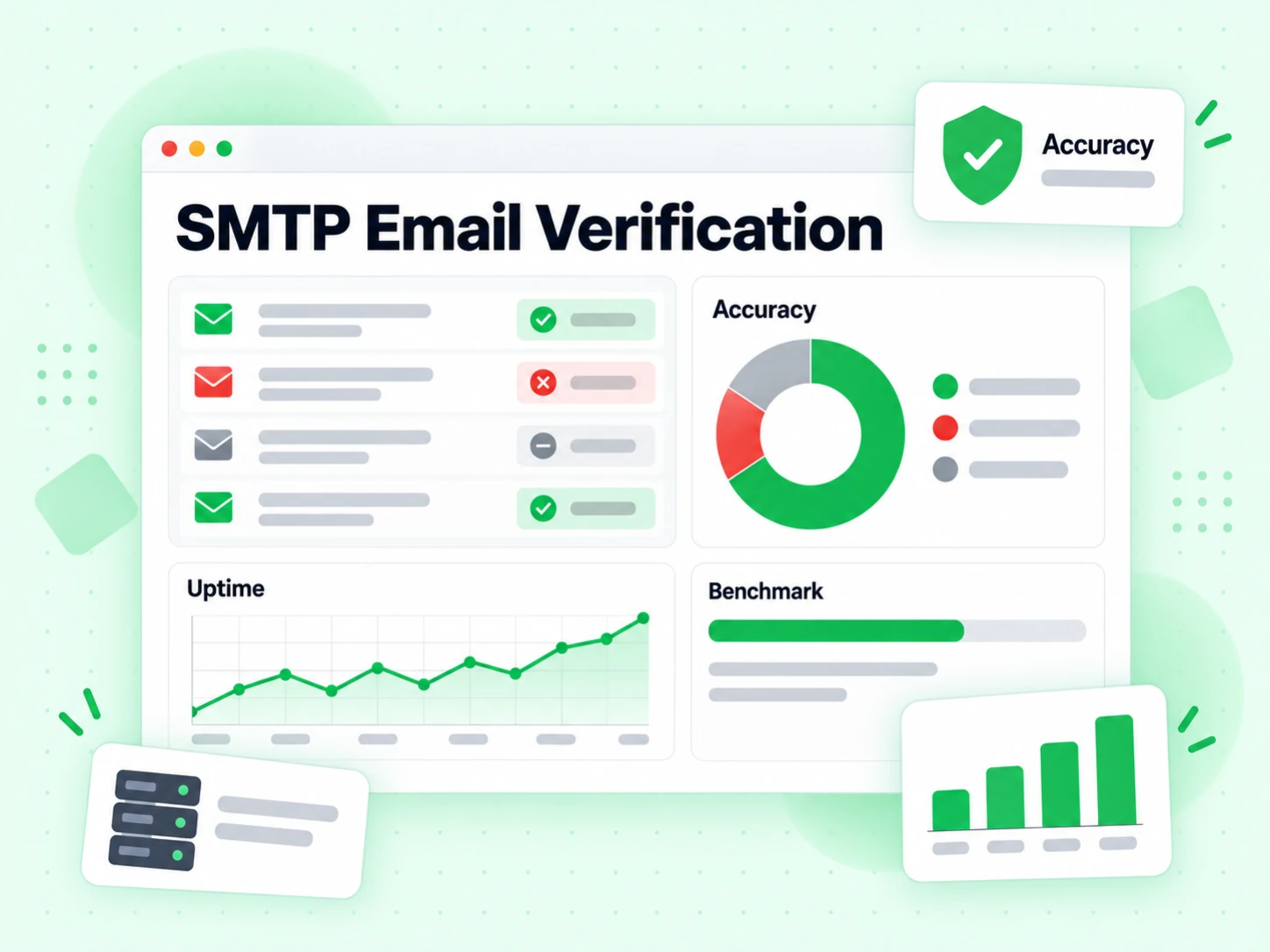
Accuracy depends on what each mail provider lets a checker see. Here is how each type of mailbox is verified.

SMTP Email Verification benchmark with an accuracy donut, an uptime trend line and a results table

Business email

For company domains on Google Workspace, Microsoft 365, or their own mail servers, the email checker asks the receiving server over SMTP about the exact mailbox. It first tests a random address on the same domain, so it knows whether the server accepts everything. When a domain is catch-all or sits behind a gateway that accepts every recipient, no SMTP check can prove one mailbox exists, so the result is flagged instead of called valid.

Personal email

Gmail addresses get a direct SMTP mailbox check from the email verifier. Yahoo, AOL, Outlook, Hotmail, and Live block that kind of check, so BillionVerify uses provider-specific lookups that confirm whether the account exists. Apple iCloud and Proton Mail allow no reliable check at all, so those addresses always return unknown rather than a guess.

Smaller and regional providers

Our email verifier also covers providers such as GMX, web.de, Mail.ru, and Yandex, each with its own pacing rules. Some limit how many checks they answer, greylist new senders, or refuse checks outright, so more results end up unknown. When that happens you see the reason, and the result costs nothing.

Every result comes with a reason

Each status ships with a reason code, such as smtp_deliverable, mailbox_not_found, or smtp_greylisted, so you can see what the mail server actually said. Retryable reasons tell you which unknown results are worth checking again.

See all verification reasons

You pay for answers, not attempts

Valid, invalid, catch-all, and role results use one credit each. Unknown results and addresses with invalid syntax are free, so a provider that refuses to answer never costs you anything.

Customer Reviews

What Our Customers Say

Real reviews from G2 and Trustpilot, shown exactly as customers wrote them.

“BillionVerify: Best-in-Class Pricing and Reliable Email Validation”

What they like
We use BillionVerify inside our AI lead-generation pipeline, validating prospect emails before cold outreach. The strongest point for our use case is price: it undercuts every competitor I compared at practical batch volumes, and the free daily credits are a nice touch for low-volume filtering.
What they dislike
The product works reliably for us. My only minor gripe is that the dashboard could surface a bit more detail behind the risk scores, though the API response is clear enough that it hasn't actually slowed me down.
Problems solved
We had two main problems: too many bounces hurting deliverability, and good leads getting dropped because verification tools couldn't decide on ambiguous domains. BillionVerify's layered checks (MX, SMTP, disposable, and catch-all detection) resolved both — it returns a definitive status more consistently than comparable tools on marginal addresses, and it keeps our bounce rate low.

Small-Business (50 or fewer emp.)

“Effective for Reducing Bounce Rates, But Has Scheduling Limitations”

What they like
I like using BillionVerify because it helps me qualify my email list before sending out marketing emails, which is actually a very good app. It decreases my spam rates and reduces my bounce rates by at least 2%, which is a big deal in email marketing. The batch verifier feature is great because I don't have to add emails one by one—you just add them all and let it work. The setup of BillionVerify is super easy; you just sign up with your email. The platform is very intuitive, and it's a good experience overall.
What they dislike
I'm eager to recommend BillionVerify by a six because the rechecker works only twenty-four hours and the schedule they provide doesn't allow me to recheck them.
Problems solved
I use BillionVerify to qualify my email list, reducing spam and bounce rates in my email marketing.
Floca .

Small-Business (50 or fewer emp.)

“Cheapest Per-Verification Option on the Market”

What they like
It offers the cheapest per-verification option available in the market.
What they dislike
nothing as such, seems all good to me till now.
Problems solved
Verification of the mail is important to pass only authentic user and it is solving this at scale.
Kishan kumar P.

Staff Engineer · Small-Business (50 or fewer emp.)

“Great Value: One-Time Purchase Plans That Never Expire and Good Reliable Results”

What they like
One time purchase plans which never expire.
What they dislike
Slight reliability of results. But overall good enough
Problems solved
Helps us with quick one time verification of signups
Abbas M.

Co-Founder · Small-Business (50 or fewer emp.)

“High Verification Accuracy, Needs More Free Credits”

What they like
I like using BillionVerify for email verification because its correct ratio is about 90%, which is very great.
What they dislike
I need more free credits. Also, the board is not very clear lately, as it's showing mistakes and I can't read the details properly. The initial setup was just so so, not too easy or too hard.
Problems solved
I use BillionVerify to verify emails and ensure correctness with about a 90% accuracy, which is great for finding the key person more reliably.
mo l.

Mid-Market (51-1000 emp.)

Reviews on Trustpilot

Read all reviews on Trustpilot

I run an AI voice-agent business and verify the emails for my B2B lead pipeline through BillionVerify before any outreach goes out. It's been genuinely solid for us. The thing that impressed me most is how it handles the "unsure" domains — the catch-alls and marginal addresses where other tools just throw up an ambiguous result. BillionVerify actually resolves a much higher portion of those, so I'm not scrubbing leads that might have been good, or worse, keeping bad ones. For my outbound volume, that granularity is worth more than the raw accuracy figure. On top of that, the pricing is the best I've found for what you get. Most comparable services want more per email, especially at the batch sizes I run. BillionVerify is cheap enough that verifying my list costs almost nothing against what bad data would cost me in bounced emails and burned sender reputation. The verification itself is fast and the API is straightforward to plug into my workflow. Honest rec — if you're doing heavy lead gen and just want clean data without the premium price tag, this does the job.

Lewis Chi

I run a Calgary digital marketing agency. We integrated BillionVerify through its API into our business development pipeline to validate email addresses before they entered a cold outreach sequence. Every contact hits the verification endpoint at ingestion, so invalid and risky addresses never make it into a send list.

Paul Fox

I'm not massively technical but I've found this extremely easy to use and setup for my own business and my clients. It's greatly improved the quality of our email addresses - and the engagement / support from the founder (Leo) is great.

Will

Fantastic and accurate! It's got a clean UI, detailed generation of email verification results, and it's just as accurate as MillionVerifier.

Kris Cordeño

I like billionverify for it being user-friendly and really easy to use and actually deliver what it promises to do, and extremely fast at doing so

Omar Mohamed

Great tool, but they ate up my credits a while ago. Regarding cleaning the email lists, they're even better than Never Bounce, but they eat up your credits!.

Floca

Billionverify is the best tool to verify emails. The interface is user friendly and super easy to use. The results provided by Billionverify are 99.99% accurate.

Mujtaba Khalil

Billionverification is the best email verifier ever, and they have been easiest platform to use

Adedayo Omopariola

api works, but sometimes it always warn me credit not enough, but actually no.

Rotomold Luban

Better than Listclean. Very Good

Oracle Jnr

BillionVerify is a professional email verification service that helps businesses validate email addresses

Ovidiu Cristea

Excellent value.

Dr. Mark Daniel

amazing website for mail verifications

Doxa Kxf

great tool email verfication

That's great.

Email checker FAQs

1. What is an email checker?

An email checker is a tool that tests whether an email address can receive mail. It checks its format, confirms its domain has mail servers, and asks a receiving mail server whether that mailbox exists. The BillionVerify email checker does all three and adds flags for catch-all, disposable, and role email addresses.

2. How do I check if an email is valid?

To check if email is valid, paste one address into the BillionVerify email checker or upload a list. Each email gets a status in about a second: valid means its mailbox accepted an SMTP check, invalid means mail to it will bounce, and catch-all or unknown mean its server would not confirm that mailbox. To try it without an account, our free email checker runs 20 full checks every 24 hours.

3. Is the email checker free?

Yes, to start. Every logged-in account gets 20 free credits every day, up to 600 a month, and one credit checks one address. Free credits never expire. Unknown results and addresses with invalid syntax are not charged. For larger lists, you can buy pay-as-you-go credits or a monthly plan on the pricing page.

4. What is the difference between email verification and email validation?

Email validation checks whether an address is written correctly and whether its domain can accept mail. Email verification goes further and confirms the specific mailbox exists by talking to the receiving server over SMTP. BillionVerify runs validation first and verification second, so one check gives you both answers.

5. Is an email checker the same as an email verifier?

In practice, yes. People search for email checker and email verifier when they want to know whether an address is real. Some tools sold as an email checker only test format, while a full email verifier also runs an SMTP mailbox check. BillionVerify is an email verifier and email checker in one, and it runs that SMTP step on every full check.

6. Can you verify an email address without sending an email?

Yes. An SMTP check opens a connection to a recipient's mail server, asks whether it accepts mail for that email address, and closes the connection before any message is sent. Nobody receives a test email, and the owner of the address never knows a check happened.

7. How accurate is email verification?

When a receiving server answers clearly, email verification results are 99.9% accurate in our benchmark, because each answer comes from that server rather than a guess. Catch-all domains and servers that delay replies cannot be confirmed by any tool, so BillionVerify labels them catch-all or unknown instead of calling them valid.

8. What is a catch-all email address?

A catch-all domain is set up to accept mail for any address, even ones that do not exist. Because the server says yes to everything, an SMTP check cannot prove that one mailbox is real. Our email verifier flags these addresses as catch-all so you can decide whether to send, segment, or remove them.

9. Can I check a whole email list at once?

Yes. Upload a CSV or XLSX file to run bulk email verification. Duplicates are removed before checking, so you pay once per unique address, and when the job finishes you can export the results filtered by status.

10. What does an unknown result mean?

Unknown means a mail server did not give a final answer during the check. Common causes are greylisting, where a server asks senders to try again later, temporary outages, and strict rate limits. Unknown results cost no credits, and checking that email again a few hours later often returns a clear status.

11. Can I use the email checker on sign-up forms?

Yes. Call our email verification API when someone submits a form to check if email is valid, and you can ask them to fix a typo or reject a disposable inbox before an account is created. This keeps fake sign-ups out of your database and stops welcome emails from bouncing.

12. Does email verification improve deliverability?

Yes, indirectly. Mailbox providers such as Gmail and Outlook judge senders partly by how many messages bounce. Removing invalid addresses before you send keeps that number low, which protects your sender reputation and helps the rest of your mail reach the inbox. Verification does not fix content or authentication problems, so pair it with good SPF, DKIM, and DMARC records.

13. How often should I clean my email list?

Check new email addresses as you collect them, and run your whole list through our email checker before any large campaign. For lists you mail regularly, a full cleanup every three to six months is a sensible habit, because people change jobs and abandon inboxes all the time.

14. What is a disposable email address?

A disposable address comes from a service that creates short-lived inboxes, often used to get a download or a free trial without sharing a real email. These inboxes stop working soon after, so the contact never becomes a customer. Our email verifier flags disposable addresses so you can block them at sign-up or remove them from a list.

15. Is there an email verification API?

Yes. Our email verification API checks one address in real time, or up to 50 addresses per batch request, and returns structured JSON with a status and reason for each email. It draws on your dashboard credits, and you create API keys in your account settings.

Free Email Checker

Start checking emails for free

Get 20 free credits every day you log in, up to 600 a month. Check single addresses, clean full lists, or connect the API.

Live SMTP checks · CSV and XLSX upload · No credit card required

99.9%
Accuracy
Real-time
API Speed
$0.00014
Per Email
600/mo
Free Forever