


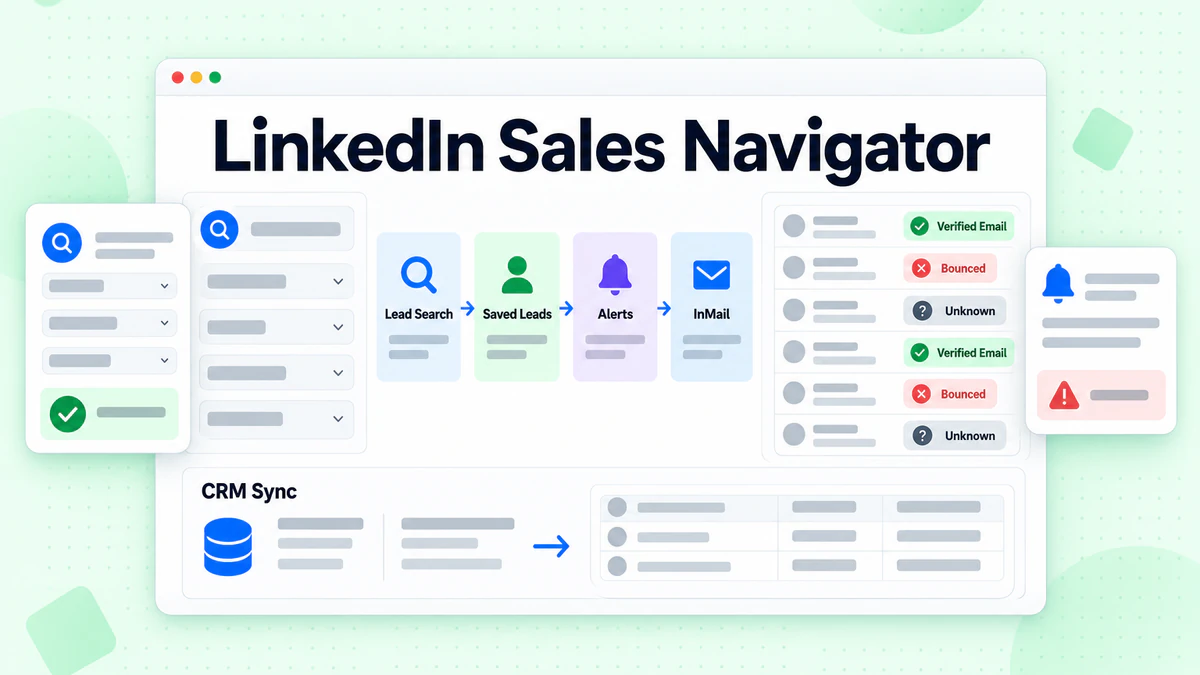
LinkedIn Sales Navigator is LinkedIn's paid tool for B2B prospecting. It helps you find buyers on LinkedIn, save them as leads, follow their activity and message them. Many people shorten the name to Sales Navigator, Sales Nav or LinkedIn Navigator. They all mean the same product.
This guide explains what Sales Navigator does and how it works. It walks through the LinkedIn Sales Navigator features most sellers use, the three plans and their prices, and the InMail rules. It also answers a question many sellers ask too late. Does Sales Navigator give you email addresses? It does not, and that shapes how you plan outreach.
Every fact about the product comes from LinkedIn's own pages, checked in October 2026. We link to each one. We are not affiliated with LinkedIn. BillionVerify is an email verification service. Many Sales Navigator users end up with a list of names that still needs working addresses, and that is where we fit.
Key facts (checked October 2026):
- LinkedIn calls Sales Navigator a tool "trusted by 1.5M+ sellers."
- LinkedIn Sales Navigator Core started at US$119.99 a month per license, per LinkedIn's plans page.
- LinkedIn's Help Center puts the monthly InMail allowance at 50 credits for each Sales Navigator plan.
- Sales Navigator search offers more than 50 filters, such as function and seniority.
- LinkedIn does not list email addresses among the data any Sales Navigator plan provides.
- BillionVerify's free tier refills daily: up to 20 credits on any active day, capped at 600 monthly.
What Is LinkedIn Sales Navigator?
LinkedIn describes Sales Navigator as "LinkedIn's B2B sales tool tailored for individual sellers and sales teams." Its product page calls it "an AI-powered sales tool built on LinkedIn's B2B network."
In plain terms, Sales Navigator is a separate workspace on top of your normal LinkedIn account. It adds deeper search, lead lists, alerts and outreach. You keep your own profile. But you search and track buyers in a tool built only for selling.
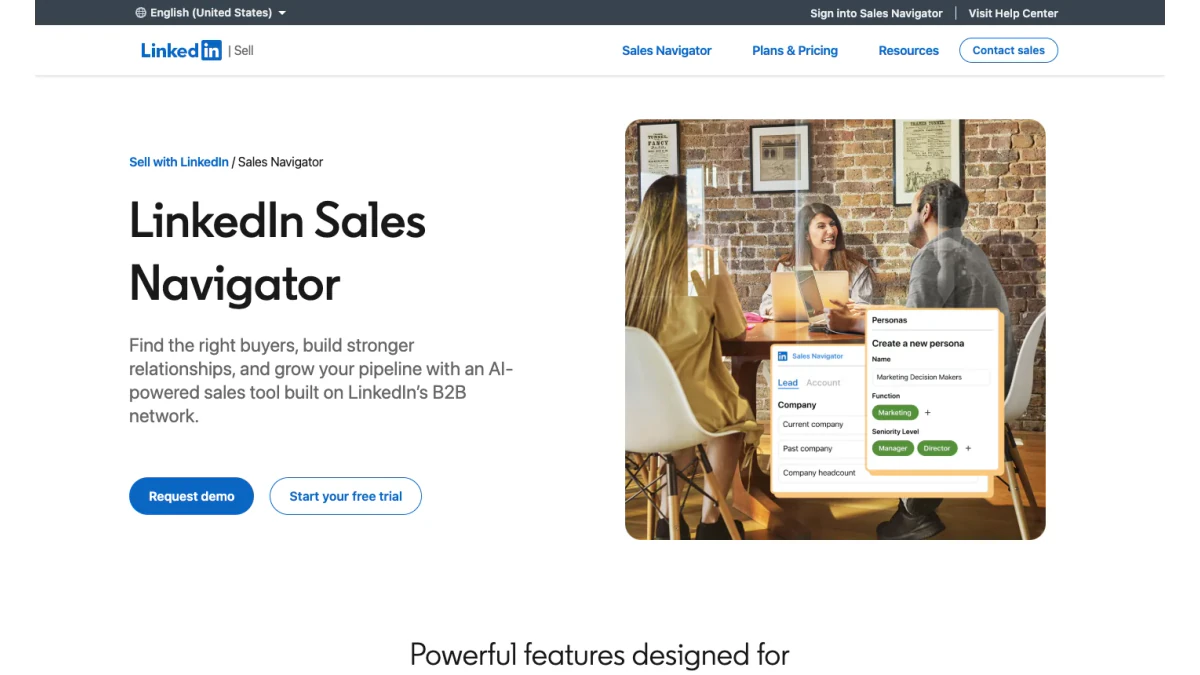
Screenshot: the LinkedIn Sales Navigator product page.
Who uses Sales Navigator?
LinkedIn says the product is "trusted by 1.5M+ sellers." Its plans target three groups:
- Solo sellers who want to find leads and build relationships.
- Teams that share lists and research.
- Teams on a connected CRM that want LinkedIn data inside Salesforce, HubSpot or similar systems.
Is LinkedIn Navigator the same as LinkedIn Premium?
No. LinkedIn Premium is a general upgrade for job seekers and professionals. LinkedIn Navigator, as many people call it, is built only for selling. A Sales Navigator subscription is its own paid product with its own plans.
Why people call it LinkedIn Navigator
The full name is long. In searches and in sales teams, you will see LinkedIn Navigator, Sales Nav and SalesNav. When a colleague says "check it in LinkedIn Navigator," they mean this tool.
LinkedIn Sales Navigator Overview: Key Facts
Here is a LinkedIn Sales Navigator overview in one table. Each line comes from LinkedIn's official pages.
| Fact | Detail |
|---|---|
| What it is | LinkedIn's tool for B2B selling |
| Sellers using it | 1.5M+, per LinkedIn |
| Search filters | 50+, such as function and seniority |
| Members to search | 1+ billion, per LinkedIn data from April 2026 |
| Plans | Core, Advanced, Advanced Plus |
| Core price | From US$119.99 per month per license |
| Team plan price | From US$159.99 per month per license |
| Top plan price | Custom quote |
| InMail credits | 50 per month on every plan |
| Free trial | Core or Advanced, for eligible members |
| Email addresses | Not part of any plan |
The prices are LinkedIn's own estimates. The pricing page notes they "may exclude Value-Added Tax" and that "pricing is subject to change." The page showed "Updated: September 27, 2026" when we checked it. Treat this LinkedIn Sales Navigator overview as a snapshot, and confirm prices on the day you buy.
How LinkedIn Sales Navigator Works
The tool follows a simple loop. You find buyers, save them, watch for changes and reach out.
Step 1: Search for leads and accounts
You start with a lead search or an account search. A lead is a person. An account is a company. You narrow results with filters such as company, seniority, function and geography.
Step 2: Save what fits
When someone fits, you save them as a lead. You can also save their company as an account. Saved items go into custom lists that you or your team can share.
Step 3: Get alerts
The tool watches your saved leads and accounts. It sends alerts when something changes, such as a new job or role. These alerts give you a reason to reach out.
Step 4: Reach out
You can connect, send an InMail or message people you already know. On the CRM tier, you can also push leads into your CRM.
Step 5: Track and repeat
Over time, your lists grow. You refine searches, save filters and keep a steady flow of fresh prospects.
LinkedIn Sales Navigator Features
LinkedIn lists many LinkedIn Sales Navigator features on its product page and FAQ. Some come with every plan. Others need a higher tier. These are the ones that matter most.
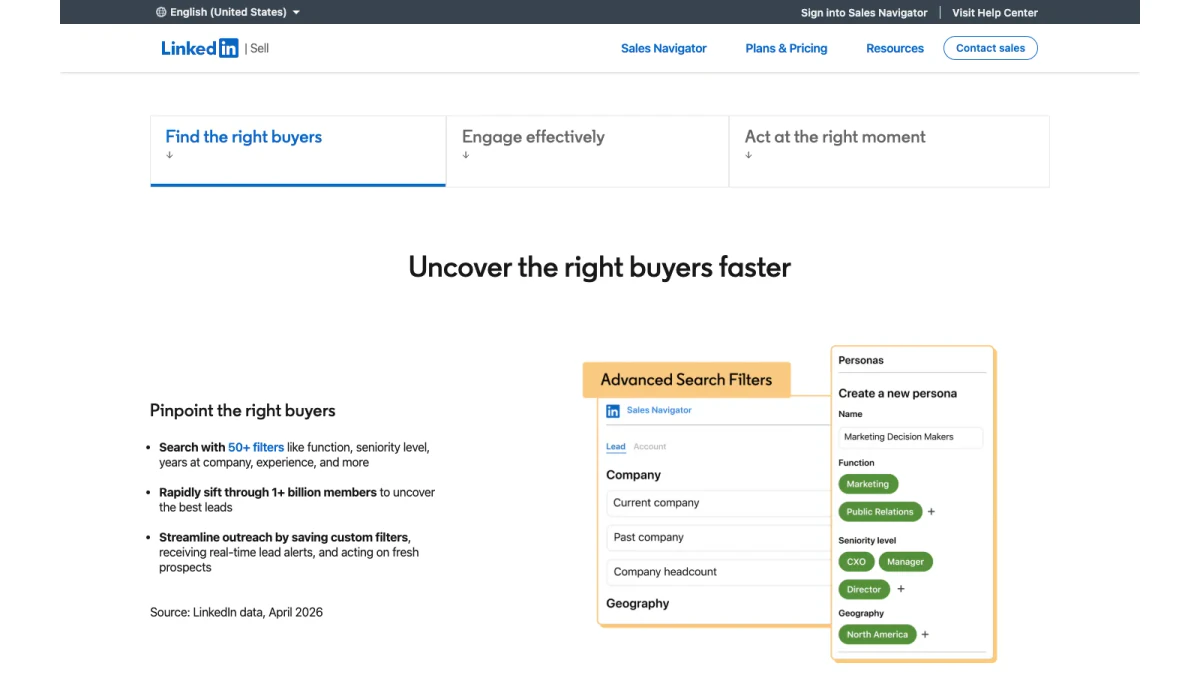
Screenshot: search filters and Personas on the Sales Navigator page.
Search filters
LinkedIn says you can "search with 50+ filters like function, seniority level, years at company, experience, and more." You can save searches and get "real-time lead alerts" on new matches. Deep search is the main reason most people buy the tool.
Personas
Personas let you describe your ideal buyer once. The tool then helps you "zero in on the people who best match your ideal customer profile."
AI research on leads and companies
Two AI features cut research time. Account IQ, per LinkedIn, "delivers instant, high-impact insights on target accounts." Lead IQ "surfaces insights into a lead's experience, interests, recent activity, and account context."
Lists, notes and alerts
Custom Lists group the people and companies you save. Notes keep details on each page. Alerts tell you when your saved buyers "take important actions." Together, they turn the tool into a light prospecting workspace.
Buyer Intent
Buyer Intent "shows you which companies are actively showing interest." It comes with the two higher tiers.
InMail and Message Assist
InMail lets you message people you are not connected to. Message Assist is an AI helper that drafts and refines messages. Message limits get their own section below.
Smart Links
LinkedIn Sales Navigator Smart Links let you "share content with prospects and see who's engaging." They need one of the two higher tiers. Many teams use LinkedIn Sales Navigator Smart Links to send decks and see who opened them. LinkedIn Sales Navigator Smart Links work best for follow-ups after a first call.
TeamLink and Relationship Map
TeamLink "reveals shared connections across your sales team," so you can find warm paths into a company. Relationship Map gives "a clear view of key decision-makers and relationships tied to an account." TeamLink is part of the two higher tiers.
CRM sync
LinkedIn says the tool works "with Salesforce, HubSpot, Microsoft Dynamics, Oracle, and more." Deep CRM sync and lead creation sit on the CRM tier. They let you add leads to your CRM "directly from Sales Navigator, no manual entry required."
Mobile app
There is a Sales Navigator app for iOS and Android. The apps give, in LinkedIn's words, "full access" to your leads and insights from your phone.
LinkedIn Sales Navigator Features 2026
LinkedIn keeps adding tools. Its product page now highlights Sales Navigator for Microsoft Teams, a top-plan feature. It sends alerts "when saved accounts add new decision-makers or saved leads change jobs." Check the official release notes for the newest LinkedIn Sales Navigator features 2026 brings.
Which Sales Navigator Features Need Which Plan
Not every feature comes with every plan. This table sums up what LinkedIn's plan page and FAQ say.
| Feature | Core | Advanced | Advanced Plus |
|---|---|---|---|
| 50+ search filters | Yes | Yes | Yes |
| AI lead and company research | Yes | Yes | Yes |
| Buyer Intent | No | Yes | Yes |
| Smart Links | No | Yes | Yes |
| TeamLink | No | Yes | Yes |
| CRM lead creation | No | No | Yes |
| Microsoft Teams alerts | No | No | Yes |
If you work alone, Core covers search and research. If you sell in a team, the middle plan adds intent data and shared tools. CRM-heavy teams look at the top plan.
LinkedIn Sales Navigator Subscription and Plans
Every LinkedIn Sales Navigator subscription falls into one of three plans. Here is how LinkedIn describes each one on its plans and pricing page.
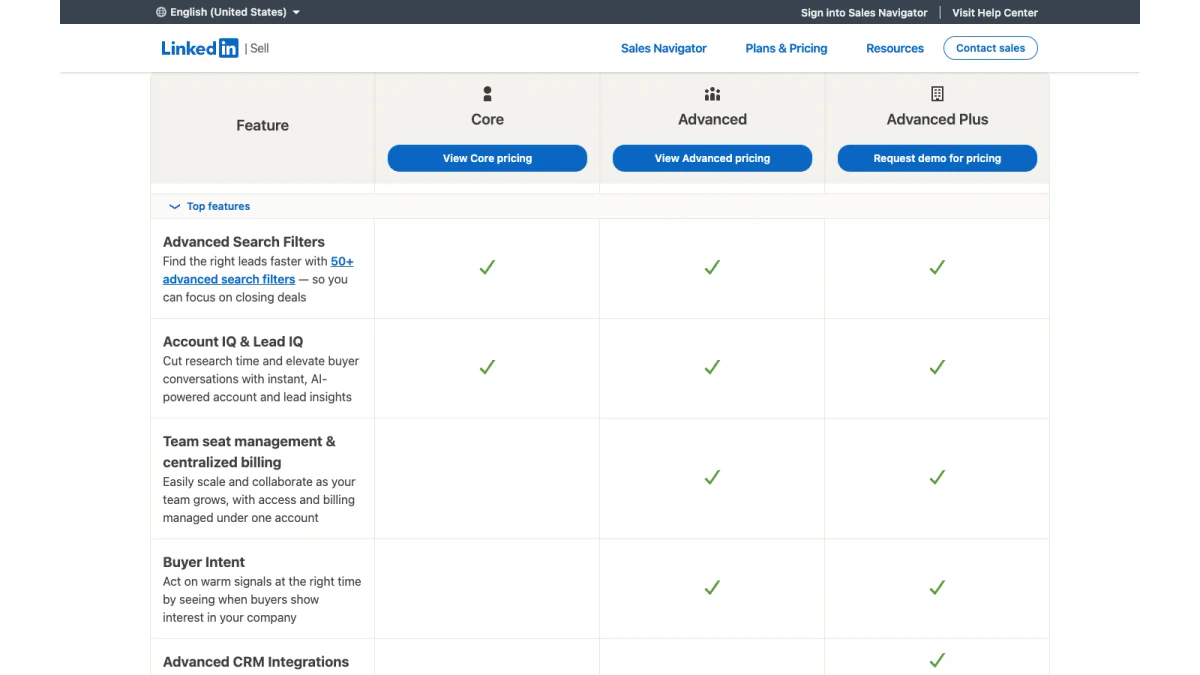
Screenshot: the Sales Navigator plan comparison.
| Plan | Best for, per LinkedIn | Starting price (October 2026) |
|---|---|---|
| Core | Individual sellers | US$119.99 a month, or US$1,079.88 a year |
| Advanced | Sales teams | US$159.99 a month, or US$1,799.88 a year |
| Advanced Plus | Teams using an integrated CRM | Custom quote via demo |
Per LinkedIn, yearly billing saves 25% on Core and 6% on Advanced.
Free trial
LinkedIn offers a free trial of Core or Advanced. The terms are specific. Trials are for members "not currently on any paid LinkedIn subscription (including Premium or Sales Navigator)." You also must not have "used a LinkedIn free trial in the past 365 days."
LinkedIn asks for a payment card at signup. It says it will send "an email reminder seven (7) days before your free trial expires." Cancel before the trial ends to avoid a charge.
Cancellation
LinkedIn says cancellation "is effective at the end of your current Sales Navigator subscription period." Yearly billing stops after the paid year. Monthly billing stops after the current month.
More seats
You can buy up to five team licenses online from a desktop. You can buy a single license in the LinkedIn mobile app. Top-plan licenses go through LinkedIn's sales team.
Is a Sales Navigator subscription worth it?
It depends on how you sell. A Sales Navigator subscription pays off when LinkedIn is where your buyers spend time. It pays off less if you mostly need email addresses, which no plan includes.
InMail Credits Explained
InMail is the main way to reach people outside your network inside the tool. LinkedIn's help article on InMail credits sets clear rules.
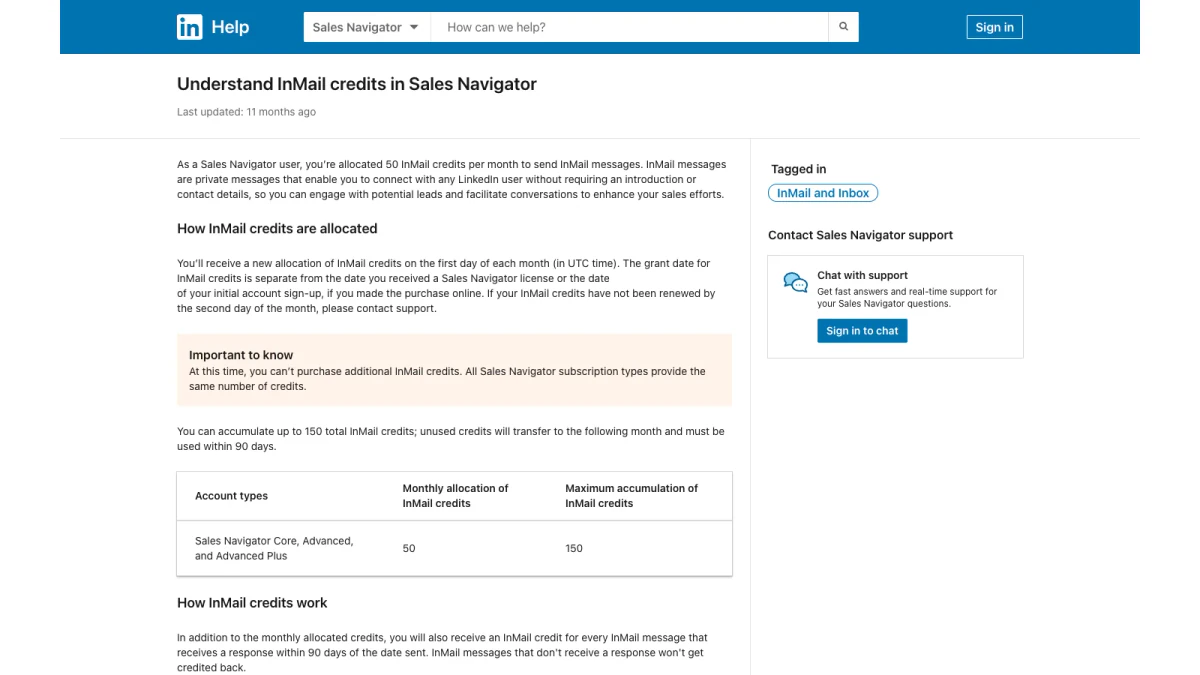
Screenshot: LinkedIn's Help Center article on InMail credits.
- Monthly allowance: 50 InMail messages a month on every plan.
- Rollover: unused credits carry over, up to 150. They "must be used within 90 days."
- Credit back: you get one back for every InMail that "receives a response within 90 days."
- No top-ups: "you can't purchase additional InMail credits."
- Auto replies count: "Interested," "Maybe later" and "Not interested" all earn one back.
Fifty messages a month suits careful, personal outreach. It does not suit volume. That is one reason sellers look for email addresses outside LinkedIn.
Does Sales Navigator Give You Emails?
No. The tool is built around InMail, not email. LinkedIn describes InMail as a way to reach people "without requiring an introduction or contact details." None of the three plans lists emails among what you get.
This matters for planning. A lead list from LinkedIn is a list of people and companies. It is not a mailing list. To email those buyers, you need their addresses from somewhere else. Common sources are company websites, public profiles and contact databases.
Each source has a weak spot. A guessed address may not exist. A database entry may belong to someone who left the company. A shared inbox like info@ may never reach the buyer. So the step after finding an address is checking it.
LinkedIn Sales Navigator Benefits
The LinkedIn Sales Navigator benefits that matter most depend on how you sell.
- Better targeting: 50+ filters narrow a huge network to the buyers you want.
- Timely reasons to reach out: alerts flag job changes and company news.
- Less research: AI summaries brief you on a person or company.
- Warm paths: TeamLink shows who on your team knows someone at the target.
- Cleaner CRM data: the top plan pushes leads into your CRM without copy and paste.
LinkedIn also cites a Forrester study, which it says "found Sales Navigator paid for itself in less than 6 months." Per LinkedIn's page, that study is from October 2023.
LinkedIn Sales Navigator benefits by role
- Account executives get alerts on buyers already in a deal.
- SDRs get filters and lists for building target lists fast.
- Founders get one place to track a small set of key accounts.
- Sales leaders get team plans with shared lists and reporting.
These LinkedIn Sales Navigator benefits all rest on one asset: profiles that members keep current themselves.
LinkedIn Sales Navigator Review: Strengths and Limits
This LinkedIn Sales Navigator review rests on LinkedIn's public pages, not a paid test. It weighs what the product promises against what it leaves out.
Strengths
- The data comes from members. People keep their own titles and companies current.
- Search depth. 50+ filters go far beyond free LinkedIn search.
- A clear plan ladder. Core for one seller, Advanced for teams, Advanced Plus for CRM-heavy teams.
Limits
- No emails. You must find and check addresses elsewhere.
- A fixed InMail budget. 50 a month, with no option to buy more.
- Price. From US$119.99 a month per seat is a real cost for a solo seller.
- Key tools cost more. Buyer Intent, Smart Links and TeamLink need a higher tier.
Our LinkedIn Sales Navigator review in one line: strong for finding and tracking people, silent on how to email them.
Sales Navigator vs Other B2B Sales Tools
The market for B2B sales tools is crowded. Sales Navigator is best at finding and tracking people on LinkedIn. Contact data platforms such as Apollo.io, RocketReach and ZoomInfo focus on emails and phone numbers. Many teams pair LinkedIn prospecting tools with a data tool.
| Need | Typical choice |
|---|---|
| Find buyers by role and company | LinkedIn Sales Navigator |
| Message people outside your network | InMail |
| Get an email or phone number | A contact database |
| Check that an email works | An email verification service |
How to choose between LinkedIn prospecting tools
LinkedIn prospecting tools fall into two groups. Some live inside LinkedIn, like Sales Navigator. Others pull contact data from many sources. If your buyers are active on LinkedIn, start inside LinkedIn. If you need volume email outreach, you need contact data as well.
Where B2B sales tools overlap
Most B2B sales tools now promise search, lists and alerts. The real difference is the data behind them. LinkedIn's comes from member profiles. Other B2B sales tools build databases from many sources. Neither guarantees that an email address still works.
From a Sales Navigator Lead to a Verified Email
Here is a simple workflow that respects LinkedIn's limits and protects your sender reputation.
- Build the list in Sales Navigator. Use filters, save leads and keep notes.
- Use InMail for your best buyers. Fifty credits go furthest on high-value deals.
- Find emails for the rest elsewhere. Use public sources or a contact database.
- Verify every address before sending. Remove invalid and risky entries.
- Send from a warmed-up domain. Keep bounce rates low from day one.
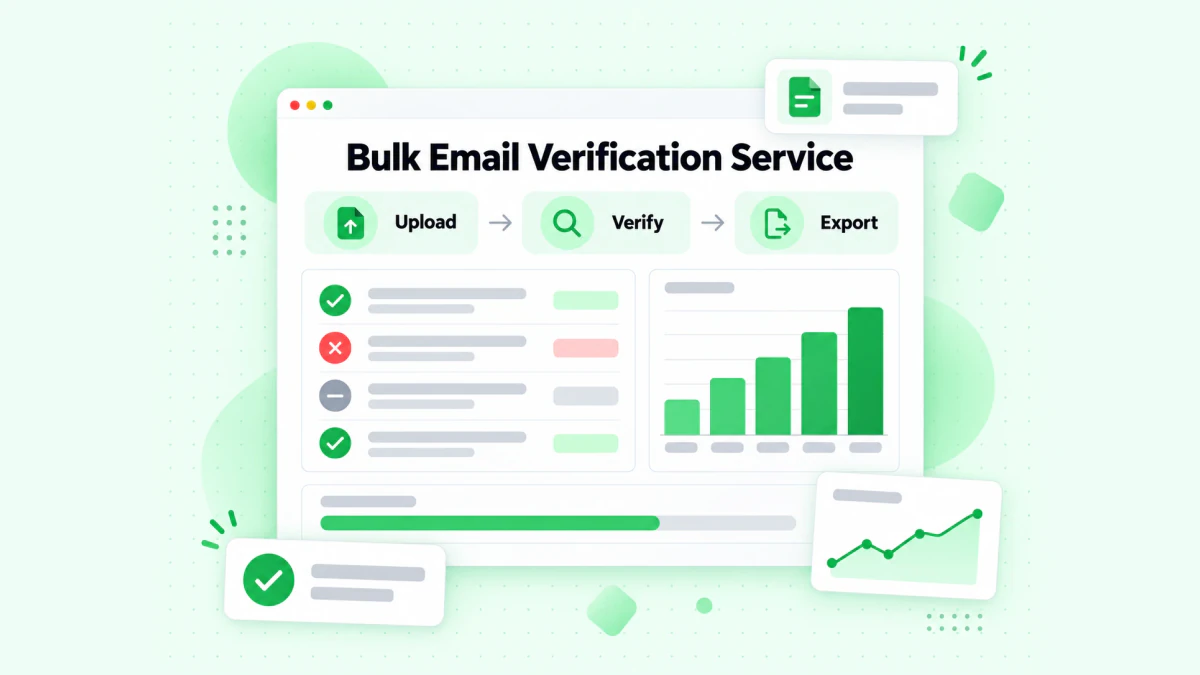
The BillionVerify bulk verification service uploads, verifies and exports a lead list.
Our LinkedIn Sales Navigator email verification guide shows how to check a list built from LinkedIn before any outreach.
Two free tools help with single contacts. Our reverse email lookup reads the domain, organisation, mail routing and public profile signals behind an address. Our phone number validator checks whether a number is valid for its country and shows its line type.
BillionVerify checks each address for syntax, domain and MX records, and the mailbox itself over SMTP. It reports catch-all domains as their own result. It also flags disposable and role addresses. You get 20 free credits each day you use your account, up to 600 a month. They never expire. A valid or invalid result uses one credit. Unknown results are free.
Social Selling With LinkedIn Content
Sales Navigator finds the right buyers. Content makes them notice you. On LinkedIn, the sellers who post videos and carousels get more profile views from the leads they follow.
Good content is often already on LinkedIn. A customer posts a demo video. A peer shares a carousel about pricing. You can learn from both and build your own.
- Save a video to study it. Our free LinkedIn video downloader downloads the video from any public LinkedIn post.
- Keep a carousel as slides. Our free LinkedIn carousel downloader saves a carousel or document post as a PDF or image slides. No login, no watermark.
Use what you learn to write your own posts. Then follow up with those who engage, using Sales Navigator alerts.
Common Sales Navigator Mistakes
New users often waste their first month. These are the most common slips.
- Buying the wrong tier. Check the LinkedIn Sales Navigator features table before you pay. Many solo sellers never use team tools.
- Ignoring the trial rules. A LinkedIn Sales Navigator subscription trial needs a card and ends on a fixed date.
- Treating lead lists as email lists. A saved list has names, not addresses.
- Spending InMails on cold strangers. Save them for buyers who match your Personas.
- Skipping verification. Emails found outside LinkedIn bounce more often than people expect.
Most of these show up in any LinkedIn Sales Navigator review written by long-time users. They also explain why LinkedIn prospecting tools work best alongside a clean email process.
Sales Navigator for Teams
For a team lead, the LinkedIn Sales Navigator overview looks different. You care about seats, shared lists and reporting. The middle tier adds seat management and central billing. The CRM tier adds deep CRM sync and success plans. Compare these gains with the seat price before you roll it out. Then pick the LinkedIn prospecting tools that fill the gaps, such as email data and verification.
Tips to Get More From Sales Navigator
- Save your best searches. New matches then arrive as alerts.
- Use Personas. Define your buyer once and reuse it.
- Keep lists small and named. One list per campaign is easier to work.
- Write short InMails. Your credits come back when people reply.
- Log what you learn in Notes. Your future self will thank you.
- Check emails before any sequence. A clean list protects your domain.
FAQs
What is LinkedIn Sales Navigator?
LinkedIn Sales Navigator is a paid LinkedIn product for finding and tracking buyers. It adds deep search, saved lists, alerts, InMail and CRM sync on top of a normal account.
Is LinkedIn Navigator the same as Sales Navigator?
Yes, LinkedIn Navigator is the same product as Sales Navigator. People say LinkedIn Navigator, Sales Nav or SalesNav for short. They all mean LinkedIn Sales Navigator.
How much does a LinkedIn Sales Navigator subscription cost?
LinkedIn listed Core from US$119.99 a month and Advanced from US$159.99 a month in October 2026. Advanced Plus is priced by quote. Taxes may be extra.
Is there a free trial?
Yes, LinkedIn offers a Sales Navigator free trial for Core or Advanced. It is open to members without a paid LinkedIn subscription and without another LinkedIn trial in the last year.
What are the main LinkedIn Sales Navigator features?
The key LinkedIn Sales Navigator features are search filters, AI research, custom lists, alerts, InMail, Buyer Intent, Smart Links, TeamLink and CRM sync. Some are on higher tiers only.
How many InMail credits does Sales Navigator include?
Each Sales Navigator plan includes 50 InMail credits monthly. Unused credits roll over up to 150 and expire after 90 days.
Does LinkedIn Sales Navigator provide email addresses?
No, LinkedIn Sales Navigator does not provide email addresses. It gives you people and companies, plus InMail. To email leads, find their addresses elsewhere and verify them before sending.
Does Sales Navigator have a mobile app?
Yes, Sales Navigator has mobile apps. LinkedIn offers them for iOS and Android.
How do I cancel?
You can cancel a Sales Navigator subscription any time. LinkedIn says cancellation takes effect at the end of your current billing period.
How do I check emails I found for my leads?
Run lead emails through an email verification service before you send. BillionVerify checks syntax, domain, MX and the mailbox, and flags catch-all, disposable and role addresses.