



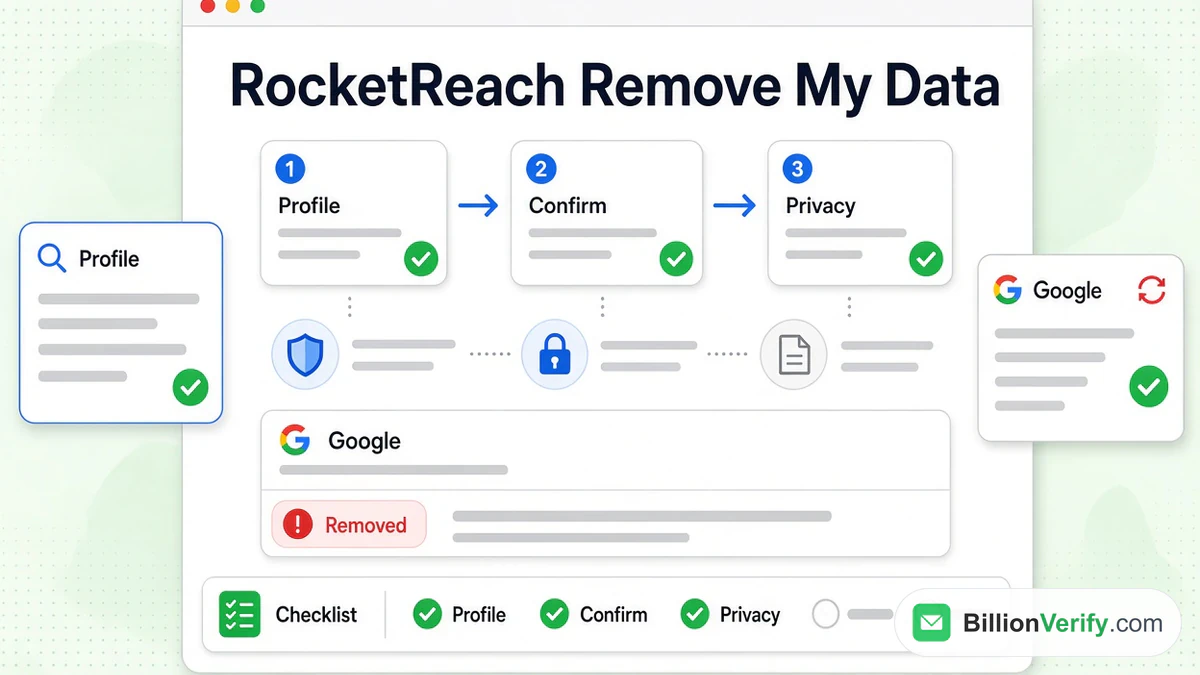
A RocketReach remove my data request takes three steps. Open the official form, enter the work email tied to your RocketReach profile, then click the confirmation link that arrives. You do not need an account, and it costs nothing.
This RocketReach remove guide walks through each step and the details around it: why your profile exists, what the removal covers, how fast the company answers, and how to clear old Google results. It also explains how closing an account differs from deleting a profile, and which privacy laws back you up. Every fact about RocketReach here comes from its privacy policy, last updated September 30, 2026, or from its help center, both checked in October 2026.
We are not affiliated with RocketReach. BillionVerify is an email verification service. We cover RocketReach in a series of guides because many sales teams use it to find contacts.
Key facts (checked October 2026):
- RocketReach places its official removal link in a box at the top of its privacy policy.
- No login is needed to fix or delete a profile, according to the RocketReach help center.
- An opt-out and a deletion end the same way at RocketReach: the person's details leave its database.
- RocketReach reported 3,367 verified opt-out or deletion requests from California residents in 2025, and denied none of them.
- RocketReach names VeraSafe as its representative for the EU and the UK.
Why Am I on RocketReach?
If you wonder why your name shows up there, the short answer is that its software builds a profile for millions of professionals. The policy says its "search technology scans the web and collects publicly available information from third party websites, such as, social media sites, corporate websites and public records."
That is not the only source. The same document lists "people directories, data brokers, corporate information directories, business partners, affiliates, advertising networks, and other entities." It also says customers may connect their own mailboxes and share "address book information, email header, contact information, email signature blocks."
RocketReach can guess your work email
A single line surprises many people. The policy says RocketReach technology "may also infer Personal Data about you by making assumptions based on publicly available information, such as inferring professional email addresses based on common formats used at a particular company."
So your work email may show up even if you never published it. The company may have built it from your name and your employer's naming pattern. Our guide to company email formats explains how those patterns work.
What a RocketReach profile can include
RocketReach says it "sources personal profile data using web crawlers and data mining algorithms." The policy lists the kinds of details involved: "name, email address, phone, work history, education, location, social profile, skills and other similar information."
It also states that it "does not collect or process sensitive personal information." Its customers, it says, are "primarily businesses seeking to connect with other professionals for networking, sales, and career opportunities." For an overview of the company and its plans, see our RocketReach guide.
The one-time notice
Some people receive a message titled "One-Time Data Processing and Opt-Out Notification." It says RocketReach holds details that identify you. A support article explains that you can then view your RocketReach profile or delete it through the same form described below.
RocketReach Remove My Data: Step by Step
The official process has three steps. RocketReach lays them out in its help article "How do I Remove My Information from RocketReach?", updated February 25, 2026. If you came here asking how to remove myself from RocketReach, these are the steps.
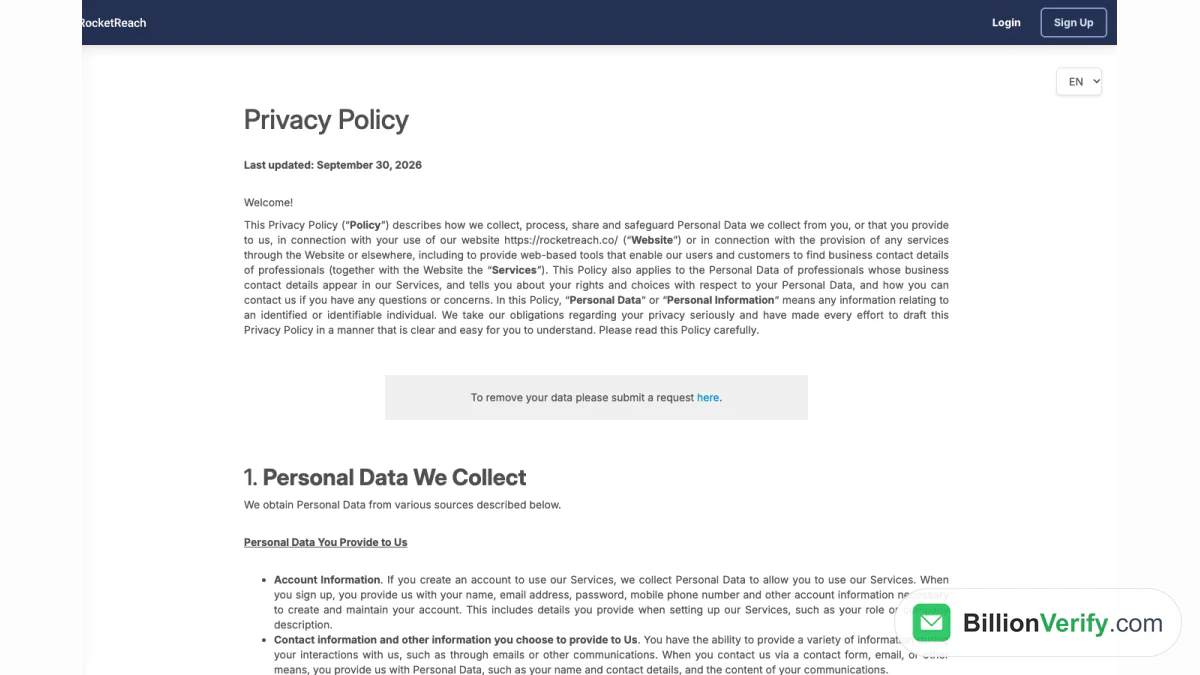
Screenshot: the RocketReach privacy policy, with the removal link near the top.
Step 1: Open the RocketReach remove profile page
Go to rocketreach.co/remove-profile. The policy links to it in a box that reads "To remove your data please submit a request here." The site footer links to the same place.
Step 2: Give the email on your profile
The form asks for "the email address associated with your profile found on RocketReach." Use the work email RocketReach shows for you. If you are unsure which one it holds, start with your current address, then try older ones.
RocketReach adds two notes on this screen. First, "You are not creating an account." Second, "The provided data is only used to authenticate that you are the profile owner."
Step 3: Confirm by email
Click Submit. RocketReach explains: "If your email matches a profile in our system, you will receive a verification email to confirm and complete the removal process." Open that message and click its link. Until you do, nothing changes.
What happens next
After the RocketReach remove profile confirmation, the company takes your profile out of its database. The policy says deleted records are made "irrecoverable or irreproducible." Your old page may still show in Google for a while. We cover that below.
What a RocketReach Remove Profile Request Covers
Each RocketReach remove profile submission does more than hide a page. The policy ties several rights to the same tool.
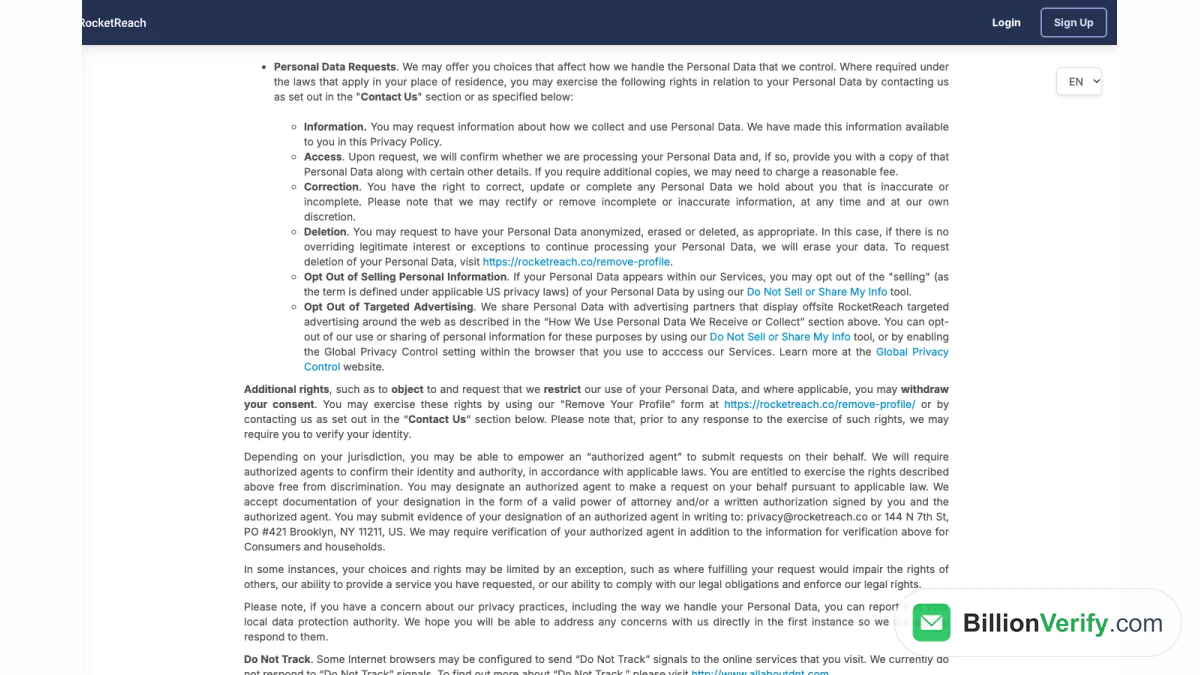
Screenshot: the section of the RocketReach privacy policy that lists your rights and links the removal form.
Deletion
The policy says you "may request to have your Personal Data anonymized, erased or deleted, as appropriate." Deletion goes through the RocketReach remove profile form.
Do Not Sell or Share
US privacy laws give many residents a right to stop the "sale" of their details. RocketReach calls its version the "Do Not Sell or Share My Info tool." In the policy, that link leads to the same form, so a privacy opt-out and a removal start in one place.
Targeted advertising
RocketReach says it shares data "with advertising partners that display offsite RocketReach targeted advertising." The same privacy opt-out tool covers that too. The policy also honors the Global Privacy Control setting in your browser.
Objection and restriction
The policy lists "additional rights, such as to object to and request that we restrict our use of your Personal Data." Use the form, or email the privacy team, for these.
One outcome for both choices
A footnote explains the approach: "RocketReach processes both opt-out requests and deletion requests in the same manner by removing the consumer's personal information from our database." In practice, a RocketReach privacy opt-out deletes your profile just as a deletion does.
How Fast RocketReach Answers Removal Requests
California's privacy law makes some firms publish their request numbers every year. RocketReach posts its 2025 figures near the end of its policy.
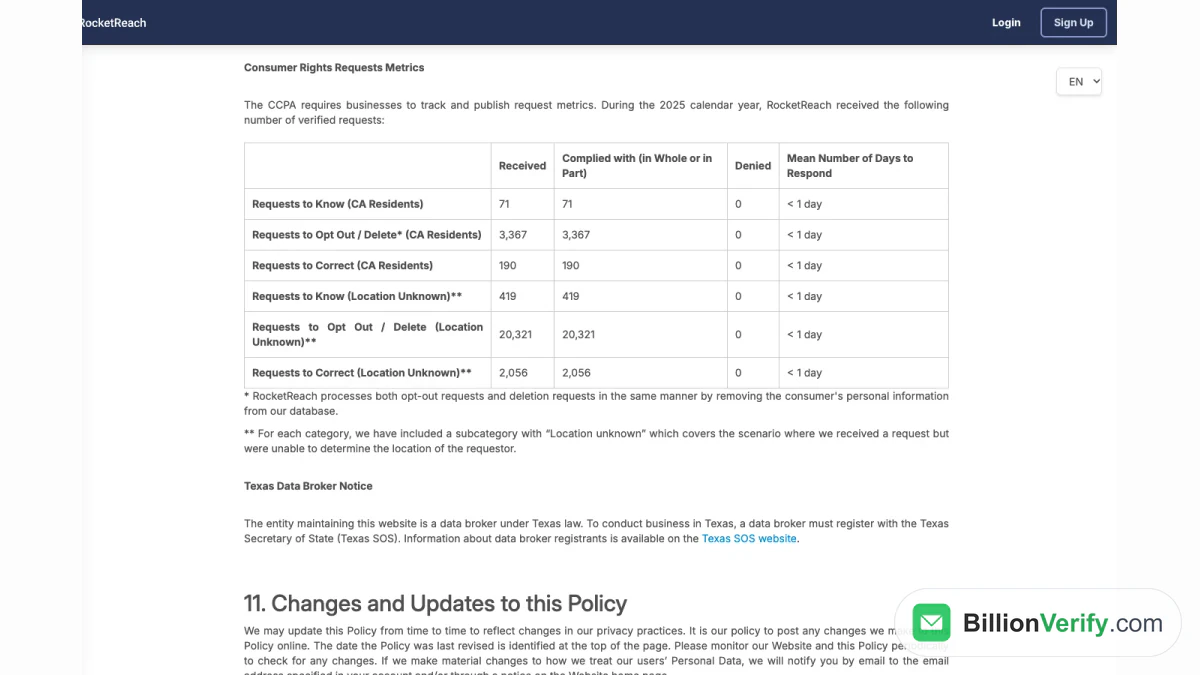
Screenshot: the 2025 consumer rights request metrics that RocketReach publishes.
| Request type | California: received | California: complied with | Location unknown: received | Location unknown: complied with | Denied | Mean days to respond |
|---|---|---|---|---|---|---|
| Know | 71 | 71 | 419 | 419 | 0 | Under 1 |
| Opt out or delete | 3,367 | 3,367 | 20,321 | 20,321 | 0 | Under 1 |
| Correct | 190 | 190 | 2,056 | 2,056 | 0 | Under 1 |
These are the company's own figures. They show two things. Tens of thousands of people ask to remove info from RocketReach every year. And the company reports answering verified requests within a day on average.
"Location unknown" covers people whose home state RocketReach could not tell. That group is about six times larger than the California one, so most people who use the form are not Californians.
Remove Info From RocketReach Results on Google
Google can keep showing your old page after the deletion. A separate support article explains why: Google keeps cached copies until it crawls the page again.
RocketReach says a stale result "will resolve automatically in a few weeks when cached data updates." To speed things up, go to Google directly. RocketReach says that "takes only 1-2 minutes."
Clear a cached link
- In Google, right-click your old RocketReach result and choose Copy link address.
- Open Google's Remove outdated content tool.
- Click New request, then Page.
- Paste the address and submit it.
Clear a cached image
- Find the image at images.google.com.
- Right-click the thumbnail and copy its address.
- In that same Google tool, click New request, then Image.
- Paste it into the search results URL box and send.
Track each one on the Google page where you filed it. This step only clears Google. You must remove information from RocketReach itself first.
Update Your RocketReach Profile Instead of Deleting It
Some people want accurate details, not a missing profile. RocketReach covers that in its article "How do I Update my Information on RocketReach."
RocketReach "automatically updates personal profiles with personal information using public sources." It says changes "typically take a few weeks" after your public pages change. To push a fix sooner, send the correct details to privacy@rocketreach.co.
Updating keeps you findable for recruiters and partners. A deletion takes you out of the database. Pick whichever fits your goal.
Close a RocketReach Account vs Delete Your Profile
These are two different tasks, and people often mix them up.
- Your RocketReach profile is the record of you that its users can find. The removal form deletes it.
- Your account is the login you created to search the database. You close it from your settings.
How to close a free account
The company's article on deactivation covers free accounts. Log in, click your initials, and open Account Settings. Choose Other Settings, then "Deactivate and Close Account." Confirm, answer a required feedback question, and confirm again.
Two rules apply. "Only free accounts can be deactivated," so paid subscribers must cancel the subscription first. Deactivation "removes access to all saved lookups and contacts." To reverse it, contact support@rocketreach.co.
Account holders and deletion
The policy adds a limit for customers: "We cannot delete your Personal Data except by also deleting your user account." If you hold an account and want its details gone, plan to close it too.
RocketReach Privacy Opt Out Official Contacts
Use these channels if the form fails or you prefer to write. Each one comes from the policy or the help center. Stick to the RocketReach privacy opt out official channels below, not third-party pages that claim to act for the company.
| Need | Official contact |
|---|---|
| Delete or opt out | The form linked in Step 1 |
| Privacy questions | privacy@rocketreach.co |
| Data protection officer | DPO line (833) 212-3828 |
| Postal mail | RocketReach, 144 N 7th St, PO #421, Brooklyn, NY 11211, United States |
| EU and UK inquiries | VeraSafe, its data protection representative |
| Account help | support@rocketreach.co |
For trouble with the form, RocketReach gives one rule: "If you experience any issues using the removal link, please contact our Privacy Team." That team works through the privacy inbox in the table.
Authorized agents
In some places, someone else can file for you. RocketReach accepts "a valid power of attorney and/or a written authorization signed by you and the authorized agent." The agent must also prove their own identity.
Your Rights Under US State Laws, California DROP and GDPR
The policy lists rights "where required under the laws that apply in your place of residence." They include access, correction, deletion and opting out of sale. Your exact rights depend on where you live.
Texas
RocketReach states that "the entity maintaining this website is a data broker under Texas law." Texas makes data brokers register with the Texas Secretary of State, which keeps a public list.
California and DROP
California residents have a wider tool. The state's Delete Request and Opt-out Platform, called DROP, sends one free request to over 600 registered data brokers. From August 1, 2026, brokers must check DROP at least once every 45 days. The state warns it "could take up to 90 days" to see your status updated.
DROP does not replace the company's own form. Use both if you live in California and want the fastest result.
EU and UK residents
GDPR gives EU residents rights to access, correct and erase personal details. RocketReach lists VeraSafe offices in Cork and London for European inquiries. You may also "report it to your local data protection authority" if a concern stays unresolved.
According to its "RocketReach and Privacy" article, the company also gives customers a setting that filters EU residents out of search results. That setting serves sales teams who want to avoid contacting people in the EU. It does not delete anyone's details, so EU residents who want out should still use the form.
Common RocketReach Remove Profile Problems
Most removals go through in minutes. When one stalls, the cause is usually simple.
The confirmation never arrives
RocketReach only sends the confirmation when the address belongs to a profile. Try any other address you used at work, including old ones. Check spam and promotions folders too.
You find more than one RocketReach profile
People who changed jobs can appear under several emails. Submit the form once for each email you find.
Your details come back
Many people who search "how to remove myself from RocketReach" worry that the profile will return. RocketReach refreshes profiles from public sources. If your details reappear, write to the privacy inbox and mention the date of your first submission.
Google still shows the old page
That is a cache issue, not a failed removal. Use Google's outdated content tool, as described above.
RocketReach Opt Out Remove Profile Checklist
Use this list to finish the job in one sitting.
- Find the address RocketReach shows for you.
- Send the RocketReach opt out remove profile form through the official page.
- Open the confirmation and follow the link inside.
- Wait a few days, then search RocketReach again.
- Ask Google to clear any cached link or image.
- If you also have an account, close it under Other Settings.
- Repeat with other people search and contact data sites.
Other contact data sites
RocketReach is one of many sites that list professionals. Each runs its own process, so each needs its own submission. Our BeenVerified opt out guide covers a large consumer people search site and its sister sites.
Use an Inbox You Can Check
The whole process hangs on one message. A RocketReach remove my data submission only completes when you click the emailed link. If you mistype the address, nothing arrives, and your profile stays where it was.
The BillionVerify disposable email check shows whether an address is a throwaway inbox.
A few habits help:
- Type slowly. One wrong letter sends the confirmation nowhere.
- Use a real inbox, not a throwaway. Temporary inboxes can expire before you click.
- Keep the confirmation. It is your proof of the date you asked.
Not sure who runs an address that wrote to you about your details? Our free reverse email lookup reads the domain, organisation, mail routing and public profiles behind an inbox, using public signals only. If a caller claims to work for a data company, our phone number validator shows whether the number is valid for its country and what line type it is.
For Sales Teams: Respect Removals in Your Own Lists
A deletion works in one place. When someone asks to remove my information from RocketReach, that request does not reach copies already exported into your CRM or sending tool. Those copies stay until you clean them.
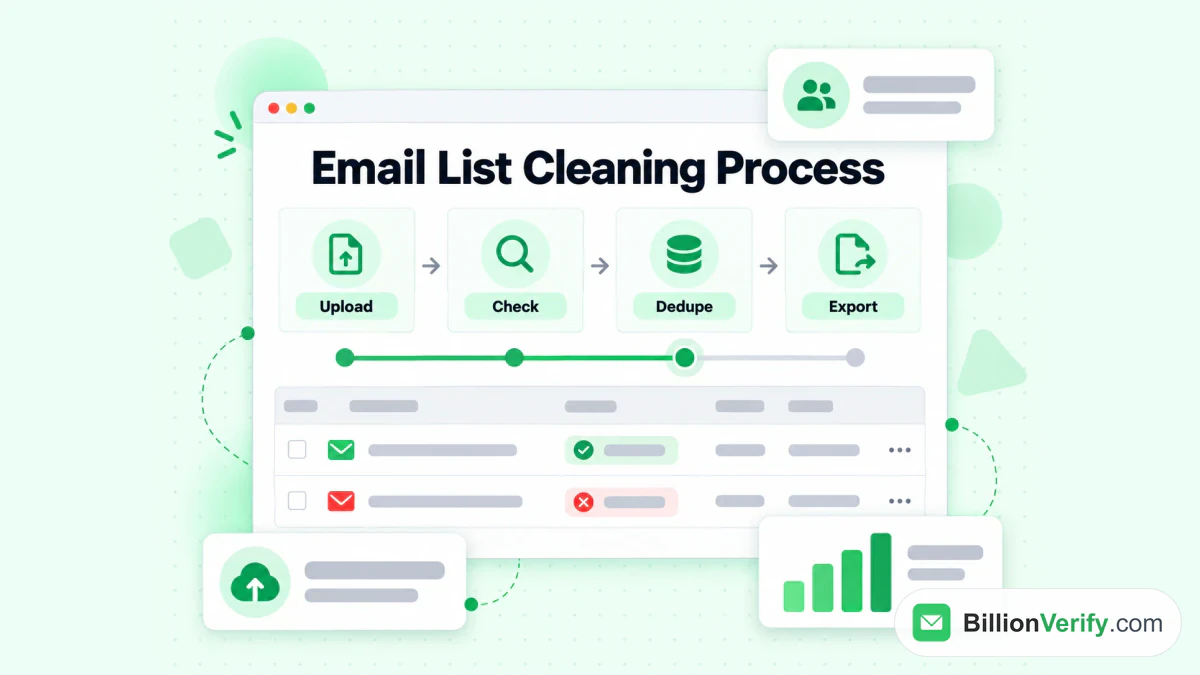
The BillionVerify email list cleaning process moves a list from upload through checks, dedupe and export.
Good practice for teams that use contact data:
- Keep a suppression list. Add anyone who asks to be left alone or unsubscribes.
- Refresh old exports. People change jobs, and old addresses stop working.
- Check before you send. A dead or guessed address bounces and hurts your sender reputation.
- Know your role under privacy law. Our GDPR page explains that for lists customers submit, "the customer generally acts as the controller and BillionVerify acts as a processor," and that customers are responsible for having a lawful basis.
BillionVerify checks whether an address exists and can receive mail, without sending a message. It reports catch-all domains as their own result. A valid or invalid result uses one credit, unknown results are free, and a re-check within 24 hours is free too. Our page on RocketReach email verification shows how to check a RocketReach export before outreach. To see how RocketReach finds addresses in the first place, read about the RocketReach email finder and RocketReach search. If you want to try one address first, a free email address checker runs a live SMTP test and needs no signup.
FAQs
How do I remove my data from RocketReach?
To remove my data from RocketReach, enter the address tied to your profile at the official RocketReach remove profile screen, then confirm through the message the company sends. The whole RocketReach remove my data process is free.
Does the RocketReach remove profile process cost anything?
No, the RocketReach remove profile step is free. RocketReach also says that submitting the form does not open an account in your name.
Do I need an account to remove my info from RocketReach?
No account is needed to remove my info from RocketReach. The company checks ownership through the email on your RocketReach profile, not through a login.
How do I remove myself from RocketReach for good?
Deleting the profile through the form and confirming by email makes RocketReach erase it for good. If the details return later, ask the privacy team to remove them again.
How long does RocketReach take?
RocketReach reported a mean response time of under one day for verified requests in 2025. Google results can take a few more weeks to clear unless you ask Google directly.
Why does RocketReach have my information?
RocketReach gathers public professional details from websites, social networks and public records. It also receives data from other providers, and it may infer work emails from company formats.
Does opting out also stop the sale of my details?
Yes, a RocketReach privacy opt-out also covers sale and sharing. The Do Not Sell or Share tool points to the same form, and opt-outs and deletions have one outcome.
Can I close my account instead?
Closing an account does not delete your RocketReach profile. Free accounts close under Other Settings, while paid users have to end their plan before closing.
Who do I contact if the form does not work?
Use the RocketReach privacy opt out official inbox, privacy@rocketreach.co, when the removal link fails. The data protection officer also takes calls at (833) 212-3828.
How do I remove information from RocketReach for someone else?
To remove information from RocketReach for another person, use an authorized agent. RocketReach asks for a power of attorney or a written authorization signed by both of you.
Can I remove info from RocketReach if I live outside the US?
Yes, anyone can remove info from RocketReach with the same form. People in Europe can also contact VeraSafe, the company's representative there.
Watch: How to Validate a Phone Number: Free Phone Number Validator
Watch: Email Checker: How to Check an Email Address for Free