


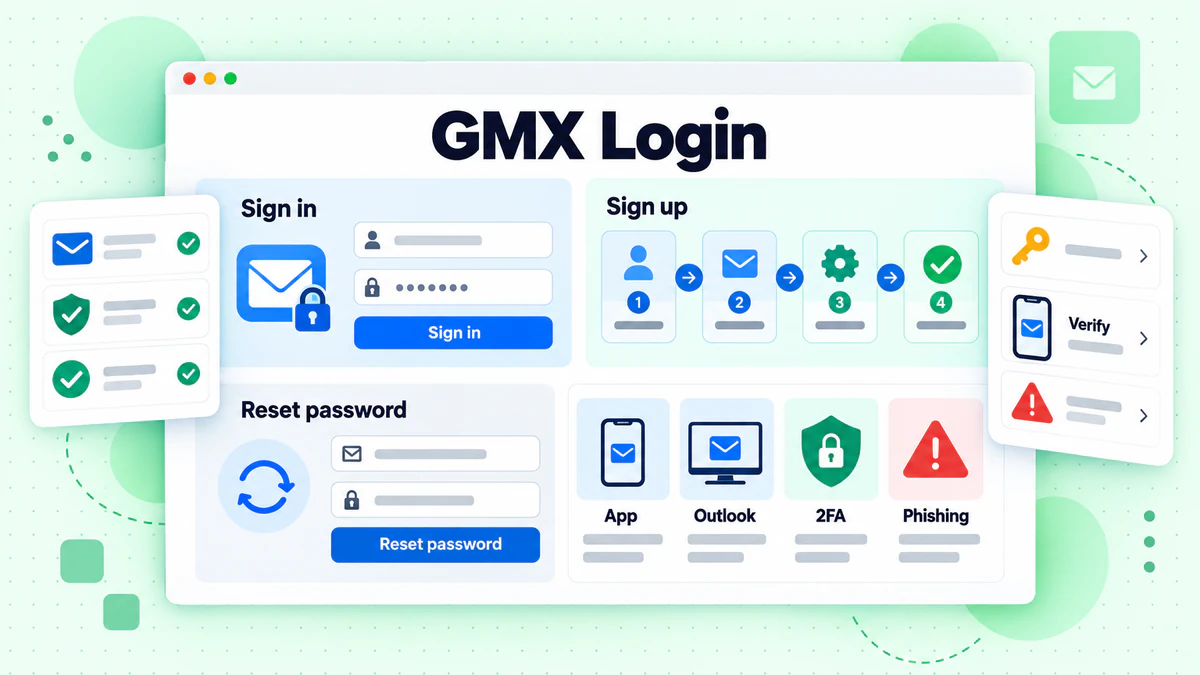
A GMX login starts on the site that matches your language. On the English sites, open www.gmx.com and click Log in. On the German site, open www.gmx.net and click Einloggen. Both lead to a short form.
This guide lists the login page for each GMX domain we could check. It also covers the GMX Mail login in a browser, on a phone and in a desktop mail program, plus sign up, password reset, locked mailboxes and fake pages. Every fact comes from GMX's own websites, read in October 2026. We are not affiliated with GMX. BillionVerify is an email verification service. If you want a short definition of the provider first, read what GMX is in our glossary.
Key facts (checked October 2026):
- GMX shows its English login panel on www.gmx.com, with an Email address field, a Password field and a Log in button, per the gmx.com homepage.
- GMX sends German-language logins from www.gmx.net to auth.gmx.net, which opens a "Willkommen!" form, per the gmx.net homepage.
- GMX's help says sign up needs a mobile number: registration without one is not possible.
- According to GMX, most people can recover a lost password on password.gmx.com without contacting customer support.
- GMX's support pages say POP3 and IMAP access is off by default, so Outlook cannot sign in until the setting is switched on.
- BillionVerify's account gives 20 free credits on each day you use it, with no card needed, for checking addresses ahead of a campaign.
GMX Login for Every GMX Domain
GMX Mail runs several websites, and each has its own form. The table lists what we opened in October 2026. Address endings come from the sign-up form of each site.
| Site | Where the login starts | Forgotten-password link | Endings offered at sign-up | Language |
|---|---|---|---|---|
| www.gmx.com | Login panel on the English homepage | password.gmx.com | @gmx.com, @gmx.us | English |
| www.gmx.us | Sends you on to www.gmx.com | See www.gmx.com | See www.gmx.com | English |
| www.gmx.co.uk | Login link at the top; a similar panel appears | password.gmx.co.uk | @gmx.co.uk, @gmx.com | English |
| www.gmx.fr | Login link; the panel button says "Se connecter" | password.gmx.fr | @gmx.fr, @gmx.com, @caramail.fr, @caramail.com | French |
| www.gmx.es | Login link; the button reads "Inicio de sesión" | password.gmx.es | @gmx.es, @gmx.com | Spanish |
| www.gmx.net | Einloggen button, then auth.gmx.net | passwort.gmx.net | @gmx.de, @gmx.net, @mein.gmx | German |
| www.gmx.de | Sends you on to www.gmx.net | See www.gmx.net | See www.gmx.net | German |
| www.gmx.at | Login button; the form is auth.gmx.net | Not listed | Not listed | German |
| www.gmx.ch | Login button; same auth.gmx.net form | Not listed | Not listed | German |
Two notes on the table. The GMX.com login covers the English-language sites, while the GMX.net login covers the German ones. The sites www.gmx.us and www.gmx.de answered with a permanent redirect. GMX does not say whether one site accepts a mailbox from another, so if a form rejects your email, try the site in your own language.
The GMX.com Login Panel
The GMX.com login sits on the English homepage. Click Log in at the top right. A panel opens with the title "Login" and a green SSL check mark. Two boxes take the email and the password, and a green button reads Log in.
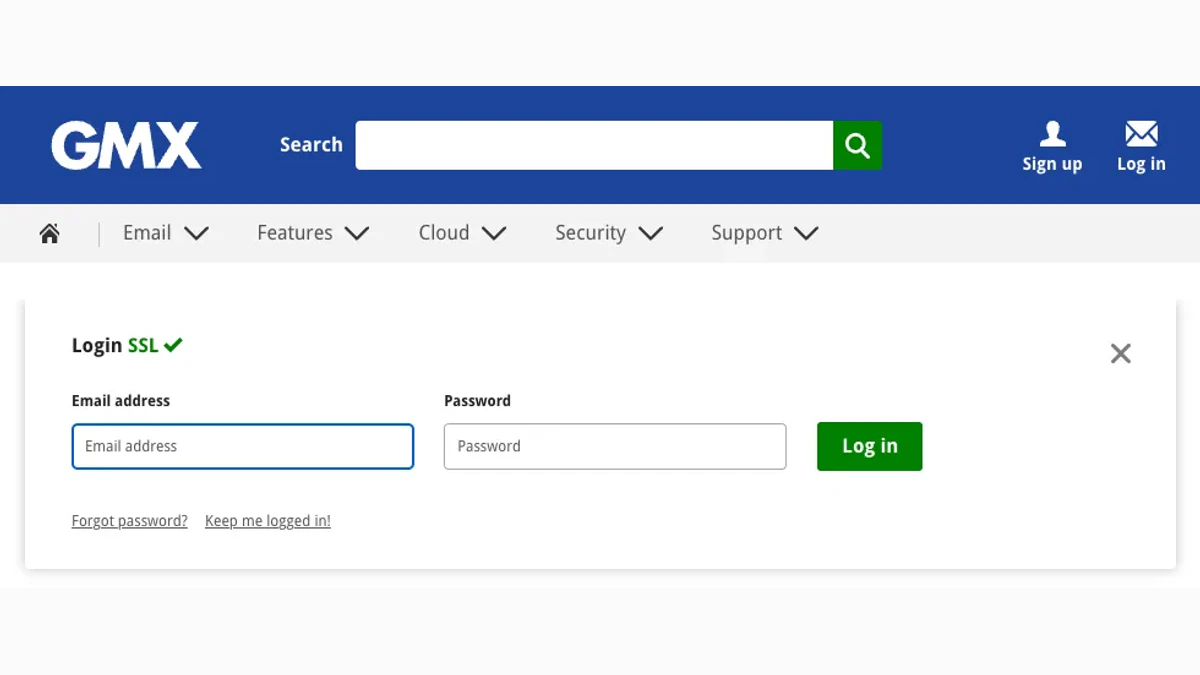
Screenshot: GMX's English homepage with the login open.
Under the boxes sit two links. "Forgot password?" opens password.gmx.com. "Keep me logged in!" is the second. A Sign up link waits in the page header for anyone without a mailbox. The panels on the UK, French and Spanish sites follow the same layout.
The GMX.net Login Form
The GMX.net login is the German one. Open www.gmx.net. A box named "GMX Postfach" holds a blue Einloggen button (Log in). Click it and the browser moves to auth.gmx.net.
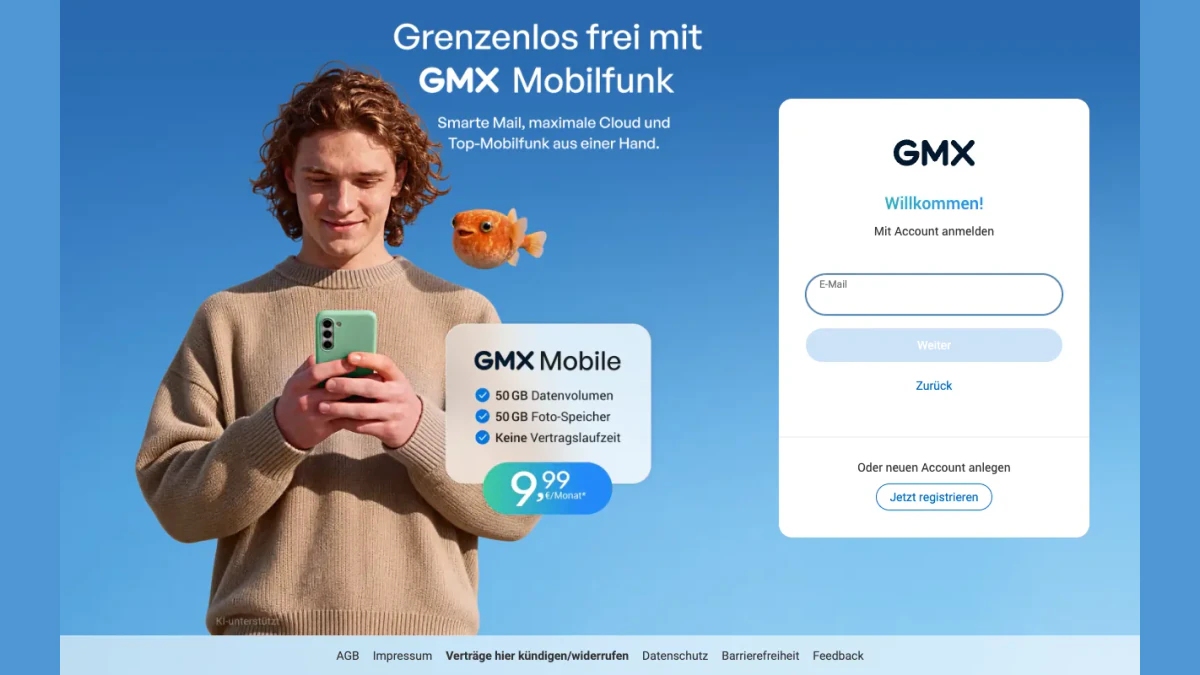
Screenshot: German form at auth.gmx.net.
The form opens with "Willkommen!" and "Mit Account anmelden", which means "Sign in with an account". Type your email in the E-Mail box and press Weiter (Next). A Zurück (Back) link steps back. Below a divider, "Oder neuen Account anlegen" offers a Jetzt registrieren (Register now) button.
The Austrian and Swiss homepages send people to the same form. In our check, the Login button on www.gmx.at and www.gmx.ch opened auth.gmx.net with a country marker.
GMX Sign In on a Computer
Every site follows the same few steps.
- Open the form for your site. Type the web address by hand rather than following a link from an unknown message.
- Enter your full email, ending included, such as @gmx.com or @gmx.net.
- Enter your password. GMX notes that it is case sensitive.
- Click Log in on gmx.com. On gmx.net, the form asks for the email first and a Weiter button follows.
- If a second step is on, add its code from your authenticator.
- Wait for the inbox to load after you log in.
Your GMX login email is the whole address, ending included. A short name fails. GMX notes the error appears "if our system does not recognize the address you enter into the Email field."
Stay Logged In, and When to Log Out
GMX's German text describes a feature named "Eingeloggt bleiben", which means "Stay logged in". You can leave the mailbox without logging out. When you return on the same device and browser, the system can recognise the browser, so no new password is needed.
The same page says an automatic logout happens only if you delete your browser cookies. It also says to log out on any device that other people can reach. To switch mailboxes, click the round icon with your initials at the top right, choose Account wechseln, then log in again with the other mailbox.
GMX Mail Login in the App
GMX publishes a free mobile app for each phone system. Its support pages link to the App Store listing for iOS and the Google Play listing for Android.
A GMX sign in on a phone takes four steps:
- Install the app.
- Open it and sign in with your email.
- Enter the password.
- Approve any security prompt, such as the extra confirmation described below.
The iOS page says that logging out "is not necessary because it brings no security advantage". Constant logging in and out also uses more data and loses personal settings. Because the GMX login on a phone stays active, GMX recommends a PIN lock for the app instead.
Old Versions Cannot Sign In
The article "I can not log in with my mobile device" lists minimums. It names version 5.1 or above on Android 5 or above, and version 7.3 or above on iOS 12 or above. Older releases are unsupported for security reasons.
If you cannot update, the article says to use a browser instead. It also warns that some locks show no message on a phone. Sign in with a browser and read what appears afterwards.
GMX Email Login in Outlook or Thunderbird
You can read GMX Mail in Outlook, Thunderbird or Apple Mail. This route is not the web form. A GMX sign in through a desktop program uses POP3 or IMAP.
According to the setup page, the access starts switched off. To switch it on:
- Sign in to the GMX website.
- Open the Email tab and click Settings.
- Click POP3 & IMAP.
- Tick the box that enables access to this account.
- Click Save.
The same page carries a warning. For security reasons, the switch turns itself off when you stop using the access for a longer time. If Outlook suddenly fails, check it first.
App Passwords for Desktop Programs
When the extra code is on, the usual password will not work in a mail client. GMX offers passwords made for a single program. They cover external programs, plus calendars and contact books that use CalDAV or CardDAV.
Create it like this:
- Log in via the GMX website.
- Click the profile icon at the top right.
- Open Security Options.
- Click Manage application-specific passwords.
- Click Create new application-specific password.
- Name it and click Continue.
GMX shows the new string once, so note it down. Use it there in place of your usual password. Server names and ports are outside this guide.
Two-Factor GMX Login
A second step adds a code to the GMX login. GMX describes it simply. After setup, you type your password and a confirmation code that your smartphone generates each time. A stranger who learns your password still cannot open the mailbox.
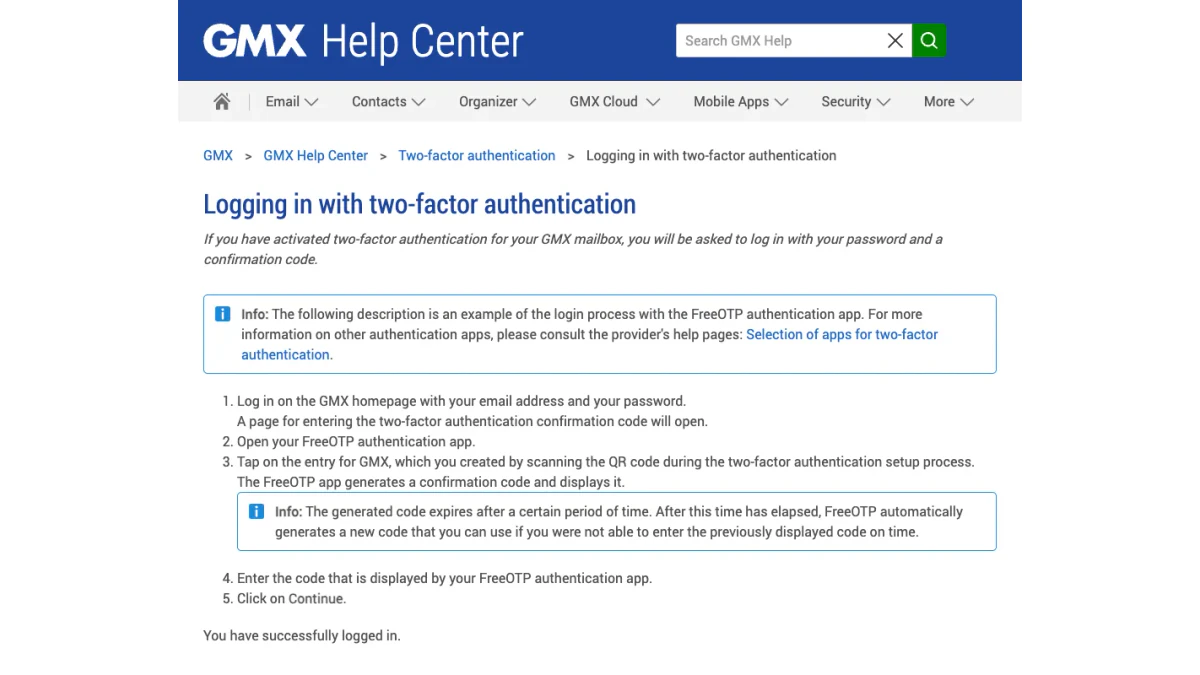
Screenshot: support page for the two-factor sign-in.
The Second Step in Practice
The support page shows the flow with the FreeOTP app as an example.
- Log in on the homepage with your email and password.
- A page asks for the confirmation code.
- Open the authenticator and tap the GMX entry you made when you scanned the QR code.
- Read the code on screen and enter it.
- Click Continue.
A code expires after a short time. The authenticator then makes a new code on its own.
When the Authenticator Is Lost
GMX's article on lost access gives a single route. Switch the extra code off with the secret key from setup. Start the recovery process for your mailbox, and it asks for that key. Entering it switches the feature off, so the six digits are no longer needed.
The key arrives as a PDF during setup. It helps if you lose the app, set up a new smartphone, get a new number, break your phone, or forget your password. If the printout is gone, look in the Downloads folder first. GMX also warns that it may not be able to help if you cannot be identified as the owner.
Confirm a Login on a New Device
A GMX sign in from an unknown device or browser meets an extra check on gmx.net. GMX Germany calls it "Login mit App bestätigen", which means "Confirm login with app". The window appears after correct details on www.gmx.net or in the app, on a device that has not been confirmed.
GMX lists four ways to confirm your identity:
- App installed: a window and a push message appear in the app.
- Mobile number saved in GMX Mein Account: a code arrives by SMS.
- No app, but a contact email saved: a code arrives by email.
- None of these: a personal identification is needed.
The window offers "Auf diesem Gerät nicht mehr fragen", which means "Do not ask again on this device". Leave it on and the browser is trusted later. Cookies matter here. If your browser blocks or deletes them, the check returns each time. GMX suggests allowing cookies, clearing the cache once, leaving private mode, removing ad blockers, or trying another browser.
A second German page covers a CAPTCHA screen headed "Bitte erneut einloggen", which means "Please log in again". It appears when your IP comes from a network range with unusual activity. Being abroad is the most common case. An internet provider or employer VPN with an international IP can cause it too.
GMX Sign Up: Create a GMX Mail Account
A GMX sign up runs through about five short screens. The English form lives at signup.gmx.com, and the German form lives at register.gmx.net. We walked through the English form with placeholder data and stopped at the phone screen. We did not submit anything.
What the Form Asks For
- A first name, a last name and a birth date.
- An address name and an ending.
- A title and your country of residence.
- A password of at least eight characters.
- A sign up phone number for text messages.
- A human check and the terms.
The personal details secure the account, GMX explains, and help you regain it if you lose access. Its form also tells you to use a unique password for each service. The German text adds that twelve or more characters is better.
GMX Sign Up Phone Number Required
The phone step cannot be skipped. The English text reads: "Registration without a mobile phone number is not possible." The German help says the same. The number must belong to a mobile that can receive texts.
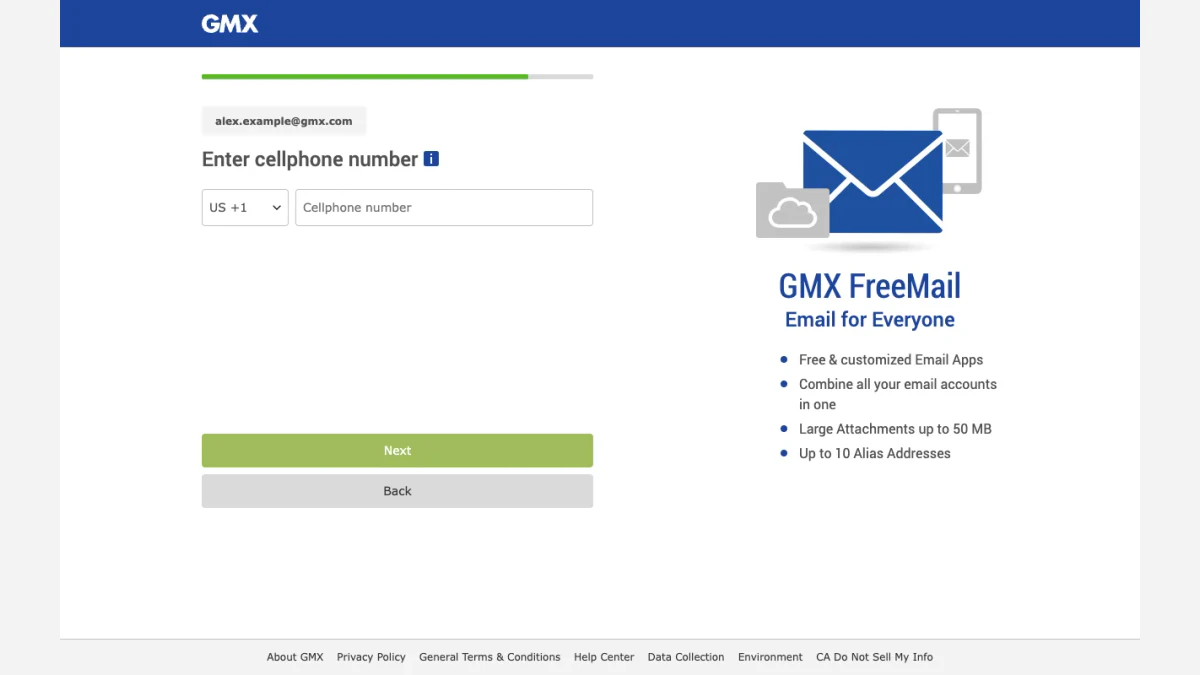
Screenshot: the cellphone step at signup.gmx.com.
The screen explains the reason. A saved number lets you regain a lost password by SMS, and, per GMX, the number serves only password recovery and service messages. GMX texts the number, and you enter what arrives in the form. If no text arrives, wait a minute and ask again. Carrier rates may apply.
One more warning comes from GMX. A number already stored in many other GMX accounts may be rejected. Use a number you control, because it later restores access.
Choose Your Address
The second screen is titled "Choose your e-mail address:". GMX suggests a name from what you typed. You can also type your own idea, pick an ending and click Check to see whether it is free.
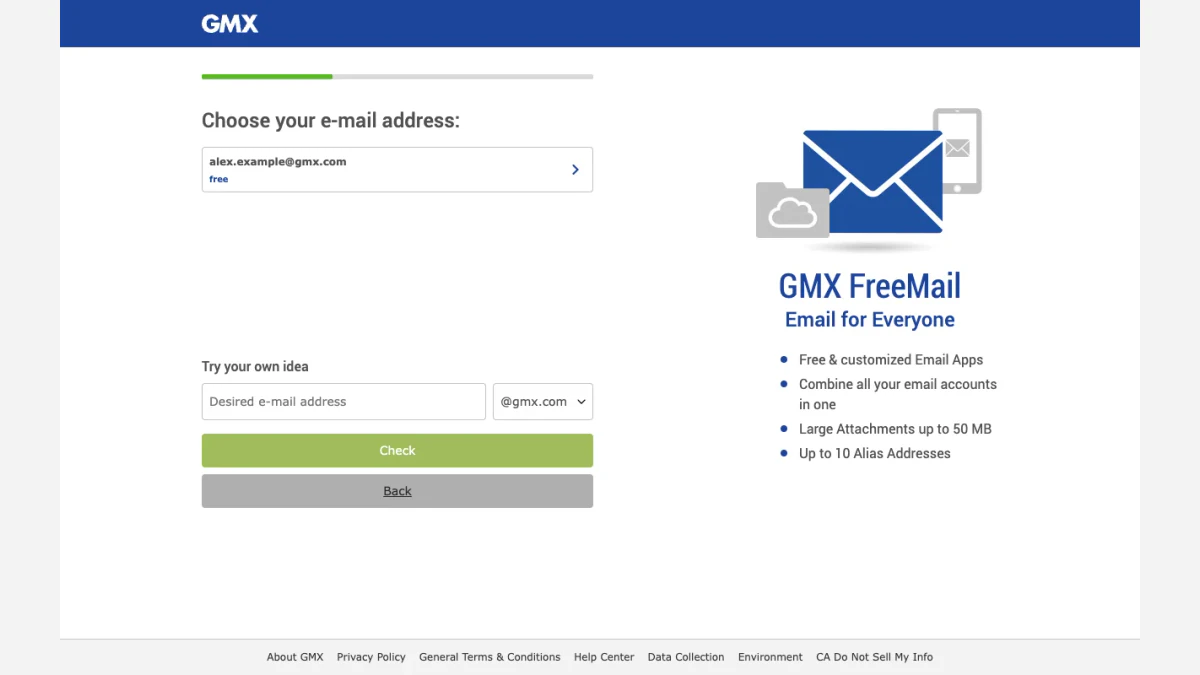
Screenshot: choosing a name during the GMX Mail sign-up.
The endings are the ones in the table above. The German version says the name you create "kann nicht geändert, doppelt vergeben oder gelöscht werden", which means it stays fixed, is never assigned twice and cannot be deleted. The English text agrees: "Existing email addresses cannot be changed." If your own name changes, make a fresh address and retire the old one once your contacts move.
GMX Mail erstellen on GMX.net
German speakers call the same job "GMX Mail erstellen", "GMX Konto erstellen" or "GMX registrieren". On gmx.net, the "Kostenlos registrieren" button (register for free) leads to register.gmx.net. The first screen reads "Hey, wir sind GMX. Wer bist du?" and asks for Vorname, Nachname and Geburtsdatum.
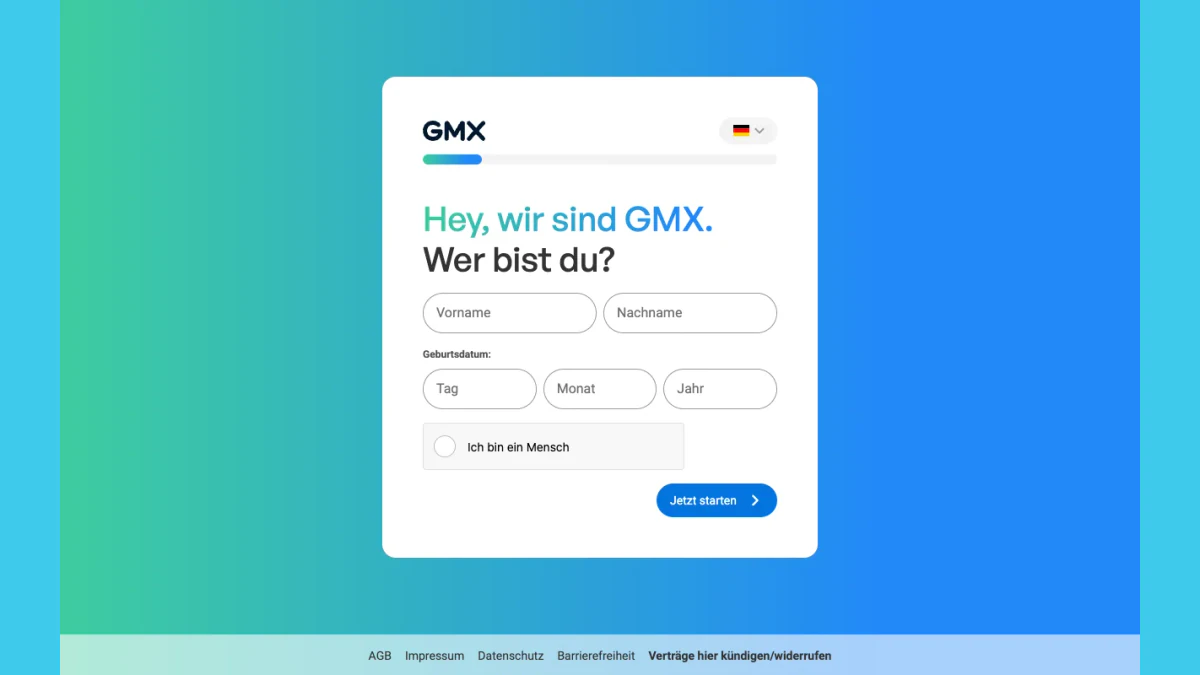
Screenshot: the German form at register.gmx.net, first step.
The German steps match the English ones. The gmx.net page for new addresses lists six steps, from the choice of ending to the phone step and the final registration.
Free Storage and Attachments
The overviews disagree on the size of the free account, so read the one for the site you join. The gmx.net overview lists GMX FreeMail with 1 GB of mail space and attachments of up to 20 MB. The gmx.com overview lists 65 GB and attachments of up to 50 MB.
When GMX Sign Up Fails
GMX documents the common errors:
- A message about your IP address means the connection looks like it comes from a country where registration has ended, or from a VPN. Switch to your normal connection.
- Too many failed attempts can block a connection for several hours. GMX suggests waiting 24 to 48 hours, then trying another connection and the latest browser.
- A taken or banned name raises an error. Choose another and click Check.
- A weak password is refused. Aim for twelve characters or more.
Forgot Your GMX Password? Reset, Change and Recover
Most password problems end on a recovery page, and you can fix most of them yourself.
GMX Passwort vergessen: Recover Your Password
Start at password.gmx.com. If your mailbox is on gmx.net, the page says to visit passwort.gmx.net instead, and the German help names assistent.gmx.net.
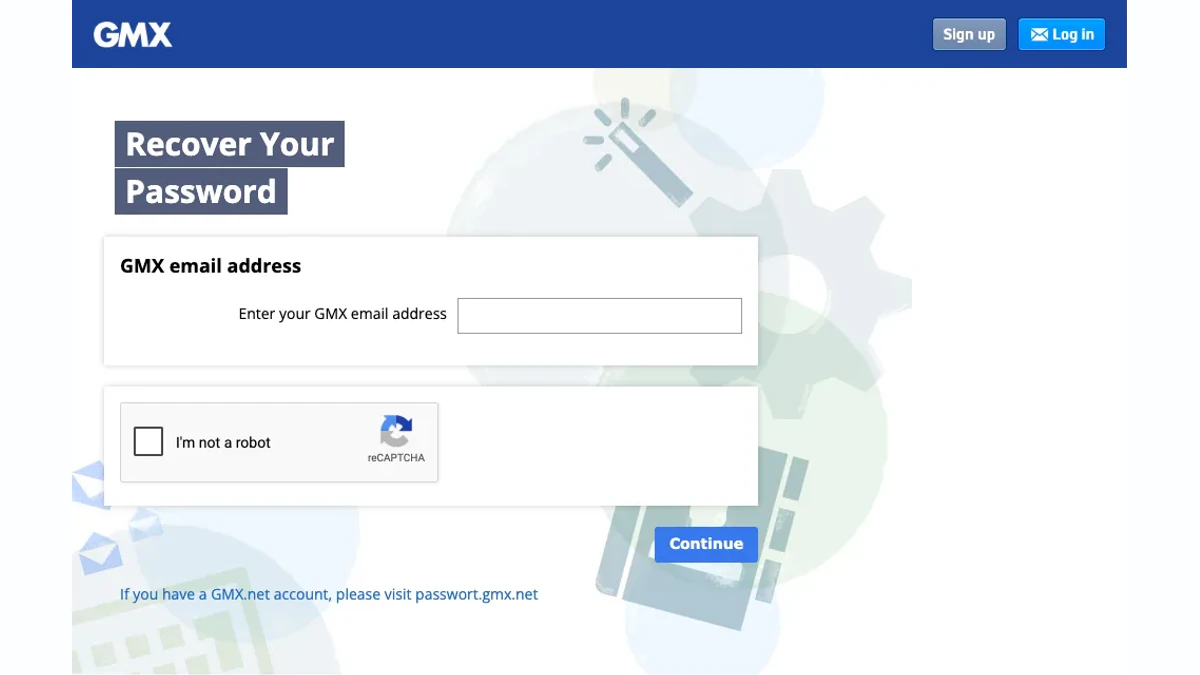
Screenshot: the password recovery page at password.gmx.com.
The English steps are short:
- Enter your email.
- Tick the reCAPTCHA box.
- Click Continue.
- Pick one of the offered options.
The options are an alternative email, a text message, finding the saved password in your browser, and "None of the above". The German site shows the options one after another, based on the contact details you stored. Press "Andere Methode zum Code-Erhalt" to see the next one. An SMS code arrives from "GMX Sicherheit", and the page shows the last three digits of your number so that you can check it.
If a second sign-in step is on, the next screen asks for your secret key. That turns the extra code off. You can set it up again once you are back in. Finish by entering the new password twice and pressing Passwort speichern.
Change Your Password (GMX Passwort ändern)
You can change a working password at any time. GMX advises doing it regularly and never reusing one.
- Click Account at the top right.
- Click Security Options.
- Under Password, click Change password.
- Enter the current password, then the new one in the two lower boxes.
- Click Save changes.
GMX adds one rule. If you use a mail program or the GMX apps, change the password there too. If you lost or sold a phone, the Security Options also offer "Reset auto-login now". The reset can take up to 35 minutes, per GMX, to end every mobile access.
Phone or Backup Email Not Available
Nothing can be sent when no contact details are saved, or when the saved ones are out of date. The English page then says to click "None of the above" and follow the instructions.
The German site names three other routes:
- Another mailbox access: if the browser login is lost but the GMX app or Outlook still works, a code can go to the mailbox itself.
- Personal identification: the account details are matched with an identity card. You need a valid card, a smartphone with a camera for an identification app, and a valid alternative email for the unlock.
- Chat support: the help pages point to a chat window at the bottom right.
GMX warns that identification fails with an expired card, so check its date first.
Locked Account: GMX Login nicht möglich
Sometimes a correct password still fails because GMX blocked the mailbox. GMX's article "Why is my account blocked?" gives these reasons:
- A VPN was used while registering, and certain VPN setups are not allowed.
- Registration came from an IP range that GMX blocks because of heavy spam, or from a country where the service is not offered.
- The security team found phishing or spam leaving the mailbox.
- The mailbox was hacked, and GMX blocked it to keep the intruder out.
For a block, contact GMX customer support. Another article says reactivation may be possible when a hack caused the block and you can prove ownership. It is not possible after VPN registration, after deactivation for inactivity, or after spam or phishing.
If GMX sees irregular activity, it can text a six-digit code to your saved mobile number. You enter it, then set a new secret of eight or more characters. GMX Germany offers a matching unlock by SMS code or through the GMX app.
GMX Login Probleme: Why a Login Fails
When a GMX sign in fails, the cause is usually one of a few known reasons. The English pages list them in an article called "I cannot log in and I don't know why".
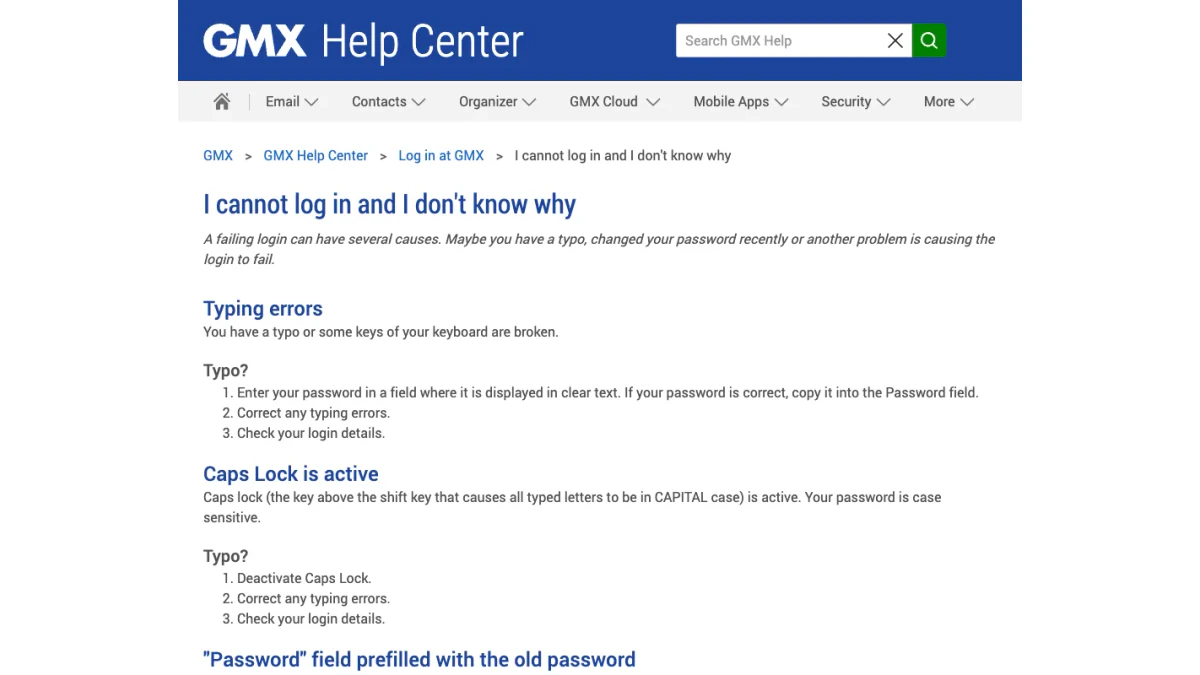
Screenshot: help article on failed logins.
Typos and Caps Lock
A typo is the first suspect when you cannot log in. GMX suggests typing it somewhere it shows in clear text, then pasting it into the box. Caps Lock is next. The German article also points to the eye icon inside the box, which reveals what you typed.
An Old Saved Entry
A browser can fill the box with an outdated value. GMX describes a box "prefilled with the old password" after a recent change. Delete the saved entry in your browser settings and type the new value. If you forgot your email, your browser may still know it, GMX adds. Look in the saved logins of Firefox, Chrome, Safari, Edge or Thunderbird.
Damaged Cookies and a Full Cache
Damaged cookies can disturb a GMX login. A very large cache can make a site load slowly after sign-in, or not at all. Clear both, restart the browser and retry. GMX has step-by-step pages for Chrome, Firefox and Internet Explorer.
When GMX Says the Address Is Invalid
This message means the system does not recognise what you typed. A typo is the usual reason. Inactivity is the other.
The English help says that after more than six months without a login, the mailbox is deactivated automatically and an irreversible deletion process starts. After a dormant mailbox is switched off, no data is left to recover.
Another page, "I still cannot log in", describes a year of non-use, after which someone else registered the same address. Then there is no way to get it back, and you must register again. The two pages give different periods, six months and one year, so do not rely on the longer period.
A German help article explains a notice titled "Postfach inaktiv". GMX sends it from noreply@system.gmx.net and asks you to log in again, otherwise the contents are deleted. A login still works after the contents are gone.
Automatic Logout
GMX lists three reasons for a surprise logout. One is a timeout after a long idle time. Another is a browser setting, such as JavaScript or an unauthorised add-on, that breaks the session. The last is a new login in another window, which ends the older session.
An Outage
Each support page carries a "Serverstatus" line at the top. It read "ok" when we checked. The mobile article says to read that line if a technical fault might be the cause, and to contact GMX if no issue shows but you still cannot sign in.
Fake GMX Login Pages and Phishing Emails
A popular login attracts copies, and the GMX login is no exception. A fake message may claim your GMX Mail login has expired, then link to a site that copies the GMX.com login. Check the page before typing anything.
- Read the address bar. The pages we opened sat on gmx.com, gmx.net and subdomains such as auth.gmx.net and password.gmx.com.
- Enter the site address yourself. Never sign in from a link in a message.
- Bookmark the real page. One saved link beats a daily search.
The German pages list the tricks GMX sees: a missing check seal, a faked sender name, a lookalike sender such as "serivce" in place of "service", and links whose text hides the real target. The seal is a blue and white check mark by the sender name. It shows only in GMX's own webmail and app, not in programs such as Outlook.
The same page lists four lures: a bill you must pay, a deactivation you must stop with a link, a virus scan you must run to avoid a ban, and a blocklist entry you must fix by verifying the mailbox. The quickest test, per GMX, is its Postmaster service. You save the message as an .eml file and upload it. A fake gets the result "Prüfung auf Echtheit: negativ", which means "authenticity check: negative".
The English pages give these steps for a suspicious message:
- Do not click its links.
- Do not forward it.
- Press the Spam button to move it and train the filter.
- Run a virus check if you think the mailbox was compromised.
- Report phishing by forwarding the extended header and the body to the support team.
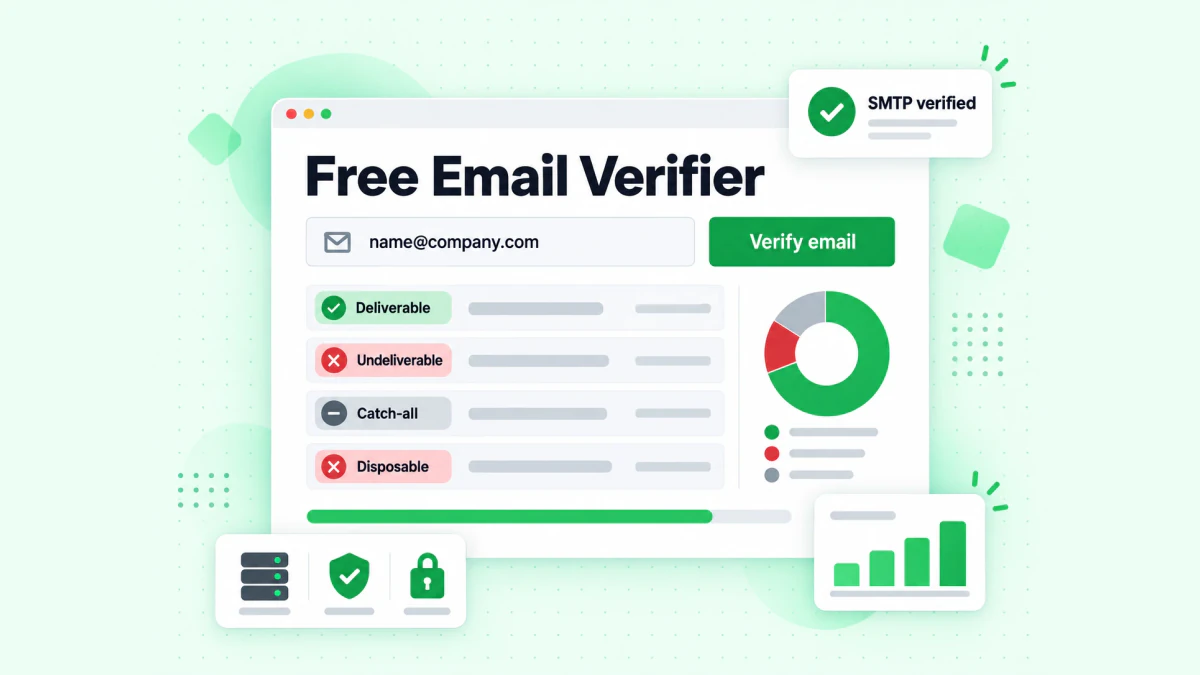
The BillionVerify email verifier shows whether a real mailbox sits behind an address.
Two free BillionVerify tools help with the rest. Our reverse email lookup reads the domain, mail routing and public profiles tied to a sender. If a message pushes you to call a number, our phone checker shows whether it is valid for its country and what kind of line it is.
Emailing GMX Users? Verify Before You Send
Not every reader of this guide uses GMX. Some of you send to people who do. If your list holds @gmx.com, @gmx.net, @gmx.at or @gmx.ch entries, check them before a campaign. The same goes for a registration form that collects them.
Typos are the first reason. A form that accepts "name@gmx.nte" gives you a dead entry. The articles above also show that an old, unused address can be given to someone else. A check first protects your sender reputation.
BillionVerify's email verifier works on single entries and on lists. What to know:
- valid and invalid results cost 1 credit each, and unknown results are free
- a free re-check is available within 24 hours
- catch-all entries get their own label, and are not counted as valid
- the monthly cap is 600 free credits, and they never expire
- you can use a REST API, an MCP server, or one of 25+ integrations
We make no claim about how GMX answers checks. The advice is short: verify first, then send.
FAQs
How do I log in to GMX?
Go to www.gmx.com and press Log in, or go to www.gmx.net and press Einloggen. Type your full email and your password. If the extra code is on, a code from your phone is needed as well.
Which GMX domains have their own login?
The GMX.com login serves the English sites. GMX runs separate login pages on gmx.com, gmx.co.uk, gmx.fr, gmx.es and gmx.net. The sites for Austria and Switzerland open the gmx.net form. The sites gmx.us and gmx.de redirect to gmx.com and gmx.net.
What is the GMX.com login page?
The panel that opens from Log in on the English homepage is the GMX.com login. One box holds the address, another holds the password, and a button carries the same label. Links for resets and for staying logged in sit beneath.
Is GMX sign in different from GMX login?
GMX sign in and GMX login mean the same thing. Both words describe the form where you enter your login details. GMX's own English panel uses the word "Login".
Is a mobile number required for GMX sign up?
Yes, GMX requires a number that can receive texts when you register. Without it the form does not finish, and a message confirms the number.
Can I change my GMX address after sign up?
No, GMX does not let you change an existing address. Make a new one, set it as the default and drop the old one when your contacts have switched.
How do I reset a forgotten GMX password?
Open password.gmx.com, or passwort.gmx.net for a gmx.net mailbox. Give the recovery page your email, solve the reCAPTCHA, press Continue and choose a recovery option. Then save the new password.
What if my phone and backup mailbox are unavailable for a reset?
Choose "None of the above" on the English recovery page. The German site adds recovery through a second route into the mailbox, or a personal identification with an identity card.
Why does GMX report an unknown address?
GMX shows this message when it does not recognise the entry in the Email box. A typo is the common cause. Half a year of inactivity can also lead to deactivation and deletion, per GMX's article.
Can a desktop program use my GMX email login?
Yes, a desktop program can use your GMX email login, but the access setting must be switched on first. It is off by default. With extra protection on, create a single-use string made for that program and use it in place of the usual password.
How does the GMX app sign-in work?
The GMX app asks for the same login details as the website. You do not need to log out of it, and GMX advises PIN protection instead. Outdated releases are refused, so update the app and the phone system.
What do I do if I lose my authenticator?
If you lose your authenticator, start GMX's recovery process and enter the secret key you saved during setup. That ends the feature, so nothing more is needed. GMX can decline to help if it cannot confirm you own the mailbox.
What is the new-device check at GMX?
The confirmation step for unknown browsers is a security measure on gmx.net. GMX shows it when a browser has not been confirmed yet. You confirm through the app, by SMS, by email, or by personal identification.
How do I tell a real GMX login page from a fake one?
A genuine form sits on a GMX address such as gmx.com, gmx.net or auth.gmx.net. Enter the address yourself, bookmark it, and avoid links in unexpected messages. Per the German text, the quickest test for a suspicious message is GMX's Postmaster service.
Why does my GMX Mail login ask for a code again?
A GMX Mail login asks for a code when the browser is unknown or its cookies were deleted. Allow cookies and keep the option that stops further prompts on that device switched on.
Why can I not sign in when my password is right?
A correct password can still fail. GMX lists Caps Lock, an outdated entry saved in the browser, damaged cookies, an old app, a block and long inactivity. Work through the causes above one at a time.
Can a verifier check a GMX address before I send?
Yes, an email verifier such as BillionVerify can check an address first. It reports each entry as valid, invalid, catch-all or unknown. Unknown results cost nothing, and rechecks inside a day are free.