


The most popular advice about sending a text through email is also the part most likely to waste your time: enter a phone number, add a carrier domain, and assume the message will arrive. Can you send a text via email? Technically, yes. In 2026, however, the answer depends on the carrier, the recipient data, the message type, and whether you need dependable delivery.
Email-to-SMS gateways once offered a simple bridge between two channels. That bridge is now being retired across major U.S. carriers, while commercial messages face stricter filtering and compliance requirements. For a personal one-off message, the method may still be worth testing. For marketing, alerts, authentication, or any workflow that matters, a managed SMS service and clean contact data are the more practical foundation.
Why Sending a Text via Email Looks Easy but Rarely Works in 2026
The assumption that every U.S. carrier still accepts email-to-SMS traffic is no longer safe. Email-to-text began as a carrier-native feature and was widely available for roughly two decades. A sender could address an email to a phone number followed by a carrier domain, and the carrier would convert it into an SMS.
That convenience has changed sharply. According to this review of carrier gateway shutdowns, AT&T closed its gateway in June 2025, T-Mobile stopped supporting it in late 2024, and Verizon was phasing its gateway out by March 2027. The reason is operational, not cosmetic. Carriers found spam difficult to control, and newer A2P compliance rules couldn't be enforced reliably on messages originating from ordinary email.
That makes the direct answer conditional:
- For a casual personal message, a remaining gateway may work.
- For a commercial message, direct carrier gateways are a poor choice.
- For production delivery, use an SMS API or managed messaging platform.
- For any email-driven workflow, verify the contact data before routing messages.
A sender who wants to test a recipient address can still use email validation for marketing teams as part of broader data hygiene. That won't replace carrier lookup or SMS consent, but it helps prevent a messaging process from depending on stale contact records.
Operational rule: Treat raw email-to-SMS gateways as best-effort transport, not as a delivery guarantee.
The old method worked because carriers provided the conversion layer for free. The modern replacement keeps the same basic idea, but moves routing, compliance, monitoring, and fallback handling into a dedicated service. That shift is why marketers and developers shouldn't build a serious workflow around a gateway list copied from an old blog post.
How Email-to-SMS Gateways Actually Work
The mechanism is straightforward. You write an email, address it to a phone-number-based gateway address, and the gateway server translates the email into a mobile message.
Historically, the process looked like this:
- Find the carrier. The recipient's mobile network determines the gateway domain.
- Build the address. Combine the ten-digit phone number with that domain.
- Write the email. Keep the body short and avoid elaborate formatting.
- Let the gateway convert it. The carrier receives the email and delivers an SMS or MMS when the gateway is active.
For example, a Verizon recipient might historically have used an address such as 10-digit-number@vtext.com. An AT&T recipient might have used 10-digit-number@txt.att.net, while a T-Mobile recipient might have used 10-digit-number@tmomail.net. In Gmail, you could enter that address in the To field, write a brief message in the body, and send it like any other email.
The domain was never arbitrary. It told the carrier's mail system where to send the message and which mobile number should receive it. A managed messaging service now performs that conversion behind the scenes, so the sender usually works with an API, dashboard, or email-to-SMS integration instead of manually selecting a carrier domain.
Before relying on a domain, verify the recipient's network with a BillionVerify MX Lookup or another appropriate lookup process. An MX lookup concerns email infrastructure, so it isn't a substitute for mobile carrier intelligence, but it illustrates the same operational principle: routing depends on knowing which system is responsible for the destination. BillionVerify is a professional email verification service built to solve one problem, bad email data costs businesses money.
The workflow is easy to understand. The difficult part is knowing whether the gateway still exists, whether the number remains with that carrier, and whether the message is treated as acceptable traffic.
Step-by-Step Workflow for Sending a Text From Your Email Client
Start with the recipient's current mobile carrier. The address format is carrier-specific, and number portability means the person may have changed networks without changing phone numbers. If you use an outdated carrier domain, the message can fail without a useful explanation.
Next, write the message as if you're composing a compact SMS, not an email. Industry guidance describes the usual SMS-style limit as around 160 characters for ordinary delivery, and the underlying encoding makes the practical limit tighter for some content. A message using 7-bit encoding is typically capped at 160 characters, while Unicode messages are typically limited to 70 characters, as explained in this guide to email-to-text gateway limitations.
Keep the body direct. Include the essential action, time, or context, and remove signatures, long disclaimers, tracking-heavy copy, and unnecessary formatting. Attachments can push the workflow toward MMS or fail altogether, depending on the gateway or service.
The address and message body
Enter the phone-number-based gateway address in the To field. Use the recipient's ten-digit number and the domain associated with the carrier you believe currently serves that number. Send a short test to a known recipient before using the process for other people.
Don't assume the subject line will survive. Gateways may strip it, place it into the message, or alter the resulting text. HTML styling, line breaks, and rich formatting can also be removed or changed during conversion. If you need to inspect the email's transmission details before troubleshooting, review how BillionVerify checks headers.
What to expect after sending
A successful attempt should appear on the recipient's phone as a standard text message, but the sender usually won't receive a carrier delivery receipt. The absence of an error in your email client doesn't prove that the phone received the message.
If the recipient confirms arrival, the method has done its job for that isolated exchange. If the message matters, use a channel with delivery events or ask the recipient to confirm receipt through a separate method.
Limitations and Common Pitfalls of Email-to-SMS
The biggest problem isn't composing the email. It's diagnosing failure after the email leaves your inbox.
Number portability is a common source of silent breakage. A phone number can move from one carrier to another, while the sender keeps using the old gateway domain. The address may look correct, but the receiving system no longer owns that route. Practical email-to-SMS guidance recommends testing with a known number and treating gateway delivery as best-effort.
Carriers also don't generally provide delivery receipts for these messages. An email accepted by the sending system can disappear later in the route, leaving you with no reliable confirmation. That distinction matters for appointment reminders, security notices, and time-sensitive operational messages.
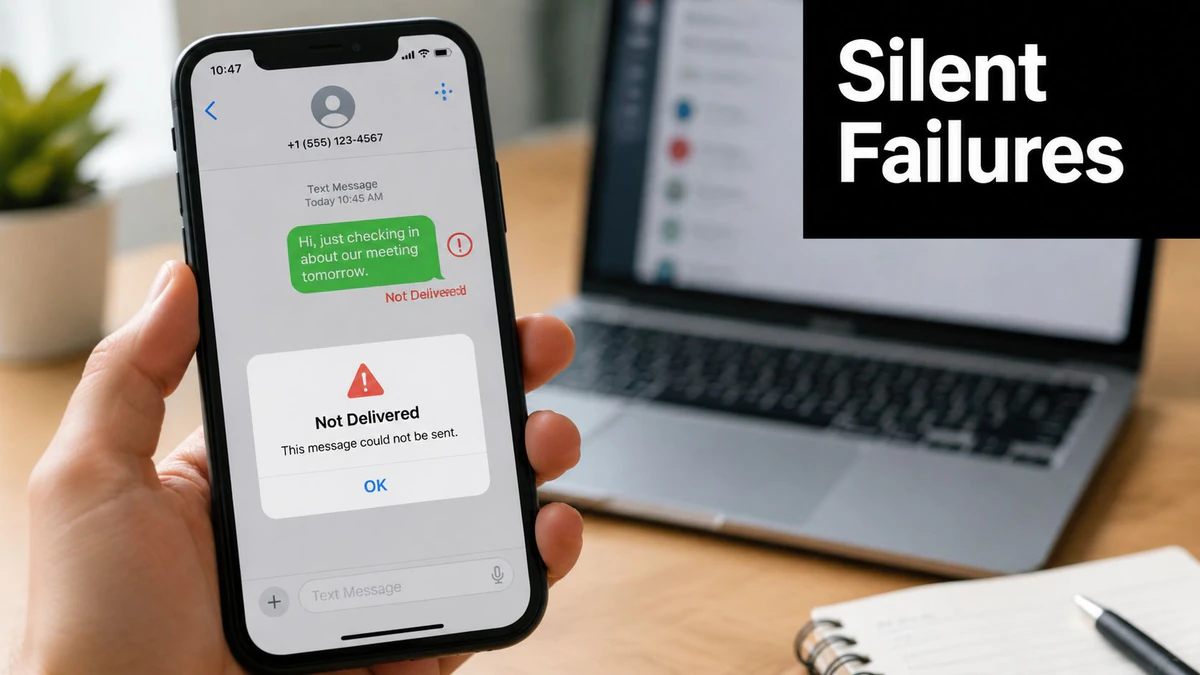
Message transformation creates another failure point. Subject lines may be stripped, formatting can change, and long content may be truncated or split. Standard SMS is typically limited to 160 characters with 7-bit encoding or 70 characters with Unicode, so a message containing accented characters, symbols, or emoji can behave differently from the same text written in plain ASCII. Those limits are documented in this technical overview of email-to-text gateways.
Commercial traffic is especially vulnerable. Carrier gateways are being retired or restricted, and industry guidance notes that they can be filtered aggressively when messages resemble marketing or automated application traffic. The same path that works for a personal reminder may be unsuitable for a campaign.
If you can't observe delivery, retry safely, or provide a fallback, don't make the gateway your only notification path.
For anything important, use a managed route that can expose status events, enforce consent rules, and support a second delivery channel.
Better Alternatives for Marketers and Developers
The right replacement depends on the job. A friend sending a single reminder doesn't need an application architecture. A retailer sending promotional messages, or a developer sending password resets, needs controlled routing and a provider that understands application-to-person traffic.
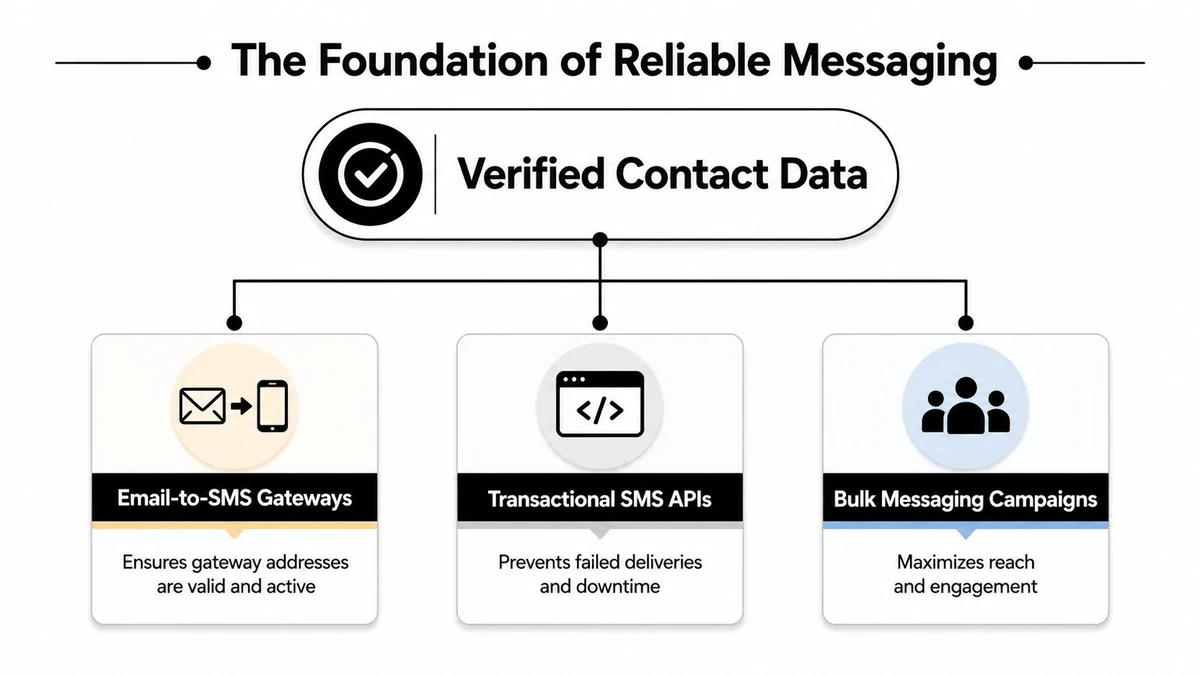
An SMS API, such as one offered by Twilio, lets a developer trigger messages from application logic rather than relying on a carrier's public email gateway. A transactional messaging service fits alerts such as password resets, shipping notices, and account notifications. A bulk messaging platform is more appropriate for campaigns where opt-in management, segmentation, suppression, and reporting are central requirements.
| Channel | Best for | Compliance fit | Delivery visibility |
|---|---|---|---|
| Email-to-SMS gateways | Isolated personal messages | Weak for commercial traffic | Limited or unavailable |
| SMS APIs | Developer-controlled application messages | Designed for managed A2P workflows | Provider events and status data |
| Transactional services | Alerts and operational notifications | Structured controls and consent handling | Better monitoring and fallback options |
The free gateway method still has a narrow use case. If you know the recipient, know the current carrier, need to send one short message, and can confirm receipt another way, testing it may be reasonable. It isn't an appropriate foundation for a multi-recipient campaign, regulated notification, or customer journey where an undelivered message creates business or safety risk.
Marketers should also validate their audience before activating any channel. BillionVerify phone verification can be considered alongside the phone-specific checks needed for SMS, while email validation remains important when the same contact record supports email fallback or follow-up.
Developers should separate the workflow into clear components: consent, contact validation, message creation, provider submission, delivery event handling, and fallback. That structure costs more effort than sending an email to a gateway address, but it prevents a silent carrier failure from becoming an invisible product defect.
Why Verified Contact Data Makes Every Messaging Channel Better
Reliable messaging starts before the message is written. A wrong phone number wastes an SMS attempt, while a stale email address can create a hard bounce or push a campaign toward spam complaints. When the same CRM record powers email, SMS, and automated follow-up, one bad field can disrupt several channels at once.
SMTP verification checks whether a mailbox exists by making a real-time connection to the recipient's mail server through the Simple Mail Transfer Protocol, without sending an email. That makes it useful for confirming live deliverability before a campaign or fallback email is attempted, as described in this explanation of SMTP email verification.
Syntax checks only inspect whether an address looks correctly formed. Full verification goes further. One industry comparison reports that full verification catches 95–99% of bad addresses, compared with 70–90% for syntax-only checks, while modern services commonly report 95–98% accuracy for clear valid or invalid outcomes. Those figures come from this comparison of email verification methods.
The edge cases that need separate treatment
Catch-all domains complicate verification because the server accepts mail for every possible address at that domain. An address may appear deliverable even when the individual mailbox doesn't exist. Disposable inboxes and role accounts also deserve separate handling, as explained in this overview of SMTP and DNS verification edge cases.
BillionVerify's Email Validation API can fit into signup, CRM, and campaign workflows where teams need verification before an address enters a messaging sequence. The operational goal is simple: prevent bad data from reaching the next system.
List hygiene supports deliverability as well as SMS efficiency. Invalid, inactive, and risky addresses increase bounce and complaint risk, and SMTP.com recommends cleaning when bounce rates rise above 2%. Remove hard bounces promptly, flag uncertain records, and keep phone validation as a separate requirement rather than assuming an email result proves a mobile number is usable.
Quick Checklist and Recommendations
Choose the channel based on the consequence of failure.
- Casual sender: Use email-to-SMS only for a short message to a known person, after confirming the carrier. Ask the recipient to confirm arrival.
- Marketer: Use a managed transactional or bulk SMS service, collect proper opt-in, and keep suppression and consent records.
- Developer: Integrate an SMS API, capture provider status events, and validate recipient data before sending.
- Operations team: Keep email-to-SMS as an experimental fallback, never as the sole route for a critical notice.
Before sending, check the essentials:
- Message length: Keep the body within the ordinary SMS payload constraints, especially when using Unicode.
- Content: Remove unnecessary signatures, HTML, and attachments.
- Routing: Confirm the recipient's current carrier or let a managed provider handle routing.
- Confirmation: Expect no dependable delivery receipt from a raw gateway.
- Data quality: Verify email records and validate phone numbers through an appropriate phone-data process.
- Fallback: Provide another channel when the message is time-sensitive or operationally important.
The practical answer to can you send a text via email is yes for limited personal use, but no as a dependable default for modern business messaging. Gateways are legacy conveniences. APIs, transactional services, consent controls, and verified data are the production stack.
BillionVerify helps teams verify email addresses before those records feed campaigns, signups, CRM workflows, or fallback messaging. Visit BillionVerify to clean risky contact data and build a more dependable messaging workflow before your next send.