📍 Introducing MapLeads: Turn Google Maps, Bing Maps & Apple Maps into your lead list.Try MapLeads

Check Email Address

Check email address online for syntax errors, domain health, MX records, and SMTP deliverability in under 2 seconds. You can check email address for free here — 99.9% accuracy, 600 credits a month, plus 20 more every day you log in.

Check Email Address

Check email address online, instantly

Paste any address and get a full report. BillionVerify will check email address syntax, domain health, MX records, SMTP mailbox status, disposable providers, and role accounts — check email address for free, one result, one place to decide.

99.9% SMTP accuracy6 layers per check600 free credits monthly
Get Started for Free
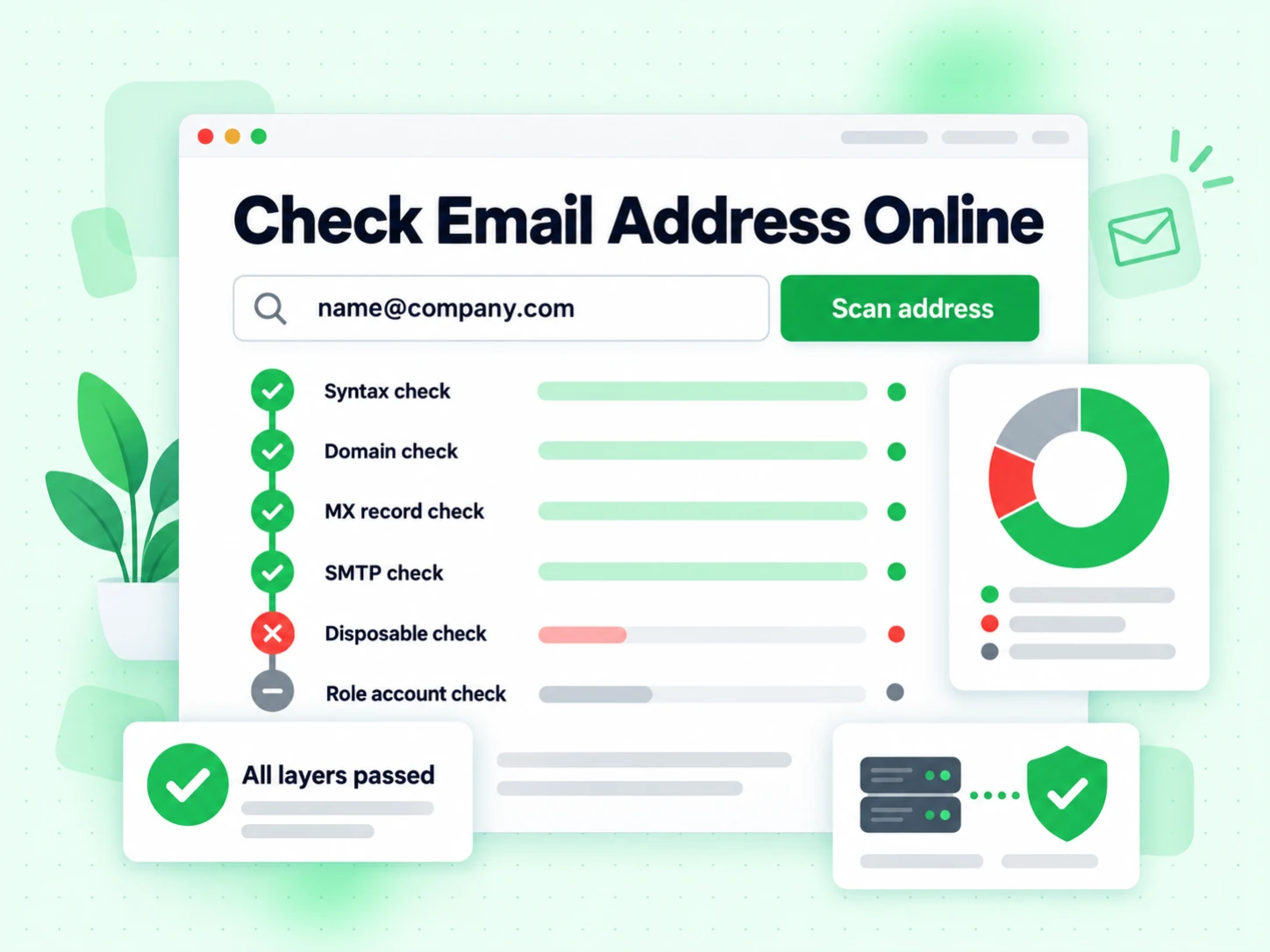
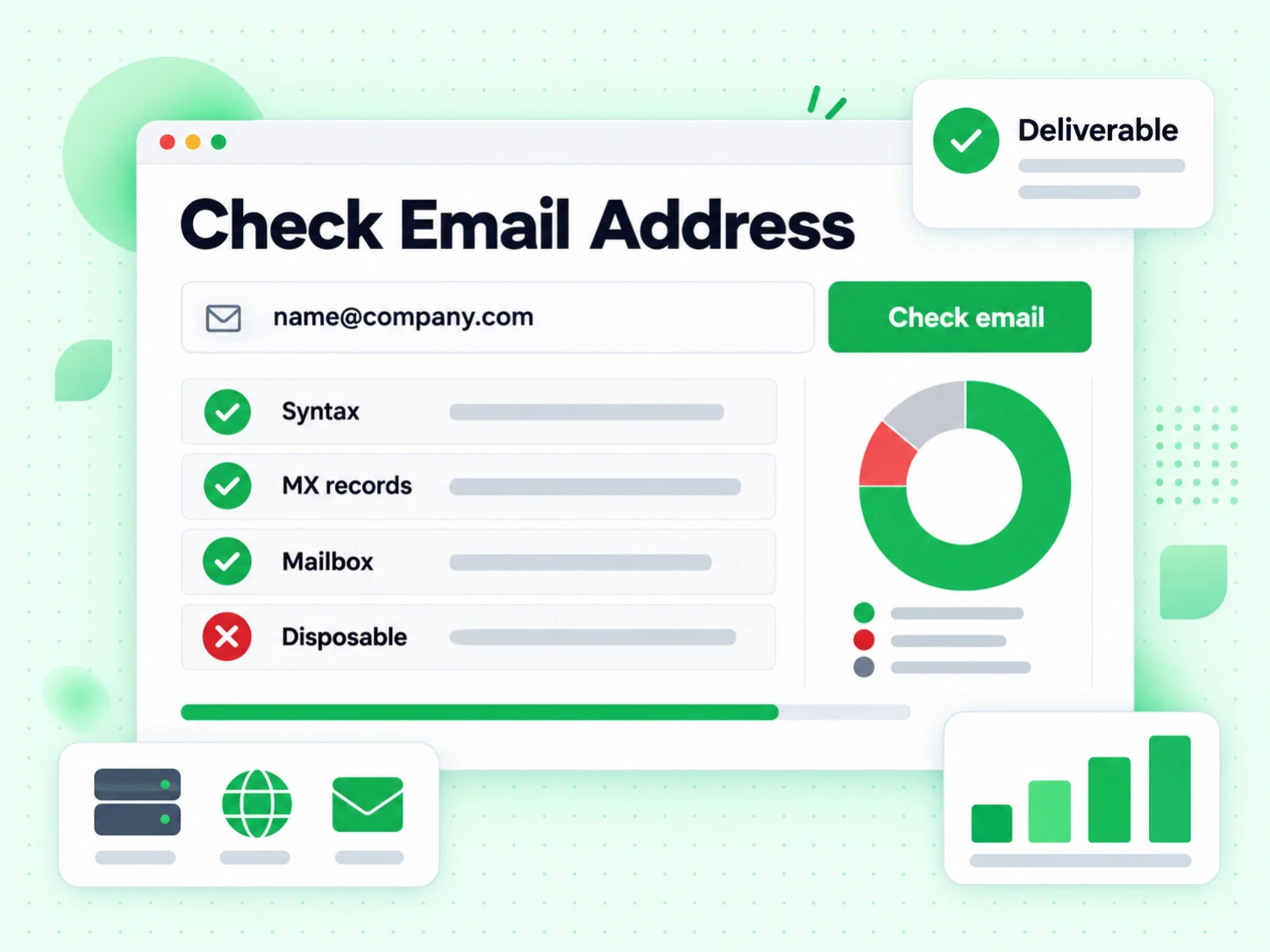
BillionVerify free email address checker result screen

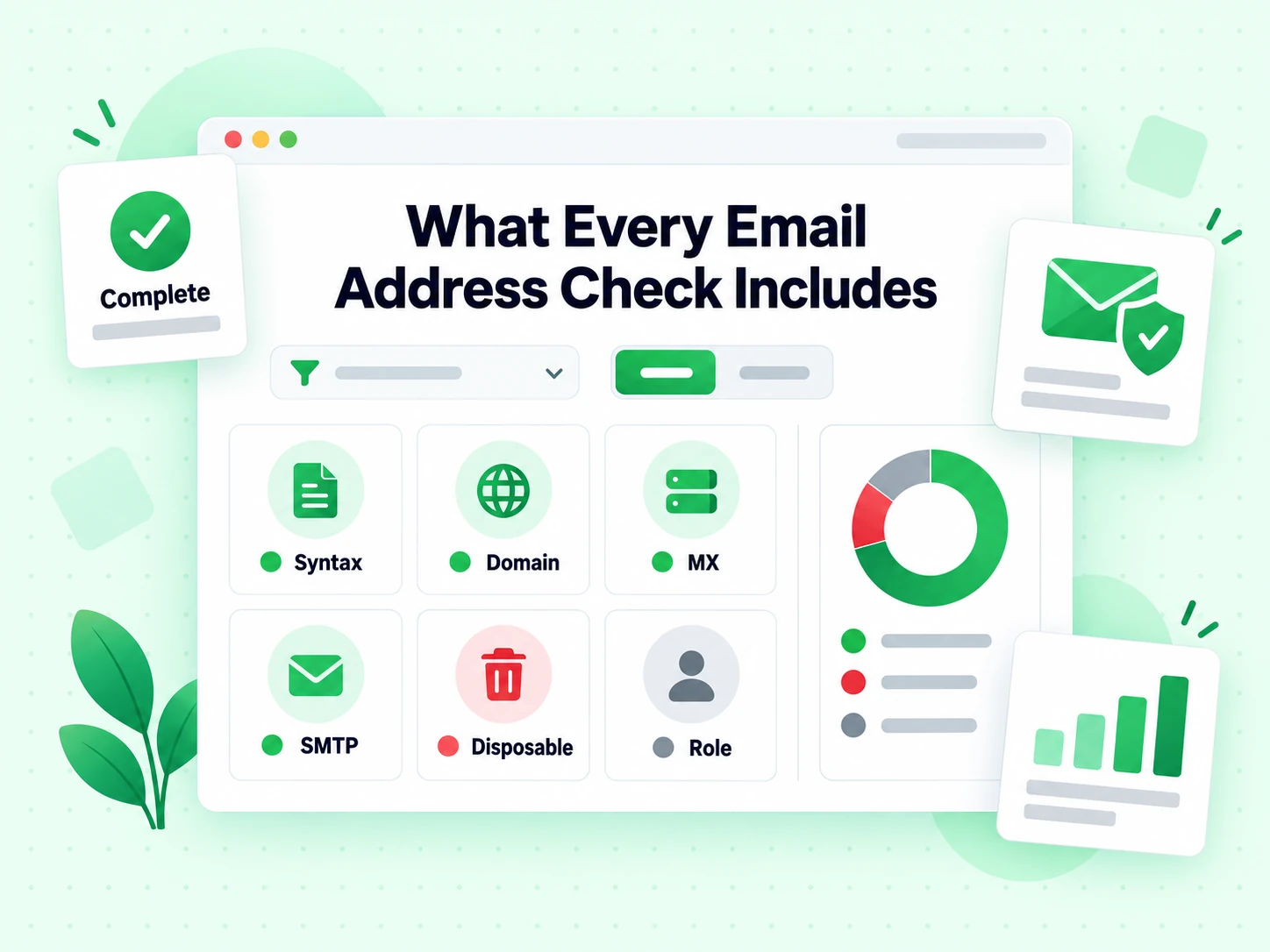
What every email address check includes

Six layers run automatically every time you check email address for free.

Syntax check

Check email address format and structure for typos, invalid characters, and malformed shapes.

Domain check

Check that the domain exists and is configured to receive mail at all.

MX record check

Check for active mail server records before spending a mailbox query on the domain.

SMTP check

Connect to the mail server and check that the mailbox itself accepts incoming mail.

Disposable check

Check the domain against 10,000+ known temporary email services.

Role account check

Check for generic addresses like info@, support@, and admin@ that hurt engagement.

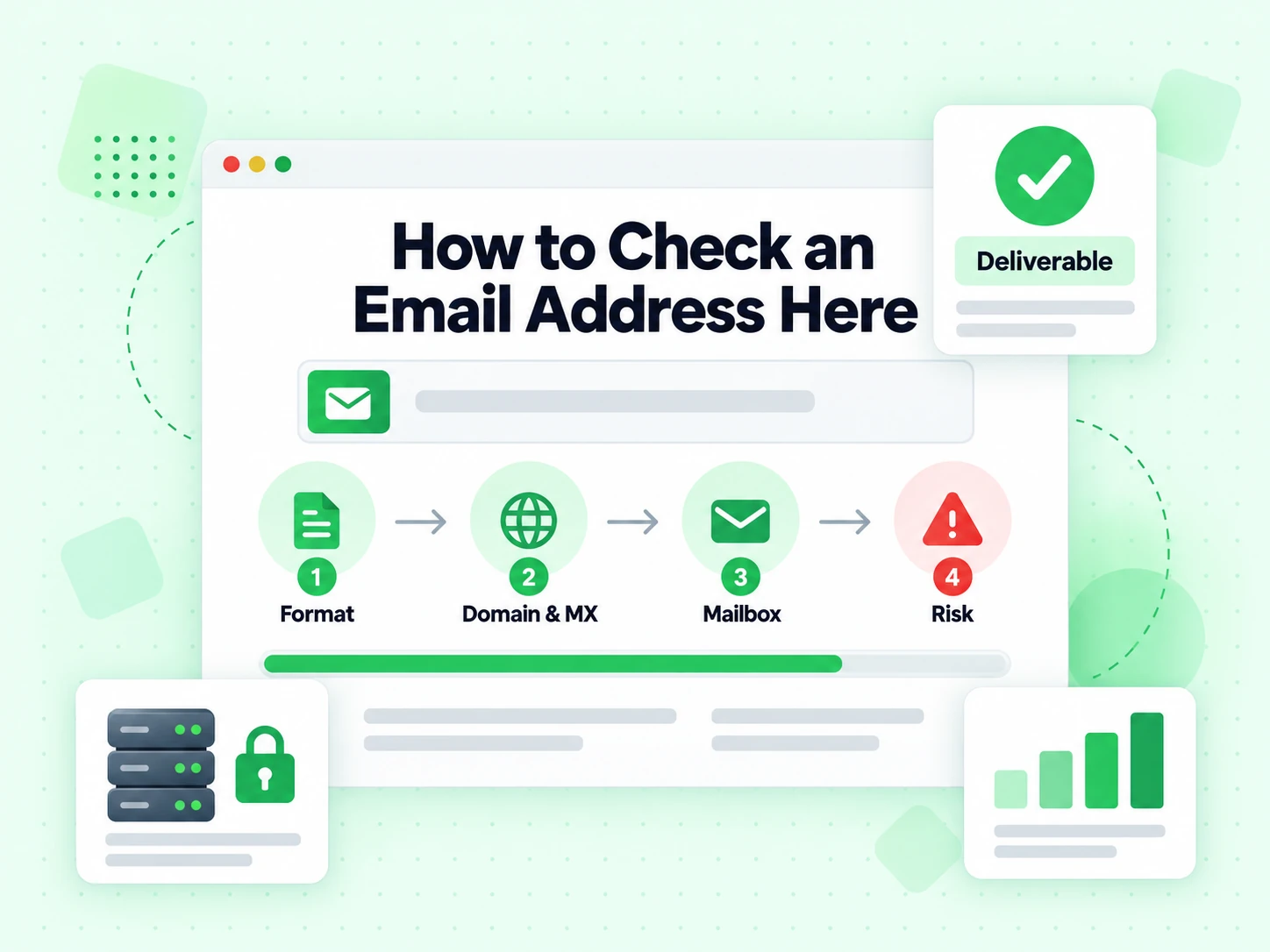
How to check an email address here

Four automated steps run every time you check email address input.

Check the format

Check email address syntax and catch the typos and malformed shapes a human eye slides past.

Check the domain and MX

Check that the domain resolves and publishes MX records, so the run knows delivery is possible before it goes further.

Check the mailbox over SMTP

Connect to the mail server and check whether that specific mailbox accepts mail. This is the step a format checker cannot do.

Check the risk signals

Check the address for disposable, role, catch-all, and spam-trap risk alongside the verdict.

<2s

Response Time

Average SMTP verification

99.9%

Accuracy

Multi-layer validation

600

Free Monthly Credits

No signup required

6

Validation Layers

Per address checked

What the check covers

Six layers behind one email address check

A useful check email address result is built from layers that each answer a different question. Check them in order and the answer stays honest; skip one and the check starts overstating what it knows.

Structure: is this even an address?

The check splits the local part before the @ from the domain after it, normalises case, and rejects shapes no mail system can use — missing domains, stray spaces pasted in from a spreadsheet, doubled dots, illegal characters. Every check email address run starts here.

This layer is instant and costs nothing against the recipient, which is why we check it first. It also catches the single most common problem people bring here: a plain typing mistake nobody noticed at the keyboard.

Domain: does the destination exist?

Next the check looks up the domain itself. A registered domain that resolves is the minimum precondition for everything after it; a lapsed or invented domain ends the check with a clear reason instead of a vague failure.

Domain problems are worth separating from mailbox problems. One means the whole company address is wrong; the other means this particular person is not there. A good check email address result names which one you are looking at.

MX records: can that domain receive mail at all?

Mail exchanger records tell every sender which server accepts mail for a domain, so the check reads them before it goes any further. No usable MX route means nothing will arrive, however well the address is written.

Plenty of real domains publish a website but never accept mail. Check email address online against MX records and you catch that class of failure before spending a mailbox query on it.

SMTP: does this mailbox accept mail today?

The decisive layer opens a real SMTP conversation with the receiving server and tests the recipient path. Check email address online here and no message is delivered, nothing lands in anyone's inbox, and no one is notified that you looked.

This is what separates a real check from a format screen. Everything before it describes the address; only this check describes the mailbox.

Disposable and role signals: is it the right kind of address?

The check also flags temporary providers and shared functional inboxes such as info@, sales@, and support@. Both usually accept mail, and both are usually the wrong destination for a personal message, so we check for them separately.

These are attributes, not failures. Keeping them beside the verdict is what lets you check email address deliverability and address quality as two separate questions rather than one blurred score.

Reading the answer

What each result means and what to do next

Four outcomes, four different actions. Treating a check email address result as a yes/no is where most of the value gets thrown away.

Valid — go ahead

The mailbox accepted the probe at the moment of the check. Send, subject to whatever consent and targeting rules your own system enforces — a check email address online result cannot evaluate those for you.

The answer carries a timestamp, not a guarantee. Check email address status again before a campaign rather than trusting a flag written months ago.

Invalid — stop, and keep the reason

A permanent failure: broken structure, no mail route, or an outright rejection from the receiving server. The check did its job; sending anyway earns a hard bounce.

Record the original string and the reason code from the check. Never auto-repair the domain — a corrected guess can belong to a completely different person, and no later check will tell you it went to the wrong one.

Catch-all — genuinely uncertain

The domain accepts every local part, so the SMTP check cannot single out this recipient. Company files built from firstname.lastname patterns are full of these rows.

Keep catch-all as its own bucket. Folding it into valid makes a list look cleaner than it is, and no further check email address run will separate the real recipients from the invented ones.

Unknown — try again later

Greylisting, provider deferrals, and rate limits all produce answers that prove nothing. Unknown is the honest label for them.

Check the address again later rather than writing a false negative into your database. The share of unknowns usually drops sharply on a second check.

Everyday use

Three moments where one check email address run pays for itself

This page is built for the single-address question, so it is worth being deliberate about when that question is actually the right one.

  1. 1

    Someone hands you an address and you are not sure

    A business card, a forwarded introduction, a name typed over the phone. Check email address online once before you write a real message to it and you avoid the awkward silence of a bounce nobody sees.

    The check takes about two seconds, which is less time than re-reading the address for typos — and you can check email address for free as often as you need.

  2. 2

    Something important is about to be sent

    Invoices, contracts, password resets, a reply to a warm inbound lead. These are exactly the messages where a bounce costs more than the check, so check email address input before you hit send.

    For a whole file rather than one address, Bulk Email Verification applies the identical rules to every row and returns an export with the reasons preserved.

  3. 3

    A form or CRM keeps collecting bad data

    If the same typo patterns keep appearing, the fix is upstream. Check email address input at the point of capture, while the person who knows the right answer is still on the page.

    Prototype the check here first, then move the same logic into your signup flow through the API so every new row gets the same check.

Honest limits

Three things one check cannot tell you

The result is trustworthy because its claim is narrow. Each of these belongs somewhere else.

It does not tell you who owns the address

An accepting mailbox proves a mailbox, not a person. Shared aliases, forwarded addresses, and stale contact data all produce a clean check email address result attached to the wrong name.

Use first-party data when ownership matters, and treat any inferred identity as a hypothesis.

It does not give you permission to send

A clean check lowers your bounce rate. It does not create consent, and no check consults your suppression list for you.

Keep permission in your own system of record and apply it before, not after, the check.

It does not predict inbox placement

Whether your message reaches the inbox depends on your sending reputation, authentication, content, and complaint history — none of which a recipient-side check can see.

Check email address input to remove address-level failures, then treat placement as its own discipline with its own metrics.

Where to go next

Other pages that ask a sharper version of the same question

Every tool here runs the same engine. What changes is the question the page is written around — this one is written around a fast check email address answer.

When the question is deliverability

The Email Verifier is written around proving that a mailbox will accept mail, with the SMTP evidence explained in more depth.

Same engine, different framing — use it when deliverability rather than a quick check email address online look is the point.

When the question is format and routing

The Email Validator stops at syntax and MX and never spends a mailbox query, which makes it the cheap screen for large volumes.

Use it when you only need to check that an address could work, not that it does.

When the question is a whole list

When one address is not enough, Email List Cleaning keeps deduplication, retries, and reason codes consistent across every row of a file.

Check email address behaviour on a sample here first, then run the file once the result makes sense to you. Check email address for free on the sample; pay only for the run.

Frequently Asked Questions

1. How do I check an email address here?

Paste the address and the tool runs four steps: check email address syntax, check the domain and its MX records, open a direct SMTP connection to check that the mailbox accepts mail, and score the risk flags. Results come back in under 2 seconds.

2. How accurate is the email address check?

BillionVerify reaches 99.9% accuracy by combining syntax rules, DNS lookups, MX resolution, and a direct SMTP check. That multi-layer approach catches the invalid, inactive, and risky addresses a single-layer tool misses when it tries to check email address online from format alone.

3. What errors does the check email address tool detect?

It detects syntax errors (missing @, invalid characters, malformed structure), unregistered domains, missing MX records, inactive mailboxes, disposable providers, and role-based accounts like info@ and support@. Each one comes back with its own reason code rather than a generic failure.

4. Can I check multiple email addresses at once?

Yes. Upload a CSV to check thousands of addresses in bulk and download the cleaned file in minutes, or use the real-time API to check email address online as it arrives from your forms or CRM. You can still check email address for free one at a time here.

5. Can I check email address for free for free?

Yes. Check email address for free with 600 credits a month, plus 20 more every day you log in — no credit card required. The free tier includes every layer: syntax, domain, MX, SMTP, and disposable detection.

6. Do you store the addresses I check?

No. Every check email address run happens in real time and the address is never stored. Data is encrypted in transit and deleted immediately after processing.

Check Email Address

Check email address online, free

Check email address for free — 600 credits a month, plus 20 more every day you log in. Full SMTP on every check, in under 2 seconds.

600 free credits monthly · No signup required · Results in under 2 seconds

99.9%
Accuracy
Real-time
API Speed
$0.00014
Per Email
600/mo
Free Forever