


The Outlook login and the Hotmail login are one door. Microsoft says Hotmail has become Outlook.com, so both open with one Microsoft account.
This guide covers the web, the mobile apps and other mail programs. After that come sign up, changing a password, a reset and blocked mailboxes. Every fact comes from Microsoft's German help pages and sign-in screens, read in October 2026. We did not sign in or register, and we are not affiliated with Microsoft. BillionVerify is an email verification service. If you want a short definition first, read the Outlook glossary entry.
Key facts (checked October 2026):
- The article on signing in to Hotmail asks for the user name and password of your Microsoft account.
- The Outlook.com help says the mailbox password and the account password match.
- The activity policy wants one sign in every two years. Otherwise the account counts as inactive.
- The sign-up help says an address once used for an account can never return.
- The settings page says POP and IMAP access is off by default.
- Support staff at Microsoft may not send you a link to reset a password.
Is Hotmail Now Outlook.com?
Yes. The Hotmail help page opens with the line "Hotmail ist jetzt Outlook.com". The move from Hotmail to Outlook changed the name of the service, not your Microsoft account login. One password opens all its services.
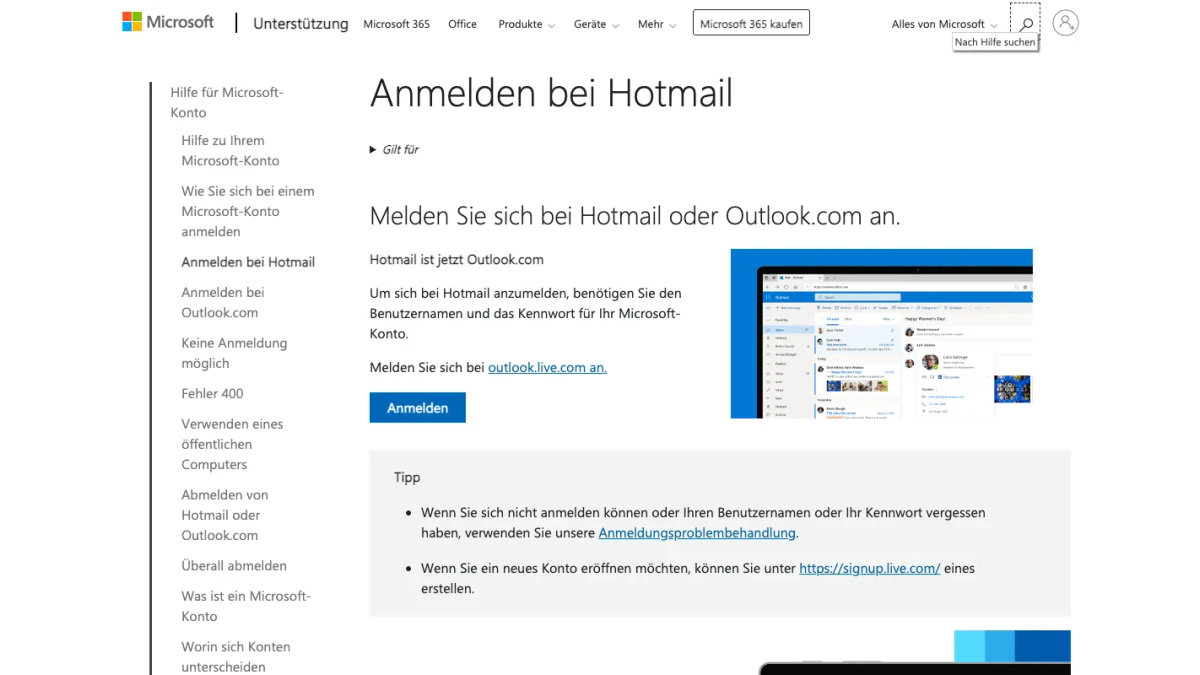
Screenshot: Microsoft's help page "Anmelden bei Hotmail".
Hotmail Login Without Outlook?
There is none. Microsoft points every Hotmail sign in to outlook.live.com. For an old address, the help says to open www.outlook.com and choose "Anmelden".
Old accounts need care. If the Hotmail login has not been used for more than two years, the help warns that the account may be deleted.
Which Endings Does Microsoft Name?
The page on adding a mailbox to Outlook for Windows names four endings: @outlook.com, @hotmail.com, @live.com and @msn.com. The sign-in help calls them Outlook.com, Hotmail, Live and MSN accounts.
Many readers search for a hotmail.de login or an outlook.de login. The pages we read mention neither ending, so we cannot say how those addresses behave. We can say where Microsoft sends every Outlook login: to its own login screen.
Write the address exactly as you were given it. If the screen does not know it, use the link "Haben Sie Ihren Benutzernamen vergessen?" under the box.
Work and School Mailboxes Are Different
A mailbox from an employer or a school is not a personal one. Outlook on the web serves those, says the help. It sits at Microsoft365.com or outlook.office365.com.
Signed in with the wrong kind? Sign out and start the Outlook login again. The account manager inside Outlook shows which account is open.
Outlook Login on a Computer
An Outlook login needs only a browser. Every Outlook sign in starts at one screen. The German one has the heading "Anmelden", and its one box reads "E-Mail-Adresse oder Telefonnummer".
Outlook Sign In Step by Step
- Go to outlook.live.com, or press the help page button "Anmelden".
- Type your address or phone number.
- Press "Weiter".
- Type your password and finish.
- Confirm the prompt on your phone if a second step is on.
The page we opened sits on login.live.com. Under the box sits a link to create an account, which starts a sign up.
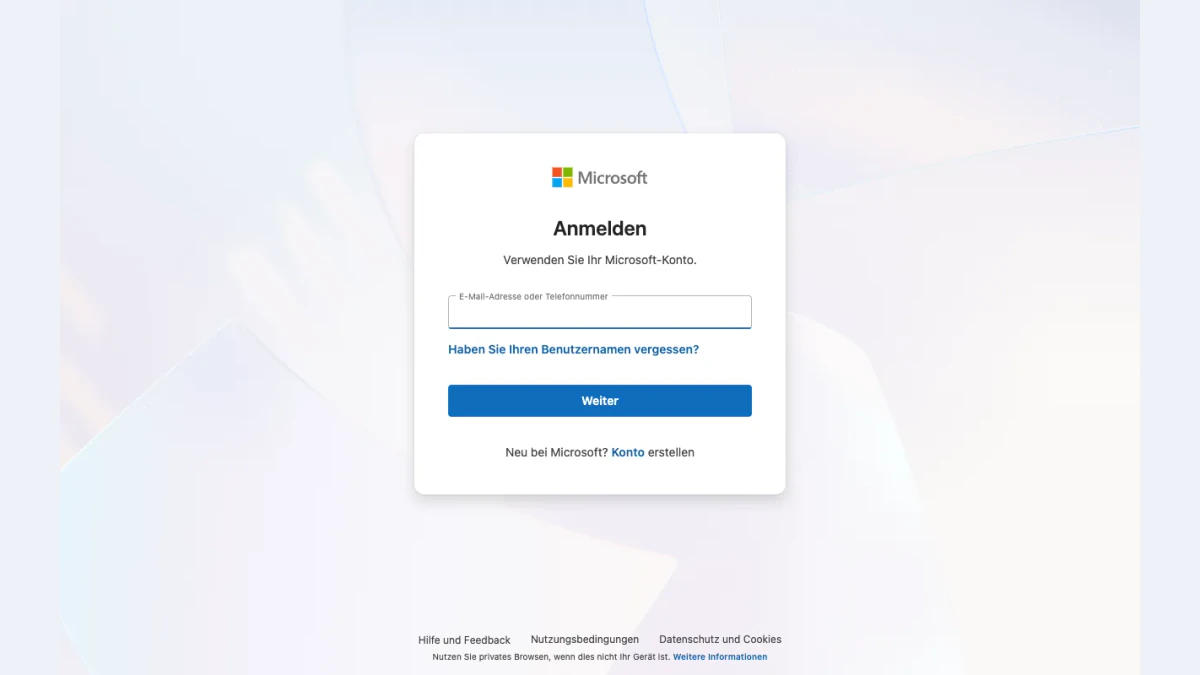
Screenshot: Microsoft's German login form, opened without signing in.
Stay Signed In or Sign Out
Microsoft changed how an Outlook sign in behaves in a browser during 2025. Since February 2025 you stay signed in unless you sign out or browse privately.
On a shared computer, use a private window, and sign out of the account when you finish. To leave, choose your profile picture and then "Abmelden". Close every browser window afterwards. If you lost a device that was still open, Microsoft has a guide for signing out everywhere.
Outlook Login on a Phone
Outlook has apps for iPhone and Android. Their Outlook login uses the Microsoft account of the web, and a Hotmail login works alike.
The Outlook App
- Open the app.
- Choose "Konto hinzufügen" for an existing mailbox, or "Neues Konto erstellen" for a fresh one.
- Enter the address and follow the prompts.
- Tap "Weiter" if the app recognises your mailbox. Skip it to type a different one.
- Confirm the second step if one is on.
A second mailbox goes in through the settings. On iPhone, tap the inbox name at the top first. On Android, open the menu.
Other Mail Apps
Other apps can take an Outlook.com mailbox as well. Microsoft's article lists these.
- iOS Mail: settings, then "E-Mail-Konten", then the add button, where you choose Outlook.com.
- Gmail app: settings, then the entry to add an account, where you choose "Outlook, Hotmail und Live".
Our Gmail login guide covers that app in more detail. Whatever the app, answer "Ja" to the question about access to your info. Microsoft warns that "Nein" stops the setup.
Outlook Login in Mail Programs
A desktop program can read your Outlook mailbox too. Microsoft's article covers classic Outlook, where you add mailboxes under "Datei".
Classic Outlook on Windows
- Open the program and choose "Datei", then the add-account command.
- Type the full email and choose "Verbinden".
- Enter your password when asked, then choose "OK" and "Fertig stellen".
The login name is the full address. If the program refuses your password, a second step may be on. Microsoft then asks for an app password, a separate one made for that program.
Settings for Other Programs
Programs with manual setup can use the values below. Switch the access on first, under "Einstellungen", "E-Mail" and "Weiterleitung und IMAP".
| Protocol | Server | Port | Encryption |
|---|---|---|---|
| IMAP | outlook.office365.com | 993 | SSL/TLS |
| POP | outlook.office365.com | 995 | SSL/TLS |
| SMTP | smtp-mail.outlook.com | 587 | STARTTLS |
The user name is your address. Microsoft lists OAuth2 as the method for all three.
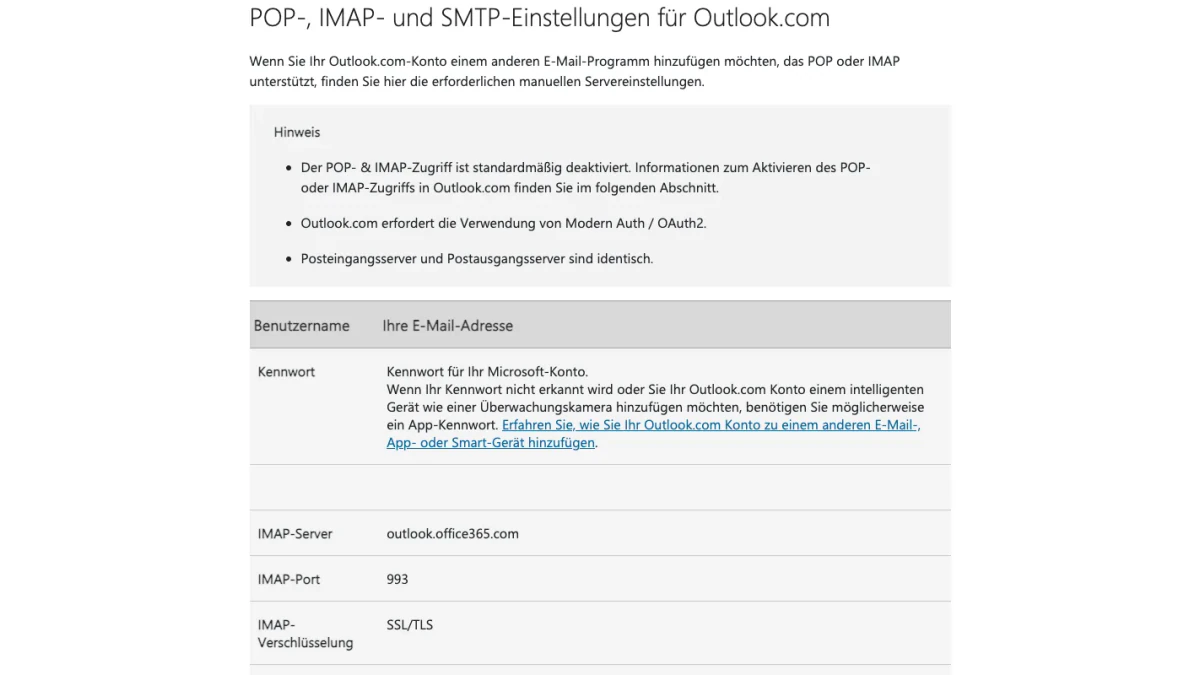
Screenshot: Microsoft's page "POP-, IMAP- und SMTP-Einstellungen für Outlook.com".
Fix a Failed Connection
Microsoft names one known IMAP fault. An error can appear when one mailbox is set up in several programs. Go to account.live.com/activity and open the latest session event. Choose "Das war ich", then connect again.
Old phones are a second cause. From 1 March 2026, devices on ActiveSync versions below 16.1 cannot reach Microsoft's services any more.
Create an Outlook or Hotmail Account
A new address means a new account. Start from the login form with "Konto erstellen", or from the app. The page signup.live.com opens with "Microsoft-Konto erstellen" and asks for an address.
Where to Start
If you own no address, Microsoft says to go to outlook.com and choose "Kostenloses Konto erstellen". You get a fresh Outlook.com address, which you then use for your Outlook sign in.
One rule applies to children. A parent or guardian must also sign in to finish a child's setup.
Can You Still Create a Hotmail Address?
Microsoft's alias help says you cannot create an alias at hotmail, live or msn any more. It also says existing addresses with those endings cannot be added as an alias.
We did not register, so we cannot tell which endings the form offers today. If you want to try hotmail erstellen, open the sign-up page and read the options it shows.
Rules for Names and Reuse
- A name may hold letters, numbers, a period, an underscore or a hyphen. Spaces are not allowed.
- A closed account does not free its address for anyone.
- An alias is an extra address that shares the inbox, contacts and settings of your main one.
If sign up fails, Microsoft suggests two fixes. Use an email address instead of a phone number, or try another device.
Change or Reset Your Outlook Password
The mailbox password is the Microsoft account password. Changing it changes the login for all services.
Change a Password You Know
- Go to account.microsoft.com/security and sign in.
- Choose to change your password.
- Type the new one.
- Choose "Speichern".
Microsoft's tip mentions a box that asks you to update the password every 72 days. It also mentions dropping it or requiring two steps.
Outlook Password Reset: If You Forgot It
An Outlook password reset is for people who do not know the old password. Microsoft's article has four steps, and a code reaches you through the option you pick.
- On the password screen, choose "Kennwort vergessen?". Left that screen? Use "Kennwort zurücksetzen" on the help page and enter the user name.
- Pick how to receive a code.
- Type the first part of the address, or the last four digits of the phone, and choose "Code abrufen".
- Enter the code, then the new password.
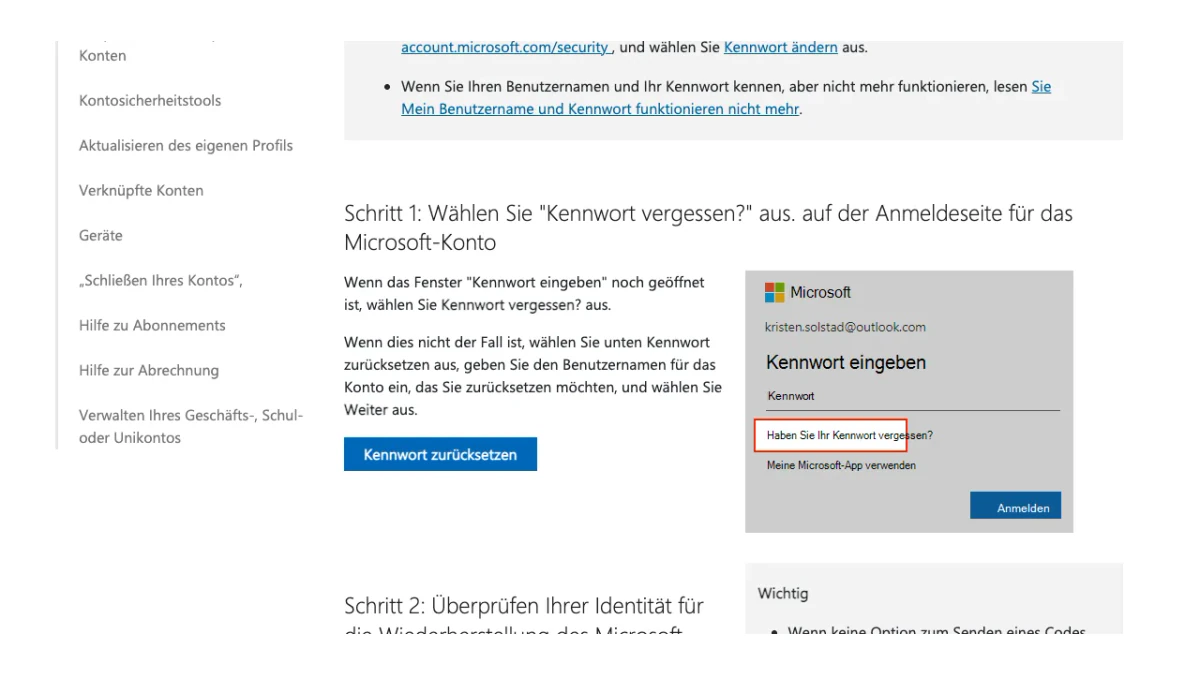
Screenshot: step one of Microsoft's guide to resetting a forgotten account password.
A Hotmail password reset follows these four steps. No code option on screen? Or none that you can reach? Microsoft sends you to its sign-in helper instead.
Forgot the Address
The Outlook login box has its own link for this. Microsoft's help also lists steps to look up a user name and to test whether an email belongs to an account.
Fix Outlook Login Problems
Most failed Outlook login attempts have a plain cause, and this list fits a Hotmail login.
- Blocked mailbox: Microsoft may block it after unusual activity. Its unblock page starts with the helper.
- Travel: a new place or another device can bring a request to confirm it is you.
- Full storage: with a full mailbox or full OneDrive, you cannot send or receive mail.
- Unused account: If nobody signs in for two years, Microsoft may close it. Purchases, subscriptions and a credit balance extend the active status.
- Service trouble: if you can sign in but the mailbox misbehaves, Microsoft says to check the service status first.
If mail seems to vanish after sign in, read our guide to the spam folder in Outlook.
Support Scams and Fake Pages
Microsoft's help is direct. To protect your account, its staff may not send links for a password reset or open and change account data. A caller with such an offer does not work by those rules.
Check the page before you type your Outlook sign in details. The form we opened sat on login.live.com. The sign-up form sat on signup.live.com. Help pages name account.microsoft.com and outlook.live.com. Type the web address yourself or use a bookmark rather than a link from a message.
Two free BillionVerify tools help with the rest. Our reverse email lookup reads the domain, mail routing and public profiles tied to a sender. If a message pushes you to call a number, our phone checker shows whether it is valid for its country and what kind of line it is.
Emailing Outlook Users? Verify Before You Send
Not every reader here uses Outlook. Some of you send to people who do. If your list holds entries ending in @msn.com, @live.com, @hotmail.com or @outlook.com, check them before a campaign. The same goes for a form that collects them.
Old lists carry a quiet risk. Microsoft can close a long-idle account, and it never hands that address to another owner. Mail to such an address has nobody to reach.
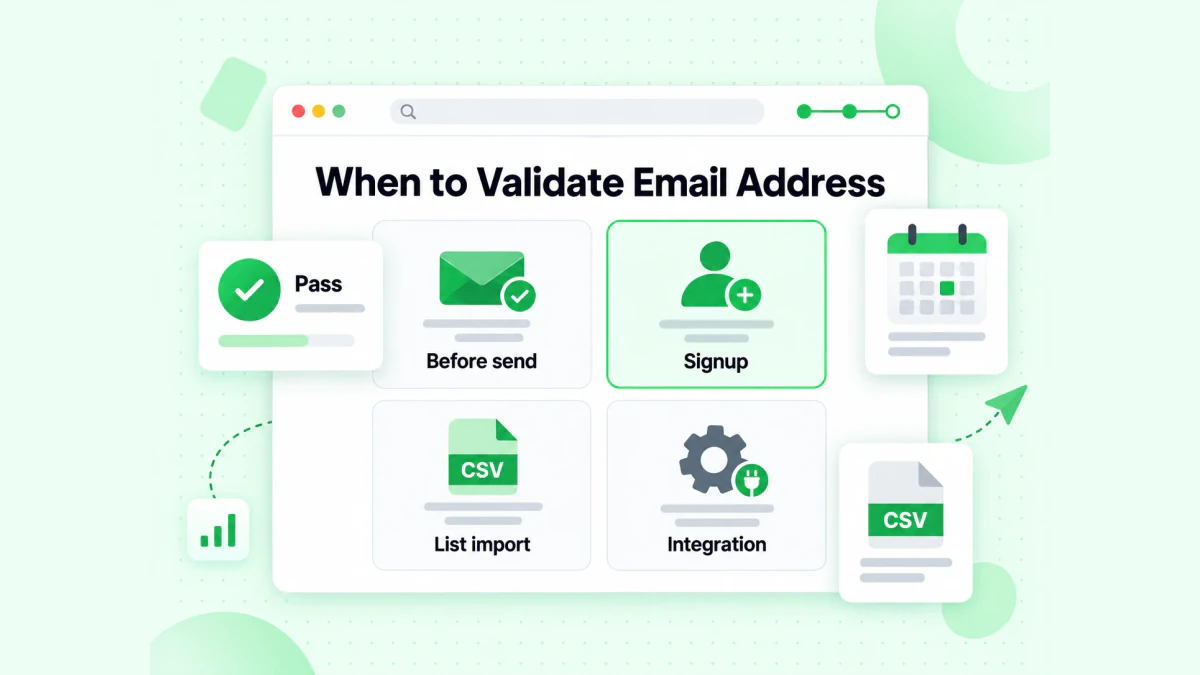
BillionVerify checks an address before send, at signup, on list import and through integrations.
BillionVerify's email verifier works on single entries and on lists. What to know:
- valid and invalid results cost 1 credit each, and unknown results are free
- a free re-check is available within 24 hours
- catch-all entries get their own label, and are not counted as valid
- each day you use your account gives 20 free credits, up to 600 a month, and they never expire
- the servers are in France (EU), and you can sign a DPA
- you can use a REST API, an MCP server, or one of 25+ integrations
We make no claim about how Microsoft answers checks. The advice is short: verify first, then send.
FAQs
What do I type to open my Outlook mailbox?
You type the name of your Microsoft account, which is an address or a number, and then the password. These details work on the web and in the apps.
Can an old Hotmail address still open Outlook?
A Hotmail address opens the web mailbox of Outlook.com. Apps and mail programs take it as well.
Is the Outlook.com password different from the one for my other services?
The Outlook.com password matches the one for your Microsoft login. A changed password therefore also covers the other services.
What if no code appears during an Outlook password reset?
A reset with no usable code option continues in the helper tool that Microsoft names. Its staff will not send you a reset link.
Can Microsoft close a mailbox I never use?
An account that nobody signs in to for two years may be closed by Microsoft. Buying things or holding a subscription keeps it active. The address of a closed account stays blocked for everyone.
Why does my mail program reject my password?
A program that rejects your password may need an app password, because a second step may be on. For IMAP and POP, Microsoft also asks for OAuth2 and keeps the access switched off until you enable it.
Can I read Outlook and Gmail in one app?
The Gmail app on Android can hold an Outlook.com mailbox, according to Microsoft. Outlook for Android takes a Google one as well.