


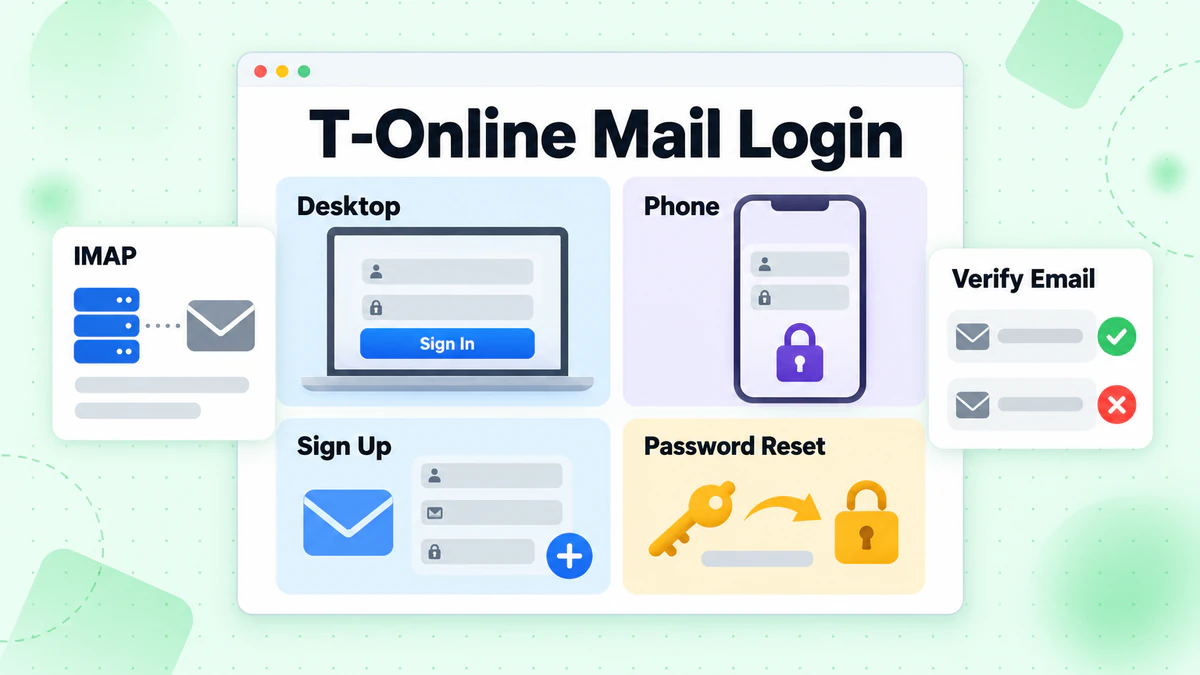
A T-Online mail login runs through Telekom's own account system. You open the T-Online front page, press the login button and type your username into a form. The same account opens the Telekom E-Mail Center and the Telekom Mail App.
This guide lists each sign-in route we could check. It then covers sign up, password reset, mail programs and server names. Every fact comes from Telekom's own pages and the T-Online site, read in October 2026. We did not sign in or register, and we are not affiliated with Telekom or T-Online. BillionVerify is an email verification service. If you want a short definition of mail programs first, read what an email client is in our glossary.
Key facts (checked October 2026):
- Telekom's page for the E-Mail Center offers two ways in: one through T-Online and one through the Telekom Kundencenter.
- Telekom's help says the E-Mail Center takes the same password as your Telekom Login.
- Telekom's help says a password reset needs at least two stored identification features.
- Telekom's mail page lists Freemail with 1 GB at 0,00 € per month, Mail S for Telekom line customers at the same price, and Mail M with 15 GB at 2,95 € per month.
- According to Telekom, nobody can register a Freemail address without a mobile phone number.
- BillionVerify's account gives 20 free credits on each day you use it, with no card needed, for checking addresses before a campaign.
Where the T-Online Mail Login Starts
Several pages lead to one T-Online mail account. The table lists what we opened.
| Entry | Where it starts | What happens | Good for |
|---|---|---|---|
| email.t-online.de | Typed into the browser | Landed on the news portal, which carries a login button | Browser |
| www.t-online.de | Button "E-MAIL LOGIN" at the top | Opens the login form | Browser |
| telekom.de, E-Mail Center | Left button, "Einloggen über T-Online" | Forwards to the T-Online site | Browser |
| Same page | Right button, "Einloggen über Kundencenter" | Opens the Kundencenter sign-in | Browser, account settings |
| Telekom Mail App | App Store or Google Play | Opens the Telekom sign-in page inside the app | Phone |
| Outlook, Thunderbird, Apple Mail | Your mail program | Connects to secureimap.t-online.de with a program password | Desktop mail |
Telekom's page calls t-online.de an offer of Ströer Digital Publishing GmbH. The mailbox itself is Telekom E-Mail. That is why one address can be reached from two company websites.
The Telekom Login Form
The button on the portal opens a page titled "Telekom Login". Its address is accounts.login.idm.telekom.com. One box asks for the Benutzername (username). A switch named "Benutzername merken" was on when we opened it.
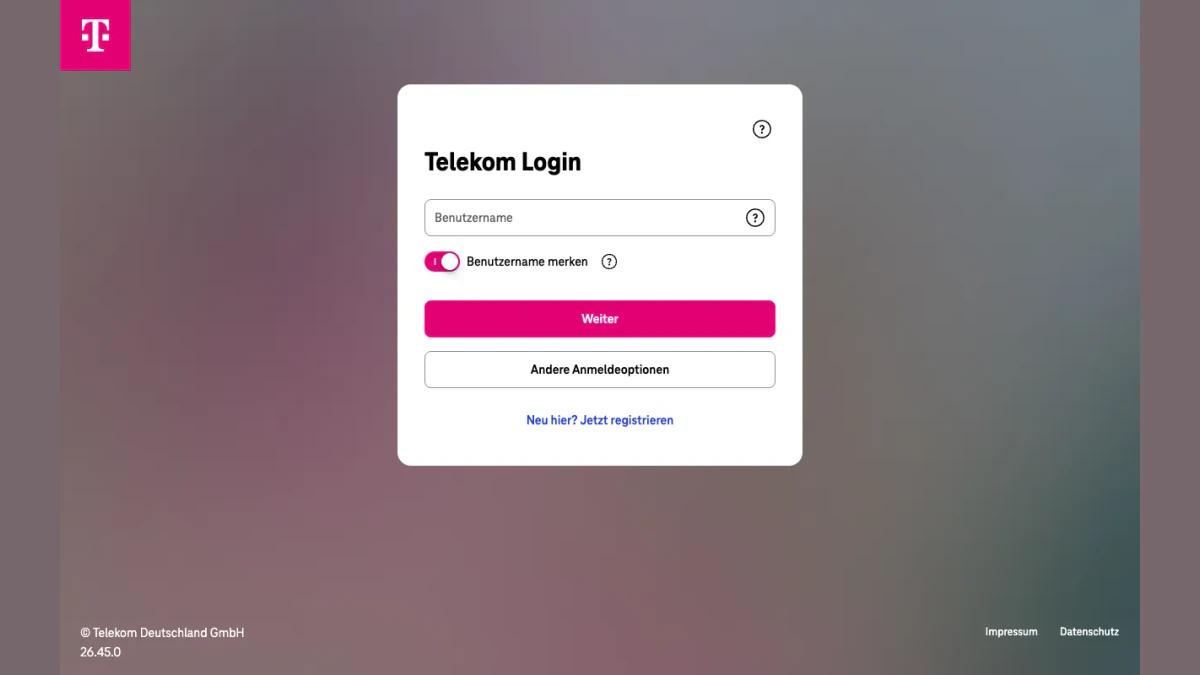
Screenshot: the sign-in form behind the T-Online login button.
The pink Weiter (Next) button moves you on to the password. Below it sit "Andere Anmeldeoptionen" (other sign-in options) and "Neu hier? Jetzt registrieren" (new here? register now).
The Telekom E-Mail Center Login Page
Telekom also runs its own login page for the mailbox. It shows two cards. The left card says "Login über T-Online". The right card reads "Login über Telekom Kundencenter".
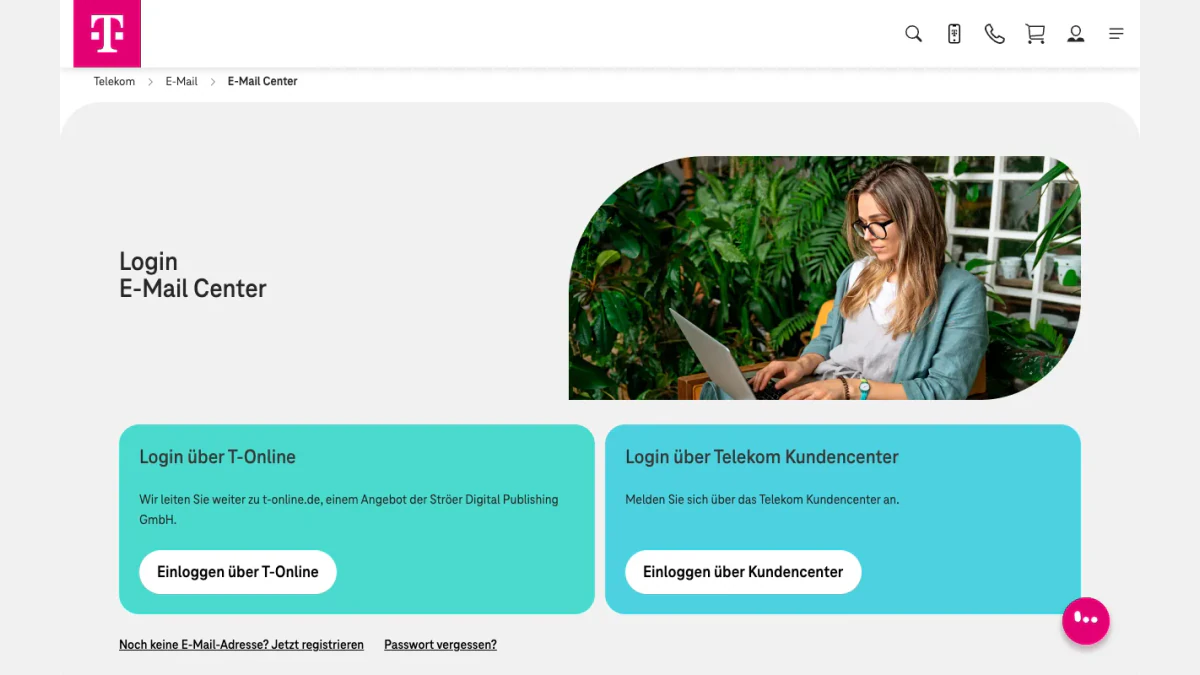
Screenshot: the mailbox login page on telekom.de.
Two links sit under the cards. "Noch keine E-Mail-Adresse? Jetzt registrieren" leads to sign up. "Passwort vergessen?" leads to the reset help. After a Kundencenter login, a button takes you straight to the E-Mail Center, says Telekom.
Check the Address Bar
The pages we opened sat on t-online.de, telekom.de, accounts.login.idm.telekom.com and meinkonto.telekom-dienste.de. Type the address yourself instead of following a link in a message. If a message claims to come from Telekom, our reverse email lookup shows the domain and mail routing behind the sender.
T-Online Email Login on a Computer
Both browser routes ask for your Telekom username and password.
- Open www.t-online.de, or the Telekom E-Mail Center page.
- Choose the T-Online route.
- Type your username and press Weiter.
- Type your password.
- If a second step is on, enter the six-digit code.
The password is shared. A change applies to the Kundencenter, MagentaCLOUD and the MeinMagenta App too, as Telekom notes. A forgotten password blocks the T-Online mail login until you reset it.
Other Sign-In Options
The "Andere Anmeldeoptionen" button lets you skip the password. Telekom gives these examples: a code sent to a stored address or mobile number, the answer to a security question you chose earlier, and a VERIMI password.
The Second Step
Telekom calls the extra code "Mehr-Faktor-Authentifizierung". It arrives by SMS or through an authenticator app. Telekom names Google Authenticator, Microsoft Authenticator and Twilio Authy, and adds that any app with OTP support also works.
The code protects your T-Online mail login even if someone learns the password. You choose when the code is requested. "Nur bei wichtigen Aktionen" covers sensitive actions only, such as changing an address. The option "Bei jeder Anmeldung und bei wichtigen Aktionen" applies to every sign-in. Telekom's page, updated on 21 September 2026, recommends the second choice for the strongest protection.
Telekom Mail App: T-Online Mail Login on a Phone
You can get the Telekom Mail App from Google Play or the App Store. Telekom's mail page links to both.
- Open the app. It leads you to Telekom's sign-in page.
- Enter your email address as the username, plus the password.
- Restart the app when it asks.
After the login, Telekom may offer a passkey. Set it up, or tap "Später" (later).
Several Mailboxes in One App
The app can run more than one mailbox, on either domain. Tap the menu at the top left and choose "Konten verwalten". Tap the plus sign at the top right and sign in with the second address.
Old Android Phones
The app only runs on Android 10 or newer, per Telekom. Google Play shows "Ihr Gerät ist mit dieser Version nicht kompatibel" on older phones. Telekom suggests the mail app that came with the phone instead.
T-Online IMAP and Other Mail Programs
You can read your T-Online mail in Outlook, Thunderbird or Apple Mail instead. This route skips the web form and needs its own password.
The Program Password
Telekom says a mail program needs a separate password, the "Passwort für E-Mail-Programme". It should differ from your Telekom Login password. You create it in one of two places:
- Kundencenter: Profil verwalten, then Login-Daten, then Weitere Passwörter.
- Telekom E-Mail Center: the gear icon, then Alle Einstellungen anzeigen, then Passwörter, then the program entry.
Server Names
Telekom publishes these values for addresses on both domains.
| Server | Name | Port | Security |
|---|---|---|---|
| Incoming, IMAP | secureimap.t-online.de | 993 | SSL |
| Incoming, POP3 | securepop.t-online.de | 995 | SSL or TLS |
| Outgoing, SMTP | securesmtp.t-online.de | 465 or 587 | SSL |
IMAP keeps your mail on the server. All devices then show the same state. POP3 downloads the mail to one device, and other devices no longer see it. If mail seems to vanish after you use Outlook with POP3, Telekom lists that as a common cause.
When Sending Is Blocked
Telekom checks the connection when you send from a mail program. An unknown or unapproved IP address stops the message and shows an error. A different Wi-Fi, a mobile network, a VPN or a stay abroad can trigger it.
A block does not mean your account was abused, says Telekom. If you made the attempt, approve the IP address and send again. If you did not, leave it unapproved and change your Telekom password.
T-Online Email Erstellen: Sign Up for a Free Address
Telekom offers two domains, @t-online.de and @magenta.de. A new mailbox comes from the registration page that the "Jetzt Freemail buchen" button opens.
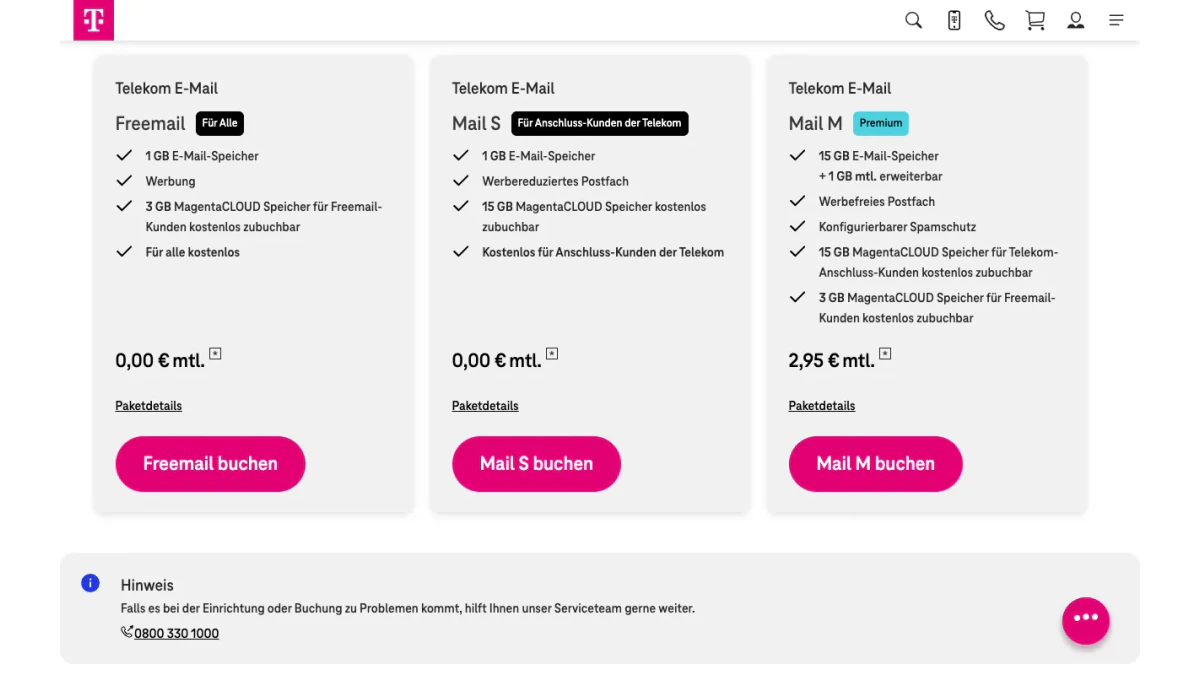
Screenshot: the three Telekom packages.
The page lists three packages:
- Freemail: open to everyone, 1 GB, with ads, no fee.
- Mail S: meant for people with a Telekom line, 1 GB, reduced ads, no fee.
- Mail M: 15 GB that can grow by 1 GB each month, no ads, 2,95 € a month.
Telekom adds that all mail is encrypted and kept in German data centers.
A Mobile Number Is Required
Telekom's help explains why. If you forget the password of a Freemail mailbox, a code goes by SMS to the number you gave at sign up. Without a mobile number, registering is not possible.
Sign Up From Abroad
We opened the sign-up page from a connection outside Germany. Telekom answered "leider ist die Ausführung dieser Funktion für Sie nicht möglich", which means this function is not available to you. Telekom's help does not describe that rule, so try the page from your home connection first.
Changing the Address Later
The E-Mail Center settings let you set a new main address. Telekom describes two options. You can replace the main address with a brand new one, which retires the old address. Or you can trade places with another address on either domain that you already own, which keeps both.
To send under an address from another provider, add it as an alternative address. Telekom sends an activation PIN to confirm it.
Forgot Your T-Online Email Login Password or Username?
One password covers all Telekom services. You do not need the old one to set a new one.
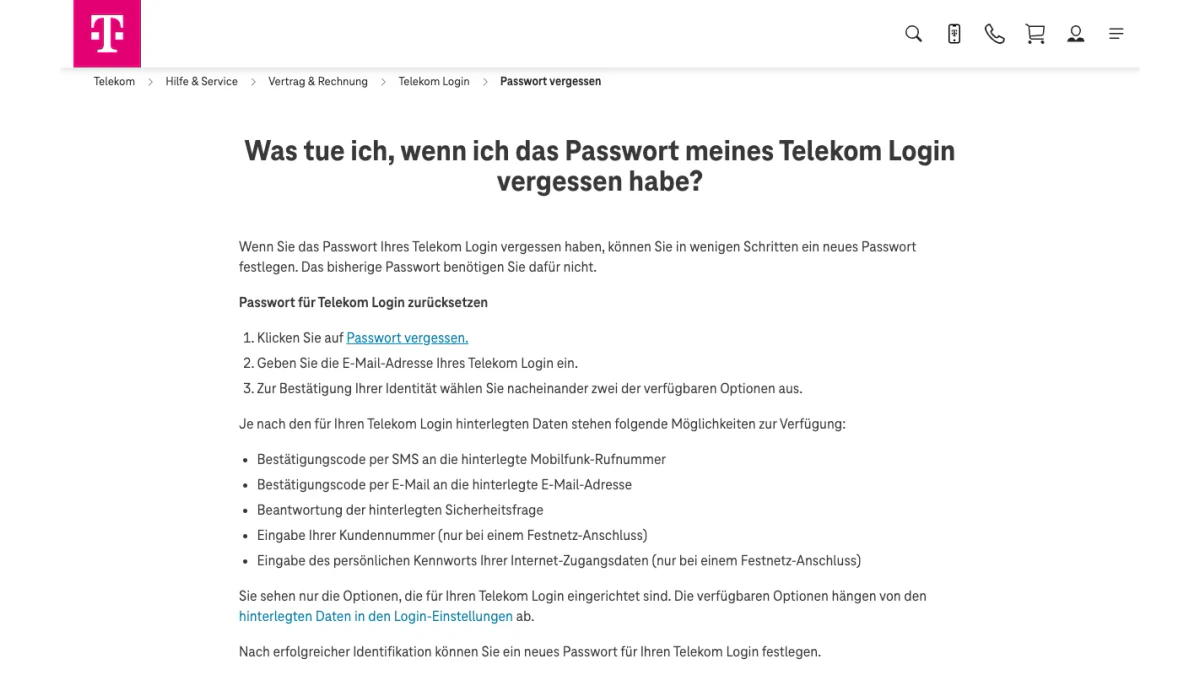
Screenshot: Telekom's help for a forgotten login.
Reset a Forgotten Password
- Press "Passwort vergessen".
- Enter the email address of your login.
- Pick two of the offered options, one after the other.
The options depend on the data stored in your settings:
- a code by SMS to the stored mobile number
- a code by email to the stored address
- the answer to your security question
- your customer number, for fixed-line customers only
- the personal password of your internet access data, for fixed-line customers only
You only see the options you set up. Two stored features are the minimum. If fewer exist, Telekom's callback service can store them for you, depending on your contract. Afterwards, check that the stored data is correct.
Forgot the Username
Press "Andere Anmeldeoptionen" and prove who you are another way. Once inside, the Login-Einstellungen show your username under "Benutzerdaten". Telekom adds a tip: you can store an address you hold elsewhere and use it as a second username.
Change a Working Password
Change it in the Kundencenter. Click "Mein Profil", scroll to Login-Einstellungen, open Login-Daten and click "Ändern" beside Passwort. Click Speichern to finish.
You can also change it inside the Telekom E-Mail Center. In its settings, open Passwörter, then Telekom Login, and press "Jetzt ändern". The new one is valid at once.
Forgot the Program Password
The reset flow above does not cover it. Create a new one in the Kundencenter or in the E-Mail Center, using the paths in the program password section.
When the Line Ends: Keeping the Address
Some T-Online mail addresses came with a Telekom line. After you cancel it, you have 180 days to keep the address as Freemail.
- In the first 150 days you can switch it yourself.
- From day 151 to day 180, your next login sends you to the switch.
- After 180 days, Telekom deletes the mailbox for good and blocks the address for 90 days.
On request, Telekom can release the address before the block ends. Extra mailboxes made for family members on the same line need a separate backup.
Emailing T-Online Users? Verify Before You Send
Not every reader of this guide owns a mailbox here. Some of you send to people who use T-Online mail. If your list holds @magenta.de or @t-online.de entries, check them before a campaign. The same goes for a signup form that collects them.
Telekom's page on "Mailer-Daemon" messages lists why a send can fail:
- "unknown user": the part before the @ does not exist
- "unrouteable domain": the part after the @ is wrong
- "Mailbox quota exceeded": the recipient's mailbox is full
- "could not send message for X hours": the recipient's mail server cannot be reached
- "You must specify a domain name": the address is incomplete
The BillionVerify email verifier checks structure, MX, SMTP and mailbox status.
BillionVerify's email verifier works on single entries and on lists. What to know:
- valid and invalid results cost 1 credit each, and unknown results are free
- a free re-check is available within 24 hours
- catch-all entries get their own label and are not counted as valid
- the free allowance is 20 credits per day of use, up to 600 a month, and credits never expire
- our servers are in France (EU), and a DPA can be signed
- you can use a REST API, an MCP server or one of 25+ integrations
We make no claim about how T-Online servers answer checks. If your signup form also collects mobile numbers, our phone number checker shows whether a number is valid for its country. For GMX and Gmail lists, see our guides to the GMX login and the Gmail login in Germany.
FAQs
How do I log in to Telekom E-Mail?
A T-Online email login uses the Telekom Login. Open www.t-online.de and click the login button, or use Telekom's own mail login on telekom.de. Enter your username, press Weiter and type your password.
Is T-Online email free?
T-Online email is free as Freemail, per Telekom. The free package gives you 1 GB and shows ads. Mail S is also free for Telekom line customers. Mail M is the paid package.
What is the difference between T-Online and Telekom mail?
T-Online mail and Telekom mail are the same mailboxes under two names. The Telekom mail login and the T-Online mail login lead to one account. Telekom E-Mail hands out addresses ending in @t-online.de or @magenta.de. The portal t-online.de itself is an offer of a different company, Ströer, per Telekom's page.
Is the T-Online incoming mail server an IMAP server?
Yes, Telekom lists secureimap.t-online.de on port 993 with SSL as its IMAP server. It also lists securepop.t-online.de on port 995 for POP3. With IMAP, messages stay on Telekom's server. POP3 downloads them to one device.
Do I need a mobile number to create a T-Online address?
Yes, Telekom requires a mobile number for a Freemail address. The reset code goes to that number by SMS. Without it, Telekom says the registration is not possible.
Why does my Telekom email not work any more?
Telekom's help lists a few causes. A mail program may need its own program password instead of your login details. A sending block can follow a new network, a VPN or a trip abroad. Mail can also disappear when POP3 downloaded it to another device, or when the storage period ended.
Can I use my T-Online address in Outlook or Thunderbird?
Yes, Telekom supports Outlook, Thunderbird and Apple Mail. Create a program password first. Then enter the IMAP and SMTP server names from the table above.