


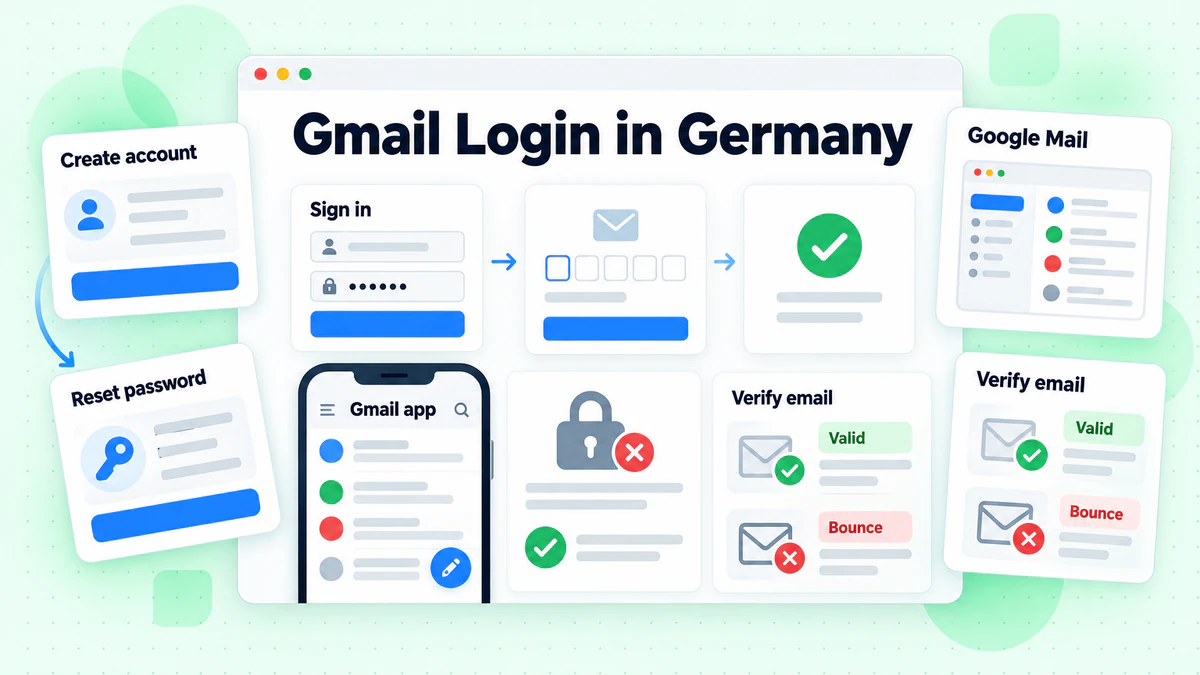
The Gmail login lives on one Google page. Open Gmail, type the email or phone number of your account, then your password. In Germany the page speaks German. Its heading is "Anmeldung" and its button is "Weiter". German speakers often call it the Google Mail login, but the service is Gmail.
This guide covers the web, the app and desktop mail programs. It also covers sign up, username rules, password reset, trouble at the door and account removal. All facts come from Google's own help centre and public pages, read in October 2026. We are not affiliated with Google. BillionVerify is an email verification service. If you want a short definition first, read what Gmail is in our glossary.
Key facts (checked October 2026):
- Gmail Help, "Sign in to Gmail": you sign in on a computer with your Google Account address or phone number, plus its password.
- Google's account help, on creating an account: a phone number is an optional step.
- The same help page says a Gmail address is not required, because an address from another provider works too.
- Google's username guide: a Gmail username is six to thirty characters long.
- Google's guide to adding accounts to the app: the Gmail app holds up to five addresses per account.
- Gmail Help, "Remove Gmail from your Google Account": the emails and the settings are deleted 30 days after removal.
Gmail Login on a Computer
The Gmail login needs only a browser. When we opened mail.google.com, the browser landed on accounts.google.com. That host serves the form.
Sign In Step by Step
- Go to Gmail on your computer.
- Type your address or number.
- Press Weiter (Next).
- Type the password and press Weiter again.
- Approve the prompt on your phone if a second step is on.
- Wait for the Posteingang (Inbox) to open.
Saved details may belong to someone else. Then choose "Anderes Konto verwenden" (Use another account). A page that only describes Gmail has no form. Look for Anmelden (Sign in) at its top right.
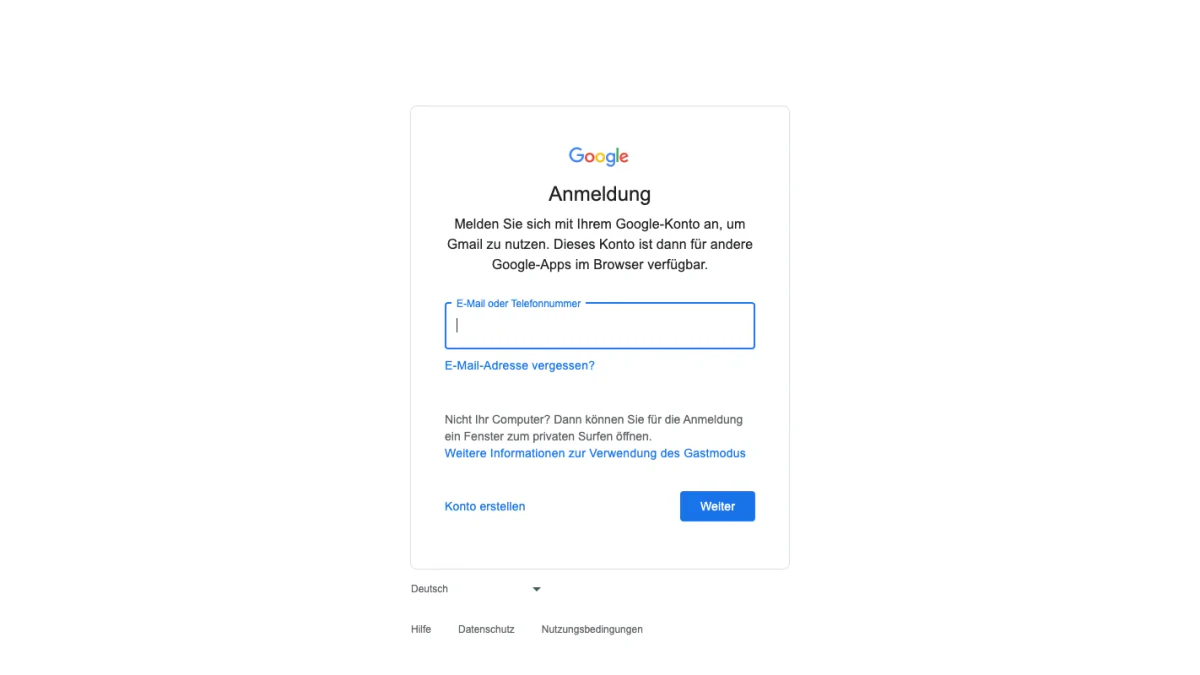
Screenshot: the German login screen, opened from Gmail without signing in.
What the German Screen Says
The form opens with "Anmeldung". The line below it tells you to log in with your account to use Gmail. The one box is labelled "E-Mail oder Telefonnummer".
Two links sit under the box. "E-Mail-Adresse vergessen?" (Forgot email?) is for a lost address. "Konto erstellen" (Create account) begins sign up. A grey note asks "Nicht Ihr Computer?" and suggests a private browsing window. Google's tip for shared machines is shorter: sign out before you walk away.
Gmail App for Android and iPhone
The Gmail app takes Gmail addresses and mail from other services. The steps match on Android, iPhone and iPad.
Add Your Gmail Account to the App
- Open the Gmail app.
- Tap Profile in the search bar, in the upper corner.
- Tap "Weiteres Konto hinzufügen" (Add another account), then Google.
- Follow the prompts.
The Gmail login in the app is the same as on the web. With 2-Step Verification on, Google asks for one particular second step. Confirm it on your device.
Add Other Providers
The same menu adds mail from other providers. Google names Outlook, iCloud Mail and Yahoo. Choose the provider from the list. If it is missing, choose Andere (Other) and type its IMAP settings by hand.
Google's sample for manual setup is imap.mail.com, port 993 and SSL/TLS. Treat those as placeholders and take real values from your provider. A GMX mailbox needs POP3 and IMAP switched on before it connects. Our GMX login guide shows where.
See Every Inbox at Once
With several mailboxes, tap the menu icon at the top left and choose "Alle Posteingänge" (All inboxes). To drop one, open Profile, pick "Konten auf diesem Gerät verwalten", select the mailbox and tap Entfernen (Remove).
Gmail in Outlook, Apple Mail and Thunderbird
Desktop programs such as Thunderbird, Apple Mail and Outlook can read Gmail. Messages and labels sync with them.
A Gmail login in a desktop program differs from the web form. Programs that ask you to share your login details are no longer supported. Look for the option "Sign in with Google". German calls it "Über Google anmelden".
- IMAP access is always on for personal accounts since January 2025.
- The switch to enable or disable it has gone, and existing connections keep working.
Fix Errors in a Mail Program
Three signs mark a failed attempt. The program says "Username and password not accepted", it says "Invalid credentials", or it keeps asking for your details. Work through these steps.
- Update the program. Outlook 2016 is one example of a version that may lack modern security.
- Remove the Gmail details, add them again and pick the Google option.
- Re-enter your details if you changed your password lately.
App passwords can work when a second step is on. Google says they are unnecessary in most cases and not recommended.
The error "Too many simultaneous connections" means too many programs fetch mail at once. A mailbox fits up to 15 programs. Close a few or sign out of them.
Google Mail Login and googlemail.com
German speakers know two names. The service on screen is called Gmail, yet many people still look for the Google Mail login. Google's German help uses the name Gmail everywhere.
We tested the web addresses. The googlemail.com login, the gmail.com login and www.googlemail.com all ended at one Google form. After sign in, it continues to mail.google.com. Any of them works as a door to the Google Mail login.
Google's help does not describe googlemail.com addresses. Type your own address exactly as you know it. If it escapes you, use the forgotten-address link.
Dots Do Not Matter
A personal Gmail account ignores dots. If you own maxmustermann@gmail.com, you also own max.mustermann@gmail.com and every other dotted form. Mail to each of them lands in one inbox. Nobody else can register a dotted twin.
Company mailboxes differ. On a domain such as yourdomain.com, a dot changes the address.
Gmail Sign Up: Create a Google Account
A new address needs an account of its own, so sign up means creating one. Sign out of any open account first.
Create the Account in Six Steps
The steps follow Google's help. The first screen we saw asked for a name, so your order may differ.
- Start from the login screen and choose "Konto erstellen".
- Say who the account is for: Private Nutzung (personal use), Kind (child) or Unternehmen (business).
- Pick one suggested address or write your own.
- Enter birthday and gender.
- Type a password and confirm it.
- Continue with Weiter, add a phone if you like, then continue once more.
We opened the first screen and typed nothing. It reads "Google-Konto erstellen" with "Bitte den Namen eingeben". Vorname (first name) comes first. Nachname (last name) is marked optional.
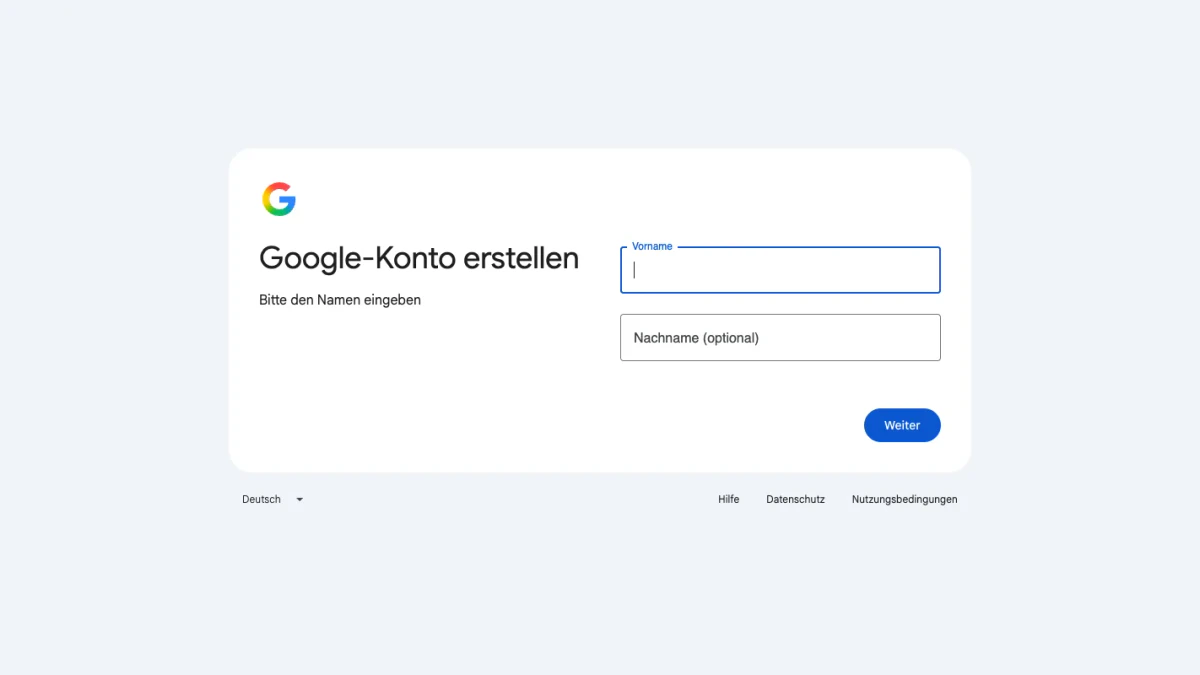
Screenshot: Google's German sign-up, first screen.
On a phone, the first letter of a password is not case sensitive.
A Number Is Optional for a New Gmail Account
No, the step is optional. Google writes "Optional: Fügen Sie eine Telefonnummer für Ihr Konto hinzu und bestätigen Sie sie". A number or a second address still helps. Fresh recovery info makes it far more likely that you get a locked account back.
Pick a Username
If Google answers "Nutzername ist nicht zulässig", check these rules.
- Length: between six and thirty characters.
- Allowed: letters (a to z), digits (0 to 9) and periods.
- Not allowed: ampersand, equals sign, underscore, apostrophe, dash, plus sign, comma and brackets.
- Never place two periods in a row.
- Begin and end with a symbol if you must, but never with a period.
- Abuse and postmaster are reserved.
A name also fails when someone holds it. Google lists four causes: it is taken, it is too close to an existing name, a past owner deleted it, or Google reserved it against spam. In Google's example, examp1e@gmail.com is refused because example@gmail.com exists.
Use an Existing Address Instead
You can open an account around the mailbox of another provider.
- Pick the personal option, "Für meine private Nutzung".
- Enter your basic info.
- Choose the option that reuses an existing address.
- Type the current address and press Weiter.
- Enter the code Google sends there.
- Set a password as prompted.
Gmail is one service next to YouTube, Google Drive, Google Kalender and Google Play. The account is the bigger thing, and a provider of your choice can supply the address.
Create a Second Gmail Address
A second address means a second account. Sign out of the first one, then repeat the steps. A dotted copy of your first address is no help, because it reaches the same inbox. Add both mailboxes to the Gmail app afterwards.
For a company, Google points to Google Workspace. It brings more storage and professional addresses that a personal account lacks.
Change or Reset Your Gmail Password
One password opens your Gmail account, YouTube and the other products. A change applies to all of them.
Change a Password You Know
- Open your account page and sign in if asked.
- At the top left, choose "Sicherheit & Anmeldung" (Security & sign-in).
- Under "So melden Sie sich in Google an", choose Passwort.
- Log in once more if asked.
- Type the new password, then choose "Passwort ändern".
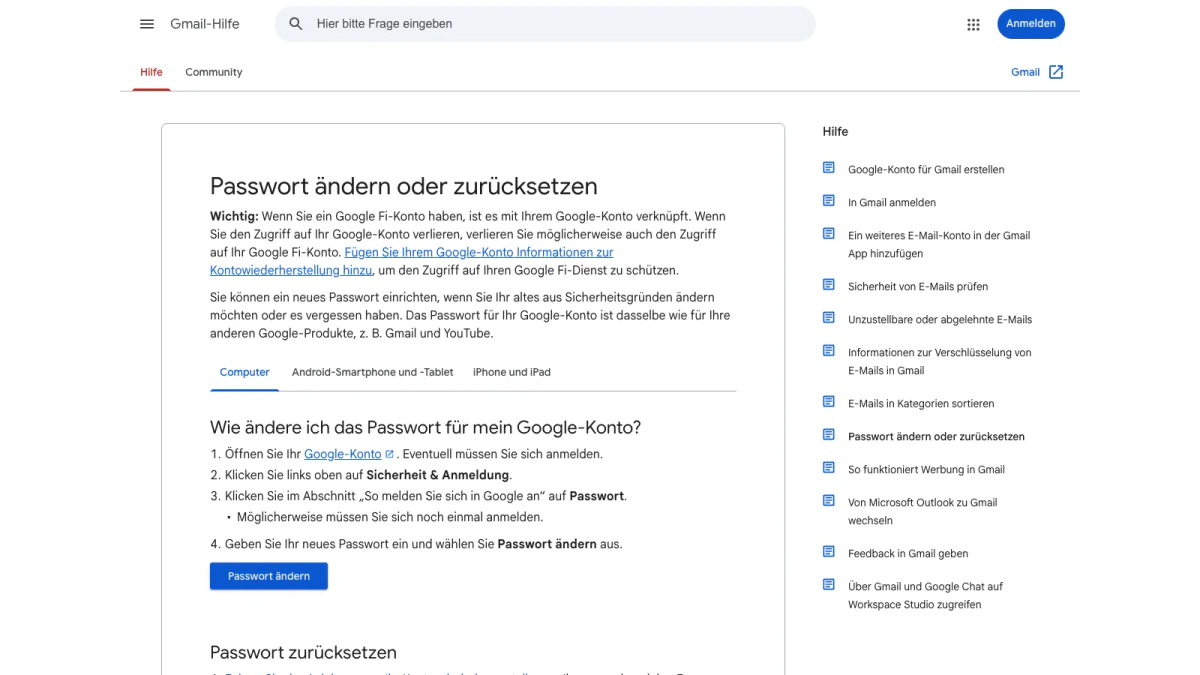
Screenshot: the help page "Passwort ändern oder zurücksetzen".
Choose something you have never used here. Afterwards every Gmail login ends. Exceptions are the devices that confirm your identity, some devices with third-party apps and smart home devices with access.
Reset a Forgotten Password
Recovery starts from the login screen. Google asks a few questions to prove the account is yours, then sends an email. Answer as well as you can. There is no cap on tries, and wrong answers do not end the process.
If the email never arrives, try these four checks:
- Look in junk, spam and bulk folders.
- Add noreply@google.com to your address book.
- Ask for another email through the recovery steps.
- Test each address you may have used at sign up.
Set a new strong password when prompted. Edits to recovery info take up to 7 days to apply, so try again after a few days.
Forgot the Address Itself
Have a phone or the recovery email ready, plus the full name on the account. Confirm the Gmail account and Google lists matching usernames.
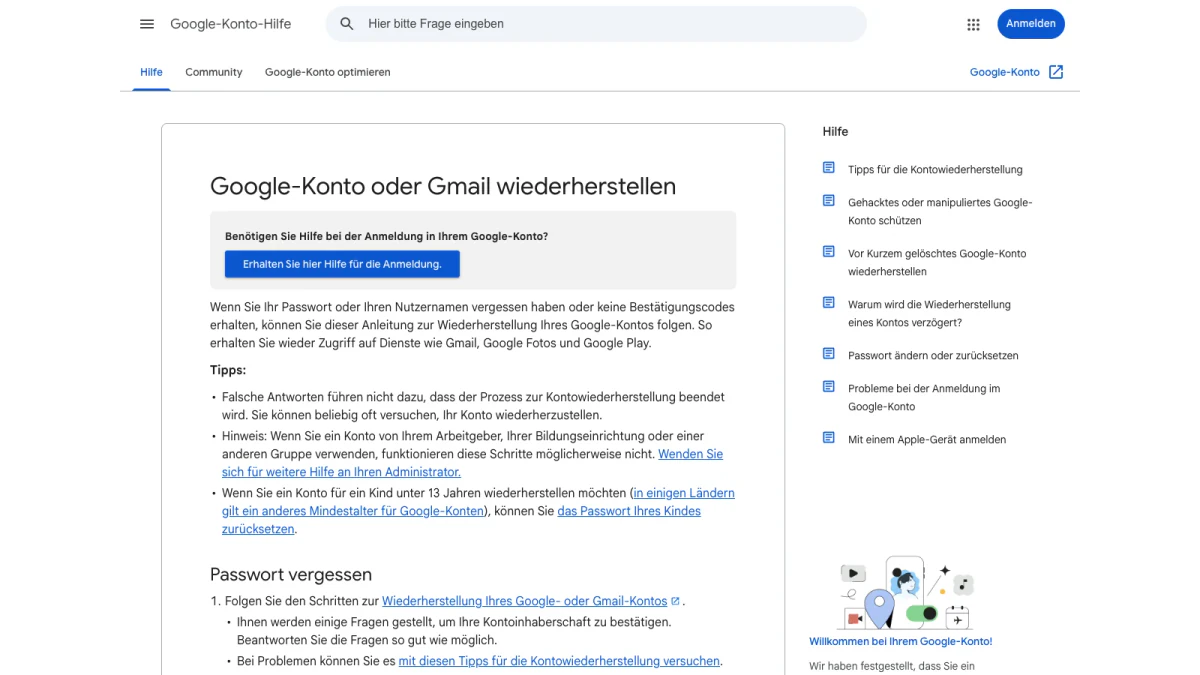
Screenshot: Google's recovery guide, "Google-Konto oder Gmail wiederherstellen".
Fix Gmail Login Problems
Most failed logins have a plain cause.
- Wrong mailbox: switch accounts from the form.
- Page without a form: use the sign-in link in the upper corner.
- Work or school mailbox: the recovery steps may fail, so ask your administrator.
- Stolen account: Google keeps separate steps for hijacked accounts.
- Deleted not long ago: Google has steps to bring back a deleted account.
If nothing works, you can start over with a fresh Gmail account. Add recovery info there so you are not locked out again.
Recovery Scams and Fake Pages
Nobody at Google answers a phone call about your login. Google works with no service that offers account or password support. Never hand over passwords or verification codes.
Check the page before you type. The real form we opened sat on accounts.google.com. Type that address yourself or use a bookmark rather than a link from a message.
Two free BillionVerify tools help with the rest. Our reverse email lookup reads the domain, mail routing and public profiles tied to a sender. If a message pushes you to call a number, our phone checker shows whether it is valid for its country and what kind of line it is.
Delete a Gmail Account
You can remove Gmail and keep the rest. Messages and preferences vanish after 30 days. The address stops sending and receiving at once. Nobody else can ever take it.
Your activity across Google services and Google Play purchases stay. You need a spare address that is not Gmail for them.
Delete the Service in Seven Steps
- Download your data while you can still sign in.
- Open Gmail on a computer.
- At the top right, choose Profile, then "Google-Konto verwalten".
- On the left, choose "Daten und Datenschutz".
- Under "Tools", choose "Daten aus Diensten entfernen, die Sie nicht mehr verwenden".
- Next to Gmail, select Löschen (Delete).
- Enter the spare one and confirm with Weiter.
Google emails that address. Nothing is removed until you verify it. If you reconsider, open the app or the site and sign in. The address may come back, but old mail may be gone after a long wait.
Emailing Gmail Users? Verify Before You Send
Not every reader here uses Gmail. Some of you send to people who do. If your list holds @gmail.com or @googlemail.com entries, check them before a campaign. The same goes for a form that collects them.
Typos are the first reason. A form that accepts "name@gmial.com" gives you a dead entry. When mail reaches the wrong person, the sender probably mistyped the address. A check first protects your sender reputation.
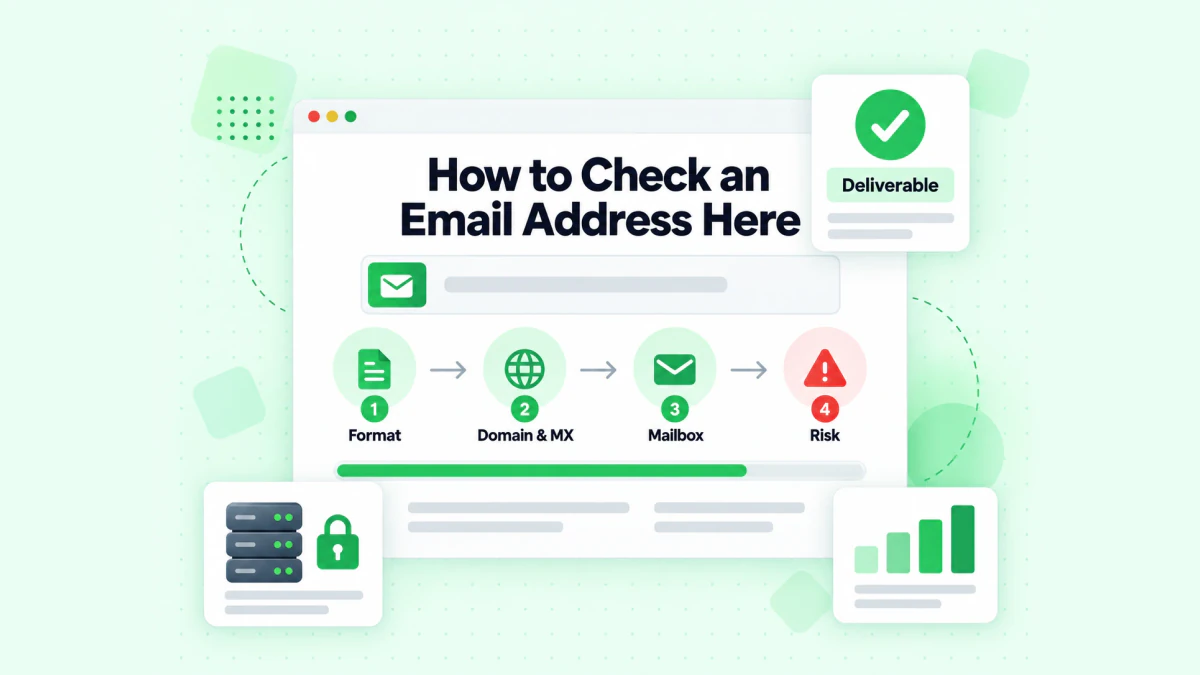
BillionVerify checks the format, the domain and MX records, the mailbox and the risk of an address.
BillionVerify's email verifier works on single entries and on lists. What to know:
- valid and invalid results cost 1 credit each, and unknown results are free
- a free re-check is available within 24 hours
- catch-all entries get their own label, and are not counted as valid
- each day you use your account gives 20 free credits, up to 600 a month, and they never expire
- the servers are in France (EU), and you can sign a DPA
- you can use a REST API, an MCP server, or one of 25+ integrations
We make no claim about how Gmail answers checks. The advice is short: verify first, then send.
FAQs
How do I finish a Gmail login from Germany?
Visit Gmail in a browser, give your login name, then your password. The form shows German when your browser is set to German. The Google Mail login leads to the same form. On a phone, add the mailbox through Profile in the app.
Can I get an account without a Gmail one?
Yes, you can hold a Google Account with another provider's address. You pick the existing-address option at sign up and confirm the other address with a code. Google then builds the account around that address.
Does a new account need a phone?
Google lists the phone step as optional at sign up. Recovery info is still wise, because it raises your chance of recovering a locked account.
Does googlemail.com open the same page as gmail.com?
Yes, in our test googlemail.com leads to the form that gmail.com uses. Both reached Google's form and continued to mail.google.com. So the same page serves both names. Google's help does not explain googlemail.com addresses.
How many mailboxes fit in the Gmail app?
Google allows five mailboxes in the Gmail app. They can be Gmail addresses or mailboxes from other providers.
Can I phone Google to get my account back?
No, you cannot phone Google for sign-in help, and Google says so itself. Use the recovery steps and ignore anyone who sells recovery.
What happens to my Gmail account when I delete it?
Gmail deletes the emails after a 30-day wait once you remove the service. The address can never go to someone else. Your other Google services keep working with a spare address.
Does a dot in a Gmail address change anything?
No, a dot in a personal one changes nothing. Mail to any dotted form goes to one inbox. On a company domain, a dot does change the address.