


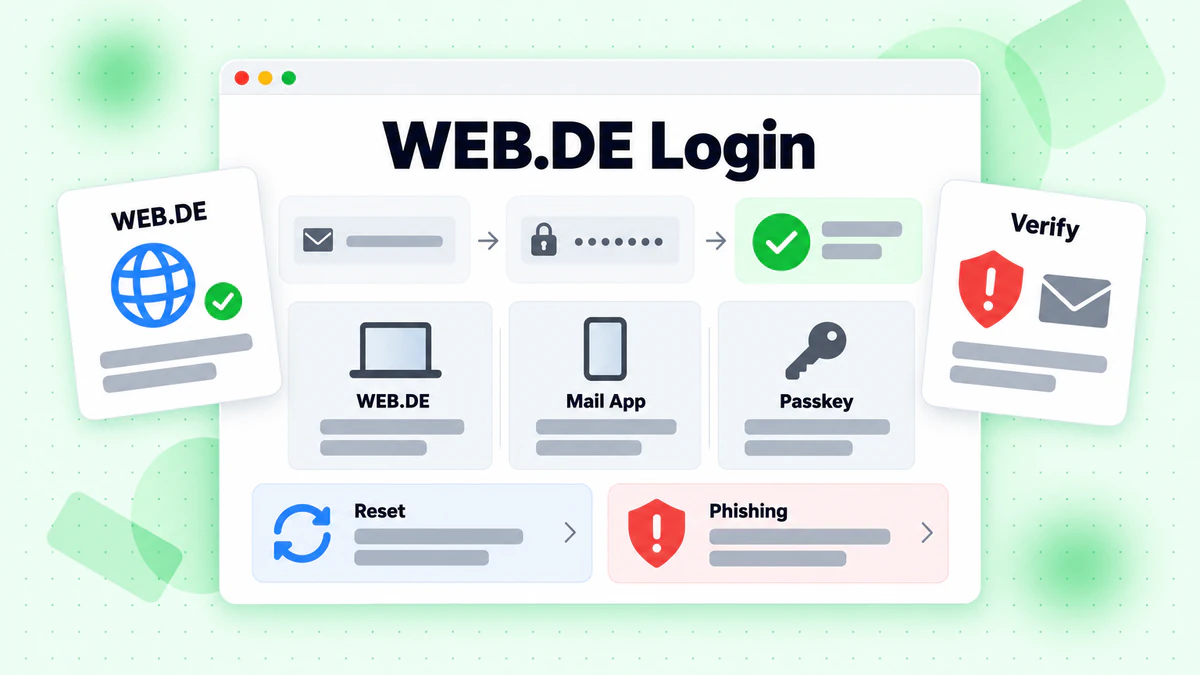
The WEB.DE mail login begins at web.de. You press Login, type your email and press Weiter. The same account then opens the WEB.DE Mail App and the Account Assistant.
This guide lists each sign-in route we could check. It then covers sign up, password reset and locked accounts. Every fact about WEB.DE comes from its own pages, read in October 2026. We did not sign in or register, and we are not affiliated with WEB.DE. BillionVerify is an email verification service. For a short definition of mail programs, read what an email client is in our glossary.
Key facts (checked October 2026):
- The tariff overview lists FreeMail at 0,00 € per month with 1 GB of mail storage and two email addresses.
- The same overview lists MailPlus at 3,99 € per month, with 5 GB for your inbox.
- The article "WEB.DE Registrierung" says a registration is not possible without a mobile number that works.
- The article "Wiederherstellung des Passworts" says most users can recover a lost password on their own, with no call needed.
- The article "Meine WEB.DE E-Mail-Adresse" says the address stays fixed once it is registered.
- The deletion guide says a deletion can be undone within 21 days, and the address is then barred for five years.
- BillionVerify's account gives 20 free credits on each day you use it, with no card needed, for checking addresses before a campaign.
Every WEB.DE Login Route
Several entry points lead to one WEB.DE account. The table lists what we opened.
| Route | Where it starts | What happens | Good for |
|---|---|---|---|
| web.de | Login button on the front page | Opens a login form on a web.de address | Browser |
| WEB.DE Mail App | App Store or Google Play | Asks for your email and password, or a passkey | Phone and tablet |
| MailCheck | Box on web.de/email | A browser extension with its own login | Browser |
| Mail programs | Your own mail program | Fetches mail by POP3 or IMAP, with an app password | Desktop mail |
| assistent.web.de | Link in the help | Starts the password recovery | Forgotten password |
| Kundencenter | "Account verwalten" in your mailbox | Holds passwords, passkeys and deletion | Account settings |
The WEB.DE Login Form
The Login button opens a short form. The headline says "Willkommen!" and the subtitle says "Mit Account anmelden". One box takes your email. The Weiter button stays grey until you type something.
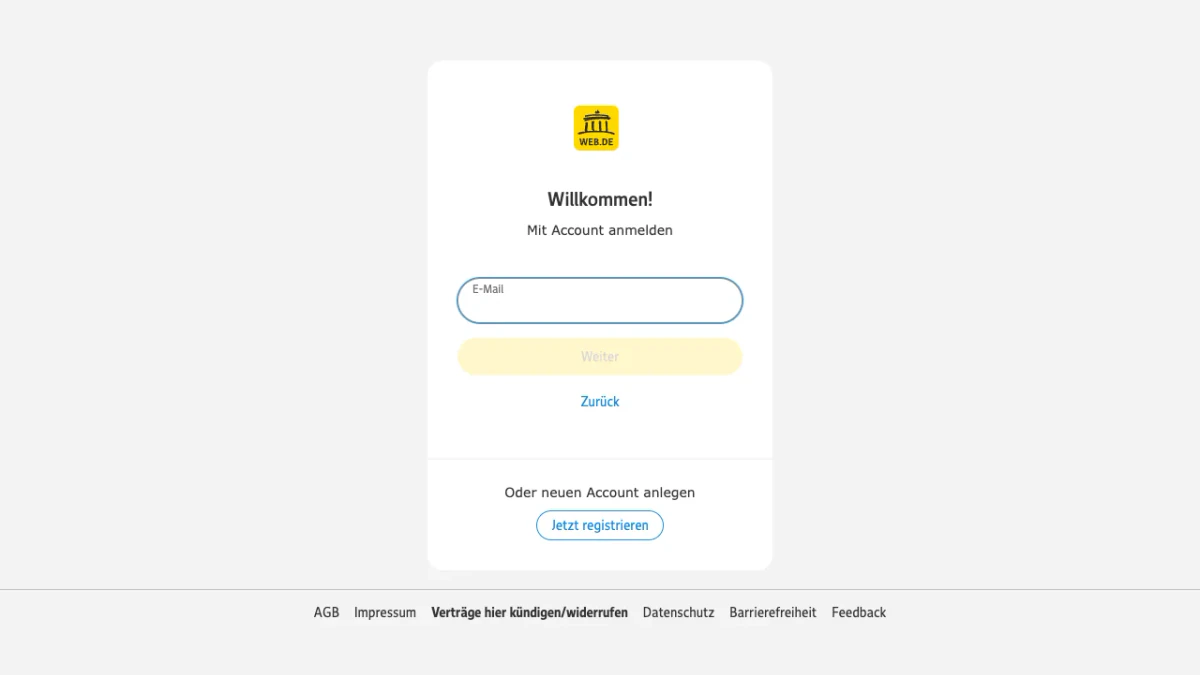
Screenshot: the WEB.DE login form, opened without signing in.
Under the form sits "Oder neuen Account anlegen" with the button "Jetzt registrieren". The footer links to AGB, Impressum, Datenschutz and Barrierefreiheit.
WEB.DE Mail Login on a Computer
- Open web.de in your browser.
- Click Login.
- Enter your email and click Weiter.
- Type your password.
- Confirm your identity if the form asks for it.
This email doubles as the username. The part before the @ is enough too. For maditamustername@web.de, the username is maditamustername.
Staying Signed In
After the WEB.DE mail login, the site can recognize your browser. A later WEB.DE login then skips the password. The front page shows a button named "Zum Postfach" instead of the login fields. This needs the round icon with your initials in the top right.
An automatic logout only happens when you delete the browser cookies. Log out yourself after any WEB.DE login on a device that other people use. Open the initials menu, then pick Logout. To switch accounts, click "Account wechseln" below the Logout button.
WEB.DE Mail App and MailCheck
The WEB.DE app reads your mailbox on a phone or tablet. The email section of web.de links to Google Play and the App Store. A QR code leads to the download.
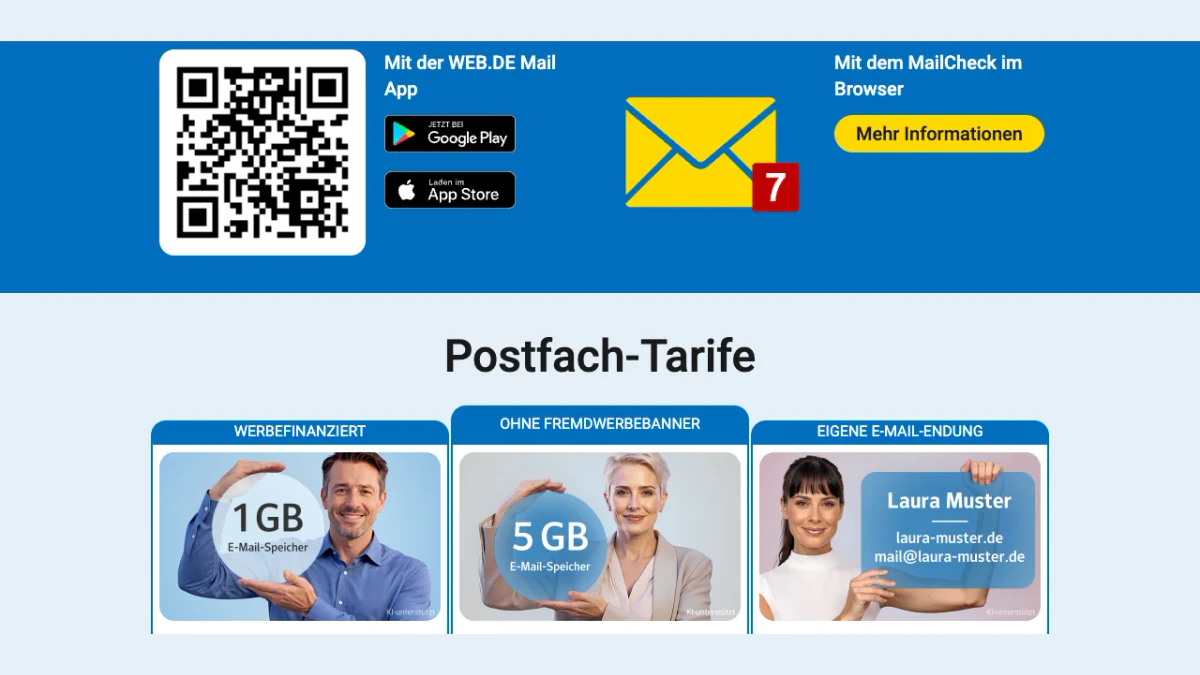
Screenshot: the app and MailCheck block on web.de/email.
The same block offers MailCheck for the browser. WEB.DE lists it among its browser extensions.
Sign In to the WEB.DE Mail App
- Open the app.
- Tap Login.
- Enter your address and tap Weiter.
- Type your password, or tap "Passkey verwenden".
To add a second account, tap your initials at the top left. Then tap "Account hinzufügen". After one WEB.DE app login, the app works like the web mailbox. Your WEB.DE app login also takes a passkey.
When the WEB.DE App Refuses to Open
If your WEB.DE app login fails, the help lists these checks:
- a typo, or a forgotten password
- a password changed by someone else
- an outdated app version, because older versions use a login method WEB.DE no longer supports
- an outdated Android or iOS version
- a lock on the mailbox, which the Mail App does not always show
- a fault at WEB.DE
- an account unused for more than a year
If a phone gets lost or sold, reset its access. Inside the Kundencenter, go to Sicherheit and click "Login zurücksetzen". It can take up to 35 minutes until all mobile access is reset.
Mail Programs and App Passwords
Outlook, Thunderbird and similar programs fetch WEB.DE mail through POP3 or IMAP. You can create an app password for them. The program uses it instead of your normal password. Under Login & Sicherheit, click "App-Passwörter (für externe Apps)". Choose "Neues App-Passwort erstellen". The password appears only once, so note it at once.
Login Confirmation, Two-Factor Login and Passkeys
A correct password is not always enough. WEB.DE adds checks around it.
Confirm an Unknown Device
Any WEB.DE login from a new browser or device opens the window "Login mit App bestätigen". You have these ways to confirm:
- through the Mail App, if you are signed in there
- with an SMS code, if a number is stored in the Kundencenter
- with a code mailed to a stored contact address, if you have no app
- with a personal identification by ID document, if none of these exist
The option "Auf diesem Gerät nicht mehr fragen" makes WEB.DE trust the browser. Deleted cookies remove that trust again.
Two-Factor Login
With a second factor on, the WEB.DE login asks for a code after the password. The help uses the FreeOTP app as its example. You can also tick "Für dieses Gerät merken". Do that only on a device you trust. Unticking it later does not help. Only deleting the browser cookies resets it.
Passkeys
A passkey replaces the password at your WEB.DE mail login. It is tied to the web.de address, so a fake site cannot capture it. A face scan, a fingerprint or a phone PIN unlocks it.
To create one, choose "Passkeys anlegen und verwalten" in the Kundencenter. Then click "Passkey hinzufügen". Enter your password and scan the QR code with an iPhone, iPad or Android device. One limit applies: security keys such as YubiKeys are not supported at the moment.
WEB.DE Sign Up: Free Address and Plans
The tariff overview offers three plans. We opened it as a visitor and did not register.
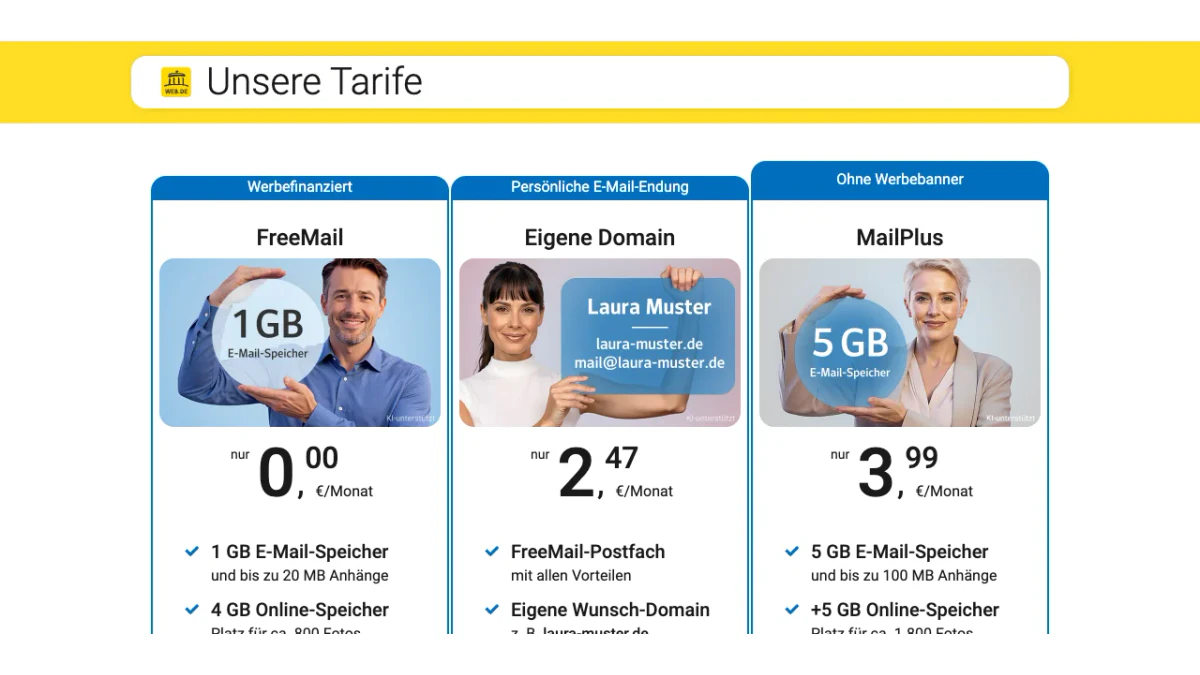
Screenshot: the plan overview on produkte.web.de.
- FreeMail: funded by ads, with 4 GB of online storage and two addresses.
- Eigene Domain: 2,47 € per month, with your own domain and up to 500 addresses.
- MailPlus: no ad banners, extra online storage and four addresses ending in @email.de.
The Registration Steps
The article "WEB.DE Registrierung" describes the sign up in these steps:
- Enter your first name, last name and date of birth.
- Pick one of the suggested addresses, or type your own and check it.
- Choose a gender and enter your postal address. WEB.DE says this data helps you regain access later.
- Choose a password with at least eight characters. Twelve or more are better.
- Enter your phone number and confirm it with the code from the SMS.
- Pass the human check, accept the AGB and click Registrieren.
You then land in your new mailbox.
The Mobile Number Is Required
A valid mobile number is mandatory. You can pick a German or a Swiss country code. WEB.DE uses it only for password recovery or to contact you about security. If the SMS does not arrive, wait 60 seconds and ask again. Numbers already stored in many other accounts may be refused.
Registering From Outside Germany
We started the sign up from a connection outside Germany. WEB.DE answered with the article "Registrierung fehlgeschlagen".
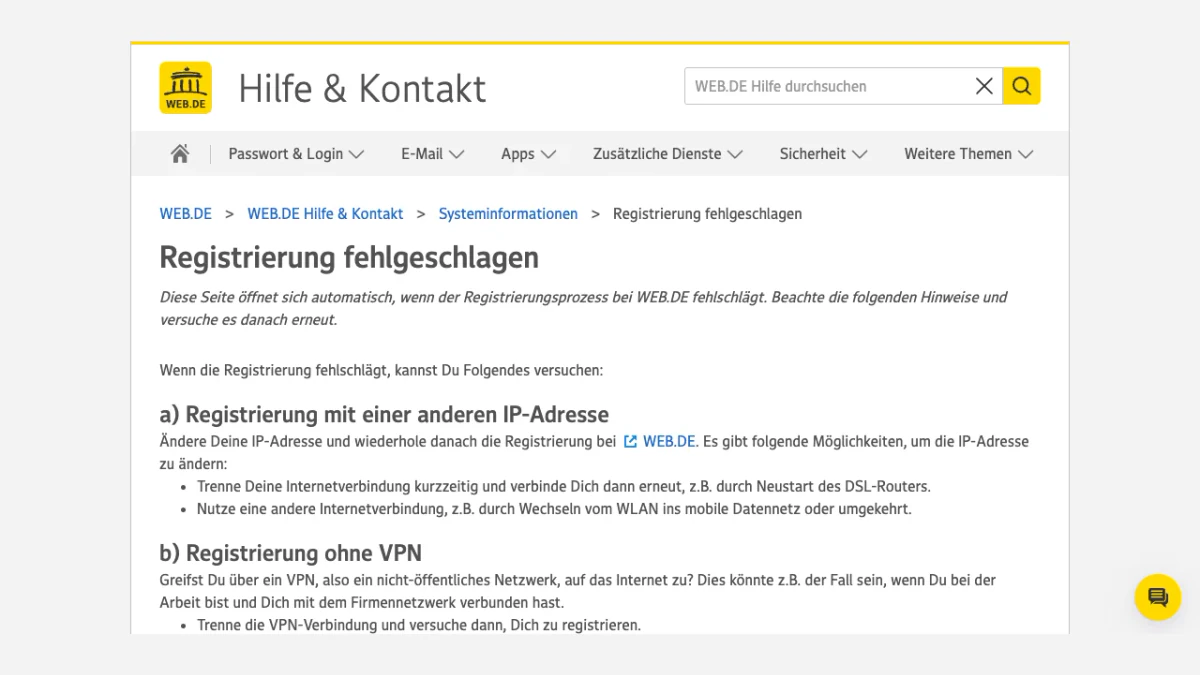
Screenshot: the page WEB.DE opens when a registration fails.
It lists what to try: another IP address, a connection without VPN, or the sign up inside the app. If the error "Deine E-Mail-Adresse bzw. dein Postfach kann derzeit nicht erstellt werden" appears, wait at least an hour and start again.
The Address Cannot Be Changed
What you register stays as it is. Renaming, issuing twice or deleting the address is impossible. FreeMail allows two addresses. Club and MailPlus members can add a second sender address.
An unused account can lose its address. After more than a year without use, WEB.DE may release the address to other people. Then you can only register a new one.
WEB.DE Password Reset With the Assistant
Most users can reset the password themselves. Your WEB.DE password reset runs on one page, the Account Assistant.
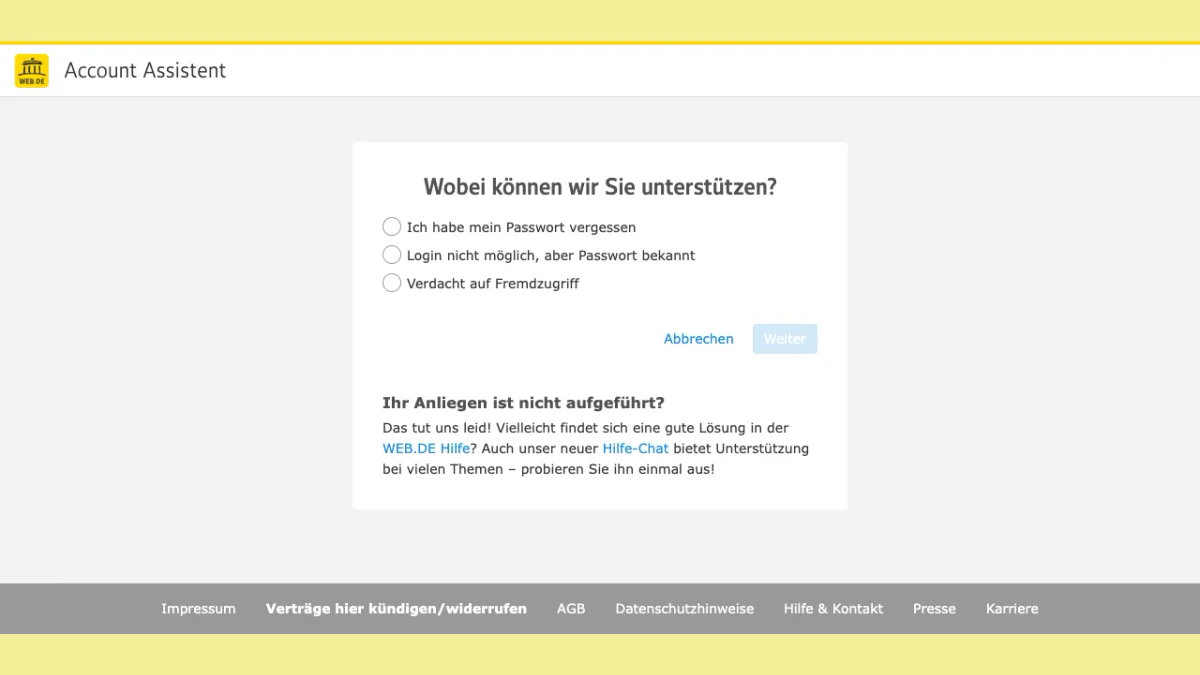
Screenshot: the Account Assistant start page.
The tool asks "Wobei können wir Sie unterstützen?" and offers three choices: "Ich habe mein Passwort vergessen", "Login nicht möglich, aber Passwort bekannt" and "Verdacht auf Fremdzugriff".
Reset a Forgotten Password
- Open assistent.web.de.
- Fill in your email and slide the two symbols together to prove you are human.
- WEB.DE shows the options stored in your Kundencenter, one after another. Accept one, or click "Andere Methode zum Code-Erhalt".
Four options exist: a reset by phone number, by an alternative contact email, by alternative mailbox access, or by personal identification. You only see the options that you stored.
Change a Working Password
A strong password does not need regular changes. Change it if it shows up on a leaked list or if WEB.DE asks you to. Log in and use the initials menu. Choose "Account verwalten", go to Login & Sicherheit and select "Passwort ändern". Enter the old password, type the new one twice and click Speichern.
Afterwards, update the password in any external program. In the WEB.DE app, you may have to log in again.
Forgot the Email
Browsers and mail programs may have stored it. Open the password manager of your browser and search for web.de. The email only appears there if you saved it at an earlier login.
Fix WEB.DE Login Problems
Most WEB.DE login problems have simple causes. Check them in this order.
Typos and Old Saved Data
Typos spoil many a WEB.DE mail login. Check that the caps lock key is off. Click the eye icon in the field to see what you typed. If the fields fill themselves, your browser may hold old data. Check the saved login data in the browser settings and correct it.
Browser Cache and Cookies
A very large cache can make the page load slowly or not at all. Faulty or old cookies also break a WEB.DE login. Clear the cache and delete the cookies, then try again.
The "Bitte erneut einloggen" Screen
This screen asks for your details again, plus a security check. It appears when your IP address comes from a network range with many failed logins. The most common case is a trip abroad. A foreign IP from your provider or a company VPN can trigger it too.
Locked Mailbox Notices
The article "Postfach gesperrt" lists the common messages. Use a computer for this, because apps often hide the reason.
| Notice | Reason given by WEB.DE | What to do |
|---|---|---|
| Anmeldung bestätigen | A device or browser that is not yet approved | Confirm by app or SMS code |
| Sicherheitsüberprüfung | Logins from several places or spam sent from the account | Confirm in the app, then change the password |
| Identitätsprüfung | Irregular access found | Ask for an SMS |
| Login vorübergehend nicht möglich | Logins or attempts from different places or the same IP address | Wait out the shown time or change the IP address |
| Passwortänderung erforderlich | The password no longer meets the current policy | Choose a stronger password |
| Sie haben offene Forderungen | Unpaid invoices | Pay them to unlock the mailbox |
Status Banner on Every Help Page
Each help page shows "Aktueller Status" at the top. When we checked, it said "Keine Störungen". If it reports a fault, WEB.DE login problems may not be your own doing.
Contact WEB.DE
A chat covers all mailbox topics. Special cases get their own entries. Trouble with sign-in, passwords or unauthorized access goes to the assistant. MailPlus and Club members have a separate FAQ on produkte.web.de. Postmasters who run mail servers have an entry at postmaster.web.de.
Delete Your WEB.DE Account
A FreeMail account can be deleted in the Kundencenter if there are no active contracts or open claims.
- Open your mailbox and pick "Account verwalten" from the initials menu.
- Open the section "Konto löschen" and click "WEB.DE Konto löschen".
- Enter your password and click "Jetzt löschen".
You can undo the deletion within 21 days. Log in at a computer and use the contact option in the notice. After that, the account is gone for good. Nobody can register the old address for five years. Remove it from shops and other services so nobody misuses it.
Fake WEB.DE Login Pages and Mails
Phishing mails often pretend to come from WEB.DE. These are the tricks WEB.DE names:
- a missing blue-and-white check mark seal next to the sender name
- sender addresses with swapped letters, such as "serivce" instead of "service"
- links whose shown text differs from the real address
- claims about an unpaid invoice, a closing account or a blocked account
The seal only shows in WEB.DE's own webmail and app. It is missing in external programs such as Outlook. A Postmaster service checks a suspicious mail. Save the mail as an EML file and upload it there.
Always type web.de yourself instead of following a link. Never enter your WEB.DE login on a page you reached that way. The form we opened sat on a web.de address. A passkey adds protection because it only works on the real site.
Emailing WEB.DE Users? Verify Before You Send
Not everyone reading this guide owns a mailbox at WEB.DE. Some of you send to people who do. If your list holds @web.de entries, check them before a campaign. The same goes for a signup form that collects them.
The article "E-Mail wurde als unzustellbar zurückgesendet" names common error texts. "Unknown User" and "mailbox unavailable" point to a typo or a missing mailbox. "Mailbox full" and "User has too many messages on the server" mean the recipient has no space left. Both end up as bounces in your report.
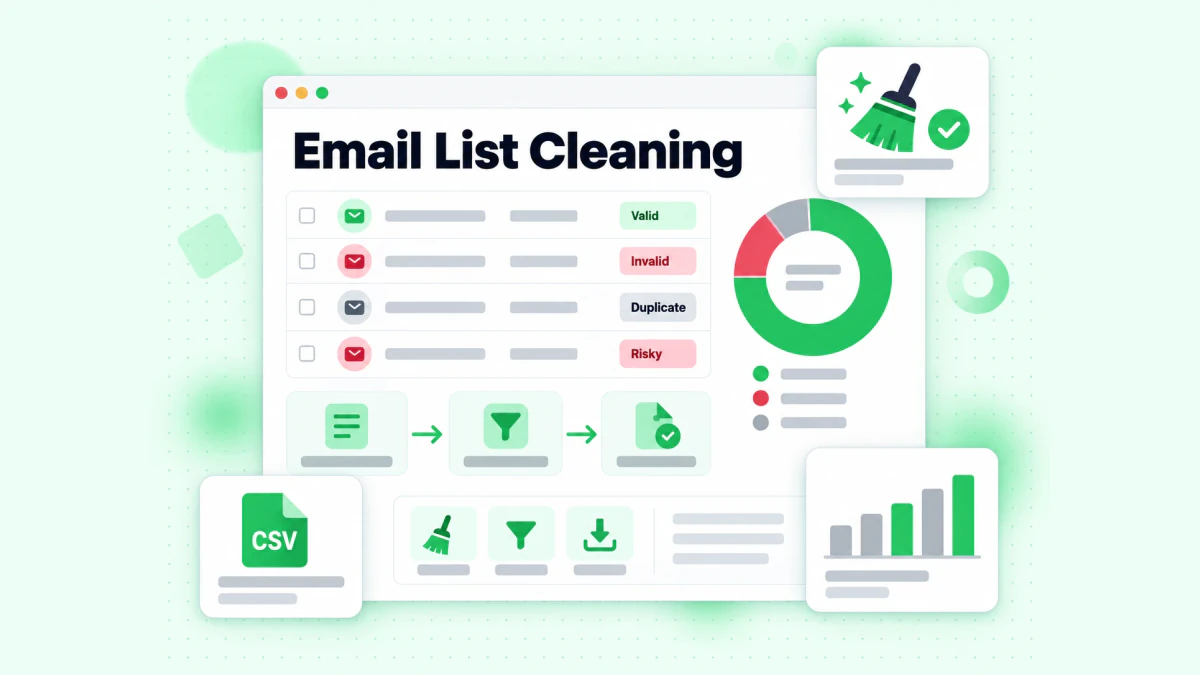
BillionVerify's list cleaning sorts each entry by result.
BillionVerify's email verifier works on single entries, and bulk email verification works on lists. What to know:
- valid and invalid results cost 1 credit each, and unknown results are free
- a free re-check is available within 24 hours
- catch-all entries get their own label and are not counted as valid
- the free allowance is 20 credits per day of use, up to 600 a month, and credits never expire
- our servers are in France (EU), and a DPA can be signed
- you can use a REST API, an MCP server or one of 25+ integrations
We make no claim about how WEB.DE servers answer checks. If your signup form collects phone numbers, our phone number checker shows whether a number is valid for its country. To trace the owner of a suspicious sender, use our reverse email lookup. WEB.DE's imprint names 1&1 Mail & Media GmbH as its operator. If you also use GMX, see our guide to the GMX login.
FAQs
How do I log in to WEB.DE?
The WEB.DE mail login starts at web.de. Click Login, enter your email, press Weiter and add your password. The app asks for the same details after you tap Login.
Is WEB.DE email free?
FreeMail is the free plan, per the tariff overview. Ads fund it. MailPlus is the paid plan, and it comes without ad banners.
Do I need a mobile number to register at WEB.DE?
WEB.DE requires a working mobile number for registration. The code arrives by SMS, and the same number serves password recovery. Without it, nobody can finish the sign up.
What can I do if I forgot my WEB.DE password?
The WEB.DE password reset happens at assistent.web.de. Submit your email, solve the human test and use one of the stored options. These are the phone number, an alternative contact email, alternative mailbox access or a personal identification.
Why does WEB.DE ask me to confirm my login?
WEB.DE asks for confirmation when a login comes from a device or browser it does not know yet. The Mail App, an SMS or a mailed code can confirm it. Keep the trust option ticked, and the window stays away next time.
Can I change my WEB.DE email address?
Once registered, every WEB.DE address keeps its name. It also cannot be deleted or issued twice. For a different name, register a new account.
Does WEB.DE delete accounts I do not use?
WEB.DE may release an address that has gone unused for more than a year, according to its article on Mail App access. Someone else can then register it. You cannot get that address back.
Where do I find WEB.DE customer service?
WEB.DE customer service starts at hilfe.web.de. Its contact page offers a chat for mailbox topics. Sign-in, password and security problems have their own route through the assistant.