



A customer sends a promising text, your rep forwards it to a shared inbox, and everyone assumes the handoff is complete. Later, nobody can find the original context, the reply goes to an abandoned address, or the forwarded message enters a campaign without anyone checking whether the email data is usable. That shortcut can create missed follow-ups, privacy exposure, and deliverability problems long after the text disappears from the phone.
Text forwarding to email still has a place in 2026. It works well for alerts, support escalation, searchable records, and controlled intake. But it shouldn't be treated as a complete business communications system. The reliable approach combines device-level forwarding, delivery testing, clear ownership, privacy controls, and email verification before forwarded data reaches a CRM or outbound workflow.
Why Text Forwarding to Email Feels Like a Shortcut
A sales rep sees a lead's message on a personal phone and forwards it to the team inbox. The email arrives looking harmless. It contains a phone number, perhaps an email address, quoted conversation history, and an attachment that wasn't meant for a broad audience. Someone copies the details into a CRM, another person starts a sequence, and the original sender never realizes the text has been duplicated across systems.
That friction explains the appeal. Email offers search, folders, routing rules, shared access, and a durable business record. Forwarding also preserves prior conversation history when quoted replies are already embedded in the thread, while some apps support forwarding an entire conversation. Email forwarding has existed as part of SMTP since RFC 821 was published in 1982, so the behavior is embedded across clients and providers.
The hidden cost of the handoff
A forwarded text is a separate message, not a hidden duplicate. It may expose older replies, attachments, visible headers, and sensitive context unless someone removes them manually. That creates three operational questions:
- Can the team find it? A subject line such as “Fwd: Message” provides little context for sorting or assignment.
- Can the team trust it? The message may contain copied data that has never been checked.
- Can the team prove delivery? A sent email or successful automation run doesn't prove that the destination accepted or acted on it.
SMS remains the fastest-reached channel, while email remains the long-form, searchable communication layer. Benchmark comparisons report 98% SMS open rates, compared with email open rates of about 20% to 32%, and SMS click-through rates around 10% to 19%, compared with email click-through rates around 2.6% to 4.4% in the cited SMS and email benchmark summary. Those differences make forwarding useful as a bridge, but they also make careless routing dangerous. Speed gets the message into the workflow. Governance determines whether the workflow can safely use it.
How to Set Up Text Forwarding to Email
Start by deciding what the forwarding system must accomplish. If you only need to move occasional messages, manual forwarding may be enough. If every inbound text should reach an operations inbox, use a device-level app or an automation layer. If the destination is a business process, create a dedicated mailbox rather than sending sensitive conversations into an employee's personal inbox.
iPhone setup
On iPhone, the practical route is an automation in the Shortcuts app. Create a personal automation triggered by an incoming message, select the action that sends the message content by email, and specify the controlled destination. Include the sender identifier and a consistent subject prefix so inbox rules can recognize the message. Review permissions carefully, because iOS automation depends on the phone, the Shortcuts configuration, and the account remaining active.
Native message sharing is better for one-off forwarding. Open the conversation, press and hold the relevant message, choose the forwarding or sharing option, and send it to the destination address. That preserves user control, but it won't create a dependable intake pipeline.
Android setup
Android offers more flexibility through dedicated forwarding apps and automation tools. Install the chosen app, grant only the permissions it needs, enter the destination inbox, and configure filters before enabling automatic forwarding. A filter can keep personal conversations out of the business mailbox and route only messages containing a defined operational signal.
Test both plain text and media messages. Carrier and app behavior can differ for MMS, group conversations, and richer messaging formats, so a text that works in a quick trial may not represent the full workflow.
BillionVerify is a professional email verification service built to solve one problem: bad email data costs businesses money. It can fit after forwarding, where the workflow extracts an address before allowing it into a sales or marketing process.
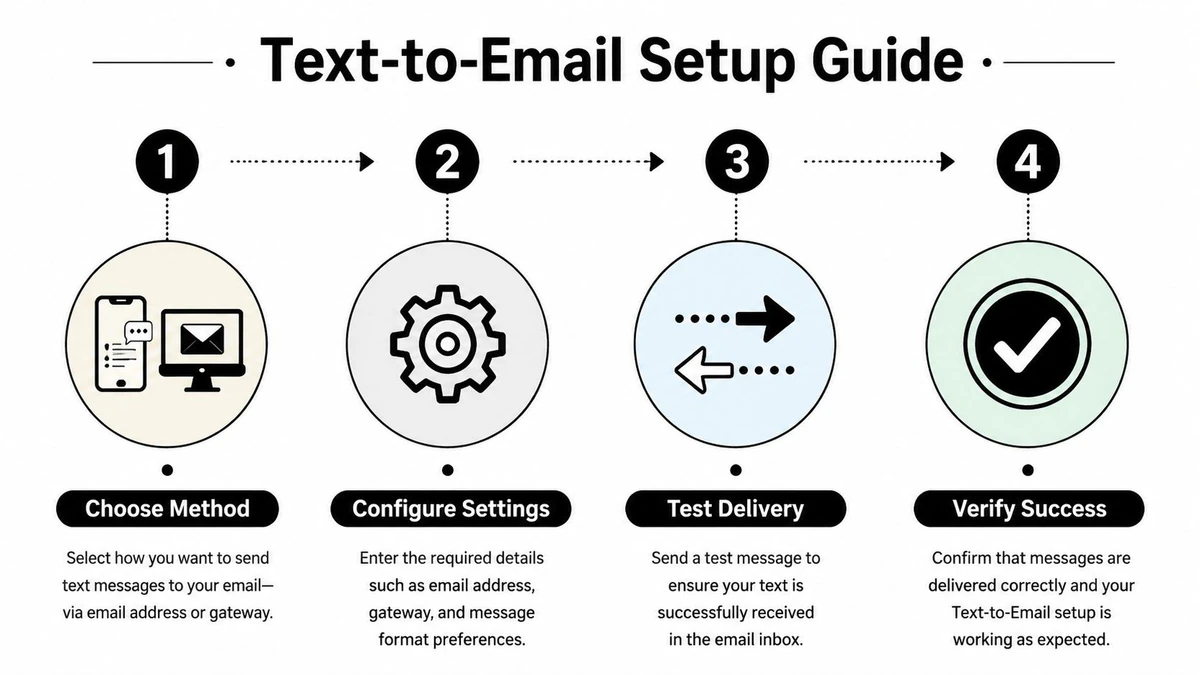
Use a real test message, confirm receipt in the destination mailbox, check the subject and sender fields, and document who owns failures. The setup isn't finished when the toggle turns on. It's finished when the team can identify a missing message and respond without guessing.
Carrier Gateways, Silent Failures, and Why Setup Is Not Enough
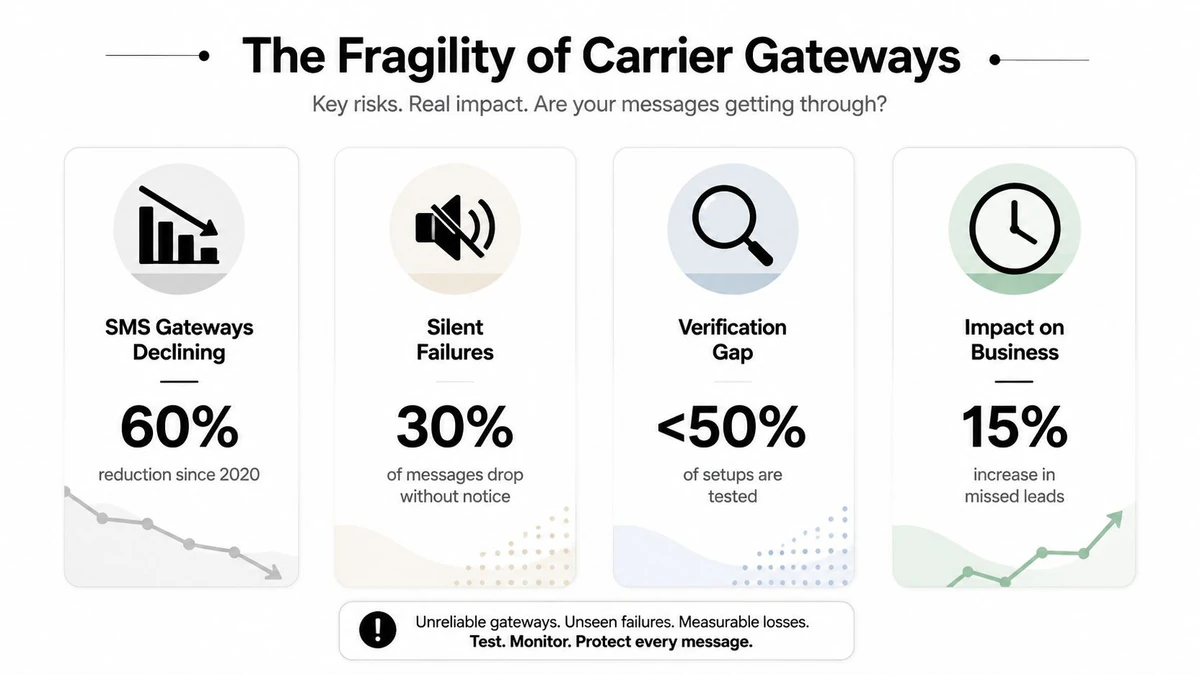
Carrier email-to-text gateways look attractive because they avoid installing an app. In practice, they're increasingly fragile. AT&T permanently shut down txt.att.net on June 17, 2025, T-Mobile stopped delivering through tmomail.net in late 2024, and Verizon is phasing out vtext.com, with a complete shutdown scheduled for March 31, 2027, according to independent reporting on carrier gateway changes.
Those changes create a routing problem before they create a messaging problem. A workflow must identify the recipient's live carrier, select the correct gateway, confirm that the domain still accepts mail, and maintain a fallback path. A retired or incorrect gateway may fail without indication, which means the sender sees an apparently successful email while the recipient sees nothing.
What the gateway strips away
Carrier routing usually reduces email content to plain SMS text. Standard SMS messages have a 160-character limit, and these routes generally don't provide delivery confirmation or acknowledgment tracking, as documented in technical guidance on sending text from email. Formatting, threading, attachments, and meaningful error detail can disappear between systems.
The same guidance reports that malformed or oversized payloads may be dropped at carrier gateways at rates of 11% to 19%, with end-to-end latency still taking several seconds even when delivery works. Those figures aren't a reason to abandon every gateway. They're a reason not to use one as the only path for lead capture, appointment changes, authentication, or customer escalations.
Practical rule: Treat a gateway as an untrusted transport layer until a live test and an independent fallback confirm the message path.
A production team should log the original event, the forwarding attempt, the destination result, and any downstream action. For inbox health, use an email deliverability audit tool alongside message-level checks. A forwarding workflow that can't show what happened after “sent” isn't auditable.
Best Tools for Reliable SMS to Email Forwarding
Tool choice should follow the message source, not the other way around. Google Voice is useful when the business controls the Google Voice number receiving the text. It provides a managed inbound layer, but it won't automatically collect messages sent to an unrelated personal carrier number.
Zapier fits event-driven workflows when an approved SMS or voice source exposes an event that can trigger email, CRM creation, or routing. Its strength is orchestration. Its weakness is that every additional step can introduce permissions, task failures, and monitoring requirements.
IFTTT suits lightweight personal routing and simple alerts. It can be practical for a single user who wants a notification copied somewhere else, but teams should be cautious about using a personal automation as the system of record.
| Platform | Routing Model | Message Monitoring | Best For |
|---|---|---|---|
| Google Voice | Messages arrive through a controlled Google Voice number | Review inside the managed account, with limited business workflow visibility | Controlled inbound communications |
| Zapier | Event-driven automation between supported services | Automation history and task-level review | CRM routing and multi-step workflows |
| IFTTT | Trigger and action rules | Applet activity and user checks | Personal alerts and light automation |
| Device forwarding app | Reads eligible messages on the phone and sends them to an inbox | Depends on app logs, permissions, and device availability | Direct SMS-to-email forwarding |
Compare the failure surface
Ask whether the tool preserves the original sender, handles attachments, records failures, and supports a clear retention policy. A platform that forwards text quickly but loses media or provides no delivery evidence may be acceptable for low-risk alerts and unsuitable for sales intake.
For the verification layer, compare top email verification platforms by the checks they perform and how their results connect to your CRM or automation stack. Don't choose a forwarding service and an email verification service independently if the two systems must exchange structured data. Define the handoff first, then test it with representative messages.
Why Forwarded Texts Can Still Damage Email Deliverability
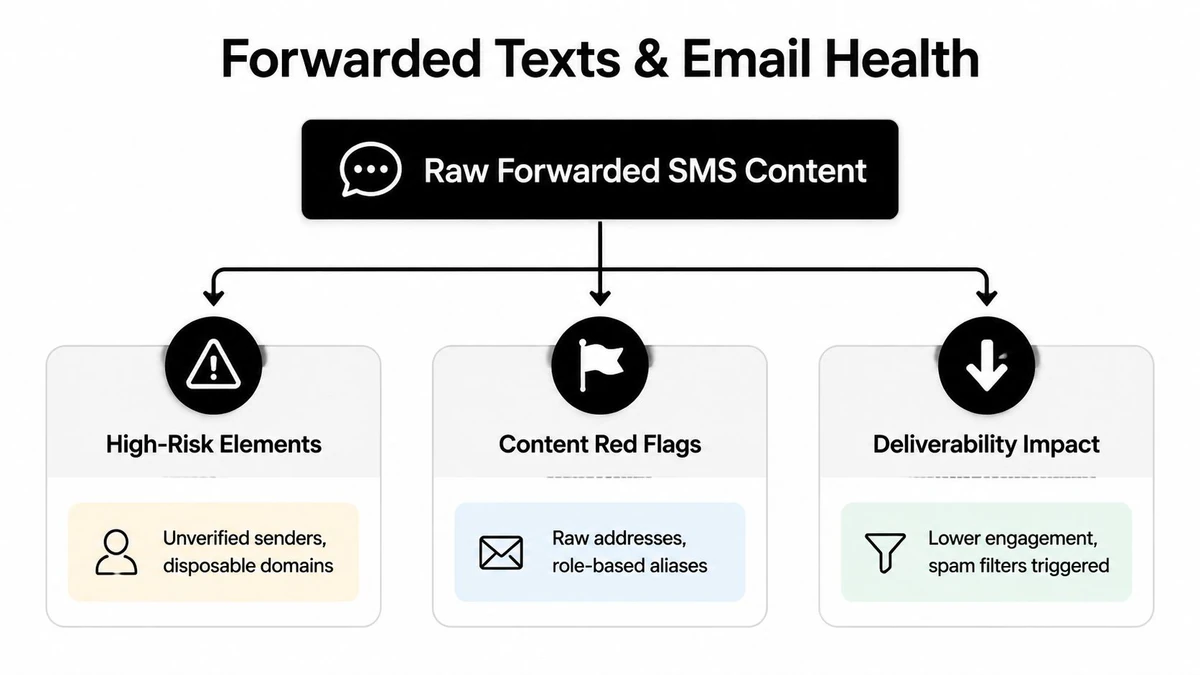
Forwarding a text into an inbox doesn't automatically make the contents safe for outreach. A message may include a malformed address, a disposable mailbox, a role-based alias, or a domain that appears active but doesn't accept mail. If a rep copies that data into a campaign, the forwarding layer has become a source of list contamination.
Email verification APIs address this with layered checks. A typical process includes syntax validation, DNS lookup, MX record verification, and a live SMTP handshake, then returns statuses such as valid, invalid, catch-all, disposable, or role-based, as described in BillionVerify's overview of email verification APIs. This checks mailbox-level deliverability rather than stopping at whether an address looks correctly formatted.
Put verification before activation
The key design decision is where verification occurs. Don't let a forwarded message create a campaign contact immediately. First parse the content, isolate the candidate address, and send it through verification. Only then should the system decide whether to create a lead, hold the record for review, or discard it.
MX records identify the mail servers that accept email for a domain. A domain with no MX records is undeliverable even when its website is active, according to email verification process guidance. That distinction matters because a sender may reasonably assume that a working website means a working mailbox.
A separate IP blacklist lookup for emailers can help identify infrastructure-level concerns, but it doesn't replace address verification. The two checks answer different questions. One examines the sending environment, while the other assesses whether the recipient data is usable.
Inbox-health principle: A forwarded text is an intake event, not permission to mail and not proof that the extracted address exists.
Keep the raw message restricted, store only the fields the workflow needs, and require a human decision for ambiguous statuses. This prevents a convenience integration from turning every copied address into an automated reputation liability.
Building a Production-Ready Forwarding Workflow
A dependable workflow separates capture, validation, and activation. The phone or forwarding app should deliver the event to a controlled intake mailbox. An email rule or automation then identifies the source, preserves the original timestamp, and extracts the message body without sending the entire conversation to every downstream user.
A practical routing blueprint
Use a dedicated subject convention, such as a source label and message category, rather than relying on generic forwarded subjects. Route attachments to a restricted review queue, especially when the text contains customer records, authentication information, or files that shouldn't enter a shared CRM.
The next checkpoint handles consent and purpose. A text from a customer may authorize a support response, but it doesn't automatically authorize promotional email. Record the communication purpose separately from the sender's contact details.
Then validate any extracted address before creating a marketing or sales record. An Email Validation API can sit between the inbox parser and the CRM, returning a structured result for the automation to accept, reject, or hold. Keep invalid, disposable, catch-all, and role-based outcomes out of automated outreach unless a documented owner approves them.
Ownership and retention
Assign a person or queue to review failed deliveries, ambiguous parses, and verification exceptions. Log the forwarding source, processing result, and CRM action, but avoid retaining the full text indefinitely when a smaller record will support the business purpose.
Access controls matter because mirrored messages can expose private conversations to shared inbox members, automation vendors, and CRM users. Set retention rules before launch, restrict mailbox permissions, and make the workflow easy to disable when a device changes hands. A system that routes messages correctly but stores too much data is still poorly designed.
When to Trust Text Forwarding and When to Replace It
Text forwarding is reasonable for low-risk alerts, personal archives, internal notifications, and support messages where a missed event has a clear manual recovery path. It becomes a poor foundation for high-stakes lead capture when the business can't identify the carrier, confirm delivery, control permissions, or verify extracted addresses.
Use the current workflow only when it passes a basic operational test:
- Delivery evidence: The team can distinguish a successful handoff from a merely sent message.
- Fallback routing: A retired gateway or offline device won't erase the event.
- Data validation: Candidate email addresses are checked before CRM or campaign activation.
- Privacy ownership: Someone controls access, retention, and attachment handling.
- Recovery process: Staff know how to reconstruct a missed lead or customer response.
If those conditions fail, replace the black-box relay with a direct messaging integration, a controlled inbound number, or a CRM form that captures consent and contact data at the source. Use how to sanitize email lists when forwarded history has already introduced questionable records into your database.
The right question isn't whether forwarding can work. It can. The question is whether your team can observe, validate, and recover every important handoff. If the answer is no, the workflow has outgrown its current setup.
BillionVerify helps teams verify email addresses before forwarded text data reaches sales sequences, marketing lists, or CRM automations. Visit BillionVerify to evaluate an email verification workflow that fits your forwarding and deliverability controls.