



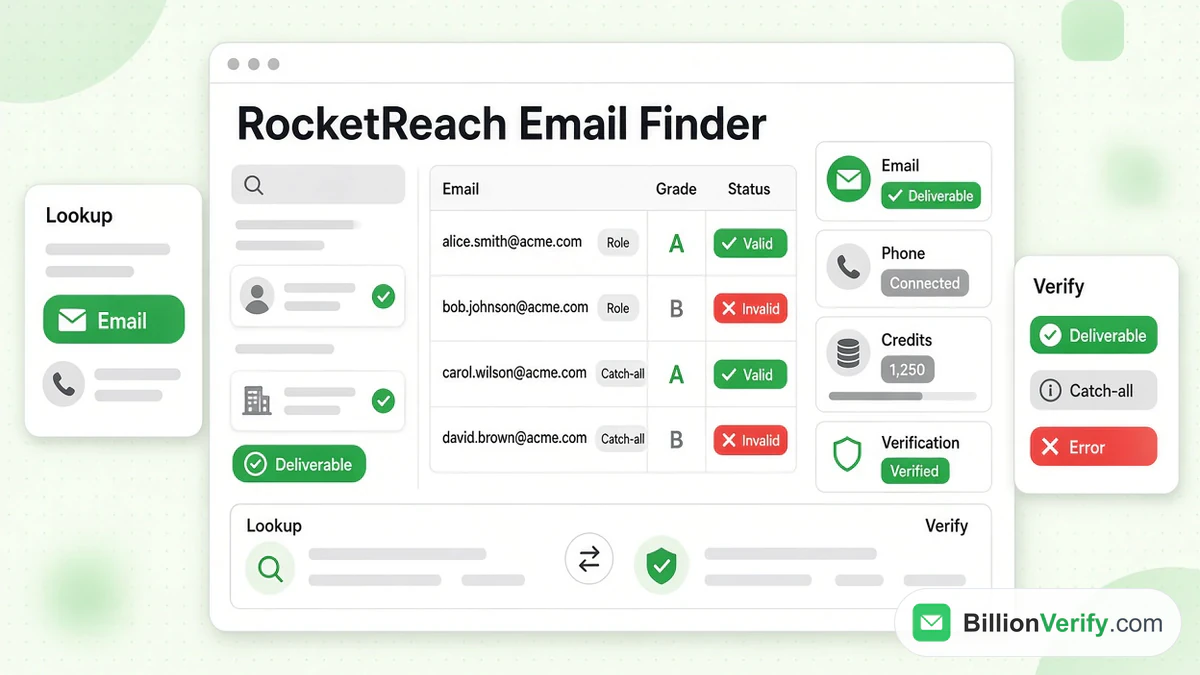
The RocketReach email finder finds work and personal email addresses for a named person. You search for someone, press the Get Contact Info button, and a fresh check runs. A RocketReach email lookup then returns the addresses it trusts, each with a grade. The same lookup can show a RocketReach phone number when your plan covers phones.
This guide explains how the RocketReach email finder works step by step. It covers email grades, lookup credits, the browser extension and RocketReach Verify. It ends with when an address from any email finder tool needs another check before you send.
Every RocketReach fact here comes from its own website and help center, read in October 2026. We are not affiliated with RocketReach. BillionVerify is an email verification service. If you are new to the platform, start with our overview of what RocketReach is.
Key facts (checked October 2026):
- RocketReach lists 700 million profiles and 60 million companies on its email finder page.
- RocketReach offers more than 100 search filters, such as job title, location and industry.
- RocketReach grades each returned address A, A- or B, per its help center.
- An empty RocketReach lookup does not cost a credit, per its help center.
- RocketReach's help center suggests re-verifying lists on a one- to two-month cycle.
- BillionVerify re-checks the same address free of charge within 24 hours.
What Is the RocketReach Email Finder?
This finder sits at the core of the product. It is not a separate app. You reach it from the web app, the Chrome extension, Autopilot or the API.
The RocketReach official email finder overview sums it up in one line: "Find emails effortlessly and connect with the right contacts faster than ever before."
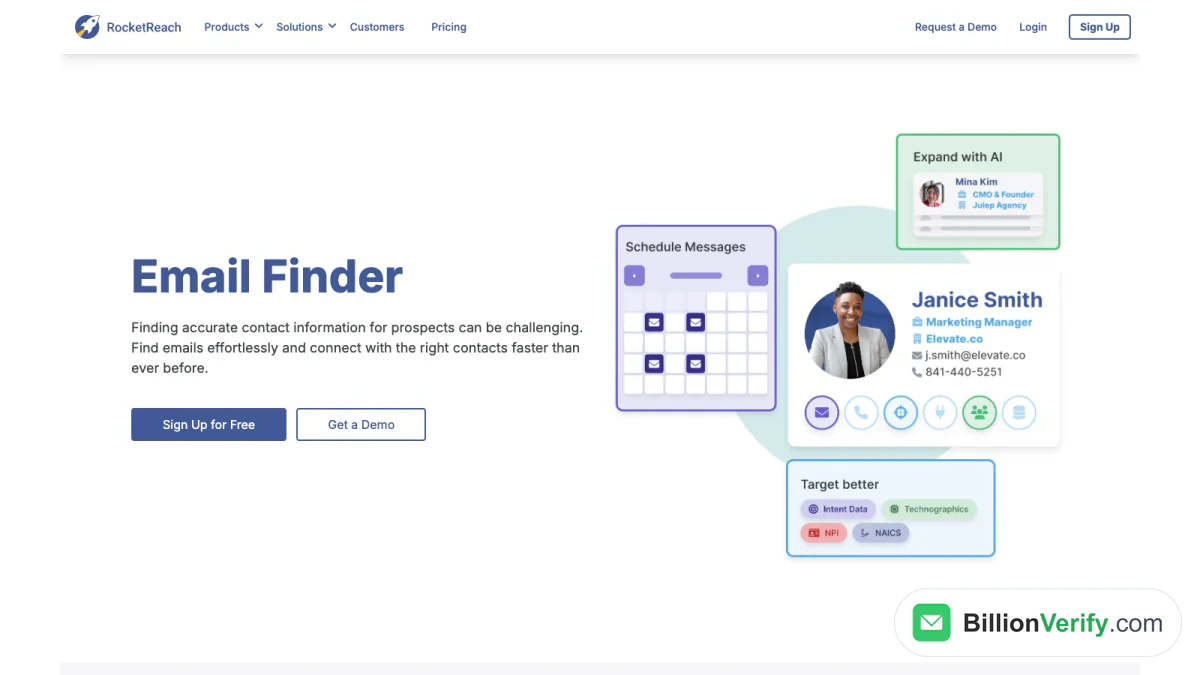
Screenshot: RocketReach's Email Finder overview.
Behind each search, RocketReach lists:
- Profiles: "700M profiles and 60M companies."
- Filters: "over 100 search filters, including job title, location, industry, and more."
- Outreach: you can "email prospects directly within the RocketReach platform."
- Integrations: "Salesforce, HubSpot, Zapier, Outreach, and more."
So the RocketReach email finder has two jobs. First, it helps you find the right person. Second, it reveals how to reach that person. Our guide to RocketReach search covers the first job. This guide focuses on the second: the RocketReach email lookup itself.
RocketReach official email finder FAQs
RocketReach answers five common questions there. They cover accuracy, database size, outreach, alternatives and integrations.
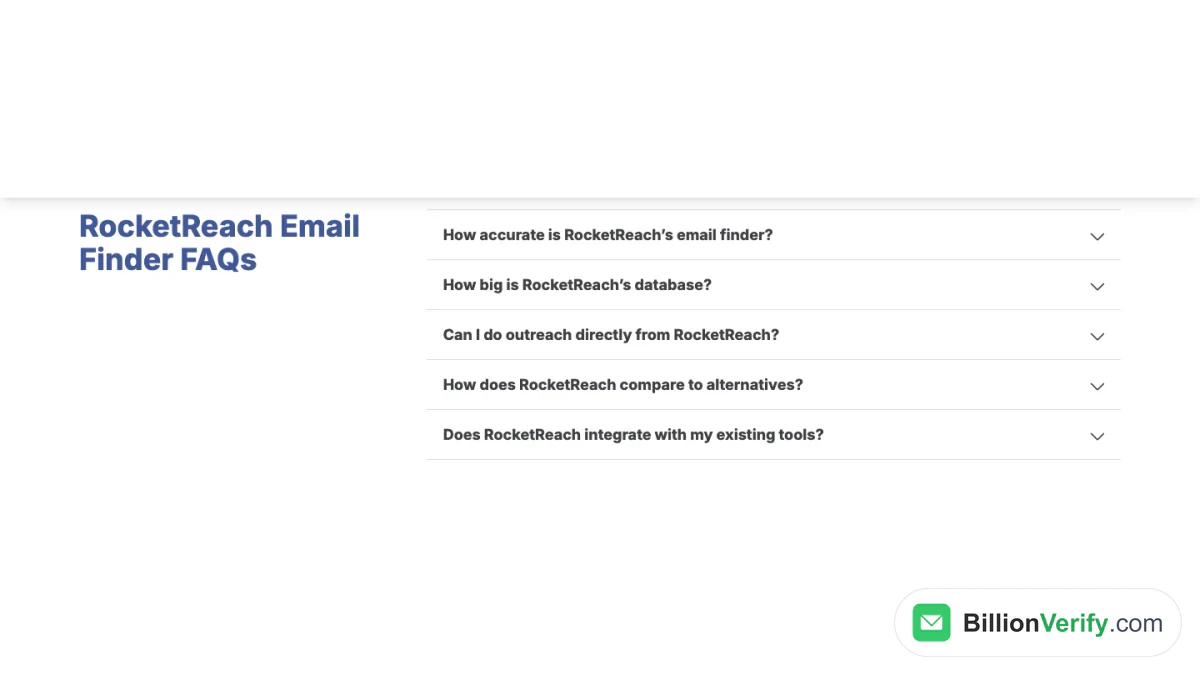
Screenshot: Email Finder FAQs.
We quote the useful parts of those answers in the sections below.
How a RocketReach Email Lookup Works
The RocketReach email finder follows the same path every time. Here is what happens, in RocketReach's own words where possible.
Step 1: Find the person
Search by name, company, title or location. You can also open the extension on a profile or a company site. At first, the record hides how to reach the person.
Step 2: Press Get Contact Info
The help article on how a contact lookup is counted explains this button. "Clicking 'Get Contact' initiates a real-time search and validation of the profile, so that you always see the most up to date information."
Step 3: RocketReach predicts and checks the address
RocketReach's data quality overview describes the check: "Every time a user does a lookup we run email prediction + verification steps in real time."
Note the word "prediction." Some addresses come from records RocketReach already holds. Others are built from a company's usual format and then tested.
Step 4: Read the result
The lookup shows the email addresses RocketReach found, with a grade for each. Verified data "is always indicated by a green icon next to the email address or phone number," per the help center.
Step 5: Save, export or send
The contact is saved inside RocketReach. From there you can export it, sync it to a CRM or send a message. Exports use a separate kind of credit, covered below.
Where RocketReach Emails Come From
RocketReach names five sources in that same data quality overview. They are "licensed datasets, publicly available information, human-verified data, data sharing cooperative, and proprietary data sources and email algorithms."
The last item matters most for senders. The RocketReach privacy policy says RocketReach "may also infer Personal Data." Its example is "inferring professional email addresses based on common formats used at a particular company."
That is the same pattern a person would follow by hand. If a company uses first.last@, the email finder can build that address for a new name. Our guide to email format shows how those patterns work and where they break.
A format guess is a reasonable start. It can still miss in three common cases:
- Name clashes: two people with the same name, where the second one gets a number.
- Exceptions: executives, contractors or older staff on a different pattern.
- Recent changes: a person who just joined or just left.
RocketReach runs its checks to catch these cases. Some domains, though, make any check hard to finish. We come back to that below.
RocketReach Email Grades: A, A- and B
Each address the RocketReach email finder returns carries a grade. The help article on email type preference lists three: A, A- and B.
RocketReach ties its headline claim to the top grade. Its accuracy article says "98% deliverability for A grade verified email address." That is RocketReach's own figure, not an independent test.
The grades also change how RocketReach itself sends mail. In Autopilot, "emails will be sent only to A and A- email addresses." The article adds: "If the best available email address according to your settings is B grade, no email will be sent."
That rule is a useful signal. RocketReach's own automation skips B-grade addresses. You can apply the same caution to your exports:
- A and A- grades: the addresses RocketReach is most confident in.
- B grade: a usable lead, but worth an extra check before a campaign.
You can filter searches by Email Grade too. RocketReach suggests it to "get the best fill rate."
Professional vs Personal Emails
The RocketReach email finder can return both work and personal addresses. The preference article defines them:
- Professional email: "A work email address, associated with current or past employer."
- Personal email: "A non-work email address, generally from a free/public email service."
Note the words about a past employer. A professional email can belong to an old job. That is one more reason to check an address before a cold email.
How the email type setting affects credits
You can set this preference in Account Settings. The options are All emails, Prefer professional, Only professional, Prefer personal and Only personal.
The setting changes what you pay for. With "Only professional emails," RocketReach says: "you will only be charged a lookup credit when a professional or business email is provided." For B2B outreach, that setting avoids paying for personal addresses you will not use.
The RocketReach Email Finder Tool in Your Browser
The fastest way to use the email finder is the Chrome extension. RocketReach's email finder tool overview calls it "the fastest and easiest way to look up contact and company information, while you're researching."
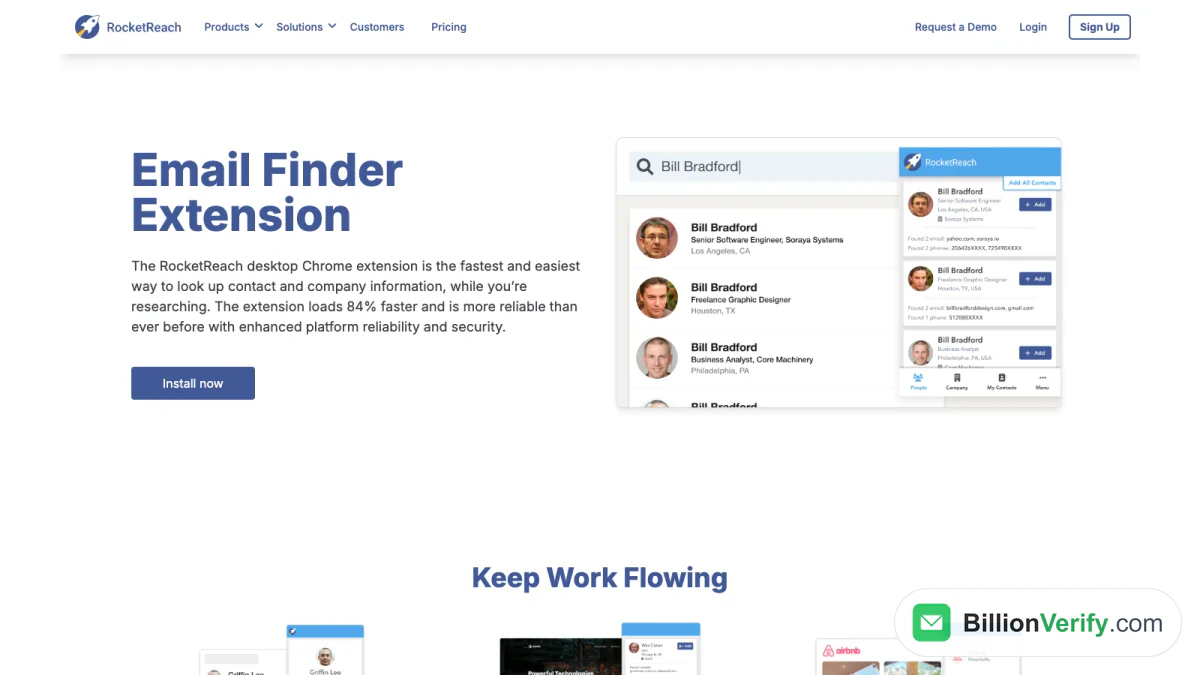
Screenshot: the RocketReach Chrome extension.
What the extension does, per RocketReach:
- On social networks: "Spotted a prospect on a social network? Our easy-to-use Chrome email finder extension gets you that contact's information in just a few clicks!"
- On company websites: it shows "contact info on who works there."
- Company Info tab: firmographics such as "employees, revenue, and contact details."
The extension runs the same RocketReach email finder as the web app. Adding a person in the extension counts as a lookup.
RocketReach Email Lookup Credits
RocketReach separates two actions. The help article Lookup Credits vs. Export Credits puts it simply: "A lookup pulls contact data into RocketReach. An export takes it out."
| Action | Credit type | When it is used |
|---|---|---|
| Get Contact Info in the web app | Lookup | Only when something verified comes back |
| Add in the browser extension | Lookup | Same rule as the web app |
| Same person again | None | A repeat lookup is free |
| CSV download or CRM sync | Export | One per contact exported |
| Autopilot, Upload List, API | Export | Per contact |
Three rules stand out:
- No result, no charge. "If nothing verified is found, no credit is used."
- One credit per person. "1 lookup credit will unlock all of the contact information available for that profile."
- Repeats are free. "Looking up the same person again does not use another credit."
How many lookups you get
In October 2026, RocketReach pricing listed unlimited lookups on annual plans. Monthly billing capped lookups at 100, 250 or 1,000 a month. Free accounts get "5 free lookups with no credit card required." Our RocketReach overview lists the full plan table.
RocketReach Phone Number Lookups
A RocketReach phone number appears in the same lookup as the email. Phones are revealed "with +Phone plans," RocketReach notes.
The same credit rule applies. No verified result means no lookup credit.
Phone data ages like email data. People switch carriers, move desks and leave companies. A phone number that worked last year may now reach someone else. Before you call a number from any data provider, a quick format check helps. Our free phone number validator checks whether a number is valid for its country, shows the line type and formats it as E.164.
RocketReach Email Finder Features at a Glance
| Feature | What RocketReach says | Where |
|---|---|---|
| Search filters | "over 100 search filters" | Email Finder |
| Coverage | 700 million profiles, 60 million companies | Email Finder |
| Real-time checks | Prediction and verification on each lookup | Data quality |
| Email grades | A, A- and B | Help docs |
| Extension | Works on social networks and company sites | Extension |
| API | "4.5B records" | Extension |
| Outreach | Send from inside RocketReach | Email Finder |
| Integrations | CRM and workflow tools | Email Finder |
These are the RocketReach email finder features most buyers ask about. For how they compare with Apollo, ZoomInfo, Lusha and others, see our list of RocketReach alternatives.
RocketReach Verify: Its Own Email Checker
RocketReach also sells a separate email verification product. Its Verify overview says it was "originally built to verify emails across 700M+ professionals" and is "now available in Beta."
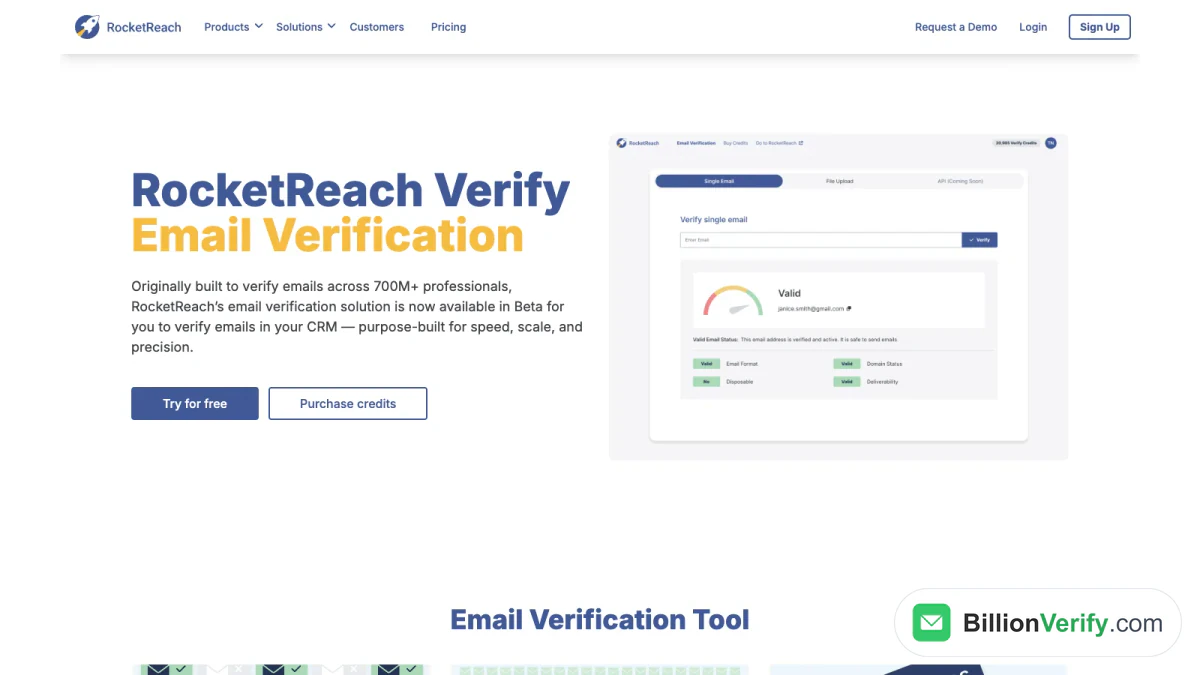
Screenshot: the Verify product, in Beta.
According to the What is RocketReach Verify? article:
- Results: Valid, Catchall, Invalid and Unknown.
- Cost: "1 credit per email address, except if the result is Unknown."
- Free start: ten free credits for every RocketReach customer, once.
- Separate billing: Verify credits "are completely separate from RocketReach subscriptions."
- API: "Verification is not yet available through API."
Do RocketReach emails need another check?
RocketReach answers this on its Verify overview. "Every email you see in RocketReach has already passed these series of verification checks, so you don't need to verify again."
It then adds a time limit. RocketReach recommends "re-verifying emails every 1-2 months since 2-3% of email lists decay monthly." Its support docs put monthly decay at "about 3%."
So the honest answer depends on timing. A fresh RocketReach email lookup was checked at that moment. An export that sat in a CRM for a quarter has aged, by RocketReach's own numbers.
RocketReach Email Lookup Tool vs RocketReach Verify
The two products answer different questions. The RocketReach email lookup tool starts from a person. Verify starts from an address you already have.
| Question | Use |
|---|---|
| Who is this person, and how do I reach them? | RocketReach email lookup tool |
| Is this address I already hold still good? | Verify |
| What is this person's title, employer and phone? | RocketReach email lookup tool |
| Should I mail this list from last quarter? | Verify, or any email verification service |
RocketReach makes the same split in its support docs. Use Verify "if you just want to check whether an email address you already have is valid to use." Use the main product "to discover full contact details like alternate contact info, employer info, job title, etc."
In short, the RocketReach email lookup tool finds people. A verifier keeps the list healthy afterwards. Many teams use both kinds of tool at different stages. To test one address right now, paste it into billionverify.com for a live SMTP check with disposable, role and catch-all flags.
Getting Better Results From the RocketReach Email Lookup Service
A few habits make the RocketReach email lookup service more useful and cheaper to run.
- Set your email type first. Choose professional only for B2B outreach. You stop paying for personal inboxes.
- Filter by Email Grade. RocketReach suggests this to raise your fill rate.
- Search with a company domain. A domain narrows the match and avoids namesakes elsewhere.
- Look up before you export. Lookups and exports use different credits. Reveal first, then export only the contacts you will use.
- Note the lookup date. Add a column for when each contact was revealed. It tells you when a recheck is due.
- Keep A and A- for automation. Send the rest to a manual review queue.
Used this way, the RocketReach email finder features work together. Filters find the person, grades rank the addresses and the extension saves time while you browse.
When to Check RocketReach Emails Again
Data decay is not unique to RocketReach. It applies to every email finder tool and every list. Here are the moments when a second check pays off.
Before a campaign from an old export
If the export is more than a month old, check it again. RocketReach's own advice points to the same window.
When the domain is catch-all
A catch-all domain accepts mail for any name. A server check cannot prove a single mailbox exists there. Verify lists "Catchall" as its own result for this reason.

BillionVerify scans a domain and flags catch-all before you send.
Our free catch-all verifier shows whether a domain accepts every address. We report catch-all as its own result and never count it as valid.
When the best address is B grade
RocketReach's own Autopilot skips these. If your list includes them, check them first.
When you mix sources
Many teams merge RocketReach exports with lists from events, forms and other tools. A single check across the merged file catches duplicates, typos and dead inboxes from every source.
How BillionVerify checks an address
Our guide to RocketReach email verification walks through cleaning an export before it reaches your CRM or sender. Each address goes through these checks:
- Syntax: is the address written correctly?
- Domain and MX records: does the domain accept mail?
- SMTP: does the server accept this mailbox?
- Catch-all: does the domain accept every name?
- Disposable and role addresses: is it a throwaway inbox or a shared box like sales@?
You can also run a single address through our free email verifier. You get 20 free credits each day you use your account, up to 600 a month. They never expire, and no credit card is needed. A valid or invalid result uses one credit. Unknown results are free. Re-checking within 24 hours is free too.
Want context on who runs an address first? Our free reverse email lookup reads the domain, organization, mail routing and public profile signals behind it.
Common RocketReach Email Finder Mistakes
- Treating every grade the same. A and B grades are not equal, even inside RocketReach.
- Sending from a stale export. Lists decay every month.
- Paying for personal emails you will not use. Pick professional only before you start.
- Ignoring catch-all domains. A clean result can hide an unconfirmed mailbox.
- Skipping the format check. Some work addresses are predicted from a pattern.
- Mixing up lookup and export credits. Unlimited lookups do not mean unlimited exports.
RocketReach Email Lookup vs a Manual Search
You can find many work emails without a paid tool. A company site, a press release or a public document often shows the format. Our email format guide explains that method.
The RocketReach email finder saves time at scale. It searches millions of profiles, applies the format and runs checks in one click. The trade-off is cost and credits. For a handful of contacts, a manual search plus a free check may be enough. For hundreds a week, an email finder tool like RocketReach is faster.
Either way, the last step is the same. Check the address before it goes into a campaign, and log the date you checked it.
FAQs
What is the RocketReach email finder?
The RocketReach email finder is the contact lookup built into RocketReach. You find a person and reveal graded work and personal emails. Lookups work in the web app, the extension, Autopilot and the API.
How does the RocketReach email lookup work?
A RocketReach email lookup checks the profile at the moment you open it. RocketReach predicts likely addresses and tests them. Verified results show a green icon.
Is the RocketReach email finder free?
The RocketReach email finder is partly free. A free account includes five lookups, and no card is needed. After that, you need a paid plan. Annual plans list unlimited lookups.
Does a RocketReach email lookup use a credit if nothing is found?
An empty RocketReach email lookup costs nothing: RocketReach charges a lookup credit only when it returns verified contact data. Opening the same person again costs nothing.
What do RocketReach email grades mean?
RocketReach grades each result A, A- or B. It claims its best deliverability on the top grade. Its own Autopilot mails only the two A grades.
Is there a RocketReach email finder tool for Chrome?
Yes, RocketReach offers a Chrome extension for finding emails. The extension reveals contacts while you browse profiles or company sites. A Company Info tab adds firmographics.
Can I find a RocketReach phone number for a contact?
Yes, RocketReach shows phone numbers if your plan covers phones. Each phone number appears beside the email in one lookup.
Do I need to verify emails from RocketReach?
RocketReach says a fresh lookup is already verified. It also recommends re-verifying every one to two months because lists decay. Check older exports, catch-all domains and B-grade addresses before you send.
What is the difference between the RocketReach email finder and the email lookup?
Email finder and email lookup are two names for one RocketReach feature. "Email finder" describes the product as a whole: search, filters and contact reveal. "Email lookup" describes the single action of revealing one person's details, which uses a lookup credit. People search for both terms, and both lead to the same button.
Does the RocketReach email finder work outside the United States?
RocketReach describes itself as global. Its help center says it is "not limited by geography or language." Coverage still varies by country and company size, so test a few known contacts in your market first.
Where is the official RocketReach email finder?
The RocketReach official email finder sits at rocketreach.co/resources/email-finder. Lookups start once you sign in or install the extension.
Watch: How to Validate a Phone Number: Free Phone Number Validator
Watch: Catch-All Email: How Detection Works and Whether to Send