



HubSpot has evolved from a marketing automation pioneer into a comprehensive business platform. Its email marketing, built on a foundation of CRM data, offers sophisticated capabilities for companies wanting unified marketing, sales, and service operations. This guide examines HubSpot's email marketing features, pricing, and whether it's the right choice for your business.
HubSpot at a Glance
| Aspect | Details |
|---|---|
| Founded | 2006 |
| Headquarters | Cambridge, MA |
| Public | NYSE: HUBS |
| Best For | B2B companies, inbound marketing |
| Starting Price | Free; Paid from $20/mo |
| Key Strength | Unified CRM + marketing platform |
Understanding HubSpot's Ecosystem
HubSpot isn't just an ESP—it's a comprehensive platform with multiple "Hubs."
The Hub Structure
Marketing Hub: Email marketing, automation, landing pages, analytics Sales Hub: CRM, pipeline management, sales automation Service Hub: Tickets, knowledge base, customer service CMS Hub: Website building and management Operations Hub: Data sync, automation, reporting
Free CRM: Available to everyone, foundational to all Hubs.
Email marketing primarily lives in Marketing Hub, but integrates seamlessly with other Hubs through the shared CRM.
Email Marketing Features
Email Builder
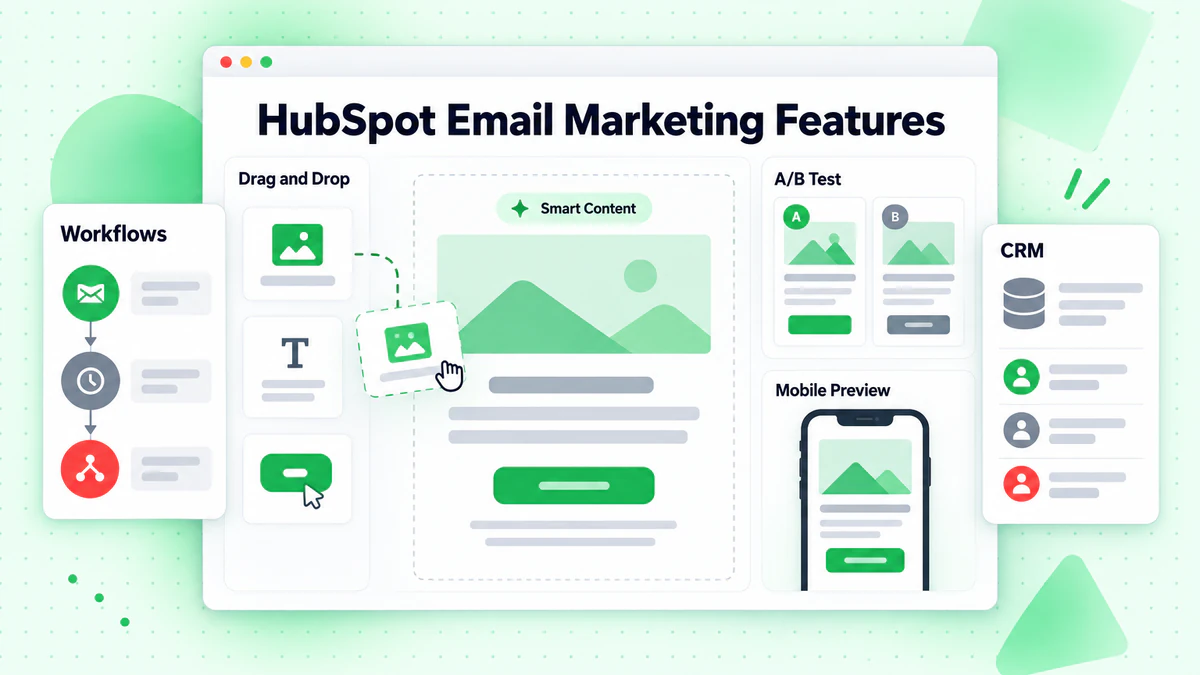
Drag-and-Drop Editor:
- Visual email builder
- Content modules
- Mobile preview
- Smart content (personalization)
- A/B testing
- Template saving
Template Library: Professional templates for various use cases—newsletters, promotions, announcements, nurturing sequences.
Design Capabilities: HubSpot's editor is polished and user-friendly. Most users can create professional emails without design skills.
Personalization
Basic Personalization:
- Contact properties (name, company)
- Deal properties
- Custom properties
- Token fallbacks
Smart Content: Dynamic content that changes based on:
- Contact list membership
- Lifecycle stage
- Country
- Device type
- Referral source
This enables sophisticated personalization without creating multiple email versions.
Automation
Workflows: HubSpot's workflow builder is powerful and intuitive.
Workflow Triggers:
- Form submissions
- Page views
- Email interactions
- List membership
- Deal stage changes
- Contact property changes
- Custom behavioral events
Workflow Actions:
- Send email
- Create task
- Update property
- Add/remove from list
- Internal notifications
- Webhooks
- Delays and branches
Pre-Built Workflows:
- Welcome series
- Lead nurturing
- Re-engagement
- Customer onboarding
- Deal stage follow-up
Automation Quality: HubSpot's workflows are excellent—visual, logical, and powerful without being overwhelming.
Segmentation
List Types:
- Static lists (fixed membership)
- Active lists (dynamic, auto-updating)
Segmentation Criteria:
- Contact properties
- Company properties
- Deal information
- Form submissions
- Page views
- Email engagement
- Event data
- List membership
The CRM foundation enables rich segmentation that pure ESPs can't match.
CRM Integration
This is HubSpot's key differentiator.
Unified Data: Every contact exists in the CRM with complete history:
- Email engagement
- Website activity
- Sales interactions
- Support tickets
- Custom events
Sales and Marketing Alignment:
- Marketing qualified leads flow to sales
- Sales activity informs marketing nurturing
- Closed-loop reporting shows marketing ROI
Analytics and Reporting
Email Analytics:
- Open and click rates
- Click maps
- Device and client data
- Engagement over time
Campaign Analytics:
- Multi-touch attribution
- Revenue attribution
- Campaign performance
- A/B test results
Custom Reporting (Professional+):
- Custom report builder
- Attribution reporting
- Dashboards
- Scheduled reports
Reporting Quality: HubSpot's reporting is strong, especially for understanding how email contributes to revenue.
Additional Marketing Features
Landing Pages: Build landing pages that connect to email campaigns.
Forms: Create forms that capture leads and trigger automations.
Social Media: Schedule and publish social content.
Ads: Manage and track ads from within HubSpot.
SEO Tools: Optimize content for search.
The all-in-one approach means marketing lives in one platform.
Pricing Analysis
HubSpot's pricing can be complex. Here's how email marketing fits in.
Free Tools
HubSpot offers free versions of all Hubs, including email:
Free Email Marketing:
- 2,000 emails/month
- HubSpot branding
- Basic templates
- Forms and landing pages
- Free CRM
Limitations: Branding, limited sends, basic features.
Marketing Hub Pricing
Starter ($20/month):
- 1,000 marketing contacts
- Remove HubSpot branding
- Email marketing basics
- Landing pages and forms
- List segmentation
Professional ($890/month):
- 2,000 marketing contacts
- Marketing automation
- Smart content
- A/B testing
- Custom reporting
- Teams
- Content strategy
Enterprise ($3,600/month):
- 10,000 marketing contacts
- Revenue attribution
- Predictive lead scoring
- Custom behavioral events
- Hierarchical teams
- Single sign-on
Marketing Contacts Pricing
HubSpot charges for "marketing contacts"—those you actively market to:
| Marketing Contacts | Starter | Professional |
|---|---|---|
| 1,000 | $20 | $890 |
| 5,000 | $100 | $1,090 |
| 10,000 | $200 | $1,290 |
| 25,000 | $450 | $1,790 |
| 50,000 | $900 | $2,790 |
Non-Marketing Contacts: Store unlimited contacts in CRM for free—only pay for those you email.
Bundle Options
CRM Suite: Bundles all Hubs at discount.
Starter CRM Suite: $50/month for Starter versions of Marketing, Sales, Service.
Value Analysis
Starter Tier: Reasonable for basic needs if you want HubSpot's CRM integration.
Professional Tier: Significant jump to $890/month. Worth it if you'll use automation, reporting, and A/B testing extensively.
Enterprise Tier: For large organizations needing advanced features and scale.
Consideration: If you only need email, HubSpot's pricing doesn't compete with pure ESPs. The value is in the integrated platform.
Pros and Cons
Pros
Unified Platform: Email, CRM, automation, landing pages, and more in one place. No integration headaches, unified data.
Excellent UX: HubSpot invests heavily in user experience. The platform is intuitive and well-designed.
Free CRM Foundation: Start free and upgrade as needed. The CRM provides rich contact data for personalization.
Strong Automation: Workflows are powerful yet accessible—sophisticated without being overwhelming.
Education and Community: HubSpot Academy, certification, community, and documentation are exceptional.
Sales-Marketing Alignment: Built-in CRM means marketing and sales work from the same data.
Cons
Price Jumps: The gap between Starter ($20) and Professional ($890) is substantial. Many businesses fall awkwardly between.
Email-Only Value: If you only need email marketing, pure ESPs offer better value. HubSpot's value is in the platform.
Complexity: The comprehensive platform can be overwhelming. Smaller teams may not use most features.
Marketing Contacts Model: Understanding what counts as "marketing contacts" and managing the distinction adds complexity.
Add-On Costs: Many features require add-ons or higher tiers. Costs can escalate.
Who Should Use HubSpot
Ideal Users
B2B Companies: HubSpot's lead scoring, nurturing, and sales alignment shine in B2B contexts.
Inbound Marketing Focus: If your strategy involves content marketing, SEO, and lead nurturing, HubSpot was built for this.
Companies Wanting Unified Platform: If managing separate email, CRM, automation, and analytics tools is painful, HubSpot consolidates.
Growing Sales Teams: The Sales Hub integration means marketing-generated leads flow seamlessly to sales.
Content-Heavy Marketing: For businesses producing significant content, HubSpot's blogging, SEO, and nurturing tools integrate well.
Who Should Look Elsewhere
Email-Only Needs: If you just send newsletters, Mailchimp, ConvertKit, or Brevo offer better value.
E-commerce Primary: Klaviyo offers superior e-commerce integration for online stores.
Budget-Constrained: The jump to Professional is significant. Budget-conscious businesses may prefer ActiveCampaign.
Simple Requirements: If you won't use CRM, automation, and analytics, you're paying for unused features.
HubSpot vs. Alternatives
HubSpot vs. ActiveCampaign
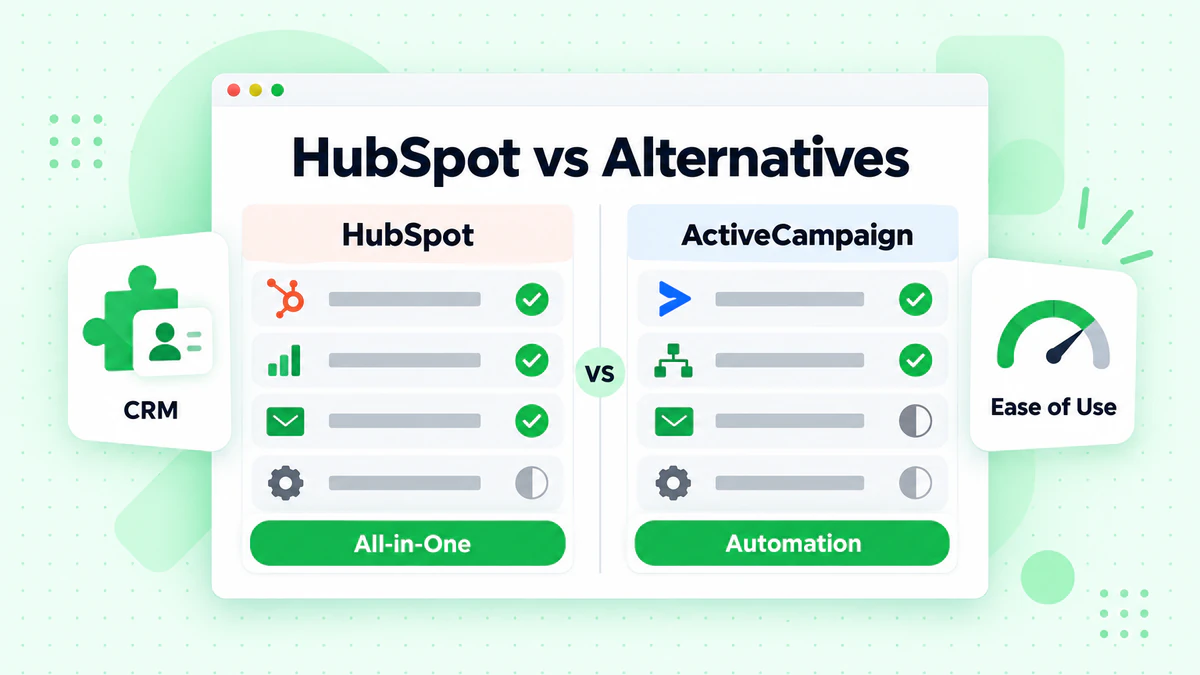
| Factor | HubSpot | ActiveCampaign |
|---|---|---|
| All-in-One | Comprehensive | Email + CRM |
| Automation | Excellent | Excellent |
| CRM Depth | Superior | Good |
| Price (10K contacts) | $890+/mo | ~$139/mo |
| Free Tier | Yes | No |
| Best For | Unified platform | Automation focus |
Choose HubSpot for comprehensive platform and CRM depth. Choose ActiveCampaign for great automation at lower cost.
HubSpot vs. Mailchimp
| Factor | HubSpot | Mailchimp |
|---|---|---|
| Platform Scope | Comprehensive | Marketing focused |
| CRM | Built-in, advanced | Basic/None |
| Automation | Sophisticated | Basic/Moderate |
| Price (10K contacts) | $200-890+/mo | ~$100/mo |
| Ease of Use | Moderate | Easy |
| Best For | B2B, platform | Simple needs |
Choose HubSpot for integrated B2B marketing. Choose Mailchimp for simple, affordable email.
HubSpot vs. Salesforce Marketing Cloud
| Factor | HubSpot | Salesforce MC |
|---|---|---|
| Ease of Use | Good | Complex |
| Integration | Native CRM | Salesforce CRM |
| Price | $890-3,600/mo | $1,250+/mo |
| Enterprise Features | Good | Comprehensive |
| Best For | Mid-market | Large enterprise |
Choose HubSpot for accessible enterprise features. Choose Salesforce for large organizations already in Salesforce ecosystem.
Getting Started with HubSpot
Setup Process
- Create Free Account: Start with free CRM and tools
- Import Contacts: CSV or sync from other tools
- Set Up Email Authentication: SPF, DKIM configuration
- Create First Email: Use templates or custom
- Build Lists: Segment your audience
- Enable Tracking: Install HubSpot tracking code
- Consider Upgrade: Move to paid as needs grow
Quick Wins
Connect to CRM: Even on free, leverage CRM data for better personalization.
Set Up Welcome Email: Create automated welcome for new contacts.
Install Tracking Code: Website tracking enables behavioral triggers and insights.
Best Practices
Maintain List Quality: Use email verification to:
- Verify at signup
- Clean imported lists with bulk verification
- Maintain deliverability
Use Active Lists: Create dynamic segments that auto-update based on behavior.
Leverage CRM Data: Personalize based on deal stage, company info, and engagement history.
Start with Templates: Use HubSpot's templates before custom design.
Conclusion
HubSpot email marketing is powerful—but its value lies in the integrated platform, not email alone. For businesses wanting unified CRM, marketing automation, and analytics, HubSpot delivers exceptional capability. For email-only needs, pure ESPs offer better value.
Key Takeaways:
Platform Value: HubSpot's strength is integration. Email alone doesn't justify the price.
CRM Foundation: The free CRM provides rich data for personalization and automation.
Price Consideration: The Starter-to-Professional jump is significant. Plan carefully.
B2B Strength: Lead nurturing, scoring, and sales alignment make HubSpot ideal for B2B.
Education Investment: HubSpot Academy helps teams maximize the platform.
List Quality Matters: Maintain clean data with email verification for deliverability.
For businesses ready to invest in unified marketing operations, HubSpot delivers sophisticated capabilities. Ensure your contact data is clean with BillionVerify to maximize HubSpot's deliverability and personalization.
For more ESP options, see: