


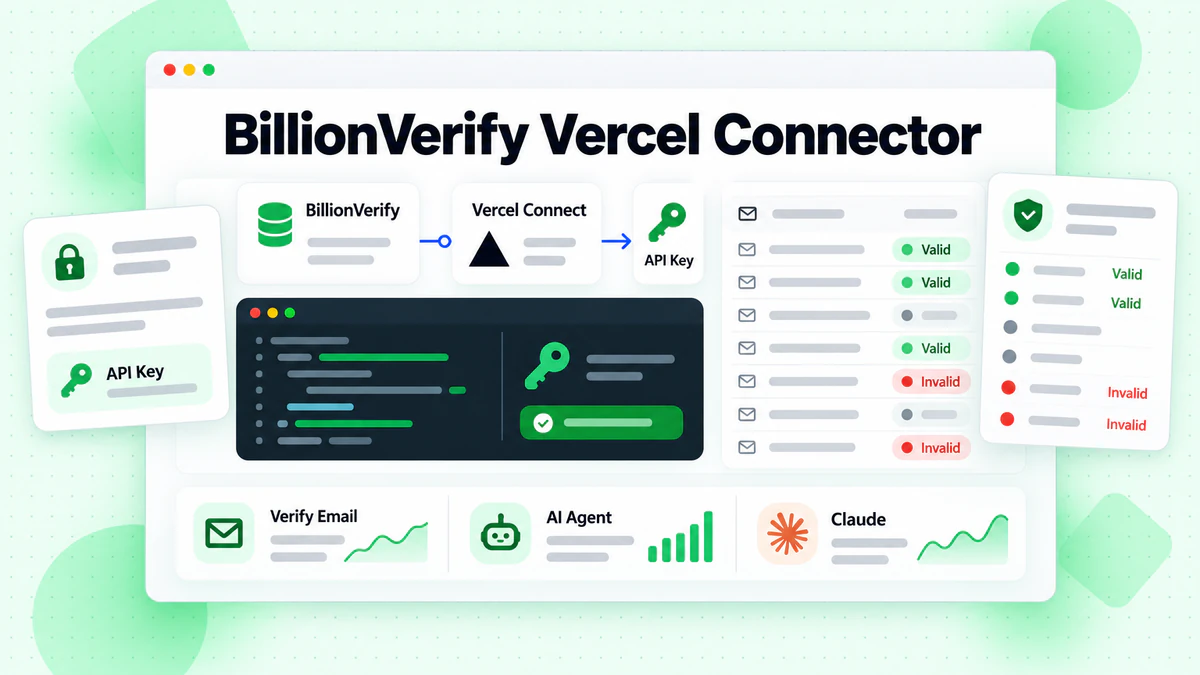
BillionVerify is now listed in Vercel Connect. Open vercel.com/connect/billionverify, or search for "BillionVerify" under Connect in your Vercel dashboard, and add your BillionVerify API key to a connector once. After that, any Vercel project you link can verify email addresses at runtime: your code asks Vercel Connect for the key when it needs it, so the key never sits in an environment variable or in your source code.
The BillionVerify Vercel connector works with the same REST API, credits and verification history you already use. It is the Vercel counterpart of our Claude connector: Claude users verify addresses by asking in chat, and Vercel developers verify them from signup forms, background jobs and AI agents they deploy on Vercel.
Why use Vercel Connect for email verification
Most teams add email verification by pasting an API key into each project's environment variables. That works until you have several projects, preview and production environments, and a few people who can read those variables. Rotating the key then means finding every copy.
Vercel Connect moves the key to one place at the team level:
- One key, many projects. You store your BillionVerify API key on the connector once. Every project you link to it can use it, and none of them keeps its own copy.
- You choose who can use it. A connector only answers token requests from the projects and environments you link to it. See project links in the Vercel docs.
- Requests are logged. Each connector has an Observability tab that records token requests by project, environment and subject.
- Rotation is one edit. Create a new key in BillionVerify, update the connector, and every linked project picks it up.
For AI agents this matters more than for a classic web app. An agent that can call tools should not be able to read raw credentials from its environment. With Vercel Connect the agent's code requests the key at the moment it calls BillionVerify, and the key is never part of the deployment.
How to find BillionVerify in Vercel Connect
There are two ways to reach the BillionVerify Vercel connector. Both lead to the same setup.
From the public Vercel Connect directory
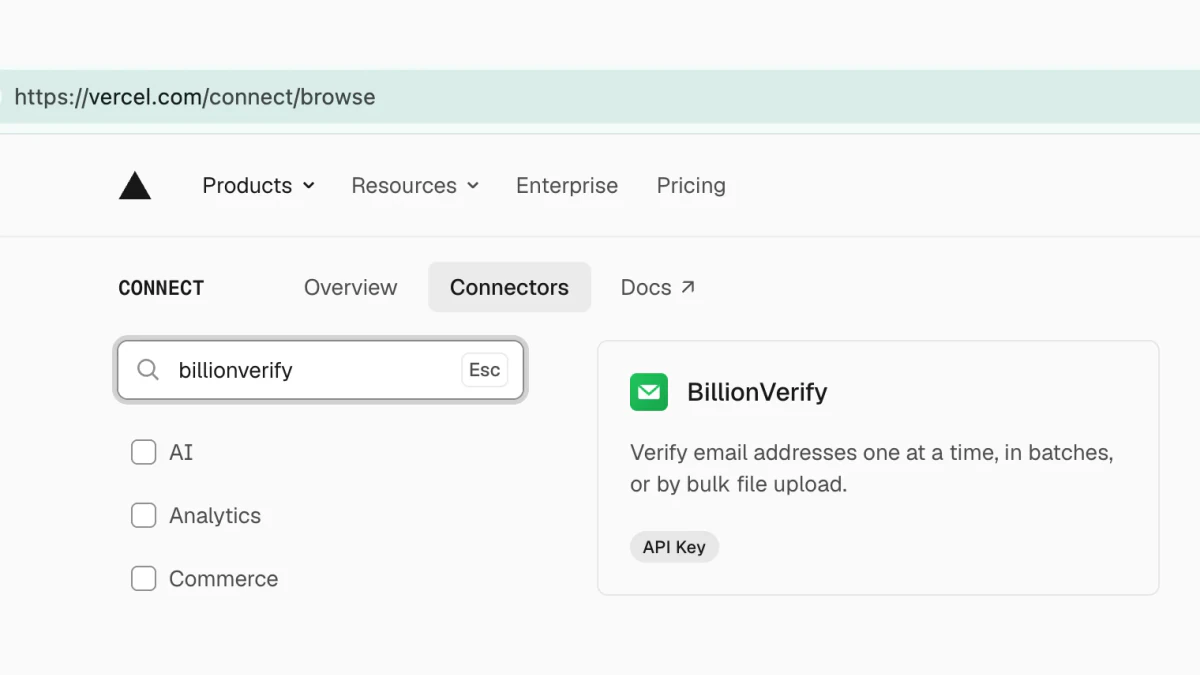
Open vercel.com/connect/browse and type "billionverify" in the search box, or go straight to vercel.com/connect/billionverify. The listing shows the connection method (API Key) and a short description: verify email addresses one at a time, in batches, or by bulk file upload.
From your Vercel dashboard
If you are already signed in to Vercel, open Connect in your team's dashboard, type "billionverify" in the search field, and pick BillionVerify from All Connectors. This is the quickest route when you are setting up a project you already deploy on Vercel.

How to add the BillionVerify connector to your Vercel project
The connector uses an API key from your BillionVerify account. If you don't have an account yet, sign up at billionverify.com first; the free plan gives you 20 credits every day you use your account, up to 600 a month, with no credit card.
Step 1: Create a BillionVerify API key
Sign in and open the API Keys page in your BillionVerify dashboard. Create a key and give it a name that says where it is used, for example "vercel-production", so you can recognise it later in your usage history.
Step 2: Configure the connection in Vercel
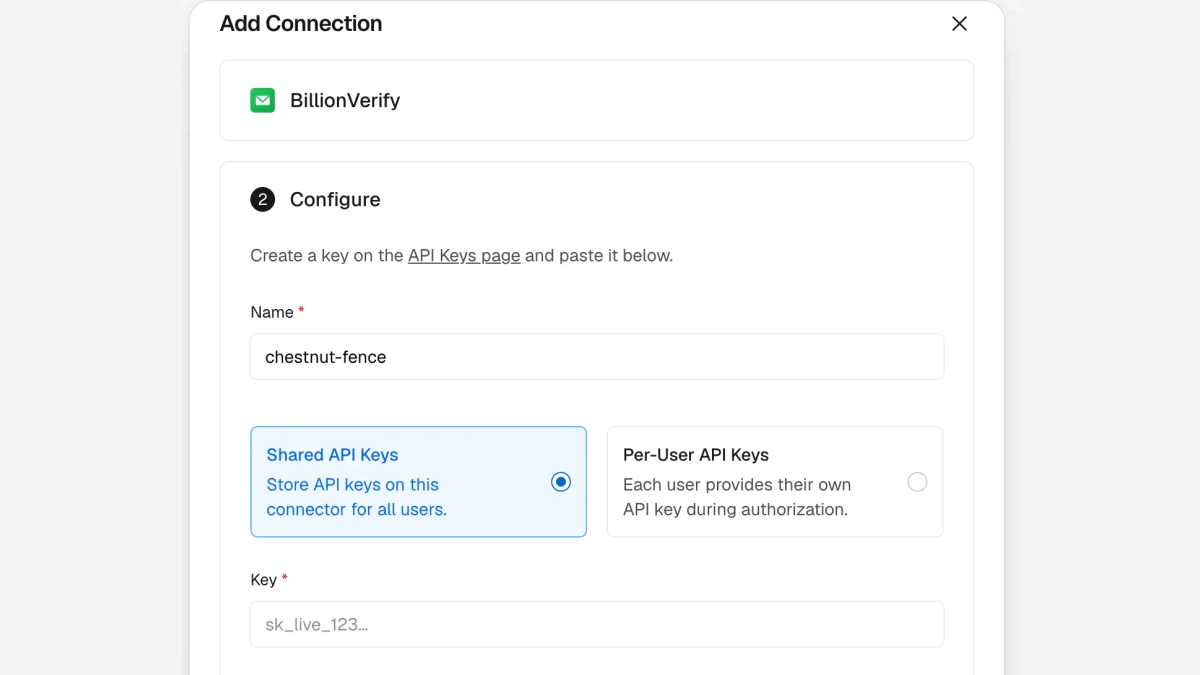
Click BillionVerify in Vercel Connect to open Add Connection, then fill in the Configure step:
- Name. Vercel suggests a random name such as
chestnut-fence. Replace it with something you'll recognise, such asbillionverify-prod. Together with the service it forms the connector ID your code uses:billionverify/billionverify-prod. - UID (optional). Leave it empty and Vercel generates it from the service and connector name.
- Shared API Keys or Per-User API Keys. Shared stores one key on the connector for all users of your app. Per-User asks each of your users to provide their own BillionVerify key when they authorize. The next section explains when to pick which.
- Key. Paste the API key from step 1.
- Scope and Expiration (optional). Set an expiration if your team rotates keys on a schedule; otherwise leave the defaults.
Click Create Connector to save it.
Step 3: Link the projects that may use it
Link the connector to the Vercel projects and environments that should be allowed to verify emails, for example production and preview of your web app, but not an internal tool that has no reason to call BillionVerify. A project that isn't linked gets an error instead of a key.
Prefer the terminal? Use the Vercel CLI
The same setup works from the Vercel CLI. Run it from the project that will use the connector:
vercel link
vercel connect create billionverify --name billionverify-prod
vercel env pull
vercel env pull downloads a short-lived development token into .env.local, so getToken also works when you run the app on your own machine. That file holds a Vercel token, not your BillionVerify key.
Shared API keys or per-user API keys?
Pick Shared API Keys when your own product does the verifying: a signup form that rejects disposable addresses, a nightly job that cleans new leads, an internal agent your team uses. All verifications use your BillionVerify account and your credits.
Pick Per-User API Keys when you build a product for other people who have their own BillionVerify accounts, for example a CRM add-on, a cold email tool or an agent template. Each user brings their own key during authorization, so their verifications use their own credits and show up in their own BillionVerify history.
Call BillionVerify from your code
Install the Vercel Connect SDK in your project:
npm install @vercel/connect
Then request the key with getToken and send it in the BV-API-KEY header. Here is a Next.js route handler that checks one address with a live SMTP check:
// app/api/verify-email/route.ts
import { getToken } from '@vercel/connect';

export async function POST(req: Request) {
  const { email } = await req.json();

  const apiKey = await getToken('billionverify/billionverify-prod', {
    subject: { type: 'app' },
  });

  const res = await fetch('https://api.billionverify.com/v1/verify/single', {
    method: 'POST',
    headers: { 'BV-API-KEY': apiKey, 'Content-Type': 'application/json' },
    body: JSON.stringify({ email, check_smtp: true }),
  });

  const body = await res.json();
  return Response.json(body.data);
}
The response's data object includes status (valid, invalid, catchall, role, disposable or unknown), is_deliverable, is_disposable, is_catchall, is_role and a reason. A signup form usually blocks invalid and disposable addresses, accepts valid ones, and lets catch-all and unknown addresses through with a flag so you can watch how they behave.
The SDK caches the key in memory and reuses it, so it does not call Vercel Connect again for every address you verify.
Verify a batch or a whole file
The same key works for every BillionVerify endpoint:
POST /v1/verify/singlechecks one address, as above.POST /v1/verify/bulkchecks up to 50 addresses in one request. Send{"emails": [...], "check_smtp": true}.POST /v1/verify/fileuploads a CSV for a background job. PollGET /v1/verify/file/{id}and download the results fromGET /v1/verify/file/{id}/results.
A common pattern on Vercel is a cron job that collects the day's new leads, sends them to /v1/verify/bulk in groups of 50, and writes the status back to your database. Request and response details are in the API reference.
Per-user keys in code
With Per-User API Keys, pass the signed-in user's ID as the subject:
const apiKey = await getToken('billionverify/billionverify-prod', {
  subject: { type: 'user', id: session.user.id },
});
If that user hasn't provided a key yet, the SDK throws UserAuthorizationRequiredError. Catch it and show a "Connect your BillionVerify account" step in your UI. The other error classes are listed in Vercel's token documentation.
Use BillionVerify in AI agents on Vercel
If you build an agent on Vercel, give it a "verify email" tool whose code calls getToken and then BillionVerify, exactly like the route handler above. The model decides when to verify an address; the key stays in Vercel Connect and never appears in the prompt, the tool output or the agent's environment.
The same API key also powers our other agent integrations:
- MCP server.
BILLIONVERIFY_API_KEY=your-key npx billionverify-mcpruns our MCP server locally with the same 11 tools as the hosted version. Setup for each client is in the MCP guide. - Agent skill. Coding agents can install the BillionVerify skill with
npx skills add BillionVerify/billionverify-skill. More in Agent Skills.
How credits work
Verifying through the Vercel connector costs the same as verifying anywhere else in BillionVerify: one credit for a definite result. Unknown, disposable and badly formatted addresses are free, and so is checking the same address again within 24 hours. Catch-all addresses are reported as catch-all, not counted as valid, so you decide how to treat them.
Vercel bills its own token requests separately, according to Vercel Connect pricing. Because the SDK caches the key, one token request usually covers many verifications.
BillionVerify is also in Claude
Earlier this month BillionVerify was listed in Claude's connector directory. If you or your team work in Claude, you can connect BillionVerify there with your account, no API key needed, and ask Claude to verify an address or clean a list of up to 50 in chat. Read BillionVerify Is Now in Claude's Connector Directory for the setup.
Claude is for checking addresses while you work. The Vercel connector is for the checks your own apps and agents run on their own.
FAQs
What is the BillionVerify Vercel connector?
It's BillionVerify's listing in Vercel Connect. You store your BillionVerify API key on a connector once, and the Vercel projects you link to it can request that key at runtime to call the BillionVerify email verification API.
Do I still need to put my API key in environment variables?
No. The key lives on the connector. Your code gets it with getToken from @vercel/connect, which authenticates your deployment to Vercel Connect automatically.
Does verifying emails through Vercel cost extra?
Not on the BillionVerify side. Verifications use the credits in your BillionVerify account at the normal rate. Vercel charges for its own token requests under its Vercel Connect pricing.
Should I choose Shared API Keys or Per-User API Keys?
Shared API Keys when your own app verifies addresses with your account. Per-User API Keys when you build a product whose users each have their own BillionVerify account and should pay for their own verifications.
Can I use the connector outside a Vercel deployment?
Yes. For local development, vercel env pull gives you a development token. In other environments, such as external CI, you can pass a Vercel access token to getToken with the vercelToken option. You can also call the BillionVerify API directly with your key, without Vercel Connect.
Does the Vercel connector work with the hosted MCP server?
The hosted MCP server at mcp.billionverify.com signs you in with OAuth, which is what the Claude connector uses. The Vercel connector holds an API key, which works with the REST API, the billionverify-mcp npm package and the agent skill.
Add BillionVerify in Vercel Connect
Open vercel.com/connect/billionverify, paste your BillionVerify API key, link your project, and verify the next signup or lead before it reaches your list.