



建置收集電子郵件地址的應用程式需要的不僅僅是基本的表單驗證。郵箱驗證 API 提供了基礎設施,用於在電子郵件地址進入您的資料庫之前確認它們是真實的、可送達的和安全使用的。本綜合指南涵蓋了開發者將郵箱驗證 API 整合到應用程式中所需瞭解的一切,從身份驗證和端點到錯誤處理和優化策略。
理解郵箱驗證 API
郵箱驗證 API 是一種接受電子郵件地址並返回詳細驗證結果的 Web 服務。與僅檢查格式的客戶端驗證不同,這些 API 執行全面的伺服器端檢查,包括語法驗證、網域驗證、MX 記錄查找、SMTP 驗證,以及額外的智慧偵測,如一次性郵箱偵測和全域捕獲識別。
像 BillionVerify 這樣的專業郵件驗證器服務透過 RESTful API 公開其驗證功能,允許開發者將電子郵件驗證直接整合到註冊流程、資料處理管道和批次驗證工作流程中。
為什麼使用郵箱驗證 API?
即時驗證 在使用者註冊或表單提交期間即時驗證郵箱地址。使用者會立即收到關於無效地址的回饋,從第一次互動開始就提高資料品質。透過郵件列表建設最佳實踐可以進一步改善。
可擴展的基礎設施 建置和維護電子郵件驗證基礎設施需要大量資源。API 提供對分散式驗證系統、乾淨的 IP 信譽池和持續更新的智慧偵測的存取,無需運維開銷。
全面的檢查 專業的郵箱驗證 API 結合了多種驗證技術,這些技術需要大量的開發工作才能複製。一次 API 呼叫就可以執行語法驗證、網域檢查、SMTP 驗證、一次性郵箱偵測等等。
準確性和可靠性 郵件驗證器服務在準確性方面投入巨大。它們維護一次性網域資料庫,追蹤全域捕獲設定,並實施隨著時間推移不斷改進的複雜偵測演算法。
API 身份驗證方法
保護 API 存取是任何郵箱驗證整合的基礎。大多數服務提供多種身份驗證機制以適應不同的用例。
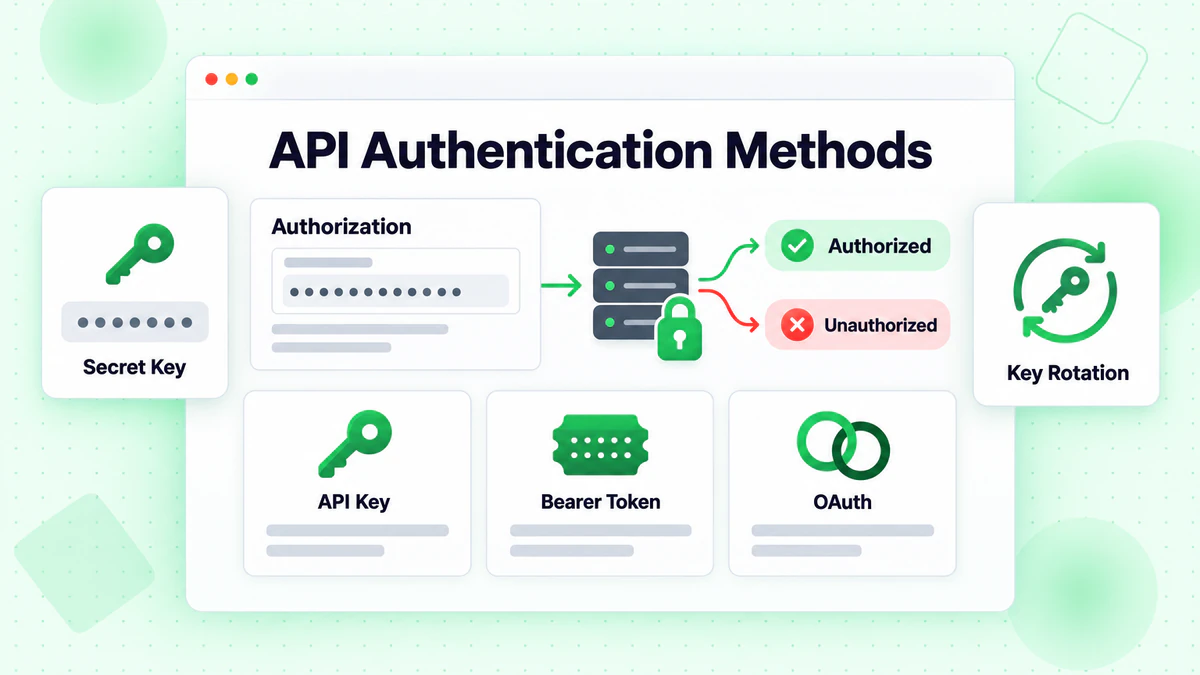
API 金鑰身份驗證
最常見的身份驗證方法是使用在請求標頭或查詢參數中傳遞的 API 金鑰。API 金鑰在允許使用追蹤和速率限制的同時提供簡單的整合。
基於標頭的身份驗證
const response = await fetch('https://api.billionverify.com/v1/verify', {
  method: 'POST',
  headers: {
    'Authorization': 'Bearer YOUR_API_KEY',
    'Content-Type': 'application/json'
  },
  body: JSON.stringify({ email: 'user@example.com' })
});
帶有 Bearer token 的 Authorization 標頭是推薦的方法。它將憑證排除在 URL 之外,防止意外記錄在伺服器存取日誌中。
查詢參數身份驗證
某些 API 接受作為查詢參數的金鑰,以在某些情境中實現更簡單的整合:
GET https://api.billionverify.com/v1/verify?email=user@example.com&api_key=YOUR_API_KEY
雖然方便,但查詢參數身份驗證會在日誌和瀏覽器歷史記錄中暴露憑證。盡可能使用基於標頭的身份驗證。
API 金鑰最佳實踐
環境變數 永遠不要在原始程式碼中硬編碼 API 金鑰。將它們儲存在環境變數中:
const apiKey = process.env.BV_API_KEY;
金鑰輪換 定期輪換 API 金鑰,如果懷疑受到威脅則立即輪換。大多數服務允許多個活動金鑰以實現無縫輪換。
按環境分離金鑰 為開發、預發布和生產環境使用不同的 API 金鑰。這可以防止測試流量影響生產配額並簡化除錯。
限制金鑰權限 如果 API 支援範圍權限,則將每個金鑰限制為僅其需要的操作。僅用於單個電子郵件驗證的金鑰不需要批次處理權限。
核心 API 端點
郵箱驗證 API 通常為不同的用例提供端點。瞭解每個端點的目的有助於為您的整合選擇正確的方法。
單個電子郵件驗證
基本端點每個請求驗證一個郵箱地址:
POST /v1/verify
{
  "email": "user@example.com"
}
回應結構
{
  "email": "user@example.com",
  "is_valid": true,
  "is_deliverable": true,
  "is_disposable": false,
  "is_role_based": false,
  "is_catch_all": false,
  "is_free_provider": true,
  "syntax_valid": true,
  "domain_valid": true,
  "mx_found": true,
  "smtp_check": "passed",
  "risk_score": 15,
  "suggestion": null,
  "verification_time_ms": 1234
}
關鍵回應欄位
| 欄位 | 類型 | 描述 |
|---|---|---|
is_valid | boolean | 總體有效性評估 |
is_deliverable | boolean | 郵箱是否可以接收訊息 |
is_disposable | boolean | 臨時/一次性電子郵件地址 |
is_role_based | boolean | 通用地址如 info@, support@ |
is_catch_all | boolean | 網域接受所有地址 |
smtp_check | string | SMTP 驗證結果 |
risk_score | number | 風險評估 (0-100,越低越好) |
suggestion | string | 如果偵測到則提供拼寫錯誤糾正建議 |
批次電子郵件驗證
對於驗證大型清單,批次端點接受多個電子郵件:
POST /v1/verify/batch
{
  "emails": [
    "user1@example.com",
    "user2@example.com",
    "user3@example.com"
  ]
}
批次端點並行處理電子郵件,返回結果比順序單郵箱請求更快。大多數服務限制批次大小(通常每個請求 100-1000 封電子郵件),並可能非同步處理非常大的批次。
批次檔案上傳
對於太大而無法使用批次端點的清單,檔案上傳 API 處理數百萬條記錄:
const formData = new FormData();
formData.append('file', emailListFile);

const uploadResponse = await fetch('https://api.billionverify.com/v1/bulk/upload', {
  method: 'POST',
  headers: {
    'Authorization': 'Bearer YOUR_API_KEY'
  },
  body: formData
});

const { job_id } = await uploadResponse.json();
檔案上傳端點返回用於追蹤進度的作業 ID。處理完成後檢索結果:
// 檢查作業狀態
const statusResponse = await fetch(
  `https://api.billionverify.com/v1/bulk/status/${job_id}`,
  { headers: { 'Authorization': 'Bearer YOUR_API_KEY' } }
);

const { status, progress, estimated_completion } = await statusResponse.json();

// 完成後下載結果
if (status === 'completed') {
  const resultsResponse = await fetch(
    `https://api.billionverify.com/v1/bulk/download/${job_id}`,
    { headers: { 'Authorization': 'Bearer YOUR_API_KEY' } }
  );
}
Webhook 通知
對於非同步處理,設定 webhook 以在驗證完成時接收通知:
POST /v1/webhooks
{
  "url": "https://yourapp.com/webhooks/email-verification",
  "events": ["bulk.completed", "bulk.failed"],
  "secret": "your_webhook_secret"
}
Webhook 消除了輪詢,提高了批次操作的效率。
錯誤處理策略
強大的錯誤處理確保您的整合在不中斷使用者體驗的情況下優雅地處理失敗。
HTTP 狀態碼
郵箱驗證 API 使用標準的 HTTP 狀態碼:
| 代碼 | 含義 | 操作 |
|---|---|---|
| 200 | 成功 | 處理回應 |
| 400 | 錯誤的請求 | 修復請求格式 |
| 401 | 未授權 | 檢查 API 金鑰 |
| 403 | 禁止存取 | 檢查權限 |
| 404 | 未找到 | 檢查端點 URL |
| 429 | 速率限制 | 實施退避 |
| 500 | 伺服器錯誤 | 帶退避重試 |
| 503 | 服務不可用 | 稍後重試 |
實施重試邏輯
網路問題和瞬態錯誤需要重試機制:
async function verifyEmailWithRetry(email, maxRetries = 3) {
  const delays = [1000, 2000, 4000]; // 指數退避

  for (let attempt = 0; attempt < maxRetries; attempt++) {
    try {
      const response = await fetch('https://api.billionverify.com/v1/verify', {
        method: 'POST',
        headers: {
          'Authorization': `Bearer ${process.env.BV_API_KEY}`,
          'Content-Type': 'application/json'
        },
        body: JSON.stringify({ email })
      });

      if (response.status === 429) {
        // 速率受限 - 等待並重試
        const retryAfter = response.headers.get('Retry-After') || delays[attempt];
        await sleep(parseInt(retryAfter) * 1000);
        continue;
      }

      if (response.status >= 500) {
        // 伺服器錯誤 - 帶退避重試
        await sleep(delays[attempt]);
        continue;
      }

      if (!response.ok) {
        throw new Error(`API error: ${response.status}`);
      }

      return await response.json();

    } catch (error) {
      if (attempt === maxRetries - 1) {
        throw error;
      }
      await sleep(delays[attempt]);
    }
  }
}

function sleep(ms) {
  return new Promise(resolve => setTimeout(resolve, ms));
}
處理驗證結果
並非每次驗證都返回確定的答案。適當處理不確定的結果:
function handleVerificationResult(result) {
  if (result.is_valid && result.is_deliverable) {
    return { status: 'valid', action: 'accept' };
  }

  if (!result.syntax_valid || !result.domain_valid) {
    return { status: 'invalid', action: 'reject' };
  }

  if (result.is_disposable) {
    return { status: 'risky', action: 'reject_or_warn' };
  }

  if (result.is_catch_all) {
    // 無法明確驗證 - 考慮謹慎接受並監控
    return { status: 'uncertain', action: 'accept_with_caution' };
  }

  if (result.risk_score > 70) {
    return { status: 'high_risk', action: 'manual_review' };
  }

  return { status: 'unknown', action: 'accept_with_monitoring' };
}
速率限制和優化
郵箱驗證 API 實施速率限制以確保公平使用和系統穩定性。有效的整合尊重這些限制,同時最大化吞吐量。
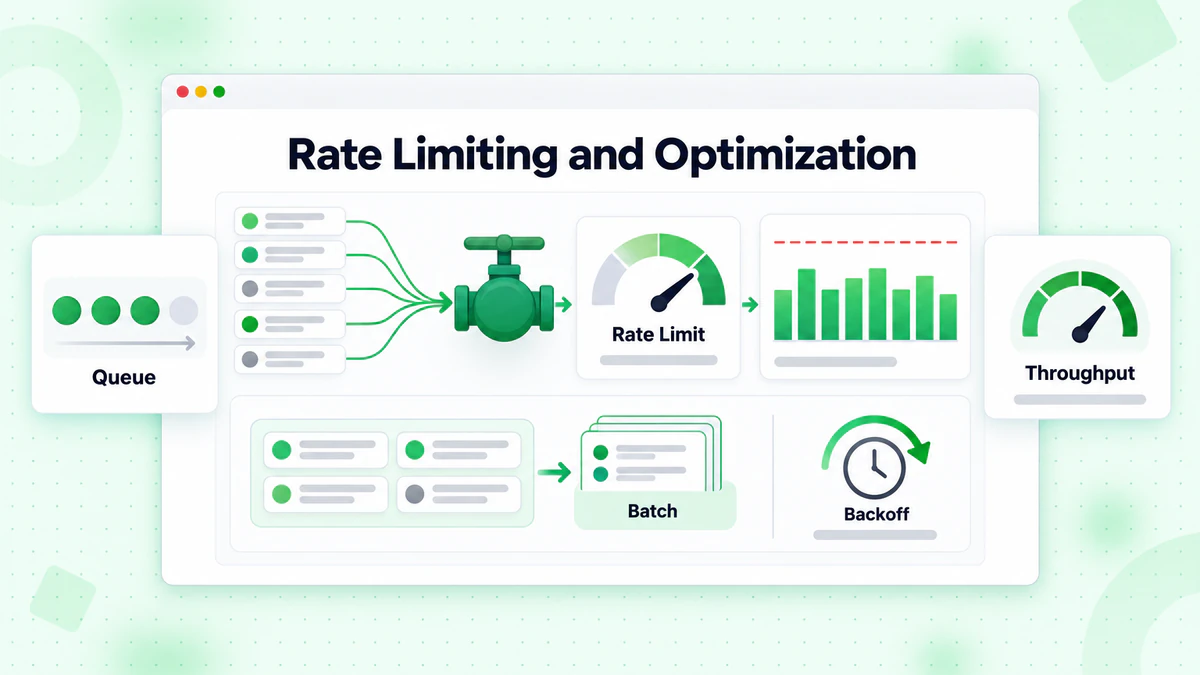
理解速率限制
速率限制通常應用於多個級別:
- 每秒請求數:每秒最大 API 呼叫次數
- 每分鐘/小時請求數:持續速率限制
- 每日/每月配額:總驗證額度
- 並行連接數:同時請求限制
檢查回應標頭以獲取速率限制資訊:
const response = await fetch('https://api.billionverify.com/v1/verify', {
  // ... 請求選項
});

const rateLimit = response.headers.get('X-RateLimit-Limit');
const remaining = response.headers.get('X-RateLimit-Remaining');
const resetTime = response.headers.get('X-RateLimit-Reset');

console.log(`Rate limit: ${remaining}/${rateLimit}, resets at ${resetTime}`);
實施速率限制
主動管理請求速率以避免達到限制:
class RateLimiter {
  constructor(requestsPerSecond) {
    this.interval = 1000 / requestsPerSecond;
    this.lastRequest = 0;
  }

  async waitForSlot() {
    const now = Date.now();
    const timeSinceLastRequest = now - this.lastRequest;

    if (timeSinceLastRequest < this.interval) {
      await sleep(this.interval - timeSinceLastRequest);
    }

    this.lastRequest = Date.now();
  }
}

// 用法
const limiter = new RateLimiter(10); // 每秒 10 個請求

async function verifyEmailsWithRateLimit(emails) {
  const results = [];

  for (const email of emails) {
    await limiter.waitForSlot();
    const result = await verifyEmail(email);
    results.push(result);
  }

  return results;
}
批次處理優化
驗證多封電子郵件時最大化效率:
使用批次端點 為每封電子郵件傳送單獨請求會浪費網路往返。批次端點每個請求驗證多封電子郵件:
// 低效:100 個單獨請求
for (const email of emails) {
  await verifyEmail(email);
}

// 高效:1 個批次請求
const results = await verifyEmailBatch(emails);
分塊大型清單 將非常大的清單拆分為最佳批次大小:
function chunkArray(array, chunkSize) {
  const chunks = [];
  for (let i = 0; i < array.length; i += chunkSize) {
    chunks.push(array.slice(i, i + chunkSize));
  }
  return chunks;
}

async function verifyLargeList(emails) {
  const chunks = chunkArray(emails, 100); // 每批 100 封電子郵件
  const results = [];

  for (const chunk of chunks) {
    const batchResults = await verifyEmailBatch(chunk);
    results.push(...batchResults);
  }

  return results;
}
帶限制的並行處理 在遵守速率限制的同時並行處理多個批次:
async function verifyWithConcurrency(emails, concurrency = 5) {
  const chunks = chunkArray(emails, 100);
  const results = [];

  for (let i = 0; i < chunks.length; i += concurrency) {
    const batch = chunks.slice(i, i + concurrency);
    const batchResults = await Promise.all(
      batch.map(chunk => verifyEmailBatch(chunk))
    );
    results.push(...batchResults.flat());
  }

  return results;
}
快取策略
快取驗證結果可減少 API 成本並提高重複電子郵件的回應時間。
何時快取
在以下情況下快取驗證結果:
- 同一封電子郵件可能被多次驗證
- 即時驗證不是關鍵
- 成本優化很重要
不要快取當:
- 新鮮度至關重要(例如,高價值交易)
- 在您的用例中電子郵件狀態經常變化
- 儲存成本超過 API 成本
快取實作
class VerificationCache {
  constructor(ttlMs = 24 * 60 * 60 * 1000) { // 24 小時預設 TTL
    this.cache = new Map();
    this.ttl = ttlMs;
  }

  get(email) {
    const entry = this.cache.get(email.toLowerCase());

    if (!entry) return null;

    if (Date.now() > entry.expiry) {
      this.cache.delete(email.toLowerCase());
      return null;
    }

    return entry.result;
  }

  set(email, result) {
    this.cache.set(email.toLowerCase(), {
      result,
      expiry: Date.now() + this.ttl
    });
  }
}

// 用法
const cache = new VerificationCache();

async function verifyEmailCached(email) {
  const cached = cache.get(email);
  if (cached) {
    return { ...cached, fromCache: true };
  }

  const result = await verifyEmail(email);
  cache.set(email, result);

  return { ...result, fromCache: false };
}
快取 TTL 考慮因素
不同的結果類型需要不同的快取持續時間:
| 結果類型 | 推薦 TTL | 理由 |
|---|---|---|
| 無效語法 | 30 天 | 不會改變 |
| 網域不存在 | 7 天 | 網域很少出現 |
| 有效 + 可送達 | 24-48 小時 | 狀態可能改變 |
| 一次性 | 7 天 | 一次性狀態穩定 |
| 全域捕獲 | 24 小時 | 設定可能改變 |
安全最佳實踐
整合外部 API 引入了超出身份驗證的安全考慮。
輸入驗證
在傳送到 API 之前驗證電子郵件:
function isValidEmailFormat(email) {
  if (typeof email !== 'string') return false;
  if (email.length > 254) return false;

  const emailRegex = /^[^\s@]+@[^\s@]+\.[^\s@]+$/;
  return emailRegex.test(email);
}

async function verifyEmailSafely(email) {
  if (!isValidEmailFormat(email)) {
    return { is_valid: false, reason: 'Invalid format' };
  }

  return await verifyEmail(email);
}
安全日誌記錄
永遠不要記錄完整的 API 金鑰或敏感資料:
function logApiRequest(email, response) {
  // 不要記錄:API 金鑰,生產環境中的完整電子郵件地址
  console.log({
    email_domain: email.split('@')[1],
    status: response.status,
    is_valid: response.is_valid,
    timestamp: new Date().toISOString()
  });
}
僅使用 HTTPS
始終使用 HTTPS 進行 API 通訊。在生產環境中驗證 SSL 憑證:
// Node.js - 生產環境中不要停用憑證驗證
const https = require('https');

const agent = new https.Agent({
  rejectUnauthorized: true // 預設值,但顯式宣告
});
與流行框架整合
Express.js 中介軟體
建立可重複使用的郵箱驗證中介軟體:
const emailVerificationMiddleware = async (req, res, next) => {
  const { email } = req.body;

  if (!email) {
    return next();
  }

  try {
    const result = await verifyEmail(email);
    req.emailVerification = result;

    if (!result.is_valid) {
      return res.status(400).json({
        error: 'Invalid email address',
        details: result
      });
    }

    next();
  } catch (error) {
    // 開放失敗 - 不要在 API 錯誤時阻止註冊
    req.emailVerification = { verified: false, error: error.message };
    next();
  }
};

// 用法
app.post('/register', emailVerificationMiddleware, (req, res) => {
  // req.emailVerification 包含驗證結果
});
React Hook
建立用於前端電子郵件驗證的自訂鉤子:
import { useState, useCallback } from 'react';
import debounce from 'lodash/debounce';

function useEmailVerification() {
  const [result, setResult] = useState(null);
  const [loading, setLoading] = useState(false);
  const [error, setError] = useState(null);

  const verify = useCallback(
    debounce(async (email) => {
      if (!email || !email.includes('@')) {
        setResult(null);
        return;
      }

      setLoading(true);
      setError(null);

      try {
        const response = await fetch('/api/verify-email', {
          method: 'POST',
          headers: { 'Content-Type': 'application/json' },
          body: JSON.stringify({ email })
        });

        const data = await response.json();
        setResult(data);
      } catch (err) {
        setError(err.message);
      } finally {
        setLoading(false);
      }
    }, 500),
    []
  );

  return { verify, result, loading, error };
}
監控和分析
追蹤 API 使用情況和驗證結果以優化您的整合。
要監控的關鍵指標
- API 回應時間:追蹤延遲趨勢
- 錯誤率:按類型監控失敗
- 快取命中率:衡量快取有效性
- 驗證分佈:追蹤有效/無效/風險百分比
- 每次驗證成本:計算實際成本
分析日誌記錄
function logVerification(email, result, metadata) {
  const logEntry = {
    timestamp: new Date().toISOString(),
    email_domain: email.split('@')[1],
    is_valid: result.is_valid,
    is_deliverable: result.is_deliverable,
    is_disposable: result.is_disposable,
    risk_score: result.risk_score,
    response_time_ms: metadata.responseTime,
    from_cache: metadata.fromCache,
    source: metadata.source // 註冊、匯入等
  };

  // 傳送到您的分析系統
  analytics.track('email_verification', logEntry);
}
BillionVerify API 整合
BillionVerify 提供專為開發者設計的綜合郵箱驗證 API。該 API 在一次呼叫中結合了多種驗證技術,提供快速、準確的結果和詳細的見解。
快速開始
async function verifyWithBillionVerify(email) {
  const response = await fetch('https://api.billionverify.com/v1/verify', {
    method: 'POST',
    headers: {
      'Authorization': `Bearer ${process.env.BV_API_KEY}`,
      'Content-Type': 'application/json'
    },
    body: JSON.stringify({ email })
  });

  return await response.json();
}
功能特性
- 即時驗證:單個電子郵件驗證的亞秒級回應時間
- 批次處理:每個請求驗證最多 1000 封電子郵件
- 批次檔案上傳:透過非同步作業處理處理數百萬條記錄
- 全面檢查:語法、網域、MX、SMTP、一次性、全域捕獲偵測
- 風險評分:超越二元有效/無效的細緻風險評估
- 拼寫錯誤建議:偵測並建議常見拼寫錯誤的糾正
- Webhook 支援:接收批次作業完成通知
API 文件提供有關所有端點、回應格式以及多種程式語言整合範例的詳細資訊。
結論
整合郵箱驗證 API 改變了應用程式處理電子郵件資料品質的方式。從註冊期間的即時驗證到現有清單的批次處理,API 提供了全面電子郵件驗證的基礎設施,而無需建置和維護驗證系統的複雜性。
成功整合的關鍵要點:
- 為您的用例選擇正確的端點:即時使用單個驗證,中等清單使用批次,大型資料集使用批次上傳
- 實施強大的錯誤處理,包括重試邏輯和優雅降級
- 透過客戶端節流和高效批次處理尊重速率限制
- 策略性快取以降低成本並提高效能
- 監控和分析驗證結果以持續提高資料品質
無論您是建置新應用程式還是改進現有系統,郵箱驗證 API 都提供了確保資料庫中每個郵箱地址都有效、可送達和安全使用所需的工具。參考我們的郵件營銷最佳實踐指南來了解如何有效使用驗證資料。
立即開始整合,體驗專業電子郵件驗證為您的應用程式資料品質和電子郵件送達率帶來的差異。
使用 Instantly 或 Smartlead 的團隊,在每次活動前透過 BillionVerify 清洗名單,可顯著提升送達率。
在選擇驗證服務商之前,比較 BillionVerify 與 ZeroBounce 在準確率和速度方面的差異。