



Building applications that collect email addresses requires more than basic form validation. An email verification API provides the infrastructure to confirm that email addresses are real, deliverable, and safe to use before they enter your database. This comprehensive guide covers everything developers need to know about integrating email verification APIs into their applications, from authentication and endpoints to error handling and optimization strategies. For foundational concepts, see our complete guide to email verification.
Understanding Email Verification APIs
An email verification API is a web service that accepts email addresses and returns detailed validation results. Unlike client-side validation that only checks format, these APIs perform comprehensive server-side checks including syntax validation, domain verification, MX record lookup, SMTP verification, and additional intelligence like disposable email detection and catch-all domain identification.
Professional email verification services like BillionVerify expose their verification capabilities through RESTful APIs, allowing developers to integrate email validation directly into registration flows, data processing pipelines, and batch verification workflows.
Why Use an Email Verification API?
Real-Time Validation Verify email addresses instantly during user registration or form submission. Users receive immediate feedback about invalid addresses, improving data quality from the first interaction.
Scalable Infrastructure Building and maintaining email verification infrastructure requires significant resources. APIs provide access to distributed verification systems, clean IP reputation pools, and continuously updated intelligence without the operational overhead.
Comprehensive Checks Professional email verification APIs combine multiple validation techniques that would require substantial development effort to replicate. A single API call can perform syntax validation, domain checks, SMTP verification, disposable email detection, and more.
Accuracy and Reliability Email verification services invest heavily in accuracy. They maintain databases of disposable domains, track catch-all configurations, and implement sophisticated detection algorithms that improve over time.
API Authentication Methods
Securing API access is fundamental to any email verification integration. Most services offer multiple authentication mechanisms to suit different use cases.
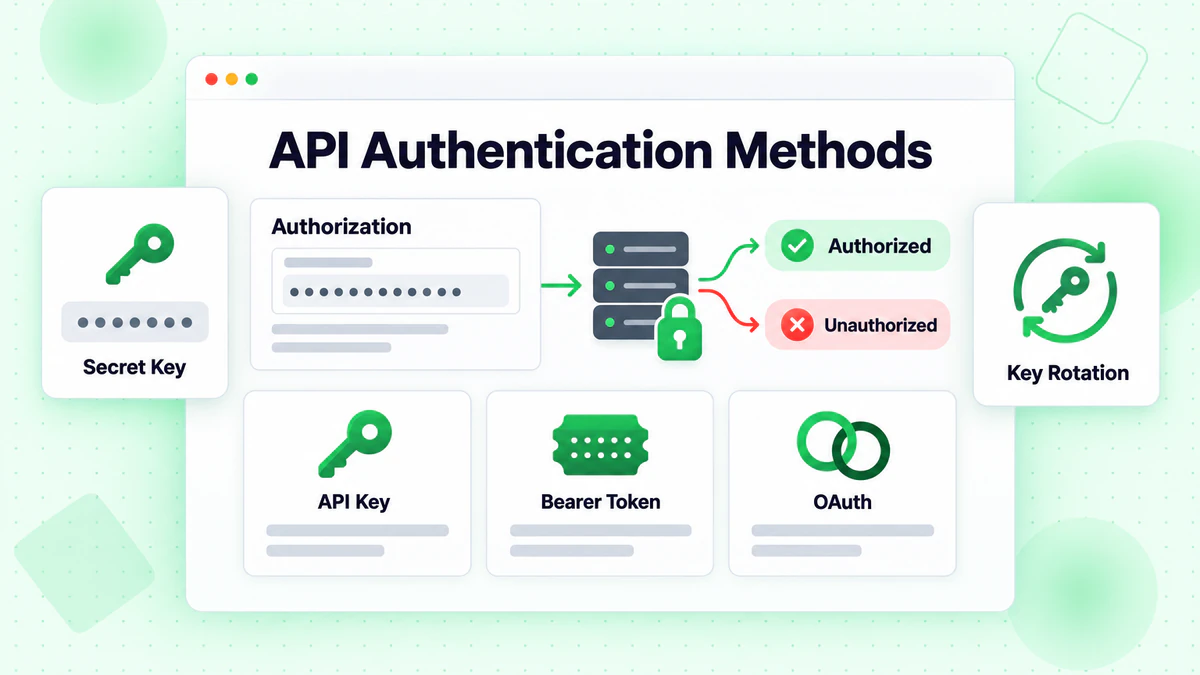
API Key Authentication
The most common authentication method uses API keys passed in request headers or as query parameters. API keys provide simple integration while allowing usage tracking and rate limiting.
Header-Based Authentication
const response = await fetch('https://api.billionverify.com/v1/verify', {
  method: 'POST',
  headers: {
    'Authorization': 'Bearer YOUR_API_KEY',
    'Content-Type': 'application/json'
  },
  body: JSON.stringify({ email: 'user@example.com' })
});
The Authorization header with a Bearer token is the recommended approach. It keeps credentials out of URLs, preventing accidental logging in server access logs.
Query Parameter Authentication
Some APIs accept keys as query parameters for simpler integration in certain contexts:
GET https://api.billionverify.com/v1/verify?email=user@example.com&api_key=YOUR_API_KEY
While convenient, query parameter authentication exposes credentials in logs and browser history. Use header-based authentication when possible.
API Key Best Practices
Environment Variables Never hardcode API keys in source code. Store them in environment variables:
const apiKey = process.env.BV_API_KEY;
Key Rotation Rotate API keys periodically and immediately if compromise is suspected. Most services allow multiple active keys to enable seamless rotation.
Separate Keys by Environment Use different API keys for development, staging, and production. This prevents test traffic from affecting production quotas and simplifies debugging.
Restrict Key Permissions If the API supports scoped permissions, limit each key to only the operations it needs. A key used only for single email verification doesn't need bulk processing permissions.
Core API Endpoints
Email verification APIs typically provide endpoints for different use cases. Understanding each endpoint's purpose helps choose the right approach for your integration.
Single Email Verification
The fundamental endpoint verifies one email address per request:
POST /v1/verify
{
  "email": "user@example.com"
}
Response Structure
{
  "email": "user@example.com",
  "is_valid": true,
  "is_deliverable": true,
  "is_disposable": false,
  "is_role_based": false,
  "is_catch_all": false,
  "is_free_provider": true,
  "syntax_valid": true,
  "domain_valid": true,
  "mx_found": true,
  "smtp_check": "passed",
  "risk_score": 15,
  "suggestion": null,
  "verification_time_ms": 1234
}
Key Response Fields
| Field | Type | Description |
|---|---|---|
is_valid | boolean | Overall validity assessment |
is_deliverable | boolean | Whether email can receive messages |
is_disposable | boolean | Temporary/throwaway email address |
is_role_based | boolean | Generic addresses like info@, support@ |
is_catch_all | boolean | Domain accepts all addresses (see catch-all detection) |
smtp_check | string | SMTP verification result |
risk_score | number | Risk assessment (0-100, lower is better) |
suggestion | string | Typo correction suggestion if detected |
Batch Email Verification
For verifying large lists, batch endpoints accept multiple emails:
POST /v1/verify/batch
{
  "emails": [
    "user1@example.com",
    "user2@example.com",
    "user3@example.com"
  ]
}
Batch endpoints process emails in parallel, returning results faster than sequential single-email requests. Most services limit batch sizes (typically 100-1000 emails per request) and may process very large batches asynchronously.
Bulk File Upload
For lists too large for batch endpoints, file upload APIs handle millions of records:
const formData = new FormData();
formData.append('file', emailListFile);

const uploadResponse = await fetch('https://api.billionverify.com/v1/bulk/upload', {
  method: 'POST',
  headers: {
    'Authorization': 'Bearer YOUR_API_KEY'
  },
  body: formData
});

const { job_id } = await uploadResponse.json();
File upload endpoints return a job ID for tracking progress. Results are retrieved once processing completes:
// Check job status
const statusResponse = await fetch(
  `https://api.billionverify.com/v1/bulk/status/${job_id}`,
  { headers: { 'Authorization': 'Bearer YOUR_API_KEY' } }
);

const { status, progress, estimated_completion } = await statusResponse.json();

// Download results when complete
if (status === 'completed') {
  const resultsResponse = await fetch(
    `https://api.billionverify.com/v1/bulk/download/${job_id}`,
    { headers: { 'Authorization': 'Bearer YOUR_API_KEY' } }
  );
}
Webhook Notifications
For asynchronous processing, configure webhooks to receive notifications when verification completes:
POST /v1/webhooks
{
  "url": "https://yourapp.com/webhooks/email-verification",
  "events": ["bulk.completed", "bulk.failed"],
  "secret": "your_webhook_secret"
}
Webhooks eliminate polling, improving efficiency for bulk operations.
Error Handling Strategies
Robust error handling ensures your integration gracefully handles failures without disrupting user experience.
HTTP Status Codes
Email verification APIs use standard HTTP status codes:
| Code | Meaning | Action |
|---|---|---|
| 200 | Success | Process response |
| 400 | Bad Request | Fix request format |
| 401 | Unauthorized | Check API key |
| 403 | Forbidden | Check permissions |
| 404 | Not Found | Check endpoint URL |
| 429 | Rate Limited | Implement backoff |
| 500 | Server Error | Retry with backoff |
| 503 | Service Unavailable | Retry later |
Implementing Retry Logic
Network issues and transient errors require retry mechanisms:
async function verifyEmailWithRetry(email, maxRetries = 3) {
  const delays = [1000, 2000, 4000]; // Exponential backoff

  for (let attempt = 0; attempt < maxRetries; attempt++) {
    try {
      const response = await fetch('https://api.billionverify.com/v1/verify', {
        method: 'POST',
        headers: {
          'Authorization': `Bearer ${process.env.BV_API_KEY}`,
          'Content-Type': 'application/json'
        },
        body: JSON.stringify({ email })
      });

      if (response.status === 429) {
        // Rate limited - wait and retry
        const retryAfter = response.headers.get('Retry-After') || delays[attempt];
        await sleep(parseInt(retryAfter) * 1000);
        continue;
      }

      if (response.status >= 500) {
        // Server error - retry with backoff
        await sleep(delays[attempt]);
        continue;
      }

      if (!response.ok) {
        throw new Error(`API error: ${response.status}`);
      }

      return await response.json();

    } catch (error) {
      if (attempt === maxRetries - 1) {
        throw error;
      }
      await sleep(delays[attempt]);
    }
  }
}

function sleep(ms) {
  return new Promise(resolve => setTimeout(resolve, ms));
}
Handling Validation Results
Not every verification returns a definitive answer. Handle uncertain results appropriately:
function handleVerificationResult(result) {
  if (result.is_valid && result.is_deliverable) {
    return { status: 'valid', action: 'accept' };
  }

  if (!result.syntax_valid || !result.domain_valid) {
    return { status: 'invalid', action: 'reject' };
  }

  if (result.is_disposable) {
    return { status: 'risky', action: 'reject_or_warn' };
  }

  if (result.is_catch_all) {
    // Can't definitively verify - consider accepting with monitoring
    return { status: 'uncertain', action: 'accept_with_caution' };
  }

  if (result.risk_score > 70) {
    return { status: 'high_risk', action: 'manual_review' };
  }

  return { status: 'unknown', action: 'accept_with_monitoring' };
}
Rate Limiting and Optimization
Email verification APIs implement rate limits to ensure fair usage and system stability. Effective integration respects these limits while maximizing throughput.
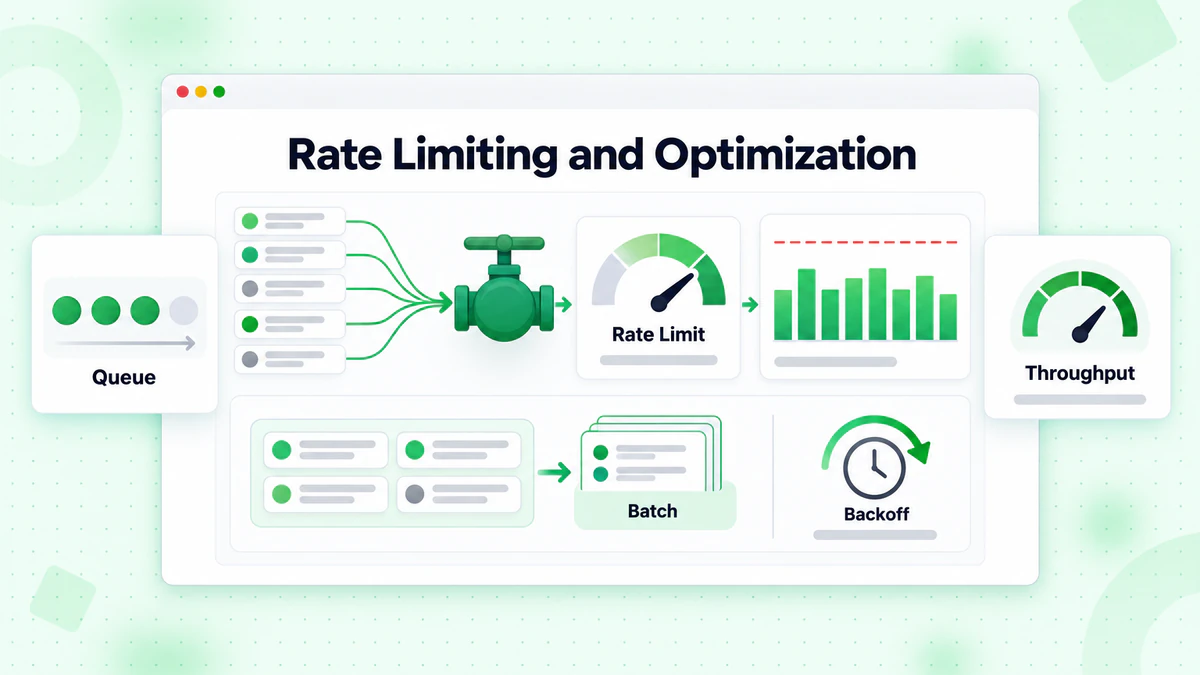
Understanding Rate Limits
Rate limits typically apply at multiple levels:
- Requests per second: Maximum API calls per second
- Requests per minute/hour: Sustained rate limits
- Daily/monthly quotas: Total verification allowance
- Concurrent connections: Simultaneous request limits
Check response headers for rate limit information:
const response = await fetch('https://api.billionverify.com/v1/verify', {
  // ... request options
});

const rateLimit = response.headers.get('X-RateLimit-Limit');
const remaining = response.headers.get('X-RateLimit-Remaining');
const resetTime = response.headers.get('X-RateLimit-Reset');

console.log(`Rate limit: ${remaining}/${rateLimit}, resets at ${resetTime}`);
Implementing Rate Limiting
Proactively manage request rates to avoid hitting limits:
class RateLimiter {
  constructor(requestsPerSecond) {
    this.interval = 1000 / requestsPerSecond;
    this.lastRequest = 0;
  }

  async waitForSlot() {
    const now = Date.now();
    const timeSinceLastRequest = now - this.lastRequest;

    if (timeSinceLastRequest < this.interval) {
      await sleep(this.interval - timeSinceLastRequest);
    }

    this.lastRequest = Date.now();
  }
}

// Usage
const limiter = new RateLimiter(10); // 10 requests per second

async function verifyEmailsWithRateLimit(emails) {
  const results = [];

  for (const email of emails) {
    await limiter.waitForSlot();
    const result = await verifyEmail(email);
    results.push(result);
  }

  return results;
}
Batch Processing Optimization
Maximize efficiency when verifying multiple emails:
Use Batch Endpoints Single requests for each email waste network round-trips. Batch endpoints verify multiple emails per request:
// Inefficient: 100 separate requests
for (const email of emails) {
  await verifyEmail(email);
}

// Efficient: 1 batch request
const results = await verifyEmailBatch(emails);
Chunk Large Lists Split very large lists into optimal batch sizes:
function chunkArray(array, chunkSize) {
  const chunks = [];
  for (let i = 0; i < array.length; i += chunkSize) {
    chunks.push(array.slice(i, i + chunkSize));
  }
  return chunks;
}

async function verifyLargeList(emails) {
  const chunks = chunkArray(emails, 100); // 100 emails per batch
  const results = [];

  for (const chunk of chunks) {
    const batchResults = await verifyEmailBatch(chunk);
    results.push(...batchResults);
  }

  return results;
}
Parallel Processing with Limits Process multiple batches concurrently while respecting rate limits:
async function verifyWithConcurrency(emails, concurrency = 5) {
  const chunks = chunkArray(emails, 100);
  const results = [];

  for (let i = 0; i < chunks.length; i += concurrency) {
    const batch = chunks.slice(i, i + concurrency);
    const batchResults = await Promise.all(
      batch.map(chunk => verifyEmailBatch(chunk))
    );
    results.push(...batchResults.flat());
  }

  return results;
}
Caching Strategies
Caching verification results reduces API costs and improves response times for repeated emails.
When to Cache
Cache verification results when:
- The same email might be verified multiple times
- Real-time verification isn't critical
- Cost optimization is important
Don't cache when:
- Freshness is critical (e.g., high-value transactions)
- Emails change status frequently in your use case
- Storage costs exceed API costs
Cache Implementation
class VerificationCache {
  constructor(ttlMs = 24 * 60 * 60 * 1000) { // 24 hour default TTL
    this.cache = new Map();
    this.ttl = ttlMs;
  }

  get(email) {
    const entry = this.cache.get(email.toLowerCase());

    if (!entry) return null;

    if (Date.now() > entry.expiry) {
      this.cache.delete(email.toLowerCase());
      return null;
    }

    return entry.result;
  }

  set(email, result) {
    this.cache.set(email.toLowerCase(), {
      result,
      expiry: Date.now() + this.ttl
    });
  }
}

// Usage
const cache = new VerificationCache();

async function verifyEmailCached(email) {
  const cached = cache.get(email);
  if (cached) {
    return { ...cached, fromCache: true };
  }

  const result = await verifyEmail(email);
  cache.set(email, result);

  return { ...result, fromCache: false };
}
Cache TTL Considerations
Different result types warrant different cache durations:
| Result Type | Recommended TTL | Reasoning |
|---|---|---|
| Invalid syntax | 30 days | Won't change |
| Domain doesn't exist | 7 days | Domains rarely appear |
| Valid + deliverable | 24-48 hours | Status can change |
| Disposable | 7 days | Disposable status is stable |
| Catch-all | 24 hours | Configuration can change |
Security Best Practices
Integrating external APIs introduces security considerations beyond authentication.
Input Validation
Validate emails before sending to the API:
function isValidEmailFormat(email) {
  if (typeof email !== 'string') return false;
  if (email.length > 254) return false;

  const emailRegex = /^[^\s@]+@[^\s@]+\.[^\s@]+$/;
  return emailRegex.test(email);
}

async function verifyEmailSafely(email) {
  if (!isValidEmailFormat(email)) {
    return { is_valid: false, reason: 'Invalid format' };
  }

  return await verifyEmail(email);
}
Secure Logging
Never log full API keys or sensitive data:
function logApiRequest(email, response) {
  // Don't log: API keys, full email addresses in production
  console.log({
    email_domain: email.split('@')[1],
    status: response.status,
    is_valid: response.is_valid,
    timestamp: new Date().toISOString()
  });
}
HTTPS Only
Always use HTTPS for API communications. Verify SSL certificates in production:
// Node.js - don't disable certificate verification in production
const https = require('https');

const agent = new https.Agent({
  rejectUnauthorized: true // Default, but explicit
});
Integrating with Popular Frameworks
Express.js Middleware
Create reusable middleware for email verification:
const emailVerificationMiddleware = async (req, res, next) => {
  const { email } = req.body;

  if (!email) {
    return next();
  }

  try {
    const result = await verifyEmail(email);
    req.emailVerification = result;

    if (!result.is_valid) {
      return res.status(400).json({
        error: 'Invalid email address',
        details: result
      });
    }

    next();
  } catch (error) {
    // Fail open - don't block registration on API errors
    req.emailVerification = { verified: false, error: error.message };
    next();
  }
};

// Usage
app.post('/register', emailVerificationMiddleware, (req, res) => {
  // req.emailVerification contains verification results
});
React Hook
Create a custom hook for frontend email verification:
import { useState, useCallback } from 'react';
import debounce from 'lodash/debounce';

function useEmailVerification() {
  const [result, setResult] = useState(null);
  const [loading, setLoading] = useState(false);
  const [error, setError] = useState(null);

  const verify = useCallback(
    debounce(async (email) => {
      if (!email || !email.includes('@')) {
        setResult(null);
        return;
      }

      setLoading(true);
      setError(null);

      try {
        const response = await fetch('/api/verify-email', {
          method: 'POST',
          headers: { 'Content-Type': 'application/json' },
          body: JSON.stringify({ email })
        });

        const data = await response.json();
        setResult(data);
      } catch (err) {
        setError(err.message);
      } finally {
        setLoading(false);
      }
    }, 500),
    []
  );

  return { verify, result, loading, error };
}
Monitoring and Analytics
Track API usage and verification results to optimize your integration.
Key Metrics to Monitor
- API response time: Track latency trends
- Error rates: Monitor failures by type
- Cache hit ratio: Measure caching effectiveness
- Verification distribution: Track valid/invalid/risky percentages
- Cost per verification: Calculate actual costs
Logging for Analytics
function logVerification(email, result, metadata) {
  const logEntry = {
    timestamp: new Date().toISOString(),
    email_domain: email.split('@')[1],
    is_valid: result.is_valid,
    is_deliverable: result.is_deliverable,
    is_disposable: result.is_disposable,
    risk_score: result.risk_score,
    response_time_ms: metadata.responseTime,
    from_cache: metadata.fromCache,
    source: metadata.source // registration, import, etc.
  };

  // Send to your analytics system
  analytics.track('email_verification', logEntry);
}
BillionVerify API Integration
BillionVerify provides a comprehensive email verification API designed for developers. The API combines multiple verification techniques in a single call, delivering fast, accurate results with detailed insights.
Quick Start
async function verifyWithBillionVerify(email) {
  const response = await fetch('https://api.billionverify.com/v1/verify', {
    method: 'POST',
    headers: {
      'Authorization': `Bearer ${process.env.BV_API_KEY}`,
      'Content-Type': 'application/json'
    },
    body: JSON.stringify({ email })
  });

  return await response.json();
}
Features
- Real-time verification: Sub-second response times for single email verification
- Batch processing: Verify up to 1000 emails per request
- Bulk file upload: Process millions of records with async job processing
- Comprehensive checks: Syntax, domain, MX, SMTP, disposable, catch-all detection
- Risk scoring: Nuanced risk assessment beyond binary valid/invalid
- Typo suggestions: Detect and suggest corrections for common typos
- Webhook support: Receive notifications for bulk job completion
The API documentation provides detailed information about all endpoints, response formats, and integration examples in multiple programming languages.
Conclusion
Integrating an email verification API transforms how your application handles email data quality. From real-time validation during registration to batch processing of existing lists, APIs provide the infrastructure for comprehensive email verification without the complexity of building and maintaining verification systems.
Key takeaways for successful integration:
- Choose the right endpoint for your use case: single verification for real-time, batch for medium lists, bulk upload for large datasets
- Implement robust error handling with retry logic and graceful degradation
- Respect rate limits through client-side throttling and efficient batching
- Cache strategically to reduce costs and improve performance
- Monitor and analyze verification results to continuously improve data quality
Whether you're building a new application or improving an existing system, email verification APIs like BillionVerify provide the tools needed to ensure every email address in your database is valid, deliverable, and safe to use.
Start your integration today and experience the difference that professional email verification makes for your application's data quality and email deliverability. For help choosing the right solution, see our best email verification service comparison.