



ईमेल पते एकत्र करने वाले applications बनाने के लिए basic form validation से अधिक की आवश्यकता होती है। एक ईमेल सत्यापन API यह confirm करने के लिए infrastructure प्रदान करता है कि ईमेल पते आपके database में enter करने से पहले real, deliverable और उपयोग के लिए safe हैं। यह comprehensive guide developers को अपने applications में ईमेल सत्यापन API को integrate करने के बारे में जानने की जरूरत की हर चीज को cover करता है, authentication और endpoints से लेकर error handling और optimization strategies तक।
ईमेल सत्यापन API को समझना
एक ईमेल सत्यापन API एक web service है जो ईमेल पते accept करता है और detailed validation results return करता है। Client-side validation के विपरीत जो केवल format check करता है, ये APIs comprehensive server-side checks perform करते हैं जिनमें syntax validation, domain verification, MX record lookup, SMTP verification, और additional intelligence जैसे disposable email detection और catch-all domain identification शामिल हैं।
BillionVerify जैसी professional email verification services अपनी verification capabilities को RESTful APIs के माध्यम से expose करती हैं, जिससे developers को registration flows, data processing pipelines, और batch verification workflows में सीधे ईमेल वैलिडेशन integrate करने की अनुमति मिलती है। अधिक विस्तृत implementation निर्देशों के लिए, Developer Guide देखें।
ईमेल सत्यापन API का उपयोग क्यों करें?
Real-Time Validation User registration या form submission के दौरान तुरंत ईमेल पते सत्यापित करें। Users को invalid addresses के बारे में immediate feedback मिलता है, जो पहली interaction से ही data quality में सुधार करता है।
Scalable Infrastructure ईमेल सत्यापन infrastructure को build और maintain करने के लिए significant resources की आवश्यकता होती है। APIs distributed verification systems, clean IP reputation pools, और continuously updated intelligence तक operational overhead के बिना access प्रदान करते हैं।
Comprehensive Checks Professional ईमेल सत्यापन API कई validation techniques को combine करते हैं जिन्हें replicate करने के लिए substantial development effort की आवश्यकता होगी। एक single API call syntax validation, domain checks, SMTP verification, disposable email detection, और बहुत कुछ perform कर सकता है।
Accuracy और Reliability Email verification services accuracy में heavily invest करती हैं। वे disposable domains के databases maintain करती हैं, catch-all configurations को track करती हैं, और sophisticated detection algorithms implement करती हैं जो समय के साथ improve होते हैं।
API Authentication Methods
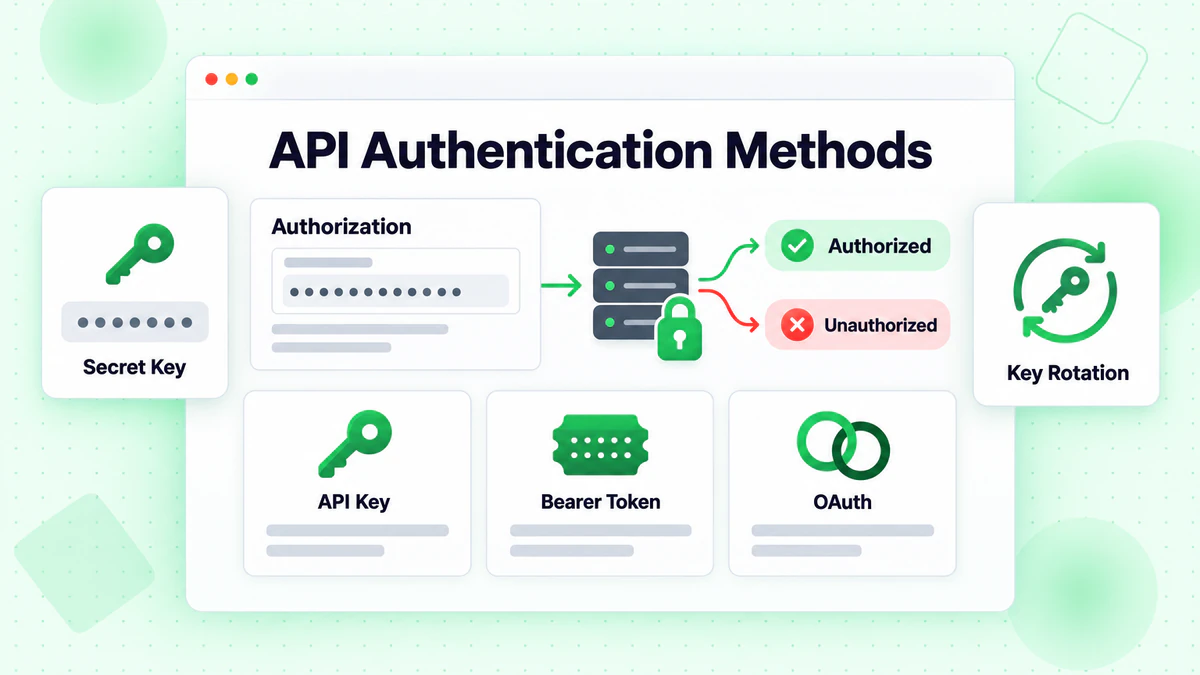
API access को secure करना किसी भी email verification integration के लिए fundamental है। अधिकांश services विभिन्न use cases के अनुरूप कई authentication mechanisms offer करती हैं।
API Key Authentication
सबसे common authentication method API keys का उपयोग करता है जो request headers या query parameters के रूप में passed होते हैं। API keys simple integration प्रदान करते हैं जबकि usage tracking और rate limiting की अनुमति देते हैं।
Header-Based Authentication
const response = await fetch('https://api.billionverify.com/v1/verify', {
  method: 'POST',
  headers: {
    'Authorization': 'Bearer YOUR_API_KEY',
    'Content-Type': 'application/json'
  },
  body: JSON.stringify({ email: 'user@example.com' })
});
Bearer token के साथ Authorization header recommended approach है। यह credentials को URLs से बाहर रखता है, server access logs में accidental logging को prevent करता है।
Query Parameter Authentication
कुछ APIs कुछ contexts में simpler integration के लिए keys को query parameters के रूप में accept करते हैं:
GET https://api.billionverify.com/v1/verify?email=user@example.com&api_key=YOUR_API_KEY
Convenient होने के बावजूद, query parameter authentication credentials को logs और browser history में expose करता है। जब संभव हो तो header-based authentication का उपयोग करें।
API Key Best Practices
Environment Variables कभी भी source code में API keys को hardcode न करें। उन्हें environment variables में store करें:
const apiKey = process.env.BV_API_KEY;
Key Rotation API keys को periodically rotate करें और compromise का संदेह होने पर तुरंत करें। अधिकांश services seamless rotation को enable करने के लिए कई active keys की अनुमति देती हैं।
सुरक्षा बेहतर करने के लिए Best Practices Guide पढ़ें।
Environment द्वारा अलग Keys Development, staging, और production के लिए अलग-अलग API keys का उपयोग करें। यह test traffic को production quotas को प्रभावित करने से रोकता है और debugging को simplify करता है।
Key Permissions को Restrict करें यदि API scoped permissions को support करता है, तो प्रत्येक key को केवल उन operations तक सीमित करें जिनकी उसे आवश्यकता है। केवल single email verification के लिए उपयोग की जाने वाली key को bulk processing permissions की आवश्यकता नहीं है।
Core API Endpoints
Email verification APIs आमतौर पर विभिन्न use cases के लिए endpoints प्रदान करते हैं। प्रत्येक endpoint के purpose को समझना आपके integration के लिए सही approach चुनने में मदद करता है।
Single Email Verification
Fundamental endpoint एक request में एक ईमेल पते को verify करता है:
POST /v1/verify
{
  "email": "user@example.com"
}
Response Structure
{
  "email": "user@example.com",
  "is_valid": true,
  "is_deliverable": true,
  "is_disposable": false,
  "is_role_based": false,
  "is_catch_all": false,
  "is_free_provider": true,
  "syntax_valid": true,
  "domain_valid": true,
  "mx_found": true,
  "smtp_check": "passed",
  "risk_score": 15,
  "suggestion": null,
  "verification_time_ms": 1234
}
Key Response Fields
| Field | Type | Description |
|---|---|---|
is_valid | boolean | Overall validity assessment |
is_deliverable | boolean | क्या email messages receive कर सकता है |
is_disposable | boolean | Temporary/throwaway email address |
is_role_based | boolean | Generic addresses जैसे info@, support@ |
is_catch_all | boolean | Domain सभी addresses को accept करता है |
smtp_check | string | SMTP verification result |
risk_score | number | Risk assessment (0-100, कम बेहतर है) |
suggestion | string | यदि detected हो तो typo correction suggestion |
Batch Email Verification
बड़ी lists को verify करने के लिए, batch endpoints कई emails accept करते हैं:
POST /v1/verify/batch
{
  "emails": [
    "user1@example.com",
    "user2@example.com",
    "user3@example.com"
  ]
}
Batch endpoints emails को parallel में process करते हैं, sequential single-email requests की तुलना में faster results return करते हैं। अधिकांश services batch sizes को limit करती हैं (आमतौर पर 100-1000 emails per request) और बहुत बड़ी batches को asynchronously process कर सकती हैं।
Bulk File Upload
Batch endpoints के लिए बहुत बड़ी lists के लिए, file upload APIs millions of records handle करते हैं:
const formData = new FormData();
formData.append('file', emailListFile);

const uploadResponse = await fetch('https://api.billionverify.com/v1/bulk/upload', {
  method: 'POST',
  headers: {
    'Authorization': 'Bearer YOUR_API_KEY'
  },
  body: formData
});

const { job_id } = await uploadResponse.json();
File upload endpoints progress को track करने के लिए एक job ID return करते हैं। Processing complete होने पर results को retrieve किया जाता है:
// Check job status
const statusResponse = await fetch(
  `https://api.billionverify.com/v1/bulk/status/${job_id}`,
  { headers: { 'Authorization': 'Bearer YOUR_API_KEY' } }
);

const { status, progress, estimated_completion } = await statusResponse.json();

// Download results when complete
if (status === 'completed') {
  const resultsResponse = await fetch(
    `https://api.billionverify.com/v1/bulk/download/${job_id}`,
    { headers: { 'Authorization': 'Bearer YOUR_API_KEY' } }
  );
}
Webhook Notifications
Asynchronous processing के लिए, verification complete होने पर notifications receive करने के लिए webhooks configure करें:
POST /v1/webhooks
{
  "url": "https://yourapp.com/webhooks/email-verification",
  "events": ["bulk.completed", "bulk.failed"],
  "secret": "your_webhook_secret"
}
Webhooks polling को eliminate करते हैं, bulk operations के लिए efficiency में सुधार करते हैं।
Error Handling Strategies
Robust error handling सुनिश्चित करता है कि आपका integration user experience को disrupt किए बिना failures को gracefully handle करता है।
HTTP Status Codes
Email verification APIs standard HTTP status codes का उपयोग करते हैं:
| Code | Meaning | Action |
|---|---|---|
| 200 | Success | Response को process करें |
| 400 | Bad Request | Request format को fix करें |
| 401 | Unauthorized | API key को check करें |
| 403 | Forbidden | Permissions को check करें |
| 404 | Not Found | Endpoint URL को check करें |
| 429 | Rate Limited | Backoff implement करें |
| 500 | Server Error | Backoff के साथ retry करें |
| 503 | Service Unavailable | बाद में retry करें |
Retry Logic Implement करना
Network issues और transient errors को retry mechanisms की आवश्यकता होती है:
async function verifyEmailWithRetry(email, maxRetries = 3) {
  const delays = [1000, 2000, 4000]; // Exponential backoff

  for (let attempt = 0; attempt < maxRetries; attempt++) {
    try {
      const response = await fetch('https://api.billionverify.com/v1/verify', {
        method: 'POST',
        headers: {
          'Authorization': `Bearer ${process.env.BV_API_KEY}`,
          'Content-Type': 'application/json'
        },
        body: JSON.stringify({ email })
      });

      if (response.status === 429) {
        // Rate limited - wait and retry
        const retryAfter = response.headers.get('Retry-After') || delays[attempt];
        await sleep(parseInt(retryAfter) * 1000);
        continue;
      }

      if (response.status >= 500) {
        // Server error - retry with backoff
        await sleep(delays[attempt]);
        continue;
      }

      if (!response.ok) {
        throw new Error(`API error: ${response.status}`);
      }

      return await response.json();

    } catch (error) {
      if (attempt === maxRetries - 1) {
        throw error;
      }
      await sleep(delays[attempt]);
    }
  }
}

function sleep(ms) {
  return new Promise(resolve => setTimeout(resolve, ms));
}
Validation Results को Handle करना
हर verification एक definitive answer return नहीं करता है। Uncertain results को appropriately handle करें:
function handleVerificationResult(result) {
  if (result.is_valid && result.is_deliverable) {
    return { status: 'valid', action: 'accept' };
  }

  if (!result.syntax_valid || !result.domain_valid) {
    return { status: 'invalid', action: 'reject' };
  }

  if (result.is_disposable) {
    return { status: 'risky', action: 'reject_or_warn' };
  }

  if (result.is_catch_all) {
    // Can't definitively verify - consider accepting with monitoring
    return { status: 'uncertain', action: 'accept_with_caution' };
  }

  if (result.risk_score > 70) {
    return { status: 'high_risk', action: 'manual_review' };
  }

  return { status: 'unknown', action: 'accept_with_monitoring' };
}
Rate Limiting और Optimization
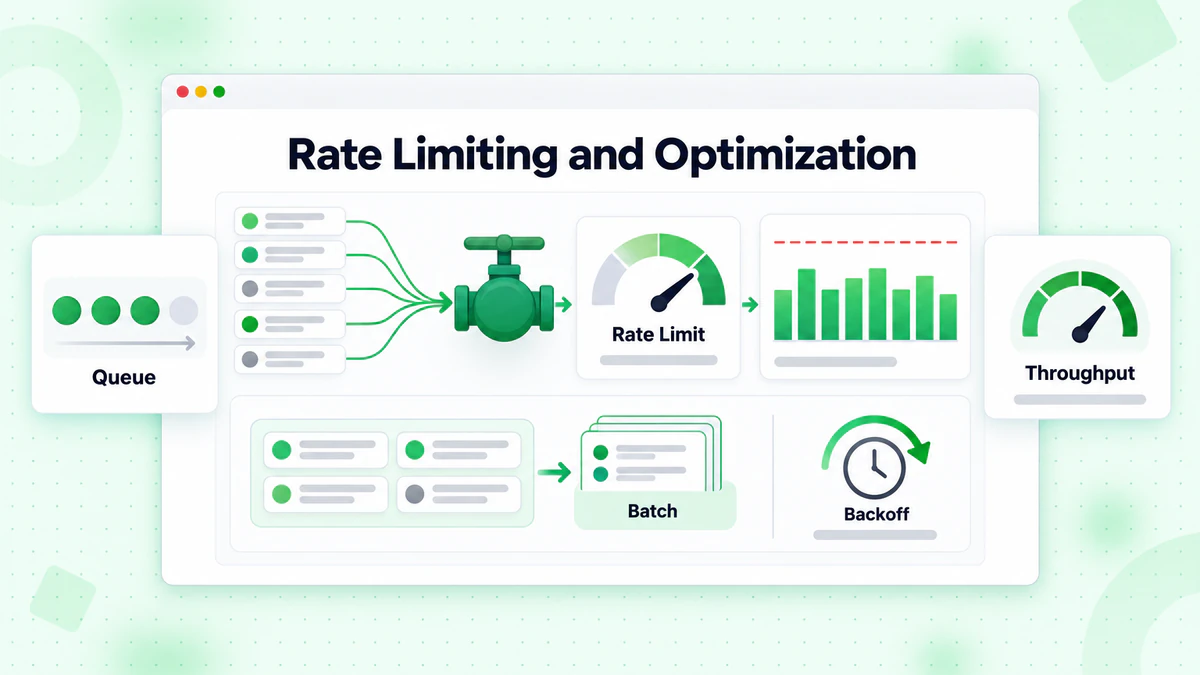
Email verification APIs fair usage और system stability सुनिश्चित करने के लिए rate limits implement करते हैं। Effective integration इन limits का सम्मान करता है जबकि throughput को maximize करता है।
Rate Limits को समझना
Rate limits आमतौर पर कई levels पर apply होती हैं:
- Requests per second: Maximum API calls per second
- Requests per minute/hour: Sustained rate limits
- Daily/monthly quotas: Total verification allowance
- Concurrent connections: Simultaneous request limits
Rate limit information के लिए response headers को check करें:
const response = await fetch('https://api.billionverify.com/v1/verify', {
  // ... request options
});

const rateLimit = response.headers.get('X-RateLimit-Limit');
const remaining = response.headers.get('X-RateLimit-Remaining');
const resetTime = response.headers.get('X-RateLimit-Reset');

console.log(`Rate limit: ${remaining}/${rateLimit}, resets at ${resetTime}`);
Rate Limiting Implement करना
Limits को hit करने से बचने के लिए proactively request rates को manage करें:
class RateLimiter {
  constructor(requestsPerSecond) {
    this.interval = 1000 / requestsPerSecond;
    this.lastRequest = 0;
  }

  async waitForSlot() {
    const now = Date.now();
    const timeSinceLastRequest = now - this.lastRequest;

    if (timeSinceLastRequest < this.interval) {
      await sleep(this.interval - timeSinceLastRequest);
    }

    this.lastRequest = Date.now();
  }
}

// Usage
const limiter = new RateLimiter(10); // 10 requests per second

async function verifyEmailsWithRateLimit(emails) {
  const results = [];

  for (const email of emails) {
    await limiter.waitForSlot();
    const result = await verifyEmail(email);
    results.push(result);
  }

  return results;
}
Batch Processing Optimization
कई emails को verify करते समय efficiency को maximize करें:
Batch Endpoints का उपयोग करें प्रत्येक email के लिए single requests network round-trips को waste करती हैं। Batch endpoints प्रति request कई emails को verify करते हैं:
// Inefficient: 100 separate requests
for (const email of emails) {
  await verifyEmail(email);
}

// Efficient: 1 batch request
const results = await verifyEmailBatch(emails);
बड़ी Lists को Chunk करें बहुत बड़ी lists को optimal batch sizes में split करें:
function chunkArray(array, chunkSize) {
  const chunks = [];
  for (let i = 0; i < array.length; i += chunkSize) {
    chunks.push(array.slice(i, i + chunkSize));
  }
  return chunks;
}

async function verifyLargeList(emails) {
  const chunks = chunkArray(emails, 100); // 100 emails per batch
  const results = [];

  for (const chunk of chunks) {
    const batchResults = await verifyEmailBatch(chunk);
    results.push(...batchResults);
  }

  return results;
}
Limits के साथ Parallel Processing Rate limits का सम्मान करते हुए कई batches को concurrently process करें:
async function verifyWithConcurrency(emails, concurrency = 5) {
  const chunks = chunkArray(emails, 100);
  const results = [];

  for (let i = 0; i < chunks.length; i += concurrency) {
    const batch = chunks.slice(i, i + concurrency);
    const batchResults = await Promise.all(
      batch.map(chunk => verifyEmailBatch(chunk))
    );
    results.push(...batchResults.flat());
  }

  return results;
}
Caching Strategies
Verification results को cache करना API costs को reduce करता है और repeated emails के लिए response times में सुधार करता है।
कब Cache करें
Verification results को cache करें जब:
- Same email को कई बार verify किया जा सकता है
- Real-time verification critical नहीं है
- Cost optimization महत्वपूर्ण है
Cache न करें जब:
- Freshness critical है (जैसे, high-value transactions)
- Emails आपके use case में frequently status change करते हैं
- Storage costs API costs से अधिक हैं
Cache Implementation
class VerificationCache {
  constructor(ttlMs = 24 * 60 * 60 * 1000) { // 24 hour default TTL
    this.cache = new Map();
    this.ttl = ttlMs;
  }

  get(email) {
    const entry = this.cache.get(email.toLowerCase());

    if (!entry) return null;

    if (Date.now() > entry.expiry) {
      this.cache.delete(email.toLowerCase());
      return null;
    }

    return entry.result;
  }

  set(email, result) {
    this.cache.set(email.toLowerCase(), {
      result,
      expiry: Date.now() + this.ttl
    });
  }
}

// Usage
const cache = new VerificationCache();

async function verifyEmailCached(email) {
  const cached = cache.get(email);
  if (cached) {
    return { ...cached, fromCache: true };
  }

  const result = await verifyEmail(email);
  cache.set(email, result);

  return { ...result, fromCache: false };
}
Cache TTL Considerations
विभिन्न result types विभिन्न cache durations के योग्य हैं:
| Result Type | Recommended TTL | Reasoning |
|---|---|---|
| Invalid syntax | 30 दिन | Change नहीं होगा |
| Domain doesn't exist | 7 दिन | Domains शायद ही appear होते हैं |
| Valid + deliverable | 24-48 घंटे | Status change हो सकता है |
| Disposable | 7 दिन | Disposable status stable है |
| Catch-all | 24 घंटे | Configuration change हो सकता है |
Security Best Practices
External APIs को integrate करना authentication से परे security considerations पेश करता है।
Input Validation
API को भेजने से पहले emails को validate करें:
function isValidEmailFormat(email) {
  if (typeof email !== 'string') return false;
  if (email.length > 254) return false;

  const emailRegex = /^[^\s@]+@[^\s@]+\.[^\s@]+$/;
  return emailRegex.test(email);
}

async function verifyEmailSafely(email) {
  if (!isValidEmailFormat(email)) {
    return { is_valid: false, reason: 'Invalid format' };
  }

  return await verifyEmail(email);
}
Secure Logging
कभी भी full API keys या sensitive data को log न करें:
function logApiRequest(email, response) {
  // Don't log: API keys, full email addresses in production
  console.log({
    email_domain: email.split('@')[1],
    status: response.status,
    is_valid: response.is_valid,
    timestamp: new Date().toISOString()
  });
}
केवल HTTPS
API communications के लिए हमेशा HTTPS का उपयोग करें। Production में SSL certificates को verify करें:
// Node.js - don't disable certificate verification in production
const https = require('https');

const agent = new https.Agent({
  rejectUnauthorized: true // Default, but explicit
});
लोकप्रिय Frameworks के साथ Integration
Express.js Middleware
Email verification के लिए reusable middleware बनाएं:
const emailVerificationMiddleware = async (req, res, next) => {
  const { email } = req.body;

  if (!email) {
    return next();
  }

  try {
    const result = await verifyEmail(email);
    req.emailVerification = result;

    if (!result.is_valid) {
      return res.status(400).json({
        error: 'Invalid email address',
        details: result
      });
    }

    next();
  } catch (error) {
    // Fail open - don't block registration on API errors
    req.emailVerification = { verified: false, error: error.message };
    next();
  }
};

// Usage
app.post('/register', emailVerificationMiddleware, (req, res) => {
  // req.emailVerification contains verification results
});
React Hook
Frontend email verification के लिए एक custom hook बनाएं:
import { useState, useCallback } from 'react';
import debounce from 'lodash/debounce';

function useEmailVerification() {
  const [result, setResult] = useState(null);
  const [loading, setLoading] = useState(false);
  const [error, setError] = useState(null);

  const verify = useCallback(
    debounce(async (email) => {
      if (!email || !email.includes('@')) {
        setResult(null);
        return;
      }

      setLoading(true);
      setError(null);

      try {
        const response = await fetch('/api/verify-email', {
          method: 'POST',
          headers: { 'Content-Type': 'application/json' },
          body: JSON.stringify({ email })
        });

        const data = await response.json();
        setResult(data);
      } catch (err) {
        setError(err.message);
      } finally {
        setLoading(false);
      }
    }, 500),
    []
  );

  return { verify, result, loading, error };
}
Monitoring और Analytics
अपने integration को optimize करने के लिए API usage और verification results को track करें।
Monitor करने के लिए Key Metrics
- API response time: Latency trends को track करें
- Error rates: Type द्वारा failures को monitor करें
- Cache hit ratio: Caching effectiveness को measure करें
- Verification distribution: Valid/invalid/risky percentages को track करें
- Cost per verification: Actual costs को calculate करें
Analytics के लिए Logging
function logVerification(email, result, metadata) {
  const logEntry = {
    timestamp: new Date().toISOString(),
    email_domain: email.split('@')[1],
    is_valid: result.is_valid,
    is_deliverable: result.is_deliverable,
    is_disposable: result.is_disposable,
    risk_score: result.risk_score,
    response_time_ms: metadata.responseTime,
    from_cache: metadata.fromCache,
    source: metadata.source // registration, import, etc.
  };

  // Send to your analytics system
  analytics.track('email_verification', logEntry);
}
BillionVerify API Integration
BillionVerify developers के लिए design किया गया एक comprehensive ईमेल सत्यापन API प्रदान करता है। API एक single call में कई verification techniques को combine करता है, detailed insights के साथ fast, accurate results deliver करता है।
Quick Start
async function verifyWithBillionVerify(email) {
  const response = await fetch('https://api.billionverify.com/v1/verify', {
    method: 'POST',
    headers: {
      'Authorization': `Bearer ${process.env.BV_API_KEY}`,
      'Content-Type': 'application/json'
    },
    body: JSON.stringify({ email })
  });

  return await response.json();
}
Features
- Real-time verification: Single email verification के लिए sub-second response times
- Batch processing: प्रति request तक 1000 emails verify करें
- Bulk file upload: Async job processing के साथ millions of records को process करें
- Comprehensive checks: Syntax, domain, MX, SMTP, disposable, catch-all detection
- Risk scoring: Binary valid/invalid से परे nuanced risk assessment
- Typo suggestions: Common typos के लिए corrections detect और suggest करें
- Webhook support: Bulk job completion के लिए notifications receive करें
API documentation सभी endpoints, response formats, और कई programming languages में integration examples के बारे में detailed information प्रदान करता है।
निष्कर्ष
एक ईमेल सत्यापन API को integrate करना transform करता है कि आपका application email data quality को कैसे handle करता है। Registration के दौरान real-time validation से लेकर existing lists की batch processing तक, APIs verification systems को build और maintain करने की complexity के बिना comprehensive email verification के लिए infrastructure प्रदान करते हैं।
Successful integration के लिए key takeaways:
- अपने use case के लिए सही endpoint चुनें: real-time के लिए single verification, medium lists के लिए batch, large datasets के लिए bulk upload
- Retry logic और graceful degradation के साथ robust error handling implement करें
- Client-side throttling और efficient batching के माध्यम से rate limits का सम्मान करें
- Costs को reduce करने और performance में सुधार के लिए strategically cache करें
- Data quality को continuously improve करने के लिए verification results को monitor और analyze करें
चाहे आप एक नया application build कर रहे हों या existing system में सुधार कर रहे हों, BillionVerify जैसे ईमेल सत्यापन API यह सुनिश्चित करने के लिए आवश्यक tools प्रदान करते हैं कि आपके database में हर ईमेल पता valid, deliverable, और उपयोग के लिए safe है।
आज ही अपना integration शुरू करें और अनुभव करें कि professional email verification आपके application की data quality और email deliverability के लिए क्या अंतर बनाता है।
Instantly या Smartlead का उपयोग करने वाली टीमें हर अभियान से पहले BillionVerify से सूचियाँ साफ करके डिलीवरेबिलिटी में उल्लेखनीय सुधार करती हैं।
वेरिफिकेशन प्रोवाइडर चुनने से पहले सटीकता और गति के मामले में BillionVerify की तुलना ZeroBounce से करें।