




Email marketing best practices come down to five habits: contact only people who asked to hear from you, authenticate your sending domain, give every reader a one-step exit, hold spam complaints under 0.1%, and remove addresses that bounce or never engage. Gmail, Yahoo and Outlook now write most of these habits into their requirements, so for anyone who sends in volume they are rules, not tips. This guide gives each habit with the exact rule behind it, then covers content, testing, measurement, law and a checklist you can run each quarter. Every rule, number and date below comes from the provider, regulator or standard that publishes it, as read in November 2026. We have no connection with any company or agency named here, and providers change their rules often, so confirm the live page before you act. BillionVerify is an email verification service, and the last section explains where checking a list fits.
Key facts (checked November 2026):
- Gmail's email sender guidelines require authentication from every sender, three records from senders of 5,000 or more messages a day, and one-click unsubscribe in their marketing emails.
- Gmail's sender guidelines FAQ tells senders to keep the user-reported spam rate below 0.1% and to prevent it from ever reaching 0.3%.
- Yahoo's sender requirements ask bulk senders to honor unsubscribe requests within 2 days and to keep the spam rate below 0.3%.
- Microsoft's Outlook requirements post applies authentication to domains that deliver over 5,000 emails a day, with Junk routing from May 5, 2025.
- The FTC's CAN-SPAM compliance guide sets penalties of up to $53,088 per violating email and gives senders 10 business days to honor an opt-out.
The Sender Rules Behind Every Campaign
Gmail began enforcing its requirements on February 1, 2024, and Yahoo started the same month. Gmail's FAQ says that from November 2025 enforcement ramped up, so messages that fail the requirements now meet temporary and permanent rejections. Outlook followed with its own rules for high-volume domains in May 2025. The three providers ask for nearly the same things, which means a single setup covers all of them.
The word "bulk" matters here. Gmail defines a bulk sender as anyone who delivers close to 5,000 messages to personal Gmail accounts in 24 hours, and it counts every message from the same primary domain together. The status is permanent, so a sender that crossed the line once stays in the group even if volume drops later. Smaller senders still need the basics, and Microsoft's FAQ adds that every sender benefits from strong authentication.
All three providers require authentication with SPF, DKIM, DMARC from high-volume senders, all three accept a DMARC policy of p=none as the minimum, and all three need the From domain to align with SPF or DKIM. The table compares the remaining rules. "Not stated" means the provider's own page gives no figure.
| Requirement | Gmail | Yahoo | Outlook |
|---|---|---|---|
| Who it applies to | Bulk senders, as defined above | Bulk senders, no number given | High-volume domains, as announced |
| Unsubscribe link | Required for marketing emails, one-click | List-Unsubscribe header, POST method highly recommended | Visible, working link recommended |
| Unsubscribe speed | Within 48 hours | Within 2 days | Not stated |
| Spam rate | Below 0.1%, never 0.3% | Below 0.3% | Not stated |
| If you fail | Rejections, no mitigation support | Harmed delivery | Junk folder first, rejection later |
The practical lesson is to treat the strictest cell in each row as your standard. A sender that passes authentication, offers a true one-click exit and stays under 0.1% complaints satisfies every column at once.
Build the List With Permission
A list built on permission is the cheapest deliverability fix in email marketing. Gmail tells senders to write only to people who want the emails and to avoid opt-in forms that are checked by default. Yahoo says the same and adds that you should not buy mailing lists. Mailchimp's audience requirements go a step further and prohibit third-party lists in its terms, including purchased, rented and scraped ones.
Get consent that holds up
The legal bar for consent differs by country, but the practical test is the same: could you show who agreed, when, and to what? The UK data protection regulator's guidance on valid consent states that all consent must be opt-in, that silence, inactivity and pre-ticked boxes do not count, and that people must be able to withdraw easily at any time. It also gives a useful example for anyone who collects cards at events. A business card dropped into a prize draw box is consent for the draw, not for marketing emails.
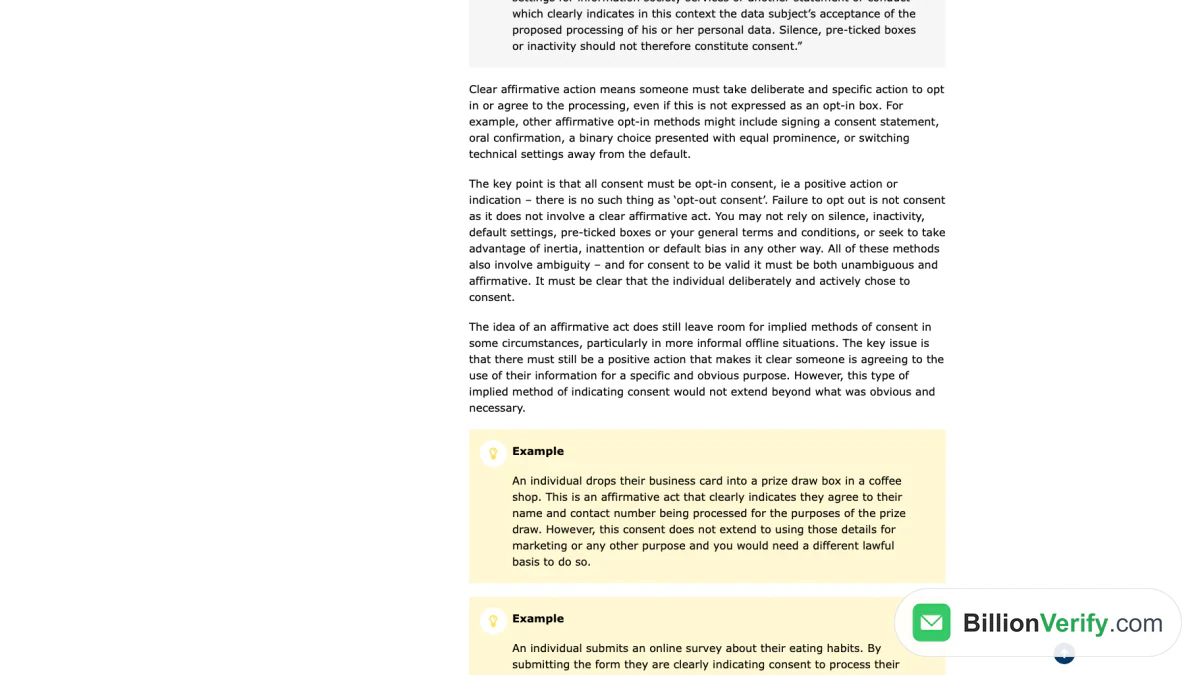
Screenshot: the ICO guidance page on valid consent, captured in November 2026.
Record the source of every address. Keep the form text, the date, the page and the confirmation event beside the contact. A consent log is dull work, and it is the evidence a complaint, an audit or a platform review will ask for.
Use double opt-in where it pays
Double opt-in adds a second step: after someone submits your form, they get an email with a link and join only when they click. Mailchimp's double opt-in guide describes the two steps and notes that the confirmation checks each address. Its audience guide says the method keeps invalid addresses out of your audience. Yahoo recommends it too, and Gmail's guideline says to confirm each recipient's address before subscribing them.
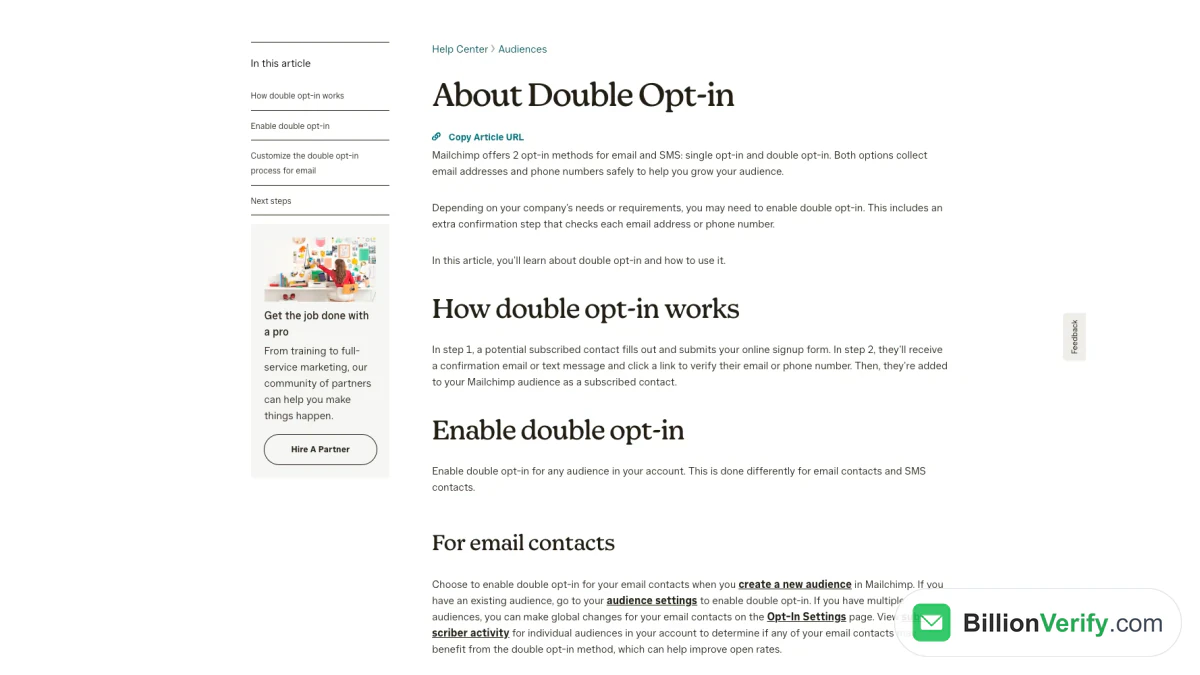
Screenshot: Mailchimp's help article on the confirmation flow, captured in Nov 2026.
The cost is a smaller list, because some people never click the confirmation. That loss is usually a feature, since the missing addresses are typos, bots and people who did not mean to sign up. Mailchimp adds that a reCAPTCHA step in its hosted forms keeps spambots from adding fake data, and that audiences tied to an EU primary contact address may already use the confirmed method by default.
Say what subscribers will get
Tell people what they will receive and how often before they sign up. Yahoo asks senders to set expectations clearly, to honor the frequency of the list's intent, and not to start daily emails for a weekly list. A welcome email right after signup is the natural place to repeat the promise. Mailchimp lets you add an optional final welcome email to its confirmation flow, which it suggests using for a greeting, a coupon or an offer.
Authenticate Your Domain and Set Up Sending
Authentication proves that a message came from the domain it claims. Google's guideline lists three records. SPF names the servers allowed to deliver for your domain, DKIM signs each message so receivers can check it was not altered, and DMARC tells receivers what to do when a message fails both. A message passes DMARC when SPF or DKIM passes and the authenticated domain matches the domain in the From header, which is called alignment.
Gmail asks for at least a 1024-bit DKIM key and recommends 2048 bits where your provider supports them. Yahoo asks for the same minimum. Both providers recommend adding a reporting address to your DMARC record so you can see who uses your domain. Outlook's FAQ warns that an SPF record with more than 10 DNS lookups can fail the check, and that forwarding can break alignment.
The table lists the setup items and the minimum they must meet. The first three items come from all three providers, the key length and reverse DNS from Gmail and Yahoo, and the last two from Gmail's guideline.
| Item | Minimum to meet |
|---|---|
| SPF | Published record listing every sender, including your platform |
| DKIM | Signing enabled, key of 1024 bits or longer |
| DMARC | Record with a policy of none or stricter, aligned with the other two |
| Reverse DNS | Sending IPs with matching forward and reverse records |
| TLS | Encrypted connection during transfer |
| Message format | Follows RFC 5322, valid Message-ID, a single From address |
Most senders use an email platform, and the platform runs the servers. You still own the DNS records for your domain, so check that your platform's SPF include and DKIM keys are published and that the From domain is one you control. Marketing and transactional emails should stay apart. Yahoo advises separating traffic types by IP or DKIM domain, and Gmail suggests a distinct From address for each kind of message, such as promotions at one address and receipts at another.
The setup also decides how receivers treat a failure. Microsoft's post names the rejection code 550 5.7.515 for domains that miss its authentication level, and says rejection will follow the Junk routing that began on May 5, 2025. At the time of this check the post gives no date for that step. Fix authentication now so that date does not matter to you.
Make Unsubscribing a Single Click
A clear way out protects your sender reputation more than any copy tweak does. People who cannot find the unsubscribe link press the spam button instead, and the spam button is what providers measure. Gmail says that bulk senders' marketing and subscribed messages must support one-click unsubscribe and also show a clearly visible unsubscribe link in the body. The one-click part is a pair of message headers, List-Unsubscribe and List-Unsubscribe-Post, defined in RFC 8058.
The standard has strict details. The message needs a valid DKIM signature that covers both headers, the request is an HTTPS POST that carries no cookies or login, and the sender must not answer it with a redirect. The Gmail FAQ says a mailto link or a plain URL in the body does not meet the requirement, and that transactional emails such as password resets are exempt. Look in your platform for a setting that adds these headers, and send yourself a test to confirm they appear.
Speed matters as much as the button. The deadlines differ by rulebook, so the table lists each one, and the safe habit is to process requests immediately.
| Rulebook | Deadline to honor an unsubscribe | Source |
|---|---|---|
| Gmail | 48 hours, or no mitigation support | Gmail sender FAQ |
| Yahoo | 2 days | Yahoo sender requirements |
| CAN-SPAM (US) and CASL (Canada) | 10 business days under each | FTC compliance guide, CASL section 11 |
Preference pages are welcome as long as they sit beside the one-click option and do not replace it. Gmail's guideline lets recipients choose which lists they stay on, and the FAQ says extra links in the body can point to a preferences page. Automatically unsubscribing recipients who have multiple bounced messages is also on Gmail's list of accepted practices.
Keep Spam Complaints Low
The spam rate that users report is the number mailbox providers watch most closely, and you control it through list quality and relevance. The Gmail FAQ says the rate is calculated daily, that senders should stay under 0.1%, and that 0.3% or higher does even greater harm to inbox delivery. Bulk senders above 0.3% are ineligible for mitigation until the rate holds below 0.3% for 7 consecutive days. Yahoo uses 0.3% as its ceiling and notes that it works the figure out from messages delivered to the inbox, so a number from your own system may differ.
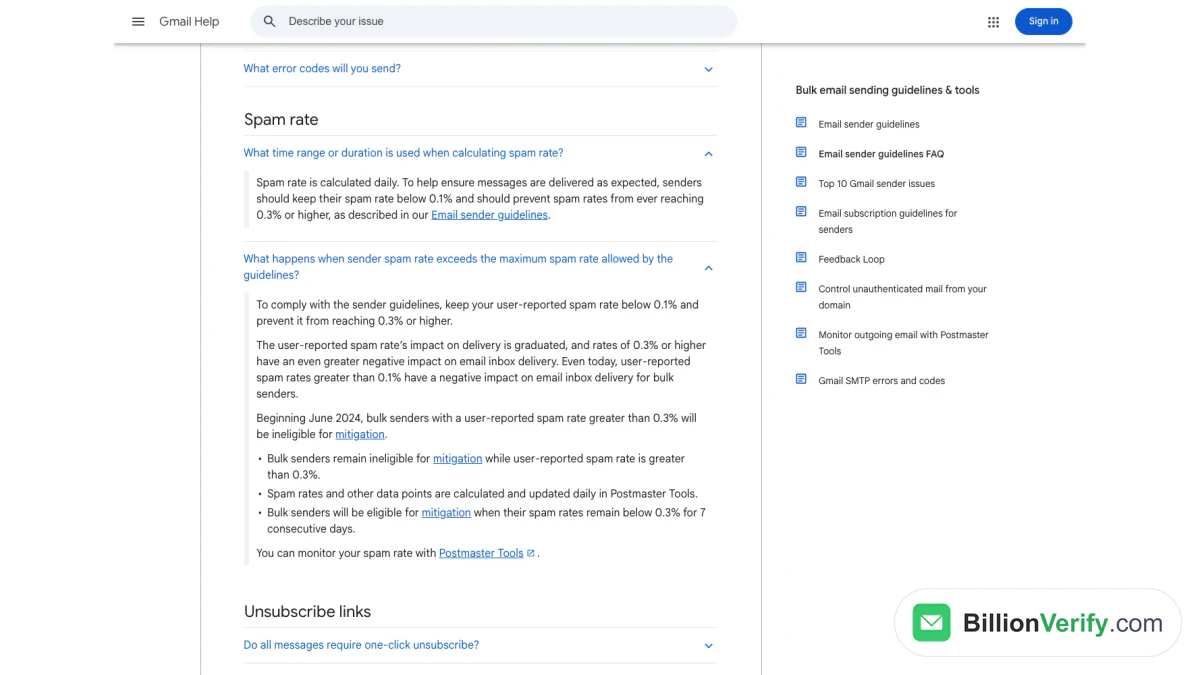
Screenshot: the Gmail sender FAQ with its spam rate answers expanded, captured on November 21, 2026.
Measure it where the providers do. Google's Postmaster Tools shows dashboards for spam rate, reputation, authentication and delivery errors for your domain. Yahoo's complaint feedback loop sends you a copy of each spam complaint once your messages are DKIM-signed, so you can remove those addresses at once. Postmaster Tools reports on messages sent to Gmail, so read it next to the complaint data your own platform gives you.
Three habits keep the figure down. The first is to ramp volume slowly: Google advises starting small with engaged users, keeping a steady rate and avoiding sudden spikes, since doubling your usual volume overnight can trigger rate limiting. The second is to keep the message honest. Google's formatting rules ask for accurate subjects and headers, no "Re:" or "Fwd:" unless the message is a real reply or forward, no hidden content, and display names that identify the sender rather than the offer. The third is to deliver only what people expected. Gmail warns that people who never signed up may mark your emails as spam, and Yahoo tells senders to verify that every recipient asked for the emails.
Write Emails People Open and Act On
In email marketing, content decides whether a delivered message earns a click, and the sender rules still shape it. The subject line must not mislead, and the law agrees: the FTC's CAN-SPAM guide says the subject line must accurately reflect the content of the message and that header information must not be false or misleading. The From name should be one people recognize and should stay stable, because a new name on a familiar mailing looks like a stranger.
Give each email a single job. A newsletter issue, a product announcement and a win-back offer all want different calls to action, and a campaign that asks for three things usually gets none of them. Put the main link in plain text and keep links visible and easy to understand, as Google asks, so readers know where a click leads. Add alt text to images so the message still makes sense when a picture does not load.
Test a single change at a time. Mailchimp's A/B test guide lets you compare up to three variations of one variable, which can be the subject line, the From name, the content or the time of delivery. It can pick the winner by open rate, click rate or revenue, and it can run the test on a share of the audience before the winner reaches the rest. Which tests your plan includes depends on the plan, so check your own pricing page. Whatever the tool, decide the metric in advance and write down the result so the next test starts from it.
Segment, Personalize and Automate
Segmentation lets a small team publish fewer, better emails. Mailchimp recommends keeping a primary audience and organizing it with tags, groups or segments, because billing counts contacts across all audiences and duplicates cost money. Start with three splits that need no extra data: new subscribers, customers and everyone else. Our guide to email list segmentation covers the next layer.
Automation handles the messages whose timing depends on the reader. A welcome series after signup is the first to build, followed by an onboarding flow for new customers and a re-engagement flow for people who have gone quiet. Keep each flow short and review it every quarter, because an automation runs unattended and an outdated offer keeps going out for months. If you are still choosing a platform, our email marketing software guide compares 12 of them with prices read from their own sites.
Personalization works best with data the reader gave you. A first name is the weakest form, and what the person chose at signup, bought or clicked is stronger. Keep to the promise made at signup, and avoid personal details in the display name, since Gmail's guideline lists the recipient's name there as a deceptive practice.
Measure What Still Counts
Open rate has become an unreliable number in email marketing. Apple's Mail Privacy Protection hides the reader's IP address and, in Apple's words, prevents senders from seeing if the email was opened. A list with many Apple Mail readers therefore says little about who actually read. Treat opens as a rough signal at best, and never use them alone to decide who is inactive.
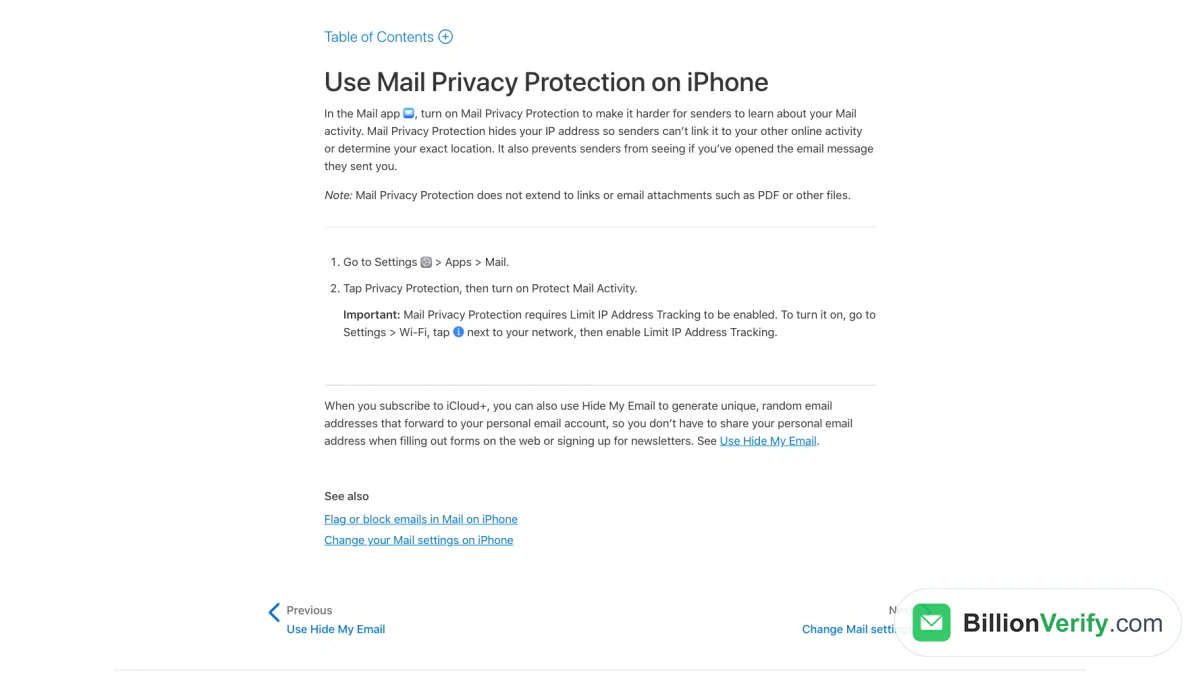
Screenshot: Apple's support page for Mail Privacy Protection on iPhone, taken in Nov 2026.
Clicks, replies, conversions and revenue are firmer measures. Pair them with the numbers that signal list health: the unsubscribe rate, the spam rate in Postmaster Tools and the bounce rate. Mailchimp's bounce guide separates hard bounces, which come from an invalid address or an error that stops delivery, from soft bounces, such as a full mailbox. It also says internet service providers do not publish their bounce limits, so there is no safe number to aim for, only a trend to keep low. A sudden rise is the signal to stop and check the list.
Keep the List Clean
Lists decay. People change jobs, abandon mailboxes and mistype addresses at signup, and every email to a dead address costs reputation. Mailchimp says high bounce rates often come from audiences that have gone stale or from addresses that were entered or imported badly, and it states that it is not a list cleaning service. Importing old or invalid contacts, it warns, can lead to complaints, undeliverable messages and unsubscribes. Our guide on reducing bounce rate explains the numbers in more depth.
Two kinds of cleaning matter. The first removes addresses that cannot receive messages, which is where an email verification service helps. The second handles people who can receive them but no longer want them. Google's guideline suggests unsubscribing recipients who don't open or read your emails, and Yahoo suggests a reconfirmation email to inactive subscribers. Mailchimp recommends re-engaging quiet contacts first and unsubscribing the ones who stay silent. A simple version is a short sunset flow of two or three emails that ask whether the person still wants your emails, then removal from the active list.
Be careful with the engagement rule where opens are unreliable. Use a click or a purchase inside a window that fits your cadence as the test, and treat Apple Mail opens with suspicion. Keep suppression records for unsubscribes and complaints, and load them into any new platform before the first campaign, so a migration never emails someone who opted out.
Stay Within the Law
Three rulebooks cover most email marketing programs, and they work differently. The US law is built around honest headers, an ad disclosure, a postal address and a working opt-out, and the FTC's list of requirements has no consent step. The UK rules ask for consent before marketing to individuals. Canada's law also starts from consent. Because your list probably crosses borders, build to the stricter rules and the rest follow.
| Point | CAN-SPAM (US) | UK PECR and UK GDPR | CASL (Canada) |
|---|---|---|---|
| Starting point | Opt-out model, no consent step in the FTC's requirements | Consent, with a soft opt-in for similar products to existing customers | Express or implied consent before sending |
| Identification | Accurate headers, ad disclosure and a valid postal address | Sender identity and a valid contact address | Sender identity and contact information |
| Penalties | Up to $53,088 per email | Not stated in the guidance read | Up to $10,000,000 per violation for a business |
The FTC's guide says the law covers all commercial messages, including business-to-business email, and that you cannot contract away your responsibility by hiring another company to deliver for you. The ICO's guide to email marketing rules says you must not market to individuals without specific consent, with a limited soft opt-in for your own past customers when you offered a simple way to opt out. It treats sole traders and some partnerships as individuals, and it allows emailing corporate bodies while advising a do-not-email list for those that object. Canada's anti-spam Act bars a commercial electronic message without consent, requires an unsubscribe mechanism that works for at least 60 days, and caps penalties at $10,000,000 for a business. Our CAN-SPAM guide goes through the US rules clause by clause. This is not legal advice, so ask a lawyer when your case is unusual.
Run an Email Marketing Audit
An email marketing audit turns all of the above into a single pass you can repeat. Do it every quarter, and after any platform change. The table lists what to check, the pass condition and where to read it.
| Area | Pass condition | Where to look |
|---|---|---|
| Permission | Every contact has a recorded source and date | Your consent log and signup forms |
| Authentication | SPF, DKIM, DMARC pass and align for each sending domain | Message headers, DMARC reports, Postmaster Tools |
| Unsubscribe | Headers present, link visible, requests honored fast | A test message, your platform settings |
| Complaints | Complaint rate under 0.1% and never near 0.3% | Postmaster Tools, feedback loops |
| Bounces | Hard bounces removed after the first campaign, no sudden rise | Platform reports |
| Inactive contacts | A sunset flow runs and suppression lists are loaded | Automation list, suppression file |
| Content | Honest subjects, a goal per message, alt text, working links | Your last five campaigns |
| Law | Postal address, sender identity and consent rules match your markets | Footer and signup form |
Read the results as a set. If complaints rise while bounces stay flat, the problem is relevance or frequency, and the fix is segmentation and consent. If bounces rise, the problem is the list source. If authentication fails, fix it before anything else, because no amount of good copy survives a rejection.
Start From Zero: A Four-Week Plan
A new email marketing program can reach compliance in a month without special tools. In week one, choose a platform, publish the SPF and DKIM records, add a DMARC record with a reporting address, and build a signup form with confirmation and a visible promise of what subscribers get. In week two, write the welcome email and a first newsletter, add the footer link and the one-click unsubscribe headers, and send test messages to your own addresses at each of the three big providers to read the results.
In week three, deliver the first campaign to your most engaged contacts at low volume, then raise it in steps as Gmail advises. In week four, read the bounce and complaint reports, remove every hard bounce, and pick the metric you will test next. After the first month, move to the quarterly audit. Following email marketing best practices from day one builds a good reputation faster than a large list mailed carelessly.
Verify Addresses Before You Send
Everything above assumes the addresses on your list are real. Typos at signup, disposable addresses and old exports do not announce themselves, and the first campaign to them lands as bounces on your own sending domain. Checking addresses ahead of that campaign is the cheapest cleanup step you have. BillionVerify is built for this: BillionVerify's free verifier checks syntax, DNS, MX records and the mailbox itself for a single address, and the email checker returns deliverability together with disposable, role and catch-all flags.
For a whole file, bulk email verification reports catch-all domains as their own category instead of calling them valid, and unknown results cost nothing. Each account gets 20 credits on every day it is used, up to 600 a month, with no credit card. The free email tools page also lists MX, SPF, DKIM, DMARC lookups, which help with the authentication step. A reverse email lookup is useful when an address in your file looks suspicious, and a phone number validator helps if you collect numbers for SMS. Whichever tool you use, make verification a step before every import, not a rescue after a bad campaign.
FAQs
What is the most important rule in 2026?
Send only to people who opted in, and keep proof. Every provider rule and every privacy law points back to permission, so permission comes first in email marketing best practices. A list built on clear consent has fewer complaints, fewer bounces and a better reputation, and the technical requirements become easier to meet.
Do small senders need SPF, DKIM or DMARC?
Yes, at least the first two. Gmail requires one of the first two from every sender and all three from bulk senders. Microsoft says all senders benefit from strong authentication, and publishing a DMARC record at p=none costs nothing and gives you reports.
How often should I send marketing emails?
As often as you promised at signup. The providers do not set a frequency, but Yahoo's rule is to match the cadence subscribers signed up for. Watch unsubscribes and complaints after any increase, and raise volume in steps rather than all at once.
Is a spam rate of 0.3% acceptable?
No, treat 0.3% as the limit and 0.1% as the target. Gmail says rates above 0.1% already harm inbox delivery for bulk senders, and at 0.3% they lose eligibility for mitigation. Yahoo's limit is also 0.3%, so staying near 0.1% keeps you safe at both.
Are open rates still worth tracking?
Only as a trend, never as proof of reading. The Mail Privacy Protection setting on Apple devices stops senders from seeing real opens for readers who turn it on. Clicks, replies, conversions and complaint rates tell you more about whether the campaign worked.
When should I remove inactive subscribers?
After a re-engagement attempt fails. Choose a click or purchase window that matches your sending rhythm, run a short sunset flow, and keep the removed addresses on a suppression list so they are never imported again.
Watch: What Is Email Verification and How Does It Work?
Watch: Bulk Email Verification: How to Verify an Email List From a File