


A Gmail alias is any spelling of an address that Gmail delivers to the same inbox. Three kinds matter to anyone who keeps a mailing list: dotted versions such as jane.doe for janedoe, plus addressing such as janedoe+news, and the old address a person keeps after switching to a new Gmail address. Each looks like a separate contact in your database, yet every message lands with the same reader. That gap is where duplicate rows, double sends, split engagement and misleading bounce numbers come from.
This guide covers the list owner's side: what each alias does to your data, how to find duplicates safely, what happens when a subscriber swaps usernames, and how verification treats aliases. It does not explain how to set up an alias for your own inbox. The rules below come from Google's help center, Google's developer documentation, the RFCs and the mail providers' own pages, as read in November 2026. We have no connection with Google, Microsoft, Proton, Fastmail or Yahoo, and providers revise their help pages, so recheck a rule before you build on it. BillionVerify is an email verification service, and a later section describes exactly what it reports for aliases.
Key facts (checked November 2026):
- Google's Gmail Help page on dots in Gmail addresses says the owner of johnsmith@gmail.com owns every dotted version, and that dots do change an address on work or school domains.
- Google's help page on sending from a different address or alias shows janedoe+school@gmail.com and janedoe+notes@gmail.com both arriving at janedoe@gmail.com.
- Google's guide to changing your Google Account email says the previous gmail.com address becomes an alternate that keeps receiving mail, and that a new address can be created once every 12 months, three times in total.
- Google's Sign in with Google token guide tells developers to identify users by the
subfield, not by email, because a Google Account can have multiple email addresses at different points in time. - Microsoft's documentation on plus addressing in Exchange Online says the feature is on by default and that an administrator can turn it off for the whole organization.
What Counts as a Gmail Alias in a List
Gmail offers several routes into a single inbox, and they behave differently once they reach a database. Some can be detected with a simple rule applied to the text of the address. Others share nothing with the base address, so no rule can link them. The table sums up the five routes this guide covers, with an example of each and whether a text rule can tie it back to the reader's primary spelling.
| Route | Example | Can a text rule link it? |
|---|---|---|
| Dotted spelling | j.anedoe | Yes, on Google's consumer domains |
| Plus addressing | janedoe+news | Yes, by removing the tag |
| googlemail.com | janedoe at googlemail.com | Yes, by mapping the domain |
| Username before a change | jdoe1990 kept next to janedoe | No |
| Workspace alias | sales@ routed to jane@ at a company | No |
Dotted spellings
Gmail ignores dots in the part of the address before the @. Google's dots page gives john.smith, jo.hn.sm.ith and j.o.h.n.s.m.i.t.h as versions of johnsmith, all delivered to the same account. Nobody else can register a dotted version, because Gmail treats it as a username that is already taken. The page also carries a warning for list owners: Google says it can't prevent people from using a dotted version of someone's address, by accident or on purpose, to sign that person up for subscription emails. A list that accepts unconfirmed signups can therefore hold several spellings of a single inbox, some of which the owner never typed.
The rule stops at the consumer service. On an account run by an employer or school, such as a company running Google Workspace on its own domain, Google says dots do matter, and only the admin can alter them. A rule that removed dots everywhere would merge two separate colleagues, for example jo.smith and josmith at the same firm.
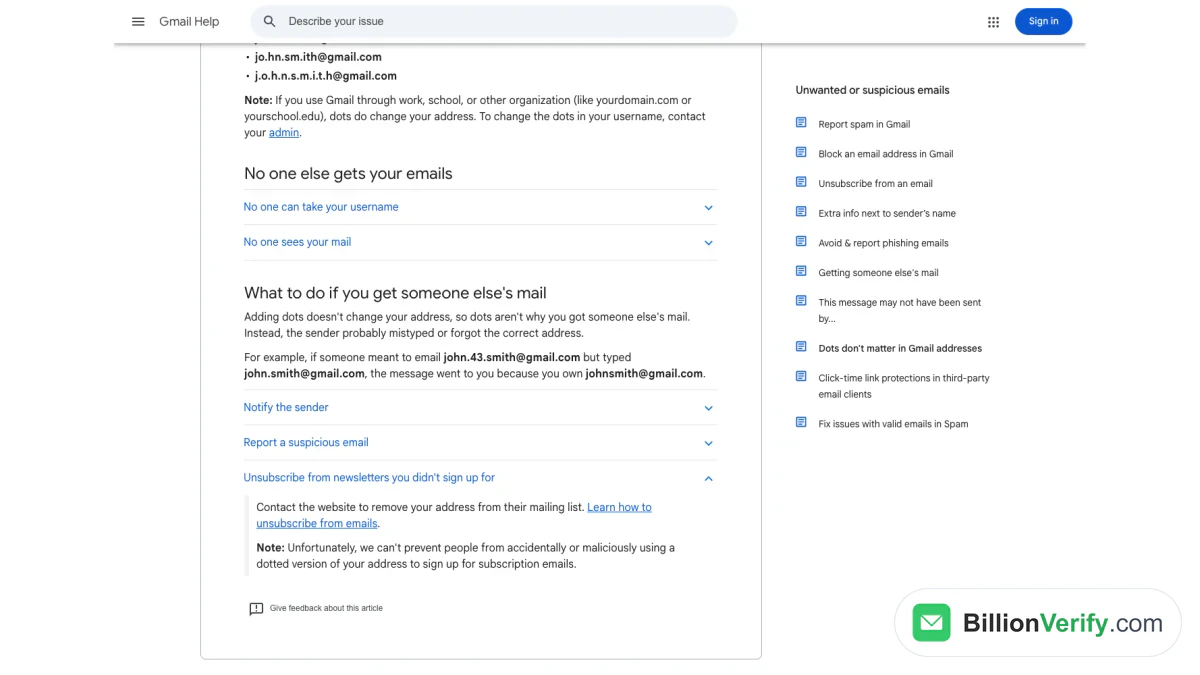
Screenshot: Gmail Help text on dotted usernames, with the unwanted subscription warning, captured in November 2026.
Plus addressing
This feature lets a user add a plus sign and any tag after the username. The examples on Gmail's send-as page tag messages for school, notes and important emails, and suggest tags such as news for newsletters and shopping for online stores, so that filters can label, forward, archive or delete each stream. The standards name for this is subaddressing. RFC 5233 describes it as adding "detail" information to the local part of an address, with a separator such as "+" marking the boundary between the user and the detail.
The same RFC also notes that the encoding of these detailed addresses is site or implementation specific. That sentence matters more than any example. On Gmail the "+" introduces a tag, but other systems choose their own separator or none at all. For a list owner, the tag also tells you something: a subscriber who signed up as janedoe+yourbrand chose to route your newsletter into its own stream, and may filter or delete it as a group.
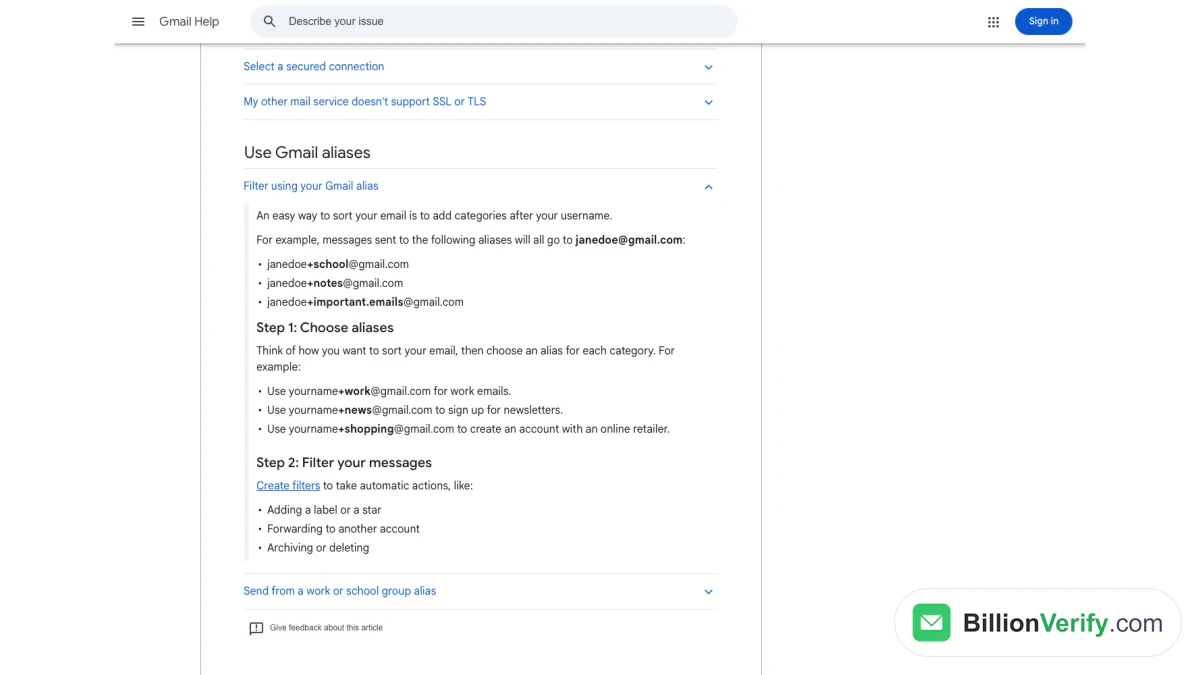
Screenshot: Advice from the Gmail help center on sorting mail by tag, as seen on 21 Nov 2026.
googlemail.com addresses
Google's troubleshooting page for changed account emails says an address ending in googlemail.com or gmail.com is essentially the same, and that mail to either domain lands in the same place. Two rows that differ only in those domains are the same reader. Any matching rule for Gmail should map both domains to a single value before it compares anything else.
The username a person kept after a change
Google now lets some users change a Google Account email that ends in gmail.com to a new gmail.com address. The help page says you "may be able to" do it, and that if the option does not appear, it might not be possible for that account. Afterward, the previous address turns into an alternate email address, messages sent to either appear in the same inbox, and both work for signing in to Google services. The user can switch back at any time, and the old address can never pass to anyone else, even after deletion.
In a database, this kind of alias is different. jdoe1990 and janedoe share no characters a rule could use, so text matching can never connect them. Both keep accepting messages, so nothing bounces. The only clue is behavior: a subscriber who now reads the new inbox may stop opening what arrives at the old spelling, or may set up the filter Google suggests to hide it. A later section covers what to do about it.
Google Workspace aliases
Inside Workspace, an administrator can create up to 30 email aliases for each user at no extra cost, according to Google's Workspace admin help. Google describes this alias as a forwarding address that routes to the user's primary inbox. Its examples include info@, billing@ and sales@ for a small business run by a single owner, and keeping a departed employee's address alive by attaching it to a current colleague. A Workspace alias is not a separate login and cannot be used to sign in.
These aliases look like ordinary business addresses in B2B data, and nothing in the text ties sales@ to the person who reads it. The second example matters for consent: messages to a former employee can end up with a colleague who never subscribed. A role account detection check flags patterns such as info@ and sales@, so you can decide how to treat shared mailboxes before the next send.
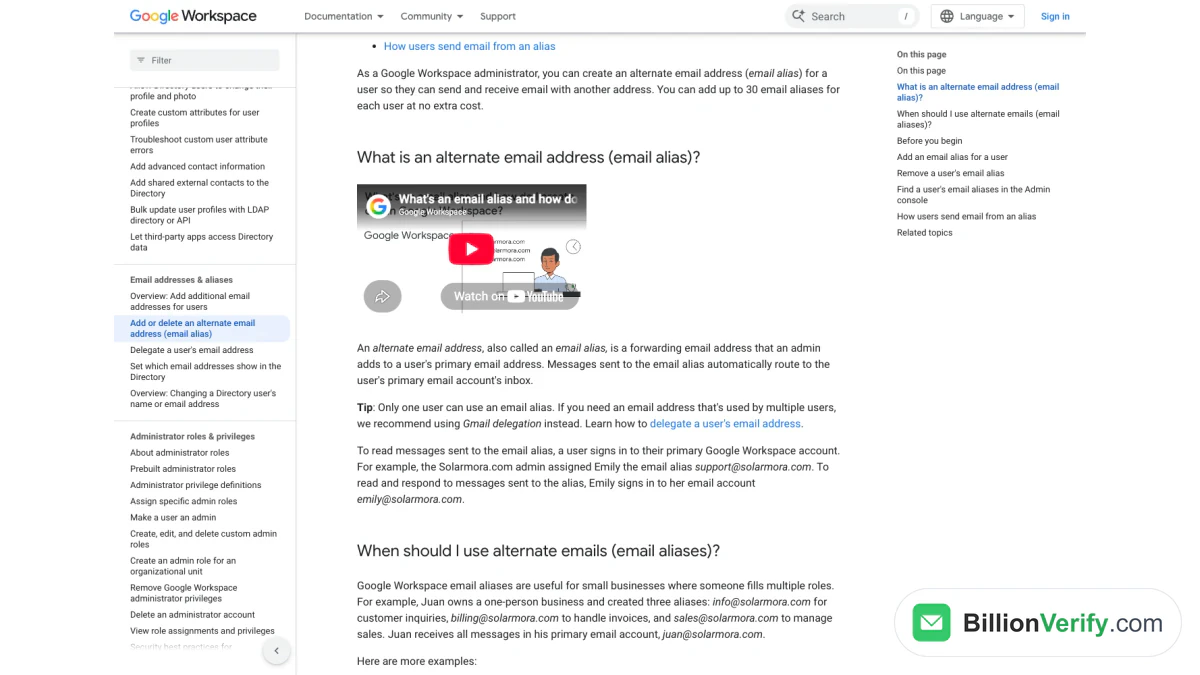
Screenshot: Workspace administrator documentation on alternate addresses and the cap per user, retrieved 2026-11-21.
How Aliases Distort Your List Data
Each alias is a working address. That is exactly why aliases slip through: none of the usual warning signs fire. The damage shows up in counts, rates and consent records rather than in errors, and it grows with each import that adds another spelling.
Duplicate rows and double sends
A database keyed on the exact address text treats each spelling as its own contact. If janedoe subscribed from your website and j.anedoe came in through a webinar import, the reader gets two copies of each campaign. Duplicate copies look careless, and the quickest response to careless email is the spam button. Google's sender guidelines ask senders to keep the spam rate reported in Postmaster Tools below 0.10% and to avoid ever reaching 0.30%, so complaints from a duplicated reader are not cosmetic. Platforms that price by contact count also bill both rows.
Split engagement and broken segments
Duplicates split a person's history across rows. Opens and clicks land on whichever spelling the reader acts on, so a single row looks engaged and its twin looks dead. A sunset rule that removes inactive contacts may then delete the copy that holds the consent record and keep the copy without it. A win-back campaign may go to someone who opened yesterday. Open rates, segment sizes and revenue per subscriber all drift the same way, because the denominator counts the same reader twice.
Bounce numbers that move in both directions
Aliases skew bounce statistics in two directions. While the mailbox exists, Gmail accepts all spellings, so a file full of duplicates still shows a low bounce rate even if half of those rows are copies nobody reads. When it goes away, all spellings fail together. Google's page on removing Gmail from a Google Account says the address can then no longer send or receive email and can't be used by anyone in the future. The inactive account policy adds that Google may delete an account that has not been used for two years. A reader stored under three spellings then produces three hard bounces in a single send, where a clean list would have recorded just one.
Google's guidance for senders names a remedy for this pattern: automatically unsubscribe recipients who have multiple bounced messages. Yahoo's sender best practices put it in other words, asking senders to monitor hard and soft bounces and to remove invalid recipients promptly. Our explainer on what a hard bounce is covers how permanent and temporary failures differ.
Unsubscribes that miss the other spelling
Consent and opt-outs are stored per row as well. If the reader unsubscribes from one spelling, the other row keeps sending to the same inbox. The CAN-SPAM definition of a recipient treats a person with more than one address as a separate recipient for each of them, and section 7704 gives a sender 10 business days to honor an opt-out request. The reader never sees that distinction. They see newsletters arriving after they asked them to stop, and a spam report is the obvious next click. Applying an opt-out to every matching row is the simple fix.
UK data protection rules point the same way. The ICO's guidance on accuracy says you must take reasonable steps to ensure the accuracy of personal data and consider whether you need to update it periodically. Two rows for the same person with conflicting consent states are the kind of record that guidance asks you to reconcile.
Sign-ups nobody confirmed
Because a dotted spelling reaches its owner, anyone can type a variant of someone else's address into your form, and Google admits it cannot stop that. Plus tags work the same way. Confirmed opt-in closes the gap. Google's guidelines tell list managers to confirm each recipient's address before subscribing them. Yahoo recommends a click-to-confirm message, so that the list won't contain fake addresses or people who were signed up maliciously. Our guide to verification during signup shows where a real-time check fits in a form.
Matching Alias Variants Without Merging Strangers
Matching aliases is a data problem, not a delivery problem. The goal is a match key: a second, derived value used only to find duplicates, while the address the subscriber gave stays untouched for sending. The hard part is deciding which providers get which rule.
Use only the rules a provider publishes
RFC 5321, the SMTP standard, says the local part must be interpreted and given meaning only by the host named in the domain part. Put simply, only Gmail decides what a dot means at gmail.com, and only your customer's server decides what a plus sign means at their company. The standard also requires the local part to be treated as case sensitive, so for some hosts smith and Smith are different users, while it discourages relying on that difference. A safe key applies a rule only where the provider has documented it.
The table lists what each provider's own pages said in November 2026. "Not stated" means the page does not address the point, not that the feature is missing.
| Provider | Dots in the username | Plus sign | Source |
|---|---|---|---|
| Gmail on gmail.com and googlemail.com | Ignored | Delivered to the same inbox | Google Gmail Help |
| Google Workspace on a company domain | Significant | Not stated on the dots page | Same Google page |
| Microsoft Exchange Online | Not stated | On by default, admins can turn it off | Microsoft Learn |
| Proton Mail | Not stated | Unlimited plus aliases | Proton support |
| Fastmail | Not stated | Plus and subdomain addressing | Fastmail help |
Microsoft's page shows why a blanket rule is risky. When Exchange Online receives a message for an address with a plus sign, it first tries to resolve the full address, tag included, and only if that fails does it try again without the tag. An admin can also switch the feature off. On a company domain, sean+newsletter might therefore be a real separate mailbox, or might not accept messages at all.
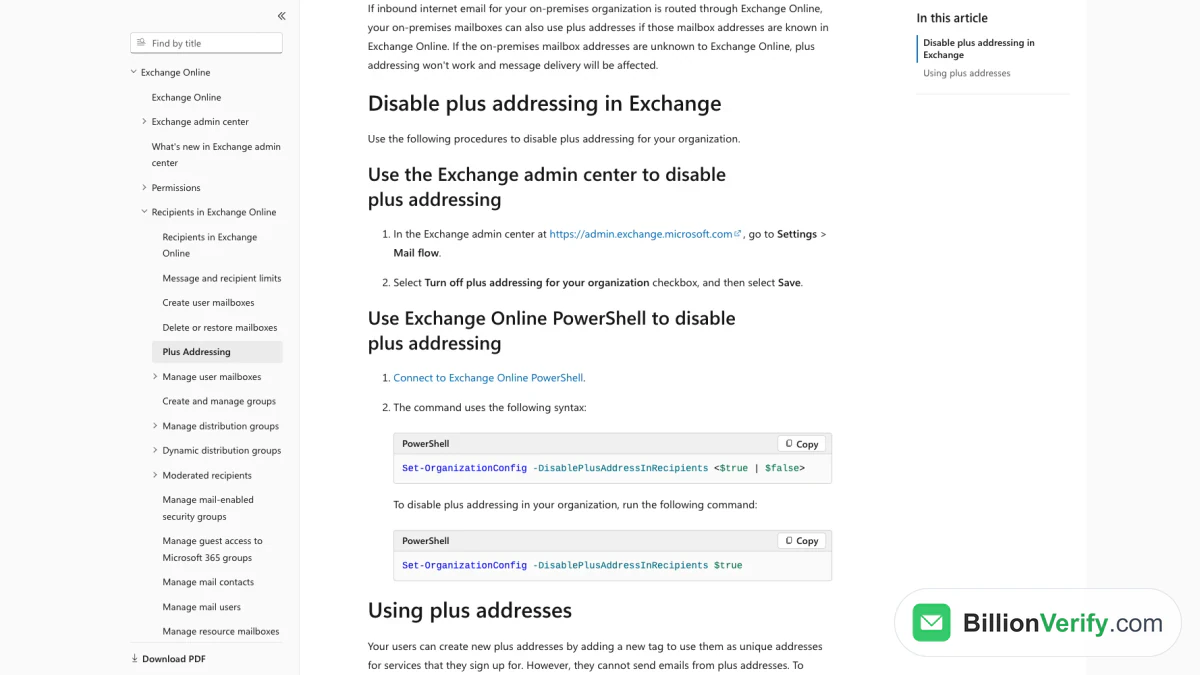
Screenshot: Microsoft Learn procedure for administrators who turn tags off, taken 11/21/2026.
Proton's support page says plus aliases let you create unlimited variations by adding the plus symbol and a word after the name, and that all of it arrives in the regular inbox. It also warns that the real address is easy to guess from a plus alias. Fastmail's help describes a second form, subdomain addressing, where the tag moves into the domain: whateveryoulike@alias.domain.tld. A rule that only looks for a plus sign misses that form entirely. Fastmail also notes that some websites wrongly treat addresses containing a "+" as invalid, which is a good reason not to reject the character in your own forms.
A match key in Python
The function below applies the Gmail rules only to Google's two consumer domains and leaves other domains as typed, apart from lowercasing. It was run with Python 3.15 before publication, and its output follows the code.
GMAIL_DOMAINS = {"gmail.com", "googlemail.com"}

def match_key(address: str) -> str:
    """Return a key for finding duplicates. Never send mail to it."""
    address = address.strip().lower()
    local, _, domain = address.rpartition("@")
    if domain in GMAIL_DOMAINS:
        base = local.split("+", 1)[0].replace(".", "")
        if base:  # "+tag@gmail.com" has no username to match on
            return f"{base}@gmail.com"
    return address

rows = [
    "Jane.Doe@gmail.com",
    "janedoe+news@googlemail.com",
    "j.a.n.e.doe+shop@gmail.com",
    "jane.doe@example.com",
    "jane.doe+news@example.com",
]
for row in rows:
    print(f"{row:30} -> {match_key(row)}")
Jane.Doe@gmail.com             -> janedoe@gmail.com
janedoe+news@googlemail.com    -> janedoe@gmail.com
j.a.n.e.doe+shop@gmail.com     -> janedoe@gmail.com
jane.doe@example.com           -> jane.doe@example.com
jane.doe+news@example.com      -> jane.doe+news@example.com
The three Gmail spellings collapse into a single key, while the two example.com rows stay apart, because nothing on that domain's side says the tag is optional. Lowercasing the whole string is a simplification, given that the SMTP standard lets a host tell Smith from smith. That is why the key only flags candidate duplicates for a merge rule. It never replaces the stored address, and campaigns always go to the spelling the subscriber chose.
Merging the duplicate rows
Once rows share a key, decide which survives. Keep the version the reader actually engages with as the sending address, since their filters expect it. Carry over the strongest consent record, the earliest signup date and the full engagement history from all copies. Apply any unsubscribe, complaint or hard bounce from any copy to the merged contact. Our guide to cleaning an email list covers the rest of the routine, from suppression lists to re-verification.
When a Subscriber Moves to a New Gmail Username
An address change is the alias a key cannot catch, so it has to be handled through the subscriber rather than the data. Google's account rules shape what you will see. The new address becomes the Google Account email, and the previous one stays as an alternate that still receives messages. The user cannot delete it; if they don't want what arrives there, Google points them to a filter. They can create a new gmail.com username only once a year and no more than three times, for up to four addresses on a single account.
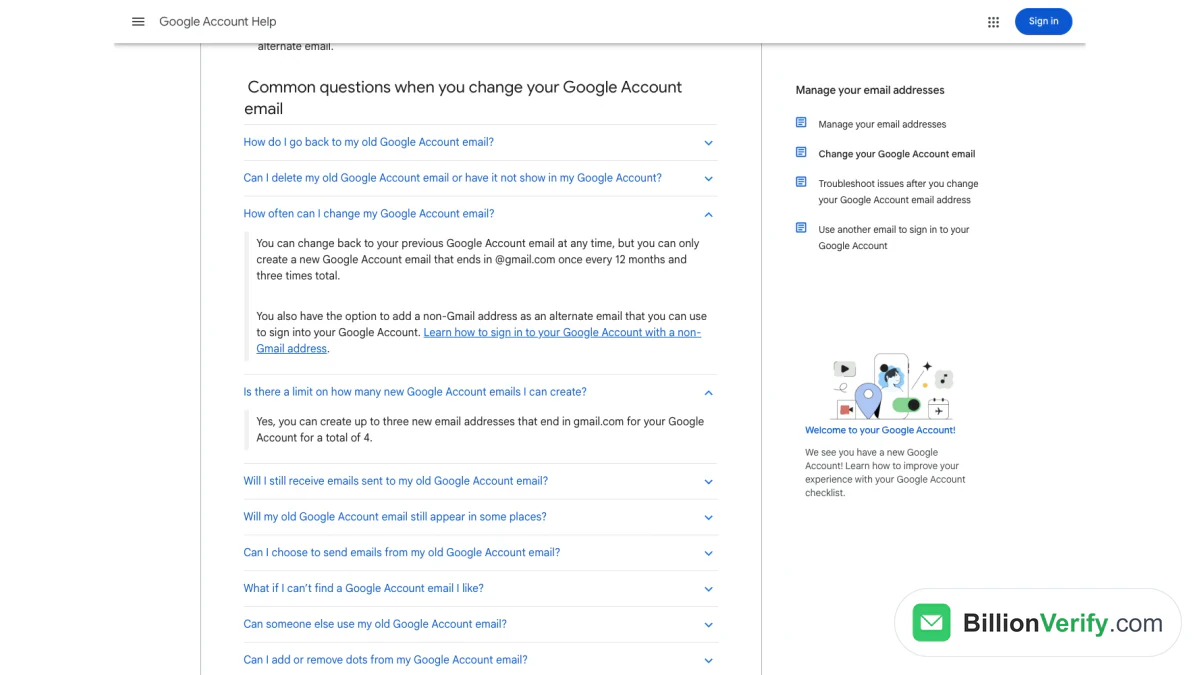
Screenshot: Google help answers on username change frequency and total allowed, viewed on 21 November.
Nobody else will ever receive messages at an old Gmail address, so the risk is not a stranger reading your newsletter. The risk is a reader who no longer looks. Both spellings pass all delivery checks, both still take email, and your reports show a deliverable contact with falling engagement. A generic win-back email treats that as lost interest, when the person may simply be reading somewhere else.
If your product offers Google sign-in, the troubleshooting page above notes that Google keeps giving the previous username to linked apps after the switch, because some apps identify users by email. Your user table may therefore hold the earlier spelling while the person writes to you from the new one. That is why Google's developer guide says to key accounts on sub. A login tied to sub survives the switch, while a login tied to the email can split into a second user record. Apps that match people across sign-ins often add a second identifier such as a phone number, and a phone number validator checks whether a number is valid for its country and reports its line type before you rely on it.
For the mailing list, give subscribers an easy way to tell you. A preference center that lets people update their address, with a confirmation email sent to the new spelling, beats guessing. A re-engagement message that asks whether this is still the right inbox gives someone who switched a reason to act. The same applies when a subscriber leaves Gmail altogether; our comparison of Proton Mail vs Gmail covers what moving providers involves for the person on the other end.
How Verification Handles Each Alias
Verification answers a narrower question than deduplication: will this mailbox accept the message? For Gmail aliases, the answer follows from the rules above. An SMTP-level check asks Gmail's servers whether they will take a message for the address. Because Gmail delivers each dotted spelling and each plus tag of an existing account, all variants get the same answer as the base username. A tag on a username that does not exist inherits that failure and is rejected too.
That last point means gmail.com does not behave as a catch-all. A catch-all server accepts anything sent to its domain, so a check cannot tell real mailboxes from invented ones. Gmail accepts spellings of names that exist and refuses the rest, which is why a Gmail result can be a firm valid or invalid. Our guide to catch-all email detection explains how to treat the domains that do accept everything.
What BillionVerify reports for an alias
BillionVerify labels aliases without changing the verdict. When an address on gmail.com or googlemail.com contains dots or a tag, the API response includes an alias_of field holding the base address, built by removing the dots and the tag. For outlook.com, hotmail.com, live.com and msn.com, and for the Proton, Fastmail, Zoho and Yandex consumer domains, it removes only the tag. Other domains are left alone, for the reasons the RFC and Microsoft sections above explain. The same value appears as a column in bulk file results.
The request below asks about a tagged address on a made-up Gmail username. It was run against the live API before publication, and the output is trimmed to the fields that matter here.
curl -s -X POST https://api.billionverify.com/v1/verify/single \
  -H "BV-API-KEY: $BV_API_KEY" \
  -H "Content-Type: application/json" \
  -d '{"email": "no.such.user.4815+news@gmail.com", "check_smtp": true}'
{
  "email": "no.such.user.4815+news@gmail.com",
  "status": "invalid",
  "is_catchall": false,
  "reason": "mailbox_not_found",
  "alias_of": "nosuchuser4815@gmail.com"
}
The alias_of field is a hint for your own deduplication, not a merge. Each variant in a file is still checked and billed as its own row under the normal rule: 1 credit for a valid, invalid, catch-all, disposable or role result, and nothing for an unknown. Forwarding services are a different case. BillionVerify's verification reasons list forwarding_alias for services such as SimpleLogin, Firefox Relay and Duck.com under the catch-all status, since those services accept the address and individual delivery cannot be confirmed. Catch-all results are reported as their own category, never counted as valid.
Checking aliases before a send
The practical order is to verify first, then match. A free email verifier runs syntax, DNS, MX and SMTP checks on each row, and the alias_of value then tells your merge script which rows point at the same inbox. For a single address, you can check an email address before you send with no sign-up. For a whole export, bulk email verification accepts a CSV file and returns the same fields per row. Accounts get 20 free credits on each day they are used, up to 600 a month, with no credit card, and a file you fix and upload again within 24 hours is rechecked at no charge.
Verification still cannot tell you whether anyone reads an address. An old Gmail address passes all checks after its owner has moved on, because Google keeps it alive by design. When a signup looks like a copy of a contact you already hold and you want context first, a reverse email lookup shows the domain, organization, mail routing and any public profile behind it. Engagement data and a working preference center reveal the rest.
A Gmail Alias Routine for List Owners
The routine below puts the earlier sections in order of when they happen. Each line pairs a moment in the list's life with the action that keeps aliases from turning into duplicates, phantom contacts or missed opt-outs.
| When | What to do | Why it matters |
|---|---|---|
| At signup | Send a confirmation email, accept the "+" character, store the address as typed with its key beside it | Google and Yahoo both recommend confirmed opt-in |
| At import | Group rows by key, merge them, carry consent and history to the survivor | A reader should exist once |
| Before a campaign | Verify the file, drop invalid rows, review catch-all rows separately | A removed account fails under all spellings |
| After an opt-out or complaint | Apply it to all rows with that key | The spellings reach a single inbox |
| When engagement stops | Ask whether the subscriber switched usernames and offer an update link | A retired username never bounces |
| In your login system | Key Google users on sub, not on email | Google's developer guidance |
None of these steps needs special software. A key column, a confirmation email and a verification pass before large sends cover most of the damage aliases cause, and gmail plus addressing stops being a source of hidden duplicates once the key exists.
FAQs
Does Gmail ignore dots in email addresses?
Yes, for personal accounts on gmail.com. Google says inserting dots anywhere in the username still reaches the same inbox, and the dotted form cannot be claimed by another user. On company or school accounts that use their own domain, the dots belong to the address and only an administrator can alter them.
Should I strip plus signs from addresses on my list?
No, not from the address you mail. Send to the exact form your subscriber gave you, because the tag may drive their filters, and on some company servers removing it reaches a different mailbox or none. Use the stripped form only as a separate key for finding duplicates, and only on providers that document the behavior.
Can I change my Gmail address?
Google lets some accounts switch to a different gmail.com username from their account settings, but not everyone sees the option. The previous address stays attached as an alternate. Google allows a new username once a year, up to three times; an employer-managed account goes through its administrator.
Does an old Gmail address still receive email?
Yes. After a switch, messages sent to the previous address keep arriving in the same inbox, and the owner cannot delete it. They can hide that traffic with a filter, which is why a list owner may see a deliverable contact that never opens anything.
Is gmail.com a catch-all domain?
No. Gmail refuses messages for usernames that do not exist, so a verifier can return a clear answer for each address. Only spellings of an existing username, dotted or tagged, are accepted.
Does BillionVerify merge Gmail alias duplicates in my file?
No. It verifies and bills each row separately and adds an alias_of value that names the base address for Gmail dots and tags, and for tags on a few other documented providers. Your own merge rule decides which rows to combine.
