


To clean an email list, you remove the addresses that cannot receive your mail, set aside the ones that might not, and stop sending to people who no longer read it. The work runs in a fixed order: pull out unsubscribes and past bounces, de-duplicate, verify each address, label the results, drop the silent subscribers, and then watch the bounce and complaint numbers once each send is out. The order matters because each step hands a smaller, safer file to the next one. Repeated on a regular schedule, it gives mailbox providers fewer reasons to distrust your domain.
This guide explains what each step does and which published limits sit behind it. Every threshold below is quoted from the sender documentation of Google, Yahoo, Microsoft and Amazon, the help centers of Mailchimp and Klaviyo, Spamhaus, the FTC and the RFCs, as read in November 2026. Both code samples were run with Python 3.15 before publication, and their output is printed beside them. We have no connection with any company named here, and providers change their rules often, so check the live page before you rely on a number. BillionVerify, which publishes this guide, is an email verification service, and the code sample that calls an API uses its endpoint.
Key facts (checked November 2026):
- Google's email sender guidelines tell senders that the Postmaster Tools spam rate should stay below 0.10% and should never reach 0.30%.
- Yahoo's sender best practices ask bulk senders for a spam rate below 0.3%, to honor unsubscribes within 2 days and to remove invalid recipients promptly.
- Amazon's SES bounce FAQ says to keep the bounce rate below 2%, puts an account under review once it hits 5% and may pause sending at 10%.
- Mailchimp's bounce guide treats a soft-bouncing address as a hard bounce once it fails 7 times, or 15 times if the contact was active before.
- Klaviyo's list cleaning article defines an unengaged contact as one who received at least 5 emails and had no opens or clicks in 90 days.
- On BillionVerify's pricing page, a valid or invalid result costs 1 credit, and unknown is not billed.
What a Clean Email List Means
A clean email list is one where every address can receive mail and every person on it still wants it. Those are two separate tests, and most guides blur them. An address fails the first test when the mailbox does not exist, the domain has no mail server or the inbox is a throwaway. It fails the second when the owner stopped reading months ago, never asked to hear from you or has already unsubscribed elsewhere. Verification software can answer the first question. Only your own engagement data and permission records can answer the second.
Three kinds of bad address do the damage, and each has a different fix. An undeliverable address produces a hard bounce on every send, and it is the easy case: remove it. Risky addresses might work, such as catch-all domains, role inboxes and mailboxes the verifier could not confirm, so they need a rule rather than an automatic delete. Unengaged addresses are valid but silent, and they cost you reputation instead of bounces. Spamhaus describes why in its sunset policy article: inbox providers fold sender engagement into their domain and IP reputation, so mailing old, unengaged addresses puts that reputation at risk. Old contacts go quiet over time; an active email checker helps you spot addresses that no longer work.
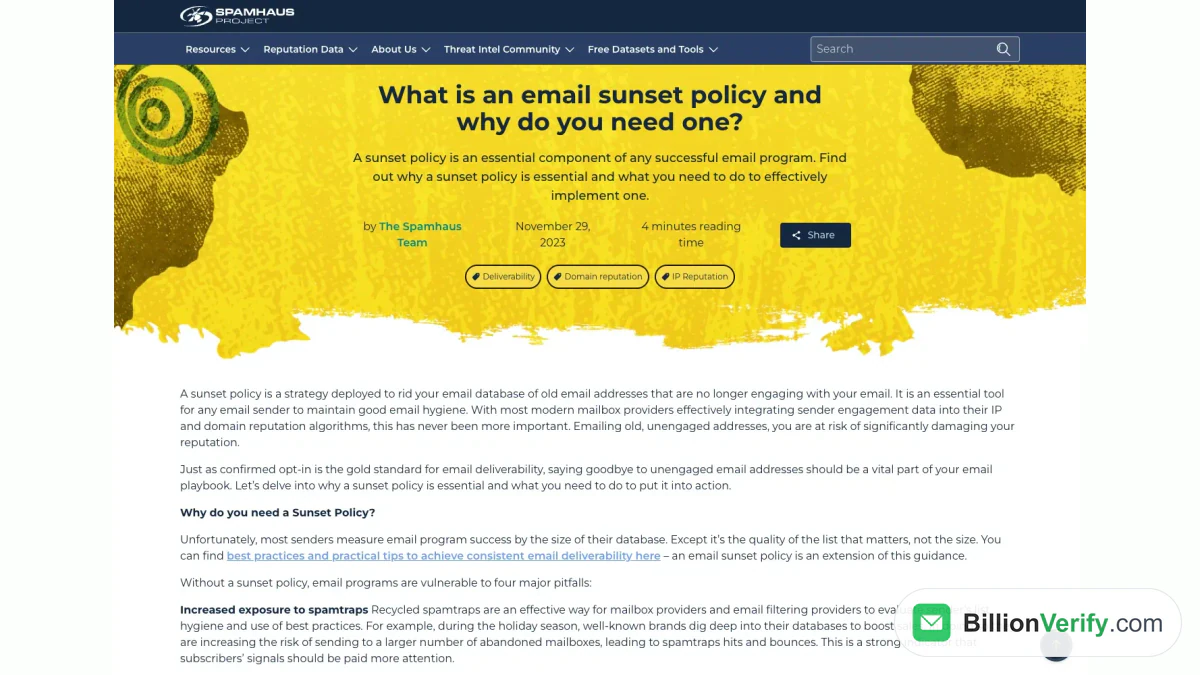
Screenshot: the Spamhaus article on sunset policies, published November 29, 2023, as of Nov 2026.
There is also a limit to what cleaning can do, and the vendors who sell it say so. Mailchimp's page on list cleaning services states that accuracy varies and is never 100%, and that scrubbing addresses can hide bigger problems with how addresses are collected. Spamhaus goes further in an older essay, You can't buy data hygiene. Its author argues that a service can only remove addresses that bounce, that confirmed opt-in is the better fix, and that an email list you mail regularly while removing bounces is already clean. Both points are fair. Verification is a safety net for lists you did not build yourself, not a substitute for permission.
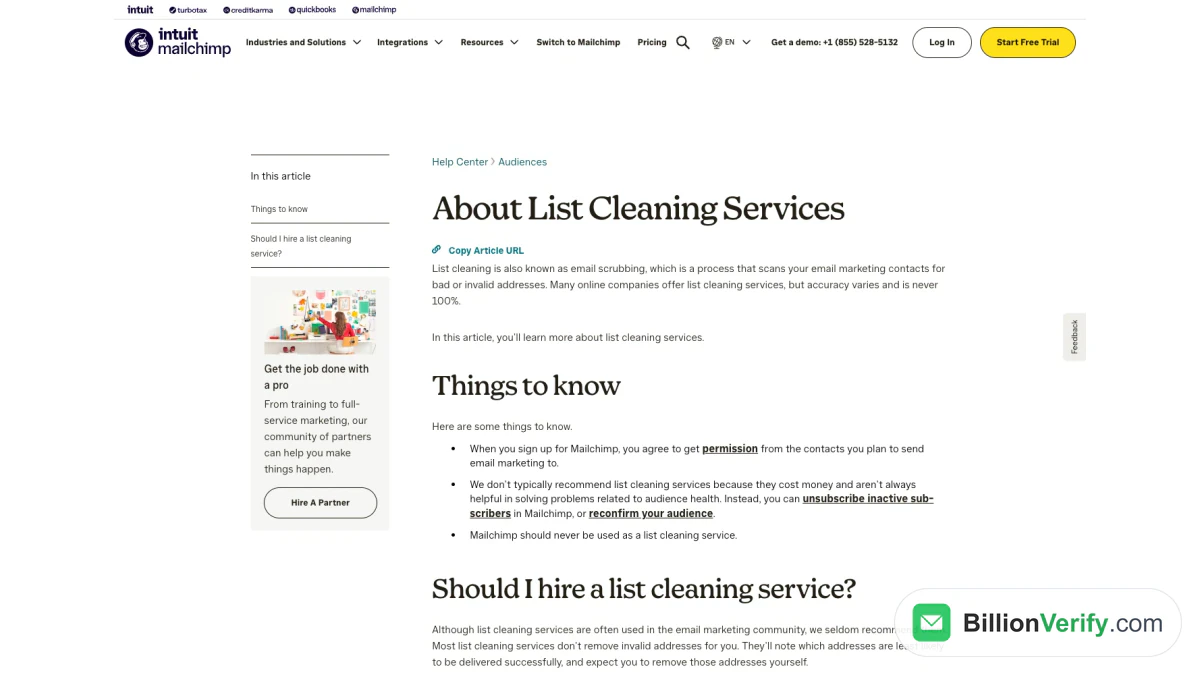
Screenshot: Mailchimp's help article on list cleaning services, with its note that accuracy is never 100%, captured in November 2026.
Why Mailbox Providers Care About Your List
Mailbox providers cannot see your intentions. They see how many messages bounce, how many recipients press the spam button and how many ignore you. Each provider publishes a different slice of that, and the numbers are worth knowing when you decide how aggressive to be. The table collects the ones that are public, with the source of each.
| Source | Metric | Published limit |
|---|---|---|
| Google, Gmail | Spam rate reported by Postmaster Tools | Below 0.10%, never 0.30% or more |
| Yahoo | Spam complaint rate | Below 0.3% for bulk senders |
| Amazon SES | Hard bounce rate | Below 2% advised, under review from 5%, pause possible at 10% |
| Mailchimp | Bounce rate | Not published; limits vary by provider and change during the year |
Two details in that table are easy to miss. Google and Yahoo both measure complaints rather than bounces, and Yahoo adds that its spam rate is calculated on mail delivered to the inbox. Amazon counts only the permanent kind, such as an address that does not exist, and leaves out temporary failures like a full mailbox. Mailchimp's guide to bounces explains why it publishes no bounce threshold: providers do not release theirs, and the limits move with incoming volume.
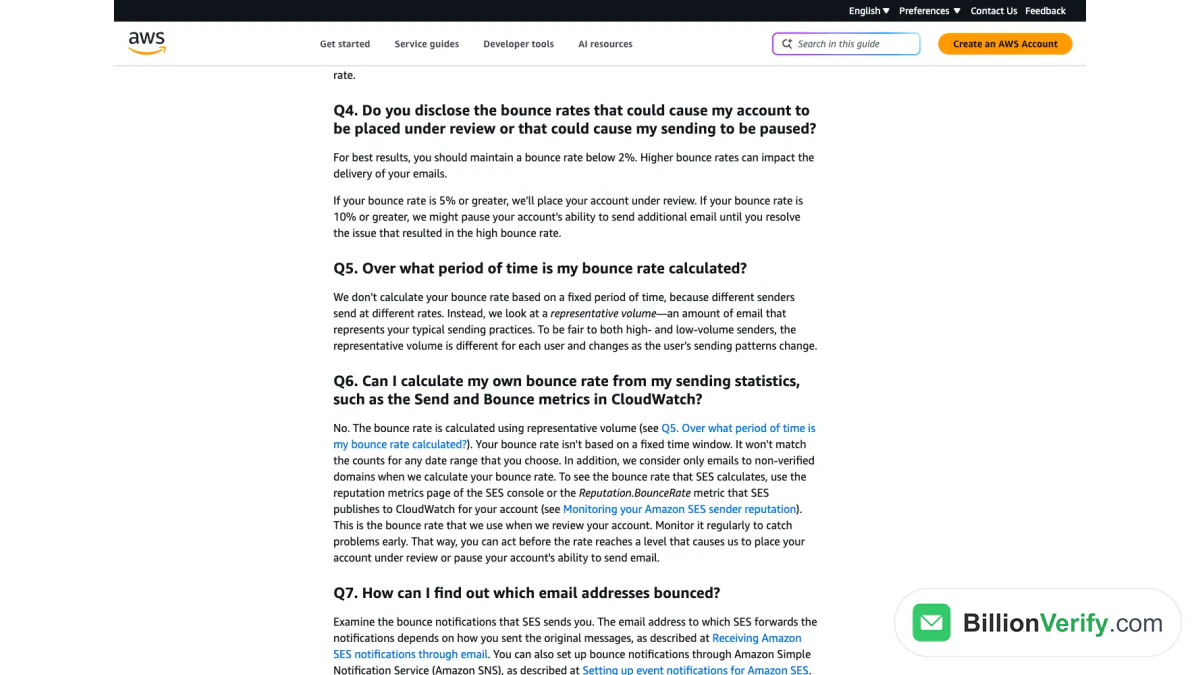
Screenshot: Amazon SES's bounce FAQ, with the thresholds for healthy sending, account review and a sending pause, taken in Nov 2026.
A hard bounce and a soft bounce are different events with different remedies. A hard bounce is a permanent failure. RFC 3463 defines the enhanced status code 5.1.1 as a mailbox that does not exist and 5.1.2 as a destination system that does not exist or cannot accept mail. A soft bounce is a transient failure, and RFC 3463 gives 4.2.2, a full mailbox, as a persistent transient case where sending later may succeed. Hosted platforms act on a pattern rather than on a single event, which the monitoring step below returns to.
Rules for the biggest senders are getting stricter. Microsoft's announcement for Outlook.com, posted in April 2025, lists list hygiene and bounce management among its recommendations: remove invalid addresses regularly to reduce complaints, bounces and wasted messages. Its FAQ answers how often with "monthly or quarterly". Google's guidelines add that senders who handle subscriptions should consider unsubscribing recipients who do not open or read their messages, and should automatically unsubscribe recipients who have multiple bounced messages.
When Your Email List Needs a Clean
Run a clean before a send when the email list has a risky origin, and on a schedule otherwise. Microsoft's rhythm of one clean each month or quarter is a sensible default for any email list that gets frequent sends. Three situations deserve a clean no matter when the last one ran.
The first is an imported email list. A file from an old system, a partner or a previous employer carries addresses nobody has mailed for a long time, and Mailchimp warns that importing old or invalid contacts, or addresses that had already bounced or unsubscribed, can cause spam complaints and undeliverable messages. Never buy a list to get around this. Google's guidelines say not to purchase email addresses from other companies, and Yahoo says the same.
The second is an event sign-up sheet. Handwritten forms and badge scans produce typos, misread letters and fake addresses, and nobody confirmed any of them. Check them before the first send, and send a confirmation message to the survivors. If the sheet also collected mobile numbers, a phone number validator checks each number's format and line type before you load it into another system.
The third is a list you have not mailed in months. Addresses decay when people change jobs, close accounts or abandon mailboxes, and the longer the gap, the more of your email list has turned into the spam traps and dead mailboxes that sunset policies exist to avoid. Spamhaus notes that recycled spam traps are aged, citing M3AAWG's suggestion of 12 months as a minimum. Mail such a list in stages, never in one blast.
Data protection law gives a second reason to keep lists current. Article 5(1)(d) of the GDPR requires personal data to be accurate and says every reasonable step must be taken to erase or rectify inaccurate data without delay. A dead address is inaccurate data, so regular cleaning is part of meeting that duty for European contacts. This is a technical reading of the text, not legal advice.
The 7 Steps to Clean Your Email List
The seven steps below run from cheapest to most expensive, and from certain to judgment-based. Do the first three before you spend any verification credits, because they shrink the file. Keep an untouched copy of the original export, and write every removal to a log rather than deleting rows, so you can explain a decision later.
Step 1: Export a backup and collect your suppression records
Start with a full export and a second file of everyone who must never receive mail: unsubscribes, spam complaints and addresses that bounced before. Hosted platforms keep part of these records for you. Klaviyo states that it automatically suppresses any address after a hard bounce, and Mailchimp says that in most cases it cleans hard-bounced addresses from the audience automatically and immediately. Export those lists too, because your next tool will not know about them.
The suppression file also has a legal job. The FTC's CAN-SPAM compliance guide says you must honor an opt-out request within 10 business days and cannot sell or transfer the addresses of people who opted out, apart from a company hired to help you comply. Penalties run to $53,088 for each violating email. So strip suppressed addresses from any file before it leaves your systems, and keep them in your own suppression list instead of deleting them, or the next import will bring them back.
Step 2: Trim, de-duplicate and apply a loose syntax check
Next, remove the problems you can find without a network. Trim spaces, compare addresses in lowercase to catch duplicates, and drop anything that has no @ sign or no dot in the domain. Compare in lowercase but store the original, because RFC 5321 says the local part must be treated as case sensitive. A loose pattern is enough here, since a strict one rejects real addresses such as plus-tagged mailboxes, and the verifier in the next step does the rigorous check.
Step 3: Verify every address
Verification asks the questions a format check cannot. Does the domain exist, does it publish mail servers, and will the server accept this mailbox? RFC 5321, section 5.1, says a DNS lookup must be performed once a client identifies the destination domain, and that a non-existent domain must be reported as an error. The mailbox question needs a live SMTP conversation, which the guide on SMTP email verification walks through. A verifier layers these checks and returns one status per address.
For a handful of addresses, you can check an email address before you send in the browser with no signup. The free email verifier runs the same layers on one address: syntax, domain and MX, a live SMTP check and risk flags. For files and scripts, the same checks run in bulk and over a REST API. The script below does steps 1 to 4 in one pass. It reads the export and the suppression file, de-duplicates, applies the loose syntax test, sends the survivors to the /v1/verify/bulk endpoint in groups of 50, which is that endpoint's documented maximum, and sorts every row into a bucket.
import csv, json, os, re, sys, urllib.request
from datetime import date

API = "https://api.billionverify.com/v1/verify/bulk"
LOOSE = re.compile(r"^[^\s@]+@[^\s@]+\.[^\s@]+$")
STALE_AFTER_DAYS = 180

def load_suppressed(path):
    with open(path, newline="") as f:
        return {row["email"].strip().lower() for row in csv.DictReader(f)}

def verify(emails, key):
    """One synchronous call, 50 addresses at most (/v1/verify/bulk)."""
    request = urllib.request.Request(
        API,
        data=json.dumps({"emails": emails, "check_smtp": True}).encode(),
        headers={"BV-API-KEY": key, "Content-Type": "application/json"},
    )
    with urllib.request.urlopen(request, timeout=120) as response:
        return json.load(response)["data"]["results"]

def main(subscribers, suppression, key):
    suppressed = load_suppressed(suppression)
    seen, rows, dropped = set(), [], []
    with open(subscribers, newline="") as f:
        for row in csv.DictReader(f):
            email = row["email"].strip().lower()   # compare in lowercase, mail to the original
            if email in seen:
                dropped.append((email, "duplicate"))
            elif email in suppressed:
                dropped.append((email, "suppressed"))
            elif not LOOSE.match(email):
                dropped.append((email, "bad syntax"))
            else:
                seen.add(email)
                rows.append({**row, "email": email})

    status = {}
    for i in range(0, len(rows), 50):
        for result in verify([r["email"] for r in rows[i:i + 50]], key):
            status[result["email"]] = result["status"]

    today = date.today()
    for row in rows:
        verdict = status.get(row["email"], "unknown")
        last = row["last_click"]
        stale = not last or (today - date.fromisoformat(last)).days > STALE_AFTER_DAYS
        if verdict in ("invalid", "disposable"):
            dropped.append((row["email"], verdict))
        elif verdict == "valid" and not stale:
            print(f"SEND    {row['email']}")
        elif verdict == "valid":
            print(f"SUNSET  {row['email']}  (valid, no click for {STALE_AFTER_DAYS}+ days)")
        else:
            print(f"REVIEW  {row['email']}  ({verdict})")
    for email, why in dropped:
        print(f"DROP    {email}  ({why})")

if __name__ == "__main__":
    main("subscribers.csv", "suppression.csv", os.environ["BV_API_KEY"])
The script was run in November 2026 against a file of eight made-up rows with a real key. The rows include a mixed-case duplicate, an address with two @ signs, a Gmail address with no mailbox behind it, a throwaway inbox at a disposable service, a role address, a trade-show row with no click date, and one address already on the suppression list. The billionverify.com addresses sit on a domain that accepts mail for any local part. This is the output.
REVIEW  ana.lopez@billionverify.com  (catchall)
REVIEW  kim@billionverify.com  (catchall)
REVIEW  support@billionverify.com  (role)
DROP    ana.lopez@billionverify.com  (duplicate)
DROP    tom@@mail.example  (bad syntax)
DROP    unsub@billionverify.com  (suppressed)
DROP    zzq-no-such-user-81723@gmail.com  (invalid)
DROP    person@mailinator.com  (disposable)
Nothing in this sample reached SEND or SUNSET, and that is the correct result. A catch-all domain accepts every recipient at the SMTP stage, so a verifier cannot confirm that any single mailbox exists, and it reports the address as catch-all instead of valid. On a real export, addresses that the mail server confirms are reported as valid and flow into SEND, or into SUNSET when the last click is more than 180 days old.
The verifier has honest limits too. BillionVerify's verification reasons reference lists providers that allow no reliable mailbox check, such as Apple iCloud, Proton and Tuta, and temporary failures such as greylisting, a rate limit or a timeout. Those return an unknown status. An unknown status is not charged, so you can check those addresses again later.
Step 4: Sort the results and decide what each status means
Verification gives you labels, and a label is not yet a decision. The table proposes a default action for each status. Treat it as a starting policy that you adjust to your audience.
| Status | What it tells you | Default action |
|---|---|---|
| Valid | The server accepted the mailbox | Keep; apply the engagement test in step 5 |
| Invalid | The mailbox or domain does not exist | Suppress, never delete |
| Disposable | A temporary inbox that will vanish | Suppress and block at signup |
| Role | A shared inbox such as support@ or info@ | Review by use case; B2B lists may keep them |
| Catch-all | The domain accepts everything, so the mailbox is unconfirmed | Send only to engaged contacts, in small batches |
| Unknown | The check could not finish | Retry later; hold out of large sends |
Each row has a reason behind it. Our overviews of catch-all email detection, disposable email detection and role account detection cover how each category is found and why its risk differs. A role address is not wrong, and a catch-all result is not bad. They simply carry uncertainty that a valid result does not. If one address looks odd and you want to know who stands behind it, a reverse email lookup reads the domain, organization and mail setup before you decide.
Step 5: Retire unengaged subscribers with a sunset rule
Verification cannot tell you that a valid address has stopped caring. Engagement data can, and a written rule keeps the decision consistent. Klaviyo's unengaged segment takes contacts who can receive marketing, who got 5 or more emails, and who had 0 opens and 0 clicks in the last 90 days. For senders who mail daily or several times a week, Klaviyo suggests a 30-day window instead. Its sunset flow article is stricter: it needs at least 5 messages received in 72 weeks and zero opens, clicks, site visits, product views, checkouts and orders over all time.
Use clicks and other activity as well as opens. Apple says that Mail Privacy Protection prevents senders from seeing whether a message was opened. An open count therefore understates activity for readers on Apple Mail, and a rule that looks only at opens can retire people who read every issue. That is our inference from Apple's statement, and the cautious fix is to require both no opens and no clicks, as Klaviyo's segment does.
Choose the window from your sending rhythm, then keep it. Spamhaus observes that receiving providers can investigate an address that has been unengaged for anywhere from three to twelve months. A monthly newsletter and a daily sale feed cannot share one threshold. Write the number down next to the reason, and apply it on every clean instead of renegotiating it each time.
Step 6: Ask the silent group to confirm, in stages
Before you suppress the silent group, give it one chance to opt back in. Yahoo's guidance suggests sending a reconfirmation email to inactive subscribers periodically. Mailchimp's reconfirm contacts article describes a method: export the audience, bulk unsubscribe the subscribed contacts and send them a link to your signup form, so only the people who choose to return are subscribed again. It also warns that sending the reconfirmation message from Mailchimp to unengaged contacts can itself affect your reputation there.
Stagger the send. Spamhaus warns that mailing every unengaged address at once is a sure way to damage your reputation, and recommends spreading a re-engagement campaign over several days while you watch domain reputation and IP reputation. Start with the most recently active slice of the silent group, stop if complaints or bounces rise, and move to older slices only when the numbers stay calm. Anyone who does not respond within your waiting period joins the suppression list.
Step 7: Monitor after each send and automate the rules
A clean email list degrades the day after you finish. Set up the monitoring that keeps it clean: check complaint and spam rates in Google Postmaster Tools and Yahoo's complaint feedback loop, watch bounce reports after every send, and review the sender-side health of your domain. Yahoo's advice is to track bounces of both kinds plus inactive recipients, and to use confirmed opt-in to cut the number of invalid recipients at the source.
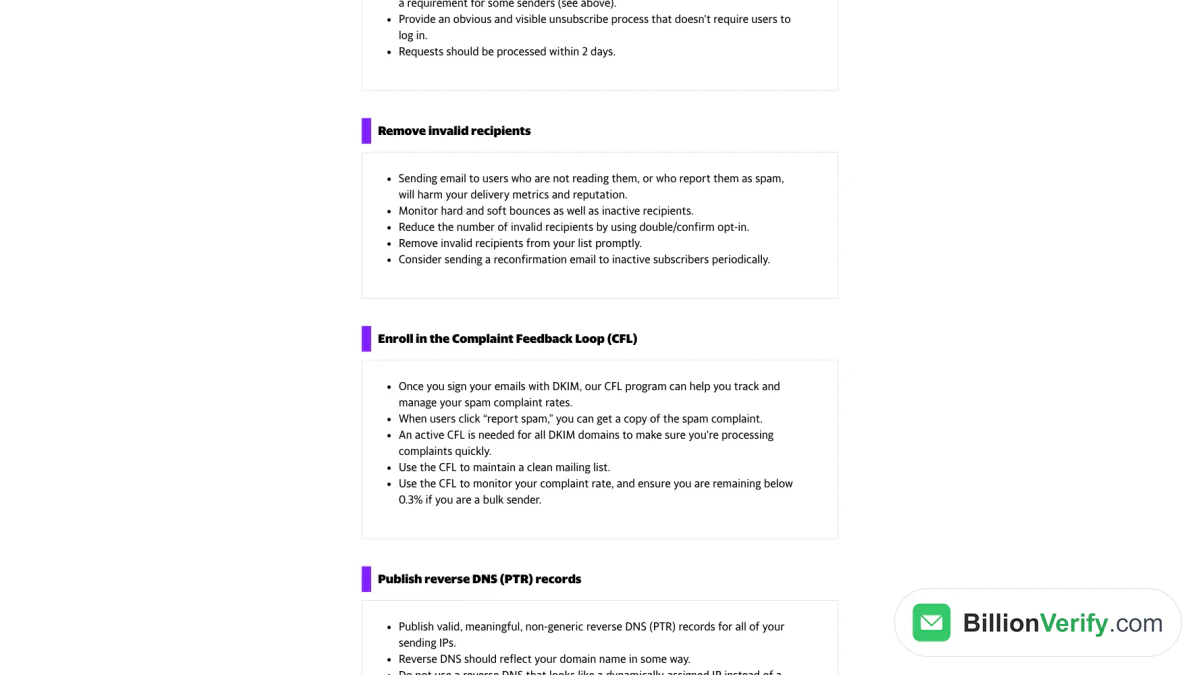
Screenshot: the Yahoo guidance section on removing invalid recipients, viewed in Nov 2026.
Treat bounces by their code, because they point at different causes. A permanent failure that names the address or the domain means remove the address. A failure about your own sending setup means fix the setup and keep the address, since the recipient did nothing wrong. Google's own documentation, for example, lists 550 with 5.7.1 as a rejection tied to a suspended sending IP. This function maps RFC 3463 codes to those three outcomes.
def triage(dsn: str) -> str:
    """Map an enhanced status code (RFC 3463) from a bounce to a list action."""
    cls, subject, detail = dsn.split(".")
    if cls == "2":
        return "delivered"
    if cls == "4":
        return "soft: retry, count consecutive failures"
    # 5.x.x is a permanent failure. Only some subjects blame the address.
    if (subject, detail) in {("1", "1"), ("1", "2")}:
        return "hard: suppress the address"
    if subject == "7":
        return "sender-side: fix the sending setup, keep the address"
    return "hard: review the reply text before suppressing"

for code in ["2.0.0", "5.1.1", "5.1.2", "4.2.2", "5.7.1", "5.2.1", "4.7.0"]:
    print(f"{code:6} {triage(code)}")
Its output is below.
2.0.0  delivered
5.1.1  hard: suppress the address
5.1.2  hard: suppress the address
4.2.2  soft: retry, count consecutive failures
5.7.1  sender-side: fix the sending setup, keep the address
5.2.1  hard: review the reply text before suppressing
4.7.0  soft: retry, count consecutive failures
For soft bounces, count the streak instead of acting on one event. Klaviyo suppresses an address when one soft bounce repeats 7 times in a row within the past 2 years, and a successful delivery breaks the streak. Mailchimp reclassifies a soft bounce as a hard one after 7 repeats for an address with no subscriber activity, and after up to 15 for contacts with earlier activity. The two platforms agree on the idea, though not the exact count, so copy the pattern and take the number from your own sender.
Sender-side faults deserve a quick check of your own DNS before you blame the list. The free email tools include lookups for MX, SPF, DKIM and DMARC records, and a blacklist checker shows whether your sending domain or IP sits on a public blocklist. Google requires SPF or DKIM from all senders to Gmail, and adds DMARC for senders above 5,000 messages a day. Yahoo asks for the same pair plus a DMARC policy of at least p=none, and Microsoft is enforcing authentication for high-volume senders on Outlook.com.
Email List Cleaning Tools and Services
You can run every step above with a spreadsheet and a verification API, and many senders do. A tool earns its place when the list is large, arrives in files or needs to be repeated each quarter. Think in terms of what you need done, because the tools split into four jobs: syntax and domain checks, mailbox verification, engagement analysis in your email platform, and bounce handling in your sender.
Most email platforms already cover the last two. Klaviyo and Mailchimp handle a hard bounce on their own, and both can build segments of unengaged contacts. What they do not do is judge addresses you have not yet mailed. That is the gap a verifier fills, which is why the most useful moment to run one is right after an import and ahead of any campaign to it. Mailchimp's own page says it is not a contact cleaning service, which is a reminder to verify first.
When you compare an email list cleaning service, ask five practical questions. Does it return a reason with each status, so you can see why an address was marked? Does it report catch-all addresses as their own category rather than folding them into valid? Does it bill for an unknown status? Can it take a file and an API call, so one-off cleans and signup-form checks use the same rules? And does it let you retry unknown results cheaply?
BillionVerify's bulk email verification takes CSV, TXT and XLSX files, and the email verification API covers forms and scripts. Valid, invalid, catch-all, disposable and role results cost 1 credit each, unknown costs nothing, and a re-check within 24 hours is free. A free account gets 20 credits on each day it is used, up to 600 a month, with no credit card. Whichever email list cleaning service you pick, keep your suppression list on your side, since the FTC limits how opt-out addresses may be transferred.
Common Mistakes in List Cleanup
The most expensive mistake is cleaning the symptom while leaving the source. If a sign-up form or a partner keeps feeding bad addresses into your list, you will repeat the work every month. Confirmed opt-in fixes the source, and Yahoo recommends it. Typos get caught earlier when the form tests the domain before you save the address.
Deleting instead of suppressing is the second. A deleted address can be imported again by a colleague next quarter, and it will bounce again. A suppression list that sits outside any one tool stops that, because every import can be checked against it before the file goes in.
Third, reading a lone soft bounce as proof of a dead address throws away good subscribers, while ignoring a streak keeps sending to a dead mailbox. Fourth, sending the win-back campaign to the whole silent group in one night. Fifth, trusting a catch-all outcome as if it were a confirmed mailbox. And sixth, cleaning rarely. A single big clean once a year leaves months of decay in between, whereas the rhythm Microsoft suggests keeps each pass small.
Legal Notes Before You Delete or Mail
Cleaning touches two bodies of law, and neither replaces the other. CAN-SPAM, which the FTC enforces, sets the 10-business-day deadline for opt-outs, and Yahoo's rule of 2 days is stricter. Treat the stricter number as your operating limit. Our CAN-SPAM Act guide covers the rest of the law. For contacts in the European Union, the GDPR accuracy principle supports regular cleaning, while its other rules govern what you may keep and for how long. Ask your counsel about retention and the lawful basis for processing your lists.
FAQs
How often should I clean my email list?
Clean it every month or every quarter, and always before a large campaign. Microsoft's Outlook.com FAQ recommends the regular removal of inactive or invalid addresses. Add a clean after any import, and again before mailing a list that has sat unused for months.
How many subscribers will I lose?
That depends on how the list was built and how old it is, and no reliable public average exists. Measure your own file instead. The count of invalid, disposable and silent addresses in the first clean is the baseline for the next one.
Is it safe to clean a list myself?
Yes, if you suppress rather than delete and keep a log of every removal. The steps above need only a spreadsheet, your platform's segments and a verifier. Where you doubt a result, hold the address in a review group and mail it later in a small batch.
What is the difference between hard and soft bounces?
A hard bounce is permanent, such as a mailbox that was never created. A soft bounce is temporary, such as a full mailbox or a server that is down. Platforms treat a soft bounce that keeps repeating as a hard bounce once a set count is reached, which is 7 failures in a row at Klaviyo.
Should I remove catch-all and role addresses?
Not automatically. A catch-all domain takes all mail at the SMTP stage, so the mailbox cannot be confirmed either way. Keep those contacts if they engage, send in small batches and suppress them if they bounce. Role addresses such as info@ can be right for B2B outreach, but they rarely belong in a consumer newsletter.
Can cleaning remove spam traps?
Not reliably. Spamhaus says claims of removing spam traps are often exaggerated, and that it shares no trap feeds with third parties. The dependable defenses are permission, confirmed opt-in and a sunset rule for addresses that stay silent, since recycled traps are formerly real mailboxes that went unused.
What should I do with addresses I remove?
Move them to a suppression list and keep them. That prevents re-importing the same dead address, and it keeps an audit trail of who opted out. Keep the opted-out addresses on your own systems, because the FTC restricts passing them to other companies.
Watch: How to Check If an Email Is Active and Still in Use
Watch: Free Email Verifier: How the 20 Free Daily Credits Work
