




Bulk email verification tests every email address in a large list without sending a message, and labels each one so you can decide whether to mail it. The check reads the syntax, looks up the domain's mail servers and asks the receiving server whether it would accept the recipient. Addresses that fail are removed before they can bounce. Addresses that cannot be judged are kept apart so a person can make the call. This guide covers when to run bulk email verification, how to prepare the data, how to run it through the API or as a list upload, and what to do with each result. Old contacts go quiet over time; an active email checker helps you spot addresses that no longer work.
Every code sample below was run against a live account in November 2026, and the output printed under it is real. We have no affiliation with Google, Yahoo, Microsoft, Amazon, Mailchimp or any other company cited here. Providers change their rules, so recheck the linked page before you act on a number. BillionVerify is our own email verification service, and it appears only where the workflow needs a concrete example. Weighing your options? Read the BillionVerify vs Reoon comparison.
Key facts (checked November 2026):
- Google's email sender guidelines ask senders of more than 5,000 messages a day to Gmail to keep the spam rate below 0.10% and never reach 0.30%, and to unsubscribe recipients who have bounced several times.
- The Amazon SES bounce FAQ advises a bounce rate under 2%, places an account under review at 5% and may pause sending at 10%, counting hard bounces only.
- Yahoo's sender best practices tell senders to remove invalid recipients promptly and not to purchase mailing lists.
- Microsoft's post on Outlook requirements for high-volume senders recommends removing inactive or invalid addresses monthly or quarterly.
- RFC 5321 splits SMTP failures into 4yz transient replies and 5yz permanent replies, which is the basis of soft and hard bounces.
- The BillionVerify API reference lists a batch endpoint for up to 50 addresses per call and an upload endpoint for CSV, TXT and XLSX files; unknown results are never charged.
What Bulk Email Verification Checks
A verification run asks a series of questions about each email address, from the cheapest to the most expensive. The cheap questions need no network at all. Is the text well formed, and is the domain spelled the way DNS allows? The next questions use DNS, and the last opens a short conversation with the receiving mail server. Bulk email verification repeats that sequence for every row, so typos and dead domains are the cheapest rows to find.
The DNS step follows the SMTP standard closely. RFC 5321 says that once a sender has identified the destination domain, a DNS lookup must be performed, and a non-existent domain must be reported as an error. A domain with no MX records is treated as if it had a single implicit MX that points at the domain's own host. A domain can also refuse all mail with a null MX record, defined in RFC 7505.
The mailbox question matters most for bounces. The verifier connects to the mail server, names a sender and then names your recipient. A 2yz reply means the server would accept the recipient, and a 5yz reply means it refuses. The verifier closes the connection before any message body is sent, so the owner receives nothing, as the BillionVerify help page on whether verification sends a real email explains.
Why not use the VRFY command, which exists to test a mailbox? RFC 5321 lets servers disable it for security reasons, and a server that does must answer 252 instead of a code that looks like a verdict. So the practical test is the recipient step, and some servers will not answer it plainly. Greylisting, described in RFC 6647, is an example: the server gives temporarily degraded service to senders it does not know. A fair verifier reports those rows as unknown instead of guessing.
The table maps each layer to the reason codes in the BillionVerify verification reasons reference. Other tools name their codes differently, but the layers are the same.
| Layer | Question it answers | Example reason codes |
|---|---|---|
| Syntax | Is the text shaped like an address? | invalid_syntax |
| DNS and MX | Does the domain exist and take mail? | no_mx_records, null_mx |
| SMTP mailbox | Will the server take this recipient? | smtp_deliverable, mailbox_not_found |
| Catch-all test | Does the domain say yes to every recipient? | catch_all_deliverable |
| Provider limits | Did the server refuse to answer? | smtp_unverifiable, smtp_greylisted |
Why Mailbox Providers Care About Your Bounces
Receiving systems score senders on how they behave, and a list full of dead addresses looks like a sender who never checked. A hard bounce tells a provider that you mail people you have no relationship with. Bulk email verification moves that discovery to a moment before the send. The two subsections below show what the largest providers and sending platforms say in their own words.
Gmail, Yahoo and Outlook
Google's guidance for bulk senders centres on spam complaints, not bounces. Past 5,000 messages in a day to Gmail, the spam rate in Postmaster Tools must stay under 0.30%, and Google asks for under 0.10%. The page also tells list owners to confirm each recipient before subscribing them and to unsubscribe people who bounce repeatedly. If bounces or deferrals start, Google says to cut sending until the error rate falls and then raise it slowly. Email list verification helps on both counts, because a stale mailbox is the likeliest source of a bounce.
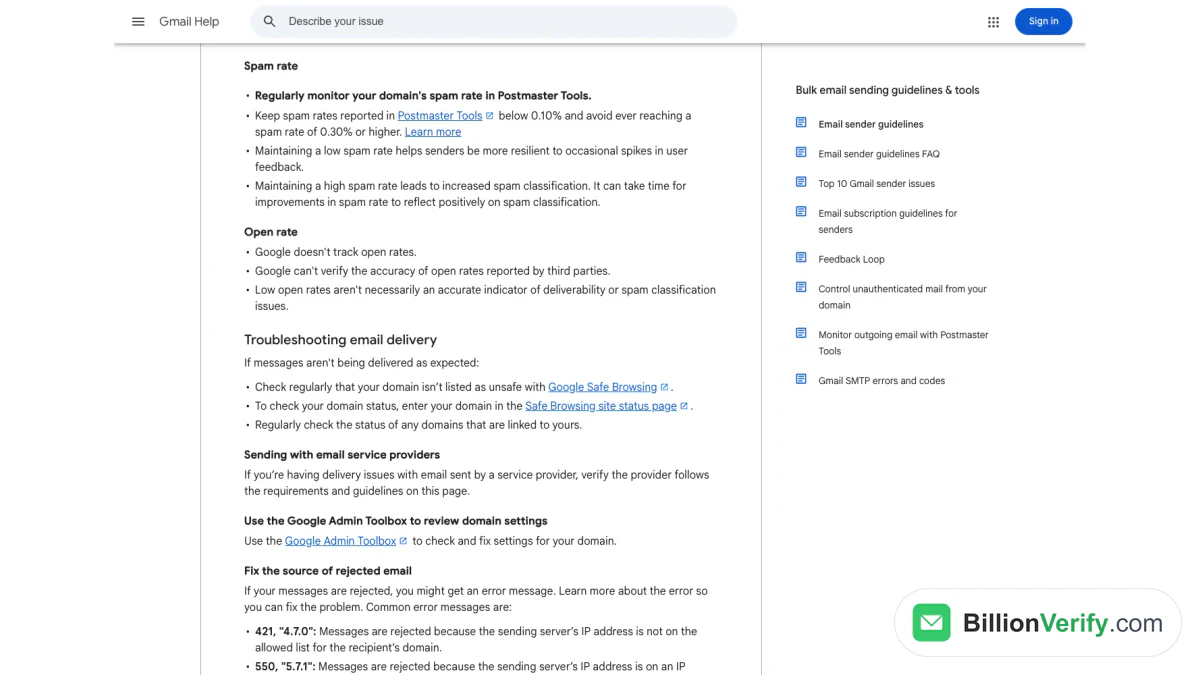
Screenshot: Google's sender guidance, spam rate section, captured in November 2026.
Yahoo is more direct about list quality. Its best-practices page has a section headed "Remove invalid recipients", which asks senders to monitor hard and soft bounces and to prune dead contacts promptly. It also warns against purchased lists and puts the complaint-rate line at 0.3%. Microsoft added rules for senders above 5,000 emails a day, covering SPF, DKIM and DMARC, and listed list hygiene among its extra recommendations. Its FAQ answers the cadence question in one line: clean mailing lists monthly or quarterly.
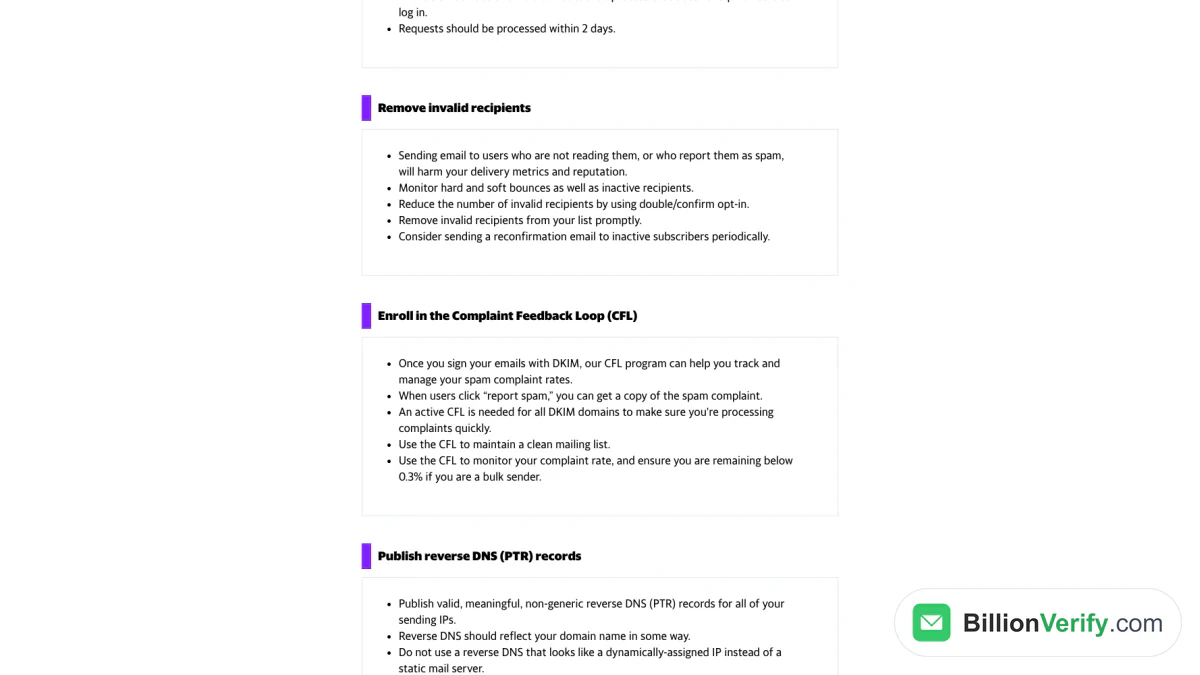
Screenshot: Yahoo's guidance on invalid recipients, taken in Nov 2026.
Sending platforms and their bounce limits
Platforms enforce bounce limits on their own customers, because a bad sender can damage the reputation of a shared network. Amazon SES is unusually specific. Its FAQ says to keep the bounce rate below 2%. An account at 5% or more goes under review, and 10% or more may lead to a pause. Only hard bounces to domains you have not verified count, while temporary failures such as a full mailbox do not.
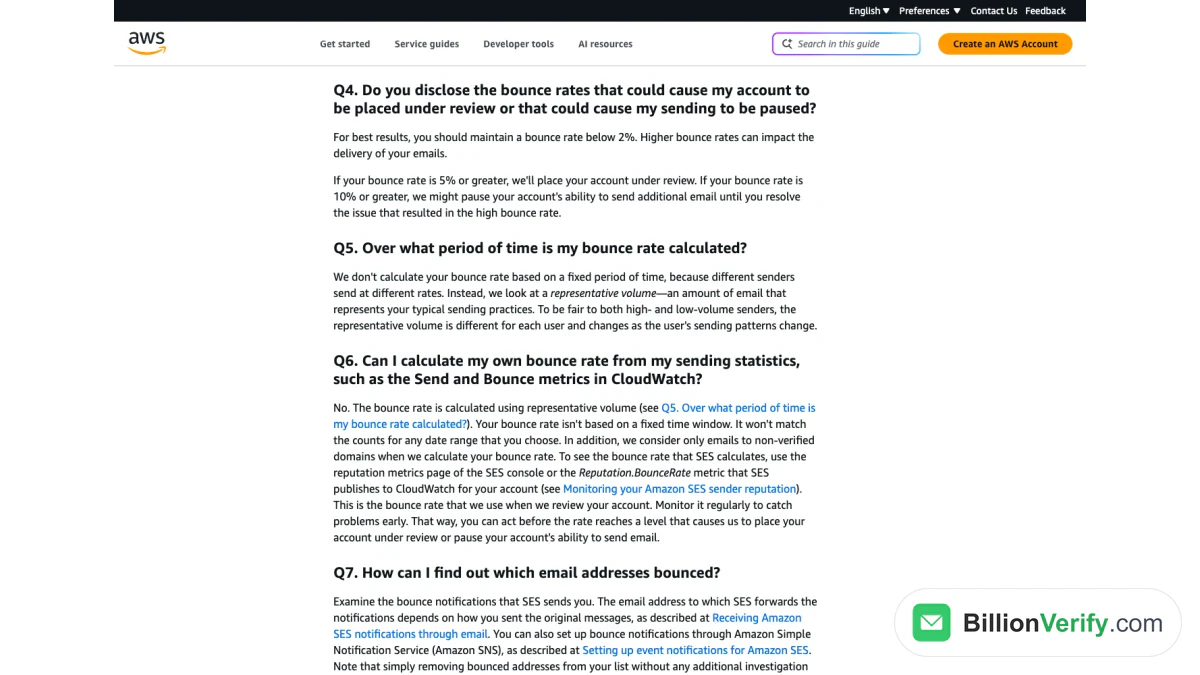
Screenshot: Amazon SES documentation with the review and pause thresholds, viewed in Nov 2026.
Mailchimp does not publish a number. Its bounce article says that Mailchimp must enforce ISP limits, that the limits vary through the year, and that high bounce rates usually come from stale audiences or from addresses that were entered or imported badly. SendGrid takes a mechanical route: it records a bounced address on a suppression list and refuses later sends to it until you remove the entry. All three approaches lead to one habit, which is to catch dead addresses before the first send and not let the platform find them for you.
When Bulk Email Verification Pays Off
Use it whenever addresses enter your system without a person confirming them. Typical cases are a CRM export that nobody has mailed in a year, an email list bought through a partnership or acquisition, leads copied from a conference or collected from public pages, and a large import from another platform. In each case nobody has shown that the mailbox exists or that its owner still reads it. Amazon makes the same point about old addresses: if you must send to people you have not mailed lately, do it with only a small portion of your volume.
Email list verification also belongs on a schedule. Mailboxes close, employees leave and domains lapse, so a list that was clean in spring is not clean in autumn. Microsoft's advice is a pass every month or every quarter. The simplest rule is to verify just before a large campaign, because the result is then fresh on the day you send.
New signups need a different tool. A form should check an email address while the visitor is still on the page, with a single-address call that can confirm an email address is valid before the record is saved. Our comparison of real-time and bulk validation covers that split, and the guide to verification during signup shows the form side. A bulk email checker is for the backlog and for lists you did not collect yourself.
Prepare the List Before You Upload
A bulk email verification service charges for what it can determine, so it pays to remove obvious problems yourself. Repeated rows, blank cells and text that cannot be an email address are easy to find with a short script. The upload response from BillionVerify reports both total_rows and unique_emails, so you can see how many repeats a list held. Cleaning first also leaves you a record of why each row was dropped.
CSV needs care too. RFC 4180 says that fields containing line breaks, double quotes or commas should be enclosed in double quotes. A spreadsheet export with a free-text notes column can therefore hold line breaks inside a single row. Read the data with a real CSV parser and never count rows by counting lines.
The script below applies six rules. It trims each email address, ignores blank cells, rejects text that fails a loose syntax test, rejects a local part with a leading, trailing or doubled period, rejects over-length addresses and drops later duplicates while keeping the first row. It compares lowercase copies but writes each address as it was typed, because the case of a mailbox name is the receiving server's business. The reasoning behind each rule is in our guide to email syntax validation.
import csv
import re
import sys

LOOSE = re.compile(r"^[^\s@]+@[^\s@]+\.[^\s@]+$")

def octets(text: str) -> int:
    return len(text.encode("utf-8"))

def check(email: str) -> str:
    """Return "ok" or the reason a row should not be uploaded."""
    if not email:
        return "empty"
    if not LOOSE.fullmatch(email):
        return "syntax"
    local = email.rsplit("@", 1)[0]
    if local.startswith(".") or local.endswith(".") or ".." in local:
        return "dots in local part"
    if octets(local) > 64 or octets(email) > 254:
        return "too long"
    return "ok"

def prepare(source: str, column: str = "email") -> None:
    seen = {}
    rejected = []
    with open(source, newline="", encoding="utf-8-sig") as handle:
        reader = csv.DictReader(handle)
        rows = list(reader)
        fields = reader.fieldnames

    for row in rows:
        row[column] = (row.get(column) or "").strip()
        reason = check(row[column])
        if reason != "ok":
            rejected.append({**row, "reason": reason})
            continue
        key = row[column].lower()          # compare lowercase, keep the original text
        if key in seen:
            rejected.append({**row, "reason": "duplicate"})
        else:
            seen[key] = row

    with open("clean.csv", "w", newline="", encoding="utf-8") as out:
        writer = csv.DictWriter(out, fieldnames=fields)
        writer.writeheader()
        writer.writerows(seen.values())
    with open("rejected.csv", "w", newline="", encoding="utf-8") as out:
        writer = csv.DictWriter(out, fieldnames=[*fields, "reason"])
        writer.writeheader()
        writer.writerows(rejected)

    print(f"rows in: {len(rows)}  kept: {len(seen)}  rejected: {len(rejected)}")

if __name__ == "__main__":
    prepare(sys.argv[1])
The sample, leads.csv, has 13 rows with the columns name, email and company. It includes a row with stray spaces and capitals, a duplicate, a doubled period, a missing @ sign and a blank cell. The command and its output are:
python3 prepare_list.py leads.csv
# rows in: 13  kept: 9  rejected: 4
The four rejected rows land in rejected.csv with the reasons duplicate, dots in local part, syntax and empty. If the same data also holds phone numbers, run them through a phone number validator in the same pass, so a single cleanup covers both channels.
Run the Job: Batch Calls or an Upload
A bulk email verification service usually offers two ways to run a job, and BillionVerify offers both. Batch calls send a group of addresses in a request and return the answers in the response. An upload sends the whole list, runs it in the background and lets you collect the output later. Batch calls suit small lists and code that needs an answer immediately. An upload suits anything you would not want to hold a connection open for.
Batch calls for small lists
The batch endpoint accepts at most 50 addresses per request and answers synchronously. For a few thousand addresses, a loop that sends 50 at a time is enough. The API reference allows 1,500 batch requests per minute for each API key, so the loop rarely needs a pause. The script uses only the Python standard library and reads the key from an environment variable.
import csv
import json
import os
import urllib.request
from collections import Counter

API = "https://api.billionverify.com/v1/verify/bulk"
KEY = os.environ["BV_API_KEY"]

def verify_batch(emails):
    request = urllib.request.Request(
        API,
        data=json.dumps({"emails": emails, "check_smtp": True}).encode(),
        headers={"BV-API-KEY": KEY, "Content-Type": "application/json"},
    )
    with urllib.request.urlopen(request, timeout=120) as response:
        return json.load(response)["data"]["results"]

with open("clean.csv", newline="", encoding="utf-8") as handle:
    emails = [row["email"] for row in csv.DictReader(handle)]

results = []
for start in range(0, len(emails), 50):          # the endpoint accepts at most 50 per call
    results.extend(verify_batch(emails[start:start + 50]))

print(Counter(item["status"] for item in results))
for item in results:
    print(f'{item["status"]:11} {item["reason"]:22} {item["email"]}')
Run against the nine rows that clean.csv kept, it printed the lines below. The domain billionverify.com takes mail for every recipient, so even the made-up mailbox comes back as catch-all, and the role mailboxes carry the catch-all reason. The domain example.com publishes a null MX record, and iCloud is among the providers that allow no reliable check.
Counter({'invalid': 3, 'catchall': 2, 'role': 2, 'disposable': 1, 'unknown': 1})
catchall    catch_all_deliverable  ana.costa@billionverify.com
role        catch_all_deliverable  support@billionverify.com
role        catch_all_deliverable  info@billionverify.com
catchall    catch_all_deliverable  no-such-mailbox-88123@billionverify.com
invalid     null_mx                doe.jane@example.com
invalid     mailbox_not_found      zz-not-real-7731-qq@gmail.com
disposable  disposable_domain      test-user@mailinator.com
invalid     no_mx_records          user@this-domain-does-not-exist-481516.com
unknown     smtp_unverifiable      someone.real.9921@icloud.com
Uploads for large lists
An upload takes a CSV, TXT or XLSX file. The optional fields email_column and preserve_original choose which column holds the address and whether your other columns come back in the results. The API reference names no cap on upload size or number of rows. Even so, splitting a very large list into several parts makes a failure cheaper to repeat. Upload, wait and download are three calls, shown in the shell script below with a long-polling status check.
#!/bin/bash
# Upload clean.csv, wait for the job, download the result file.
set -euo pipefail
API=https://api.billionverify.com/v1
AUTH="BV-API-KEY: $BV_API_KEY"

JOB=$(curl -s -X POST "$API/verify/file" -H "$AUTH" \
  -F file=@clean.csv -F email_column=email -F check_smtp=true -F preserve_original=true \
  | python3 -c "import sys, json; print(json.load(sys.stdin)['data']['task_id'])")
echo "job $JOB"

while true; do                                   # long-poll: each call waits up to 30 seconds
  STATUS=$(curl -s -H "$AUTH" "$API/verify/file/$JOB?timeout=30" \
    | python3 -c "import sys, json; print(json.load(sys.stdin)['data']['status'])")
  echo "status $STATUS"
  case "$STATUS" in
    completed|completed_with_warning) break ;;
    failed|cancelled) exit 1 ;;
  esac
done

curl -s -L -H "$AUTH" -o results.csv "$API/verify/file/$JOB/results"   # -L follows the 307 redirect
echo "saved results.csv"
The -L flag matters. Without a filter, the results endpoint answers with a 307 redirect to the stored data, and a client that does not follow redirects saves an empty result. The run printed these lines, and the job id differs on every run:
job c48d3ed1-9315-4244-b7b7-7967f5b95124
status processing
status processing
status processing
status processing
status merging
status completed
saved results.csv
Polling is fine for one-off lists. For a pipeline, register a webhook for the file.completed and file.failed events instead. Each delivery carries an X-Webhook-Signature header, an HMAC-SHA256 of the timestamp and the raw body, which your server should check before trusting the payload. The upload page describes the dashboard route for people who would rather not write code.
A word on cost, since a large list can hold many rows. Valid, server-rejected invalid, catch-all and role results use one credit each, while unknown rows and malformed addresses are free, as BillionVerify's article on which results consume credits lists. Repeating an address within 24 hours is not billed twice. One-time packs start at $1 per 1,000 credits on the pricing page, so a 20,000-row list costs at most $20, and a free account gets 20 credits on each day it is used, up to 600 a month, with no credit card.
Read the Results: Six Statuses, Six Decisions
A finished job gives each row a status and a reason. The status is the decision label, and the reason explains it. Whichever bulk email verifier you use, treating the output as a single pass-or-fail column is the commonest way to lose good contacts, because three of the six statuses are neither clearly good nor clearly bad. The table shows what each status means and the action most senders take.
| Status | What it means | Usual action |
|---|---|---|
| valid | The server confirmed the mailbox | Send |
| invalid | The server refused the mailbox, or the domain takes no mail | Suppress |
| catchall | The domain says yes to everyone, so the mailbox is unconfirmed | Segment and send with care |
| role | A shared mailbox such as info@ or support@ | Follow your own policy |
| disposable | A throwaway address from a temporary provider | Usually remove |
| unknown | No reliable answer came back | Retry later, do not delete |
Catch-all and shared mailboxes
A catch-all domain says yes to every recipient and sorts the mail out afterwards. The BillionVerify help page on catch-all results lists security gateways, many Microsoft 365 tenants and some Google Workspace domains among the usual causes. The mail reaches the domain, but whether it reaches a person depends on routing the server never reveals. That is why a catch-all row is reported as its own group and not as valid. Our article on catch-all email detection explains how the made-up address test works, and the catch-all verifier lets you test a single domain.
A role address is a different kind of risk. It is usually deliverable, but a shared inbox may be read by several people, and few of them chose to be on your list. A B2B outbound sequence may drop role rows, while a service announcement may keep them. The decision belongs to your policy, not to the verifier.
Unknown results
An unknown status means the receiving side refused to give a trustworthy answer. Greylisting, rate limits and timeouts cause some of these, and the reason code tells you which: the reference marks smtp_rate_limited, smtp_timeout and smtp_greylisted as retryable. Other providers can never be checked. The reference says that Apple iCloud, Proton and Tuta addresses always return unknown with smtp_unverifiable. The help page on unknown results says not to delete these rows as if they were invalid, since many are deliverable.
Retry the retryable rows in a later job, preferably the next day, because a rate limit or a greylist often clears by then. For the structural cases, trust the source of the address. A contact who signed up or bought from you is usually safe to mail, and a scraped address deserves more caution.
Splitting the output
The output retains your original columns and adds verification columns, including ev_status, ev_reason, ev_is_catchall, ev_is_role and ev_retryable. The SMTP reply column can contain line breaks, so read it with a CSV parser, as the earlier note on RFC 4180 suggests. This script routes each row into one of four groups.
import csv

ROUTES = {
    "valid": "send.csv",
    "catchall": "review.csv",
    "role": "review.csv",
    "unknown": "retry.csv",
    "invalid": "suppress.csv",
    "disposable": "suppress.csv",
    "risky": "suppress.csv",
}

with open("results.csv", newline="", encoding="utf-8-sig") as handle:   # SMTP replies can contain line breaks
    reader = csv.DictReader(handle)
    fields = reader.fieldnames
    rows = list(reader)

outputs, writers = {}, {}
counts = {}
for row in rows:
    target = ROUTES.get(row["ev_status"], "review.csv")
    if target not in writers:
        outputs[target] = open(target, "w", newline="", encoding="utf-8")
        writers[target] = csv.DictWriter(outputs[target], fieldnames=fields)
        writers[target].writeheader()
    writers[target].writerow(row)
    counts[target] = counts.get(target, 0) + 1

for handle in outputs.values():
    handle.close()
print(counts)
# {'review.csv': 4, 'suppress.csv': 4, 'retry.csv': 1}
The sample has no valid row, because its only business domain accepts everything, so no send.csv appears. On a real email list that group would hold most rows. Keep suppress.csv instead of deleting it. If the same bad address arrives again from a form or a partner, you can recognize it without paying for a second check.
What a Verified List Still Cannot Promise
Bulk email verification answers a technical question, which is whether a mailbox accepts mail today. It says nothing about permission. Yahoo and Amazon both tell senders not to buy, rent or share lists, and cleaning a purchased list does not change where it came from. Spamhaus defines listwashing as removing spam traps and bad addresses from a list that was never confirmed opt-in, often to launder a rented or purchased list. A clean list of strangers is still a list of strangers.
Spam traps deserve a plain statement. The same glossary describes a spamtrap as an address that has not opted into any email, used to spot senders with poor permission and list practices. It calls the claim that a verifier can find and remove spam traps questionable, and adds that Spamhaus frequently sees mail in its traps from "verified" opt-out lists. No bulk email verifier can promise to remove them, so do not treat any status as a guarantee of safety.
Mailchimp is blunter about cleaning services in general. Its help article says accuracy varies and is never 100%, that it seldom recommends them, and that cleaning "may solve an obvious problem, like stale addresses, but it can hide bigger issues" in how you collect and manage subscribers. That is a fair warning. Email list verification repairs a list, and consent, confirmation emails and suppression rules keep it repaired.
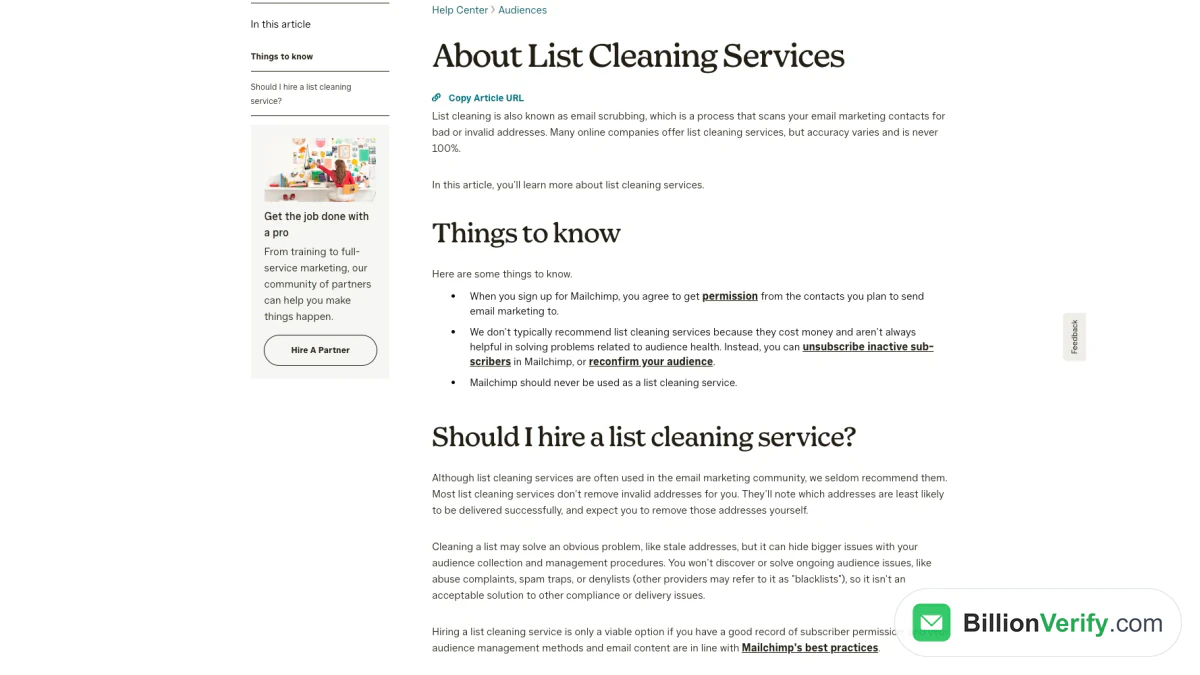
Screenshot: Mailchimp's help article on list cleaning services, as of Nov 2026.
Two further limits are worth knowing. A mailbox that accepts mail today can be full tomorrow, and RFC 3463 defines that case as a separate status code from "bad destination mailbox address", which is why a verified list can still produce soft bounces. And personal data has to be accurate. The UK Information Commissioner's guidance on the accuracy principle says to take all reasonable steps to ensure personal data is not incorrect or misleading, and to correct or erase it as soon as possible when you find an error. Removing addresses you now know to be dead is one small way to meet that duty. When a row passes every check but still looks wrong, a reverse email lookup shows the domain, organization and mail routing behind it.
After the Run: Suppress, Retry and Monitor
The job is finished when the results have changed what you do, not when the download ends. Start by writing the status, reason and check date back to each contact record, so a suppressed address can be explained months later. Then import suppress.csv as a suppression list, or delete those contacts from the audience if your platform allows it. These two steps work with any sending platform.
Next, send to the review.csv group in a small first batch, and watch the bounce count before you send the rest. Re-run the retry.csv rows after a day, and treat the ones that stay unknown according to where the address came from. After a long gap in sending, raise the volume gradually, as Google advises, and cut it if bounces or deferrals return.
Keep an eye on the numbers that the providers named earlier. If your platform reports a bounce rate, compare it with the 2% and 5% marks in the Amazon figures, even when you send through another service, because they are a useful yardstick. Remove addresses that bounce repeatedly, as Google suggests, and schedule the next full pass for the next month or quarter. A short recurring run of a bulk email checker costs less than a large emergency clean after a reputation drop.
Before you upload a big email list, try a few of its riskiest addresses on billionverify.com. The free checker runs the same layers on a single address, needs no account and shows how the statuses read. Our guide to SMTP email verification goes deeper on the server conversation that sits behind the mailbox result.
FAQs
How many addresses can a job hold?
According to BillionVerify's API reference, uploads have no application-enforced limit on size or row count, and the batch endpoint takes at most 50 addresses at a time. Limits differ by bulk email verification service, so read the terms of the one you use. For very large lists, several smaller parts are easier to monitor and cheaper to repeat.
Does the job send a message to every person on the list?
No. Bulk email verification stops the SMTP conversation before the message body would be sent, so nothing is composed and nothing arrives in anyone's inbox. Your own sender reputation is untouched, because the traffic does not come from your sending domain.
Is a catch-all address safe to email?
Often yes, but with more risk than a confirmed valid address. The server accepts the message, and the domain's internal routing decides whether a person receives it. Send those rows in a smaller first batch and judge them by the bounces you see.
Can I verify a list I bought?
Technically yes, since the check only needs the addresses. The problem is permission. Verification cannot turn strangers into subscribers, and providers such as Yahoo and Amazon tell senders not to use purchased lists at all.
How does bulk verification differ from real-time verification?
Real-time verification checks a single address at the moment someone types it, so the form can ask for a correction. A bulk email checker works on a stored backlog or an imported list. Most teams need both, one at the door and one for the list they already hold.
What should a bulk email verifier report?
At minimum, one status plus a reason per row, with catch-all addresses in their own group and unknown rows left uncharged and undeleted. A good verification service also preserves your original columns and lets you export the groups separately. Those details decide whether you can act on the output without guessing.
Watch: How to Check If an Email Is Active and Still in Use
Watch: How to Check If an Email Exists: A Real Domain Isn't Enough