



Email syntax validation forms the foundation of any robust email verification system. Before checking whether an email address actually exists or can receive messages, you must first confirm that the address follows the correct format. While this seems straightforward, email syntax validation harbors surprising complexity that catches many developers off guard. Understanding the nuances of email format validation helps you build better email validators and avoid common pitfalls that lead to rejecting valid addresses or accepting malformed ones. For foundational concepts, see our complete guide to email verification.
Understanding Email Address Structure
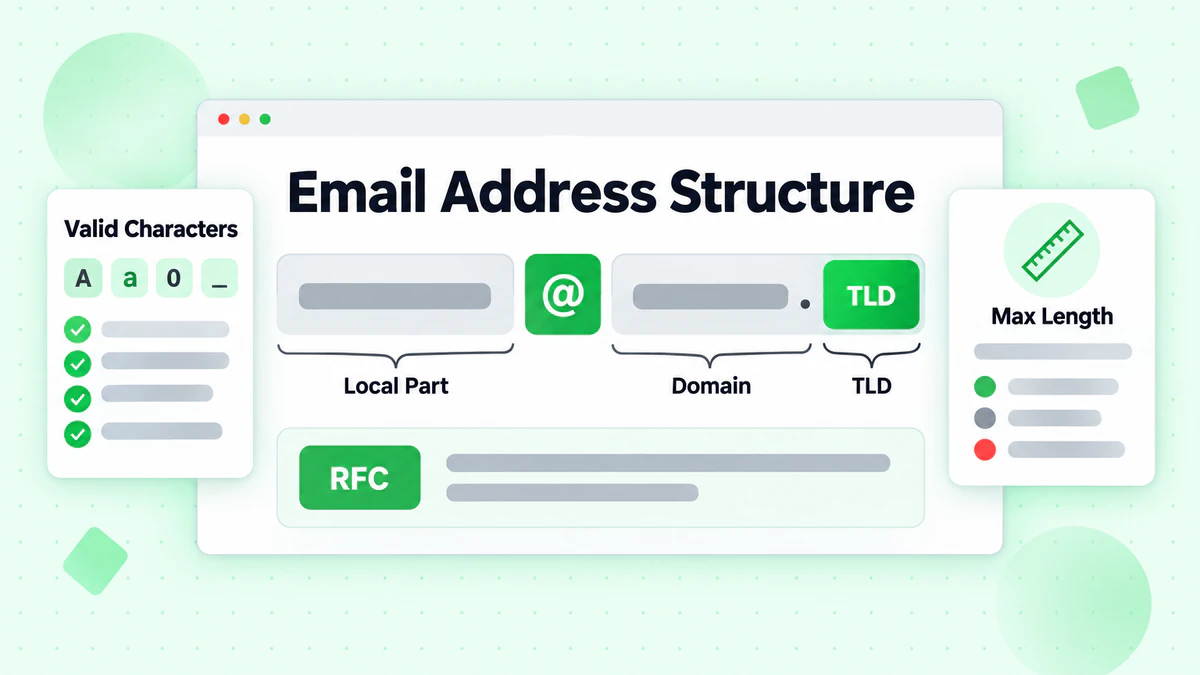
Every email address consists of two main parts separated by the "@" symbol: the local part and the domain part. The complete structure follows the pattern local-part@domain. While this appears simple, the rules governing each part—defined primarily by RFC 5321 and RFC 5322—allow for considerable variation that many basic email validation regex patterns fail to handle correctly.
The Local Part
The local part appears before the "@" symbol and identifies a specific mailbox on the mail server. Valid characters in the local part include:
- Uppercase and lowercase letters (A-Z, a-z)
- Digits (0-9)
- Special characters: ! # $ % & ' * + - / = ? ^ _ ` { | } ~
- Periods (.) when not at the start or end, and not consecutive
- Quoted strings allowing almost any character, including spaces and special characters
This flexibility means addresses like user+tag@domain.com, "john doe"@example.com, and admin!special@company.org are all technically valid according to the specification. An overly restrictive email checker might incorrectly reject these legitimate addresses.
The Domain Part
The domain part follows the "@" symbol and specifies where the email should be delivered. Valid domain formats include:
- Standard domain names (example.com, mail.company.org)
- Internationalized domain names with non-ASCII characters
- IP addresses in brackets ([192.168.1.1] or [IPv6:2001:db8::1])
Domain names must follow DNS naming conventions: labels separated by periods, each label starting and ending with an alphanumeric character, containing only alphanumeric characters and hyphens in between.
The Challenge of Email Validation Regex
Creating a regex pattern that accurately validates email addresses while following RFC specifications proves remarkably difficult. The gap between what developers commonly implement and what the standards actually allow creates ongoing problems in email verification systems worldwide.
Why Simple Regex Patterns Fail
Many tutorials and code examples provide overly simplified email validation regex patterns like:
^[a-zA-Z0-9._%+-]+@[a-zA-Z0-9.-]+\.[a-zA-Z]{2,}$
While this pattern catches obviously invalid addresses, it incorrectly rejects valid addresses containing:
- Quoted local parts with spaces
- Special characters like
!or#in the local part - Single-character top-level domains (yes, they exist)
- IP address domain parts
Conversely, this pattern might accept invalid addresses with:
- Consecutive periods in the local part
- Periods at the start or end of the local part
- Domain labels starting or ending with hyphens
The RFC 5322 Regex
The infamous RFC 5322-compliant regex demonstrates the true complexity of email syntax validation. This pattern, spanning multiple lines, attempts to capture the full specification:
(?:[a-z0-9!#$%&'*+/=?^_`{|}~-]+(?:\.[a-z0-9!#$%&'*+/=?^_`{|}~-]+)*|"(?:[\x01-\x08\x0b\x0c\x0e-\x1f\x21\x23-\x5b\x5d-\x7f]|\\[\x01-\x09\x0b\x0c\x0e-\x7f])*")@(?:(?:[a-z0-9](?:[a-z0-9-]*[a-z0-9])?\.)+[a-z0-9](?:[a-z0-9-]*[a-z0-9])?|\[(?:(?:(2(5[0-5]|[0-4][0-9])|1[0-9][0-9]|[1-9]?[0-9]))\.){3}(?:(2(5[0-5]|[0-4][0-9])|1[0-9][0-9]|[1-9]?[0-9])|[a-z0-9-]*[a-z0-9]:(?:[\x01-\x08\x0b\x0c\x0e-\x1f\x21-\x5a\x53-\x7f]|\\[\x01-\x09\x0b\x0c\x0e-\x7f])+)\])
This regex, while more accurate, creates maintenance nightmares, performance concerns, and debugging challenges. Few developers can read or modify it confidently, and its complexity can cause catastrophic backtracking in certain regex engines.
Practical Email Validation Regex Patterns
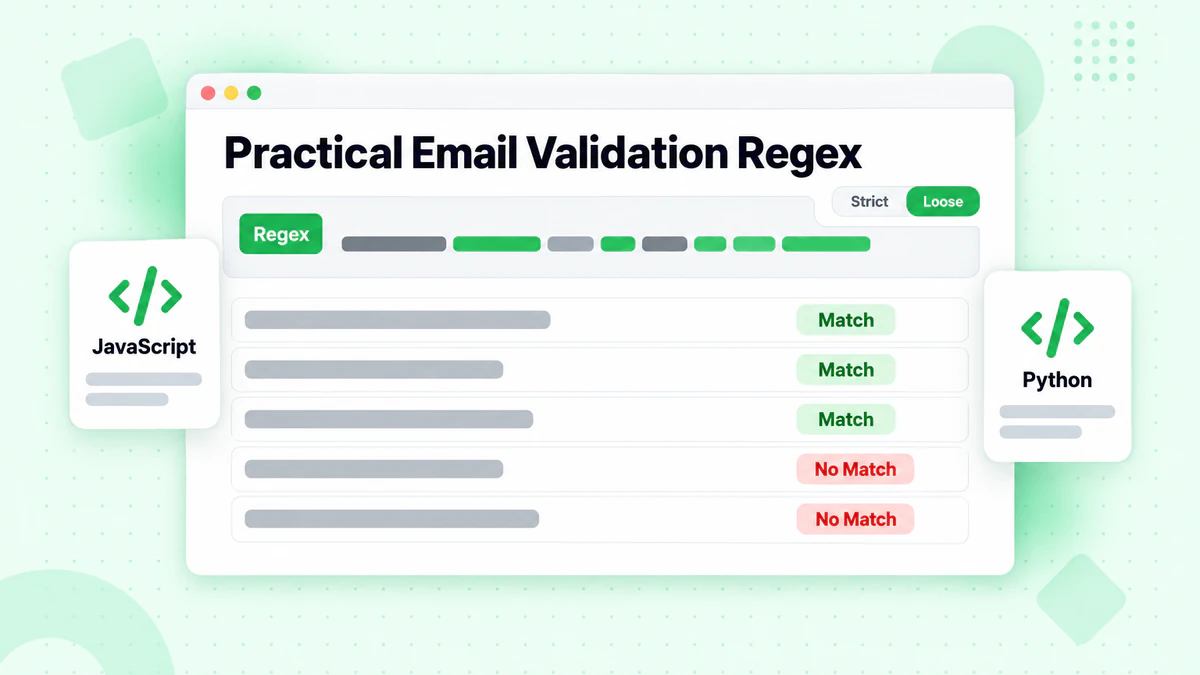
Rather than pursuing perfect RFC compliance, most applications benefit from practical regex patterns that balance accuracy with maintainability. The goal is catching genuinely invalid addresses while accepting the email formats real users actually employ.
Recommended General-Purpose Pattern
For most web applications, this balanced email validation regex works well:
const emailRegex = /^[^\s@]+@[^\s@]+\.[^\s@]+$/;
This pattern ensures:
- At least one character before the @
- Exactly one @ symbol
- At least one character between @ and the last period
- At least one character after the last period
- No whitespace anywhere in the address
While not RFC-complete, this pattern accepts virtually all real-world email addresses while rejecting obvious formatting errors.
Enhanced Pattern with More Restrictions
For applications requiring stricter validation, consider:
const strictEmailRegex = /^[a-zA-Z0-9.!#$%&'*+/=?^_`{|}~-]+@[a-zA-Z0-9](?:[a-zA-Z0-9-]{0,61}[a-zA-Z0-9])?(?:\.[a-zA-Z0-9](?:[a-zA-Z0-9-]{0,61}[a-zA-Z0-9])?)*$/;
This pattern adds:
- Explicit character whitelist for the local part
- Domain label length limits (max 63 characters)
- Prevention of consecutive hyphens at domain boundaries
Language-Specific Implementations
Different programming languages handle email validation regex differently. Here are optimized patterns for common languages:
JavaScript:
function validateEmailSyntax(email) {
  const pattern = /^[^\s@]+@[^\s@]+\.[^\s@]+$/;
  return pattern.test(email) && email.length <= 254;
}
Python:
import re

def validate_email_syntax(email):
    pattern = r'^[^\s@]+@[^\s@]+\.[^\s@]+$'
    if len(email) > 254:
        return False
    return bool(re.match(pattern, email))
PHP:
function validateEmailSyntax($email) {
    return filter_var($email, FILTER_VALIDATE_EMAIL) !== false;
}
Note that PHP's built-in filter_var function provides reasonable email syntax validation without requiring custom regex patterns.
Beyond Basic Syntax: Length Constraints
Email syntax validation must also enforce length constraints that regex patterns alone may not adequately address.
Total Length Limit
RFC 5321 specifies that email addresses cannot exceed 254 characters total. This limit applies to the complete address including the local part, @ symbol, and domain part combined.
Local Part Length
The local part cannot exceed 64 characters. Addresses with longer local parts should be rejected even if they otherwise match your regex pattern.
Domain Length
Individual domain labels cannot exceed 63 characters, and the total domain part cannot exceed 253 characters. These limits derive from DNS specifications rather than email standards.
Implementing Length Checks
Always combine regex validation with explicit length checks:
function validateEmail(email) {
  // Length constraints
  if (email.length > 254) return false;

  const [localPart, domain] = email.split('@');
  if (!localPart || !domain) return false;
  if (localPart.length > 64) return false;
  if (domain.length > 253) return false;

  // Check individual domain labels
  const labels = domain.split('.');
  for (const label of labels) {
    if (label.length > 63) return false;
  }

  // Regex validation
  const pattern = /^[^\s@]+@[^\s@]+\.[^\s@]+$/;
  return pattern.test(email);
}
Common Email Syntax Validation Mistakes
Understanding common validation mistakes helps you build better email validators and avoid frustrating users with false rejections.
Requiring TLD Length
Some patterns require top-level domains to be at least 2 or 3 characters. While common TLDs like .com, .org, and .net are 3+ characters, valid single-character TLDs exist, and new gTLDs vary widely in length.
Blocking Plus Signs
The plus sign (+) is valid in email local parts and commonly used for email tagging (e.g., user+newsletter@gmail.com). Blocking plus signs prevents users from organizing their email and frustrates power users.
Requiring Specific Characters
Some validators require certain characters (like at least one letter) in the local part. Addresses like 123@domain.com are perfectly valid and occasionally used.
Case Sensitivity Assumptions
While the domain part is case-insensitive, the local part is technically case-sensitive according to RFC 5321. However, most modern mail servers treat local parts as case-insensitive in practice. Your validator should accept any case but normalize to lowercase for storage.
International Character Rejection
Modern email standards support internationalized email addresses (EAI) with non-ASCII characters in both local and domain parts. While full EAI support may not be necessary for all applications, be aware that patterns restricting to ASCII may reject valid international addresses.
Email Syntax Validation in Different Contexts
The appropriate level of email format validation depends on your specific use case and risk tolerance.
User Registration Forms
For signup forms, prioritize user experience over strict validation. Accept a wide range of syntactically valid addresses and rely on verification emails to confirm deliverability. Rejecting unusual but valid addresses frustrates users and may cost you signups.
API Input Validation
APIs should validate input to prevent obviously malformed data from entering your system. A moderate validation pattern catches errors early while remaining flexible enough to accept legitimate addresses.
Email Marketing Lists
When processing imported email lists, apply syntax validation as the first filter before more expensive verification checks. This quickly eliminates formatting errors and typos that obviously cannot receive email.
High-Security Applications
For applications requiring high assurance of email validity, syntax validation serves only as a first step. Combine it with MX record verification, SMTP verification, and professional email verification services like BillionVerify for comprehensive email validation.
The Role of Syntax Validation in Email Verification
Email syntax validation represents just one layer in a complete email verification strategy. Understanding how syntax validation fits with other verification methods helps you build effective email checker systems.
The Verification Hierarchy
A comprehensive email verification process typically follows this order:
- Syntax Validation - Format checking (this article's focus)
- Domain Validation - Confirming the domain exists
- MX Record Check - Verifying mail servers are configured
- SMTP Verification - Confirming the specific mailbox exists
- Deliverability Assessment - Checking for catch-all domains, role-based addresses, disposable emails
Syntax validation fails early and cheaply. Addresses that don't pass basic format checks never proceed to more expensive verification steps, saving computational resources and API calls.
Combining with Professional Services
While you can implement syntax validation in-house, professional email verification services like BillionVerify handle the complete verification pipeline. The BillionVerify API performs syntax validation as part of its comprehensive email verification, combining it with domain checking, SMTP verification, catch-all detection, and disposable email identification in a single API call.
async function verifyEmail(email) {
  // Quick client-side syntax check
  if (!/^[^\s@]+@[^\s@]+\.[^\s@]+$/.test(email)) {
    return { valid: false, reason: 'Invalid syntax' };
  }

  // Full verification via BillionVerify API
  const response = await fetch('https://api.billionverify.com/v1/verify', {
    method: 'POST',
    headers: {
      'Authorization': 'Bearer YOUR_API_KEY',
      'Content-Type': 'application/json'
    },
    body: JSON.stringify({ email })
  });

  return await response.json();
}
This approach provides immediate feedback for obvious syntax errors while delegating comprehensive verification to a specialized email verification service.
Performance Considerations
Email validation regex performance matters when processing large volumes of addresses or implementing real-time validation.
Regex Engine Differences
Different programming languages use different regex engines with varying performance characteristics. Test your patterns with your specific language and runtime environment.
Catastrophic Backtracking
Complex regex patterns with nested quantifiers can cause catastrophic backtracking, where the regex engine takes exponentially longer on certain inputs. Simple patterns with clear alternation boundaries avoid this problem.
Compile Once, Use Many Times
If validating many emails, compile your regex pattern once and reuse it:
// Bad: Compiles regex on every call
function validateMany(emails) {
  return emails.filter(email => /^[^\s@]+@[^\s@]+\.[^\s@]+$/.test(email));
}

// Good: Compile once
const emailPattern = /^[^\s@]+@[^\s@]+\.[^\s@]+$/;
function validateMany(emails) {
  return emails.filter(email => emailPattern.test(email));
}
Bulk Validation Strategies
For bulk email verification of large lists, process addresses in batches with syntax validation as a pre-filter:
async function bulkVerify(emails) {
  const syntaxPattern = /^[^\s@]+@[^\s@]+\.[^\s@]+$/;

  // Pre-filter with syntax validation
  const syntaxValid = emails.filter(email =>
    syntaxPattern.test(email) && email.length <= 254
  );

  // Send only syntax-valid emails to API
  const results = await emailVerifyBulkCheck(syntaxValid);

  // Combine results with syntax failures
  return emails.map(email => {
    if (!syntaxPattern.test(email) || email.length > 254) {
      return { email, valid: false, reason: 'Invalid syntax' };
    }
    return results.find(r => r.email === email);
  });
}
Testing Your Email Validator
Thorough testing ensures your email syntax validation handles edge cases correctly.
Test Cases for Valid Addresses
Your validator should accept these valid addresses:
simple@example.com
very.common@example.com
disposable.style.email.with+symbol@example.com
other.email-with-hyphen@example.com
fully-qualified-domain@example.com
user.name+tag+sorting@example.com
x@example.com
example-indeed@strange-example.com
example@s.example
user-@example.org
postmaster@[123.123.123.123]
Test Cases for Invalid Addresses
Your validator should reject these invalid addresses:
Abc.example.com (no @ character)
A@b@c@example.com (multiple @ characters)
a"b(c)d,e:f;g<h>i[j\k]l@example.com (special chars not in quotes)
just"not"right@example.com (quoted strings must be alone)
this is"not\allowed@example.com (spaces and quotes)
this\ still\"not\\allowed@example.com (backslashes)
.user@example.com (leading period)
user.@example.com (trailing period)
user..name@example.com (consecutive periods)
Automated Testing
Implement automated tests for your email validator:
const validEmails = [
  'test@example.com',
  'user+tag@domain.org',
  'first.last@subdomain.example.co.uk',
  // Add more test cases
];

const invalidEmails = [
  'not-an-email',
  'missing@tld',
  '@no-local-part.com',
  // Add more test cases
];

describe('Email Syntax Validation', () => {
  validEmails.forEach(email => {
    it(`should accept ${email}`, () => {
      expect(validateEmail(email)).toBe(true);
    });
  });

  invalidEmails.forEach(email => {
    it(`should reject ${email}`, () => {
      expect(validateEmail(email)).toBe(false);
    });
  });
});
Real-Time Validation User Experience
Implementing email syntax validation in user interfaces requires balancing immediate feedback with good user experience.
Validation Timing
Don't validate on every keystroke—this creates a jarring experience as the user types. Instead:
// Validate on blur (when field loses focus)
emailInput.addEventListener('blur', () => {
  validateAndShowFeedback(emailInput.value);
});

// Or validate after user stops typing (debounced)
let timeout;
emailInput.addEventListener('input', () => {
  clearTimeout(timeout);
  timeout = setTimeout(() => {
    validateAndShowFeedback(emailInput.value);
  }, 500);
});
Error Message Clarity
When syntax validation fails, provide clear guidance:
function getValidationMessage(email) {
  if (!email.includes('@')) {
    return 'Please include an @ symbol in your email address';
  }
  const [local, domain] = email.split('@');
  if (!domain) {
    return 'Please enter a domain after the @ symbol';
  }
  if (!domain.includes('.')) {
    return 'Please enter a valid domain (e.g., example.com)';
  }
  if (email.length > 254) {
    return 'Email address is too long';
  }
  return 'Please enter a valid email address';
}
Visual Feedback
Combine validation with appropriate visual feedback—colors, icons, and animations that indicate valid or invalid states without being intrusive.
Internationalized Email Address Support
Modern applications increasingly need to support internationalized email addresses containing non-ASCII characters.
EAI Standards
Email Address Internationalization (EAI) allows:
- Unicode characters in the local part
- Internationalized Domain Names (IDN) in the domain part
An address like 用户@例子.中国 is valid under EAI standards.
Practical Considerations
While EAI support is expanding, consider these factors:
- Not all mail servers support EAI
- Many email verification services may not fully support international addresses
- User input methods for non-Latin characters vary
- Storage and comparison require Unicode normalization
If your application targets international users, test EAI support in your email validation and verification pipeline.
Conclusion
Email syntax validation serves as the essential first line of defense in any email verification system. While the task seems simple—checking if an email follows the correct format—the nuances of email standards create surprising complexity.
For most applications, a pragmatic approach works best: use a reasonable regex pattern that accepts the vast majority of legitimate email addresses while catching obvious formatting errors. Combine this with explicit length checks and, for comprehensive email verification, professional services like BillionVerify that handle syntax validation as part of complete email verification including domain checking, SMTP verification, and deliverability assessment.
Remember that syntax validation alone cannot confirm an email address actually exists or can receive messages. It simply confirms the address follows the expected format. For true email verification and validation, you need the complete pipeline: syntax checking, domain verification, MX record validation, SMTP verification, and specialized checks for catch-all domains, disposable emails, and role-based addresses.
Whether you're building a simple signup form or a sophisticated email marketing platform, understanding email syntax validation helps you make informed decisions about the appropriate level of checking for your use case. Start with reasonable validation that prioritizes user experience, and rely on comprehensive email verification services for the deeper checks that syntax validation cannot provide.
Build your email validator with both accuracy and user experience in mind, test thoroughly with diverse real-world addresses, and integrate with professional email verification APIs like BillionVerify for complete confidence in your email data quality. For help choosing the right solution, see our best email verification service comparison.