



Enterprise email campaigns fail when deliverability drops below 95%, costing marketers thousands in lost revenue and damaged sender reputation. High bounce rates, spam complaints, and poor inbox placement plague even experienced teams who lack a structured workflow. This guide walks you through a proven enterprise email deliverability workflow that reduces bounces, protects your domain reputation, and maximizes campaign ROI in 2026. You'll learn preparation essentials, execution tactics, monitoring strategies, and troubleshooting methods to sustain inbox success at scale.
Key takeaways
| Point | Details |
|---|---|
| Preparation is foundational | Clean lists, proper authentication protocols, and verification tools prevent deliverability issues before sending. |
| Execution requires precision | Segmented sending, volume management, and real-time verification ensure emails reach inboxes consistently. |
| Monitoring drives improvement | Track bounce rates, engagement metrics, and spam complaints to identify and resolve deliverability problems quickly. |
| Common mistakes are avoidable | Regular list cleaning, feedback loop setup, and sender reputation management prevent most deliverability failures. |
Preparing your enterprise email deliverability workflow
Email deliverability measures the percentage of emails that successfully reach recipient inboxes rather than bouncing or landing in spam folders. For enterprise marketers, deliverability directly impacts campaign ROI, with every percentage point drop potentially costing thousands in lost conversions and engagement opportunities.
Three technical protocols form the foundation of deliverability success. SPF records authorize sending servers to send emails on your domain's behalf. DKIM adds encrypted signatures that verify message authenticity. DMARC policies instruct receiving servers how to handle emails that fail authentication checks. Together, these protocols prove to inbox providers that your emails are legitimate and trustworthy.
Clean, segmented email lists are non-negotiable before launching campaigns. Effective email list management prevents hard bounces from invalid addresses and soft bounces from temporary issues. Segmentation by engagement level, purchase history, or demographic data allows you to tailor content and sending patterns to maximize relevance and response rates.
Your workflow preparation requires specific tools and data. You need an email verification platform capable of processing thousands or millions of addresses, access to your email service provider's API for automated verification, historical campaign data showing bounce rates and engagement metrics, and documentation of your current authentication setup. Gather subscriber acquisition dates, engagement history, and previous verification results to establish baseline performance.
Pro Tip: Verify new email acquisitions within 24 hours of collection to catch typos, disposable addresses, and spam traps before they contaminate your main list and trigger deliverability penalties.
Establish clear quality thresholds for your lists. Acceptable bounce rates for enterprise campaigns should stay below 2%, with hard bounce rates ideally under 0.5%. Engagement rates vary by industry, but open rates below 15% and click rates under 2% signal list health problems requiring immediate attention. Set these benchmarks based on your historical performance and industry standards.
Document your current sending infrastructure before making changes. Record your average daily send volume, peak sending times, domain reputation scores from monitoring tools, and any existing blacklist appearances. This baseline lets you measure improvement accurately and identify which workflow changes deliver the strongest results.
Executing a scalable enterprise email deliverability workflow
Implementing enterprise email validation starts with selecting the right verification approach for your volume and timeline. Real-time API verification works for user registrations and transactional emails, catching bad addresses instantly. Bulk verification handles large existing lists, processing millions of addresses in hours while categorizing each by deliverability risk level.
Follow this execution sequence for optimal results:
- Upload your email list to your verification platform, ensuring proper formatting with one address per line and removing duplicates beforehand.
- Configure verification settings to flag disposable emails, role-based addresses, spam traps, and catch-all domains based on your risk tolerance.
- Process the list and download results, typically categorized as valid, invalid, risky, or unknown for manual review decisions.
- Remove all invalid addresses immediately and decide whether to suppress or monitor risky addresses based on your deliverability goals.
- Import the cleaned list into your email service provider, creating separate segments for high-risk addresses if you choose to attempt delivery.
- Set up automated verification for new subscribers, running checks before adding addresses to active sending lists.
Timing and volume management prevent sudden spikes that trigger spam filters and damage sender reputation. Warm up new IP addresses or domains gradually, starting with your most engaged subscribers and increasing volume by 20% daily until reaching full capacity. Split large sends across multiple hours or days rather than blasting millions simultaneously, which inbox providers interpret as suspicious behavior.

Monitoring setup during execution catches problems before they escalate. Configure real-time alerts for bounce rate spikes above 5%, spam complaint rates exceeding 0.1%, and sudden engagement drops of 25% or more. Connect your email platform to deliverability monitoring tools that track inbox placement rates across major providers like Gmail, Outlook, and Yahoo.
Pro Tip: Create engagement-based sending flows that prioritize highly engaged subscribers first, then gradually include less active segments, allowing you to pause campaigns immediately if deliverability issues emerge with your most responsive audience.
Segmentation during execution improves both deliverability and campaign performance. Send to subscribers who opened emails in the past 30 days before reaching those inactive for 90 days or more. Tailor content and offers based on segment characteristics, increasing relevance and reducing spam complaints from recipients who receive irrelevant messages.
Test your workflow with small batches before full deployment. Send to 5-10% of your list first, monitoring bounce rates, spam complaints, and engagement for 24-48 hours. If metrics meet your quality thresholds, proceed with the remaining segments. If problems appear, pause to investigate and resolve issues before damaging your sender reputation with a full send.
Verifying and monitoring deliverability outcomes effectively
Successful deliverability requires tracking specific metrics that reveal inbox placement and engagement quality. Bounce rate measures the percentage of emails that fail delivery, with hard bounces from invalid addresses and soft bounces from temporary issues like full inboxes. Keep total bounce rates below 2% and hard bounces under 0.5% to maintain positive sender reputation.
Open rates indicate how many recipients view your emails, though privacy features in modern email clients make this metric less reliable than before. Typical enterprise open rates range from 15-25%, varying by industry and audience engagement level. Significant drops suggest deliverability problems, content relevance issues, or list quality decline.
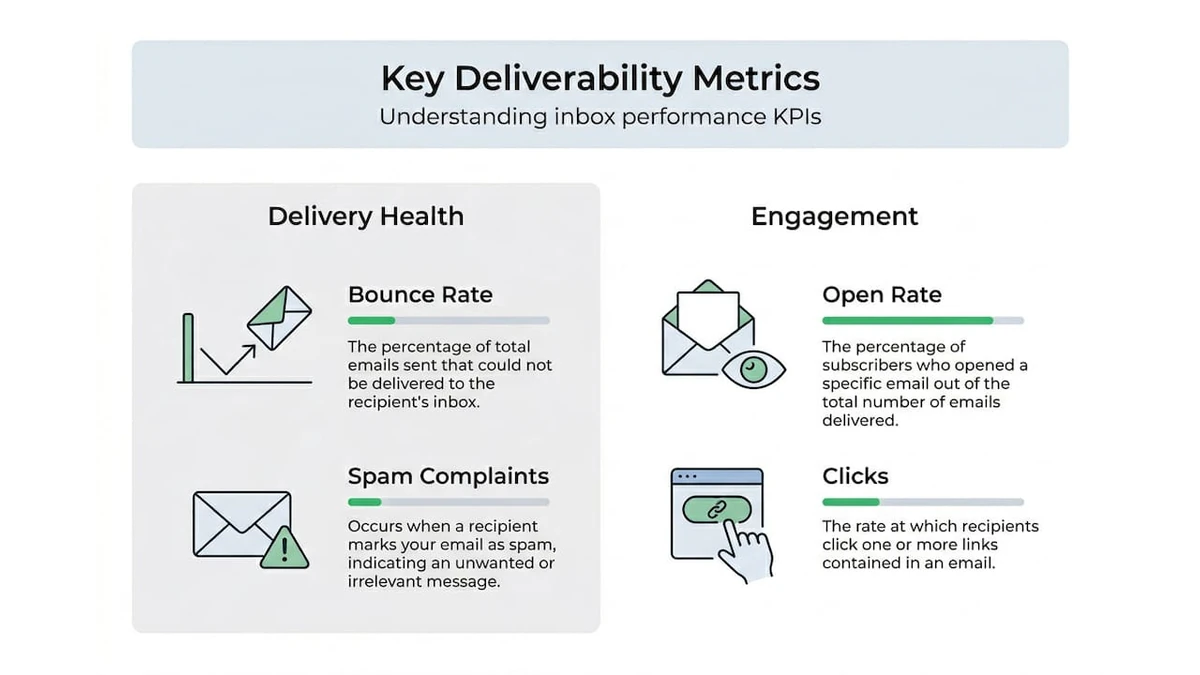
Spam complaint rates show how often recipients mark your emails as unwanted, directly impacting sender reputation and future deliverability. Maintain complaint rates below 0.1% to avoid penalties from inbox providers. Rates above 0.3% often trigger automatic filtering or blocking.
Email deliverability workflow success depends on consistent tracking and reporting of these metrics across campaigns and segments. Real-time monitoring tools provide instant visibility into delivery issues, allowing rapid response before problems compound.
| Metric | Healthy Threshold | Warning Level | Critical Level | Recommended Action |
|---|---|---|---|---|
| Hard Bounce Rate | Below 0.5% | 0.5-1% | Above 1% | Re-verify list, remove invalids immediately |
| Total Bounce Rate | Below 2% | 2-5% | Above 5% | Pause sends, investigate infrastructure |
| Spam Complaints | Below 0.1% | 0.1-0.3% | Above 0.3% | Review content, check targeting relevance |
| Open Rate | Above 20% | 15-20% | Below 15% | Test subject lines, verify list engagement |
| Inbox Placement | Above 90% | 80-90% | Below 80% | Check authentication, review sender reputation |
Monitoring tools available for enterprise teams include dedicated deliverability platforms that track inbox placement across providers, email service provider native analytics showing engagement and bounce metrics, and sender reputation monitoring services that alert you to blacklist appearances or reputation score drops.
Common monitoring pitfalls include focusing solely on open rates while ignoring bounce and complaint metrics, waiting too long between metric reviews instead of checking daily during active campaigns, and failing to segment metric analysis by audience type or campaign category. Address these by establishing daily metric review routines, setting up automated alerts for threshold breaches, and comparing performance across segments to identify specific problem areas.
Investigate sudden metric changes immediately rather than waiting for patterns to emerge. A spike in bounces might indicate a data source problem or list contamination. Dropping open rates could signal content issues, sending time problems, or the beginning of deliverability decline. Rising complaint rates often mean targeting or content relevance problems requiring immediate attention.
Common mistakes and troubleshooting in enterprise email deliverability
Outdated lists cause the majority of deliverability failures in enterprise campaigns. Email addresses decay at roughly 25-30% annually as people change jobs, abandon accounts, or switch providers. Sending to lists uncleaned for six months or longer guarantees elevated bounce rates and damaged sender reputation. Regular verification prevents this decay from impacting campaign performance.
Ignoring feedback loops costs marketers valuable reputation protection. Major inbox providers offer feedback loop services that notify senders when recipients mark emails as spam. Teams that fail to monitor and process these complaints continue sending to uninterested recipients, accelerating reputation damage and increasing the likelihood of widespread filtering or blocking.
Poor sender reputation stems from accumulated deliverability mistakes over time. Authentication failures, high bounce rates, spam complaints, and sudden volume spikes all contribute to reputation decline. Once damaged, sender reputation takes weeks or months to rebuild, making prevention through proper workflow execution essential.
Email hygiene best practices prevent most common deliverability problems:
- Verify email lists monthly for high-volume senders or quarterly for lower-volume campaigns to catch address decay before it impacts deliverability.
- Remove hard bounces immediately after each campaign and suppress them permanently to prevent repeated sending attempts.
- Set up and monitor feedback loops with all major inbox providers, processing complaints within 24 hours.
- Maintain consistent sending patterns, avoiding sudden volume increases or long gaps between campaigns that trigger filtering.
- Authenticate all sending domains with SPF, DKIM, and DMARC records, monitoring for configuration issues quarterly.
- Segment by engagement level, reducing or eliminating sends to subscribers inactive for 90+ days until re-engagement campaigns succeed.
Critical Note: Hitting spam traps, whether pristine traps created specifically to catch poor list practices or recycled traps from abandoned addresses, causes immediate and severe reputation damage. Only rigorous verification and list hygiene practices prevent spam trap hits that can take months to recover from.
Troubleshooting deliverability drops requires systematic investigation. Start by checking authentication records for configuration errors or expiration. Review recent campaign metrics to identify when problems began and which segments are affected. Check blacklist databases to see if your sending IPs or domains appear on filtering lists. Examine content for spam trigger words or formatting issues that might cause filtering.
When bounce rates spike suddenly, the cause is usually list contamination from a new data source, a verification system failure, or technical issues with your sending infrastructure. Isolate the problem by testing small batches to different segments and providers. If specific segments show elevated bounces, re-verify those addresses immediately. If all segments are affected, investigate your sending configuration and authentication.
Spam complaint increases typically indicate targeting or content problems rather than technical deliverability issues. Review recent campaigns for relevance to recipient segments. Check that subscription confirmation processes work correctly and that unsubscribe links function properly. Survey complainants if possible to understand their objections and adjust accordingly.
Optimize your email deliverability with BillionVerify's solutions
Sustaining high deliverability at enterprise scale demands verification technology that matches your volume and speed requirements. Traditional verification methods struggle with the millions of addresses large campaigns require, creating bottlenecks that delay launches and allow list decay to accumulate.
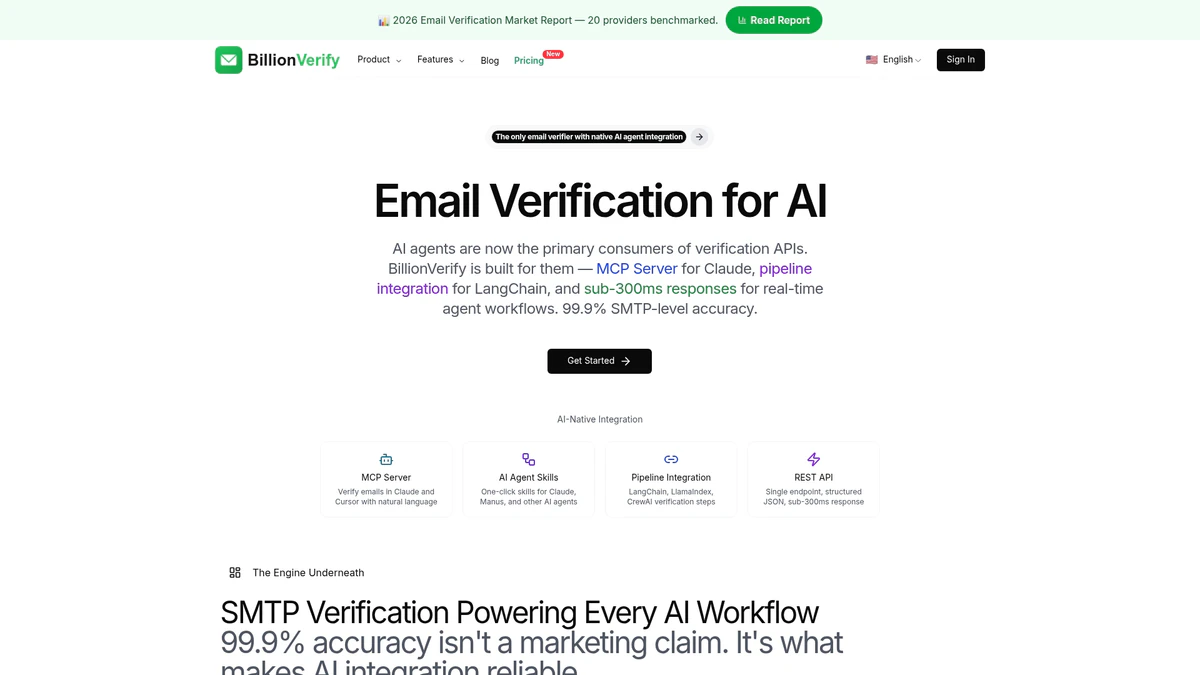
AI-first email verification from BillionVerify processes massive lists in hours while maintaining accuracy rates above 99%, catching disposable addresses, spam traps, and risky domains that cause deliverability failures. The platform integrates directly with over 20 major email service providers and CRMs, automating verification workflows that previously required manual exports, processing, and imports.
Enterprise teams using BillionVerify report bounce rate reductions of 80-95% within the first month, translating directly to improved sender reputation and higher inbox placement rates. Real-time API verification stops invalid addresses at the point of collection, while bulk processing handles existing lists of any size. Explore how email deliverability workflow success becomes achievable with proper verification infrastructure, and discover why enterprise email validation delivers measurable ROI improvements across campaigns.
What is enterprise email deliverability workflow?
What defines an enterprise email deliverability workflow?
An enterprise email deliverability workflow is a structured, repeatable process that ensures marketing emails reach recipient inboxes efficiently at scale. It encompasses list verification, authentication setup, sending optimization, and continuous monitoring to maintain high inbox placement rates. This workflow is crucial for enterprises sending hundreds of thousands or millions of emails monthly, where even small deliverability improvements translate to significant revenue gains.
Why do enterprises need a formal deliverability workflow?
Enterprises handle email volumes and complexity that make informal approaches inadequate. Without structured workflows, teams struggle to maintain consistent quality across multiple campaigns, segments, and sending domains. Formal workflows ensure every campaign follows best practices, reducing the risk of reputation damage from individual mistakes and providing accountability through documented processes and metrics.
How does email verification improve deliverability?
How does verification prevent bounce-related deliverability problems?
Email verification removes invalid, non-existent, and risky addresses before sending, eliminating the hard bounces that damage sender reputation most severely. By catching typos, abandoned accounts, and fake addresses during list cleaning, verification ensures that nearly every send attempt reaches a valid mailbox. This protection is especially critical for enterprises, where high volumes amplify the reputation impact of even modest bounce rates.
What verification results matter most for deliverability?
The most critical verification results identify hard bounces from non-existent addresses, spam traps that trigger filtering when hit, and disposable addresses that indicate low-quality subscribers. Enterprises should remove hard bounces immediately and carefully evaluate whether to send to risky categories like catch-all domains and role-based addresses, balancing reach against deliverability risk based on their specific reputation and goals.
What are common challenges in maintaining high deliverability?
What list hygiene issues cause deliverability decline?
Poor list hygiene manifests as accumulated invalid addresses from natural decay, spam trap contamination from purchased or scraped lists, and engagement decline from failing to remove inactive subscribers. These issues compound over time, gradually eroding sender reputation until inbox providers begin filtering messages to spam. Regular verification and engagement-based list pruning prevent hygiene problems from reaching critical levels.
How do authentication and infrastructure problems impact deliverability?
Authentication failures from misconfigured SPF, DKIM, or DMARC records cause inbox providers to treat emails as potentially fraudulent, triggering filtering or blocking. Infrastructure issues like shared IP reputation problems, sudden volume spikes, or inconsistent sending patterns raise red flags that reduce inbox placement. Enterprises must monitor authentication continuously and maintain stable sending practices to avoid these technical deliverability barriers.
How often should enterprises verify and clean email lists?
What verification frequency do high-volume senders need?
Enterprises sending daily or weekly campaigns should verify lists monthly to catch address decay before it impacts deliverability metrics. Organizations with lower send frequency can extend verification to quarterly intervals, though more frequent cleaning always provides better protection. New subscriber verification should happen in real-time at the point of collection, preventing invalid addresses from ever entering active lists.
How does list growth rate affect cleaning schedules?
Rapid list growth from aggressive acquisition campaigns requires more frequent verification because new sources often contain higher percentages of invalid or risky addresses. Enterprises adding more than 10% new subscribers monthly should verify the entire list monthly and implement real-time verification for all new additions. Slower-growing lists can maintain quality with quarterly verification, provided new subscribers undergo immediate validation.