



Most email marketers treat a bounce as a bounce. One number goes up, you shrug, maybe delete a few addresses, and move on. That instinct is costing you more than you realize. Email bounces are not a single problem with a single fix. They are a signal, and misreading that signal leads to damaged sender reputation, suppressed inbox placement, and campaigns that quietly underperform for months. This guide breaks down exactly what bounces are, why they happen, and what you can do right now to stop them from eroding your deliverability and ROI.
Key Takeaways
| Point | Details |
|---|---|
| All bounces are not equal | Hard and soft bounces need different responses to avoid deliverability problems. |
| Prevention is best | Verifying emails in real time and cleaning your list cuts bounces before they hurt performance. |
| Monitor and act fast | Track bounce rates by type and suppress hard bounces immediately to protect your sender reputation. |
| Provider rules vary | Not all ESPs handle bounce codes the same—always check provider documentation. |
What is an email bounce?
An email bounce happens when a receiving mail server rejects your message and sends back an error notification. That rejection is not random. It follows a structured protocol, and understanding it gives you real leverage over your deliverability.
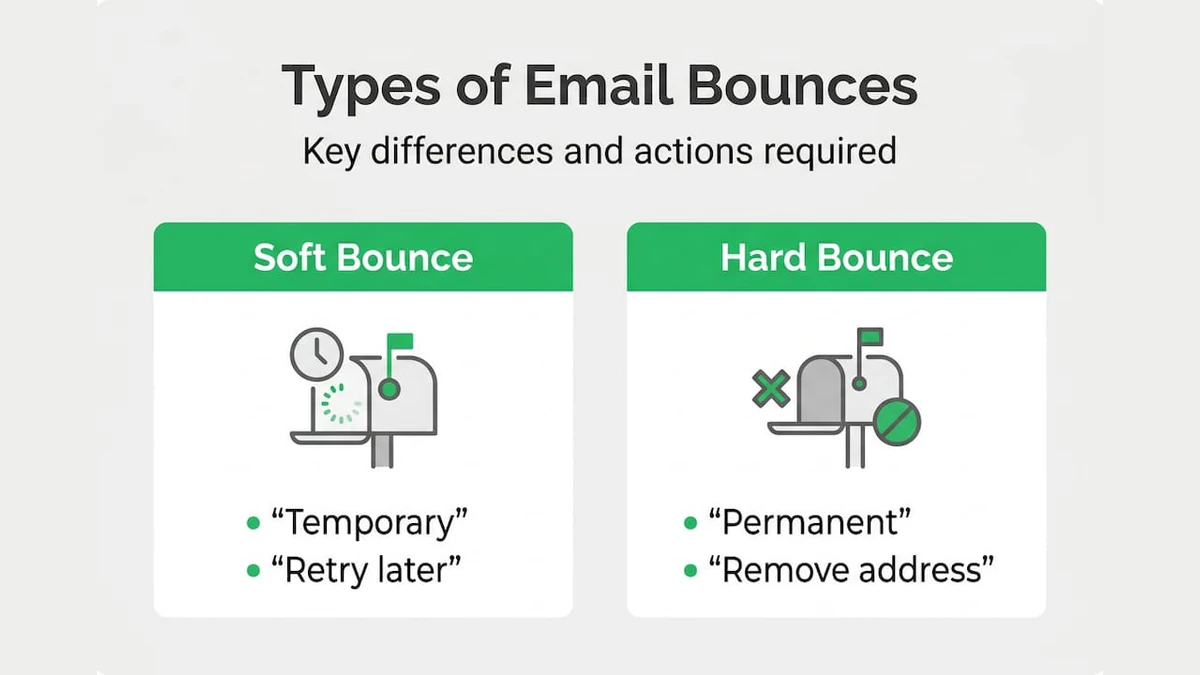
Every bounce carries an SMTP status code that tells you exactly what happened: 4xx codes signal temporary failures where a retry is possible, while 5xx codes signal permanent failures where the address should be suppressed immediately. This is the foundation of the hard bounce vs. soft bounce distinction.
Soft bounces are temporary. The address exists, but something prevented delivery right now. Hard bounces are permanent. The address is invalid, the domain does not exist, or the server has outright rejected your sending domain.
Here is a quick reference for the most common SMTP codes you will encounter:
| SMTP Code | Type | Meaning | Action |
|---|---|---|---|
| 421 | Soft | Service temporarily unavailable | Retry later |
| 450 | Soft | Mailbox temporarily unavailable | Retry later |
| 452 | Soft | Mailbox full | Retry 3-5x then suppress |
| 550 | Hard | Mailbox does not exist | Suppress immediately |
| 551 | Hard | User not local | Suppress immediately |
| 554 | Hard | Transaction failed / spam block | Suppress immediately |
For a deeper look at how each bounce type affects your campaigns, the email bounce types explained breakdown covers the full classification spectrum with deliverability context.
The key takeaway here: not all bounces require the same response. Treating a 452 (full mailbox) the same as a 550 (nonexistent address) is a common and costly mistake.
Most common reasons why emails bounce
Knowing the categories is one thing. Knowing why your specific list is bouncing is where the real work begins. The causes split cleanly between soft and hard, but the root problems are often operational.
Common causes of soft bounces:
- Recipient's mailbox is full (common with free email providers)
- Receiving server is temporarily down or overloaded
- Your message exceeds the recipient server's size limit
- ISP throttling your sending IP due to volume spikes
- Greylisting: the server temporarily rejects unknown senders on first contact
Common causes of hard bounces:
- Email address was mistyped at signup (e.g., gmial.com instead of gmail.com)
- Address was deleted or deactivated after a user left a company
- Domain no longer exists (common with acquired or defunct businesses)
- Address was never real (fake signups, bots, or disposable addresses)
- Your sending domain or IP is on a blocklist
For e-commerce teams, list decay is a silent killer. Customers change jobs, abandon old inboxes, and use throwaway addresses at checkout. For SaaS companies, the risk is fake signups and role-based addresses (like info@ or support@) that inflate your list but never engage.

The good news: a significant share of bounces are preventable. Real-time verification at signup combined with pre-send bulk cleaning and double opt-in processes can eliminate the majority of hard bounces before they ever hit your sending queue.
Pro Tip: Do not wait until your bounce rate spikes to act. Run a bulk email list cleaning pass before every major campaign, especially if your list has not been touched in 90 days or more.
For a full breakdown of what works, the proven ways to reduce bounces guide walks through each tactic with practical implementation steps. You can also explore essential email verification methods to understand which tools fit different stages of your list management workflow.
Hard vs. soft bounces: Key differences and industry nuances
The textbook definition is clean: 4xx equals soft, 5xx equals hard. Reality is messier, and if you build your suppression logic on the textbook version alone, you will make expensive mistakes.
| Factor | Soft bounce | Hard bounce |
|---|---|---|
| SMTP code range | 4xx (typically) | 5xx (typically) |
| Cause | Temporary issue | Permanent failure |
| Retry appropriate? | Yes, 3-5 times | No, suppress immediately |
| Address validity | Address likely valid | Address likely invalid |
| Reputation impact | Low if managed | High if ignored |
| Action required | Monitor and retry | Remove from all lists |
"Not all 4xx codes are soft bounces, and not all 5xx codes are hard bounces. Some 5xx errors are retryable once the underlying issue is fixed, and some 4xx codes represent permanent rejections depending on the provider. Prefer evidence-based suppression over rigid code-based rules."
This nuance matters enormously for SaaS and e-commerce senders. Consider a 550 code from Gmail versus a 550 from a corporate mail server. Gmail's 550 almost always means the address does not exist. A corporate 550 might mean your IP is blocked, and the address is perfectly valid. Suppressing that contact permanently based on one bounce could mean losing a real customer.
The smarter approach is to look at the bounce message, not just the code. Most ESPs and verification platforms expose the full SMTP response string. Use it. For a practical look at how this plays out in B2B contexts, the bounce impact in B2B marketing article covers the nuances specific to corporate domains and enterprise senders.
How bounces affect your sender reputation and deliverability
A single bounce does not break your campaign. A pattern of bounces breaks your entire sending infrastructure. Here is how the damage compounds:
- Bounce rate climbs above 2%. ISPs like Gmail, Outlook, and Yahoo start flagging your sending domain as low quality. More of your emails land in spam, even for valid addresses.
- Spam filters tighten. Your sender score drops, and inbox placement rates fall across your entire list, not just for the bounced addresses.
- Blocklist risk increases. Repeated hard bounces, especially to spam trap addresses, can trigger placement on major blocklists like Spamhaus or Barracuda.
- Engagement metrics collapse. Fewer emails reach the inbox, open rates drop, and click-through rates follow. Your campaign ROI shrinks even though your list size looks the same.
- Recovery takes time. Rebuilding sender reputation after a blacklisting event can take weeks or months of careful, low-volume sending.
The rule is simple but non-negotiable: suppress hard bounces immediately after the first occurrence. Every additional send to a hard-bounced address is a direct hit to your reputation score.
The cost is not just deliverability. Suppressed lists mean you are paying for contacts who will never receive your emails. For high-volume senders, that translates directly into wasted spend on ESP fees, campaign production, and lost revenue from unreached customers.
For a full picture of how bounce rates connect to business outcomes, the email bounce rate and reduction guide is worth bookmarking. You can also review email best practices for deliverability to see how bounce management fits into a broader sending strategy.
How to reduce email bounces: Proactive strategies
Turning bounce insights into better outcomes requires a layered approach. No single tactic eliminates bounces entirely, but combining the right tools at the right stages of your list lifecycle gets you as close as possible.
Before you send:
- Verify every address in real time at the point of signup using an API-integrated tool
- Run a bulk verification pass on any list older than 90 days before sending
- Segment your list by signup source and monitor bounce rates by segment to identify problem channels
- Remove role-based addresses (admin@, info@, support@) unless you have confirmed engagement from them
- Check for disposable email domains and catch-all domains that inflate your list without delivering real contacts
At the campaign level:
- Enable double opt-in for all new subscribers. It adds one step but eliminates typos and fake signups at the source.
- Monitor bounce rates by domain (e.g., Gmail vs. corporate domains) to catch ISP-specific issues early.
- Segment new subscribers from long-term engaged contacts and send to new segments at lower volume first.
- Review your SMTP bounce logs after every send, not just the summary bounce rate in your ESP dashboard.
- Warm up new sending IPs gradually, starting with your most engaged contacts and increasing volume over 4-6 weeks.
Pro Tip: For soft bounces, retry 3-5 times with exponential backoff before suppressing the address. That means waiting progressively longer between each retry attempt (e.g., 1 hour, 4 hours, 12 hours, 24 hours). This approach respects temporary server issues without hammering a potentially valid address.
For real-time email verification at the signup stage, the key is API integration directly into your registration or checkout flow. This catches invalid addresses before they ever enter your list. For large existing lists, enterprise email validation at scale requires a platform built to handle millions of records without slowing down your workflow.
Take your deliverability to the next level with automated email verification
Managing bounces manually is not scalable. As your list grows, the complexity of tracking bounce types, retry logic, suppression rules, and domain-level patterns multiplies fast. Automation is not a luxury at this stage. It is the only way to stay ahead.
BillionVerify is built specifically for e-commerce and SaaS teams that need reliable, high-volume email verification without the operational overhead. The platform handles real-time verification at signup, bulk list cleaning before sends, and ongoing hygiene for lists that are constantly growing. Multi-layer detection catches disposable emails, spam traps, catch-all domains, and role-based addresses before they damage your sender reputation. With integrations across 20+ major ESPs and CRMs, it fits directly into your existing workflow. If you are serious about reducing bounce rate and protecting your deliverability long-term, BillionVerify gives you the infrastructure to do it at scale.
Frequently asked questions
What does a hard bounce mean in email marketing?
A hard bounce means the email address is permanently invalid or does not exist, and the 5xx SMTP code signals that no further delivery attempts should be made. Suppress the address immediately from all sending lists.
Can a soft bounce turn into a hard bounce?
Yes. If a temporary issue such as a full inbox or server error persists across multiple retry attempts, most ESPs will reclassify the address as a hard bounce. Provider inconsistencies mean this threshold varies, so evidence-based suppression is more reliable than code-based rules alone.
What is the best way to reduce email bounce rates?
The most effective combination is real-time verification at signup, regular bulk list cleaning before major sends, and double opt-in to eliminate invalid addresses at the source.
How many times should you retry a soft bounce?
Retry soft bounces 3 to 5 times using exponential backoff, increasing the wait time between each attempt. If delivery still fails after the final retry, suppress the address to protect your sender reputation.