



The line between effective cold email outreach and spam can feel blurry—but it's absolutely not. Understanding the distinction protects your sender reputation, keeps you legally compliant, and ensures your outreach actually reaches decision-makers instead of spam folders.
This guide breaks down the critical differences between cold email and spam, why they matter, and how to stay on the right side of deliverability.
What Defines Spam (And Why It Matters)
Spam isn't just subjective. From a technical, legal, and ethical perspective, spam has clear characteristics:
Technical Definition
Spam is unsolicited bulk email. From ISP filters to spam detection algorithms, spam is identified by:
- Volume: Sending identical or near-identical messages to many recipients
- Lack of Personalization: Generic greetings, no prospect research, copy-paste templates
- Irrelevance: No connection between the email content and the recipient's business
- Deceptive Headers: False sender information, misleading subject lines, hidden sender identity
- Malicious Intent: Phishing attempts, credential stealing, or hidden malware
- No Unsubscribe Option: Recipients can't opt out of future emails
- Suspicious Links/Attachments: Unusual URL shorteners, anonymous redirects, or unexpected file types
- Authentication Failures: Messages failing SPF, DKIM, or DMARC verification
Legal Definition
Different jurisdictions define spam differently, but the pattern is consistent:
CAN-SPAM Act (United States)
- Prohibits deceptive subject lines
- Requires clear identification as advertisement
- Mandates physical mailing address
- Requires working unsubscribe mechanism
- Violation penalties: Up to $43,792 per email
GDPR (European Union)
- Requires explicit prior consent before sending emails
- "Cold email" in most of Europe requires prior consent or legitimate interest defense
- GDPR violations: Up to €20 million or 4% of global revenue
CASL (Canada)
- Extremely strict: requires affirmative prior consent
- Penalties: Up to $10 million per violation
- One of the world's most restrictive email laws
PIPEDA (Canada)
- Requires consent even for B2B email
- Personal information protection requirements
Ethical Definition
From a sender perspective, spam is characterized by:
- No respect for recipient's time or inbox
- Presumption that volume beats quality
- No genuine attempt to provide value
- One-way messaging with no thought to recipient needs
Why Cold Email is NOT Spam
Legitimate cold email has fundamentally different characteristics:
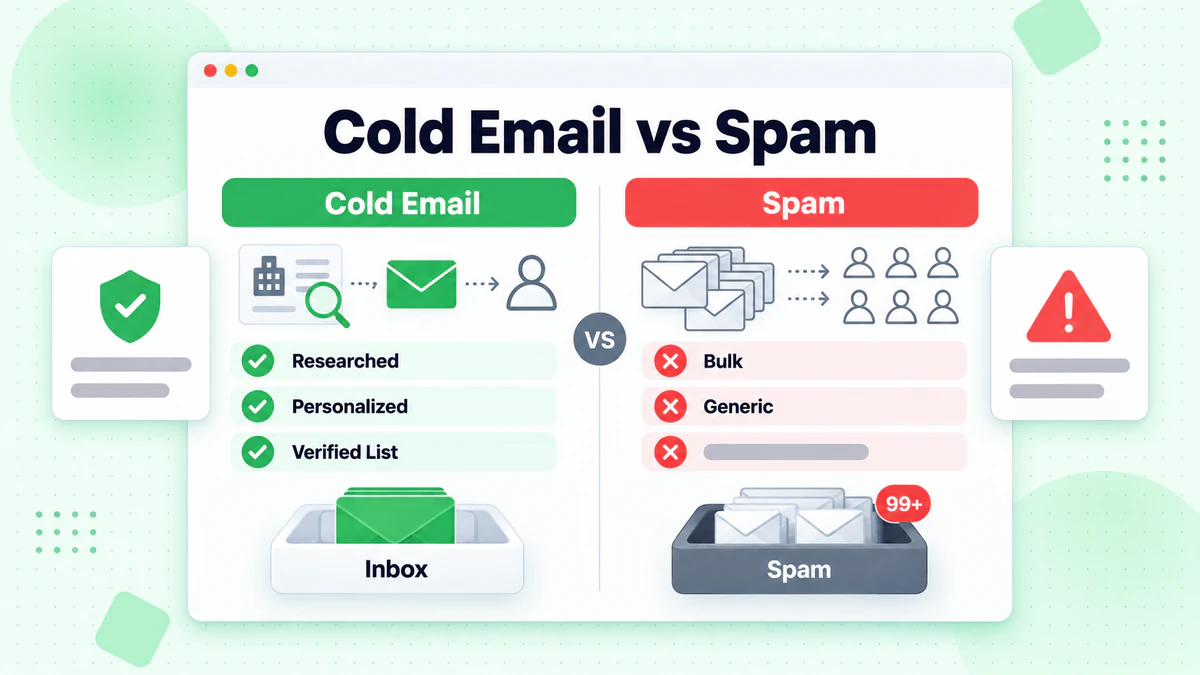
1. Recipient-Focused Research
Cold email starts with research:
- You've identified the recipient's company, role, and challenges
- You've read their LinkedIn profile or company website
- You understand why your solution is relevant to them specifically
- You can articulate what problem you solve
Spam requires no research:
- "Dear Sir/Madam" or generic greetings
- No understanding of recipient's business
- Same message sent to thousands of unrelated contacts
- Content could apply to anyone in any industry
2. Genuine Personalization
Cold email example:
Hi Sarah,

I noticed TechCorp expanded your SDR team by 10 people last month
(congratulations on the hiring!). That likely means ramped-up prospecting.

I work with similar teams who use email verification to cut bounce rates
by 40%, protecting their sender reputation from day one. Worth a 5-minute
conversation?

Best,
[Your name]
Spam example:
Subject: Make $5,000/week working from home!

Dear valued customer,

We've revolutionized email marketing. Click here for details.

Unsubscribe
The difference is obvious: cold email acknowledges the recipient as a person; spam treats them as a target.
3. Opt-Out Respect
Cold email:
- Easy, one-click unsubscribe
- No follow-up after unsubscribe
- Respects "not interested" responses
- Stops immediately if asked
Spam:
- No unsubscribe link (violates CAN-SPAM)
- Unsubscribe links that don't work
- Continued emails after unsubscribe requests
- Attempts to disguise unsubscribe as optional
4. Sender Transparency
Cold email:
- Clear sender identity and company
- Real company email address (not free Gmail/Hotmail)
- Verifiable business information
- Authentic sender headers (SPF, DKIM, DMARC passed)
Spam:
- Anonymous sender or fake identity
- Free email domain or spoofed addresses
- Failed email authentication
- Hidden or misleading sender information
5. One-To-One Communication
Cold email is fundamentally one-to-one:
- Individual personalization
- Direct value proposition
- Expectation of relationship-building
- Success measured by conversation rate, not volume
Spam is one-to-many:
- Identical messaging at scale
- No expectation of response
- Success measured by clickthrough rates from thousands of recipients
- Transactional and disposable
The Sender Reputation Cost of Being "Spam-Like"
Even if your cold email technically complies with regulations, spam-like behavior damages sender reputation:
ISP Filtering Consequences
Major ISPs (Gmail, Outlook, Yahoo, etc.) have sophisticated AI systems that flag "spam-like" email. The consequences:
- Lower Inbox Placement: Your emails go to spam/promotions folders
- Throttling: ISPs limit how many emails you can send per day
- IP Blocking: Your sending IP gets added to blacklists
- Account Suspension: Repeated violations can result in account closure
- Domain Reputation Damage: Your domain gets flagged for years
Metrics ISPs Track
Gmail, Outlook, and Yahoo analyze:
- Bounce Rate: High bounces indicate poor list quality
- Unsubscribe Rate: Too many unsubscribes per recipient count suggests irrelevance
- Mark as Spam Rate: Direct user feedback that kills deliverability
- Reply Rate: Low replies suggest recipients don't care about your message
- Forward Rate: Recipients don't forward spam
- Deletion Rate: Are emails deleted unopened?
- Authentication: SPF, DKIM, DMARC pass rate
If your emails trigger too many negative signals, you'll never reach the inbox, regardless of legal compliance.
How to Keep Cold Email Legitimate (And Out of Spam)
1. Use Email Verification Before Sending
This is non-negotiable. Sending to invalid addresses is the fastest way to tank sender reputation.
Why it matters:
- Bounce rate is the #1 spam signal
- Even 5-10% invalid addresses significantly hurt deliverability
- One hard bounce from a catch-all account can flag your IP
Implementation:
- Use a tool like BillionVerify to verify your prospect list before any campaign
- Verify accuracy: 99.9% accuracy ensures only legitimate addresses are sent
- Remove catch-all emails if your list quality requires it
- Detect disposable emails (temp mail services)
Impact: Email verification improves deliverability by 15-30% immediately.
2. Build Authentic Sender Reputation (Warm-up)
New sending accounts have zero reputation. ISPs don't trust them. Building reputation takes strategy:
Warm-up process:
- Start with 5-10 emails/day to engaged contacts
- Gradually increase volume over 2-4 weeks
- Include replies and forwarding in early sends
- Target known-good addresses (Gmail, company domains) first
- Get 20-30% reply rate on warm-up sends before scaling
Tools for warm-up:
Without warm-up, new accounts send at low volume before ISPs raise deliverability thresholds.
3. Implement Authentication: SPF, DKIM, DMARC
These technical standards tell ISPs: "This email is from a legitimate sender."
SPF (Sender Policy Framework)
- Authorizes which IP addresses can send from your domain
- Setup: Add TXT record to DNS
- Check:
dig domain.com txt | grep v=spf1
DKIM (DomainKeys Identified Mail)
- Digitally signs your emails
- Setup: Generate public/private key pair, add public key to DNS
- Result: ISPs verify signature
DMARC (Domain-based Message Authentication)
- Instructs ISPs what to do with failed SPF/DKIM
- Policy options: Monitor (p=none), Quarantine (p=quarantine), Reject (p=reject)
- Start with monitoring, graduate to reject for security
Impact on deliverability: Emails with authenticated headers are 2-3x more likely to reach the inbox.
4. Craft Relevant Subject Lines (Not Clickbait)
Subject lines are the first signal of legitimacy.
Spam-like subject lines:
- "URGENT: Your account needs immediate attention!"
- "You've won a prize!"
- "Click here now before it's too late"
- "FINAL WARNING"
- "Re: Our previous conversation" (on first email)
Legitimate cold email subject lines:
- "Quick question about [Company Name]'s content strategy"
- "Following up on [Specific trigger event]"
- "[Your name] from [Company] – [brief value prop]"
- "Thought of you – [specific relevant detail]"
Legitimate subject lines are honest, specific, and don't use excessive punctuation or urgency triggers. For more, see our guide on cold email subject lines.
5. Make Emails Readable and Personal
Spam characteristics:
- Dense walls of text
- Multiple font sizes and colors
- Excessive links (3+ per email)
- Images with embedded text
- No signature or contact info
Legitimate cold emails:
- Short paragraphs (2-3 sentences max)
- Conversational tone
- 1-2 links maximum
- Plain text or minimal HTML
- Professional signature with phone number
6. Provide Real Unsubscribe and Reply Options
Required by law (CAN-SPAM, GDPR):
- One-click unsubscribe link at bottom
- Unsubscribe must work immediately
- No confirmation required ("Are you sure?")
- Stop all emails within 10 days of unsubscribe
Best practice:
- "Not interested" should be respected
- Don't sell unsubscribed email addresses
- Track unsubscribes to avoid re-adding
7. Segment Lists by Relevance
Sending the same email to unrelated audiences is spam behavior.
Wrong approach:
- "Buy email verification" → Send to all B2B companies
- No segmentation
- 2% reply rate
Right approach:
- Segment 1: SaaS companies with 20-200 employees
- Segment 2: E-commerce businesses
- Segment 3: Agencies
- Segment 4: Enterprise
- Customize message for each segment
- 8-15% reply rate
8. Monitor Sender Reputation Metrics
Use these tools to track reputation:
Sender reputation checkers:
- Google Postmaster Tools (Gmail-specific reputation)
- Microsoft SNDS (Outlook/Hotmail)
- Return Path Sender Score (0-100 reputation score)
- MXToolbox (blacklist checking)
Key metrics to monitor:
- Bounce rate: Should be <2%
- Complaint rate: Should be <0.1%
- Unsubscribe rate: 0.1-0.5% is normal
- Spam trap hits: Should be 0
If any metric degrades, pause campaigns and investigate.
9. Respect Regulations by Jurisdiction
United States (CAN-SPAM)
- Requirement: Physical mailing address + unsubscribe
- Permitted: B2B cold email, single opt-in
- Risk: $43,792 per email fine
EU/EEA (GDPR)
- Requirement: Prior consent for marketing emails
- Exception: "Legitimate interest" for B2B cold email (narrow)
- Risk: €20M fine or 4% revenue
Canada (CASL)
- Requirement: Affirmative prior consent
- Exception: None for cold email
- Risk: $10M per violation
- Verdict: Don't cold email in Canada unless explicit consent
Best practice:
- Know your recipient's location
- Maintain consent records
- Provide clear unsubscribe mechanism
- Document legitimate interest justification (for EU)
Common Cold Email Mistakes That Make You Look Like Spam
Mistake 1: Sending to Unverified Lists
❌ Error: "I bought a list of 10,000 emails. I'll just send to all of them."
Result: 5-15% bounce rate → ISPs flag your IP → Everything gets spam-foldered.
✅ Fix: Always verify email lists with BillionVerify before sending.
Mistake 2: No Personalization Beyond Merge Fields
❌ Error: "Hi {FirstName}, I have a great offer for you..."
Result: Looks generic, triggers spam filters, 1-2% reply rate.
✅ Fix: Reference specific company details, recent news, or role-specific challenges. See our cold email personalization guide.
Mistake 3: Blasting Without Warm-up
❌ Error: "New email account, let's send 500 emails today."
Result: ISPs don't recognize sender, everything goes to spam.
✅ Fix: Warm up for 2-4 weeks before scaling volume.
Mistake 4: Misleading Subject Lines
❌ Error: "Re: Our previous conversation" (on first email)
Result: Violates CAN-SPAM, triggers spam filters, destroys trust.
✅ Fix: Use honest subject lines that accurately reflect email content.
Mistake 5: No Clear Sender Identity
❌ Error: Sending from "noreply@company.com" or generic address
Result: Looks automated, fails authenticity checks.
✅ Fix: Send from real person's email with company domain.
Mistake 6: Excessive Links or Attachments
❌ Error: 5+ links per email, unexpected PDF attachment
Result: Spam filter red flag, especially without context.
✅ Fix: 1-2 links max, only necessary attachments.
Cold Email That Works Stays Legitimate
The best cold email practices align perfectly with being non-spam:
- Research-backed personalization → Recipients recognize relevance
- Email verification → Low bounce rates protect reputation
- Authentic sender identity → ISPs trust your domain
- Warm-up infrastructure → ISPs recognize you as legitimate
- Authentic subject lines → High open rates, low unsubscribe
- Respect for opt-out → Compliant and ethical
- Segmentation by relevance → Higher reply rates
- Legal compliance → Protected from regulations
The paradox: Following anti-spam best practices is exactly what makes cold email effective.
When Your Cold Email Might Be Slipping Into Spam Territory
Ask yourself these questions:
- Are you personalizing for each prospect specifically?
- Have you verified your email list?
- Have you warmed up your account?
- Are you respecting unsubscribe requests?
- Do your emails have authentication (SPF, DKIM, DMARC)?
- Are you monitoring sender reputation?
- Can you articulate the specific value to each recipient?
- Would you want to receive this email if you were the prospect?
If you can't answer "yes" to all of these, you're in spam territory.
Conclusion: Cold Email is Not Spam—But It Can Be Treated as Such
Cold email and spam are fundamentally different:
- Cold email is targeted, personalized, researched, and respectful
- Spam is bulk, generic, unsolicited, and often deceptive
But here's the key: Even well-intentioned cold email can be spam-foldered if you don't follow best practices around sender reputation, authentication, and compliance.
The strategies that keep you legitimate—verification, warm-up, authentication, personalization—are the exact same strategies that improve cold email results by 2-4x.
Protect your sender reputation, respect your recipients, and follow the law. That's not just ethical—it's also the path to better results.
For more on cold email best practices, see our guides on email verification, cold email subject lines, and cold email outreach techniques.