



A/B testing transforms email marketing from guesswork into science. Instead of wondering which subject line will perform better, you test and know. This comprehensive guide covers everything from basic testing principles to advanced experimentation strategies that continuously improve your email performance.
Understanding Email A/B Testing
A/B testing (also called split testing) compares two versions of an email to determine which performs better. By changing one element and measuring results, you make data-driven decisions instead of relying on assumptions.
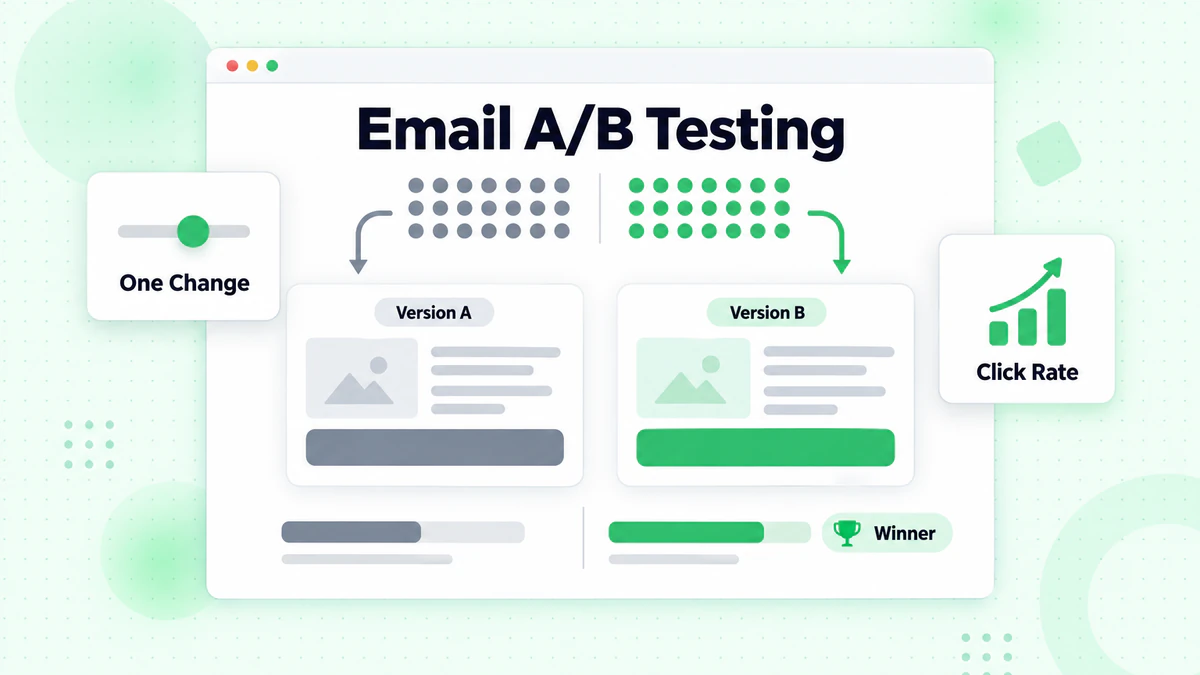
How A/B Testing Works
The basic A/B test follows a simple process:
Step 1: Hypothesis Form a specific prediction about what change will improve results.
Step 2: Create Variants Develop two versions—Version A (control) and Version B (variant)—that differ in only one element.
Step 3: Split Audience Randomly divide your audience so each group receives a different version.
Step 4: Measure Results Track the metric that determines the winner (opens, clicks, conversions).
Step 5: Analyze and Apply Determine the winner with statistical confidence and apply learnings.
Why A/B Testing Matters
Eliminates Guesswork: Replace opinions with data. What you think will work often differs from what actually works.
Compounds Improvement: Small gains accumulate. A 5% improvement in each element creates significant overall gains.
Reduces Risk: Test changes on a sample before rolling out to everyone.
Builds Knowledge: Each test teaches you more about your audience, creating lasting insights.
Demonstrates ROI: Document improvements with concrete metrics.
A/B Testing vs. Multivariate Testing
Understanding the difference helps you choose the right approach.
A/B Testing:
- Tests one variable at a time
- Requires smaller sample sizes
- Provides clear, actionable insights
- Best for most email marketers
- Example: Subject line A vs. Subject line B
Multivariate Testing:
- Tests multiple variables simultaneously
- Requires much larger sample sizes
- Reveals interaction effects between elements
- Best for high-volume senders
- Example: 4 subject lines × 3 CTAs = 12 variants
For most email programs, A/B testing provides better insights with available sample sizes.
What to Test in Emails
Different elements have different impact potential.
High-Impact Elements
These elements typically have the largest effect on performance.
Subject Lines
Subject lines determine whether emails get opened. See our complete subject line guide for 50+ proven formulas. Test:
- Length (short vs. long)
- Personalization (with name vs. without)
- Question vs. statement
- Numbers and specificity
- Urgency language
- Emoji usage
- Curiosity vs. clarity
Subject Line Test Examples:
- "Your Weekly Update" vs. "5 Trends You Need to Know This Week"
- "Sarah, your discount expires" vs. "Your discount expires tonight"
- "New Product Launch" vs. "We built this just for you"
Calls-to-Action (CTAs)
CTAs determine whether opens convert to clicks. Learn optimization techniques in our email CTA guide. Test:
- Button text (Get Started vs. Start Now vs. Try Free)
- Button color
- Button size and shape
- Single CTA vs. multiple CTAs
- CTA placement
- Button vs. text link
CTA Test Examples:
- "Download Now" vs. "Get My Free Guide"
- Orange button vs. blue button
- CTA above the fold vs. below content
Send Time
Timing affects whether subscribers see and engage with your emails. Test:
- Day of week
- Time of day
- Morning vs. afternoon vs. evening
- Weekday vs. weekend
Medium-Impact Elements
These elements can meaningfully affect performance.
Preview Text
The preview text (preheader) shows after the subject line in most inboxes. Test:
- Extending the subject line vs. new information
- Including CTA vs. pure teaser
- Length variations
- Personalization
Email Length
Content length affects engagement. Test:
- Short and focused vs. comprehensive
- Number of sections
- Amount of detail
From Name
Who the email appears to come from affects trust and opens. Test:
- Company name vs. person name
- Person name + company
- Role-based (CEO, Support Team)
- Branded vs. personal
From Name Test Examples:
- "BillionVerify" vs. "Sarah from BillionVerify"
- "The Marketing Team" vs. "John Smith"
Lower-Impact Elements
These elements usually have smaller effects but can still matter.
Design Elements:
- Image heavy vs. text heavy
- Header image vs. no header
- Font choices
- Color scheme
- Layout structure
Content Elements:
- Tone (formal vs. casual)
- Story-driven vs. direct
- Social proof placement
- Testimonial inclusion
Technical Elements:
- Plain text vs. HTML
- Image ALT text
- Link text style
Setting Up Your A/B Test
Proper setup ensures valid, actionable results.
Step 1: Define Your Goal
Every test needs a clear objective.
Goal Questions:
- What behavior do you want to influence?
- What metric best measures that behavior?
- What would a meaningful improvement look like?
Common Test Goals:
- Increase open rate
- Improve click-through rate
- Boost conversion rate
- Reduce unsubscribe rate
- Increase revenue per email
Choose One Primary Metric: Even if you track multiple metrics, designate one as the primary success measure. This prevents cherry-picking results.
Step 2: Form a Hypothesis
A good hypothesis is specific and testable.
Hypothesis Structure: "If I [make this change], then [this metric] will [increase/decrease] because [reason]."
Good Hypothesis Examples:
- "If I add the recipient's name to the subject line, then open rate will increase because personalization captures attention."
- "If I use a question in the subject line, then open rate will increase because questions create curiosity."
- "If I change the CTA button from blue to orange, then click rate will increase because orange provides more contrast."
Bad Hypothesis Examples:
- "Let's see what happens" (not specific)
- "This might work better" (no measurable prediction)
Step 3: Determine Sample Size
Sample size determines whether results are statistically significant.
Sample Size Factors:
- Expected difference: Smaller expected differences require larger samples
- Baseline rate: Lower baseline rates require larger samples
- Confidence level: Higher confidence requires larger samples
Practical Sample Size Guidelines:
For typical open rates (15-25%):
- Detect 10% relative improvement: ~3,000 per variant
- Detect 20% relative improvement: ~1,000 per variant
- Detect 30% relative improvement: ~500 per variant
For typical click rates (2-5%):
- Detect 10% relative improvement: ~20,000 per variant
- Detect 20% relative improvement: ~5,000 per variant
- Detect 30% relative improvement: ~2,500 per variant
Small List Strategy: If your list is small:
- Focus on high-impact elements where differences will be larger
- Accept detecting only large differences
- Aggregate learnings across multiple campaigns
- Consider testing subject lines (higher baseline rate)
Step 4: Create Your Variants
Build test versions carefully.
Variant Creation Rules:
Change Only One Element: If you change multiple things, you won't know which caused the difference.
Make the Change Meaningful: Subtle changes produce subtle (often undetectable) differences. Make changes significant enough to potentially matter.
Keep Everything Else Identical: Same audience, same time, same everything except the test element.
Document Your Test: Record exactly what you're testing, your hypothesis, and your expected outcome.
Step 5: Set Up Technical Configuration
Configure your test properly in your ESP.
Configuration Checklist:
- [ ] Select correct audience segment
- [ ] Set random split percentage (typically 50/50)
- [ ] Choose test and winner criteria
- [ ] Set test duration or winner determination method
- [ ] Verify tracking is working
- [ ] Preview both versions
Test Split Options:
Simple 50/50 Split: Send to entire list split evenly. Best for large lists.
Test-then-Send: Send to small percentage (10-20%), determine winner, send winner to remainder. Good for time-sensitive campaigns.
Holdout Group: Keep a percentage untested as control for ongoing measurement.
Running Valid Experiments
Valid results require proper execution.
Randomization
Random assignment ensures groups are comparable.
Good Randomization:
- ESP randomly assigns subscribers
- Assignment happens at send time
- Each subscriber has equal chance of either version
Bad Randomization:
- First half of list gets A, second half gets B (may have systematic differences)
- Subscribers self-select their version
- Non-random criteria determine assignment
Timing Considerations
When you run the test affects validity.
Timing Best Practices:
Send Both Versions Simultaneously: If Version A goes out Monday and Version B goes out Tuesday, differences could be day-related, not version-related.
Run Tests at Normal Times: Testing during unusual periods (holidays, major events) may not reflect typical behavior.
Allow Sufficient Time: Most email engagement happens within 24-48 hours, but give at least 24 hours for opens and 48 hours for clicks.
Consider Business Cycles: Weekly patterns may affect results. Be consistent in timing.
Avoiding Common Pitfalls
Pitfall 1: Ending Tests Too Early
Early results can be misleading due to random variation.
The Problem: After 2 hours, Version A has 25% open rate, Version B has 20%. You declare A the winner.
The Reality: By 24 hours, both versions have 22% open rate. Early openers weren't representative.
The Fix: Set a minimum test duration before checking results. Let the full sample engage.
Pitfall 2: Testing Too Many Things
Running multiple simultaneous tests can contaminate results.
The Problem: You test subject line AND CTA in the same email with four variants.
The Reality: With smaller sample per variant and interaction effects, results are unclear.
The Fix: Test one element at a time. Run sequential tests for different elements.
Pitfall 3: Ignoring Segment Differences
Overall results may mask segment-specific patterns.
The Problem: Version A wins overall, so you apply it to everyone.
The Reality: Version A wins with new subscribers but loses with longtime subscribers.
The Fix: Analyze results by key segments when sample sizes allow.
Pitfall 4: Not Documenting Results
Undocumented tests provide no lasting value.
The Problem: You've run 50 tests but can't remember what you learned.
The Fix: Maintain a test log with hypothesis, results, and learnings.
Analyzing A/B Test Results
Turn data into insights.
Statistical Significance
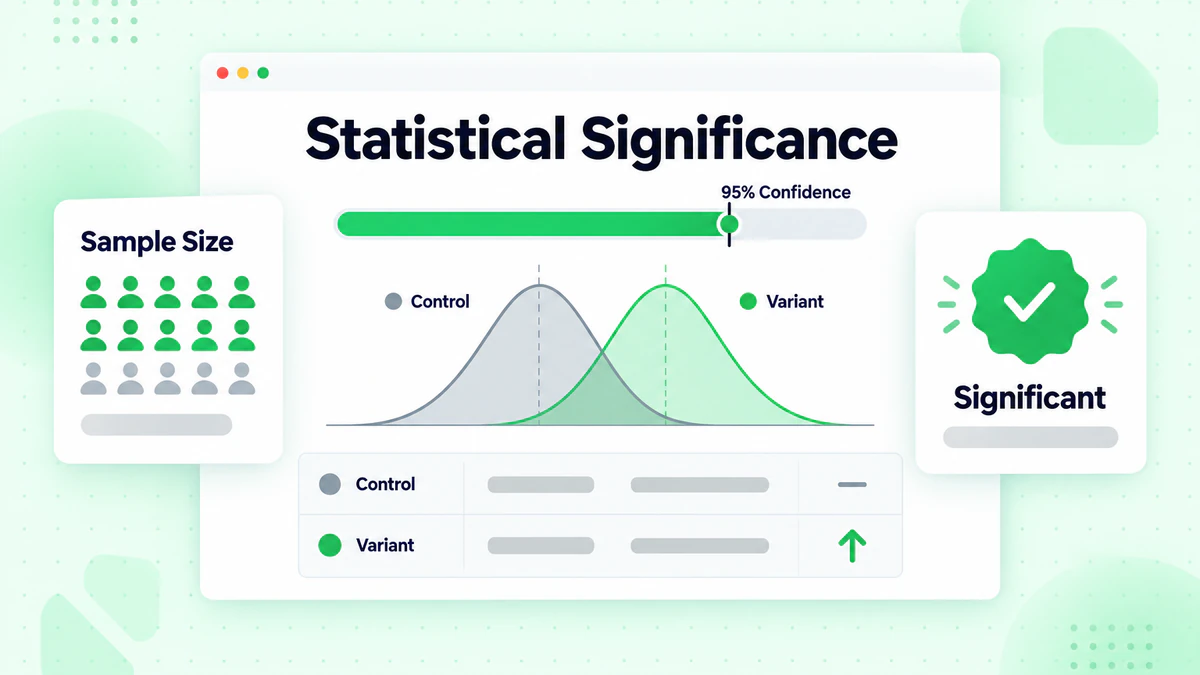
Significance tells you whether results are real or random chance.
Understanding Statistical Significance:
Statistical significance is the probability that observed differences are due to your change rather than random variation.
95% Confidence Level: Industry standard. There's only a 5% probability that results are due to chance.
Calculating Significance:
Most email platforms calculate this automatically. If yours doesn't, use online calculators:
Input:
- Control sample size and conversions
- Variant sample size and conversions
- Desired confidence level (typically 95%)
Output:
- Whether difference is statistically significant
- Confidence interval for the difference
Example Analysis:
Test: Subject line A vs. Subject line B
- A: 5,000 sent, 1,000 opens (20.0% open rate)
- B: 5,000 sent, 1,150 opens (23.0% open rate)
- Absolute difference: 3 percentage points
- Relative improvement: 15%
- Statistical significance: Yes (p < 0.05)
Conclusion: Version B's subject line reliably produces higher opens.
Practical Significance
Statistical significance isn't the same as practical importance.
Practical Significance Questions:
- Is the difference large enough to matter for business outcomes?
- Does the improvement justify any additional effort or cost?
- Is the lift sustainable and repeatable?
Example:
- A/B test shows Version B has statistically significant 1% relative improvement
- On your 50,000 person list, that's 50 additional opens
- Practical impact: Minimal. May not be worth ongoing attention to this element.
Interpreting Results
Go beyond win/lose to understand why.
Results Interpretation Framework:
Clear Winner: One version significantly outperforms the other.
- Action: Implement winner, document learning, plan next test
No Significant Difference: Results are too close to call.
- Action: Conclude that this element doesn't matter much for your audience, test something else
Unexpected Results: Loser was predicted to win.
- Action: Examine why hypothesis was wrong, update assumptions about audience
Segment Differences: Different versions win for different groups.
- Action: Consider personalized approaches, test segment-specific variations
Documenting Learnings
Create lasting value from every test.
Test Documentation Template:
Test Name: [Descriptive name]
Date: [Test date]
Element Tested: [Subject line/CTA/etc.]

Hypothesis:
[Your prediction and reasoning]

Variants:
A (Control): [Description]
B (Variant): [Description]

Sample Sizes:
A: [Number]
B: [Number]

Results:
A: [Metric and value]
B: [Metric and value]

Statistical Significance: [Yes/No]
Confidence Level: [Percentage]

Winner: [A/B/Tie]

Key Learning:
[What did this teach you about your audience?]

Action Taken:
[What changed based on this test?]

Future Tests:
[What should be tested next?]
Advanced A/B Testing Strategies
Elevate your testing program.
Sequential Testing
Build on previous tests systematically.
Sequential Testing Process:
Round 1: Test broad categories
- Example: Short subject line vs. long subject line
- Winner: Short subject line
Round 2: Refine within winning category
- Example: Different short subject lines
- Winner: Short question format
Round 3: Optimize the winner
- Example: Different question variations
- Winner: "Did you know...?" format
Round 4: Add enhancements
- Example: Best question + emoji vs. without emoji
- Continue refining...
Segment-Specific Testing
Test different things for different audiences.
Segment Testing Strategy:
Why Segment Test:
- Different segments may respond differently
- What works for new subscribers may not work for veterans
- High-value customers may need different approaches
How to Segment Test:
- Identify meaningful segments (tenure, engagement, value)
- Run identical tests within each segment
- Compare results across segments
- Develop segment-specific best practices
Example Findings:
- New subscribers respond to educational subject lines
- Engaged subscribers respond to urgency
- Lapsed subscribers respond to curiosity gaps
Ongoing Testing Programs
Make testing systematic, not sporadic.
Testing Program Structure:
Weekly Cadence:
- Test something in every campaign
- Alternate between high and medium impact elements
- Review and document results weekly
Monthly Analysis:
- Aggregate learnings across tests
- Identify patterns and trends
- Update best practices documentation
- Plan next month's tests
Quarterly Strategy:
- Review testing program effectiveness
- Identify knowledge gaps
- Prioritize future test areas
- Update testing roadmap
Testing Roadmap Example:
Month 1: Subject Lines
- Week 1: Length
- Week 2: Personalization
- Week 3: Format (question vs. statement)
- Week 4: Urgency language
Month 2: CTAs
- Week 1: Button text
- Week 2: Button color
- Week 3: Placement
- Week 4: Single vs. multiple
Month 3: Timing and Frequency
- Week 1: Send day
- Week 2: Send time
- Week 3: Frequency test setup
- Week 4: Frequency analysis
Testing with Small Lists
Limited sample sizes require adjusted strategies.
Small List Testing Tactics:
Focus on High-Impact Elements: Test subject lines where baseline rates are higher and differences more detectable.
Accept Larger Minimum Differences: You may only be able to detect 30%+ relative improvements.
Use Champion/Challenger: Always keep your best-performing version as champion, only replace when challenger proves significantly better.
Accumulate Evidence: If a variant wins multiple times but not significantly each time, the pattern may still be meaningful.
Pool Learnings: If testing across multiple campaigns, aggregate data for analysis.
Testing Tools and Platforms
Technology that enables effective testing.
Email Platform Testing Features
Most modern ESPs include A/B testing capabilities.
Standard Features:
- Two-variant testing
- Random split assignment
- Basic statistical analysis
- Automatic winner selection
Advanced Features:
- Multi-variant testing
- Sample size calculators
- Confidence level reporting
- Segment-level analysis
- Send-time optimization
External Testing Tools
Statistical Calculators:
- Calculate required sample sizes
- Determine statistical significance
- Analyze complex test scenarios
Test Management Tools:
- Track and document all tests
- Analyze trends across tests
- Share learnings across team
Choosing Your Approach
For Most Email Marketers: Use your ESP's built-in A/B testing for execution, supplement with external calculators for planning, and maintain a simple spreadsheet for documentation.
For Advanced Programs: Consider dedicated testing platforms that provide more sophisticated analysis, multi-test management, and automated insights.
Testing and Deliverability
Testing effectiveness depends on reaching inboxes.
Why Deliverability Matters for Testing
Invalid Results Risk: If your emails don't reach inboxes, test results reflect deliverability issues, not version effectiveness.
Segment Contamination: Different ISPs may filter differently, affecting which version reaches certain subscribers.
Sample Quality: Testing against invalid addresses wastes sample size and skews results.
Ensuring Clean Tests
Pre-Test Checklist:
Verify Your List: Use email verification to ensure you're testing against valid, deliverable addresses.
Check Deliverability Health: Monitor inbox placement rates before critical tests. Review our email deliverability guide.
Consistent Sending Patterns: Don't test during unusual sending periods that might trigger filters.
Segment by Engagement: Consider testing only on engaged subscribers for cleaner results with proper segmentation.
Interpreting Results in Deliverability Context
Questions to Ask:
- Were deliverability rates similar for both versions?
- Did one version trigger more spam complaints?
- Did results vary by ISP?
If deliverability differs between versions, apparent performance differences may be deliverability issues, not content effectiveness.
Common A/B Testing Mistakes
Learn from frequent errors.
Testing Without a Hypothesis
The Mistake: "Let's just see which one does better."
Why It's Wrong: Without a hypothesis, you learn nothing beyond which specific version won. You can't apply insights to future campaigns.
The Fix: Always form a specific hypothesis about why you expect one version to win.
Declaring Winners Too Soon
The Mistake: Checking results after an hour and declaring a winner.
Why It's Wrong: Early results are often unrepresentative. Statistical significance requires adequate sample.
The Fix: Set minimum duration and sample requirements before looking at results.
Testing Insignificant Changes
The Mistake: Testing "Buy Now" vs. "Buy now" (capitalization only).
Why It's Wrong: Differences too small to detect or matter waste testing opportunities.
The Fix: Make changes meaningful enough that they could plausibly affect behavior.
Ignoring Results You Don't Like
The Mistake: "The test said B won, but I know A is better. Let's use A anyway."
Why It's Wrong: This defeats the purpose of testing. Your instincts were wrong—learn from it.
The Fix: If you're not going to act on results, don't run tests. Accept that data beats intuition.
Testing Everything at Once
The Mistake: Subject line, CTA, images, and layout all different between versions.
Why It's Wrong: You can't isolate what caused the difference.
The Fix: One variable at a time. Be patient and systematic.
Not Applying Learnings
The Mistake: Running tests but not changing future campaigns based on results.
Why It's Wrong: Testing only creates value if you apply what you learn.
The Fix: Document learnings and update your templates and processes.
Building a Testing Culture
Make testing part of how you work.
Organizational Buy-In
Getting Support for Testing:
Show ROI: Track and report improvements from testing. "Our Q1 testing increased click rates by 23%."
Share Learnings: Distribute insights beyond the email team. "Here's what we learned about our customers."
Celebrate Surprises: The most valuable tests challenge assumptions. "We thought X, but data showed Y."
Team Processes
Integrating Testing into Workflow:
Campaign Planning: Include testing in every campaign plan. "What are we testing this time?"
Creative Development: Create variants as standard practice, not an afterthought.
Review Meetings: Include test results in regular marketing reviews.
Knowledge Sharing: Maintain accessible documentation of all learnings.
Continuous Improvement
The Testing Mindset:
- Every campaign is an opportunity to learn
- No campaign should go out without testing something
- Results, whether expected or surprising, are valuable
- Optimization is never finished
Quick Reference
Testing Checklist
Before Test:
- [ ] Clear hypothesis formed
- [ ] Single variable isolated
- [ ] Sample size adequate
- [ ] List verified clean
- [ ] Technical setup correct
- [ ] Duration determined
During Test:
- [ ] Both versions sent simultaneously
- [ ] Tracking working
- [ ] Avoid checking too early
After Test:
- [ ] Statistical significance verified
- [ ] Results documented
- [ ] Learnings extracted
- [ ] Action plan created
- [ ] Future tests planned
Priority Testing Elements
Test First (highest impact):
- Subject lines
- CTAs
- Send time
Test Second (medium impact): 4. Preview text 5. From name 6. Email length
Test Later (lower impact): 7. Design elements 8. Tone variations 9. Image usage
Conclusion
A/B testing transforms email marketing from an art to a science. By systematically testing and learning, you make continuous improvements based on data rather than guesswork.
Remember these key principles:
- Hypothesis first: Know what you're testing and why
- One variable at a time: Isolate causes and effects
- Statistical rigor: Ensure results are significant before acting
- Document everything: Build lasting knowledge from every test
- Act on results: Testing only matters if you apply learnings
- Test continuously: Every campaign is an opportunity to learn
The best email marketers never stop testing. Each test reveals something about your audience, and accumulated knowledge creates sustainable competitive advantage.
Before your next A/B test, ensure you're testing on valid, deliverable addresses. Invalid emails distort results and waste sample size. Start with BillionVerify to verify your list and get clean data from every test.