


Cold email deliverability is the share of your unsolicited sales emails that reach a prospect's inbox instead of bouncing or landing in spam. Three things decide it. The first is authentication: SPF, DKIM and DMARC records that prove a message really comes from you. The second is reputation: how often recipients report you, how many of your messages bounce, and how steadily you send. The third is the list itself, because a file of dead or guessed addresses damages the first two faster than anything else. Gmail, Yahoo and Outlook.com now publish their rules for all three, so the guesswork is smaller than it used to be.
This guide explains those rules and the setup that follows from them. Every requirement is quoted from the mailbox providers' own help pages, the IETF standards and the FTC, as read in November 2026. Providers revise their pages often, so recheck a rule before relying on it. We have no connection with Google, Yahoo, Microsoft or any cold email vendor. This is not legal advice. BillionVerify is an email verification service, and the section on list quality explains where verification fits before a campaign starts.
Key facts (checked November 2026):
- Google's email sender guidelines require everyone who writes to personal Gmail accounts to authenticate with SPF or DKIM and to keep the spam rate shown in Google Postmaster Tools below 0.3%.
- Google's sender guidelines FAQ treats anyone who sends close to 5,000 messages a day to Gmail users from a single primary domain as a bulk sender, and that status never expires.
- Yahoo's sender requirements ask high-volume senders to publish a DMARC policy of at least
p=noneand to honor unsubscribe requests within 2 days. - RFC 7208, section 4.6.4, limits an SPF check to 10 terms that trigger DNS lookups; going over that limit returns a permanent error.
- The FTC's CAN-SPAM compliance guide says the law makes no exception for business-to-business messages and lists penalties of up to $53,088 for each violating email.
What Cold Email Deliverability Measures
Delivery and inbox placement are two different results. An email is delivered when the receiving server accepts it during the SMTP conversation. It reaches the inbox only if the provider's filters then decide it belongs there. Your outreach platform usually reports the first number, because it cannot see inside the recipient's mailbox. That is why a campaign can show almost no bounces and still get no replies.
The SMTP standard sorts every refusal into two kinds. RFC 5321, section 4.2.1, says a reply starting with 4 is transient, so the client should try again later. A reply starting with 5 is permanent, and the client should not repeat the same request. Gmail, for example, answers 550 5.1.1 when the account you tried to reach does not exist. A cold sender meets all four outcomes in the table below, and each needs a different response.
| Outcome | What the receiver did | What it usually means |
|---|---|---|
| Inbox | Accepted and filed normally | Identity, history and content all passed |
| Junk folder | Accepted, then filtered | Weak reputation or content signals |
| Temporary deferral (4xx) | Refused for now, retry allowed | Rate limits, volume spikes or a missing requirement |
| Hard bounce (5xx) | Refused permanently | Dead mailbox, blocked sender or failed checks |
Outreach to strangers starts with a disadvantage that newsletters and receipts do not have. Google's guidelines list "Don't send messages to people who didn't sign up to get messages from you" and "Don't purchase email addresses from other companies" among practices to avoid. Yahoo gives the same advice about bought lists. A cold program therefore runs against the providers' stated preferences from the first send. That does not make it impossible. It means the margin for error is thin, and every other signal has to be clean.
Cold Email vs Spam: The Legal Line and the Filter Line
People ask whether cold email is spam as if there were a single answer. There are two. The law asks whether a commercial message follows specific rules. The filter asks whether recipients seem to want it. An email can be lawful and still go to junk, and that gap is where most cold programs lose their reach.
What CAN-SPAM requires in the United States
The FTC describes the CAN-SPAM Act as a law that sets requirements for commercial email and gives recipients the right to make you stop. It covers any message whose primary purpose is to advertise or promote a product or service, with no carve-out for B2B. The rules are short: no false or misleading header information, no deceptive subjects, a clear statement that the message is an ad, a valid physical postal address, and a clear way to opt out. You must honor an opt-out within 10 business days. The opt-out mechanism must keep working for at least 30 days after you send.
The statute itself, 15 U.S.C. § 7704, adds a point outreach teams should read closely. Subsection (b) makes it an aggravated violation to send an unlawful message to an address obtained by automated means that combines names, letters or numbers into numerous permutations. It also covers addresses scraped from a website whose notice forbids passing them on. Both apply only when the message already breaks subsection (a), but they raise the stakes for guessed and scraped lists. The FTC adds that the company whose product is promoted and the company that sends the message can both be held responsible. Our CAN-SPAM Act guide goes through each requirement in more depth.
What the filters see
A spam filter does not read the law. It reads behavior. Google's guidelines say that if your messages are often reported as spam, future ones are more likely to be marked the same way, and that user reports can lower a domain's reputation over time. A legally perfect email that annoys its readers will still lose the inbox.
The standard for one-click unsubscribe states the problem plainly. Section 1 of RFC 8058 notes that recipient systems know users do not make a clear distinction between unsubscribing and reporting junk. If leaving is hard, people press the report button instead. For anyone sending outreach, that fact explains most of the advice below.
Outside the United States
Many countries regulate unsolicited commercial email more strictly than the United States, and several require consent before the first message. The rules differ between consumer and business recipients, and they change. Check the regulator in each country you write to before you build a list there. The provider rules in the next section apply worldwide, because they belong to the inbox, not to the sender's country.
Mailbox Provider Rules for Cold Email
The three big consumer providers each publish requirements for anyone who writes to their users. The details differ, but the core is the same: authenticate, keep complaints low, and let people leave easily. Most outreach programs stay far below the volume lines described here. Even so, the baseline rules apply from the first message, and the stricter set is worth meeting early.
Gmail
Since February 1, 2024, every sender to personal Gmail accounts must set up one of the two authentication methods, have working PTR records for its sending IPs, use TLS, format messages per RFC 5322, and keep its spam complaint rate below 0.3%. Bulk senders must also set up both protocols, publish DMARC (a policy of none is enough), match the From domain to an authenticated one, and support one-click unsubscribe for marketing and subscribed mail. The FAQ says that from November 2025 Gmail is ramping up enforcement, with temporary and permanent rejections for traffic that misses the requirements.
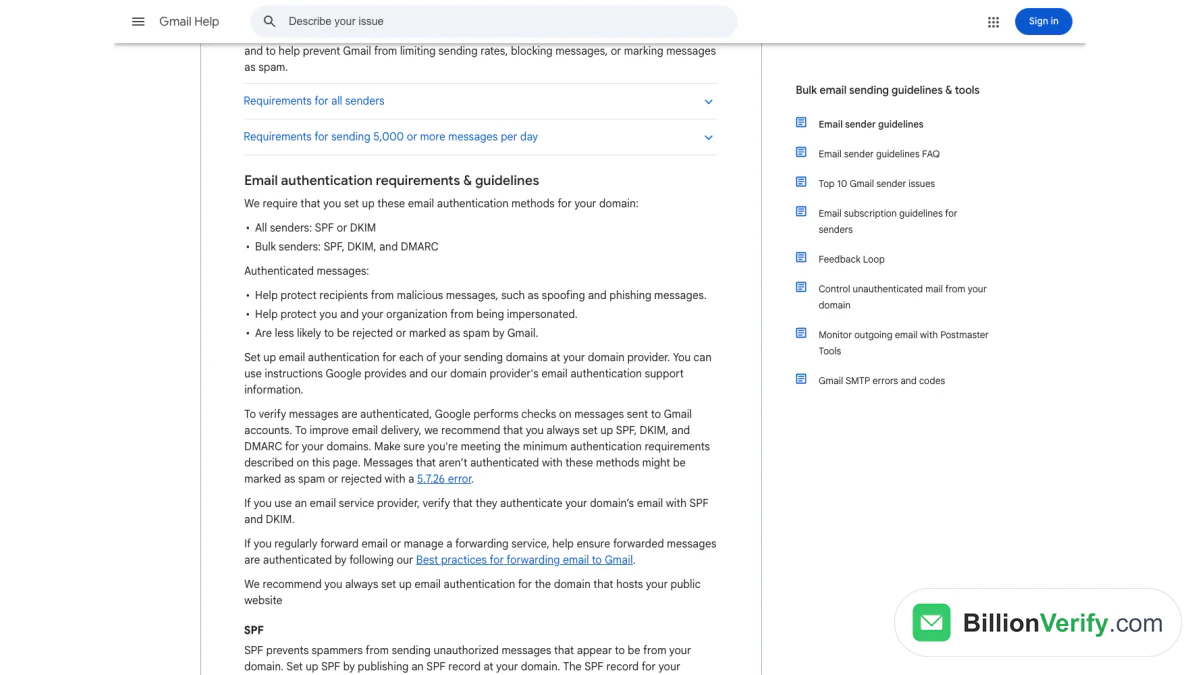
Screenshot: the authentication section of the Gmail sender guidelines page, captured in November 2026.
Two details in the FAQ matter here. The count adds up every message from the same primary domain, so mail from a subdomain counts toward its parent. A sender that crosses the line once stays a bulk sender permanently. The FAQ also says the guidelines apply only to messages sent to consumer Gmail addresses, not to Google Workspace accounts. Many B2B prospects use Workspace, but the FAQ does not describe how those inboxes filter outreach, so treat the consumer rules as the floor.
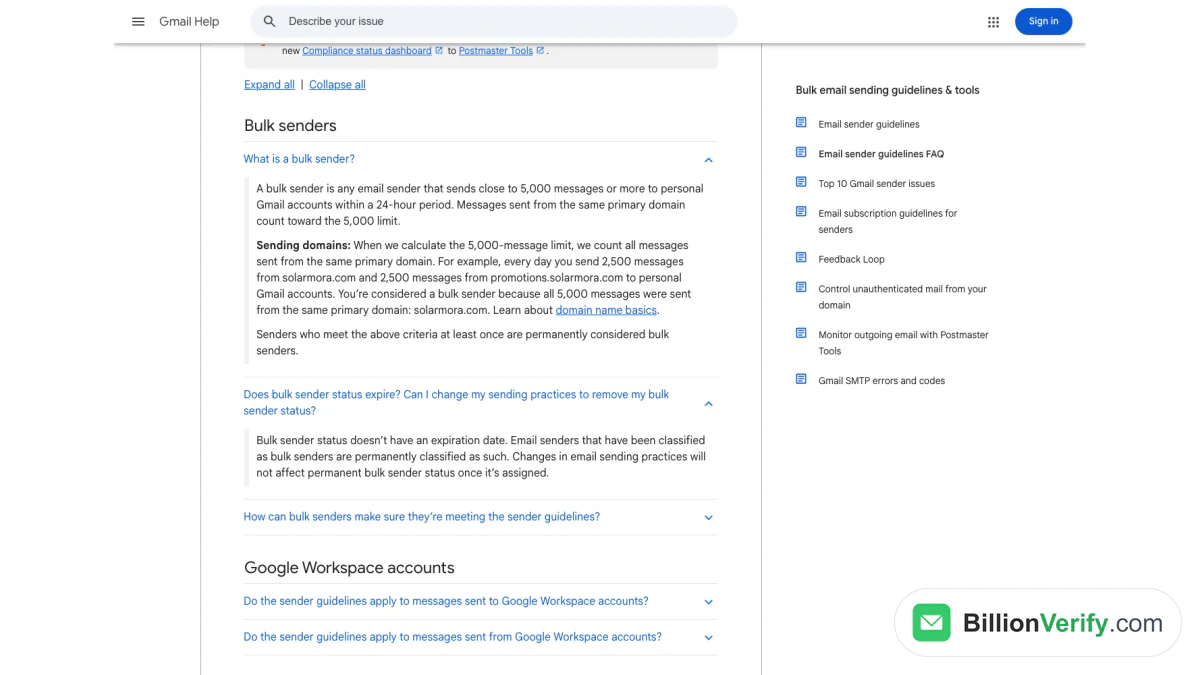
Screenshot: the Gmail FAQ answers on bulk sender status, expanded in the browser, as of Nov 2026.
Yahoo
Yahoo's baseline is similar: one of those two methods at a minimum, a spam rate under that same 0.3%, matching forward and reverse lookups, and compliance with RFC 5321 and 5322. Its stricter tier asks for both SPF and DKIM, a DMARC record that passes, an aligned From domain, a working opt-out header, a visible unsubscribe link in the body and removal within 2 days. Relaxed DMARC alignment is accepted. Its sender FAQ says it will not specify a volume threshold, and that it judges a sender at the authenticated domain or From domain level.
Yahoo also notes that it calculates the complaint rate on mail delivered to the inbox. Its recommendations ask senders to sign every message with a DKIM key of at least 1024 bits, to separate bulk traffic from other traffic by IP or signing domain, and to remove invalid recipients promptly.
Outlook.com
Microsoft announced its rules for Outlook.com, Hotmail and Live consumer addresses in an April 2025 post. Domains sending more than 5,000 emails daily must pass SPF and DKIM and publish DMARC at a minimum of none, aligned with either protocol. The April 29 update says failing messages are rejected with 550; 5.7.515 Access denied, sending domain [SendingDomain] does not meet the required authentication level. The same post recommends a From or Reply-To address that can receive replies, a working unsubscribe link and regular removal of invalid addresses. In its FAQ, Microsoft suggests cleaning lists monthly or quarterly.
The table compares the published requirements. "Volume line" means the point at which each provider applies its stricter tier.
| Requirement | Gmail | Yahoo | Outlook.com |
|---|---|---|---|
| Volume line | Near 5,000 daily to Gmail users, counted per domain | Not published | Above that same daily figure |
| Baseline authentication | Either protocol | Either protocol | Not separately listed |
| Stricter tier | SPF plus DKIM, DMARC, aligned From | Both protocols, passing DMARC, relaxed alignment allowed | Both must pass, plus aligned DMARC |
| Complaint ceiling | Below 0.3%, aim for 0.1% | Below 0.3% | No number stated |
| Opt-out | RFC 8058 headers and a visible link | Header and visible link, 2-day removal | A functional, visible link |
| When rules are missed | Deferral, rejection or junk folder | Gradual enforcement | Rejection with 5.7.515 |
Authentication for Cold Email: SPF, DKIM, DMARC
Authentication is the cheapest part of cold email deliverability to get right, and the part that fails most mechanically. Each protocol answers a different question. SPF says which servers may send for the domain in the envelope. DKIM signs the message so the receiver can check that a domain took responsibility for it. DMARC ties both to the name the reader sees in the From line. Google states that unauthenticated messages might be marked as spam or rejected with a 5.7.26 error.
SPF
An SPF record is a TXT record that lists the servers and services allowed to send for your domain. RFC 7208 sets three limits that cause most failures. Section 3.2 says a name must not publish more than one SPF record. Section 4.6.4 limits the include, a, mx, ptr and exists mechanisms and the redirect modifier to 10 per check, and exceeding that returns permerror. The same section recommends limiting "void lookups," which return no answer, to two.
Outreach setups break the 10-lookup limit easily, because each mailbox host, sending tool and CRM adds an include. The ~all ending produces a softfail, which section 8.5 says receivers should not reject on alone. The -all ending produces a fail, and Gmail's error reference shows a 5.7.26 rejection when a record with a hard fail policy does not pass. A free SPF checker counts the lookups in a live record.
DKIM
DKIM adds a signature to each message, and the receiver fetches the public key from DNS. RFC 6376, section 3.6.2.1, stores keys under a selector in the _domainkey namespace, so a selector named s1 on example.com lives at s1._domainkey.example.com. Selectors let a sender run several keys at once, which is how a mailbox host and a sending tool can both sign for you. Microsoft's FAQ confirms that separate mail systems can use separate selectors.
Key length is now a hard rule. RFC 8301, section 3.2, says signers must use RSA keys of at least 1024 bits and should use 2048. Google requires that minimum for consumer Gmail and recommends 2048 where your DNS host supports it. Yahoo sets the same floor.
DMARC
DMARC changed standards in 2026. RFC 9989, published in May 2026, obsoletes the earlier informational RFC 7489. Its core idea is unchanged: a message passes when SPF or DKIM passes for a name that aligns with the From address. Relaxed alignment, the default, accepts any name under the same organizational domain. Section 4.4 notes that nearly all domain owners have found relaxed alignment sufficient.
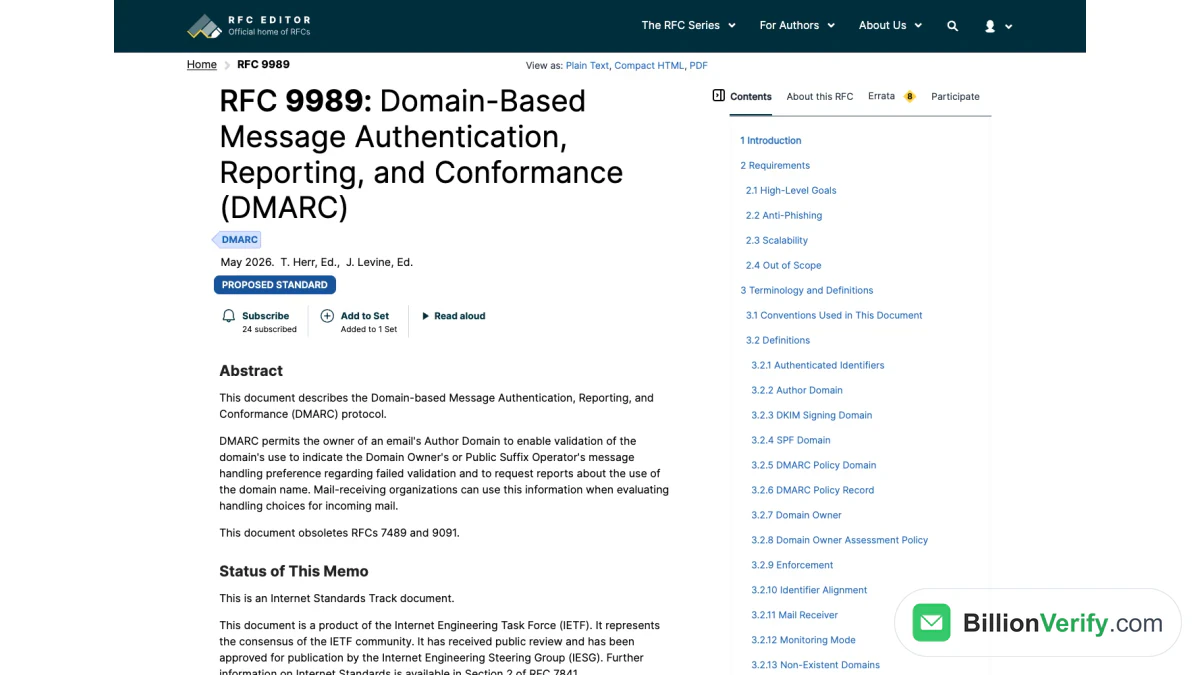
Screenshot: the RFC Editor page for RFC 9989, whose abstract says it obsoletes RFCs 7489 and 9091, viewed in Nov 2026.
The new standard also describes the rollout. Section 5.1.4 says owners usually start with a monitoring policy and an rua address that receives aggregate reports. Section 5.1.7 warns that reaching confidence before enforcement can take many months of reports. Appendix A.6 removes the old pct tag, which was meant to apply a policy to a share of messages but was applied inconsistently, and section 4.7 adds a t tag for testing a policy instead. Older records still carry pct, as this lookup shows:
$ dig +short TXT _dmarc.yahoo.com
"v=DMARC1; p=reject; pct=100; rua=mailto:d@rua.agari.com; ruf=mailto:d@ruf.agari.com;"
$ dig +short TXT _dmarc.gmail.com
"v=DMARC1; p=none; sp=quarantine; rua=mailto:mailauth-reports@google.com"
Both commands were run on November 21, 2026. Gmail and Yahoo both accept p=none for high-volume senders, so a new cold email domain can publish a monitoring record on day one.
Reverse DNS and TLS
Google and Yahoo require valid forward and reverse DNS for every sending IP, and Google requires TLS. Google's FAQ lists a 4.7.23 temporary error for a missing or mismatched PTR record. If you send through Google Workspace, Microsoft 365 or a sending platform, the provider owns the IPs and handles both. Check them only if you run your own server.
Sender Reputation: How Mailbox Providers Read the Signals
Reputation is the history a provider keeps on your domain and IPs. Google says Gmail tracks volume, feedback and limits per domain and per IP address. A shared IP carries the reputation of every sender on it, and its quota is shared too. Your domain, though, is yours alone, and most outreach signals attach to it.
Spam reports
Google asks senders to keep the user-reported spam complaint rate in Google Postmaster Tools below 0.1% and never to reach 0.3%. The impact is graduated, according to the FAQ, and anything above 0.1% already hurts inbox delivery. A bulk sender above 0.3% cannot get delivery help from Google until it stays below that line for 7 consecutive days. Google also says improvements can take time to show up in spam classification.
Bounces
Every provider asks senders to drop bad addresses. Yahoo tells senders to monitor hard and soft bounces and to take invalid recipients off the list. Google suggests unsubscribing people whose messages bounce repeatedly. Microsoft names list hygiene and bounce management among its recommendations. None of the three publishes a bounce threshold, so any exact figure you read elsewhere is someone else's estimate.
Volume, rhythm and content
Google's advice on volume is to send at a consistent rate, avoid bursts and avoid sudden spikes. It warns that doubling previous volume suddenly could cause rate limiting or reputation drops. Content counts as well. Google's error reference includes a 4.7.28 limit for "unsolicited email containing one of your URL domains," so the hosts in your links carry a reputation too. The guidelines forbid subject lines that start with "Re:" or "Fwd:" unless the message really is a reply or forward, and they ask that display names identify the sender only.
One common metric means less than people think. By its own account, Google does not track open rates, cannot verify open rates reported by third parties, and does not treat a low open rate as a reliable sign of filtering. Replies, bounces and complaints are more reliable signals for outreach.
Domain Setup and Warmup for Cold Outreach
Most outreach programs send from a cold email domain kept apart from their main business domain. The providers' own guidance supports separating mail streams. Google suggests a distinct From line per message category, and Yahoo recommends separating mail types by IP address or DKIM domain because each has its own reputation. A problem in outreach then stays away from invoices and support replies.
A separate domain or a subdomain
The choice has a counting effect. Google's FAQ adds up mail from a parent domain and its subdomains toward the bulk line, so outreach.example.com and example.com share a total. A separately registered name has its own count and its own history. Whichever you pick, give it real DNS: MX records so replies arrive, the three authentication records and a working website. Microsoft asks that the From or Reply-To address can receive replies, and a cold email domain with no inbox fails that test.
Mailbox limits are ceilings
Mailbox hosts cap what one account can send. Google's Gmail sending limits allow 2,000 sends a day per Workspace user, 1,500 for mail merge and 500 for trial accounts. For an account converted from a trial, limits rise once the domain has paid at least $100 in total, and that can take up to 75 days. Microsoft's Exchange Online limits set a recipient rate limit of 10,000 a day, while a default onmicrosoft.com address can reach only 100 external recipients a day. These numbers are the most a host allows, not a safe outreach volume. Microsoft's own note says customers who need legitimate bulk commercial email should use third-party providers.
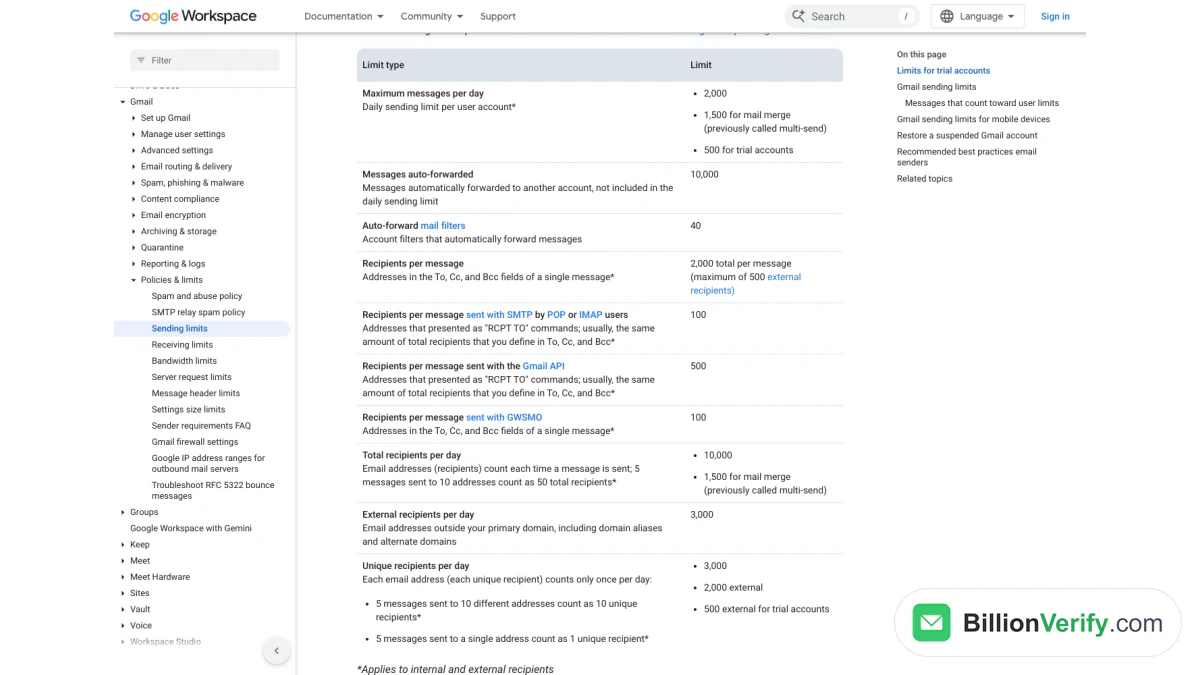
Screenshot: the Workspace limits table for Gmail senders, checked in Nov 2026.
Domain warmup without a fixed calendar
Warmup means raising volume slowly so a provider can see steady, wanted mail before the volume grows. Google names three factors that set how fast you can grow: how much you send, how often you send, and recipient feedback. It recommends starting with a low volume to engaged users and monitoring server responses and complaints as you go. No provider publishes a number of days. Treat any fixed warmup schedule as a vendor's opinion, not a rule.
Cold email warmup tools exchange messages between member accounts to create early engagement. Google says it does not accept allowlist requests from email providers and cannot guarantee their mail will pass its filters. Warmup traffic shows the provider a sending history. It does not change what happens when real prospects bounce or complain. If you are still choosing a sending platform, our overview of cold email tools explains the main types.
One-Click Unsubscribe and Opt-Outs
Unsubscribe handling sits where the law and the filters meet. RFC 8058, section 3.1, describes the mechanism. The sender adds a List-Unsubscribe header with an HTTPS URL and a List-Unsubscribe-Post header containing List-Unsubscribe=One-Click. That URL must identify the recipient and the list on its own, and the server must not answer with a redirect. Section 4 requires a valid DKIM signature that covers both headers. The example in section 8.1 of the RFC looks like this:
List-Unsubscribe: <https://example.com/unsubscribe/opaquepart>
List-Unsubscribe-Post: List-Unsubscribe=One-Click
Google requires one-click unsubscribe for promotional mail from bulk senders, and says a mailto link alone does not meet it. Its FAQ recommends removing people within 48 hours. Yahoo asks for 2 days and accepts a mailto header but prefers the POST method. CAN-SPAM's legal deadline is 10 business days, which is much longer than either provider's window.
Many outreach emails are plain, one-to-one messages, and senders wonder whether these rules apply. Google's FAQ says the recipient, not Google, decides whether a message is promotional. A short line inviting people to say "not interested," plus the headers where your tool supports them, costs little. Every quiet opt-out is a report that never happens.
List-Side Causes of Spam Placement
Most deliverability advice focuses on the sender's setup, but many problems start in the spreadsheet. A file of contacts from a data vendor, a scraper or an old CRM export carries addresses that have closed, never existed or belong to someone else. Each produces a hard bounce or a complaint, and both attach to the sending domain. Authentication cannot fix that, and warmup traffic cannot hide it.
Four list problems cause most of the damage. Dead mailboxes return permanent errors such as Gmail's 550 5.1.1, which RFC 3463 defines as a bad destination mailbox address. Guessed addresses built from name patterns fail the same way, and under CAN-SPAM they can turn an ordinary violation into an aggravated one. Catch-all domains accept every address during the SMTP exchange, so a guess looks valid until it bounces later or reaches nobody; our guide to catch-all email detection explains how to handle them. Role addresses such as info@ or sales@ reach a shared inbox, where several people can mark you as junk.
The fix is to check addresses before they reach the sending tool. For a single prospect, a free email checker runs syntax, DNS, MX and SMTP checks with no signup. For whole files, BillionVerify lets you check if an email address is real in bulk, or upload a CSV to bulk email verification. Catch-all addresses come back as their own category instead of being counted as valid. Valid and invalid results cost a credit each, unknown results cost nothing, and a recheck of the same address within 24 hours is free. A free account gets 20 credits on each day it is used, up to 600 a month, with no credit card.
When a lead sheet has names and company websites but no addresses, an email finder returns only verified work emails, so you do not need permutation guesses (paid accounts only). A reverse email lookup shows the organization, mail routing and public profile behind an address you already hold. If your sequence adds a call or SMS step, a phone number validator checks the number against its country's numbering plan first.
Monitoring and Fixing Cold Email Deliverability
Monitoring for outreach has a blind spot. The Google Postmaster Tools setup page says dashboard data might be missing when the number of messages on a given day is too low, which describes most cold programs. Yahoo's Complaint Feedback Loop sends copies of spam reports, but it works only for DKIM-signed mail. In practice, bounce codes and reply rates are often the first warning.
The SMTP error that comes back usually names the cause. Google's SMTP error reference and the FAQ list the codes below.
| Code | Provider | Meaning | First response |
|---|---|---|---|
| 550 5.1.1 | Gmail | The account does not exist | Remove it and check the rest of the file |
| 421 4.7.28 | Gmail | Unusual rate from your IP, signing name or link hosts | Pause for 10 minutes, resume on a single connection |
| 550 5.7.26 | Gmail | Unauthenticated, hard SPF fail or DMARC policy | Fix the record that failed |
| 4.7.27, 4.7.30 | Gmail | The SPF check (4.7.27) or DKIM check (4.7.30) failed | Inspect that record |
| 4.7.31, 4.7.32 | Gmail | No DMARC record, or From not aligned | Publish DMARC and align |
| 550 5.7.515 | Outlook.com | Authentication level not met | Authenticate fully and align DMARC |
| 550 5.7.236 | Microsoft 365 | Default onmicrosoft.com address hit its cap | Send from your own name |
Google's guidance on 4.7.28 is specific. Do not send for at least 10 minutes, and if the error does not say which quota you hit, assume your DKIM, SPF and IP quotas are all affected. Then restart on a single connection and add more gradually. For bounces and deferrals in general, the advice is to reduce volume until the error rate falls, then increase slowly again.
A few free checks cover the rest. Google's Admin Toolbox Check MX reviews a domain's mail settings. The Authentication-Results header of a test email sent to your own Gmail or Yahoo inbox shows each verdict. An email deliverability test grades authentication, DNS, spam filters, blacklists, headers and content from a single test email. Google also asks senders to confirm that their site is not flagged by Google Safe Browsing, along with any sites linked from the message.
FAQs
Is cold email the same as spam?
No, not in law, though filters can treat it the same way. Under American law, CAN-SPAM regulates unsolicited sales mail through rules on headers, subject lines, postal address and opt-outs rather than banning it. Filters judge by recipient behavior instead, so a lawful message that people report will still land in junk. Many other countries require consent first.
How long does domain warmup take?
There is no official answer. Google, Yahoo and Microsoft publish no warmup period. Google describes the factors instead: total volume, sending frequency and recipient feedback, with steady increases and no sudden doubling. Watch deferrals, bounces and replies, and grow only while they stay quiet.
Do I need DMARC below the bulk sender line?
Strictly, Gmail and Outlook.com require it only above their volume lines, and Yahoo sets no public line at all. A monitoring record with a reporting mailbox costs nothing and takes a single TXT entry. It also covers you if your combined volume ever crosses the threshold, which Gmail counts permanently.
What spam complaint rate is safe?
Google's target is below 0.1%, with 0.3% as a hard ceiling, and Yahoo also uses 0.3%. With only a few hundred sends a day, one or two reports can push a small sender past those lines. That is why targeting and easy opt-outs matter more than volume.
Why do my emails go to spam when authentication passes?
Authentication proves identity, not that the recipient wants your mail. Passing all three checks removes one reason for filtering, but complaints, bounces, sudden volume changes, misleading subjects and poorly regarded link hosts can still send mail to junk. Check those in that order.
Is it legal to guess a prospect's email address?
CAN-SPAM does not list guessing as a violation on its own, but it carries legal and technical risk. Section 7704(b) treats addresses generated by automated permutation as an aggravating factor when the message also breaks the law's main rules. Technically, guessed addresses bounce often, so verify any guess before sending.
Watch: How to Verify Emails Before You Import Them Into Smartlead
Watch: How to Verify Emails Before You Import Them Into Lemlist
