



Google has announced a significant change to Gmail: users can now change their @gmail.com email addresses—something that was previously impossible. This feature, currently rolling out gradually to all users, introduces new technical considerations for email marketers and verification processes.
What Google Changed
For nearly two decades, your Gmail address was permanent. Once you chose johndoe@gmail.com, you were stuck with it forever. That's no longer the case.
The New Feature at a Glance
| Feature | Details |
|---|---|
| Address Changes | Up to 3 changes allowed (4 total addresses) |
| Cooling Period | 12 months between changes |
| Old Address Behavior | Becomes an active alias, continues receiving emails |
| Login Options | Both old and new addresses work for sign-in |
| Data Preservation | All account data remains unchanged |
| Address Reservation | Old addresses permanently reserved to the account |
The most important technical detail: old addresses don't disappear. They become aliases that continue to receive all emails sent to them.
Gmail's Expanding Alias System
This new feature adds another layer to Gmail's already complex alias system. Understanding the full picture is crucial for email verification and list management.
The Complete Gmail Alias Landscape
1. Dot Insensitivity (Existing Feature)
Gmail ignores dots in the local part of addresses:
john.doe@gmail.com
johndoe@gmail.com
j.o.h.n.d.o.e@gmail.com
All three addresses deliver to the same inbox. There's no functional difference—they're treated as identical by Gmail's servers.
2. Plus Addressing (Existing Feature)
Users can append +anything to create unlimited aliases:
johndoe@gmail.com
johndoe+newsletter@gmail.com
johndoe+shopping@gmail.com
johndoe+work@gmail.com
All emails arrive in the same inbox, but users can filter by the +tag to organize mail.
3. Address Changes (New Feature)
Now users can completely change their username:
Original: johndoe@gmail.com
Changed to: john.smith@gmail.com
Both addresses remain active. The old one becomes a permanent alias.
Alias Combinations
With the new feature, alias permutations multiply significantly:
Original address: johndoe@gmail.com

After one address change:
- johndoe@gmail.com (alias)
- johnsmith@gmail.com (new primary)
- j.o.h.n.d.o.e@gmail.com (dot variant of alias)
- j.o.h.n.s.m.i.t.h@gmail.com (dot variant of new)
- johndoe+tag@gmail.com (plus variant of alias)
- johnsmith+tag@gmail.com (plus variant of new)
A single user who changes their address once now has potentially unlimited valid email addresses across two base usernames.
Technical Implications for Email Verification
This change affects several aspects of email verification and list management.
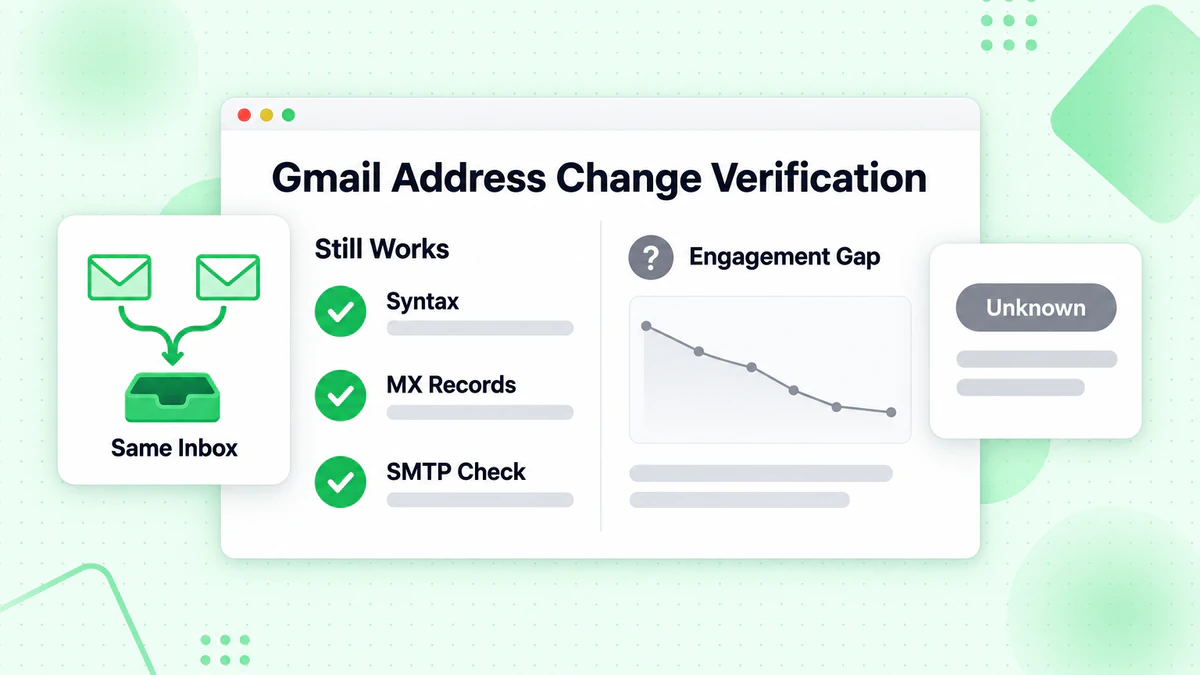
What Still Works
Syntax Validation: RFC 5321/5322 compliance checks remain valid. The new addresses still follow standard email format rules. Learn more about email syntax validation and why it's the first line of defense.
MX Record Verification: Gmail's MX records (gmail-smtp-in.l.google.com etc.) remain unchanged. Domain-level verification continues to work normally. See our guide on how email verification works for the complete technical breakdown.
SMTP Verification: Connecting to Gmail's SMTP servers to verify deliverability still works. Both old and new addresses will return positive responses since both are valid.
Disposable Email Detection: The new feature doesn't affect disposable email detection. Gmail addresses (old or new) remain legitimate, non-disposable addresses.
New Challenges
1. Duplicate Detection Complexity
Previously, sophisticated email verifiers could normalize Gmail addresses by:
- Removing dots from the local part
- Stripping plus tags
After normalization, duplicates could be detected:
Before: johndoe@gmail.com and john.doe@gmail.com
After normalization: johndoe@gmail.com = johndoe@gmail.com ✓ Duplicate detected
But address changes create genuinely different usernames that cannot be normalized:
johndoe@gmail.com → Cannot be normalized to johnsmith@gmail.com
These are two valid addresses for the same user, but there's no technical way to detect this.
2. The "Deliverable but Inactive" Problem
When a user changes their primary address:
- Emails to the old address still deliver (technically successful)
- But the user may stop checking the old alias
- Open rates and engagement for the old address may decline
- Sender reputation could be affected by low engagement
3. List Hygiene Metrics May Be Misleading
Traditional email list hygiene focuses on:
- Bounce rates (will remain low—old addresses don't bounce)
- Deliverability (will remain high—old addresses are valid)
But actual engagement may decline without any warning signals from these metrics. This is why combining verification with proper list cleaning practices is essential.
How This Affects Email Verification Services
Email verification services like BillionVerify need to adapt to this new reality.
Current Verification Still Valid
Our multi-step verification process remains effective:
- Syntax Check: Validates email format → Works for both old and new addresses
- Domain Verification: Confirms valid MX records → Gmail MX unchanged
- Mailbox Verification: SMTP-level check → Both addresses respond positively
- Risk Assessment: Identifies disposable, role-based, etc. → Unaffected
Limitations to Understand
What Verification Can Detect:
- ✅ Invalid addresses (typos, non-existent domains)
- ✅ Non-existent mailboxes
- ✅ Disposable email addresses
- ✅ Role-based addresses
- ✅ Catch-all domains
- ✅ Known spam traps
What Verification Cannot Detect:
- ❌ Whether a Gmail address is someone's current primary
- ❌ Whether a Gmail address is an alias from a previous change
- ❌ Whether the user actively monitors a specific address
- ❌ Future address changes that will affect engagement
The Role of Engagement Data
This change reinforces that verification alone isn't enough. Email marketers need to combine:
- Verification (is this address technically valid?)
- Engagement Tracking (does this subscriber interact with emails?) — see our email marketing metrics guide
- Behavioral Analysis (has engagement pattern changed?)
A verified, deliverable address is necessary but not sufficient for email marketing success. For a complete overview, check out The Complete Guide to Email Verification in 2025.
Technical Recommendations
For Email Marketers
1. Implement Robust Engagement Tracking
Don't rely solely on deliverability. Track:
Per subscriber:
- Open rate trend (is it declining?)
- Click rate trend
- Last engagement date
- Engagement frequency
A Gmail address that was highly engaged but suddenly shows no opens may indicate an address change.
2. Adjust Re-engagement Campaigns
Consider that unengaged Gmail subscribers may have changed addresses rather than lost interest. For proven tactics, see our email re-engagement strategies guide. Re-engagement email content should acknowledge this:
Subject: Still want to hear from us?
Body: We noticed you haven't opened our emails lately.
If you've changed email addresses, update your preferences here: [link]
3. Strengthen Preference Centers
Make it easy for users to update their email address in your system:
- Prominent "Update Email" option in every email
- Simple preference center with email change functionality
- Consider allowing multiple email addresses per account
For Developers
1. Gmail Address Normalization
Continue normalizing Gmail addresses for duplicate detection, but understand limitations:
function normalizeGmail(email) {
  const [local, domain] = email.toLowerCase().split('@');

  if (domain === 'gmail.com' || domain === 'googlemail.com') {
    // Remove dots and plus tags
    const normalized = local.replace(/\./g, '').split('+')[0];
    return `${normalized}@gmail.com`;
  }

  return email;
}

// Note: This catches dot variants and plus tags
// But cannot detect address-change aliases
2. Consider User Linking Strategies
For applications where identity matters:
- Allow users to link multiple email addresses to one account
- Use additional verification factors (phone, OAuth) for account matching
- Don't assume one email = one user for Gmail addresses
3. Monitor Gmail-Specific Metrics
Segment analytics by email provider:
const providerMetrics = {
  'gmail.com': {
    deliveryRate: 0.99,
    openRate: 0.15,  // Watch for declining trend
    bounceRate: 0.001
  },
  // ... other providers
};
If Gmail-specific open rates decline while delivery remains high, address changes may be a factor.
Impact on Different Use Cases
Transactional Email
Lower Risk: Users changing addresses typically update their preferences for important transactional emails (banking, services, etc.).
Recommendation: Still reaches old alias, but encourage users to update their email in account settings.
Marketing Email / Newsletters
Higher Risk: Users may not bother updating email preferences for newsletters when changing addresses.
Recommendation: Implement aggressive engagement monitoring. Sunset unengaged Gmail subscribers more quickly.
Cold Email outreach
Medium Risk: Prospecting data ages faster. A valid Gmail address from 6 months ago may now be an inactive alias.
Recommendation: Verify lists immediately before campaigns using bulk email verification. Prioritize engagement signals over raw deliverability. For more on cold email best practices, see our cold email deliverability guide.
Lead Generation
Consideration: Users may use old addresses for sign-ups they consider "low priority" after changing their primary.
Recommendation: Implement real-time verification at sign-up and track early engagement closely.
Looking Ahead
Google's address change feature is part of a broader trend giving users more control over their digital identity. We may see:
- Other email providers implementing similar features
- Increased address portability across platforms
- More sophisticated alias and forwarding systems
For email marketers and verification services, this reinforces a key principle: the email address is the starting point, not the complete picture. Verification confirms technical validity; engagement confirms the relationship.
Conclusion
Gmail's new address change feature doesn't break email verification—it adds nuance. Addresses that verify as valid and deliverable may not represent active engagement. The technical foundation of verification remains solid, but interpretation must evolve.
Key Takeaways:
- Verification still works: Old addresses remain valid and deliverable
- Engagement matters more: Deliverability without engagement is a warning sign
- Duplicate detection has limits: Different usernames for the same user can't be technically detected
- Preference updates become critical: Make it easy for users to update their email
- Monitor Gmail-specific metrics: Watch for engagement declines that don't match delivery rates
The best approach combines rigorous email verification with continuous engagement monitoring. For developers looking to integrate verification, check out our Email Verification API documentation and guides for Node.js and Python.
Start by ensuring your list contains only valid addresses with BillionVerify, then layer engagement tracking to identify addresses that may have become inactive aliases.
Related Reading: