



After nearly 20 years, Google is finally allowing Gmail users to change their email addresses. This isn't just a consumer convenience feature—it has significant implications for anyone who relies on email marketing. Here's what you need to know about how this change affects your email list and what to do about it.
The Announcement
Google is gradually rolling out a feature that lets users change their @gmail.com address to a new @gmail.com username. The key details:
- Users can change their address up to 3 times (ending up with 4 total valid addresses)
- There's a 12-month waiting period between changes
- Old addresses become aliases that still receive all emails
- The old address can never be assigned to a different user
For subscribers, this is a welcome change. For email marketers, it introduces new complexities.
Why This Matters for Email Marketers
The Scale of Gmail
Gmail dominates the email landscape:
- 1.8 billion active users worldwide
- Over 30% of all email opens happen on Gmail
- For B2C businesses, Gmail often represents 40-60% of their subscriber base
- Even B2B lists typically have 15-25% Gmail addresses (personal addresses used for business)
Any change to how Gmail works affects a substantial portion of your list. Understanding email marketing metrics becomes even more critical when such a large segment is affected.
The Silent Engagement Drop
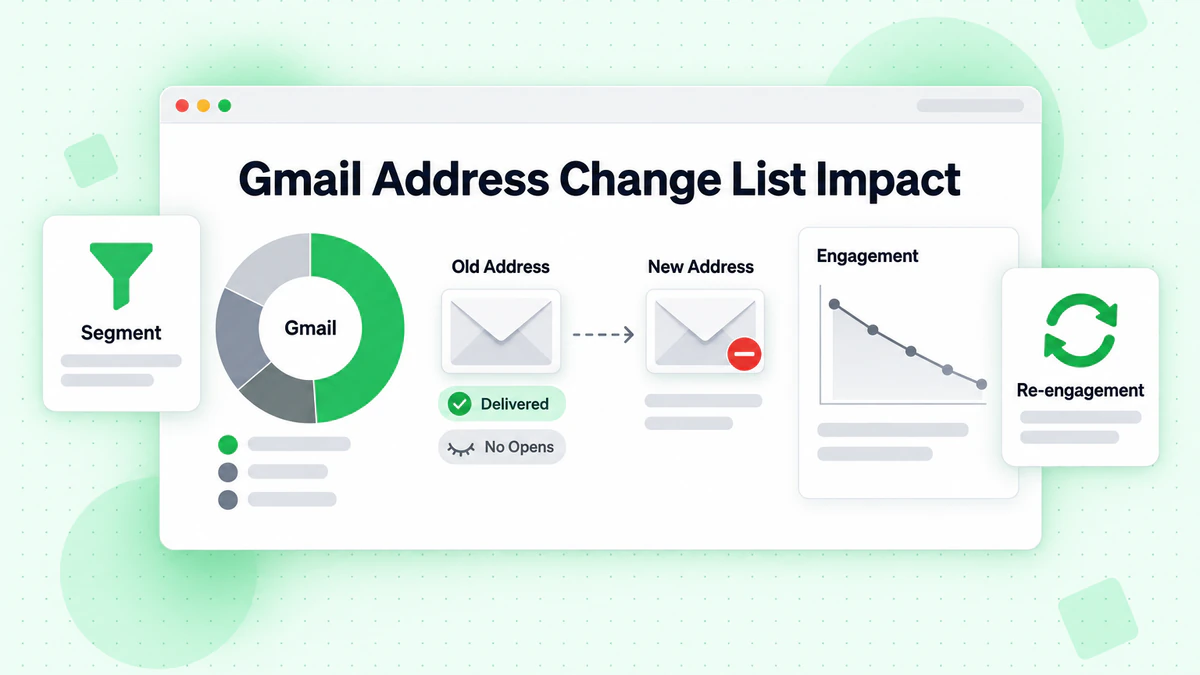
Here's the problem: when a subscriber changes their Gmail address, they don't bounce. They don't unsubscribe. They don't even complain.
They just... stop engaging.
The scenario:
- Sarah signed up for your newsletter with
sarah.jones@gmail.com - Sarah changes her primary Gmail to
sarahjones.work@gmail.com - Your emails still deliver successfully to
sarah.jones@gmail.com - But Sarah never checks that alias anymore
- Your open rates for Sarah drop to zero
- Your list shows her as a valid, deliverable subscriber
From a metrics perspective, everything looks fine. No bounces. No delivery failures. But you're effectively emailing an abandoned mailbox.
The Compounding Effect
Email marketers have always dealt with engagement decay. Subscribers naturally become less engaged over time. But this change accelerates the problem:
Traditional engagement decay:
- Subscriber loses interest gradually
- May still occasionally open emails
- Eventually unsubscribes or becomes truly inactive
Address-change decay:
- Subscriber still wants your content
- But they've moved to a new address
- Your emails land in an alias they ignore
- Zero engagement, not gradual decline
The key difference: these aren't uninterested subscribers. They're interested people you've lost contact with.
The Real-World Impact
Let's look at how this plays out with some realistic numbers.
A Typical Scenario
Imagine you have 100,000 subscribers, 45% using Gmail (45,000 Gmail subscribers).
Conservative estimates (based on early adoption patterns):
- Year 1: 5% of Gmail users try the feature → 2,250 potential "silent disengagements"
- Year 2: 10% cumulative → 4,500
- Year 3: 15% cumulative → 6,750
These aren't bounces. These aren't unsubscribes. These are valid addresses on your list that no one checks.
Impact on Key Metrics
Open Rate Decline
If 5% of your Gmail subscribers change addresses and stop engaging:
Before: 45,000 Gmail subs × 25% open rate = 11,250 opens
After: 42,750 engaged + 2,250 zero-engagement = 11,250 opens from 45,000

Apparent Gmail open rate stays ~25% initially

But over time, as changes accumulate:
Year 2: 11,250 opens from 45,000 = 25% → actually 26.3% from 42,750 engaged
The 10% who changed dilute your open rate
The math gets worse over time as more subscribers change addresses without updating your list.
Sender Reputation Risk
Email providers (including Gmail) track engagement at the sender level. A growing segment of zero-engagement subscribers sends negative signals:
- Gmail sees you have subscribers who never open
- Your sender reputation scores decline
- Inbox placement for everyone gets worse
- Delivery to engaged subscribers suffers
The irony: subscribers who changed addresses and don't engage hurt your ability to reach subscribers who do. For a deep dive into protecting your sender reputation, see our email deliverability guide.
Segment-Specific Impacts
High-Frequency Senders (daily/multiple weekly)
More emails = more opportunity for engagement decay to show up in metrics. If someone changes their address and you send daily, you'll see 30 unopened emails per month from that subscriber.
Low-Frequency Senders (monthly/quarterly)
Harder to detect the pattern. A subscriber who doesn't open 4 emails per year might just be busy. Or they might have changed addresses.
Transactional Email
Lower risk. Users who change addresses typically update their email for important services (banking, utilities, major accounts). But smaller services might get overlooked.
Newsletter/Content
Higher risk. Users are less likely to update their email preferences for newsletters when changing addresses. "I'll do it later" turns into never.
What Should You Do?
Immediate Actions
1. Audit Your Gmail Engagement
Email segmentation is crucial here. Segment your list to look at Gmail subscribers specifically:
Segment: Gmail addresses (@gmail.com, @googlemail.com)

Analyze:
- What percentage opened in the last 30 days?
- What percentage opened in the last 90 days?
- What percentage has never opened?
- Is the trend improving or declining?
Establish your baseline now, before the feature becomes widespread.
2. Strengthen Your Preference Center
Make it trivially easy for subscribers to update their email address:
Best practices:
- Include "Update email address" link in every email
- Don't require login to update email (use secure tokens)
- Confirm the change with both old and new addresses
- Offer to merge subscription history
Example footer copy:
Changed your email? Update your subscription → [link]
3. Adjust Your Re-engagement Strategy
Traditional re-engagement assumes the subscriber lost interest. New re-engagement should account for address changes. Check out our email re-engagement strategies guide for proven tactics.
Traditional approach:
- "We miss you!"
- "Are you still interested?"
- "Here's what you're missing"
Updated approach:
- "Still the right inbox?"
- "If you've changed emails, update here: [link]"
- "Make sure you're getting our emails where you want them"
Strategic Adjustments
1. Sunset Policies Need Updating
Current best practice: Remove subscribers who haven't engaged in 6-12 months.
Updated consideration: Gmail subscribers might need different treatment.
Options:
- Shorter sunset window for Gmail (3-6 months vs. 6-12)
- More aggressive re-engagement attempts before sunset
- Final "update your email" campaign before removal
2. Multi-Channel Confirmation
For important subscribers, consider confirming engagement through multiple channels:
- Email engagement tracking
- Website login activity
- App usage
- Purchase behavior
- Support interactions
If a subscriber is active on your platform but not opening emails, they may have changed addresses.
3. Preference-Based Retention
Encourage subscribers to do more than just receive emails:
- Create accounts on your platform
- Download your app
- Follow on social media
- Join community forums
Multiple touchpoints reduce dependence on a single email address.
List Hygiene Evolution
Traditional email list hygiene focused on:
- Removing bounces (addresses that don't work)
- Removing complainers (addresses that don't want you)
- Removing unengaged (addresses that ignore you)
The new dimension:
- Identifying "valid but abandoned" addresses
- Distinguishing disinterest from address change
- Encouraging address updates before sunsetting
For a complete guide on keeping your list clean, see How to Clean Your Email List.
Recommended hygiene flow for Gmail:
Gmail subscriber hasn't engaged in 60 days
    ↓
Send re-engagement: "Update your email?" campaign
    ↓
No response in 14 days
    ↓
Send final notice: "We're updating our list"
    ↓
No response in 14 days
    ↓
Move to suppression list (don't delete—they might re-engage with new address)
The Silver Lining
This change isn't all bad news. There are opportunities here.
Cleaner Lists Over Time
If you implement proper sunset policies, address changes will naturally clean your list of "zombie subscribers"—people who subscribed once and forgot about you. The old address becomes inactive, they don't bother updating, and you remove them.
Result: A smaller but more engaged list.
Better Engagement Rates (Eventually)
As you shed addresses that nobody checks, your engagement rates with the remaining list should improve. You're no longer dragging down averages with subscribers who literally can't engage.
Competitive Advantage
Marketers who adapt to this change will outperform those who don't:
- Better inbox placement from higher engagement rates
- Lower costs (smaller, more accurate lists)
- More accurate performance metrics
- Stronger subscriber relationships
Push Toward Multi-Channel
Email-only marketing has always been risky. This change encourages building relationships across multiple channels—which is more resilient anyway.
Industry-Wide Implications
ESP and Platform Response
Email service providers will likely need to update:
- Engagement tracking and segmentation tools
- Re-engagement campaign templates
- List hygiene recommendations
- Gmail-specific analytics
Expect to see new features addressing this issue.
Verification Service Adaptation
Email verification services will need to communicate that:
- Valid ≠ Engaged
- Deliverable ≠ Active
- Technical verification is necessary but not sufficient
The best verification services will emphasize combining technical verification with engagement tracking.
Regulatory Considerations
This is a gray area. If someone changes their address:
- Did they implicitly unsubscribe?
- Is continued sending to the old alias compliant?
- What do GDPR, CAN-SPAM, CASL say about "abandoned" addresses?
The answer is unclear. The safest approach: sunset unengaged addresses regardless of validity. For a comprehensive overview of email regulations, see our email compliance guide.
Metrics to Watch
Track these metrics with Gmail-specific segmentation:
| Metric | What to Watch For |
|---|---|
| Gmail Open Rate | Decline not explained by content changes |
| Gmail vs. Other Engagement | Gmail lagging behind other providers |
| New Gmail Subscriber Engagement | Early engagement crucial—get them active before they change |
| Gmail Sunset Rate | Are you removing more Gmail addresses than before? |
| Gmail Re-engagement Success | Are "update email" campaigns working? |
Warning Signs
Be concerned if you see:
- Gmail open rates declining while other providers stay stable
- Increasing percentage of "never engaged" Gmail subscribers
- Re-engagement campaigns performing poorly with Gmail
- High delivery rates but low engagement (Gmail specifically)
Conclusion
Google's decision to let users change Gmail addresses is a significant shift for email marketers. The technical impact is subtle—addresses don't bounce, delivery continues—but the practical impact is substantial.
Key takeaways:
Gmail dominates your list: With 30-60% of most subscriber bases, Gmail changes affect you significantly
Silent disengagement is the risk: Subscribers change addresses without telling you, and emails to old aliases just... disappear into the void
Metrics will mislead you: High deliverability with declining engagement is the warning sign
Action is required: Update preference centers, adjust re-engagement, tighten sunset policies for Gmail
Verification + Engagement: Technical email verification confirms addresses work; engagement tracking confirms subscribers are there
The email marketers who thrive will be those who recognize that a valid email address is just the starting point. Building sustainable email programs means combining rigorous list hygiene with meaningful engagement tracking.
Start by verifying your list to ensure you're working with valid, deliverable addresses. BillionVerify can confirm which addresses are technically valid—use our bulk email verification for existing lists or real-time API verification at signup. Then layer in engagement monitoring to identify which of those valid addresses actually have someone on the other end.
The Gmail address isn't going away—but the subscriber might be somewhere else.
Related Reading:
- Gmail Address Change Feature: New Verification Challenges for Email Marketers — Technical deep dive
- Gmail Alias System Upgraded: How to Keep Your Email List Clean — Complete solution framework
- The Complete Guide to Email Verification in 2025
- Email List Building Guide
- Email Marketing ROI Guide
- How Email Verification Works