



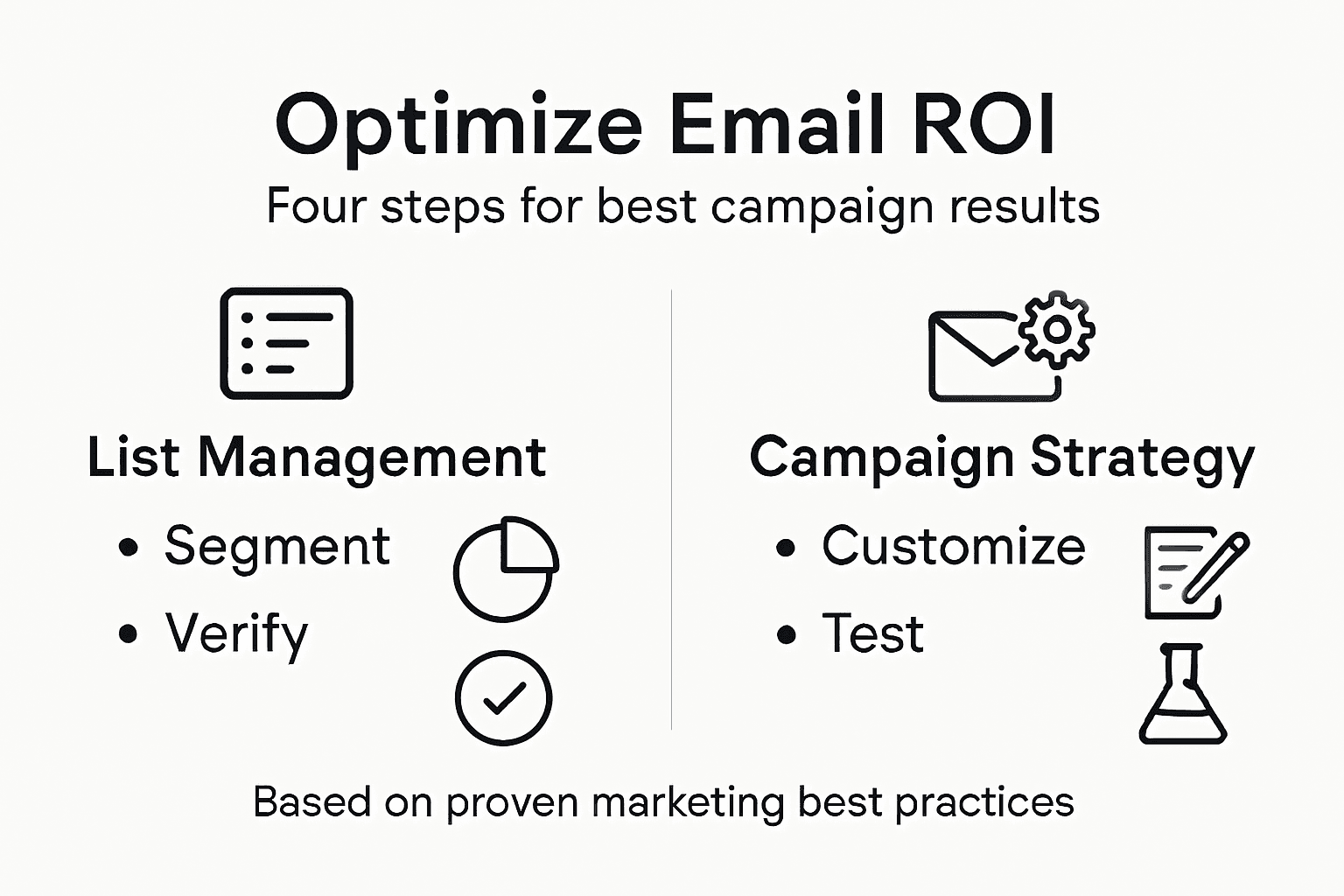
Struggling to turn email campaigns into real results often comes down to the quality of your list and how well you understand your audience. For Marketing Managers at e-commerce and SaaS companies, messy lists and generic blasts mean wasted budget and lower engagement. By focusing on clear assessment, segmentation, and verified deliverability, you lay the groundwork for targeted campaigns that reach the right inbox at the right time.
Quick Summary
| Main Insight | Explanation |
|---|---|
| 1. Audit and segment your email lists | Evaluate your current email list for quality, duplicates, and engagement before segmentation based on key characteristics. |
| 2. Verify email addresses for deliverability | Implement email address verification to identify invalid addresses and spam traps, improving sender reputation and campaign effectiveness. |
| 3. Customize campaigns for each segment | Tailor messages and timing to different audience segments for better engagement and conversion rates, using personalization techniques. |
| 4. Test and monitor results regularly | Establish key metrics for each segment, conduct A/B testing, and analyze data to refine campaigns and enhance return on investment over time. |
Step 1: Assess and Segment Your Email Lists
Before you can optimize email marketing performance, you need to understand what you actually have. Assessment means auditing your current list to identify quality issues, duplicates, and inactive subscribers. Segmentation takes this further by dividing your audience into meaningful groups based on shared characteristics.
Start by auditing your existing list for accuracy and completeness. Pull a sample of 1,000 addresses and check for obvious problems: typos in domains, role-based accounts (info@, support@, noreply@), or suspicious patterns. This quick review reveals whether your list has fundamental data quality issues before you invest in targeted campaigns.
Next, identify your segmentation criteria. The most effective approaches use demographic and behavioral data to create audience clusters. Consider what's actually available in your system right now:
- Purchase history and average order value
- Geographic location or timezone
- Customer lifecycle stage (new, active, at-risk, inactive)
- Engagement level (opens, clicks, reply rates)
- Product category interest or browsing behavior
- Email engagement frequency preferences
Not every criterion works equally. Choose segments that are classifiable (you can actually measure them), significant (large enough to matter), and stable (they won't change randomly). A segment of 47 subscribers who bought from your clearance section in March is too small to warrant custom content. A segment of 12,000 active e-commerce customers in North America is actionable.
Divide your list using your top 3-5 criteria. Most companies find success with geographic location combined with purchase history, or engagement level combined with product preference. Start simple rather than creating 50 micro-segments that become impossible to manage.
Here's a quick comparison of different email segmentation criteria and their typical business impact:
| Segmentation Criteria | How It Affects Engagement | Best Use Case Example |
|---|---|---|
| Geography or Timezone | Increases open rates with local timing | Region-specific promotions |
| Purchase History | Boosts relevance of offers | Upsell based on past items |
| Engagement Level | Reduces unsubscribes | Re-engagement for lapsed users |
| Product Interest | Raises click-through rates | Cross-sell in favorite category |
| Lifecycle Stage | Optimizes message timing | Welcome or win-back campaigns |
Smaller, focused segments receive more relevant content, which drives higher click-through and conversion rates compared to blasting your entire list with the same message.
Once segments exist, validate them. Pull sample records from each group and verify the segment rules actually captured the right people. You might discover your "inactive" segment includes subscribers who went dormant due to poor email frequency, not disinterest.
Proper email list management also means removing addresses that will damage your sender reputation. Bad data means bounces, spam complaints, and blacklisting risk.
Pro tip: Export your segments into your email platform before you start writing campaigns. Testing segment rules in a spreadsheet is fine, but actually creating them in your email software (or CRM) ensures your automation works correctly when you hit send.
Step 2: Verify Addresses for Maximum Deliverability
Now that you have segmented your list, the next critical step is verifying your email addresses to ensure they actually exist and will accept your messages. Unverified lists contain invalid addresses, spam traps, and dormant accounts that tank your sender reputation and waste marketing budget.
Verification works by checking each address against multiple validation layers. The process catches several categories of problematic emails you need to remove before sending:
- Invalid syntax or malformed addresses
- Non-existent domains or typos in domain names
- Disposable email services (temporary inbox providers)
- Spam trap addresses that ISPs use to catch senders
- Inactive or abandoned accounts
- Role-based addresses that typically generate complaints
Start by uploading your segmented lists to an email verification platform. Most platforms process addresses in batches, checking them against real-time SMTP servers and historical databases. This reveals which addresses are genuinely deliverable and which are risks.
The verification process typically takes minutes to hours depending on list size. You'll receive a report showing your overall bounce rate and breaking down results by category. Most e-commerce companies find that 15-25% of their list contains addresses with delivery issues. SaaS companies often see higher percentages, sometimes reaching 30-40%, because signups accumulate over time.
The table below summarizes the impact of regular email verification for various business types:
| Business Type | Typical Bounce Rate Before Cleaning | Results After Verification |
|---|---|---|
| E-commerce | 15-25% | Lower bounce rate, higher ROI |
| SaaS | 30-40% | Improved inbox placement, fewer complaints |
| Small Retail | 10-18% | More deliverable contacts |
| B2B Services | 20-30% | Reduced risk of blacklisting |
Review the detailed results and remove or flag addresses in high-risk categories. Don't just delete everything flagged as "risky." Instead, separate your list into three groups: definitely send to, review manually, and do not send. This approach lets you salvage valuable contacts while protecting your sender reputation.
Cleaning your list through proper address verification reduces bounce rates, spam complaints, and the risk of blacklisting, which directly improves your ability to reach the inbox.
Once verified, your segments are ready for campaign deployment. The addresses that pass verification form your "clean list" that ISPs recognize as legitimate. This dramatically improves your open rates, click rates, and overall ROI because your messages actually land where they belong.
When you're ready to scale verification across multiple campaigns, consider email verification methods that integrate directly with your email platform or CRM for ongoing list hygiene.
Pro tip: Schedule verification runs quarterly or before major campaigns, not just once. Email lists decay naturally as subscribers change addresses, abandon accounts, or become inactive. Regular verification keeps your sender reputation consistently strong.
Step 3: Customize Campaigns for Engaged Audiences
Generic emails sent to your entire list rarely convert well. Customization means tailoring your messaging, content, and timing to match what each segment actually cares about. When done correctly, personalized campaigns dramatically outperform one-size-fits-all blasts.
Start by defining what personalization means for each segment. Don't just add the subscriber's first name in the subject line and call it done. Real customization goes deeper:
- Dynamic content blocks that change based on purchase history
- Product recommendations aligned with browsing behavior
- Messaging tone and topics matched to customer lifecycle stage
- Send times optimized for each geographic region or timezone
- Call-to-action buttons that reflect segment-specific goals
Email personalization strategies that leverage behavioral and demographic data create one-to-one communication at scale. Your active e-commerce segment might receive product recommendations and limited-time offers. Your at-risk segment gets win-back offers and exclusive second-chance pricing. Your inactive segment receives a simple re-engagement message with a single clear action.
Next, build automation rules that trigger personalized messages based on subscriber actions. When someone clicks a product link, they enter a follow-up sequence about that category. When they abandon a cart, they get a reminder with social proof or a discount code. Automation lets you deliver the right message at the right moment without manual work.
Implement dynamic content blocks that change depending on segment attributes. One template can serve multiple audiences by swapping images, headlines, and offers based on stored data about each subscriber. This approach scales personalization without multiplying your workload.
Personalized campaigns that combine targeted messaging with automation boost open rates, click-through rates, and foster stronger customer relationships across all segments.
Test your customization before sending to your full audience. Send a small batch to one segment, track performance metrics, and refine based on results. What works for your high-value segment might not resonate with newer customers.
Pro tip: Use your email platform's preview functionality to check how personalized content renders for different segment members. A single template with dynamic blocks can look completely different depending on who views it, so verify the experience feels relevant for each audience.
Step 4: Test and Monitor Results for Continuous Improvement
Sending campaigns is only half the battle. Real optimization happens when you track results and learn from data. Without monitoring, you're flying blind and missing opportunities to improve ROI dramatically.
Start by establishing baseline metrics for each segment before you send anything. These numbers become your benchmark for measuring improvement. Track these core metrics consistently across all campaigns:
- Open rates and click-through rates
- Conversion rates tied to campaign goals
- Bounce rates and unsubscribe rates
- Revenue per email sent (for e-commerce)
- Cost per acquisition from email
The most important step is analyzing what the data tells you. Email campaign metrics like open rates and click-through rates reveal subscriber preferences and behaviors. Did your subject line variation perform 23% better? That's useful. Did one segment click through at triple the rate of another? That tells you something about their interests.
Once you have initial performance data, test one element at a time. Change your subject line in one campaign while keeping everything else identical. Try sending at different times to see what your audience prefers. Test different call-to-action button colors and copy. Single-variable testing isolates what actually drives performance versus random variation.
A/B testing approaches help you identify what resonates best with each audience segment. Run tests long enough to reach statistical significance, not just a few clicks. Most marketers need at least 1,000 recipients per test variant to draw reliable conclusions.
Create a simple testing calendar documenting what you tested, what changed, and what the results were. This prevents you from running the same tests twice and builds institutional knowledge about your audience.
Data-driven optimization through continuous testing creates incremental improvements that compound over time, turning small wins into substantial ROI increases.
Set up automated reporting so metrics flow into your inbox weekly without manual work. Most email platforms offer native analytics. Connect them to a dashboard tool if you need to aggregate data from multiple sources.
Pro tip: Focus on testing one segment thoroughly before expanding to others. Once you understand what drives results for your high-value customers, apply those insights to similar segments. This approach saves testing time and builds confidence faster.
Elevate Your Email Marketing with Precise List Verification and Segmentation
Maximizing your email marketing ROI means overcoming challenges like inaccurate email lists, poor segmentation, and low deliverability. The article highlights the critical need to assess and segment your contacts effectively and verify addresses to maintain a strong sender reputation and higher engagement. These steps address common pain points such as high bounce rates, inactive subscribers, and the risk of blacklisting that can derail even the best campaign strategies.
BillionVerify offers an enterprise-grade email verification platform designed to handle these exact challenges with ease. Our multi-layer verification process detects disposable emails, spam traps, role-based addresses and risky domains so you can confidently clean and segment your lists before launching personalized campaigns. With seamless integration options and real-time verification, you gain reliable tools that protect your sender reputation and boost deliverability—helping you transform your segmented data into higher open rates and conversions.
Take control of your email marketing success today by exploring how efficient list management and verification can fuel better campaign results.
Email Marketing Optimization Guide for High ROI
Explore BillionVerify’s Powerful Verification Tools
Check How Email Verification Supports Segmentation
Unlock higher engagement and stronger campaign ROI now by visiting BillionVerify and starting your email list transformation.
Frequently Asked Questions
How do I assess the quality of my email list?
To assess the quality of your email list, start by auditing it for accuracy by checking for typos, duplicates, and inactive subscribers. Pull a sample of 1,000 addresses and identify any obvious issues before moving forward with targeted campaigns.
What are the key criteria for segmenting my email list?
The key criteria for segmenting your email list can include purchase history, geographic location, customer lifecycle stage, engagement level, and product category interest. Choose 3-5 significant criteria that are actionable and relevant for more personalized communication.
How often should I verify my email addresses?
You should verify your email addresses regularly, ideally on a quarterly basis or before major campaigns. This helps maintain a clean list by removing invalid addresses, ensuring you reach legitimate subscribers and improve your sender reputation.
What type of customization should I implement for my email campaigns?
For effective customization, use dynamic content blocks that cater to each segment's preferences, such as tailored product recommendations and appropriate messaging tone. Personalize your campaigns based on engagement levels and the customer lifecycle to improve conversion rates.
How can I monitor the results of my email campaigns?
To monitor the results of your email campaigns, track metrics such as open rates, click-through rates, and conversion rates consistently. Establish baseline metrics for each segment to gauge improvement and conduct A/B testing to refine your campaigns further.
What is the best approach for testing email campaign elements?
The best approach for testing email campaign elements is to change one variable at a time, such as subject lines or send times. This allows you to isolate what impacts performance, ideally requiring at least 1,000 recipients per test variant for reliable conclusions.