



Organizing your email lists can make the difference between strong inbox placement and frustrating bounce rates. For email marketers at e-commerce companies spanning the United States, Canada, and Europe, keeping subscriber data clean is just the start. Quality matters more than quantity for high deliverability outcomes, and a thoughtful approach to list preparation puts your campaigns on the right track. Learn how proper organization, smart segmentation, and precise verification set the foundation for reliable results every time you launch.
Quick Summary
| Key Point | Explanation |
|---|---|
| 1. Organize Your Email List | Gather accurate data, remove duplicates, and structure subscribers for effective campaigns. Quality is crucial for deliverability. |
| 2. Use BillionVerify for Verification | Integrate BillionVerify by uploading your organized list to confirm email validity, ensuring you identify deliverable addresses efficiently. |
| 3. Identify Risky Addresses | Analyze verification results to find disposable emails, spam traps, and catch-all addresses that may harm your sender reputation. |
| 4. Segment Your Lists Effectively | Group subscribers by engagement, purchase history, or value to tailor messaging strategies for different segments post-verification. |
| 5. Monitor Results for Improvement | After verification, track your list metrics over time to ensure ongoing quality and adapt acquisition strategies as necessary. |
Step 1: Prepare and Organize Your Email Lists
Before verification, you need a solid foundation. Preparing and organizing your email list means collecting accurate data, removing duplicates, and structuring your subscribers in a way that makes sense for your campaigns. Quality matters far more than quantity when it comes to deliverability results.
Start by auditing what you already have. Pull together all subscriber data from every source your business uses, whether that's your website signup forms, past purchases, events, or third-party integrations. You'll likely discover duplicates, outdated addresses, and formatting inconsistencies that can tank your sender reputation before verification even begins.
Once consolidated, clean up the obvious issues:
- Remove duplicate entries across your list to ensure accurate metrics and avoid sending multiple copies to the same person
- Delete entries with obvious errors like missing domain names, typos, or corrupted characters
- Separate role-based addresses (info@, support@, sales@) if you plan different messaging for them
- Flag previously bounced addresses so you know which ones failed before
Organize your list by segmentation criteria that matter to your business. For e-commerce, this might mean grouping by purchase history, geographic location, or engagement level. Managing email lists effectively involves organizing subscriber information in ways that support targeted messaging and protect your sender reputation.
Create separate segments for high-value customers, inactive subscribers, and new signups. This structure makes verification more efficient and helps you apply different strategies to each group later. Your verification platform will work better when it receives organized, categorized data rather than one massive jumbled list.
Organized data before verification means faster processing, better accuracy, and clearer insights into which segments need the most attention.
Label your columns consistently. Use standardized field names like "first_name," "last_name," "email_address," and "signup_date." Inconsistent formatting forces you to manually map fields during verification, wasting time and introducing errors.
If your list includes additional data like purchase amounts or engagement dates, keep those fields intact. This information becomes valuable after verification when you're analyzing which segments have the highest deliverability rates.
Pro tip: Export your organized list as a CSV file with UTF-8 encoding before verification, which ensures compatibility with email verification platforms and prevents character encoding issues that could corrupt email addresses.
Step 2: Integrate BillionVerify for Bulk Verification
Once your list is organized, you're ready to connect it to BillionVerify for verification at scale. Integrating BillionVerify means setting up your account, uploading your organized list, and configuring verification parameters to match your business needs. This step transforms your cleaned data into verified, deliverable email addresses.
Start by creating your BillionVerify account if you haven't already. Visit the platform and sign up with your business email. You'll receive API credentials that allow both direct integration and file uploads, giving you flexibility in how you verify depending on your list size and workflow preferences.
For bulk verification, you have two main approaches:
- File upload method for larger lists (ideal for e-commerce teams processing thousands of addresses at once)
- API integration if you're verifying lists programmatically or need real-time verification within your existing systems
If you're uploading a file, prepare your CSV in the format BillionVerify expects. Use standardized column headers, ensure your data matches the encoding you used when exporting, and double-check that all email addresses are in the correct column. The platform accepts CSVs and processes them efficiently, returning detailed results including validity status, deliverability scores, and risk indicators.
BillionVerify's SDK and API support both synchronous verification for smaller batches and asynchronous file processing for bulk lists, allowing you to choose the method that fits your workflow. For most e-commerce operations, the file upload method is simpler and requires no coding knowledge.
Log into your BillionVerify dashboard and navigate to the bulk verification section. Upload your CSV file, select your verification level (standard or comprehensive), and review the processing options. The platform will estimate processing time based on list size and current queue volume.
BillionVerify processes lists quickly and returns actionable data that tells you exactly which addresses will deliver and which pose risks to your sender reputation.
Configure your output preferences before submitting. Decide whether you want the results appended to your original file or returned as a new file. Choose which data points matter most for your follow-up analysis, whether that's bounce risk, spam trap probability, or catch-all detection.
Submit your list for verification and monitor progress from the dashboard. You'll receive a notification when processing completes, typically within hours depending on list size.
Pro tip: Start with a smaller test batch of 500-1,000 emails to familiarize yourself with BillionVerify's output format and verify that the results align with your expectations before processing your entire list.
Step 3: Identify and Remove Risky Email Addresses
Not all verified addresses are equal. Some addresses carry hidden risks that can damage your sender reputation or produce bounces despite appearing valid. Identifying and removing risky addresses means understanding which types of email domains and addresses pose deliverability threats, then filtering them from your list before campaigns launch.

BillionVerify's verification results include several risk categories that e-commerce teams need to understand. The platform flags disposable email addresses (temporary domains created for single use), catch-all addresses (mailboxes that accept any address at a domain), and spam traps (inactive addresses that ISPs monitor for sender behavior). Each category requires different handling.
Disposable addresses are the easiest to handle. These temporary email services never result in engaged subscribers, so remove them entirely. They inflate your list size without providing any business value.
Catch-all addresses require judgment. Some legitimate businesses use catch-all mailboxes, but they carry higher bounce risk if the specific person you're targeting doesn't exist at that address. You can keep catch-all addresses if your campaigns target general inquiries or department-level contacts, but remove them if you're doing personalized outreach.
Risky email addresses include disposable domains and problematic addresses that significantly affect deliverability rates and bounce performance. Spam traps are particularly dangerous because they're created specifically to catch senders with poor list hygiene practices, and emailing them damages your sender reputation with ISPs.
Sort your BillionVerify results by risk category. Create separate segments for each type so you can make informed decisions about what to keep and what to remove. Your email marketing platform likely supports conditional sending, so you could also suppress risky addresses at send time rather than deleting them entirely.
Removing spam trap addresses and most disposable emails is non-negotiable, but catching risky addresses before they damage your reputation is what separates successful email programs from those that struggle with deliverability.
Low-risk addresses should remain in your list. These are verified addresses at legitimate domains with strong engagement potential. High-risk addresses should either be removed or heavily suppressed depending on your strategy and sending volume.
Here's a summary of common email verification risk categories and recommended actions:
| Risk Category | Typical Examples | Deliverability Impact | Recommended Action |
|---|---|---|---|
| Disposable Addresses | Temporary email services | High bounce, low engagement | Remove from list completely |
| Catch-All Addresses | Generic business mailboxes | Possible bounce, variable | Segment for testing or cautious use |
| Spam Traps | Inactive/hidden monitoring emails | Severe reputation damage | Must remove immediately |
| Role-Based Addresses | info@, support@, sales@ | Often safe, but less personal | Segment or target with generic emails |
| Low-Risk Addresses | Valid, engaged subscribers | Positive performance | Keep for main campaigns |
Run one final audit before uploading your cleaned list to your email service provider. Count how many addresses you removed and calculate your overall list reduction percentage. Most legitimate lists see 5-15% reduction after proper verification and risk filtering.
Pro tip: Create a separate "risky but potentially valuable" segment for catch-all addresses at major domains, then test sending small volumes to them before committing your entire list, which helps you validate performance without risking your sender reputation.
Step 4: Analyze Verification Results for Quality Assurance
Verification completion is just the beginning. Your results contain detailed data that reveals list quality, deliverability potential, and actionable insights for campaign success. Analyzing verification results means understanding what the data tells you about your email addresses and identifying patterns that affect how you'll segment and send campaigns.
Download your verification report from BillionVerify and open it in a spreadsheet application. You'll see columns for each address showing validity status, deliverability score, risk flags, and additional metadata. The first step is to calculate your overall list health metrics.
Count addresses in each validity category:
- Valid addresses that should deliver successfully
- Catchable addresses that exist but carry some risk
- Undeliverable addresses that will bounce or never reach recipients
- Unknown addresses that couldn't be fully verified
Calculate the percentage breakdown for each category. A healthy e-commerce list typically shows 85-95% valid addresses after proper cleaning. If your percentages fall significantly below this, your original list had quality issues that required verification to uncover.
Review your deliverability scores next. Email verification helps you understand address quality before sending campaigns, which prevents bounce spikes and maintains sender reputation. These scores represent the likelihood that an address will successfully receive your message based on domain reputation, mailbox status, and other technical factors.
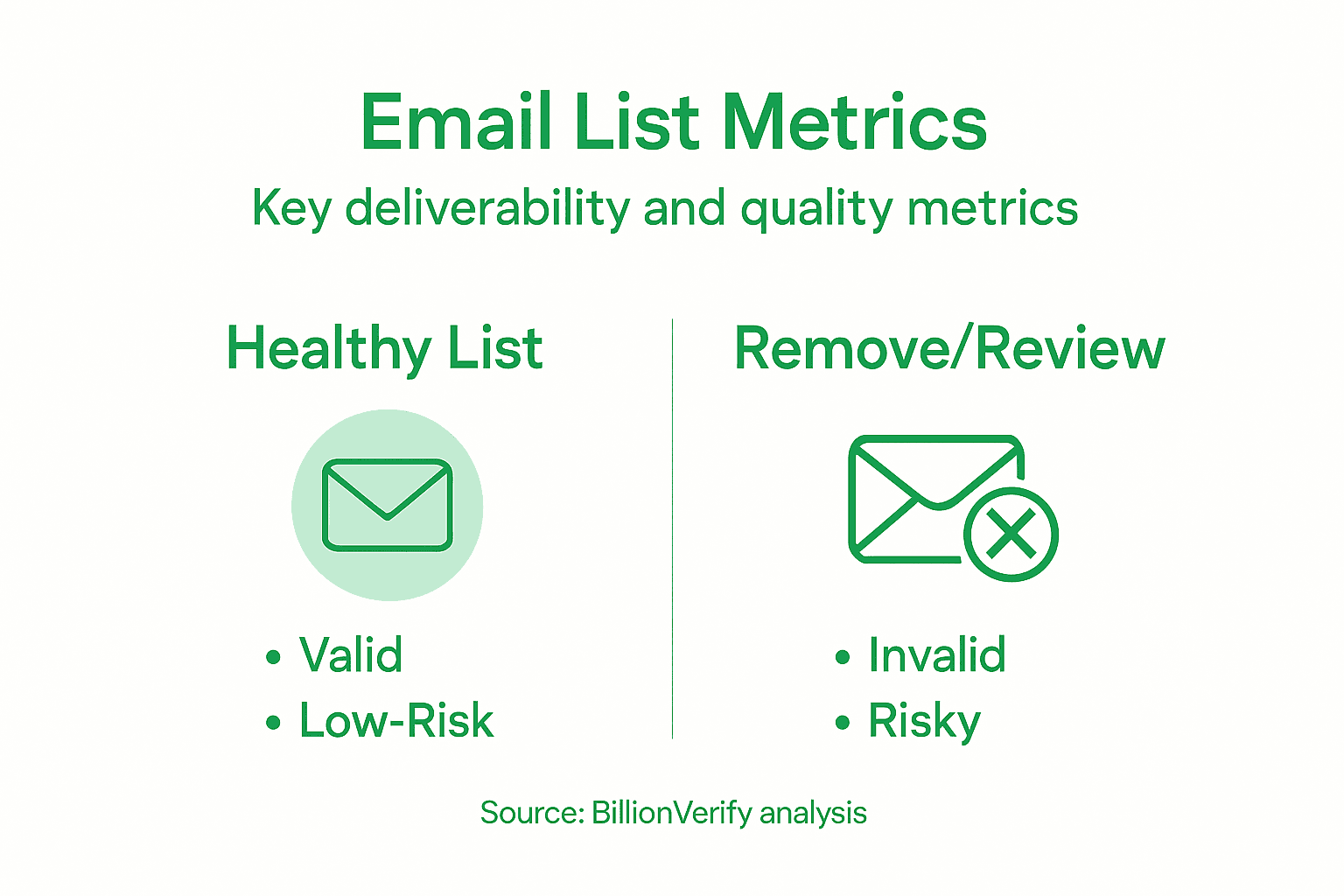
Segment your list by deliverability score. Create tiers such as "excellent" (95-100%), "good" (80-94%), "acceptable" (60-79%), and "poor" (below 60%). This segmentation helps you tailor sending strategies and adjust expectations based on segment performance.
Analyze risk flags your results flagged. Count spam traps, disposable addresses, catch-alls, and role-based addresses. This breakdown tells you how much cleanup was necessary and where your original list collection process may need improvement.
Quality assurance means validating that your verification process worked correctly and your results reflect genuine list health, not just removing obviously bad addresses.
Run a spot-check validation by randomly sampling 50-100 addresses and manually verifying a few yourself using online tools. Confirm that BillionVerify's results align with what you discover independently, ensuring the verification accuracy meets your standards.
Document your findings in a simple report showing list size before and after verification, percentage of addresses in each validity category, and average deliverability score. This baseline becomes your benchmark for measuring improvement after campaigns launch.
Reviewing your verification results helps measure list quality:
| Metric | Ideal Range | Indicates |
|---|---|---|
| Valid Addresses (%) | 85-95 | High-quality list, good for campaigns |
| Undeliverable (%) | 5-10 | Some cleanup needed, expected in any list |
| Unknown Addresses (%) | <5 | Minimal uncertainty, strong verification |
| List Reduction (%) | 5-15 | Typical removal after cleaning/verification |
Pro tip: Track your verification results over time by saving reports with timestamps, which helps you identify trends in list quality and shows whether your subscriber acquisition methods are improving or declining in address validity.
Unlock Maximum Deliverability with BillionVerify
The challenge of preparing and verifying email lists for high deliverability is real. You know how vital it is to organize your lists, identify risky addresses like disposable emails and spam traps, and analyze verification results to protect your sender reputation. BillionVerify offers a comprehensive solution designed exactly for these pain points. By using advanced bulk verification and real-time API integration, you can ensure your campaigns reach valid, engaged subscribers without the fear of bounces or blacklisting.

Take control of your email marketing success today with BillionVerify's email verification platform. Benefit from 99.9% accuracy, multi-layer detection technologies, and seamless integration with top marketing tools to clean, segment, and optimize your lists for maximum deliverability and engagement. Start improving your campaign performance now by visiting https://billionverify.com and experience the difference expert verification can make.
Frequently Asked Questions
How can I prepare my email list for verification?
To prepare your email list for verification, start by auditing and organizing your data. Remove duplicates, delete entries with obvious errors, and segment your list by relevant criteria to ensure better results during the verification process.
What types of email addresses should I remove from my list before verification?
You should remove disposable email addresses, spam traps, and any entries with errors such as missing domain names. Identify these addresses using verification results to maintain a clean list and protect your sender reputation.
How do I use BillionVerify for bulk email verification?
To use BillionVerify for bulk email verification, create an account, upload your organized CSV file, and configure your verification settings. Then, monitor the progress from your dashboard to receive actionable results, usually within a few hours, depending on your list size.
What are the key metrics to analyze after email verification?
After email verification, focus on metrics like the percentage of valid addresses, undeliverable addresses, and deliverability scores. Analyze these figures to assess the quality of your list and identify segments that may require further attention to improve campaign strategy.
How often should I verify my email list for optimal deliverability?
You should verify your email list at least every few months or before major campaigns to keep your deliverability high. Regular verification helps maintain a healthy list, which could reduce bounce rates by around 5-15% on average after cleaning.
What actions should I take if my verification results indicate low deliverability scores?
If your verification results indicate low deliverability scores, consider re-engaging inactive subscribers or removing low-quality addresses. Actively monitor and segment your list to focus your sending strategy on high-potential addresses to enhance future campaign performance.