



What is Zapier?
Zapier is the world's leading no-code automation platform, empowering millions of users to connect their favorite apps and automate workflows without writing a single line of code. Founded in 2011, Zapier has grown from a simple task automation tool into the backbone of modern business automation, connecting over 6,000 applications and enabling over 600 million automated tasks every month.
Core Capabilities:
- App Connections: Connect 6,000+ popular apps including Gmail, Slack, Salesforce, HubSpot, Google Sheets, and more
- Workflow Automation (Zaps): Create automated workflows with triggers (when this happens) and actions (do this)
- Multi-Step Workflows: Build complex automation sequences with multiple steps, filters, and conditional logic
- Data Transformation: Format, filter, and transform data as it moves between apps
- Schedule-Based Automation: Run workflows on a schedule (daily, weekly, monthly)
- Webhook Support: Connect to any API via webhooks for custom integrations
- Templates Library: Access 100,000+ pre-built Zap templates for common use cases
Why Businesses Choose Zapier:
- No coding required - visual drag-and-drop interface suitable for anyone
- Massive integration ecosystem - connect virtually any app you use
- Time-saving automation - eliminate repetitive manual tasks
- Scalable pricing - free plan available, paid plans for high-volume automation
- Reliable and secure - SOC 2 Type II certified with 99.9% uptime
- Mobile app for managing workflows on the go
- Team collaboration features for shared automation
Popular Use Cases:
- Lead management automation (capture leads from forms, verify, add to CRM)
- Customer onboarding workflows (welcome emails, account setup, notifications)
- E-commerce order processing (sync orders across platforms, send confirmations)
- Marketing automation (social media posting, email campaigns, analytics tracking)
- Data synchronization (keep databases, spreadsheets, and apps in sync)
- Notification systems (alerts to Slack, SMS, email based on triggers)
Zapier's Business Impact: With over 2 million businesses using Zapier globally, the platform has become essential infrastructure for modern productivity. Companies report saving an average of 10-40 hours per week on manual tasks, with some enterprises automating thousands of workflows across departments. The platform's accessibility democratizes automation—from solo entrepreneurs to Fortune 500 companies, anyone can build powerful integrations that previously required dedicated development teams.
However, automation is only as good as the data flowing through it. When email addresses are involved—whether capturing leads, sending notifications, or managing customer data—invalid emails can break your workflows and waste resources. That's where integrating our email verification service with Zapier becomes a game-changer.
Why Integrate BillionVerify with Zapier?
While Zapier excels at connecting apps and automating workflows, it doesn't validate email data quality by default. If your automated workflows process invalid email addresses, you'll face serious challenges:
- ❌ Broken Workflows: Invalid emails cause errors in downstream apps (CRM, email marketing, helpdesk)
- ❌ Wasted Automation Credits: You're burning Zapier tasks on data that shouldn't enter your systems
- ❌ Poor Data Quality: Bad emails pollute your databases, CRMs, and marketing platforms
- ❌ Failed Notifications: Important alerts and confirmations never reach users
- ❌ Compliance Risks: Storing invalid contact data violates GDPR/privacy best practices
The Solution
BillionVerify + Zapier integration enables you to:
- ✅ Verify Emails Automatically: Add email verification as a step in any Zap workflow
- ✅ Filter Bad Data Early: Stop invalid emails before they reach your apps
- ✅ Smart Routing: Route verified vs. unverified emails to different destinations
- ✅ Enrich Data: Add verification metadata (risk level, email type, domain info) to your records
- ✅ Protect All Apps: Clean data flowing into CRMs, marketing platforms, databases, and more
How It Works
The BillionVerify + Zapier integration follows this workflow:
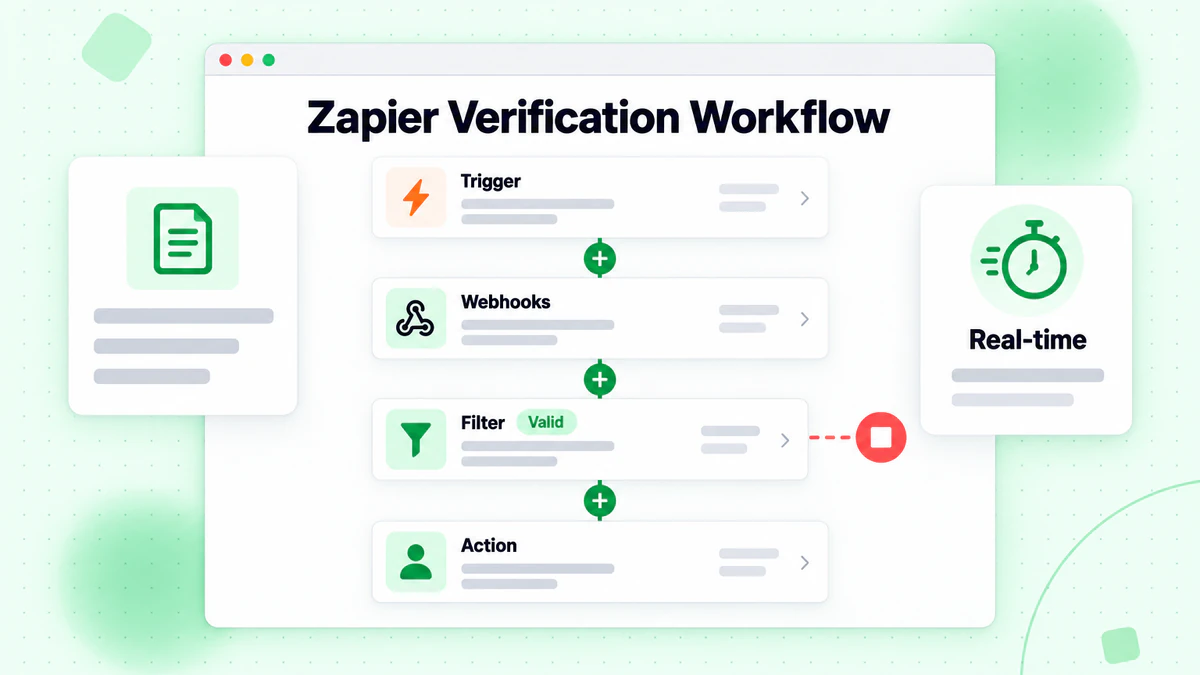
- Trigger Event: Something happens in your connected app (new form submission, new CRM contact, new order, etc.)
- Email Extraction: Zapier captures the email address from the trigger data
- BillionVerify Verification: Our API validates the email in real-time (under 1 second)
- Syntax check (RFC 5322 compliance)
- DNS lookup (domain exists)
- MX record verification (mail server exists)
- SMTP handshake (mailbox exists)
- Risk detection (disposable, catch-all, role-based)
- Decision Logic: Zapier filters or routes based on verification result
- ✅ Valid emails: Continue to next step (add to CRM, send welcome email, etc.)
- ❌ Invalid emails: Stop workflow, send to error log, or notify admin
- ⚠️ Risky emails: Flag for manual review or apply special handling
- Downstream Actions: Verified data flows cleanly to your connected apps
Integration Methods
Method 1: Zapier Webhooks Action (Recommended)
Use Zapier's built-in Webhooks app to call the BillionVerify API directly from any Zap.
Prerequisites
- BillionVerify API key (get yours here)
- Zapier account (free or paid)
- A Zap workflow where you need to verify emails
Setup Steps
Step 1: Create or Edit Your Zap
- Log in to Zapier
- Create a new Zap or edit an existing one
- Set up your trigger app (e.g., Google Forms, Typeform, Webhook, etc.)
- Test the trigger to ensure it captures email data
Step 2: Add BillionVerify Verification Action
- Click the "+" button to add a new action step
- Search for "Webhooks by Zapier"
- Choose "POST" as the action event
- Click "Continue"
Step 3: Configure the Webhook Request
URL:
https://api.billionverify.com/v1/verifyPayload Type: Select "JSON"
Data (JSON format):
{
  "email": "{{trigger_email_field}}"
}
(Replace
{{trigger_email_field}}with the actual email field from your trigger)Headers:
- Content-Type:
application/json - Authorization:
Bearer YOUR_BILLIONVERIFY_API_KEY(ReplaceYOUR_BILLIONVERIFY_API_KEYwith your actual API key)
- Content-Type:
Step 4: Test the Verification
- Click "Test action"
- Zapier will send a test email to BillionVerify
- Review the response data (status, risk_level, is_disposable, etc.)
Step 5: Add Filter or Path Logic
Add a Filter step to only continue if email is valid:
- Field: Webhooks by Zapier: Status
- Condition: Exactly matches
- Value:
valid
Or use Paths to route different email types:
- Path A: Valid emails → Add to CRM
- Path B: Invalid emails → Send to error spreadsheet
- Path C: Risky emails → Flag for manual review
Step 6: Complete Your Workflow
- Add subsequent actions for verified emails (add to CRM, send email, etc.)
- Test the entire Zap end-to-end
- Turn on the Zap
Method 2: Zapier Code Action (Advanced)
For more complex verification logic, use Zapier's Code by Zapier action with JavaScript or Python.
JavaScript Example
// Zapier Code by Zapier - JavaScript
const fetch = require('node-fetch');

const email = inputData.email; // Email from previous step
const apiKey = 'YOUR_BILLIONVERIFY_API_KEY';

// Verify email with BillionVerify
const response = await fetch('https://api.billionverify.com/v1/verify', {
  method: 'POST',
  headers: {
    'Authorization': `Bearer ${apiKey}`,
    'Content-Type': 'application/json'
  },
  body: JSON.stringify({ email })
});

const result = await response.json();

// Return verification data to use in next steps
output = {
  email: result.email,
  status: result.status,
  risk_level: result.risk_level,
  is_disposable: result.is_disposable,
  is_catch_all: result.is_catch_all,
  is_role_account: result.is_role_account,
  domain: result.domain,
  is_valid: result.status === 'valid' && result.risk_level === 'low'
};
Python Example
# Zapier Code by Zapier - Python
import requests

email = input_data['email']
api_key = 'YOUR_BILLIONVERIFY_API_KEY'

# Verify email with BillionVerify
response = requests.post(
    'https://api.billionverify.com/v1/verify',
    json={'email': email},
    headers={
        'Authorization': f'Bearer {api_key}',
        'Content-Type': 'application/json'
    }
)

result = response.json()

# Return verification data
output = {
    'email': result['email'],
    'status': result['status'],
    'risk_level': result['risk_level'],
    'is_disposable': result.get('is_disposable', False),
    'is_catch_all': result.get('is_catch_all', False),
    'is_role_account': result.get('is_role_account', False),
    'domain': result['domain'],
    'is_valid': result['status'] == 'valid' and result['risk_level'] == 'low'
}
Pre-Built Zap Templates
Get started instantly with these common BillionVerify + Zapier workflows:
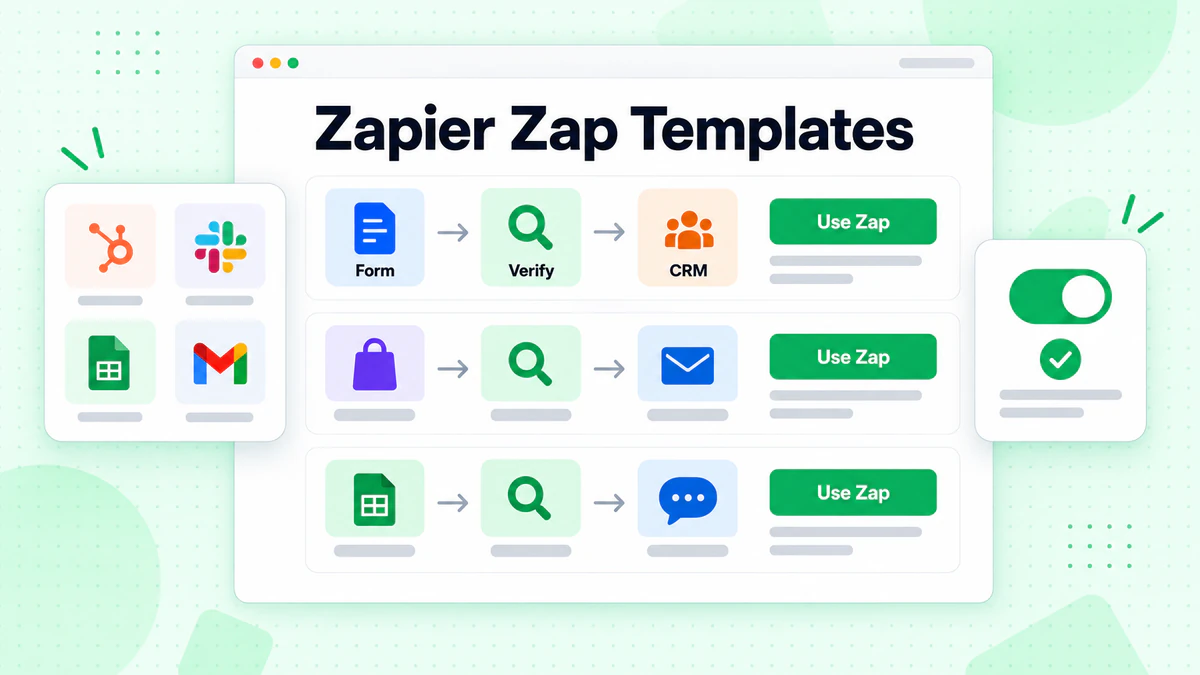
Template 1: Form Submissions → Verify → CRM
Workflow: Google Forms → BillionVerify → Salesforce
- Trigger: New response in Google Forms
- Action: Verify email with BillionVerify (Webhooks)
- Filter: Only continue if status = "valid"
- Action: Create or update lead in Salesforce
Use case: Lead generation forms, event registrations, contact forms
Template 2: E-commerce Orders → Verify → Email
Workflow: Shopify → BillionVerify → Mailchimp
- Trigger: New order in Shopify
- Action: Verify customer email with BillionVerify
- Path A (Valid): Add customer to Mailchimp "Verified Customers" list
- Path B (Invalid): Log to Google Sheets "Invalid Orders" for manual review
Use case: E-commerce customer verification, order confirmation workflows
Template 3: CRM Contact → Verify → Enrich
Workflow: HubSpot → BillionVerify → HubSpot
- Trigger: New contact in HubSpot
- Action: Verify email with BillionVerify
- Action: Update HubSpot contact with verification data
- Custom field: Email Status (Valid/Invalid)
- Custom field: Risk Level (Low/Medium/High)
- Custom field: Email Type (Disposable/Catch-all/Role/Personal)
Use case: CRM data enrichment, lead scoring, contact quality control
Template 4: Scheduled List Cleaning
Workflow: Schedule → Google Sheets → BillionVerify → Google Sheets
- Trigger: Schedule (daily, weekly, monthly)
- Action: Get new rows from Google Sheets (email list)
- Action: Verify each email with BillionVerify (Loop)
- Action: Update Google Sheets with verification results
Use case: Regular email list hygiene, database maintenance
Template 5: Multi-App Lead Verification
Workflow: Typeform → BillionVerify → Slack + Airtable
- Trigger: New form submission in Typeform
- Action: Verify email with BillionVerify
- Path A (Valid):
- Add to Airtable "Qualified Leads" base
- Send notification to Slack #sales channel
- Path B (Invalid):
- Add to Airtable "Invalid Submissions" base
- Send alert to Slack #admin channel
Use case: Multi-department lead routing, quality control notifications
Key Features
🔄 Real-time Email Verification
Verify emails instantly as they flow through your Zaps using our email verification API:
- Lightning-fast response times (under 1 second average)
- No impact on workflow performance
- Immediate data quality improvement
- Prevent bad data from entering your systems
Use case: Form submissions, user registrations, lead capture
🎯 Advanced Risk Detection
Go beyond basic validation with specialized detection features:
- Catch-all detection: Identify accept-all domains that can't be fully verified
- Disposable email detection: Block temporary emails (10minutemail.com, tempmail.com, guerrillamail.com)
- Role account detection: Flag generic business emails (info@, support@, sales@, admin@)
- Syntax validation: Ensure RFC 5322 compliance
- Domain validation: Verify DNS and MX records
- SMTP verification: Confirm mailbox actually exists
Use case: Lead quality scoring, fraud prevention, data enrichment
🔀 Smart Workflow Routing
Route emails to different workflows based on verification results:
- Valid emails: Send to CRM, marketing automation, email sequences
- Invalid emails: Log to error database, notify admin, skip processing
- Risky emails: Flag for manual review, apply different scoring, segment separately
- Email type routing: Handle disposable, catch-all, and role accounts differently
Use case: Multi-path workflows, conditional automation, quality-based routing
📊 Data Enrichment
Enhance your contact records with verification metadata:
- Email status (valid, invalid, risky, unknown)
- Risk level (low, medium, high)
- Email type (personal, role, disposable, catch-all)
- Domain information
- Verification timestamp
- Deliverability score
Use case: CRM enrichment, lead scoring, analytics, reporting
⚡ Bulk Processing
Process large email lists using Zapier's looping and batch capabilities:
- Verify entire spreadsheets row-by-row
- Clean existing contact databases
- Schedule regular bulk verification
- Export results back to Google Sheets, Airtable, or databases
Use case: Database migrations, list hygiene, periodic audits
🔔 Error Handling & Notifications
Build robust workflows with smart error handling:
- Retry failed verification attempts
- Catch and log API errors
- Send notifications for invalid emails
- Create audit trails of verification activities
- Monitor workflow health via Slack, email, or SMS
Use case: Workflow monitoring, quality assurance, compliance
Pricing
BillionVerify offers flexible, pay-as-you-go pricing that scales with your Zapier automation:
| Plan | Credits | Price | Price per Email | Best For |
|---|---|---|---|---|
| Free Trial | 100 | $0 | Free | Testing the integration |
| Starter | 1,000 | $5 | $0.005 | Small workflows |
| Growth | 10,000 | $40 | $0.004 | Growing automation |
| Professional | 50,000 | $175 | $0.0035 | Marketing teams |
| Business | 100,000 | $300 | $0.003 | High-volume Zaps |
| Enterprise | Custom | Custom | From $0.002 | Enterprise automation |
Zapier Task Savings
Verifying emails with BillionVerify actually saves Zapier tasks:
- ✅ Prevent wasted tasks: Stop invalid emails early before they consume tasks in downstream apps
- ✅ Reduce errors: Fewer failed actions = fewer task retries
- ✅ Optimize workflows: Only process valid data = more efficient automation
Example: If 20% of your form submissions have invalid emails, adding BillionVerify verification can save you 20% on Zapier tasks by filtering bad data before it reaches your CRM, email platform, and other apps.
Special Offer for Zapier Users
Get started with BillionVerify and automate smarter:
- ✅ 100 free verification credits (no credit card required)
- ✅ 20% off your first month (any monthly plan)
- ✅ Free setup consultation (we'll help you build your first Zap)
- ✅ Pre-built Zap templates (ready-to-use workflows)
To claim: Sign up and email support@billionverify.com with "Zapier Integration" in the subject. Learn more about our pricing plans.
Use Cases
Use Case 1: SaaS User Onboarding Verification
Challenge: A SaaS company uses Zapier to automate user onboarding (new signup → create account → send welcome email → add to CRM). However, 15% of signups use invalid or disposable emails, causing failed onboarding emails and polluting their CRM.
Solution: Add BillionVerify verification between signup and account creation.
Zap Workflow:
- Trigger: New user signs up (Webhook)
- Action: Verify email with BillionVerify
- Filter: Only continue if status = "valid" AND is_disposable = false
- Action: Create user account
- Action: Send welcome email
- Action: Add to CRM as qualified lead
Results:
- ✅ Blocked 12% disposable emails and 3% invalid emails
- ✅ Onboarding completion rate increased 18%
- ✅ CRM data quality improved significantly
- ✅ Support tickets reduced by 25% (fewer "didn't receive email" complaints)
Use Case 2: E-commerce Order Fraud Prevention
Challenge: An online retailer integrated Shopify with Google Sheets via Zapier to track orders, but faced fraud issues with fake email addresses used for fraudulent purchases.
Solution: Verify customer emails immediately after order creation and flag suspicious patterns.
Zap Workflow:
- Trigger: New order in Shopify
- Action: Verify customer email with BillionVerify
- Path A (Valid + Low Risk): Add to "Verified Orders" sheet
- Path B (Invalid OR Disposable OR High Risk):
- Add to "Suspicious Orders" sheet
- Send Slack alert to fraud prevention team
- Flag order in Shopify for manual review
Results:
- ✅ Detected 8% fraudulent orders before fulfillment
- ✅ Saved $45,000 in prevented chargebacks
- ✅ Reduced fraud processing time by 60%
- ✅ Improved customer trust and satisfaction
Use Case 3: Marketing Lead Qualification Automation
Challenge: A B2B marketing agency captures leads from multiple sources (landing pages, webinars, content downloads) via Zapier, but 40% of leads have invalid, role-based, or low-quality emails, wasting sales team time.
Solution: Implement real-time email verification with lead scoring based on email quality.
Zap Workflow:
- Trigger: New form submission (Typeform, Google Forms, etc.)
- Action: Verify email with BillionVerify
- Action: Calculate lead score
- Valid + Personal email = +10 points
- Role account (info@, sales@) = -5 points
- Disposable or catch-all = -15 points
- Path A (High Score): Add to Salesforce "Hot Leads" queue
- Path B (Medium Score): Add to HubSpot nurture sequence
- Path C (Low Score): Archive in Google Sheets for future re-evaluation
Results:
- ✅ Lead quality increased by 52%
- ✅ Sales conversion rate improved from 3% to 7.5%
- ✅ Sales team efficiency increased (more time on qualified leads)
- ✅ Marketing ROI improved by 38%
Use Case 4: Multi-Platform Contact Sync
Challenge: A customer support team uses Zapier to sync contacts between Zendesk, Intercom, and Salesforce, but duplicate and invalid emails cause sync errors and data inconsistencies.
Solution: Verify and deduplicate emails before syncing across platforms.
Zap Workflow:
- Trigger: New contact in Zendesk
- Action: Verify email with BillionVerify
- Filter: Only continue if status = "valid"
- Action: Check for duplicate in Google Sheets contact database
- If not duplicate:
- Add to Salesforce
- Add to Intercom
- Log in Google Sheets
- If duplicate: Update existing records instead
Results:
- ✅ Eliminated 95% of sync errors
- ✅ Reduced duplicate contacts by 80%
- ✅ Improved cross-platform data consistency
- ✅ Saved 10 hours/week on manual data cleanup
Use Case 5: Event Registration Quality Control
Challenge: An event management company collects registrations via Eventbrite and Zapier, but 25% of registrations use fake or temporary emails to get free tickets, leaving empty seats when they don't show up.
Solution: Verify registrant emails and block disposable addresses.
Zap Workflow:
- Trigger: New registration in Eventbrite
- Action: Verify email with BillionVerify
- Filter: Block if is_disposable = true OR status = "invalid"
- Action: If valid:
- Confirm registration
- Send confirmation email
- Add to Google Sheets attendee list
- Action: If invalid/disposable:
- Cancel registration
- Send email requesting valid email address
- Log in "Rejected Registrations" sheet
Results:
- ✅ Reduced no-show rate from 25% to 5%
- ✅ Improved event planning accuracy
- ✅ Increased genuine attendee satisfaction
- ✅ Recovered 20% more revenue through better capacity planning
FAQ About Zapier Integration
How does BillionVerify integrate with Zapier?
BillionVerify integrates with Zapier via the Webhooks by Zapier app or Code by Zapier action. You call our email validation API from within your Zap workflows to verify emails in real-time. The verification result (status, risk level, email type, etc.) can then be used to filter, route, or enrich data in subsequent steps.
Do I need coding skills to set up the integration?
No coding required for basic verification using Webhooks by Zapier. Simply:
- Add a Webhooks action to your Zap
- Configure the API endpoint and headers
- Pass the email field from your trigger
- Use the response data in filters or subsequent actions
For advanced logic (custom scoring, complex rules), you can optionally use Code by Zapier (JavaScript or Python).
How fast is the verification?
BillionVerify's API responds in under 1 second on average (typically 300-800ms). This is fast enough that verification adds minimal latency to your Zap workflows. Zapier itself may add a few seconds of processing time, but the verification step itself is nearly instantaneous.
Will this use my Zapier task quota?
Yes, but efficiently. Each verification request counts as 1 Zapier task. However, by filtering out invalid emails early, BillionVerify can actually save you tasks by preventing bad data from triggering multiple downstream actions that would otherwise fail or process useless data.
Example: Without verification, an invalid email might:
- Fail to add to CRM (1 task wasted)
- Fail to send email (1 task wasted)
- Log error in sheet (1 task wasted)
- Total: 3 wasted tasks
With verification (1 task), you avoid the 3 wasted tasks = net savings of 2 tasks.
Can I verify existing contacts in my apps?
Yes! You can use Zapier's looping functionality to verify existing contacts:
- Trigger: Schedule (e.g., weekly)
- Action: Get rows from Google Sheets / Airtable / database
- Action: Loop through each row
- Action: Verify email with BillionVerify (inside loop)
- Action: Update row with verification result
Or use our bulk email verification tool to process large lists faster (up to 100,000 emails/hour).
What email data does BillionVerify return?
The API returns comprehensive verification data:
- status: valid, invalid, unknown, risky
- risk_level: low, medium, high
- is_disposable: true/false (temporary email services)
- is_catch_all: true/false (accept-all domains)
- is_role_account: true/false (generic business emails like info@, support@)
- domain: email domain
- mx_records: mail server information
- smtp_check: mailbox existence confirmation
- syntax_valid: RFC 5322 compliance
- verification_date: timestamp
You can use any of these fields in Zapier filters, paths, or to update records in your apps.
How accurate is the verification?
BillionVerify maintains 99.9% accuracy through multi-layered verification:
- Syntax validation (RFC 5322 standard)
- DNS lookup (domain exists and is active)
- MX record verification (mail server configured)
- SMTP handshake (mailbox exists and accepts mail)
- Risk detection (catch-all, disposable, role accounts)
- Proprietary algorithms (pattern recognition, domain reputation)
Our accuracy is verified through continuous testing against real-world email addresses.
Is there a free trial?
Yes! BillionVerify offers:
- ✅ 100 free verification credits (no credit card required)
- ✅ Full API access (all features, no limitations)
- ✅ Pre-built Zap templates (ready-to-use workflows)
- ✅ 30-day money-back guarantee on paid plans
- ✅ Free setup consultation (we'll help you build your Zaps)
Start your free trial and begin automating smarter today.
How secure is the integration?
BillionVerify takes security seriously:
- 🔒 Encryption: All API calls use HTTPS/TLS 1.3
- 🔒 GDPR Compliant: Emails are processed in real-time and not stored
- 🔒 SOC 2 Certified: Industry-standard security practices
- 🔒 API Key Security: Keys are encrypted and can be rotated anytime
- 🔒 No Data Sharing: We never share or sell your email data
- 🔒 Audit Logs: Full activity logs available for compliance
Your email data is only transmitted for verification and immediately discarded after the response.
Can I use BillionVerify with Zapier's Storage or Tables?
Yes! You can:
- Store verification results in Zapier Storage for caching (avoid re-verifying same emails)
- Use Zapier Tables to maintain a verification history database
- Build a "verified emails only" list in Zapier Tables
- Create a blacklist of invalid domains
Example Zap with caching:
- New email arrives
- Check if already verified (lookup in Zapier Storage)
- If not in storage: verify with BillionVerify
- Store result in Zapier Storage
- Use cached result for future checks (saves API credits)
What happens if the API is down or returns an error?
Zapier has built-in error handling:
- Automatic retries: Zapier will retry failed API calls (configurable)
- Error notifications: Get alerts via email or Slack when errors occur
- Fallback actions: Configure what to do if verification fails (e.g., allow email anyway, send to manual review, log error)
BillionVerify maintains 99.9% uptime..
Can I verify emails from multiple Zap workflows with one API key?
Yes! One BillionVerify API key can be used across unlimited Zap workflows. Your verification credits are account-level, not per-Zap. This makes it easy to:
- Use the same API key in 10, 100, or 1000 different Zaps
- Track total usage in one dashboard
- Manage billing from one account
- Share the integration across your team
Ready to Get Started?
Automate email verification across all your apps with BillionVerify + Zapier:
- ✅ 99.9% verification accuracy - Industry-leading precision
- ✅ <1 second verification speed - No workflow slowdown
- ✅ No coding required - Visual, drag-and-drop setup
- ✅ 6,000+ app integrations - Connect to any app you use
- ✅ Flexible pricing - Pay only for what you verify
- ✅ 24/7 support - Expert help when you need it
Ready to build smarter automation workflows? Start your free trial today with 100 free verification credits—no credit card required. Automate with confidence, verify with precision.