



Email testing transforms guessing into knowing. Instead of hoping your campaigns work, testing proves what actually drives results. This comprehensive guide covers everything from basic A/B tests to advanced multivariate experiments that optimize every element of your emails.
Why Email Testing Matters
Understanding the power of systematic testing.
The Testing Mindset
From Assumptions to Evidence: Most email decisions are based on assumptions, opinions, or "best practices" that may not apply to your audience. Testing replaces guessing with data.
Compound Improvements: Small improvements compound over time:
- 10% better subject lines
- 10% better CTAs
- 10% better send times
- Combined: 33%+ overall improvement
Competitive Advantage: Companies that test consistently outperform those that don't. Testing builds institutional knowledge about your specific audience.
What Testing Reveals
Audience Preferences:
- Tone they respond to
- Content formats they prefer
- Optimal email length
- Design preferences
Behavioral Patterns:
- When they engage
- What drives clicks
- What prompts purchases
- What causes unsubscribes
Optimization Opportunities:
- Underperforming elements
- High-potential improvements
- Hidden conversion barriers
- Untapped segments
A/B Testing Fundamentals
The foundation of email optimization.
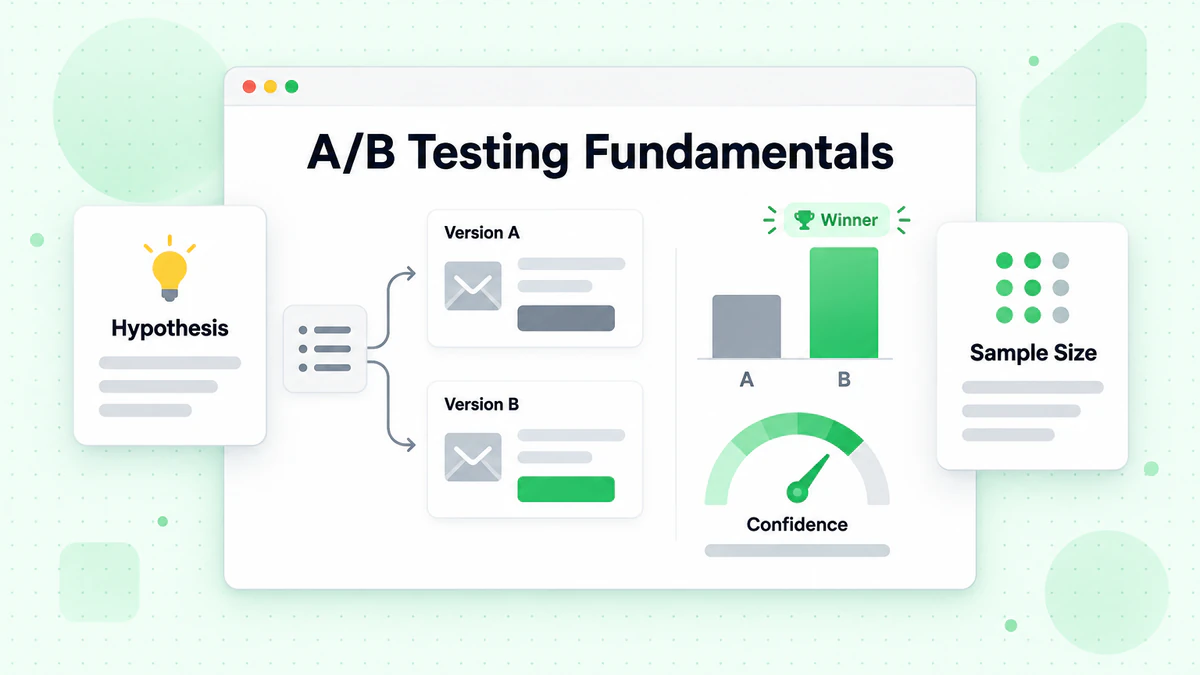
What Is A/B Testing?
Definition: A/B testing (split testing) compares two versions of an email to see which performs better. You change one element between versions and measure the difference.
Basic Structure:
Email List (10,000 subscribers)
        ↓
    Random Split
    ↓         ↓
Version A   Version B
 (5,000)     (5,000)
    ↓         ↓
 Results    Results
    ↓         ↓
    Compare & Learn
Elements You Can Test
Subject Lines:
- Length (short vs. long)
- Personalization (with name vs. without)
- Emojis (with vs. without)
- Questions vs. statements
- Urgency vs. curiosity
Sender Information:
- From name (company vs. person)
- From email address
- Reply-to address
Email Content:
- Headlines and copy
- Content length
- Tone and voice
- Content structure
- Image usage
Calls-to-Action:
- Button text
- Button color and design
- Placement
- Number of CTAs
Design Elements:
- Layout (single vs. multi-column)
- Colors and branding
- Image size and placement
- Font choices
Timing:
- Send day
- Send time
- Time zone handling
Setting Up A/B Tests
Step 1: Form a Hypothesis
Start with a clear hypothesis:
- "Adding personalization to subject lines will increase open rates"
- "A shorter email will get more clicks"
- "Moving the CTA above the fold will improve conversions"
Step 2: Define Your Variable
Test ONE element at a time:
- ✅ Good: Testing two subject lines, everything else identical
- ❌ Bad: Testing different subject line AND different CTA text
Step 3: Determine Sample Size
Ensure statistically significant results:
- Minimum: 1,000 recipients per variation
- Better: 5,000+ per variation
- Use sample size calculators for precision
Step 4: Set Success Metrics
Decide what you're measuring:
- Open rate (for subject line tests)
- Click rate (for content/CTA tests)
- Conversion rate (for offer tests)
- Revenue (for business impact)
Step 5: Run the Test
- Split randomly (not by segment)
- Send simultaneously (same time)
- Wait for sufficient data
- Don't peek too early
Step 6: Analyze Results
- Check statistical significance
- Document findings
- Apply learnings
- Plan next test
Statistical Significance
Why It Matters: Without statistical significance, results could be due to random chance, not real differences.
Understanding Confidence Levels:
- 95% confidence: Standard for most tests
- 99% confidence: For high-stakes decisions
- 90% confidence: Acceptable for directional learning
Significance Calculators: Use online calculators or ESP built-in tools to determine if results are significant.
Example Analysis:
Version A: 2,500 opens / 10,000 sent = 25.0%
Version B: 2,700 opens / 10,000 sent = 27.0%

Difference: 2 percentage points (8% relative improvement)
Statistical significance: 95% confident
Conclusion: Version B is the winner
Common A/B Testing Mistakes
Mistake 1: Testing Too Many Variables Testing subject line AND content simultaneously. You won't know which caused the difference.
Mistake 2: Insufficient Sample Size Testing with 200 people per variation. Results won't be reliable.
Mistake 3: Ending Tests Too Early Declaring a winner after 2 hours when data is still coming in.
Mistake 4: Ignoring Seasonality Not accounting for day-of-week or seasonal effects.
Mistake 5: Not Documenting Results Running tests but not recording learnings for future reference.
Mistake 6: Never Acting on Results Testing constantly but never implementing findings.
Multivariate Testing
Testing multiple elements simultaneously.
What Is Multivariate Testing?
Definition: Multivariate testing (MVT) tests multiple variables and their combinations simultaneously to find the optimal mix.
Example: Testing 2 subject lines × 2 CTAs × 2 images = 8 different combinations.
When to Use Multivariate Testing
Good For:
- Large email lists (50,000+)
- Understanding element interactions
- Comprehensive optimization
- Mature email programs
Not Ideal For:
- Small lists
- Quick wins
- Beginning testers
- Limited testing resources
Setting Up Multivariate Tests
Factorial Design: All combinations of variables are tested.
Variable 1: Subject Line (A, B)
Variable 2: CTA Button (X, Y)
Variable 3: Image (1, 2)

Combinations:
1. A + X + 1
2. A + X + 2
3. A + Y + 1
4. A + Y + 2
5. B + X + 1
6. B + X + 2
7. B + Y + 1
8. B + Y + 2
Sample Size Requirements: Each combination needs sufficient data. 8 combinations × 1,000 minimum = 8,000+ subscribers needed.
Analyzing Multivariate Results
Overall Winner: Which combination performed best?
Individual Element Impact: Which subject line performs better across all combinations?
Interaction Effects: Do certain elements work better together than separately?
Example Insights:
- Subject line B wins overall
- CTA Y works better with subject line A
- Image choice matters less than expected
Testing Different Email Types
Strategies for specific email categories.
Welcome Email Testing
Key Variables:
- Timing (immediate vs. delayed)
- Content focus (product vs. brand)
- Offers (discount vs. no discount)
- Length (short vs. comprehensive)
Welcome Series Testing:
- Number of emails in sequence
- Time between emails
- Content progression
- Offer timing
Learn comprehensive welcome email strategies in our welcome email sequences guide.
Promotional Email Testing
Key Variables:
- Offer presentation (percentage vs. dollar)
- Urgency (deadline vs. no deadline)
- Social proof (included vs. not)
- Product focus (single vs. multiple)
Promotional Testing Tips:
- Test during similar promotional periods
- Account for offer fatigue
- Consider lifetime value, not just immediate sales
Newsletter Testing
Key Variables:
- Content variety vs. single topic
- Article count
- Summary length
- Personalization level
Newsletter Testing Tips:
- Measure engagement over time
- Test both open and click metrics
- Consider reader preferences
Transactional Email Testing
Key Variables:
- Information hierarchy
- Cross-sell inclusion
- Design elements
- Call-to-action for next steps
Transactional Testing Tips:
- Don't sacrifice clarity for optimization
- Test carefully—these are expected emails
- Measure customer satisfaction, not just clicks
Re-engagement Email Testing
Key Variables:
- Subject line approach (we miss you vs. special offer)
- Incentive type
- Win-back sequence length
- Final email messaging
Re-engagement Testing Tips:
- Define clear success metrics
- Test sunset timing
- Measure long-term re-engagement, not just opens
Email Rendering and Preview Testing
Ensuring emails look right everywhere.
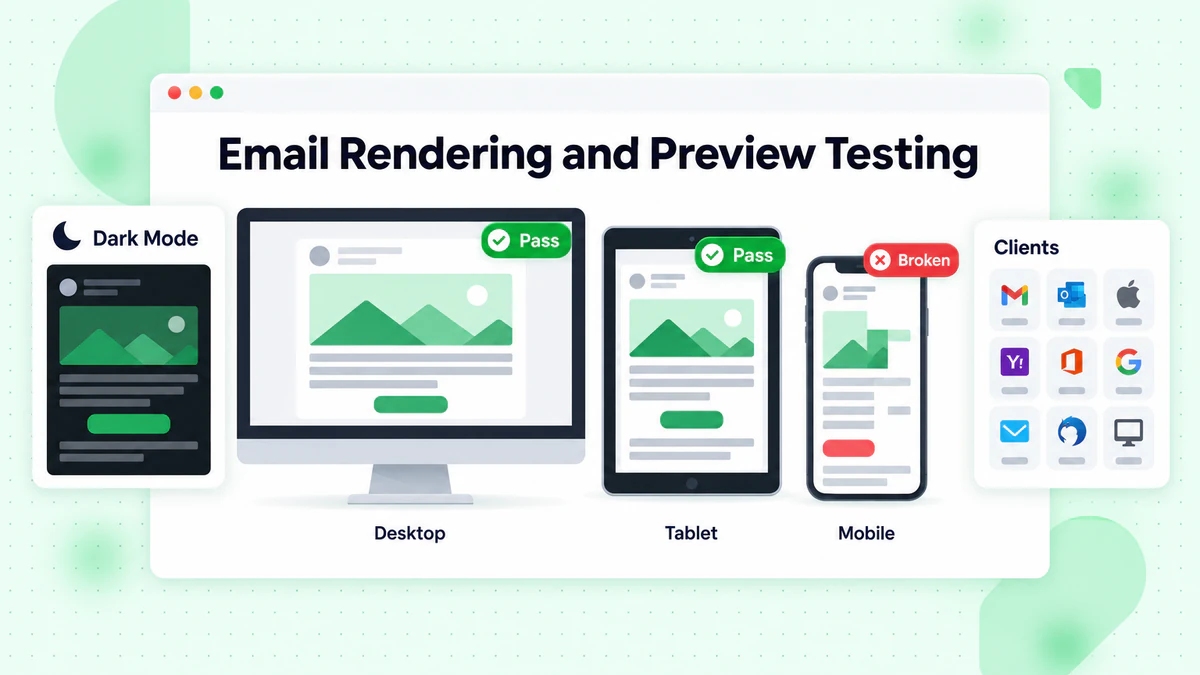
Why Rendering Testing Matters
The Reality: Your email can look completely different across:
- 50+ email clients
- Desktop vs. mobile
- Light vs. dark mode
- Images on vs. off
Common Rendering Issues:
- Broken layouts
- Missing images
- Font substitution
- Color changes in dark mode
Email Testing Tools
Litmus:
- Previews across 90+ clients
- Spam testing
- Link validation
- Analytics
Email on Acid:
- Client previews
- Accessibility testing
- Code analysis
- Collaborative review
For mobile-specific testing, see our mobile email optimization guide.
Mailtrap:
- Email preview
- HTML analysis
- Spam analysis
- Development focus
Pre-Send Checklist
Content Checks:
- [ ] Subject line renders correctly
- [ ] Preview text displays as intended
- [ ] All copy is finalized and proofread
- [ ] Personalization tags work correctly
Design Checks:
- [ ] Images display properly
- [ ] Alt text for all images
- [ ] Buttons are clickable
- [ ] Mobile rendering is correct
Technical Checks:
- [ ] All links work
- [ ] Tracking parameters are correct
- [ ] Unsubscribe link functions
- [ ] CAN-SPAM/GDPR compliance
Client-Specific Checks:
- [ ] Outlook rendering
- [ ] Gmail clipping (under 102KB)
- [ ] Apple Mail dark mode
- [ ] Mobile email apps
Spam Testing
Ensuring deliverability before sending.
What Spam Testing Checks
Content Analysis:
- Spammy words and phrases
- Excessive punctuation
- All-caps text
- Image-to-text ratio
Technical Checks:
- Authentication (SPF, DKIM, DMARC)
- Sender reputation
- Blacklist status
- HTML code quality
Engagement Signals:
- Historical performance
- Complaint rates
- Bounce rates
Spam Testing Tools
Mail-Tester: Free spam score checking.
GlockApps: Comprehensive deliverability testing.
Sender Score: Reputation monitoring.
ESP Built-In Tools: Many ESPs offer spam checking before send.
Improving Spam Scores
Content Best Practices:
- Balance text and images
- Avoid spam trigger words
- Use professional formatting
- Include physical address
Technical Best Practices:
- Maintain authentication
- Clean list regularly
- Monitor engagement metrics
- Warm up new sending domains
Advanced Testing Strategies
Taking testing to the next level.
Holdout Testing
What It Is: Excluding a control group from campaigns to measure overall program impact.
How It Works:
- Random 5-10% never receive email
- Compare their behavior to email recipients
- Measure true email incremental value
What You Learn:
- True ROI of email program
- Cannibalization effects
- Long-term subscriber value
Time-Based Testing
Send Time Optimization: Test the same email at different times to find optimal windows.
Sequential Testing:
- Week 1: Morning sends
- Week 2: Afternoon sends
- Week 3: Evening sends
- Compare across weeks
Individual-Level Optimization: Some ESPs offer AI-powered send time optimization per subscriber.
Segment-Specific Testing
Different Segments, Different Winners: What works for new subscribers may not work for loyal customers.
Testing Approach: Run parallel tests in different segments:
- New subscribers
- Active buyers
- Dormant subscribers
- VIP customers
Personalization Testing: Test degree of personalization:
- No personalization
- Name only
- Behavior-based
- Fully individualized
Long-Term Testing
Frequency Testing: Test different send frequencies over extended periods:
- Group A: Daily emails
- Group B: 3x per week
- Group C: Weekly
- Measure engagement and revenue over months
Content Strategy Testing: Test different content approaches over time:
- Educational vs. promotional mix
- Long-form vs. short-form
- Personalized vs. broadcast
Building a Testing Culture
Making testing a habit.
Creating a Testing Calendar
Monthly Testing Plan: Schedule regular tests:
- Week 1: Subject line test
- Week 2: CTA test
- Week 3: Content test
- Week 4: Timing test
Quarterly Reviews: Analyze all test results and identify patterns.
Documentation and Learning
Test Documentation Template:
Test Name: [Descriptive name]
Date: [Test date]
Hypothesis: [What we expected]
Variable Tested: [What changed]
Sample Size: [Total recipients]
Results:
  - Version A: [Metric]
  - Version B: [Metric]
Statistical Significance: [Yes/No, confidence level]
Winner: [A/B/Inconclusive]
Key Learning: [What we learned]
Next Steps: [How to apply]
Knowledge Repository: Build a searchable database of all tests and learnings.
Testing Prioritization
ICE Framework: Score potential tests by:
- Impact: How big could the improvement be?
- Confidence: How likely is success?
- Ease: How easy is it to implement?
Prioritization Matrix:
| Test Idea | Impact | Confidence | Ease | Score |
|---|---|---|---|---|
| Subject line personalization | 8 | 7 | 9 | 8.0 |
| New email template | 7 | 5 | 3 | 5.0 |
| CTA button color | 4 | 6 | 10 | 6.7 |
Focus on high-score tests first.
Testing Tools and Technology
Resources for effective testing.
ESP Testing Features
Most ESPs Offer:
- A/B testing with automatic winner selection
- Subject line testing
- Send time testing
- Basic analytics
Advanced ESP Features:
- Multivariate testing
- Automated optimization
- AI-powered recommendations
- Holdout group management
Dedicated Testing Platforms
Optimizely: Enterprise-grade experimentation platform.
VWO: Conversion optimization suite.
Google Optimize: Free testing tool (more for web, but concepts apply).
Analytics Integration
Connect Testing to Business Outcomes:
- Link email tests to revenue data
- Track post-click behavior
- Measure customer lifetime value impact
Tools for Integration:
- Google Analytics
- Amplitude
- Mixpanel
- Your CRM
Testing Best Practices
Guidelines for effective testing.
Test Design Best Practices
Be Patient: Let tests run to completion. Resist peeking and declaring early winners.
Test Frequently: More tests = more learnings. Build testing into every major send.
Start Simple: Begin with A/B tests before moving to multivariate.
Document Everything: Record all tests, even failures. Every result teaches something.
Apply Learnings: Testing without implementation is pointless. Use what you learn.
Avoiding Common Pitfalls
Don't Over-Test: Not every email needs a test. Save testing for meaningful optimizations.
Don't Ignore Context: Results from a holiday campaign may not apply to regular sends.
Don't Forget Segments: Overall winners may not win for every segment.
Don't Neglect Mobile: Test mobile-specific elements separately.
Continuous Improvement
The Testing Cycle:
- Analyze current performance
- Form hypothesis for improvement
- Design and run test
- Analyze results
- Implement winners
- Return to step 1
Never Stop Testing: What works today may not work tomorrow. Audiences evolve, and testing should be ongoing.
Testing Checklist
Before Testing
- [ ] Clear hypothesis formed
- [ ] Single variable isolated
- [ ] Success metrics defined
- [ ] Sample size calculated
- [ ] Test duration planned
During Testing
- [ ] Random assignment verified
- [ ] Simultaneous send confirmed
- [ ] Monitoring for issues
- [ ] No early winner declarations
After Testing
- [ ] Statistical significance checked
- [ ] Results documented
- [ ] Learnings identified
- [ ] Next test planned
- [ ] Winners implemented
Data Quality and Testing
How list quality affects test validity.
Invalid Emails Impact Testing
Skewed Results: Invalid emails don't open or click, artificially lowering rates.
Segment Imbalance: If invalid emails aren't evenly distributed, test groups aren't equivalent.
Wasted Sample Size: Sending to invalid addresses wastes your sample, potentially reducing statistical power.
Clean Data for Valid Tests
Before Major Tests: Verify your list to ensure you're testing on valid, deliverable addresses using email verification and bulk email verification.
Why It Matters: Tests on clean data give you actionable insights. Tests on dirty data give you noise. Maintain email list hygiene and understand email deliverability for accurate results.
Conclusion
Email testing is the path to continuous improvement. Every test teaches you something about your audience, and those learnings compound over time to create significant competitive advantage.
Key testing principles:
- Test one variable at a time: Isolate what you're learning
- Ensure statistical significance: Don't trust small sample results
- Document everything: Build institutional knowledge
- Apply learnings: Testing without action is wasted effort
- Never stop: Audiences change, so keep testing
Testing accuracy depends on data quality. Invalid emails distort your metrics and can lead to wrong conclusions.
Ready to ensure your tests are based on valid data? Start with BillionVerify to verify your list and get reliable testing results.