



Choosing an email marketing platform is one of the most consequential technology decisions you'll make. The right platform amplifies your marketing efforts; the wrong one creates friction, limits growth, and wastes resources. This guide provides a systematic framework for evaluating, selecting, and implementing an email service provider (ESP).
Understanding Email Platforms
What ESPs do and why selection matters.
What Is an ESP?
Email Service Provider (ESP): A platform that enables businesses to send, manage, and track email marketing campaigns.
Core Functions:
- Email creation and design
- List management and segmentation
- Campaign sending and scheduling
- Automation and workflows
- Analytics and reporting
- Deliverability management
Why Platform Choice Matters
Impact on Your Business:
- Deliverability (do emails reach inboxes?)
- Efficiency (how easy to execute campaigns?)
- Capabilities (what can you do?)
- Cost (what do you pay?)
- Scalability (can it grow with you?)
- Integration (does it work with other tools?)
The Cost of Wrong Choice:
- Poor deliverability = lost revenue
- Complex platform = wasted time
- Missing features = limited marketing
- Migration = significant effort
Platform Categories
Basic Email Marketing: Simple sending, templates, basic automation. Best for: Small businesses, simple needs. Examples: Mailchimp (free tier), Brevo, MailerLite
Marketing Automation: Advanced automation, workflows, lead scoring. Best for: Growing businesses, complex journeys. Examples: ActiveCampaign, Drip, ConvertKit
E-commerce Focused: Deep e-commerce integration, product recommendations. Best for: Online stores, product businesses. Examples: Klaviyo, Omnisend, Drip
Enterprise Marketing Cloud: Full marketing suite, advanced capabilities. Best for: Large organizations, complex needs. Examples: Salesforce Marketing Cloud, Adobe Campaign, Oracle
Evaluation Framework
Systematic approach to assessment.
Step 1: Define Requirements
Business Requirements:
- Current email volume
- Expected growth
- Team size and skills
- Budget constraints
- Integration needs
Marketing Requirements:
- Campaign types needed
- Automation complexity
- Personalization depth
- Reporting needs
- A/B testing requirements
Technical Requirements:
- API needs
- Integration requirements
- Security standards
- Compliance needs
- Data management
Step 2: Prioritize Features
Feature Priority Matrix:
| Category | Must Have | Nice to Have | Not Needed |
|---|---|---|---|
| Design | |||
| Automation | |||
| Segmentation | |||
| Analytics | |||
| Integration | |||
| Support |
Weighting Criteria:
- Business impact (high/medium/low)
- Frequency of use (daily/weekly/rarely)
- Available alternatives (workaround possible?)
Step 3: Create Shortlist
Initial Filtering:
- Eliminate platforms outside budget
- Remove those missing must-have features
- Exclude platforms with poor deliverability reputation
- Filter by team technical capability
Target: 3-5 platforms for detailed evaluation
Feature Evaluation Guide
What to look for in each category.
Email Creation and Design
Template Builder:
- Drag-and-drop editor quality
- Mobile responsiveness
- Template library variety
- Custom HTML support
- Image hosting included
Design Features:
- Dynamic content blocks
- Personalization tokens
- Conditional content
- Save and reuse blocks
- Brand asset management
Evaluation Questions:
- Can non-technical team members create emails?
- Do templates look professional?
- How easy is mobile optimization?
- Can you create on-brand emails consistently?
List Management
Core Capabilities:
- Contact import/export
- Duplicate handling
- Custom fields
- List organization (lists vs. tags vs. segments)
- Contact profiles
Advanced Features:
- Progressive profiling
- Preference centers
- Contact scoring
- Activity tracking
- Contact timeline/history
Evaluation Questions:
- How are contacts organized?
- Can you segment effectively?
- What contact data is captured?
- How easy is list maintenance?
Segmentation
Segmentation Criteria:
- Demographics (name, location, etc.)
- Behavior (opens, clicks, purchases)
- Engagement (active, inactive)
- Custom fields
- Tags/labels
Segment Operations:
- AND/OR logic
- Nested conditions
- Real-time vs. batch
- Segment combination
- Exclusion rules
Evaluation Questions:
- How granular can segments be?
- Is segmentation real-time?
- Can you create complex conditions?
- How easy is segment management?
Automation
Trigger Types:
- Time-based (date, delay)
- Behavior-based (action triggers)
- Segment entry/exit
- External triggers (API, webhooks)
Workflow Features:
- Visual workflow builder
- Conditional branching
- A/B splits in workflows
- Wait conditions
- Goal tracking
Advanced Automation:
- Lead scoring
- Multi-step workflows
- Cross-channel automation
- Dynamic content in workflows
- Automation analytics
Evaluation Questions:
- How complex can automations be?
- Is the workflow builder intuitive?
- What triggers are available?
- How is automation performance tracked?
Personalization
Basic Personalization:
- Name insertion
- Custom field insertion
- Conditional content
- Dynamic subject lines
Advanced Personalization:
- Product recommendations
- Predictive content
- Send time optimization
- Behavioral personalization
- AI-driven content
Evaluation Questions:
- What personalization is possible?
- How sophisticated is recommendation engine?
- Is AI/ML leveraged?
- What data drives personalization?
Analytics and Reporting
Standard Metrics:
- Opens, clicks, bounces
- Unsubscribes, complaints
- Campaign comparison
- Historical trends
Advanced Analytics:
- Revenue attribution
- Conversion tracking
- Customer journey analysis
- Cohort analysis
- Predictive analytics
Reporting Features:
- Custom report building
- Scheduled reports
- Dashboard customization
- Export capabilities
- Real-time vs. batch
Evaluation Questions:
- What metrics are available?
- Can you track revenue?
- How customizable are reports?
- Is real-time data available?
Deliverability
Deliverability Features:
- Dedicated IP option
- Authentication support (SPF, DKIM, DMARC)
- Sending reputation management
- Blocklist monitoring
- Deliverability reporting
Support Tools:
- Spam testing
- Inbox placement testing
- Deliverability consulting
- Warm-up assistance
Evaluation Questions:
- What is the platform's sender reputation?
- Is dedicated IP available/needed?
- What deliverability tools are included?
- What support is available for issues?
Integration
Native Integrations:
- CRM systems
- E-commerce platforms
- Analytics tools
- Support systems
- Other marketing tools
Technical Integration:
- API availability and quality
- Webhook support
- Zapier/integromat connectors
- Custom integration capability
- Data sync frequency
Evaluation Questions:
- Does it integrate with your current stack?
- How robust is the API?
- What triggers can fire external actions?
- How reliable are integrations?
Cost Analysis
Understanding true platform costs.
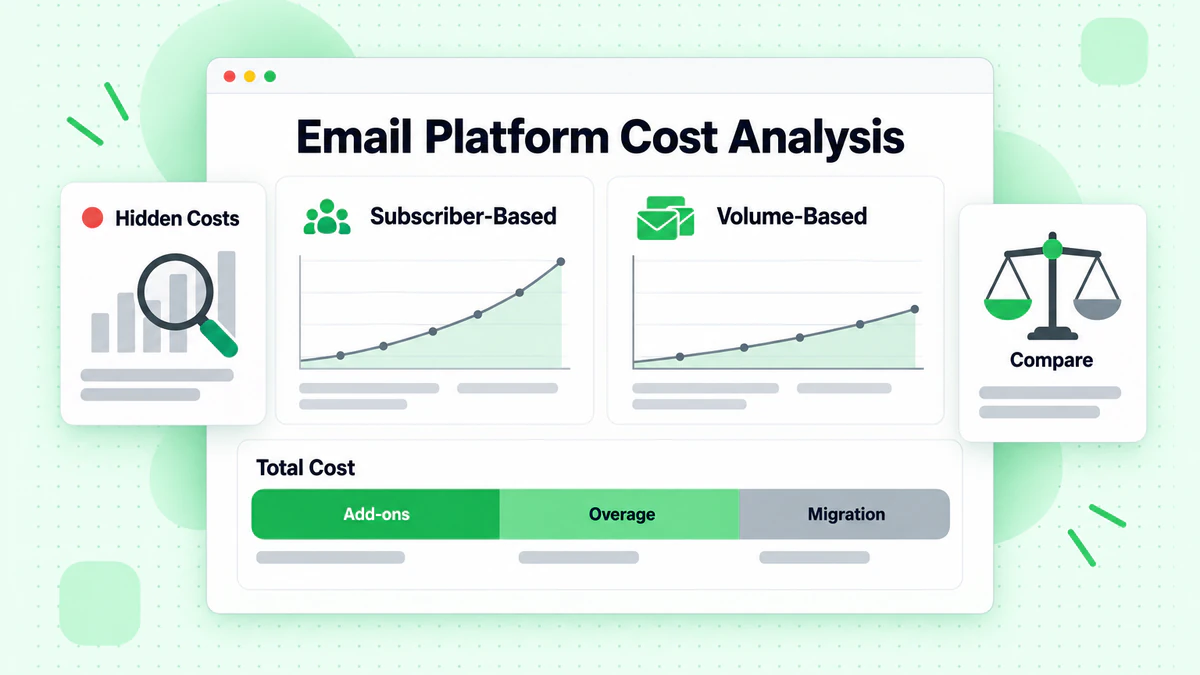
Pricing Models
Subscriber-Based: Pay based on list size.
- Predictable costs
- Penalizes large inactive lists
- Examples: Mailchimp, ConvertKit
Email-Based: Pay per email sent.
- Scales with activity
- Better for large lists, low frequency
- Examples: Brevo, Amazon SES
Hybrid: Base fee plus usage.
- Balanced approach
- Can be complex to predict
- Examples: Various enterprise platforms
Feature-Based: Different tiers unlock features.
- Start cheap, upgrade for features
- Can force upgrades for basic needs
- Examples: Most platforms
Total Cost Calculation
Direct Costs:
- Monthly/annual subscription
- Overage charges
- Add-on features
- Additional users
Indirect Costs:
- Implementation time
- Training time
- Integration development
- Migration effort
Hidden Costs:
- Premium support charges
- API call limits
- Template/design fees
- Advanced feature upgrades
TCO Comparison Template:
| Cost Item | Platform A | Platform B | Platform C |
|---|---|---|---|
| Monthly fee | $ | $ | $ |
| Users (X extra) | $ | $ | $ |
| Overages (estimated) | $ | $ | $ |
| Implementation | $ | $ | $ |
| Training | $ | $ | $ |
| Integration dev | $ | $ | $ |
| Annual Total | $ | $ | $ |
Value Assessment
Beyond Price:
- Time saved (efficiency)
- Revenue enabled (features)
- Risk avoided (deliverability)
- Growth supported (scalability)
ROI Framework:
Value Created = Revenue Increase + Cost Savings + Risk Reduction
ROI = (Value Created - Platform Cost) / Platform Cost
Platform Comparison by Business Type
Recommendations by business model.
Small Business / Startups
Priorities:
- Low cost / free tier
- Ease of use
- Essential features only
- Quick setup
Recommended Platforms:
- Mailchimp: Free up to 500 contacts, easy interface
- MailerLite: Free up to 1,000 contacts, good automation
- Brevo: 300 emails/day free, growing feature set
Selection Criteria:
- Can you start free?
- Is it easy to learn?
- Will it grow with you?
Growing E-commerce
Priorities:
- E-commerce integration
- Revenue tracking
- Product recommendations
- Abandoned cart automation
Recommended Platforms:
- Klaviyo: Deep e-commerce integration, excellent analytics
- Omnisend: E-commerce focused, good value
- Drip: Strong automation, good for variety of stores
Selection Criteria:
- How well does it integrate with your platform?
- Can you track revenue attribution?
- How sophisticated are product recommendations?
B2B / Lead Generation
Priorities:
- CRM integration
- Lead scoring
- Long nurture sequences
- Sales alignment
Recommended Platforms:
- ActiveCampaign: Strong automation, CRM built-in
- HubSpot: Full marketing suite, excellent CRM
- Drip: Good automation, integrations
Selection Criteria:
- Does it integrate with your CRM?
- How sophisticated is lead scoring?
- Can sales and marketing align?
Content Creators / Publishers
Priorities:
- Subscriber management
- Newsletter focus
- Simple workflow
- Monetization support
Recommended Platforms:
- ConvertKit: Creator-focused, excellent UX
- Substack: Newsletter-first, built-in monetization
- Beehiiv: Growing platform, good analytics
Selection Criteria:
- Is it designed for content?
- How easy is subscriber management?
- Does it support your revenue model?
Enterprise
Priorities:
- Scalability
- Advanced capabilities
- Security/compliance
- Integration depth
- Support level
Recommended Platforms:
- Salesforce Marketing Cloud: Full suite, enterprise scale
- Adobe Campaign: Sophisticated, omnichannel
- HubSpot Enterprise: Good balance, growing capabilities
Selection Criteria:
- Can it handle your scale?
- Does it meet security requirements?
- What support is available?
Migration Planning
Moving from one platform to another.
Pre-Migration Assessment
What to Migrate:
- Contact lists and data
- Custom fields and tags
- Templates and designs
- Automation workflows
- Historical data
- Integrations
Migration Complexity Factors:
- Data volume
- Custom field mapping
- Automation complexity
- Integration dependencies
- Historical data needs
Migration Process
Phase 1: Preparation
- Export all data from current platform
- Document all automations
- Inventory all templates
- Map fields between platforms
- Plan timeline
Phase 2: Setup
- Configure new platform
- Set up authentication
- Import contacts
- Recreate templates
- Build automations
Phase 3: Testing
- Test all imports
- Verify automations
- Send test campaigns
- Check integrations
- Validate tracking
Phase 4: Transition
- Gradual traffic shift
- Monitor deliverability
- Disable old platform
- Complete training
- Documentation update
Migration Risks
Common Issues:
- Data loss or corruption
- Deliverability drops (new IP/domain)
- Broken automations
- Integration failures
- Team productivity dip
Risk Mitigation:
- Complete data backups
- IP warming plan
- Parallel running period
- Thorough testing
- Training before go-live
Decision Framework
Making the final choice.
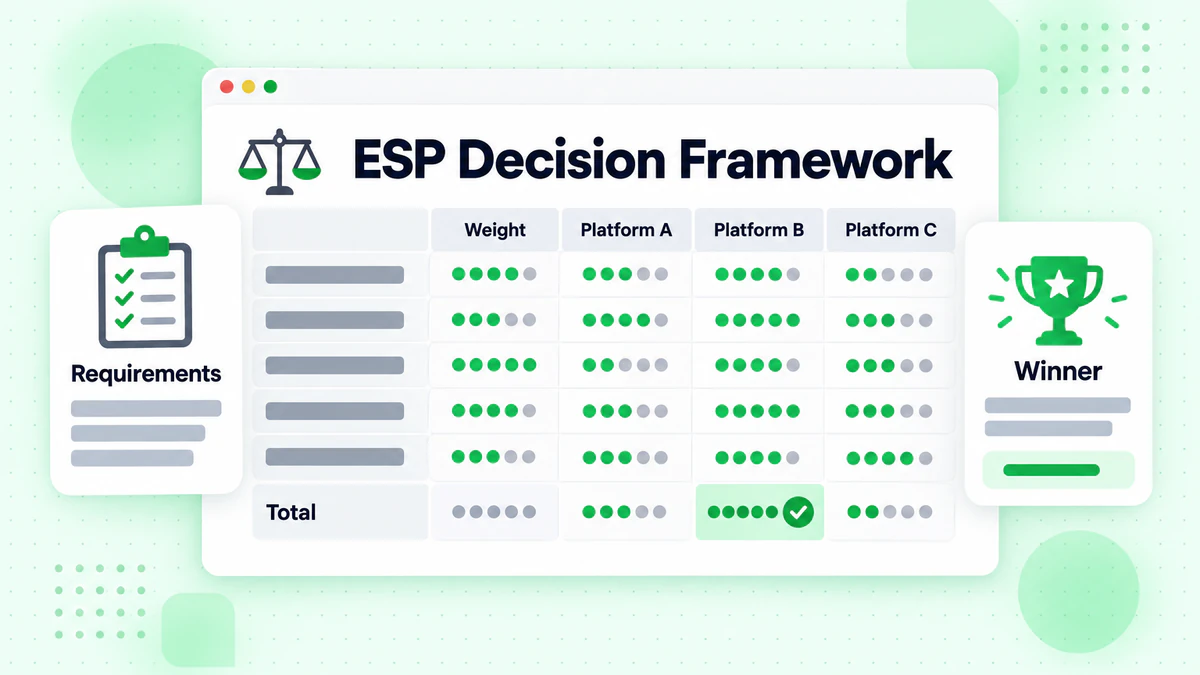
Scoring Matrix
Create Weighted Scores:
| Criteria | Weight | Platform A | Platform B | Platform C |
|---|---|---|---|---|
| Features | 25% | |||
| Ease of Use | 20% | |||
| Deliverability | 20% | |||
| Integration | 15% | |||
| Cost | 10% | |||
| Support | 10% | |||
| Weighted Total | 100% |
Scoring Guide:
- 5: Excellent, exceeds needs
- 4: Good, meets needs well
- 3: Adequate, meets basic needs
- 2: Limited, gaps exist
- 1: Poor, significant issues
Trial Evaluation
During Free Trial:
- Import real segment of contacts
- Build actual campaign
- Create test automation
- Evaluate analytics
- Test integrations
- Contact support with question
What to Document:
- Time to complete tasks
- Issues encountered
- Features missing
- User experience
- Support quality
Final Decision Checklist
- [ ] All must-have features confirmed
- [ ] Pricing within budget
- [ ] Team can use effectively
- [ ] Integrations verified
- [ ] Deliverability reputation acceptable
- [ ] Migration path clear
- [ ] Contract terms acceptable
- [ ] Support level adequate
- [ ] Growth path available
Implementation Best Practices
Setting up for success.
Configuration Priorities
Week 1:
- Account setup and users
- Authentication (SPF, DKIM, DMARC)
- From name and reply-to
- Unsubscribe settings
- Template foundations
Week 2:
- Contact import and organization
- Segmentation setup
- Basic automation (welcome series)
- Integration configuration
Week 3:
- Full automation build-out
- Template refinement
- Team training
- Process documentation
Week 4:
- Testing and optimization
- Deliverability verification
- Performance baseline
- Go-live preparation
Team Training
Training Components:
- Platform navigation
- Campaign creation workflow
- Automation building
- Analytics interpretation
- Troubleshooting common issues
Training Resources:
- Platform documentation
- Video tutorials
- Hands-on workshops
- Sandbox environment
- Support channels
Ongoing Optimization
Monthly Review:
- Platform utilization
- Feature usage
- Performance metrics
- Cost tracking
- Issue log review
Quarterly Assessment:
- ROI evaluation
- Feature gaps identified
- Upgrade needs
- Contract review
- Vendor relationship
Common Selection Mistakes
Pitfalls to avoid.
Mistake 1: Feature Over-Buying
Problem: Paying for features you'll never use. Fix: Start with actual needs, upgrade as required.
Mistake 2: Ignoring Deliverability
Problem: Choosing based on features, ignoring inbox placement. Fix: Research platform reputation, test during trial.
Mistake 3: Underestimating Migration
Problem: Assuming switching is easy. Fix: Plan migration thoroughly, account for complexity.
Mistake 4: Short-Term Thinking
Problem: Choosing for today's needs only. Fix: Consider 2-3 year growth trajectory.
Mistake 5: Neglecting Integration Needs
Problem: Not testing integrations before committing. Fix: Verify all critical integrations during trial.
Mistake 6: Ignoring User Experience
Problem: Platform too complex for team. Fix: Have actual users test during trial.
Platform Selection Checklist
Requirements Gathering
- [ ] Business requirements documented
- [ ] Marketing requirements listed
- [ ] Technical requirements defined
- [ ] Budget established
- [ ] Timeline set
Evaluation
- [ ] Feature priorities ranked
- [ ] Shortlist created (3-5 platforms)
- [ ] Demos completed
- [ ] Free trials tested
- [ ] References checked
Cost Analysis
- [ ] Pricing understood
- [ ] TCO calculated
- [ ] Hidden costs identified
- [ ] Contract terms reviewed
Decision
- [ ] Scoring matrix completed
- [ ] Team consensus reached
- [ ] Final selection made
- [ ] Contract negotiated
Implementation
- [ ] Migration planned
- [ ] Configuration priorities set
- [ ] Training scheduled
- [ ] Go-live date established
Data Quality Considerations
Why list health matters in selection.
Platform-Agnostic Need
Regardless of Platform:
- Invalid emails hurt deliverability
- Bounce rates affect sender reputation
- List quality determines results
- Verification is essential
Verification Integration
Look For:
- Built-in verification options
- Third-party verification integration
- Bounce handling automation
- List hygiene tools
Or Implement Separately: Verify list before migrating to new platform for clean start. Check our guide on reducing bounce rates for best practices.
Conclusion
Email platform selection shapes your marketing capabilities for years. A systematic evaluation process—defining requirements, prioritizing features, analyzing costs, and testing thoroughly—leads to confident decisions.
Key selection principles:
- Start with requirements: Know what you need before evaluating
- Prioritize ruthlessly: Not all features matter equally
- Test thoroughly: Use free trials with real scenarios
- Consider total cost: Look beyond monthly price
- Plan for growth: Choose a platform that scales with you
Whatever platform you choose, email success depends on reaching real inboxes with valid addresses. Email verification is platform-agnostic and essential for deliverability success.
Before migrating to a new platform, clean your email list to start fresh. Combine your platform selection with email deliverability best practices and verification strategies. Ready to start your email program with verified addresses? Start with BillionVerify to ensure your email list is clean regardless of which platform you choose.