

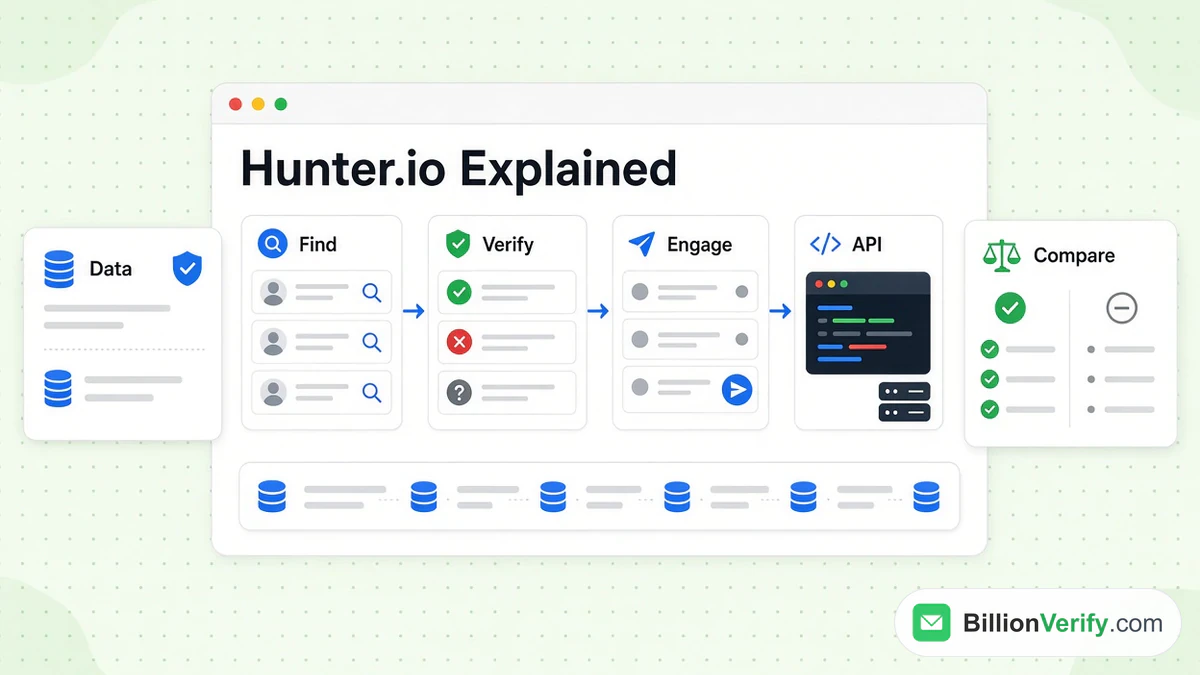
Hunter.io is an outreach platform that finds business mailboxes, verifies them and sends automated cold campaigns. You enter a company domain or a person's name. The platform returns addresses together with the public pages where they were found. The company calls itself Hunter, and some people write the name as hunter io, without the dot.
This guide covers what the platform does, how each tool works, where the data comes from, the API and a short price outline. Every fact comes from hunter.io, as listed on its site in October 2026.
We are not affiliated with Hunter. BillionVerify sells a competing email verification service. For that reason, a full section compares the two products.
Key facts (checked October 2026):
- Hunter.io was created in 2015 by Antoine Finkelstein and François Grante, according to its About page.
- Hunter.io reports 7M+ user accounts and 81M websites indexed, per the same page.
- The Hunter.io Free plan includes 50 monthly credits, and Starter is listed at $49, or $34 with yearly payment, per its pricing page.
- Hunter.io returns five verification statuses and charges for three of them, per the FAQ on its verifier page.
- A Hunter.io check consumes 0.5 credits on the All-in-One plans, per the same FAQ.
- BillionVerify never bills an unknown result, and every account receives 20 credits for each active day, up to 600 a month.
What Hunter.io Is
Hunter.io started as a way to find the email address behind a company website. Over the years it grew into what its homepage calls an all-in-one platform for finding verified decision makers and turning them into leads. The product now covers three jobs: finding contacts, verifying them and sending sequences to them.
The About page tells the story. The two founders graduated in 2015 and saw the untapped potential of cold email. They wanted contact discovery that still respected privacy rules. Matthew Tharp is the current chief executive, and the team has worked remotely since the start, with members in Europe, America and Asia.
The homepage lists several scale figures. It shows 150,430,313 email addresses verified and more than 1.2 billion leads contacted. It adds that it serves more than seven million people. Its homepage rating reads 4.7 out of 5.
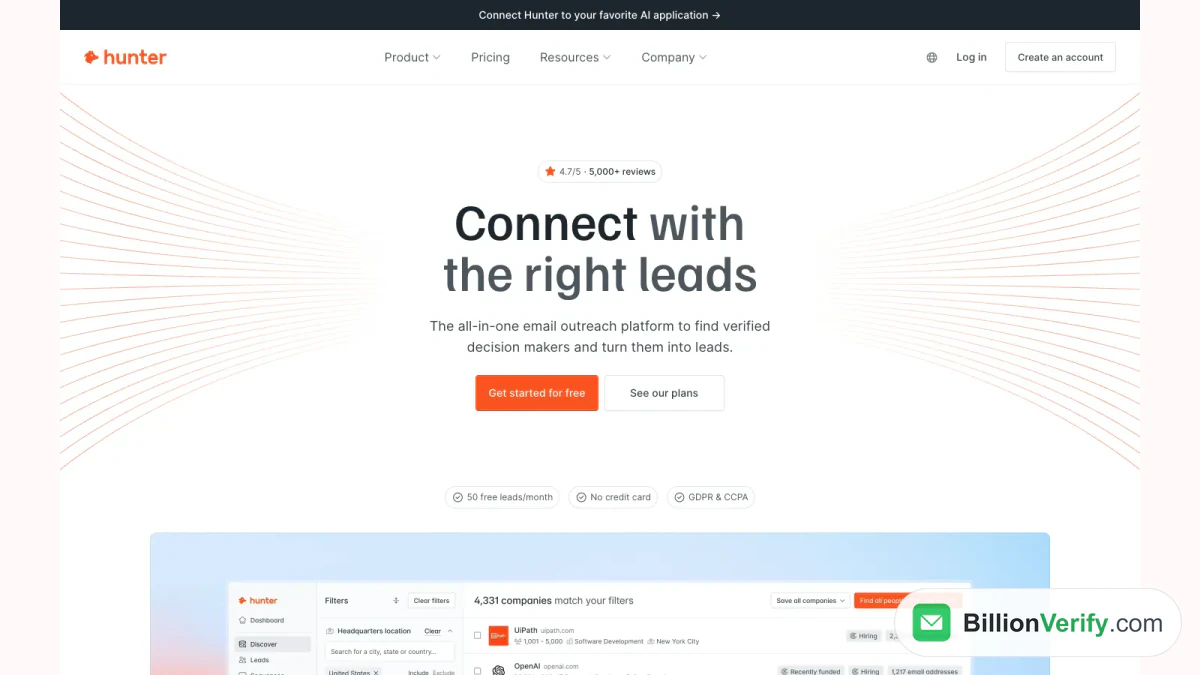
Screenshot: the Hunter.io homepage, as listed in October 2026.
Who uses it
The verifier page names six groups: sales reps, marketers, recruiters, founders, PR professionals and personal users. Each group gets a short use case. Prospectors clean lists before outreach. Marketers protect newsletter deliverability. Recruiters correct typos and outdated personal addresses before contacting applicants.
The pricing page adds two more audiences. Agencies and builders can buy a data-only plan that exposes Hunter data through an API. AI users can connect the data to assistants and agents.
How Hunter.io Works
The workflow follows three steps, which the homepage labels Find leads, Enrich and verify, and Engage. You first locate people at target companies. You then verify each address and fill the gaps in company data. Last, you send sequences from your own inbox.
Each step has its own tool. Domain Search and Email Finder handle discovery, the Email Verifier handles checking, and Sequences handles sending. Credits pay for the first three, and a single credit pool is shared across them.
Domain Search
Domain Search takes a company name or website and returns the email addresses linked to it. Each result carries a rating, a department filter and its sources. Hunter says a search finishes in half a second.
Results come in two states. A green Verified icon means Hunter checked the address recently. Any other address shows a confidence rating instead, based on SMTP checks, the number and quality of sources and the match with the most common pattern at that company. You can trigger a fresh check on those from the interface.
Credits work in blocks. One search credit covers up to 10 addresses found for a single domain. The page gives an example: downloading 43 addresses costs 5 search credits. A free account gets 50 searches a month.
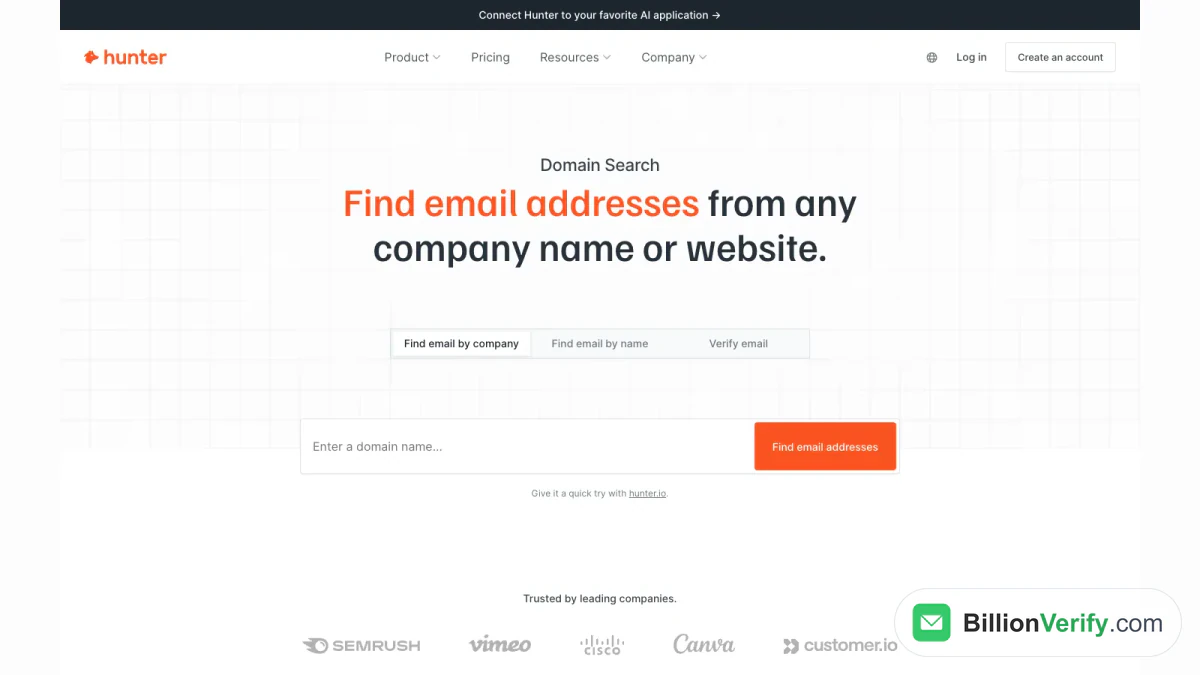
Screenshot: Domain Search, the company-level lookup.
Email Finder
Email Finder answers a different question. You already know the person, and you want the address. Type a full name and a company domain. The tool returns the most likely address, plus its verification status and a rating of how sure it is.
It works in two passes. It first looks for a match in its database of addresses found on the public web. When no match exists, it tries the usual name patterns on that domain and picks the best one. Both paths end with a verification before the result is shown.
The page is careful on one point. Hunter argues that Email Finder is more than a permutator, because a permutator only lists combinations such as john@ and j.doe@ and leaves you to find the real one. The result also tells you whether it is a guess or backed by a source. A Bulk Email Finder takes a CSV file when you have a longer list.
BillionVerify also offers an Email Finder. Give it a person's name plus the employer's domain, and it returns one verified work address. It is open to paid accounts only, and it charges 10 credits only when it finds a match. If you only hold a single address, you can check an email address before you send with no sign-up.
Email Verifier
The verifier checks whether an address exists and can receive mail. Hunter says it never sends a message to do so. It connects to the recipient's SMTP server and tests the address there. The page offers five free checks a day without signup.
Per the FAQ, nine checks run on every address:
- Valid format.
- Gibberish detection, such as 1e49cs1pb6@company.com.
- Disposable domain.
- Webmail provider such as Gmail or Yahoo.
- MX records on the domain.
- Connection to the SMTP server named in the MX records.
- SMTP check of the address itself.
- Accept-all policy on the domain.
- Accept-all verification with several large providers, through what Hunter calls a proprietary solution.
The answer is one of five statuses: valid, invalid, accept-all, disposable or unknown. Three of these cost credits. The other two are free. If a server is simply slow, Hunter keeps checking in the background instead of returning unknown straight away.
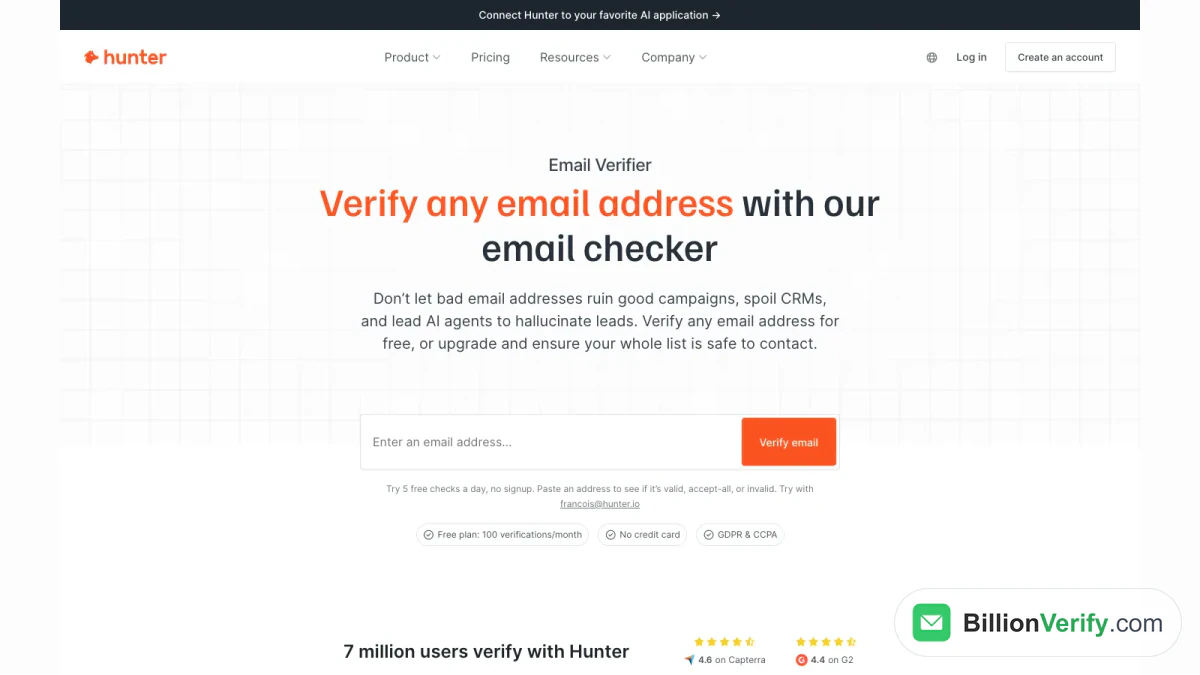
Screenshot: Hunter's verifier landing page with its free check box.
On the Data Platform each check uses one verification credit instead. Testing the same mailbox twice in one calendar month costs nothing. Bulk uploads are always charged, even for repeats.
Bulk tasks, the extension and Sheets
Three add-ons move the same tools into other places. Bulk tasks let you upload a list and get results for finding or verifying in a few clicks. The Chrome extension shows the addresses found for the site you are browsing, with sources and discovery dates. Its page says the free account is enough to use it, and it lists 600,000 users.
The Google Sheets add-on does the same inside a spreadsheet. The extension never saves the content of the pages you visit. It only shows addresses that Hunter's own crawlers found.
Discover, Sequences and Signals
Discover is a B2B company database with filters. You build target lists from it, and Hunter suggests new prospects every week on paid plans. Signals uses intent data to point you to prospects, and the Discover list tags companies that are hiring or recently funded.
Sequences is the sending side. Hunter says it sends automated emails from your inbox, warmed up and A/B tested. Inbox Protection warms an inbox and guards against bounce rates above 2%. Managed email accounts let you buy and create accounts for cold outreach inside the product. Several of these are paid add-ons.
Where the Hunter.io Data Comes From
The Our data page gives a plain account. Hunter visits 30 million web pages a day, like a search engine, and keeps an index of what it finds. It lists 650 million public sources and 150 million professional addresses.
The page then sets out four principles for how the data is handled. Each one is a promise to a different party.
| Principle | What the page says |
|---|---|
| Disclosed sources | Contacts in Domain Search show where and when they were found. Email Finder flags whether a result is inferred or sourced. |
| Removal | Six months after its last public source disappears, data is removed. A "Removed" label shows first. |
| Data subjects | The owner of an address can claim it, edit its fields or delete it with all related data. |
| Website owners | The Hunter crawler follows robots.txt and can be blocked. |
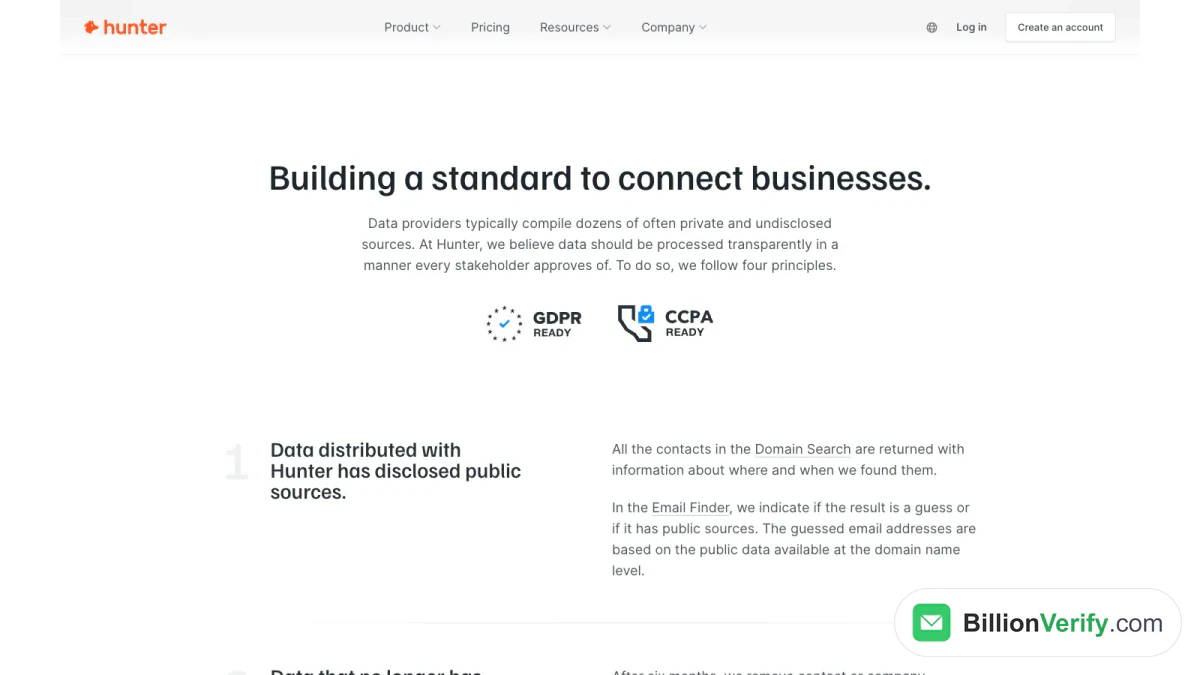
Screenshot: the four data principles on the Hunter.io Our data page.
The page carries a pair of privacy badges. The finder page adds that Hunter applies the requirements of the European regulation broadly, even though that law only covers EU residents. For the legal background, the European Commission keeps an overview of EU data protection rules. Cold email also falls under sender rules such as CAN-SPAM in the United States, and those apply to you, not to the tool.
The Hunter.io API and Integrations
The API gives you the same data without the interface. The documentation lists endpoints for finding, verifying, counting, enriching and discovering. Hunter says every user gets API access, and the Data Platform suits people who need only the data.
Each endpoint has its own rate limit. The Hunter API documentation gives these figures:
| Endpoint | Per second | Per minute |
|---|---|---|
| Domain Search | 15 | 500 |
| Email Finder | 15 | 500 |
| Email Verifier | 10 | 300 |
| Discover | 5 | 50 |
A sample response in the docs shows the shape of the data. It holds the domain, an accept-all flag, the email pattern used at the company and a list of addresses. Each address in the sample has a position, a department and a list of sources with dates.
Integrations are listed on the homepage. Native connections cover HubSpot, Zoho, Salesforce and Pipedrive, and Zapier reaches more than 5,000 endpoints. A hosted connector for AI assistants lets them call Hunter in plain language. The homepage gives the reason in its own words: models invent 76% of the email addresses they are asked for. That figure is Hunter's own claim, so treat it as one data point.
Hunter.io Pricing in Brief
Hunter sells its tools in two forms. The All-in-One platform is a monthly or yearly subscription with a credit allowance. The Data Platform is a pay-as-you-go pool of credits for API use, and those credits stay usable for 12 months. This section gives only the outline, and a separate Hunter.io pricing guide goes deeper.
Credits pay for searches and finds. A search or find costs one credit, and a verification costs half of one on the All-in-One plans. The pricing page says credits reset every month on a monthly plan and do not roll over. Yearly billing gives all credits upfront and a 30% discount.
| Plan | Monthly price | Yearly billing, per month | Included credits | Email accounts |
|---|---|---|---|---|
| Free | $0 | $0 | 50 | 1 |
| Starter | $49 | $34 | 2,000 | 3 |
| Growth | $149 | $104 | 10,000 | 10 |
| Scale | $299 | $209 | 25,000 | 20 |
| Enterprise | Custom | Custom | Custom | Custom |
The Hunter pricing page shows these figures. Extra email account slots start at $10 a month per account, and credit packs are sold as add-ons on paid plans. Prices can change, so read the live page before you buy.
The Hunter.io Login
The login sits at the top right of every page, next to a button for new accounts. Pressing Log in opens the sign-in form. A new account needs no credit card on the Free plan.
If you cannot get in, the Help Center is the next stop. It groups articles by topic, including 17 on account management and 28 on billing. For anything else it lists a contact mailbox. The footer also shows a system status line that read All Systems Operational during our check.
What Users Say
Hunter publishes its own review figures. The homepage shows a 4.7 average across more than 5,000 reviews. The verifier and finder pages show 4.6 on Capterra and 4.4 on G2. The Chrome extension page lists 4.7 from over 12,000 ratings.
These are the company's own listings, as shown in October 2026, so open each review site to confirm the current score. The testimonials on the site come from customers such as Canva, Acquire.com and Preply. One of them says the tool contributed hugely to reducing bounce rate, which was the main challenge in lead generation.
Hunter.io vs BillionVerify: A Deep Comparison
The two products overlap on one job, which is email verification. Hunter.io adds finding and sending around it. BillionVerify focuses on verification, with an Email Finder next to it. Our figures come from our own pricing and product pages. The Hunter figures come from the pages cited above. Our Hunter.io comparison page has the full side-by-side.
Billing and allowances
| Item | Hunter.io | BillionVerify |
|---|---|---|
| Billed results | Valid, invalid and accept-all, at 0.5 credits on All-in-One | Valid and invalid, 1 credit each |
| Unknown results | Free | Free |
| Disposable addresses | Free | Not charged |
| Rechecks | Same address, same month is free, bulk always charged | Free for 24 hours |
| Free allowance | 50 credits a month, enough for 100 verifications | 20 credits on each active day, with a monthly cap of 600 |
| Expiry | Credits on a subscription restart monthly, no rollover | Credits never expire, no card needed |
Both services bill zero for unknown results, so that is not a difference. The gaps are in rechecks and in how the free allowance renews, as the table shows. Hunter counts its credits by month. BillionVerify counts them by active day, and they never expire.
Catch-all handling
Hunter marks accept-all addresses as their own status and says that no tool can confirm them with full certainty. It adds that an accept-all address tends to bounce at about half the rate of an invalid one, based on its own experiment. It also charges credits for that status.
BillionVerify reports the same group as a separate class and never counts it as valid. Our catch-all verifier page explains how that works. You decide what to do with the group, and the label is not blended into a valid total.
An illustration from BillionVerify's Email Finder page.
Pricing models
Hunter prices verification inside its credits, so a like-for-like figure depends on the plan and on what else you spend credits on. BillionVerify sells credits as one-time packs. Ten thousand credits cost $10, and 100,000 cost $80. The base rate is $1 per 1,000 credits, and each valid or invalid result uses one.
Integrations, API and sending
Hunter lists native CRM connections, a Zapier link, a Chrome extension, a Sheets add-on, an API and a hosted MCP endpoint. It also sends sequences. BillionVerify offers a REST API, a native MCP server and 25+ integrations. It also has a free WordPress plugin. We do not send campaigns, so you pair the verifier with the sending tool you already use.
Compliance
Hunter points to its data principles. BillionVerify documents its GDPR terms and signs a data processing agreement. You can download your original file for one day, and results stay available during the retention period. Our servers are in France, inside the EU.
Where Hunter.io is stronger
Hunter.io covers the whole path from discovery to sending. A team can find a contact, verify it and email it without another tool. It also publishes how its data is sourced and lets people remove their own address. Its Discover database, Signals and managed inboxes have no equivalent on our side.
Where BillionVerify fits better
BillionVerify is built for a list you already hold. Credits do not expire, and the free allowance refills whenever you use the account. Catch-all stays a separate class. A recheck inside a day costs nothing. If you only need to protect your sender reputation, you pay for verification and nothing else.
Who Should Use Hunter.io and What Are the Limits
Hunter.io suits small revenue teams, founders, recruiters and agencies that want one place for finding, verifying and sending. It fits people who prospect on the web every day and who value seeing the public source behind each address. Developers can use the API without taking the full platform.
The limits are plain, and most come from Hunter's own pages:
- Unused plan credits disappear at each monthly reset.
- Hunter cannot confirm accept-all mailboxes with full certainty.
- Hunter says verification is never 100% certain, because a mailbox can change after the check.
- Finder results can be guesses built from name patterns, and they are marked as such.
- Sequences need your own connected email accounts, and extra slots cost money.
- Verification costs credits that are shared with searches.
Verification checks an address, not the person behind it. Hunter lists a free tool of its own for that. BillionVerify has a reverse email lookup page for the same job. If your list also holds phone numbers, a phone number validator covers those.
Hunter.io FAQs
What is Hunter.io used for?
Hunter.io is used to find business contacts, test whether they can receive mail and send automated outreach. Reps, growth teams, recruiters and founders are the main users. The company launched in 2015.
Is Hunter.io free?
Yes, the Free plan costs nothing and asks for no credit card. It gives you 50 credits to spend each month on searches, finds and checks. Hunter counts that as 100 verifications.
How does Hunter.io find email addresses?
Hunter.io finds addresses by crawling public pages and indexing what it sees. When a person is not in the index, it falls back to common name patterns for that company. Every result is verified, and the interface marks whether it came from a source or from a guess.
What does Hunter.io charge for?
Hunter.io charges credits for searches, finds and three of its five verdicts. Disposable and unknown verdicts cost nothing. Checking one address again inside the same month is also free.
How much does Hunter.io cost?
Hunter.io plans start at $0 and reach $299 a month for Scale. The entry paid tier is $49 a month, or $34 if you pay for the year. Enterprise is quoted individually, and the Data Platform sells credits on demand.
Does Hunter.io have an API?
Hunter.io has a REST API covering search, finding, verification and enrichment. Limits differ by endpoint, for example 10 requests per second for the verifier. Every user can reach the API, and an MCP connector serves AI assistants.
Is Hunter.io accurate?
Hunter.io says a valid result passed every check, yet no verification is 100% certain. It reports that valid addresses usually bounce at a low rate, and it blames mailbox changes and sender problems for the rest. Test a small list before you commit a large one.
Where does Hunter.io get its data?
Hunter.io sources contact data from public web pages that its crawler visits. Each address in Domain Search shows where and when it was found. Orphaned data is deleted once the six-month grace period ends.
Is Hunter.io legal and GDPR compliant?
Hunter.io carries both privacy badges and publishes how it sources data. Address owners can claim and delete their entries. Your own cold emails still have to follow sender laws, which are your responsibility.
How do I log in to Hunter.io?
Open hunter.io and press Log in at the top right. New users press the account button instead, and the entry tier takes no card. For access problems, the Help Center gives a support address.
How does Hunter.io compare with BillionVerify?
Hunter.io finds, verifies and sends, while BillionVerify concentrates on cleaning lists you already own. Neither charges for unknowns. Our side adds a day of free rechecks, credits without an expiry date and uploads with no row cap.
Watch: Catch-All Email: How Detection Works and Whether to Send
Watch: How to Validate a Phone Number: Free Phone Number Validator
