



Email automation transforms email marketing from a repetitive task into a scalable system. Instead of manually sending each email, automation delivers the right message to the right person at the right time—automatically. This comprehensive guide covers everything you need to build effective email automation that works while you sleep.
Understanding Email Automation
Email automation uses predefined rules and triggers to send emails automatically based on subscriber actions, time intervals, or specific conditions.
What Makes Automation Powerful
Manual email marketing has inherent limitations. You can only send so many emails, respond to so many inquiries, and follow up with so many leads. Automation removes these constraints.
Automation Advantages:
Scalability: Whether you have 100 or 100,000 subscribers, automation handles them all equally.
Consistency: Every subscriber receives the same quality experience, regardless of when they sign up.
Timeliness: Automated emails respond instantly to triggers, catching subscribers at their moment of interest.
Efficiency: Set up once, benefit forever. Automation frees time for strategy and creativity.
Personalization at Scale: Deliver individualized experiences to thousands simultaneously.
Automation vs. Scheduled Campaigns
Understanding the distinction helps you use each appropriately.
Scheduled Campaigns:
- Sent at a specific time to a defined audience
- Same content to all recipients (perhaps with segmentation)
- One-time sends (newsletters, promotions, announcements)
- Manual setup for each send
Automated Emails:
- Triggered by subscriber actions or conditions
- Content tailored to trigger context
- Run continuously once activated
- Set up once, runs automatically
Both have their place. Automation handles predictable, repeatable communications; scheduled campaigns handle timely, unique content.
Types of Email Automation
Automation covers various communication types.
Trigger-Based Automation: Emails sent in response to specific actions.
- Welcome emails (triggered by signup)
- Purchase confirmations (triggered by transaction)
- Abandoned cart reminders (triggered by cart abandonment)
Time-Based Automation: Emails sent at intervals after an initial trigger.
- Drip sequences (series of emails over time)
- Milestone emails (anniversaries, birthdays)
- Re-engagement campaigns (after inactivity period)
Behavior-Based Automation: Emails responding to ongoing behavior patterns.
- Browse abandonment (viewed but didn't buy)
- Usage-based emails (product usage patterns)
- Engagement-based sends (more/fewer emails based on activity)
Condition-Based Automation: Emails triggered when conditions are met.
- Segment entry (when subscriber joins a segment)
- Threshold alerts (when values exceed limits)
- Score changes (when engagement score crosses thresholds)
Essential Automated Email Workflows
Certain automated sequences deliver consistent results across industries.
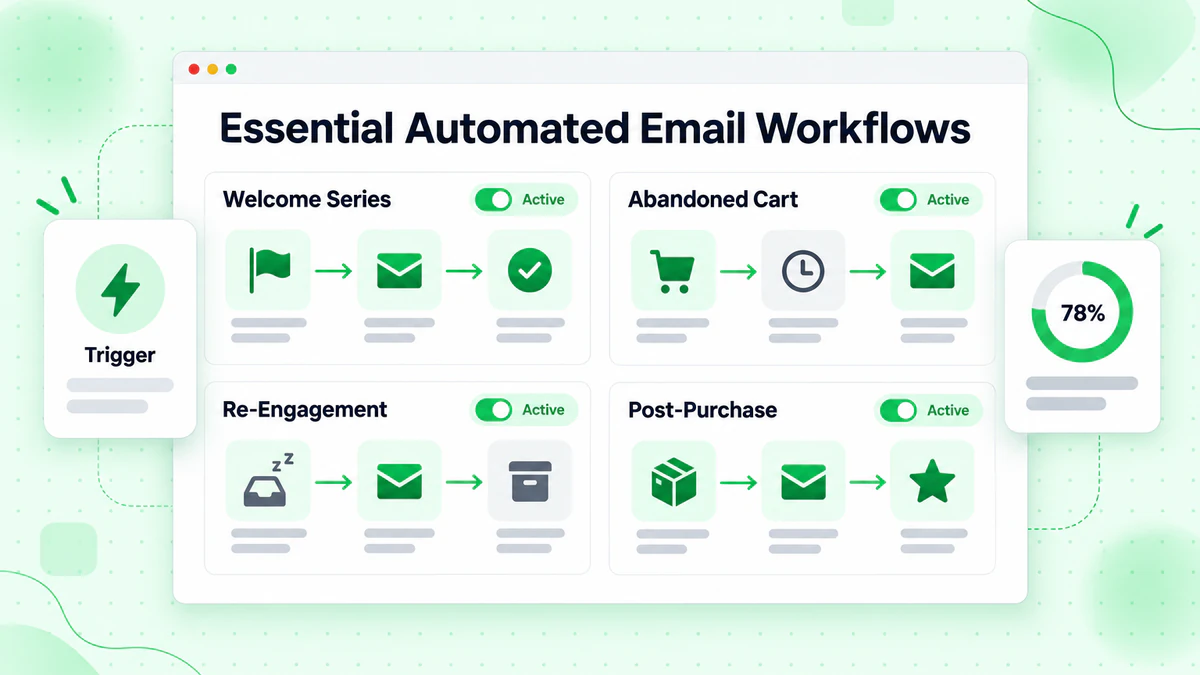
Welcome Series
The welcome series introduces new subscribers to your brand and sets the foundation for the relationship.
Why Welcome Emails Matter:
- Highest open rates of any email type (50-60% average)
- First impression that shapes subscriber expectations
- Critical window to establish engagement habits
- Opportunity to move subscribers toward conversion
Effective Welcome Series Structure:
Email 1: Immediate Welcome (Sent instantly)
- Thank them for subscribing
- Deliver promised lead magnet
- Set expectations for future emails
- Include one quick-win tip or insight
Email 2: Introduction (Day 1-2)
- Share your story or mission
- Explain what makes you different
- Provide additional value
- Invite engagement (reply, follow social)
Email 3: Value Delivery (Day 3-4)
- Educational content on key topic
- Best resources or popular content
- Demonstrate expertise
- Build trust through helpfulness
Email 4: Social Proof (Day 5-6)
- Customer success stories
- Testimonials and reviews
- Results and statistics
- Build credibility
Email 5: Soft Introduction to Offer (Day 7-10)
- Introduce your product/service
- Explain how it helps
- Special offer for new subscribers
- Clear call-to-action
Abandoned Cart Sequence
Recover lost sales by reminding shoppers about items they left behind.
Abandoned Cart Statistics:
- Average cart abandonment rate: 70%
- Abandoned cart emails recover 5-15% of abandoned carts
- Revenue recovery potential is significant
Abandoned Cart Sequence Structure:
Learn more in our cart abandonment email guide.
Email 1: Reminder (1 hour after abandonment)
- Friendly reminder of items left
- Product images and details
- Simple return-to-cart button
- No discounts yet
Email 2: Urgency/Help (24 hours)
- Items may sell out
- Offer assistance if needed
- Address common concerns
- FAQ or support contact
Email 3: Incentive (48-72 hours)
- Discount or free shipping offer
- Limited-time validity
- Strong call-to-action
- Last chance positioning
Best Practices:
- Show actual cart contents
- Include customer reviews of abandoned items
- Make return process simple (one click)
- Test incentive timing and value
Post-Purchase Sequence
Turn one-time buyers into repeat customers with thoughtful follow-up.
Post-Purchase Goals:
- Confirm and celebrate the purchase
- Reduce buyer's remorse
- Encourage product success
- Build toward repeat purchase
Post-Purchase Sequence Structure:
Email 1: Order Confirmation (Immediate)
- Order details and summary
- Expected delivery information
- Contact for questions
- Thank you message
Email 2: Shipping Update (When shipped)
- Tracking information
- Expected delivery date
- What to expect at delivery
- Preparation tips if relevant
Email 3: Delivery Follow-Up (1-2 days after delivery)
- Confirm receipt
- Quick start tips
- Support resources
- Request feedback if appropriate
Email 4: Check-In (1-2 weeks later)
- Ask about experience
- Offer help if needed
- Share usage tips
- Invite product review
Email 5: Cross-Sell (3-4 weeks later)
- Related product recommendations
- Complementary items
- Exclusive customer offers
- New arrivals in their category
Re-engagement Sequence
Win back subscribers who've stopped engaging. Read our email re-engagement strategies guide.
When to Re-engage:
- No opens in 90+ days
- No clicks despite opens
- No purchases from active engagers
- Declining engagement trend
Re-engagement Sequence Structure:
Email 1: We Miss You (90 days inactive)
- Acknowledge the absence
- Remind of value you provide
- Best content or offers
- Ask if they still want to hear from you
Email 2: What's New (7 days later if no response)
- Updates since they've been away
- New features, products, or content
- Fresh value proposition
- Renewed invitation to engage
Email 3: Special Offer (7 days later if no response)
- Exclusive comeback offer
- Limited-time incentive
- Easy one-click re-engagement
- Genuine appeal
Email 4: Final Goodbye (7 days later if no response)
- Last chance to stay subscribed
- Clear consequence of inaction
- Easy opt-out
- Remove if no response
Lead Nurturing Sequence
Move prospects through the buying journey with educational content.
Lead Nurturing Goals:
- Build trust and authority
- Educate on problem and solutions
- Qualify interest and intent
- Guide toward purchase decision
Lead Nurturing Structure:
Phase 1: Awareness (Emails 1-3)
- Define the problem clearly
- Share data and research
- Establish stakes of not solving
- Position yourself as knowledgeable
Phase 2: Consideration (Emails 4-6)
- Introduce solution categories
- Explain evaluation criteria
- Compare approaches objectively
- Build case for your type of solution
Phase 3: Decision (Emails 7-9)
- Present your specific solution
- Share proof and case studies
- Address objections
- Make clear offer
Building Automation Workflows
Transform strategy into functioning automation.
Planning Your Workflow
Before building, plan thoroughly.
Workflow Planning Questions:
- What is the goal of this automation?
- Who should enter this workflow?
- What triggers entry?
- What content serves each stage?
- What actions should subscribers take?
- How do we measure success?
- What exits subscribers from the workflow?
Workflow Documentation Template:
Workflow Name: [Name]
Goal: [Primary objective]
Entry Trigger: [What starts the workflow]
Exit Conditions: [What removes people from workflow]
Target Audience: [Who this serves]
Success Metrics: [How we measure]

Email Sequence:
1. Email Name | Delay | Purpose | CTA
2. Email Name | Delay | Purpose | CTA
...
Setting Up Triggers
Triggers determine when automation activates.
Common Trigger Types:
Action Triggers:
- Form submission
- Button click
- Page visit
- File download
- Video watch
Event Triggers:
- Purchase completed
- Cart abandoned
- Subscription started
- Account created
- Milestone reached
Time Triggers:
- Date reached (birthday, anniversary)
- Time elapsed since event
- Scheduled recurring time
- Deadline approaching
Condition Triggers:
- Segment membership change
- Score threshold crossed
- Field value changed
- Tag added or removed
Creating Workflow Logic
Build intelligence into your automations.
Logic Elements:
If/Then Branches: Different paths based on conditions.
IF clicked email → Send follow-up A
IF not clicked → Send follow-up B
Wait Steps: Delays between emails.
Wait 2 days → Send next email
Wait until specific time → Send
Goal Steps: Exit workflow when goal achieved.
IF purchased → Exit workflow
Continue until purchase or sequence end
Split Testing: Test different paths.
50% → Version A
50% → Version B
→ Measure which performs better
Ensuring Deliverability
Automation only works if emails reach inboxes.
Deliverability Considerations:
List Quality: Automation sends to whoever triggers it. Ensure trigger sources provide valid addresses.
Verification Integration: Use email verification to validate emails before they enter automations.
Volume Management: Large automations can send many emails quickly. Monitor sending patterns.
Engagement Impact: Low-quality automations hurt sender reputation. Optimize for engagement and deliverability.
Exit Strategies: Remove unengaged subscribers from long automations with re-engagement campaigns before they damage reputation.
Advanced Automation Strategies
Elevate your automation with sophisticated approaches.
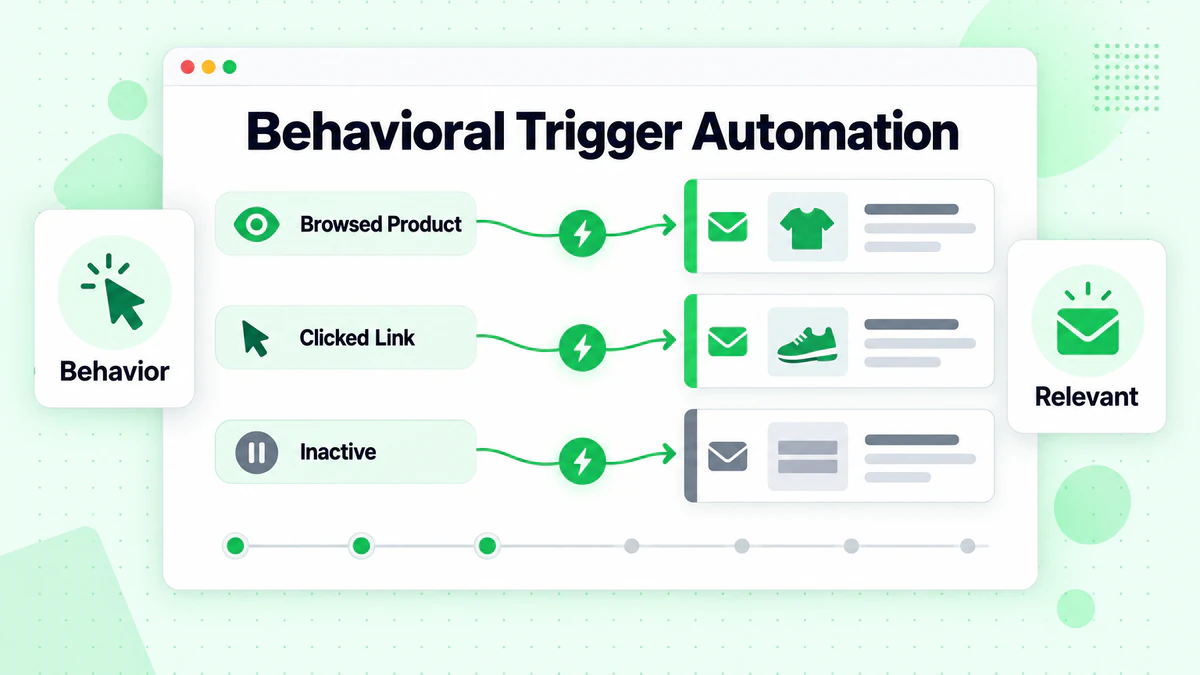
Behavioral Triggers
Respond to specific behaviors for highly relevant messaging.
Browse Abandonment: Trigger when someone views products but doesn't add to cart.
Content Engagement: Send related content when someone consumes specific content.
Feature Usage: Respond to product feature usage patterns.
Engagement Scoring: Trigger campaigns when engagement score crosses thresholds.
Dynamic Content in Automation
Personalize automated emails based on subscriber data.
Dynamic Content Types:
- Product recommendations based on history
- Content suggestions based on interests
- Offers based on customer value
- Messaging based on segment
Implementation:
IF segment = "premium" → Show premium offer
IF segment = "basic" → Show upgrade path
DEFAULT → Show general offer
Multi-Channel Automation
Extend automation beyond email.
Coordinated Channels:
- Email + SMS for urgent messages
- Email + retargeting ads
- Email + push notifications
- Email + direct mail for high value
Example Multi-Channel Flow:
Trigger: Cart abandoned
→ Hour 1: Email reminder
→ Hour 4: SMS if opted in
→ Hour 24: Email with incentive
→ Hour 48: Retargeting ads
Automation Scoring
Use engagement data to inform automation behavior.
Score-Based Routing:
Score > 80 → Sales-ready sequence
Score 40-79 → Nurturing sequence
Score < 40 → Re-engagement sequence
Score Factors:
- Email opens: +1 point
- Email clicks: +3 points
- Page visits: +2 points
- Form submissions: +10 points
- Time decay: Points reduce over time
Automation Optimization
Build automation that improves over time.
Key Metrics to Track
Workflow Metrics:
- Completion rate: What percentage finish the workflow?
- Conversion rate: What percentage achieve the goal?
- Drop-off points: Where do people disengage?
- Time to conversion: How long does the workflow take?
Email Metrics Within Workflows:
- Open rates by email position
- Click rates by email position
- Unsubscribe rates by email
- Reply rates
Testing Automation
Continuous testing improves results.
What to Test:
Timing:
- Delay between emails
- Send time of day
- Sequence length
Content:
- Subject lines
- Email copy
- Calls-to-action
- Visual design
Structure:
- Number of emails
- Conditional branches
- Goal definitions
- Exit conditions
Testing Process:
- Identify lowest-performing element
- Form hypothesis for improvement
- Create test variant
- Split traffic to test
- Measure results
- Implement winner
- Repeat
Maintaining Automation
Automation isn't set-and-forget. Regular maintenance ensures continued performance.
Maintenance Checklist:
Weekly:
- Monitor key metrics
- Check for errors or issues
- Review unsubscribe rates
Monthly:
- Analyze full funnel performance
- Update content if needed
- Test new variations
Quarterly:
- Audit all active automations
- Remove or update outdated workflows
- Review strategy alignment
- Clean and verify lists
Common Automation Mistakes
Learn from common pitfalls.
Over-Automating
The Problem: Creating automation for everything, resulting in impersonal, robotic communication.
The Fix: Automate repetitive, predictable communications. Keep unique, time-sensitive communications manual.
Ignoring Overlaps
The Problem: Subscribers in multiple automations receive too many emails.
The Fix: Set priority rules. Exit lower-priority automations when higher-priority ones start.
Set and Forget
The Problem: Creating automation and never reviewing or optimizing it.
The Fix: Schedule regular reviews. Treat automation as living systems that need attention.
Poor Trigger Logic
The Problem: Triggers that fire incorrectly or at wrong times.
The Fix: Test triggers thoroughly before activation. Monitor for false positives/negatives.
Neglecting List Quality
The Problem: Automation sending to invalid or unengaged addresses.
The Fix: Verify addresses before automation entry. Build in engagement-based exits.
Tools and Platforms
Choose the right tools for your automation needs.
Email Service Provider Features
Most modern ESPs include automation capabilities.
Basic Automation Features:
- Simple autoresponders
- Date-based triggers
- Basic sequences
Advanced Automation Features:
- Behavioral triggers
- Conditional logic
- Multi-step workflows
- A/B testing in workflows
- Cross-channel coordination
Selecting the Right Platform
Considerations:
- Complexity of workflows needed
- Integration requirements
- Scale of automation
- Budget constraints
- Technical capabilities
Platform Categories:
- Simple: Mailchimp, ConvertKit (basic automation)
- Mid-Range: ActiveCampaign, Drip (robust automation)
- Enterprise: HubSpot, Marketo, Salesforce (full marketing automation)
Getting Started with Automation
Ready to implement? Follow this roadmap.
Phase 1: Foundation (Week 1-2)
- Audit current state: What automation exists? What's missing?
- Verify list quality: Clean your list with BillionVerify
- Set up welcome series: Start with this essential automation
- Monitor and learn: Track initial performance
Phase 2: Expansion (Week 3-4)
- Add abandoned cart (if e-commerce)
- Create post-purchase sequence
- Implement re-engagement automation
- Test and optimize initial workflows
Phase 3: Sophistication (Month 2+)
- Build lead nurturing sequences
- Add behavioral triggers
- Implement dynamic content
- Develop advanced segmentation
Ongoing Optimization
- Regular performance reviews
- Continuous testing program
- List maintenance and verification
- Strategy refinement
Conclusion
Email automation transforms your marketing capabilities. By building automated workflows that respond to subscriber actions and needs, you can deliver personalized, timely communications at scale—without proportional increases in effort.
Remember these key principles:
- Start with strategy: Know your goals before building workflows
- Prioritize quality: Verify addresses and maintain list health
- Test continuously: Optimization is ongoing, not one-time
- Monitor actively: Automation needs attention, not abandonment
- Respect subscribers: Automation should serve them, not overwhelm them
The best automation feels personal, not robotic. When subscribers receive the right message at the right time addressing their actual needs, they don't feel automated—they feel understood.
Ready to build automation on a foundation of verified, deliverable addresses? Start with BillionVerify to ensure your automated emails reach real subscribers.