



Transactional emails are the unsung heroes of email marketing. These automated, trigger-based messages have the highest open rates of any email type—yet many businesses treat them as afterthoughts. This guide shows you how to optimize transactional emails for better customer experience and increased revenue.
What Are Transactional Emails?
Transactional emails are automated messages triggered by user actions or system events, primarily serving a functional purpose.
Transactional vs. Marketing Emails
Transactional Emails:
- Triggered by specific user action
- Expected and requested by recipient
- Primarily functional/informational
- Generally exempt from some regulations
- One-to-one communication
Marketing Emails:
- Sent at sender's initiative
- May or may not be expected
- Primarily promotional
- Require explicit consent
- Often one-to-many communication
Why Transactional Emails Matter
Exceptionally High Engagement:
- Open rates: 40-50% (vs. 20-25% for marketing)
- Click rates: 10-15% (vs. 2-5% for marketing)
- Expected by recipients
Brand Impression:
- Often first email interaction
- Shapes perception of your brand
- Opportunity to impress
Revenue Opportunity:
- Cross-sell and upsell potential
- Referral program integration
- Review request integration
Customer Experience:
- Reduce support inquiries
- Set expectations
- Build confidence
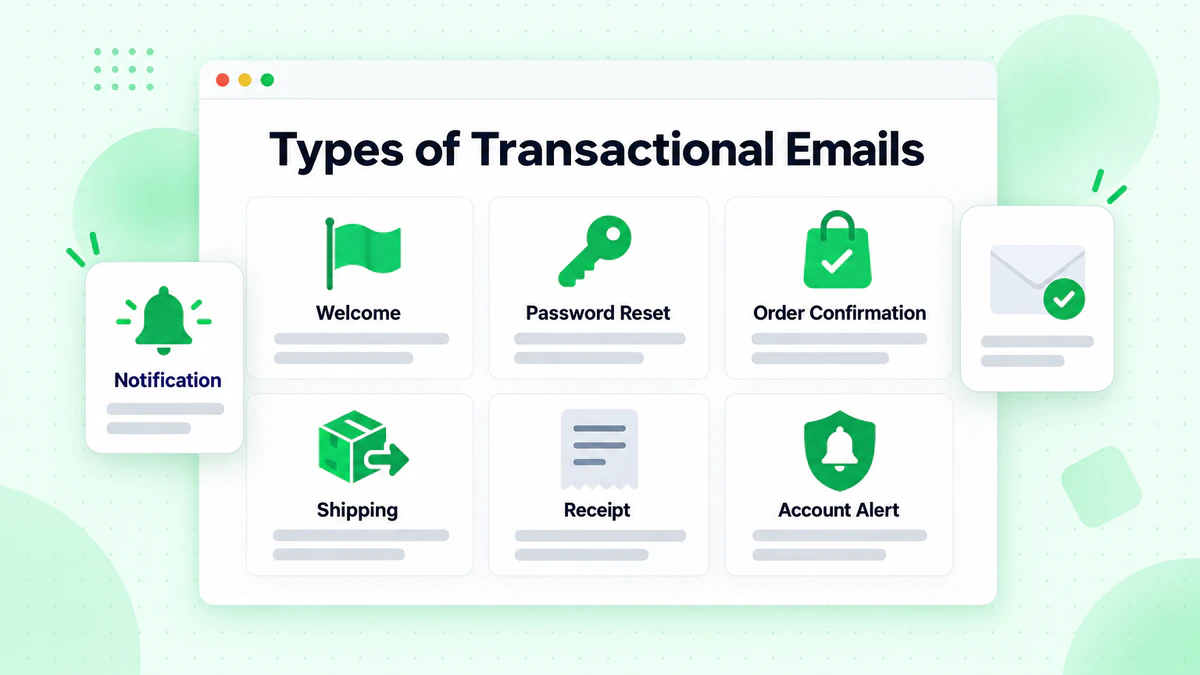
Types of Transactional Emails
Different transactional emails serve different purposes.
Account-Related Emails
Welcome Emails: Triggered when users create accounts.
Purpose: Confirm registration, set expectations, guide first steps.
Key Elements:
- Account confirmation
- Login credentials (if applicable)
- Getting started guide
- Key features overview
- Support contact information
Password Reset Emails: Triggered when users request password reset.
Purpose: Enable secure password recovery.
Key Elements:
- Clear reset instructions
- Secure, time-limited link
- Security reminder
- Support contact
- Didn't request? guidance
Account Update Emails: Triggered by changes to account information.
Purpose: Confirm changes, security notification.
Key Elements:
- What changed
- When it changed
- How to reverse if unauthorized
- Security contact information
E-commerce Emails
Order Confirmation: Triggered immediately after purchase.
Purpose: Confirm order received, provide details.
Key Elements:
- Order number
- Items purchased with images
- Pricing breakdown
- Shipping address
- Expected delivery
- Customer service contact
Shipping Confirmation: Triggered when order ships.
Purpose: Notify of shipment, enable tracking.
Key Elements:
- Tracking number and link
- Carrier information
- Expected delivery date
- Items shipping
- Delivery address confirmation
Delivery Confirmation: Triggered when order is delivered.
Purpose: Confirm receipt, next steps.
Key Elements:
- Delivery confirmation
- Getting started with product
- Review request
- Support contact
- Return policy reminder
Receipt/Invoice: Triggered after payment processing.
Purpose: Provide payment documentation.
Key Elements:
- Transaction details
- Payment method used
- Itemized charges
- Tax information
- Download/print option
Notification Emails
Activity Notifications: Triggered by actions in your platform.
Examples:
- New comment on post
- Someone followed you
- Task assigned
- Document shared
Alert Emails: Triggered by system events or thresholds.
Examples:
- Low inventory warning
- Usage limit approaching
- Security alert
- Subscription expiring
Reminder Emails: Triggered by time-based events.
Examples:
- Appointment reminder
- Subscription renewal
- Cart abandonment (borderline transactional)
- Event reminder
Optimizing Transactional Email Content
Make every transactional email work harder.
Subject Line Optimization
Be Clear and Specific:
- "Your Order #12345 Has Shipped"
- "Password Reset for BillionVerify"
- "Welcome to BillionVerify—Let's Get Started"
Include Key Information:
- Order numbers
- Company name
- Action taken
Avoid Spam Triggers:
- No excessive caps or punctuation
- Don't be misleading
- Keep promotional language minimal
Body Content Best Practices
Lead with Essential Information: Put the most important details first. Don't make users scroll to find what they need.
Order Confirmation Example Structure:
- Order confirmed message
- Order number (prominent)
- Items purchased (with images)
- Total and payment info
- Shipping address and timeline
- What happens next
- Contact support
Be Concise: Transactional emails should be efficient. Include what's needed, omit what isn't.
Use Visual Hierarchy:
- Important information larger/bolder
- Clear sections
- Easy scanning
Adding Value Without Being Spammy
The Balance: Transactional emails can include some marketing, but the primary purpose must remain transactional.
Acceptable Additions:
- Relevant product recommendations
- Educational content about their purchase
- Referral program mention
- Social media links
- Upcoming feature previews
Avoid:
- Making marketing the primary focus
- Excessive promotional content
- Unrelated offers
- Pushy sales messages
Ratio Guideline: Keep transactional content at least 80% of the email. Marketing elements should be subtle and relevant.
Design for Transactional Emails
Design principles specific to transactional messages.
Clarity Over Creativity
Priority: Information delivery, not visual impact.
Design Approach:
- Clean, simple layouts
- Clear typography
- Obvious organization
- Functional over fancy
Key Design Elements
Header:
- Logo for brand recognition
- Email type identification
- No navigation menus needed
Content Area:
- Key information prominent
- Logical information flow
- Clear data presentation
- Adequate white space
Footer:
- Support contact information
- Legal/compliance elements
- Social links (optional)
- Unsubscribe (if any marketing)
Mobile Optimization
Even More Critical for Transactional:
- Users often check on mobile
- May need information immediately
- Should work perfectly on all devices
Mobile Priorities:
- Single-column layout
- Large, readable text
- Touch-friendly buttons
- Fast loading
Receipt and Confirmation Design
Table Structure: Clear, organized presentation of line items.
Example Structure:
Item                    Qty    Price
-------------------------------------
Product Name             2     $25.00
  Size: Large
  Color: Blue

Subtotal                       $50.00
Shipping                        $5.00
Tax                             $4.50
-------------------------------------
Total                         $59.50
Visual Elements:
- Product images when possible
- Color coding for status
- Clear totals and breakdowns
Personalization in Transactional Emails
Make transactional emails feel personal.
Basic Personalization
Name Usage:
- "Hi Sarah" feels more personal
- Use in greeting and subject when appropriate
- Have fallback for missing data
Account-Specific Details:
- Account name or username
- Membership level
- Account age or history
Contextual Personalization
Based on the Transaction:
- Product-specific getting started tips
- Related product recommendations
- Category-specific content
Based on Customer History:
- Loyalty status acknowledgment
- Purchase history reference
- Personalized recommendations
Dynamic Content
Example Scenarios:
First-Time Buyer:
Welcome to BillionVerify! As a new customer, here's what
to expect next...
Repeat Customer:
Thanks for your continued trust! As a valued customer,
enjoy free shipping on your order...
High-Value Customer:
As one of our VIP customers, your order receives priority
processing...
Revenue Opportunities in Transactional Emails
Ethically monetize high-engagement emails. Learn more strategies in our email marketing guide.
Cross-Sell Recommendations
In Order Confirmation: "Customers who bought this also loved..."
Best Practices:
- Genuinely relevant recommendations
- Limited number (2-4 items)
- Clearly secondary to confirmation
- Easy to ignore
Upsell Opportunities
Upgrade Offers: In account-related emails, mention premium features.
Extended Warranty/Service: In order confirmations for applicable products.
Subscription Upgrades: In usage notifications when approaching limits.
Referral Program Integration
Post-Purchase: "Love your purchase? Share with friends and both get $10 off."
Account Milestone: "You've been with us for a year! Refer a friend to celebrate."
Placement: After primary transaction content, clearly marked as optional.
Review Requests
Delivery Confirmation: Perfect time to request reviews.
Timing: Wait 3-7 days after delivery for product reviews.
Make It Easy:
- One-click review initiation
- Direct link to review page
- Simple process
Technical Implementation
Getting transactional email infrastructure right.
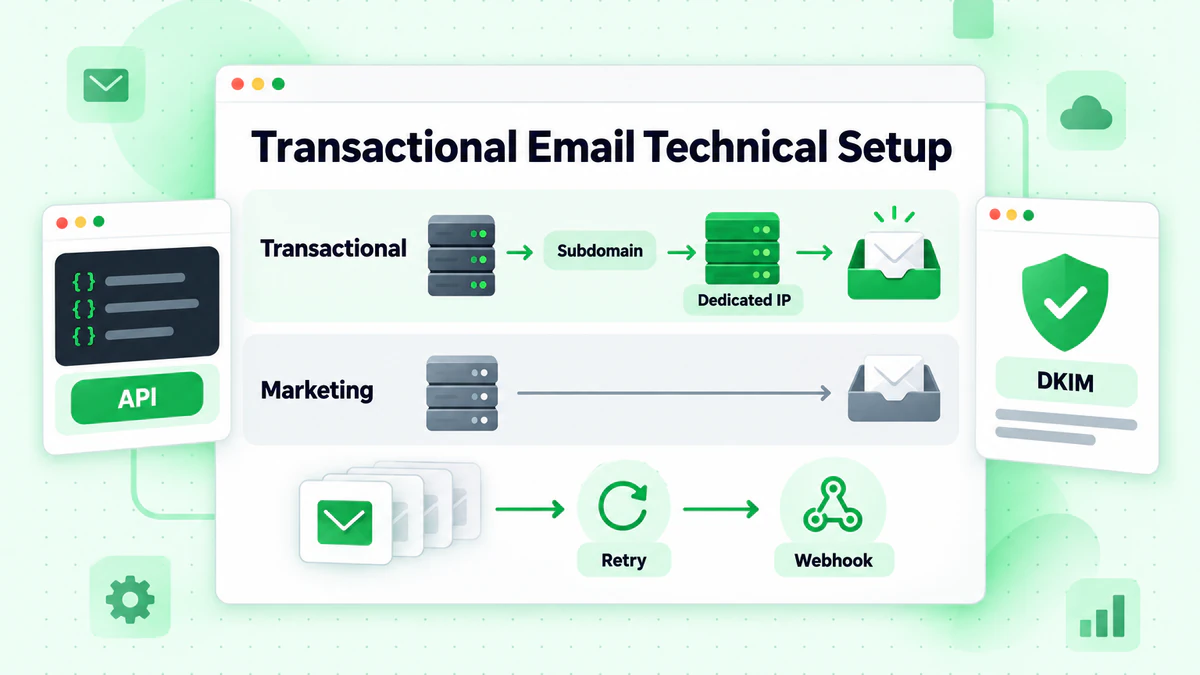
Delivery Infrastructure
Dedicated Sending:
- Separate transactional from marketing email
- Different IP addresses or subdomains
- Protects transactional reputation
Why Separate:
- Marketing campaigns may cause complaints
- Complaints can affect deliverability
- Transactional emails are too important to risk
Infrastructure Options:
- Dedicated transactional ESP (SendGrid, Mailgun, Amazon SES)
- Separate subaccount on main ESP
- Self-hosted with dedicated IPs
Speed and Reliability
Transactional Email Expectations:
- Order confirmation: Immediate (seconds)
- Password reset: Immediate
- Shipping notification: Same day
Ensuring Speed:
- Queue-based architecture
- High-priority processing
- Monitoring and alerts
- Redundant systems
Authentication
Review our email deliverability guide for detailed authentication setup.
Must Have:
Transactional-Specific:
- Consistent sending domain
- Proper domain alignment
- Dedicated authentication per sending type
Compliance Considerations
Transactional emails have different rules.
CAN-SPAM Treatment
Transactional Exemptions:
- No unsubscribe required (for purely transactional)
- No physical address required
- No ad identification required
But Must Still:
- Have accurate headers
- Not be deceptive
- Serve a legitimate transactional purpose
When Marketing Is Included: If marketing exceeds transactional purpose, full CAN-SPAM applies.
GDPR Considerations
Legitimate Interest: Transactional emails may be sent under legitimate interest (contract fulfillment) rather than consent.
Still Required:
- Data protection compliance
- Privacy notice coverage
- Security measures
- Retention policies
Keeping It Transactional
Stay Compliant By:
- Ensuring primary purpose is transactional
- Keeping marketing additions minimal
- Making marketing clearly secondary
- Allowing opt-out of marketing portions
Measuring Transactional Email Performance
Track what matters.
Key Metrics
Delivery Metrics:
- Delivery rate (should be 99%+)
- Bounce rate (investigate any issues)
- Time to delivery
Engagement Metrics:
- Open rate (benchmark: 40-50%)
- Click rate
- Click-through rate on specific elements
Business Metrics:
- Support ticket reduction
- Cross-sell conversion
- Review submission rate
- Referral program participation
What to Monitor
Real-Time:
- Delivery failures
- Delivery delays
- Error spikes
Daily:
- Overall delivery metrics
- Engagement trends
- Error patterns
Weekly/Monthly:
- Performance by email type
- A/B test results
- Revenue attribution
A/B Testing Transactional Emails
What to Test:
- Subject line variations
- Content order and emphasis
- CTA placement and design
- Cross-sell recommendation algorithms
- Timing (for follow-up emails)
Testing Challenges:
- Can't randomly delay critical emails
- Must maintain transactional function
- Sample sizes may be smaller
Approach:
- Test non-critical elements
- Ensure both variants serve transaction
- Longer test periods for significance
Common Transactional Email Mistakes
Avoid these pitfalls.
Mistake 1: Treating Them as Afterthoughts
Problem: Generic, poorly designed transactional emails. Fix: Invest design and strategy attention equal to marketing emails.
Mistake 2: Over-Marketing
Problem: Transactional email becomes mainly promotional. Fix: Keep marketing secondary, maintain transactional focus.
Mistake 3: Missing Information
Problem: Users can't find what they need. Fix: Include all relevant details prominently.
Mistake 4: Slow Delivery
Problem: Delays undermine trust and user experience. Fix: Optimize infrastructure for speed.
Mistake 5: No Mobile Optimization
Problem: Unreadable on phones when users need them most. Fix: Mobile-first design approach.
Mistake 6: Poor Error Handling
Problem: Users don't know when emails fail. Fix: Fallback notifications, retry logic, user communication.
Transactional Email Checklist
Before Launch
- [ ] Clear transactional purpose
- [ ] All necessary information included
- [ ] Accurate sender identification
- [ ] Mobile-friendly design
- [ ] Fast, reliable delivery
- [ ] Error handling configured
- [ ] Authentication in place
Content Review
- [ ] Essential info prominent
- [ ] Clear next steps
- [ ] Contact information included
- [ ] Marketing elements secondary
- [ ] Personalization working
- [ ] Links functional
Technical Verification
- [ ] Triggers working correctly
- [ ] Delivery speed acceptable
- [ ] Fallbacks configured
- [ ] Tracking implemented
- [ ] Errors logged
Data Quality for Transactional Emails
Invalid emails affect transactional delivery.
Why Verification Matters
Transactional Email Failure Is Worse:
- User expects the email
- Missing it causes real problems
- May trigger support contacts
- Damages trust significantly
Common Scenarios:
- User types email wrong at signup
- Invalid email blocks account creation
- Order confirmation never arrives
- Password reset fails
Real-Time Verification
At Account Creation: Verify email before creating account with real-time email verification. Prevent problems before they start.
At Checkout: Verify email before completing purchase. Ensure confirmation can be delivered.
Benefits:
- User can correct typos immediately
- Prevents bounced transactional emails
- Reduces support inquiries
- Improves customer experience
Learn more in our email verification best practices guide.
Conclusion
Transactional emails are too valuable to ignore. With open rates double or triple marketing emails, they represent your best opportunity to communicate with customers. By optimizing content, design, and delivery while thoughtfully adding value, you turn functional emails into relationship-building, revenue-generating assets.
Remember these key principles:
- Function first: Never compromise the transactional purpose
- Speed matters: Delays damage trust and experience
- Design counts: These emails represent your brand
- Personalize thoughtfully: Make every email feel intentional
- Measure and improve: Track performance and optimize
Transactional email optimization starts with deliverability. Invalid emails mean failed transactions and frustrated customers.
Ready to ensure every transactional email reaches its recipient? Start with BillionVerify to verify emails at signup and checkout, preventing delivery failures before they happen.