



When emails don't reach the inbox, the causes aren't always obvious. Deliverability problems can stem from technical issues, reputation damage, content triggers, or list quality problems. This troubleshooting guide helps you systematically diagnose issues and implement effective fixes.
Understanding Deliverability Problems
Recognizing when something's wrong.
Warning Signs
Metric-Based Signals:
- Open rates dropping suddenly
- Open rates declining gradually over time
- Bounce rates increasing
- Complaint rates rising
- Click rates falling without content changes
Feedback Signals:
- Customers saying they didn't receive emails
- Emails found in spam folders
- Support tickets about missing communications
- Delivery confirmation without engagement
Technical Signals:
- Bounce messages increasing
- Blocklist notifications
- Authentication failures in logs
- ISP feedback loop complaints
Establishing Baselines
Know Your Normal: Before troubleshooting, know what normal looks like:
- Typical open rate range
- Expected bounce rate
- Normal complaint rate
- Usual delivery times
Deviation Detection: Problems are changes from baseline:
- 20%+ drop in open rates = investigate
- Bounce rate over 2% = concern
- Complaint rate over 0.1% = urgent
Diagnostic Framework
Systematic approach to finding problems.
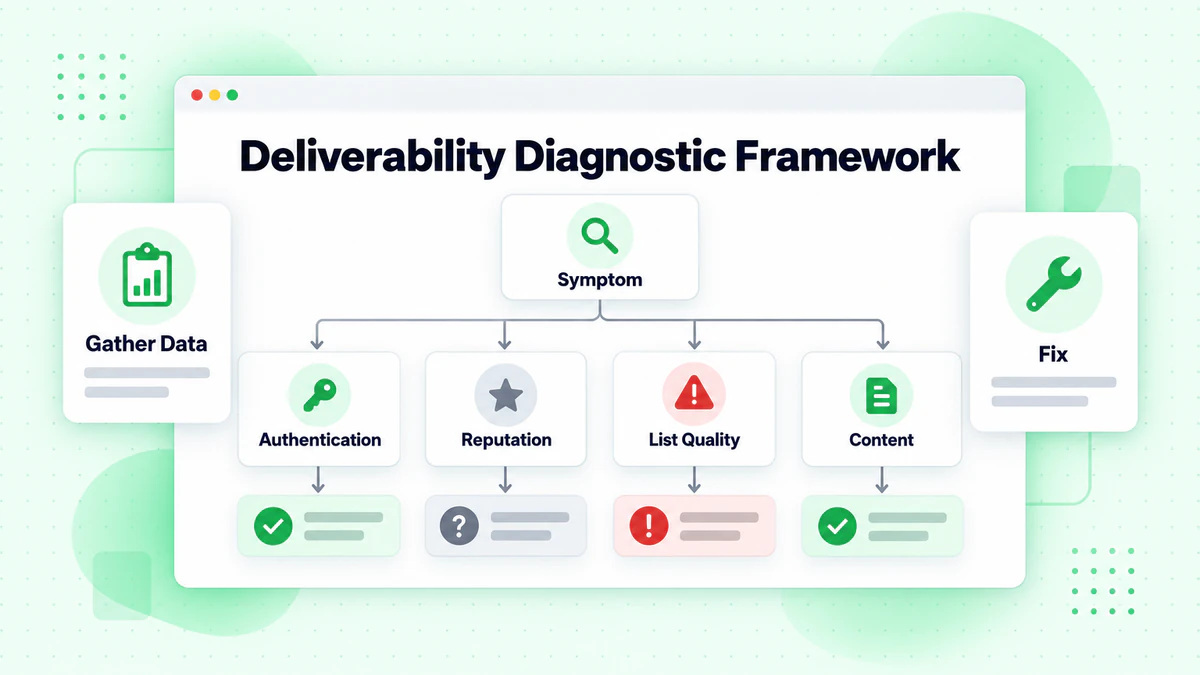
Step 1: Gather Data
Collect Information:
- Current metrics (opens, clicks, bounces, complaints)
- Historical comparison (week over week, month over month)
- Affected campaigns (all or specific)
- Affected segments (all or specific)
- Affected ISPs (Gmail, Outlook, Yahoo, etc.)
Questions to Answer:
- When did the problem start?
- What changed around that time?
- Is it affecting all emails or some?
- Is it affecting all recipients or segments?
- Is it affecting all ISPs or specific ones?
Step 2: Categorize the Problem
Problem Categories:
| Category | Symptoms | Common Causes |
|---|---|---|
| Authentication | Bounces, spam folder | SPF/DKIM/DMARC issues |
| Reputation | Gradual decline, specific ISPs | Complaints, bounces, engagement |
| List Quality | High bounces, low engagement | Invalid addresses, old data |
| Content | Spam folder, specific campaigns | Trigger words, formatting |
| Technical | Complete failures, errors | Server issues, configuration |
Step 3: Isolate Variables
Testing Approach:
- Send to small test segment
- Try different content
- Test different sending times
- Check specific ISPs separately
- Verify technical setup
Authentication Problems
When technical setup fails.
Diagnosing Authentication Issues
Check SPF:
Tools: MXToolbox, Google Admin Toolbox
What to look for:
- SPF record exists
- All sending IPs included
- Not exceeding 10 DNS lookups
- Pass status in headers
SPF Problems and Fixes:
| Problem | Symptom | Fix |
|---|---|---|
| No SPF record | Bounces, spam folder | Create SPF record in DNS |
| Missing IPs | Some emails fail | Add all sending sources |
| Too many lookups | Random failures | Flatten SPF record |
| Syntax error | All emails fail | Correct DNS syntax |
Check DKIM:
Tools: MXToolbox, mail-tester.com
What to look for:
- DKIM signature present
- Signature validates
- Key published in DNS
- Alignment with From domain
DKIM Problems and Fixes:
| Problem | Symptom | Fix |
|---|---|---|
| No DKIM | Higher spam placement | Configure DKIM signing |
| Invalid signature | Failures | Check key matches, regenerate |
| Key not published | Validation fails | Add DNS record correctly |
| Alignment issue | DMARC failures | Ensure d= matches From domain |
Check DMARC:
Tools: MXToolbox, DMARC Analyzer
What to look for:
- Record published
- Policy setting
- Reporting configured
- Alignment passing
DMARC Problems and Fixes:
| Problem | Symptom | Fix |
|---|---|---|
| No DMARC | Reduced trust | Add DMARC record |
| p=none indefinitely | Limited benefit | Progress to quarantine/reject |
| Alignment fails | DMARC fails | Fix SPF/DKIM alignment |
| Too strict too fast | Legitimate mail rejected | Start with p=none, monitor |
Authentication Testing Process
Step-by-Step:
- Send test email to mail-tester.com
- Review authentication results
- Check raw headers in received email
- Use MXToolbox to verify DNS records
- Fix identified issues
- Retest
Reputation Problems
When ISPs don't trust you.
Diagnosing Reputation Issues
Check Sending Reputation:
Google Postmaster Tools:
- Domain reputation (High, Medium, Low, Bad)
- IP reputation
- Spam rate
- Authentication rates
Microsoft SNDS:
- IP status
- Complaint rate
- Trap hits
- Filter results
Third-Party Tools:
- Sender Score (Validity)
- Talos Intelligence (Cisco)
- BarracudaCentral
Reputation Indicators:
| Signal | Good | Concerning | Bad |
|---|---|---|---|
| Complaint Rate | <0.05% | 0.05-0.1% | >0.1% |
| Bounce Rate | <1% | 1-2% | >2% |
| Spam Trap Hits | 0 | Any | Multiple |
| Blocklist Status | None | 1-2 minor | Major lists |
Common Reputation Issues
Issue: Sudden Reputation Drop
Possible Causes:
- Spam trap hit
- Complaint spike
- Large bounce event
- Blocklist listing
Diagnostic Steps:
- Check for recent blocklist additions
- Review complaint rates in feedback loops
- Analyze recent bounce patterns
- Look for changes in sending patterns
Fixes:
- Pause sends to affected domain
- Clean list aggressively
- Request blocklist removal
- Gradually rebuild sending
Issue: Gradual Reputation Decline
Possible Causes:
- Declining engagement
- List aging without cleaning
- Increasing complaints
- Sending volume changes
Diagnostic Steps:
- Chart engagement over time
- Analyze list age distribution
- Review complaint trends
- Compare volume to engagement
Fixes:
- Re-engage or remove inactive subscribers
- Implement regular list hygiene
- Reduce frequency to unengaged
- Adjust content strategy
Blocklist Issues
Identifying Blocklist Problems:
Check: MXToolbox Blocklist Check
Enter: Your sending IP or domain
Review: All major blocklists
Major Blocklists:
- Spamhaus (most important)
- Barracuda
- SORBS
- SpamCop
- UCEProtect
Blocklist Removal Process:
- Identify the blocklist
- Find their removal process
- Fix the underlying issue first
- Submit removal request
- Monitor for re-listing
Spamhaus Removal:
- Self-service for most listings
- Requires identifying and fixing cause
- CSS/CBL require specific actions
- SBL may require direct contact
List Quality Problems
When your data is the issue.
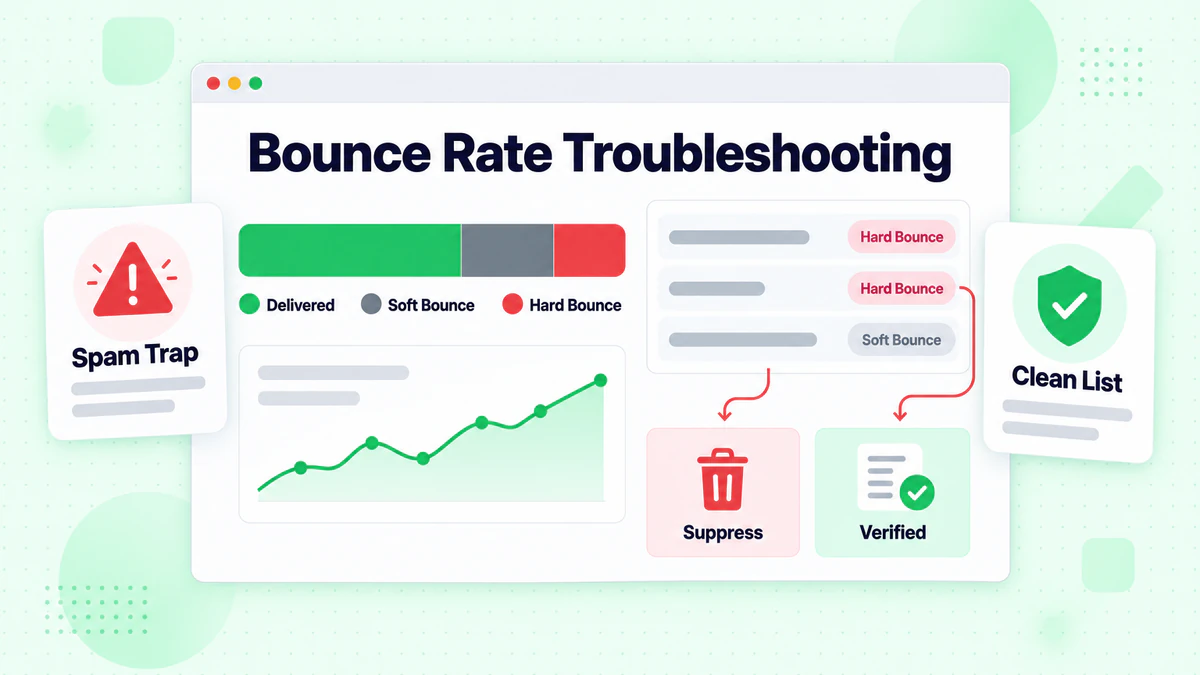
Diagnosing List Problems
High Bounce Rates:
Types of Bounces:
- Hard bounces: Address doesn't exist
- Soft bounces: Temporary delivery issues
- Block bounces: Rejected by server
Analysis:
Group bounces by:
- Type (hard vs. soft)
- Domain
- List segment
- Acquisition source
Common Patterns:
| Pattern | Likely Cause | Fix |
|---|---|---|
| High hard bounces across all | Old/unverified list | Verify entire list |
| High bounces from one source | Bad acquisition channel | Review/eliminate source |
| Increasing soft bounces | Reputation declining | Address reputation issues |
| Domain-specific bounces | Blocklist or throttling | Check that domain specifically |
Low Engagement:
Symptoms:
- Open rates well below industry benchmarks
- Click rates minimal
- No replies or interactions
- Conversions from email near zero
Causes:
- Unengaged subscribers
- Poor inbox placement
- Irrelevant content
- Wrong audience
Diagnostic:
- Segment by engagement level
- Check placement (use seed testing)
- Survey subscribers
- Review content relevance
List Cleaning Process
Immediate Actions:
- Remove all hard bounces
- Remove repeated soft bounces
- Remove obvious invalid formats
- Remove role addresses (info@, admin@)
Verification:
- Run entire list through verification service
- Remove invalid, risky, and unknown addresses
- Keep only verified deliverable addresses
Ongoing:
- Verify emails at point of capture
- Regular re-verification (quarterly)
- Remove long-term unengaged
- Monitor ongoing metrics
Content Problems
When content triggers filters.
Diagnosing Content Issues
Signs of Content Problems:
- Specific emails go to spam, others don't
- Same list, different results by content
- A/B tests show content-based differences
- No authentication or reputation issues
Content Analysis:
- Run email through spam checker (mail-tester.com)
- Check SpamAssassin score
- Review trigger word presence
- Analyze HTML/text ratio
- Check links and domains
Common Content Triggers
Words and Phrases:
- "FREE!!!" (excessive caps/punctuation)
- "Act now"
- "Limited time"
- "Click here"
- "Congratulations"
- "Winner"
Note: Context matters more than individual words. Natural use is usually fine; excessive or manipulative use triggers filters.
Formatting Issues:
- Too many images, too little text
- All caps text
- Excessive punctuation (!!!)
- Large number of links
- Bright red text
- Tiny text (hidden content)
Technical Issues:
- Broken HTML
- Missing text version
- Too large file size
- Suspicious attachments
- Redirecting links
Content Fixes
Subject Lines:
- Avoid spam trigger words
- Don't use ALL CAPS
- Limit punctuation
- Keep reasonable length
- Be honest about content
Email Body:
- Balance images and text
- Use clean HTML
- Include text version
- Minimize links
- Use reputable link domains
Testing:
- Always test before sending
- Use spam checker tools
- Check multiple ISPs
- A/B test variations
Technical Problems
When infrastructure fails.
Server and Configuration Issues
Sending Server Problems:
- Server blacklisted
- Incorrect configuration
- SSL/TLS issues
- Rate limiting
Diagnostic Commands:
# Check MX records
dig MX example.com

# Check SPF
dig TXT example.com

# Check DKIM
dig TXT selector._domainkey.example.com

# Test SMTP connection
telnet mail.example.com 25
ESP Issues:
- Platform deliverability problems
- Shared IP reputation
- Configuration errors
- Account issues
DNS Problems
Common DNS Issues:
- Records not propagated
- Incorrect syntax
- Missing records
- Conflicting records
DNS Troubleshooting:
1. Check DNS propagation (whatsmydns.net)
2. Verify record syntax
3. Test with multiple DNS servers
4. Compare expected vs. actual values
Rate Limiting and Throttling
Symptoms:
- Emails delivered slowly
- Some bounces with "too many connections"
- Inconsistent delivery times
Causes:
- Sending too fast
- Sending too much volume
- New IP/domain not warmed
- ISP-specific limits
Fixes:
- Reduce sending rate
- Spread sends over time
- Warm up new IPs/domains properly
- Respect ISP guidelines
ISP-Specific Problems
When issues affect certain mailbox providers.
Gmail Issues
Diagnostic:
- Google Postmaster Tools required
- Check domain and IP reputation
- Review spam rate
Common Gmail Problems:
| Issue | Cause | Fix |
|---|---|---|
| Promotions tab | Commercial content | More personal content |
| Spam folder | Low engagement, reputation | Improve engagement, authenticate |
| Slow delivery | Throttling | Reduce rate, improve reputation |
| Bounces | Policy blocks | Check Google guidelines |
Gmail Best Practices:
- Use Google Postmaster Tools
- Maintain engagement
- Authenticate properly
- Follow Sender Guidelines
- Enable one-click unsubscribe
Microsoft (Outlook.com, Hotmail) Issues
Diagnostic:
- Microsoft SNDS
- Junk Mail Reporting Program (JMRP)
Common Microsoft Problems:
| Issue | Cause | Fix |
|---|---|---|
| Junk folder | Low reputation | Build engagement, request review |
| Blocks | Policy violation | Contact postmaster |
| Slow delivery | Throttling | Reduce volume, improve metrics |
Microsoft Best Practices:
- Register with SNDS
- Join JMRP feedback loop
- Follow Microsoft guidelines
- Contact postmaster for issues
Yahoo Issues
Diagnostic:
- Yahoo Postmaster
- Feedback loop data
Common Yahoo Problems:
- Aggressive filtering
- Reputation sensitivity
- Rate limiting
Yahoo Best Practices:
- Register with Yahoo Postmaster
- Implement feedback loop
- Maintain low complaint rates
- Follow Yahoo guidelines
Troubleshooting Workflow
Systematic approach to solving problems.
Step-by-Step Process
Step 1: Identify the Problem
- What metric is affected?
- When did it start?
- How severe is it?
- Who/what is affected?
Step 2: Gather Evidence
- Pull relevant metrics
- Check authentication tools
- Review reputation dashboards
- Analyze bounce messages
- Test current emails
Step 3: Form Hypothesis
Based on evidence, the most likely cause is:
[ ] Authentication issue
[ ] Reputation problem
[ ] List quality issue
[ ] Content trigger
[ ] Technical failure
Step 4: Test Hypothesis
- Isolate the variable
- Run controlled test
- Compare results
- Confirm or revise hypothesis
Step 5: Implement Fix
- Apply targeted solution
- Monitor for improvement
- Document changes
- Set up prevention
Step 6: Verify Resolution
- Metrics returning to baseline?
- Issue no longer occurring?
- No new problems created?
- Prevention in place?
Decision Tree
Low Open Rates?
├── Check authentication → Failing? → Fix auth
├── Check reputation → Low? → Improve reputation
├── Check deliverability → Landing in spam? → Address spam triggers
└── Check content → Poor subject lines? → Improve subject lines

High Bounces?
├── Mostly hard bounces? → Verify and clean list
├── Specific domains? → Check blocklists
├── Recent list change? → Review new data source
└── Sudden increase? → Check for technical issues

High Complaints?
├── Content complaints? → Review content value
├── Frequency complaints? → Reduce frequency
├── Unknown sender? → Improve from name recognition
└── Permission issues? → Review consent practices
Prevention Strategies
Stopping problems before they start.
Monitoring Systems
Set Up Alerts For:
- Open rate drops >20%
- Bounce rate exceeds 2%
- Complaint rate exceeds 0.1%
- Blocklist additions
- Authentication failures
Regular Checks:
- Daily: Delivery metrics
- Weekly: Reputation dashboards
- Monthly: Full deliverability audit
- Quarterly: List verification
Best Practices
Authentication:
- Implement SPF, DKIM, DMARC
- Monitor authentication reports
- Update records when adding senders
- Progress DMARC to p=reject
Reputation:
- Maintain low complaint rates
- Keep bounce rates minimal
- Monitor and respond to feedback
- Warm up new IPs/domains
List Quality:
- Verify at capture
- Clean regularly
- Remove unengaged
- Maintain consent records
Content:
- Test before sending
- Use spam checkers
- Follow best practices
- Monitor performance
Troubleshooting Checklist
Initial Assessment
- [ ] Identified specific metrics affected
- [ ] Determined when problem started
- [ ] Identified scope (all emails or specific)
- [ ] Gathered baseline comparisons
Authentication Check
- [ ] SPF record valid and passing
- [ ] DKIM configured and passing
- [ ] DMARC published and aligned
- [ ] No authentication errors in logs
Reputation Check
- [ ] Google Postmaster reviewed
- [ ] Microsoft SNDS reviewed
- [ ] Blocklist status checked
- [ ] Sender Score checked
- [ ] Complaint rates acceptable
List Quality Check
- [ ] Bounce rate under 2%
- [ ] Hard bounces removed
- [ ] List recently verified
- [ ] Engagement rates healthy
Content Check
- [ ] Spam score acceptable
- [ ] No obvious triggers
- [ ] HTML clean and valid
- [ ] Links working and reputable
Technical Check
- [ ] Server properly configured
- [ ] DNS records correct
- [ ] No infrastructure issues
- [ ] ESP status verified
Data Quality as Prevention
Why verification prevents problems.
The Root Cause Issue
Many Deliverability Problems Start With:
- Invalid addresses on list
- Spam traps from old data
- High bounce rates
- Degraded engagement metrics
Verification Prevents:
- Bounce-related reputation damage
- Spam trap hits
- Wasted sends
- Skewed metrics
Verification Strategy
At Capture: Verify every email before it enters your list using our email checker.
Regular Cleaning: Re-verify entire list quarterly with bulk verification.
Before Major Campaigns: Verify list before high-stakes sends.
Post-Issue: After any deliverability problem, verify and clean immediately.
Conclusion
Deliverability troubleshooting requires systematic diagnosis before applying fixes. Understanding the category of problem—authentication, reputation, list quality, content, or technical—guides you to the right solution.
Key troubleshooting principles:
- Gather data first: Know what's actually happening before guessing
- Categorize the problem: Different issues require different fixes
- Test hypotheses: Verify your diagnosis before major changes
- Fix systematically: Address root causes, not just symptoms
- Prevent recurrence: Build systems to catch problems early
Most deliverability problems trace back to list quality. Invalid addresses cause bounces, hurt reputation, and trigger defensive filters. Following email list hygiene best practices prevents most deliverability issues.
Implement real-time email verification to stop problems before they start, and use bulk verification for regular list cleaning. Combine troubleshooting with our email deliverability guide and bounce rate reduction strategies. Ready to prevent deliverability problems at the source? Start with BillionVerify to verify your email list and maintain inbox placement.