


A drip campaign is a series of pre-written emails that a platform sends automatically, spaced out after a trigger such as a signup, a purchase or a stretch of silence. Each email waits a set delay behind the previous email. The series ends when the person reaches a goal, unsubscribes or runs out of steps. A newsletter goes to a whole audience on a calendar date, while a drip runs on each subscriber's own clock.
This guide explains how the major email platforms describe an email drip campaign, what the controls are called in each, and which sender rules apply once a sequence is live. It also folds in our earlier posts on the welcome email series, lead nurturing and re-engagement, and keeps only what vendors, regulators and mailbox providers document. Every rule below was read on the publisher's own page in November 2026. We have no connection with Klaviyo, Mailchimp, HubSpot, Kit, Google, Yahoo or any other company named here, and vendors change plans and menus often, so confirm a setting on its page before you build on it. BillionVerify is an email verification service, and the last section shows where address checking fits before a sequence starts.
Key facts (checked November 2026):
- Klaviyo's flow primer describes flows as "also known as automations or drip campaigns" and says steps placed back to back without a time delay all happen at the same moment.
- Klaviyo's welcome series guide recommends 3 emails over roughly a week: the opener immediately, a second after 3 days and a third 4 days later.
- Kit's Email Sequences article says subscribers added through a Visual Automation leave the sequence at its end, unless a setting keeps them in.
- Google's email sender guidelines require one-click unsubscribe in marketing mail from anyone who sends over 5,000 messages daily to Gmail, and ask senders to hold the spam rate under 0.10%.
- The FTC's CAN-SPAM guide requires an opt-out to be honored within 10 business days and lists penalties of up to $53,088 for each violating email.
Drip Campaign Definition: One Idea, Many Product Names
Platforms rarely put the words drip campaign in their menus. Klaviyo calls the unit a flow, defined as a sequence of automated actions started by a behavior or event, such as subscribing or starting checkout. Mailchimp names it a marketing automation flow, a route of triggers, rules and actions that each contact follows. HubSpot calls the marketing version a workflow and keeps the word sequence for personal sales outreach. Kit uses Email Sequence for a self-contained set of emails and Visual Automation for the logic that puts subscribers into it.
The table compares how each platform describes the same four controls. Each cell is paraphrased from the pages linked in the next paragraphs.
| Platform | What starts it | How emails are paced | How a person leaves |
|---|---|---|---|
| Klaviyo flow | Trigger on a list, a segment, a tracked event or a date | Time delay of any length | Profile filters, rechecked before each send |
| Mailchimp automation flow | Trigger like a signup, tag, date, purchase or abandoned cart | Time delay and wait-for-trigger rules | Exit conditions |
| HubSpot workflow | Enrollment triggers, or manual enrollment | Delay actions by time, day, date or event | Unenrollment criteria |
| Kit Email Sequence | A Visual Automation entry point, such as a form or tag | Wait behind the earlier email, plus allowed send days | End of the sequence, by default |
The difference from a newsletter is timing. Kit puts it plainly: Broadcasts are single emails sent at a specific date and time, while every sequence email is scheduled from the moment that subscriber joined. A drip email series is also not a sales sequence. HubSpot's sequences deliver personal sales emails through a connected work address instead of its marketing servers, and they unenroll a contact automatically when that person replies or books a meeting. A marketing drip ignores replies unless you build that rule yourself. Our guide to email automation covers the wider system around a sequence, and this guide stays with the sequence itself.
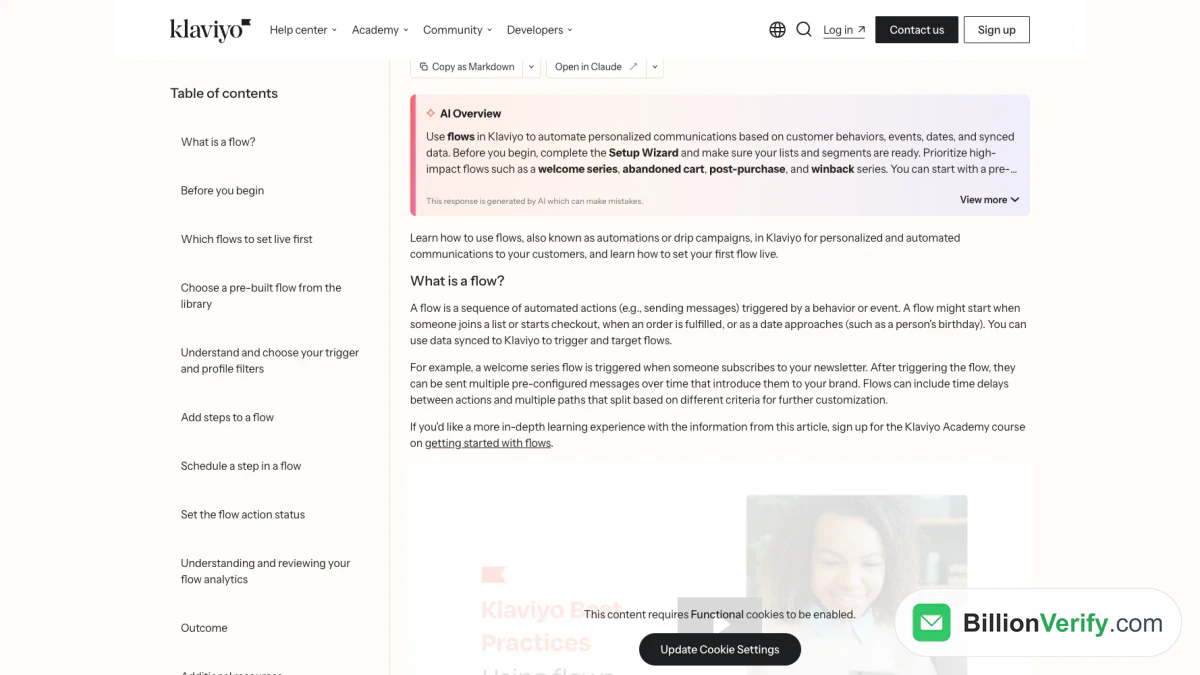
Screenshot: the top of the Klaviyo primer on flows, where a flow is called an automation or a drip campaign, captured in November 2026.
How a Drip Campaign Works
Every platform builds an email sequence from four parts, and most mistakes come from skipping a part. A trigger decides who enters. Delays space the emails apart. Conditions send people down different paths. Exit rules decide when someone stops receiving the series. The subsections take them in order.
Triggers decide who starts
Klaviyo supports six trigger types: list, segment, metric, date property, price drop and low inventory. A welcome email series uses a list trigger, and a cart reminder uses a metric trigger because it reacts to a shopper's action. Mailchimp's trigger reference covers signing up, tag added, joining an audience group, viewing a page, a date such as a birthday, and shopping activity such as abandoning a cart. Kit allows up to five entry points on a Visual Automation, among them joining a form, a tag, a custom field change and a purchase.
A limit catches almost every team at launch. Mailchimp's automation overview says triggers apply only to actions or events that happen after the automation is activated. People who signed up last year do not enter a signup-triggered automation on their own. If they should receive the series, add them deliberately, and check consent first, because mail to an old audience is the fastest way to collect spam complaints.
Delays set the rhythm
A delay is the wait between two steps, and without it the steps run together. Klaviyo accepts any number of minutes, hours or days. For a welcome email series it advises a gap of 24 hours or longer between the opener and the second send, so the opener has time to be read. A wait of days counts 24-hour periods, but a wait that also names a clock time counts calendar dates, so an email scheduled for 3 p.m. keeps landing at 3 p.m. Changing a delay does not move emails that are already scheduled, only the ones scheduled afterward.
Kit builds its pacing around send days. Each email can wait a number of hours or days, and an email sequence can be limited to weekdays. A wait counted in hours ignores the weekday limit and goes out when the wait ends. Kit's system checks for new hour-based sends every 15 minutes, so a send is never exact to the minute. HubSpot's workflow actions offer delays for a set time, until a date, until a weekday or a chosen hour, and until an event occurs, while its sequences accept waits of up to 90 business days. Mailchimp's own example pairs the trigger signs up with the rule delay for 1 week and the action send email.
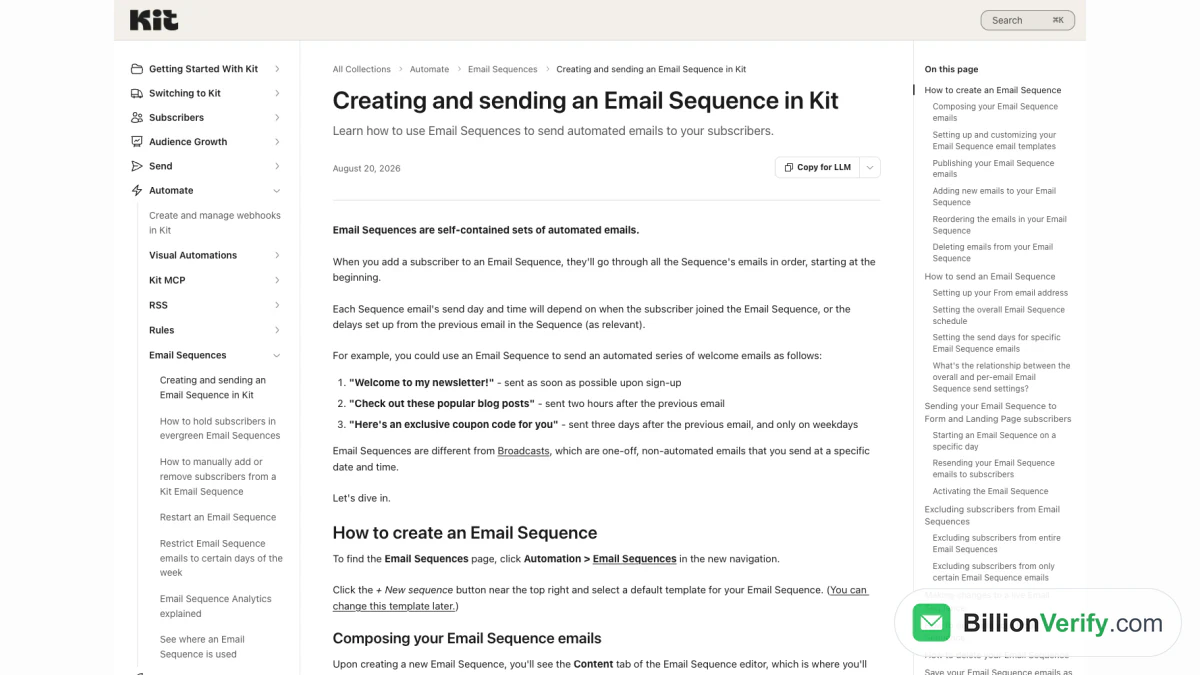
Screenshot: the Kit article on creating and sending an Email Sequence, with a three-email welcome example and its send timing, taken in Nov 2026.
Branches and conditions
A condition lets a single sequence serve people in different situations. Klaviyo's multi-branch splits route recipients into as many as 20 paths, using profile data and, in metric-triggered flows, details of the event that started it. Mailchimp offers a conditional split with up to five conditions, a percentage split that divides contacts between two paths, and a wait-for-trigger rule that holds a contact until they meet a condition. HubSpot calls the same feature branches, and Kit calls it conditions.
Use branches sparingly. Each path needs its own emails to write, test and keep current, and a branch that sends 2% of contacts down a side will never collect enough data to judge. A good starter branch has an obvious business reason, such as customers versus leads or people who already bought the product being promoted. A condition on opened versus not opened deserves a warning of its own, which the measurement section explains.
Exits and re-entry
An exit rule is the part of a sequence that people forget, and recipients are the ones who notice. Mailchimp defines an exit condition as an event or action that removes a contact from a flow. Klaviyo does the job with profile filters: it rechecks them before each email and skips anyone who no longer qualifies, for example a filter such as Placed Order zero times since starting this flow. Klaviyo's cart article uses exactly that pattern so a shopper who buys stops receiving reminders.
Re-entry has a default in every platform, and the defaults differ. In Klaviyo, a person can only receive emails from a list-triggered flow once, so someone who unsubscribes and later rejoins does not get the welcome email series again. HubSpot's re-enrollment article says records enroll only the first time by default, and a re-enrolled record starts the workflow from the beginning. Kit lets a subscriber who finished a sequence go through it again only if you enable restarts, and then they begin at the opener. Decide on paper what should end the series and whether returning people start over, then set the platform to match.
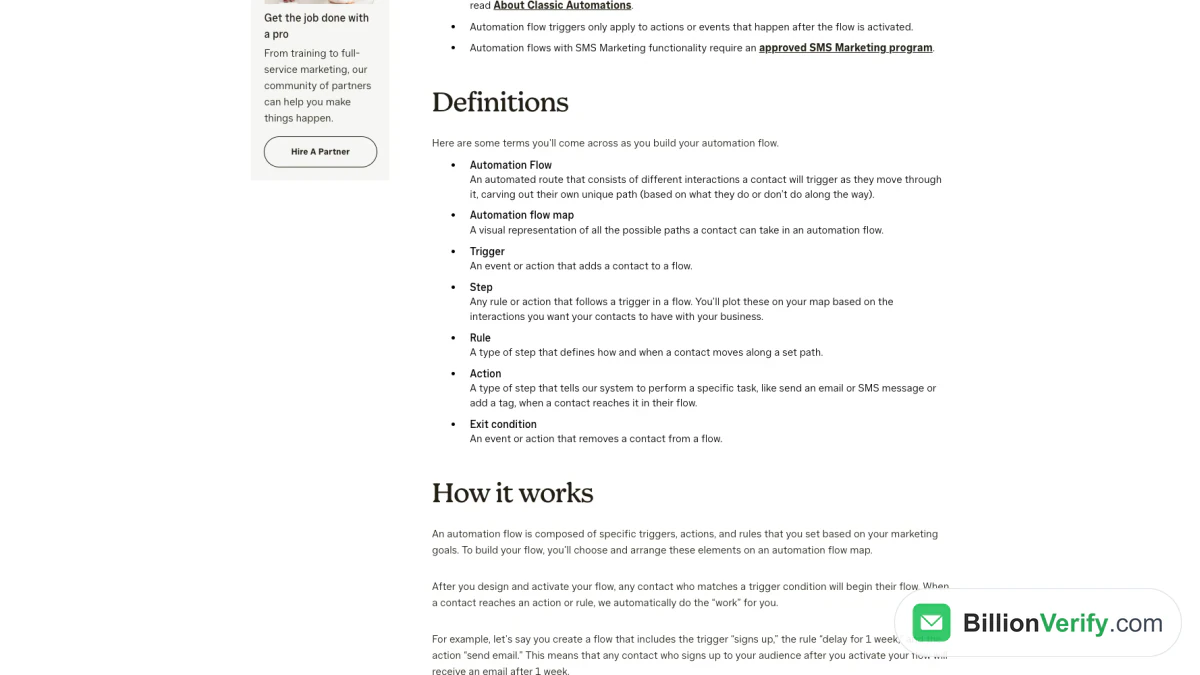
Screenshot: Mailchimp's overview of marketing automation flows, with its glossary entries for trigger, rule, action and exit condition, as of Nov 2026.
Email Drip Campaign Examples by Goal
The same four parts produce very different sequences, shaped by the goal. These drip campaign examples start from cadences the vendors publish and say plainly where a schedule is only our illustration. None is a benchmark, because no platform publishes a universal best length or best delay.
Welcome email series
The welcome email series is the drip most senders build first, and it starts when someone joins an audience. Klaviyo describes the moment right after signup as the best chance to introduce a new, interested subscriber. Its pre-built flow contains the three emails in the table, and the vendor says each audience is different, so you should test the timing with A/B branches.
| Timing in Klaviyo's default series | Job | |
|---|---|---|
| Opener | Immediately after the trigger | Introduce the brand and collect preferences |
| Second | Day 3 after sign-up | Invite subscribers to follow on social media |
| Third | Day 7, about a week from sign-up | Showcase best-selling products |
Kit's article gives a different shape for the same goal: a greeting as soon as possible, popular posts two hours later, and a coupon three days after that, sent on weekdays only. Both patterns are short and front-loaded. Klaviyo also advises keeping the SMS version apart from the email version, because people opt in to each channel separately and a welcome email series admits a person just once.
Importing is the setup step that goes wrong most often. Klaviyo warns that if the welcome email series is live while you import contacts, everyone in the file is scheduled for the opener, even someone who subscribed months ago. Its fix is to switch the flow to manual status before the import and send the older contacts an email deliberately afterward. Klaviyo also makes every audience double opt-in by default, to protect deliverability and make sure contacts have a working address, and it recommends leaving that setting on for the main audience.
Lead nurturing email tracks
A lead nurturing email sequence educates a lead who is not ready to talk to sales. In HubSpot terms it is a workflow that sends marketing emails, with enrollment based on an action such as a form submission, and it should end when a salesperson takes over. HubSpot's sequences help here, because a contact who answers or schedules a meeting leaves automatically, and a workflow can enroll people into a sequence when they meet set criteria. The simplest design is a marketing drip that ends at a clear signal, then a person who writes the next email.
The table is our illustration of a five-step lead nurturing email path, not data from any vendor. Treat the delays as starting points to test.
| Step | Sends on | Purpose | Leaves the track when |
|---|---|---|---|
| 1 | Day 0 | Deliver the resource the lead asked for | Unsubscribed |
| 2 | Day 2 | Explain the problem the resource addresses | Replied or booked a call |
| 3 | Day 5 | Show how a customer solved it | Booked a demo or asked for pricing |
| 4 | Day 9 | Compare the options neutrally | Visited the pricing page |
| 5 | Day 13 | Invite a conversation | Any reply, or the final step is sent |
A B2B lead often arrives with nothing but an address. A reverse email lookup can show the company domain and mail routing behind a work address, which helps you choose the right track ahead of the opener. The phone side works the same way when you add SMS: a phone number validator confirms that a number fits its country's numbering plan and returns it in E.164 format, so the SMS step does not begin with a malformed number.
Onboarding
An onboarding drip email campaign begins with an account event, not an audience join, so it needs a trigger that watches your product or store. In Klaviyo that is usually a metric, in Mailchimp a tag or a purchase, and in Kit a purchase or an updated custom field. Tie each email to what the person has or has not done. If it teaches a feature the person already used, a condition should skip it. Otherwise the sequence feels like a script that never looked at the account.
Classify the content honestly. The FTC says a message counts as transactional or relationship content only if it fits a narrow set of categories, and that a message mixing promotion with account information is judged by its primary purpose. A product tip followed by an upgrade offer is marketing, and it needs the unsubscribe link and postal address that any marketing email needs.
Cart and post-purchase
Cart reminders are the most behavior-driven kind of drip email campaign, which is why Klaviyo documents them in detail. It recommends two separate flows, triggered by Added to Cart and Started Checkout, because a shopper who starts checkout has shown stronger intent. To stop a shopper getting both, it adds a filter on Started Checkout, with a count of zero since the flow began, to the Added to Cart automation. It also says to turn off the store platform's default cart emails, so customers do not receive duplicates.
Timing needs a technical margin. Klaviyo's abandoned cart article notes that some integrations sync only hourly, and it recommends a delay of at least 1 hour and 15 minutes before the first reminder, so the event has arrived by the time the email is due. Our guide to cart abandonment emails covers the timing and content of that sequence.
Re-engagement
A re-engagement drip email campaign is a short series for subscribers who stopped interacting, and its final step matters more than its opener. Google tells senders to periodically confirm that recipients want to stay subscribed and to consider unsubscribing recipients who do not open or read their mail. Yahoo's sender best practices suggest a reconfirmation email to inactive subscribers and ask senders to monitor hard bounces, soft bounces and inactive recipients. Kit shows the pattern in practice, describing a cold-subscriber email sequence that you can reuse for periodic pruning of an audience.
The design follows from those sources. Define inactive by clicks and purchases, because open data is unreliable. Send two or three emails that ask whether the person still wants your mail, and make staying a single click. Then remove everyone who did not respond, instead of sending a fourth. Klaviyo's winback flow aims at a related but different group, past customers who have not bought again in a while.
Planning Length, Timing and Content
No platform publishes a right number of emails for an email drip campaign, and the vendors say so. Klaviyo's recommendation of three welcome emails comes with the reminder that every audience is unique and that the way to find the right cadence is to test and iterate. A sensible plan for an email sequence starts short, with a single purpose per email, and adds steps only when the data shows people reading the earlier ones.
Each drip email should make sense on its own. Some recipients skip a send and others never see it, so the next email should not depend on the previous email having been read. Open with the main point, give a single next step, and state in a line why the person is receiving it. Every send also needs a working unsubscribe link, which the next section covers.
Pacing has a second constraint that is easy to miss. Klaviyo's Smart Sending limits how many marketing emails a person can receive in a set period, with a default of 16 hours for email, and an email skipped because of it is not rescheduled automatically. A second marketing email scheduled inside that window can therefore be skipped. Keep delays longer than the window, or turn Smart Sending off for that email on purpose.
The table is a launch checklist that pulls the platform behavior behind these drip campaign examples into a single place. Each row names the mistake it prevents.
| Check before going live | What it prevents |
|---|---|
| A delay sits between every pair of emails | All emails arriving at the same moment |
| The trigger matches your promise, and old contacts are handled on purpose | A flood of openers to people who joined long ago |
| Each email has an exit rule tied to the goal | Reminders reaching someone who already bought |
| Overlapping automations are filtered against each other | The same person receiving two versions of an email |
| The whole email sequence is tested with a seed address | Broken links and wrong merge fields reaching real contacts |
| The addresses were verified before they were imported | Bounces on the opening send hurting the sending domain |
Sender Rules for Automated Sequences
Automation does not change the law or the mailbox providers' rules. Every one of the drip campaign examples above inherits them, and a sequence multiplies every mistake. Under CAN-SPAM, the FTC says a commercial email needs accurate header information, a subject line that is not deceptive, a valid physical postal address and a clear opt-out. The opt-out must keep working for at least 30 days after a send, and a request must be honored inside 10 business days. The agency adds that each separate violating email can draw a penalty of up to $53,088, so a seven-step sequence sent to a large audience is seven chances per person to break the rule. Our CAN-SPAM guide covers the full requirements.
Mailbox providers set a stricter bar. Google's guidelines add that bulk senders must support the one-click method for marketing and subscribed mail and show a visible unsubscribe link in the body. Requests should be processed within 2 days, and the spam rate should stay below 0.10%, never reaching 0.30%. Yahoo asks bulk senders to honor unsubscribes in 2 days as well, and to stay under a 0.3% spam rate. That method is defined in RFC 8058, which exists because mail software sometimes fetches URLs in header fields and could trigger an unsubscribe by accident.
Consent rules also differ by country. The UK Information Commissioner's Office says that marketing emails to individuals need specific consent, with a limited soft opt-in for a sender's own previous customers who were offered an opt-out when their details were collected and in every email. The ICO adds that the soft opt-in does not cover prospective customers or contacts from bought-in lists. A welcome email series fits people who opted in, and a lead nurturing email track fed from a purchased file does not.
A practical rule follows from all of this. Keep a single suppression list that every email sequence checks, so a person who unsubscribes from one drip email series stops receiving the others too.
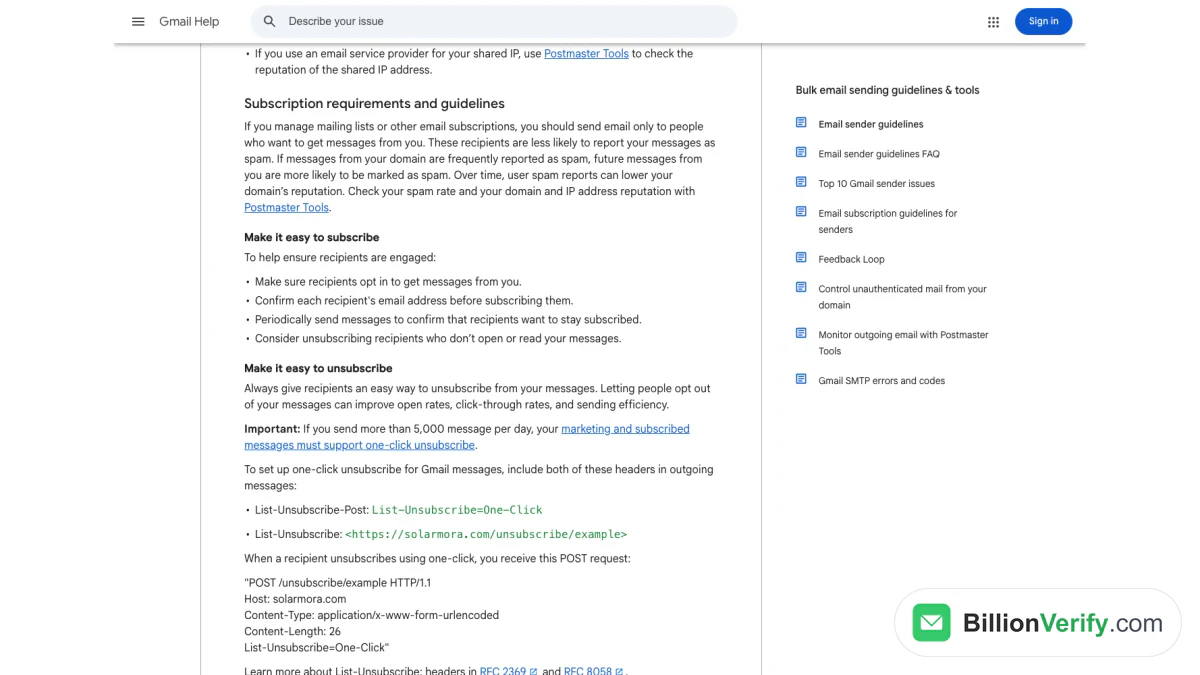
Screenshot: Google's sender guidelines, in the part about confirming subscribers and the one-click unsubscribe headers, viewed in Nov 2026.
Measure a Drip Campaign Without Trusting Opens
Open rates are the usual first metric, and they are the least reliable. Apple's support article explains that with Mail Privacy Protection, remote content is downloaded privately in the background when an email arrives, instead of when the person views it. A tracking pixel can therefore register an open for an email nobody read. A rule that sends the third email only if the second was opened will misfire for those recipients, and an exit rule based on opens will behave oddly.
Use signals that need a human action. Clicks, replies, goal completions such as a purchase or a trial start, and unsubscribes all do. Klaviyo shows analytics on the flow canvas itself, and each email has a recipient activity view with statuses such as Waiting, Skipped and Needs Review, which tells you how many people are queued and who was skipped by a filter or by Smart Sending. Read those counts before you judge the copy, since an email that reached a third of the expected audience will always look weak.
Test a single change at a time. A subject line, a delay and the number of steps are separate experiments, and they need separate branches. Our email A/B testing guide shows how to size a test so the result means something.
Clean the Audience Before a Drip Begins
A drip turns every bad address into several bounces instead of a single bounce. A welcome email series of three sends hits a mistyped address three times, and each attempt counts against the domain you send from. Mailchimp's bounce article says hard bounced addresses are usually cleaned from the audience automatically and excluded from future sends, and that an address with no subscriber activity is converted to a hard bounce after 7 soft bounces. That cleanup happens after the damage. Google's guidelines ask senders to confirm each recipient's address before subscribing them, and Yahoo asks them to remove invalid recipients promptly.
Check addresses at the two points where they enter. At signup, a single check catches typos before the opener goes out. BillionVerify's free checker runs a live SMTP test and reports disposable, role and catch-all results separately, with no signup, at 20 checks per IP in each rolling 24 hours. Throwaway inboxes are a common source of dead sequences, and disposable email detection lets you refuse them at the form instead of discovering them later. For an imported file or a CRM export, an email verifier handles files and API calls in bulk. Catch-all domains come back as their own category instead of valid, valid and invalid results cost a credit each, and unknown results cost nothing.
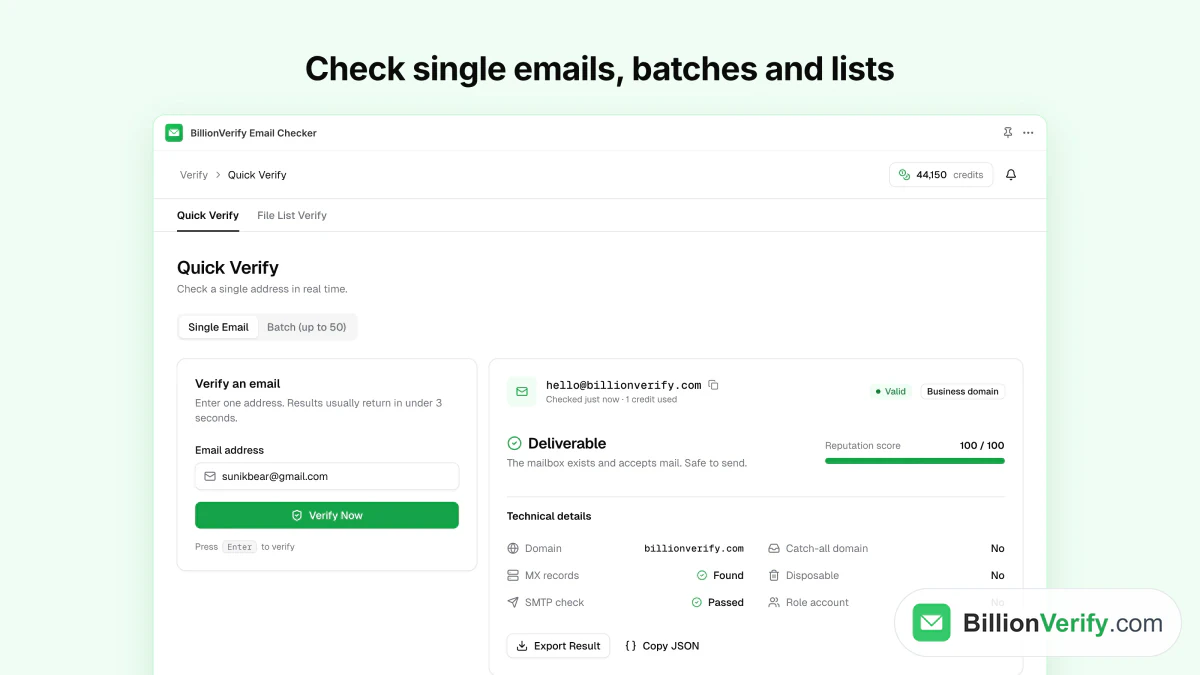
Run the check ahead of any upload, not after the sequence is live, so the opening send goes to addresses that exist. Our guide to email list hygiene explains how often to repeat it for an audience that keeps growing.
FAQs
What is an email drip campaign?
It is a set of automated emails that send on a delay after a trigger, in order, until the goal is met, the person unsubscribes or the series ends. The emails are written in advance, and the schedule is set per subscriber instead of per calendar date. Platforms call it a flow, an automation, a workflow or an email sequence.
How many emails should a drip email campaign have?
No vendor publishes a fixed number. Klaviyo's default welcome series has 3 emails over a week or so, while a nurture or re-engagement track can run longer or shorter depending on the goal. Start with the fewest emails that deliver the promise, then add a step only when the earlier steps keep getting clicks.
How long should the delay between drip emails be?
For marketing emails, at least a day is a safe floor. Klaviyo advises waiting at least a day between the first two emails of a welcome series, and its Smart Sending window defaults to 16 hours. Shorter gaps suit cart reminders, where the timing follows an action, and Klaviyo suggests an hour and a quarter at minimum for the first reminder.
Do drip emails need an unsubscribe link?
Yes, every commercial email does, including each email in an automated series. The FTC requires a clear opt-out and prompt handling of it, and Gmail and Yahoo add a single-click unsubscribe for bulk senders. A single suppression list across all sequences keeps an unsubscribe from being ignored by a second drip.
When should someone leave a drip campaign?
Someone should leave when they reach the goal, unsubscribe, or reply to a person who has taken over. Add an exit rule for each case. Platforms differ on how: Mailchimp has exit conditions, Klaviyo uses profile filters, HubSpot has unenrollment criteria, and Kit ends the sequence for each subscriber by default.
Should I verify email addresses before starting a drip campaign?
Yes, because a sequence sends to each address several times. Verification before the opening send removes typos, dead mailboxes and disposable addresses, so bounces do not build up across the sequence. Run it again on any file you import into an automation that is already live.
Watch: How to Use Workspaces for Clients and Brands in BillionVerify
