



The biggest contact database isn't automatically the best email finder. A large inventory can still produce outdated, role-based, disposable, catch-all, or incorrectly matched addresses. The better question is what the tool must accomplish after discovery: identify a person, enrich a company record, support LinkedIn-led prospecting, return only verified results, or feed a developer workflow.
Email remains a broadly accessible business channel. A recent compilation citing DataReportal's 2025 research reports that more than 70% of people across age groups use an email service at least once per month. That creates a large addressable contact universe, but it doesn't grant permission to contact every address. Discovery, lawful sourcing, sender identification, consent where required, and opt-out controls remain separate responsibilities under applicable rules, including the FTC's CAN-SPAM guidance.
This comparison ranks tools by workflow fit, data type, credit mechanics, integrations, and limitations. It covers practical options for sales teams, marketers, recruiters, agencies, and developers, while keeping one distinction central: finding an address is not the same as validating it before sending. For a broader extension-focused comparison, see the EmailScout email finder extension.
1. Hunter
Hunter fits teams that already know the person, company, or domain they want to research. Its Domain Search supports company-level discovery, while Email Finder handles individual lookups and bulk files. This makes it a practical choice for SDRs and marketers with defined target accounts, rather than teams seeking a broad sales-intelligence database.
The workflow is relatively clear. Hunter brings together Domain Search, Email Finder, Email Verifier, a Chrome extension, API access, a Google Sheets add-on, and Sequences. Its documentation and credit presentation help shared teams estimate usage before building a prospecting process.
Practical rule: Treat Hunter's output as a discovery result. Recheck addresses when list age, source quality, or campaign risk makes delivery quality important.
Hunter's narrower scope is its main limitation. Teams that need mobile numbers, direct dials, or deeper firmographic enrichment may require another platform. Separate verification credits can also raise the effective cost of discovering and validating every record.
Verification is more than checking address syntax. Under RFC 5321, an SMTP response can confirm a mailbox or remain inconclusive. A 252 response may indicate that the server declines to verify the address for security reasons, so an apparently valid result is not always a send-ready result.
For teams comparing bulk email search, BillionVerify sits at a different workflow layer, focused on verifying professional addresses and controlling the cost of poor email data. This comparison of how it compares to Hunter is useful when verification economics matter more than database breadth.
2. Snov.io
Snov.io fits smaller sales teams that want database discovery and early outreach in one workspace. Its Email Finder supports individual and bulk searches, while Chrome extensions connect prospecting with LinkedIn and Sales Navigator. Enrichment, CRM integrations, tracking, sequencing, warmup, and automation cover the steps that follow discovery.
The workflow is practical for teams that do not want to assemble a separate stack. A representative can identify a prospect, find a work address, add the contact to a sequence, and monitor activity without moving between multiple systems. Snov.io's shared credit model also keeps discovery and verification within one usage framework.
Snov.io is strongest when outreach execution matters as much as finding addresses. Its value comes from connecting prospecting to sequencing, rather than from serving as a narrowly focused email database.
The same breadth complicates cost and quality analysis. Credits are shared between discovery and verification, so verification-heavy workflows consume them faster than a separate verification layer would. LinkedIn-led processes may face platform limits or extension constraints, and coverage can vary by industry, geography, and persona. A database match still requires validation before a large sequence.
Teams should track two statuses: discovered and send-ready. An AI email verification platform can provide an independent checkpoint for cleaning and validating Snov.io results before outreach. This division makes it easier to assess verified-result economics instead of treating every discovered address as equally usable.
Snov.io is a reasonable choice when integrated prospecting and automation are the job. Buyers seeking tightly controlled verification, or a developer-first enrichment workflow, may find a separate validation layer easier to measure and operate.
3. Apollo
Apollo combines email finding with database discovery, enrichment, sequencing, and CRM workflows. Users can filter a broad B2B contact database by company, role, and buying-intent topics, build lists, and move records into outreach processes. Its Chrome extension can also surface contact information while browsing LinkedIn, company websites, Gmail, or connected systems.
Apollo fits teams that need to define a market before identifying individual contacts. A representative can specify a segment, find relevant people, enrich records, and prepare outreach without switching between separate tools. The free plan includes email-finder credits, allowing a limited test of database coverage against a target customer profile.
Apollo works best as a list-building hub. Judge it by persona match and usable records, not by the number of contacts exported.
Database breadth introduces quality variance. Records may be stale or mismatched in specific industries, regions, or job categories, so teams should sample results before adopting Apollo for a large sequence. Its pricing also requires closer modelling than a simple per-search tool. Seats and usage can both affect cost, while a headline credit allowance may not represent total operating expense.
Industry data reports that 68% of B2B sales professionals used prospecting software daily in 2025, compared with 45% in 2020, and 74% said these tools improved lead quality versus manual research. The B2B sales prospecting software dataset supports assessing Apollo as part of a connected prospecting workflow, rather than as a browser lookup utility.
For verification-focused operations, bulk email verification can provide a separate checkpoint before outreach and help teams protect sender reputation. Apollo-specific cost analysis should also establish whether per-seat email credits reset monthly or deplete permanently before projecting cost per discovered contact.
4. Lusha
Lusha is designed for teams that need email addresses and phone data in the same workflow. Its browser tools can reveal contact information from websites and LinkedIn, while self-serve plans offer team billing controls, adjustable credit settings, monthly or annual billing, CRM integrations, and a Chrome extension.
Lusha fits multichannel prospecting better than email-only discovery.
An SDR choosing between a call, an email, or a sequence can use one contact record across those actions. Recruiters and account executives may also benefit when phone and email research need to happen together, rather than through separate tools.
The product should be assessed by channel, not by a blended credit balance. Phone reveals may consume multiple credits depending on the plan, which can make a multichannel workflow more expensive than the headline allowance suggests. Test records from the target market and calculate the cost per usable email separately from the cost per usable phone number.
A contact match does not prove that an email is ready for outreach.
An address may be role-based, unwanted, or unsuitable for a particular campaign, and a phone match does not confirm email deliverability. Use BillionVerify as a separate verification checkpoint before sending. Because phone reveals can consume multiple credits per contact, benchmark email-only verification cost separately from phone cost so one credit model does not hide which channel drives spend.
Lusha suits sales teams that need quick, multichannel contact discovery. It is a weaker fit when the sole requirement is inexpensive, high-volume email validation.
5. RocketReach
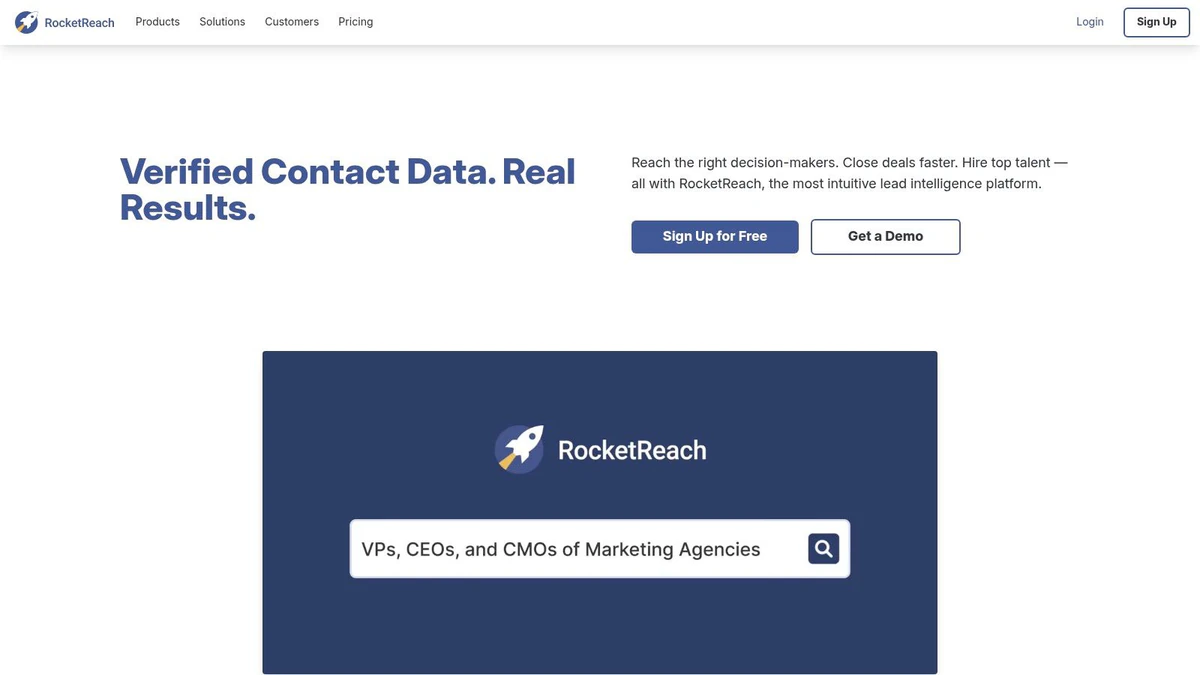
RocketReach works as a mid-market email and phone finder with a browser extension, person and company search, verified email records, some phone coverage, and CSV export. Its seat-based plans and published monthly lookup tiers provide a clearer starting point than quote-only enterprise products, especially for teams that want to forecast access by user.
The tool's strength is predictability at the team-structure level. A sales manager can allocate seats, establish export rules, and use the browser extension for individual research while operations teams work with CSV files. RocketReach can also serve as a baseline database or a secondary source when a primary provider lacks a particular contact.
Its limitations appear in the fine print of usage. Monthly and annual plans can apply different lookup and export caps, and those mechanics may be confusing when several users share a workspace. The platform also offers less enrichment depth than a full enterprise data cloud, so teams seeking technographics, complex organization structures, or extensive intent data may outgrow it.
The right comparison isn't plan price versus database size. Test the percentage of records that match the requested role, company, and geography, then check syntax, domain resolution, duplicate rate, catch-all classification, and post-send hard-bounce results. Industry benchmark data places average email bounce rates around 2.48% globally and around 2% for B2B campaigns, while average B2B open rate is reported at 20.8% in the email marketing research report.
RocketReach is a sensible baseline for teams that want public pricing, browser research, and exports. It shouldn't be treated as a substitute for post-discovery validation.
6. ZoomInfo SalesOS
ZoomInfo SalesOS serves enterprise teams that need a shared data cloud, not just an email lookup tool. It combines contact and company records with direct dials, advanced filters, org charts, technographics, intent data, governance controls, and go-to-market integrations. That scope supports account planning, territory design, enrichment, and coordinated sales operations.
The platform fits organizations where several teams use the same records. Revenue operations can manage permissions and integrations, marketing can build account segments, and sales can prioritize buying committees through organizational and intent signals. Its value therefore depends on adoption across functions, not merely on the number of addresses returned.
ZoomInfo's breadth is useful when enrichment drives decisions across the revenue organization. A team seeking one address for a known contact may create less waste with a narrower finder and a separate verification step.
Pricing is quote-only, which can make evaluation difficult for smaller teams. The primary cost is also operational: implementation, governance, data ownership, and user training require internal capacity. Those requirements are hard to justify when the job is limited to database discovery or LinkedIn-led prospecting.
Email records still need controlled validation before campaign or CRM activation. Gmail guidance treats a 0.3% user-reported spam rate as an upper threshold and recommends staying below 0.1%, as summarized by Close's summary of Gmail requirements. These figures concern complaints rather than hard bounces, but they support documented suppression rules and list-hygiene processes. Route ZoomInfo exports through a governed validation stage, such as BillionVerify, before outreach, then record validation outcomes and suppression decisions.
ZoomInfo SalesOS suits large teams with enterprise enrichment and governance requirements. It is overbuilt for targeted email-only prospecting.
7. ContactOut
ContactOut is a LinkedIn-first finder aimed at recruiters and SDRs who begin with an individual profile. Its Chrome extension can return personal and work emails as well as direct dials, while API and bulk licensing are available through enterprise plans. That input model fits talent acquisition especially well, because recruiting teams often start with a person rather than a company segment.
The distinction between personal and work data is central. A recruiter may need more than a corporate mailbox to reach a candidate, while a sales team may want to restrict results to professional addresses for business outreach. ContactOut's seat flexibility and pay-for-data usage options can support different team sizes, but buyers should define acceptable data types before comparing credit consumption.
Public pricing provides less detail than a self-serve finder, so a trial on the intended recruiting or sales segment is important. Coverage and accuracy claims should be treated as hypotheses to test, not as reasons to scale immediately. Personal email availability also raises a stronger need for provenance, lawful sourcing, retention rules, and suppression controls.
The security context adds another caution. Verizon's 2024 Data Breach Investigations Report states that phishing and pretexting through email accounted for 73% of breaches in the finance sector. Address verification can't determine whether a message is malicious, but teams should still separate contact discovery from content review, sender authentication, and security controls.
ContactOut is a strong workflow match for LinkedIn-led recruiting and hard-to-reach individual contacts. It's less suitable for buyers who need transparent self-serve pricing or only company-domain work emails.
8. Skrapp
Skrapp fits prospecting workflows that begin on LinkedIn or Sales Navigator. Its Chrome extension reveals emails and supports company searches, while bulk finder workflows include a built-in verifier. Published plans and daily search controls make it easier to compare the tool with a LinkedIn-first process.
Skrapp is strongest at database discovery from professional profiles, not as a complete sales platform.
The workflow stays focused. A salesperson can view a profile, request a work email, and add the contact without switching between several applications. That simplicity can reduce onboarding time for small teams. Buyers that also need phone numbers, detailed firmographics, or sequencing will need other tools.
Daily search limits deserve separate modelling from credit balances. A plan can provide enough credits while restricting the number of searches users may run each day. High-volume teams should estimate both constraints, then account for duplicate removal and manual review of uncertain records.
LinkedIn capture remains an input method, not proof that an address is usable. As covered under Hunter, inconclusive SMTP responses matter most on catch-all domains, which LinkedIn-sourced lists may encounter frequently. Skrapp's verifier should therefore be assessed by how clearly it labels uncertain records, rather than by whether it produces a simple valid or invalid result.
Treat uncertain Skrapp results as a separate review queue before outreach.
Teams examining BillionVerify address scraping can use a staged workflow. Skrapp discovers contacts from LinkedIn, then an external verification step can distinguish confirmed, risky, disposable, role-based, and uncertain addresses before they enter an outreach sequence. This separation makes Skrapp a practical prospecting tool, while keeping list validation as an independent quality-control decision.
9. Anymail Finder
Anymail Finder takes a different economic approach by charging only for verified email results. That model is attractive to technical teams and agencies because it connects spend to usable output rather than to every attempted lookup. The product also supports bulk finding, explicit catch-all handling, a developer-friendly API, and a shared team credit pool.
The main benefit is cost visibility. If a finder charges for every result, users may pay for addresses that later prove unverifiable or unsuitable. Pay-only-for-verified economics reduce that particular waste, although they don't eliminate the need to test coverage across the intended industry, geography, seniority mix, and source quality.
Anymail Finder is less suitable as a complete sales stack. It doesn't provide phone data or the broader enrichment and sequencing capabilities found in platforms such as Apollo or Snov.io. Teams must therefore decide whether they want a specialist finder connected to an existing CRM and outreach system, or one consolidated application.
The catch-all policy is another important evaluation point. Catch-all domains can accept mail for addresses that haven't been individually confirmed, so buyers should inspect how the tool classifies and bills uncertain results. A clean status model is more useful than a single “valid” label.
Anymail Finder fits agencies and developers that care about cost per verified result, bulk processing, and API access. It's a weaker fit when discovery, firmographic filtering, and outbound execution need to live in one interface.
10. GetProspect
GetProspect combines email finding, verification, LinkedIn prospecting, bulk CSV enrichment, CRM and Google Sheets integrations, an API, and a built-in Cold Email module. Finder credits apply to valid emails, while verification uses separate credits. That separation makes the workflow easier to assess than a single credit pool that combines discovery and checking.
Its strongest fit is the SMB team building prospect lists from LinkedIn or spreadsheets. Users can enrich records, connect a CRM, and send qualified contacts toward outreach without adding a separate prospecting system. Phone-related functionality is available, although lower tiers may require extra phone credits.
The trade-off is plan stacking. Higher-volume teams may meet interface or export limits and need to combine several allowances to preserve the intended process. The headline finder-credit cost therefore may not reflect the full cost of a usable contact.
Measure usable contacts, not only valid-email credits. A mailbox check can pass while the record belongs to the wrong person, a role account, or an unsuitable outreach target.
GetProspect's Cold Email module sits close to newly discovered addresses, so the workflow needs an explicit verification gate before the first send. Separate list cleaning can remove invalid records, classify uncertain results, and keep unverified contacts out of campaigns. Teams can use find invalid addresses at scale before importing a cleaned export into outreach.
That sequence matters because discovery quality and sending readiness are different tests. A verified address may still have weak role relevance, outdated employment data, or poor fit with the target account. Review those fields alongside mailbox status, then monitor bounces and complaints after launch.
GetProspect suits teams that want LinkedIn-led discovery, enrichment, and outreach in one workflow. Buyers should test coverage for their own ICP, confirm export limits, and calculate total verification and phone-credit use before selecting a plan.
Top 10 Email Finder Tools, Feature & Pricing Comparison
| Product | Core features ✨ | Accuracy / Quality ★ | Pricing / Value 💰 | Best for 👥 | Standout 🏆 |
|---|---|---|---|---|---|
| Hunter | ✨ Domain & person Email Finder (single/bulk), Verifier, Chrome ext, API | ★★★★, strong work-email accuracy | 💰 Transparent credit-based; mid | 👥 SDRs & marketing teams | 🏆 Email-first, well-documented |
| Snov.io | ✨ Finder+verifier (shared credits), LinkedIn ext, outreach, warmup | ★★★, good for common ICPs; variable elsewhere | 💰 Budget-friendly, flexible credits | 👥 Small sales teams / startups | 🏆 All-in-one prospecting stack |
| Apollo | ✨ Large B2B DB, intent signals, extension, sequencing | ★★★★, broad coverage; segment variance | 💰 Generous free tier; mixed at scale | 👥 Teams needing discovery→outbound | 🏆 Database + outreach in one |
| Lusha | ✨ Email + phone reveals, team plans, CRM + extension | ★★★★, strong email & phone coverage | 💰 Per-credit pricing; can be costly at scale | 👥 Sales teams needing phones & quick setup | 🏆 Quick self-serve phone+email access |
| RocketReach | ✨ Person/company search, verified emails, Chrome ext, CSV export | ★★★★, reliable baseline coverage | 💰 Seat-based public pricing; lookup tiers | 👥 Mid-market teams wanting predictable costs | 🏆 Transparent published pricing |
| ZoomInfo SalesOS | ✨ Massive DB, technographics, org charts, intent & governance | ★★★★★, enterprise-grade breadth & depth | 💰 Quote-only; typically expensive | 👥 Large enterprises & GTM data teams | 🏆 Deepest dataset & enterprise controls |
| ContactOut | ✨ LinkedIn-first extension; personal & work emails + phones | ★★★★, strong personal email coverage | 💰 Sales-contact pricing; less public | 👥 Recruiters & SDRs targeting personal contacts | 🏆 Excellent personal email coverage |
| Skrapp | ✨ LinkedIn/SalesNav finder + verifier, Chrome ext, daily caps | ★★★, good for LinkedIn-first lists | 💰 Published plans; daily search limits | 👥 LinkedIn-centric prospecting teams | 🏆 Simple, predictable LinkedIn workflow |
| Anymail Finder | ✨ Pay-only-for-verified emails, catch‑all handling, API | ★★★★, focused verified accuracy | 💰 Pay-per-verified, predictable costs | 👥 Dev teams & agencies optimizing cost/verified | 🏆 Cost-efficient pay-for-verified model |
| GetProspect | ✨ Valid-email-only charging, LinkedIn ext, CSV enrichment, Cold Email module | ★★★, decent; varies by segment | 💰 Free tier + clear valid-email charges | 👥 SMBs wanting finder + basic outreach | 🏆 Finder + built-in cold-email sending |
Choose the Finder, Then Validate the List
The best email finder tools solve different problems. Choose Hunter when you want a focused email-first workflow built around domain search, person lookup, documentation, and familiar integrations. Choose Anymail Finder when pay-only-for-verified economics, bulk processing, and API access matter more than enrichment or sequencing.
For combined prospecting and outreach, Snov.io and GetProspect are the more natural fits. Snov.io brings LinkedIn-oriented discovery, sequencing, warmup, tracking, and CRM connections into one suite. GetProspect combines valid-email charging with LinkedIn prospecting, bulk enrichment, CRM and Google Sheets integrations, and a Cold Email module. In both cases, don't assume an integrated sending feature replaces verification or compliance controls.
Apollo and ZoomInfo SalesOS belong in a broader sales-intelligence category. Apollo is better suited to teams that want database search, intent topics, prospect lists, sequencing, and a Chrome extension in one workflow. ZoomInfo SalesOS is the enterprise option for advanced filters, org charts, technographics, intent data, governance, and deep go-to-market integrations. The extra breadth only makes economic sense when sales, marketing, and operations teams will use those capabilities.
ContactOut is the clearest fit for recruiting-oriented LinkedIn discovery, particularly when personal and work emails or direct dials are relevant. Lusha also suits multichannel teams that need emails and phones, while RocketReach provides a practical baseline for browser research, CSV export, and team billing. Skrapp is a narrower choice for LinkedIn and Sales Navigator workflows, especially when users value a simple extension and published daily search controls.
The first buying test should use your actual ICP, not a vendor's broad database claim. Include the countries, industries, company sizes, seniority levels, and source formats your team expects to process. Compare the percentage of records that match the intended person, pass internal validation, avoid duplication, and remain usable after review.
The decisive metric is cost per usable address, not cost per credit.
Discovery quality also has a time dimension. Static records age, employees change companies, domains reconfigure, and CRM imports accumulate duplicates. For continuous workflows, test batch exports alongside event-triggered API validation, then examine response latency, retry behavior, catch-all handling, structured output, and the operational cost of routing uncertain results to human review.
The place to insert BillionVerify is after discovery. Its workflow supports single checks, bulk CSV cleaning, real-time API validation, structured JSON results, CRM and automation integrations, whitelabel agency workflows, and native MCP Server support. The stated output includes status, SMTP results, MX records, catch-all scoring, and deliverability insights, which gives teams more than a binary syntax check. Developers can use the API or AI-agent connection during signup and CRM events, while marketing and sales teams can filter exported lists before a campaign.
The compliance boundary remains clear. Discovering an address doesn't establish permission to market to that person. CAN-SPAM requires accurate sender and routing information, non-deceptive subject lines, a physical postal address, and working opt-out controls, with opt-out requests honored within 10 business days and the mechanism remaining functional for at least 30 days after sending, according to the FTC compliance guide. Regional privacy rules, consent requirements, data provenance, retention, and deletion controls still need separate review.
Use a simple sequence. Define whether the job is database discovery, LinkedIn prospecting, verified-result production, enterprise enrichment, or developer integration. Test a representative sample on the intended ICP. Verify records before sending or accepting a signup, filter risky, disposable, role-based, catch-all, and inconclusive statuses according to your policy, then monitor bounces, complaints, duplicates, and list decay over time.
BillionVerify provides single-address checks, bulk CSV cleaning, real-time API validation, structured JSON results, and integrations for CRM and automation workflows. Use it as the verification layer after discovery, then visit BillionVerify to evaluate how it can fit your prospecting, signup, or list-hygiene process.