



Email deliverability determines whether your emails reach subscriber inboxes or disappear into spam folders—or never arrive at all. This comprehensive guide covers everything you need to maximize deliverability: from technical authentication to reputation management to list hygiene practices that ensure your emails get delivered.
Understanding Email Deliverability
Email deliverability is the ability of your emails to successfully reach subscribers' inboxes. It's not the same as delivery rate—an email can be "delivered" to the spam folder.
Deliverability vs. Delivery Rate
Understanding the distinction is crucial.
Delivery Rate: The percentage of emails that don't bounce. An email delivered to spam counts as "delivered."
Deliverability (Inbox Placement): The percentage of emails that reach the actual inbox—not spam, not promotions, but the primary inbox.
Example:
- You send 10,000 emails
- 500 bounce (delivery rate: 95%)
- 2,000 go to spam
- 7,500 reach inbox (deliverability/inbox placement: 75%)
Your delivery rate looks fine at 95%, but only 75% of subscribers actually see your emails.
Why Deliverability Matters
Every Percentage Point Counts:
- If 20% of your emails go to spam, that's 20% less revenue
- Improved deliverability directly impacts ROI
- Small improvements compound across every campaign
Reputation Effects:
- Poor deliverability damages sender reputation
- Damaged reputation further hurts deliverability
- Negative spiral is hard to escape
Subscriber Experience:
- Subscribers who opted in deserve to receive your emails
- Emails they want shouldn't end up in spam
- Deliverability is about honoring the subscriber relationship
How Email Delivery Works
Understanding the journey helps you optimize each step.
The Email Journey:
- You Click Send: Your email platform queues the message
- Server Connection: Your server connects to recipient's mail server
- Initial Checks: Receiving server performs authentication checks
- Accept or Reject: Server decides whether to accept the email
- Filtering: Accepted emails pass through spam filters
- Placement: Email placed in inbox, spam, or other folder
- Subscriber Sees (or Doesn't): Final destination determines visibility
Each Step Can Fail:
- Connection refused (reputation block)
- Authentication failure (configuration issue)
- Hard bounce (invalid address)
- Soft bounce (temporary issue)
- Spam filter catch (content/reputation)
- Promotional tab (lower visibility)
Sender Reputation
Your sender reputation is the single most important deliverability factor.
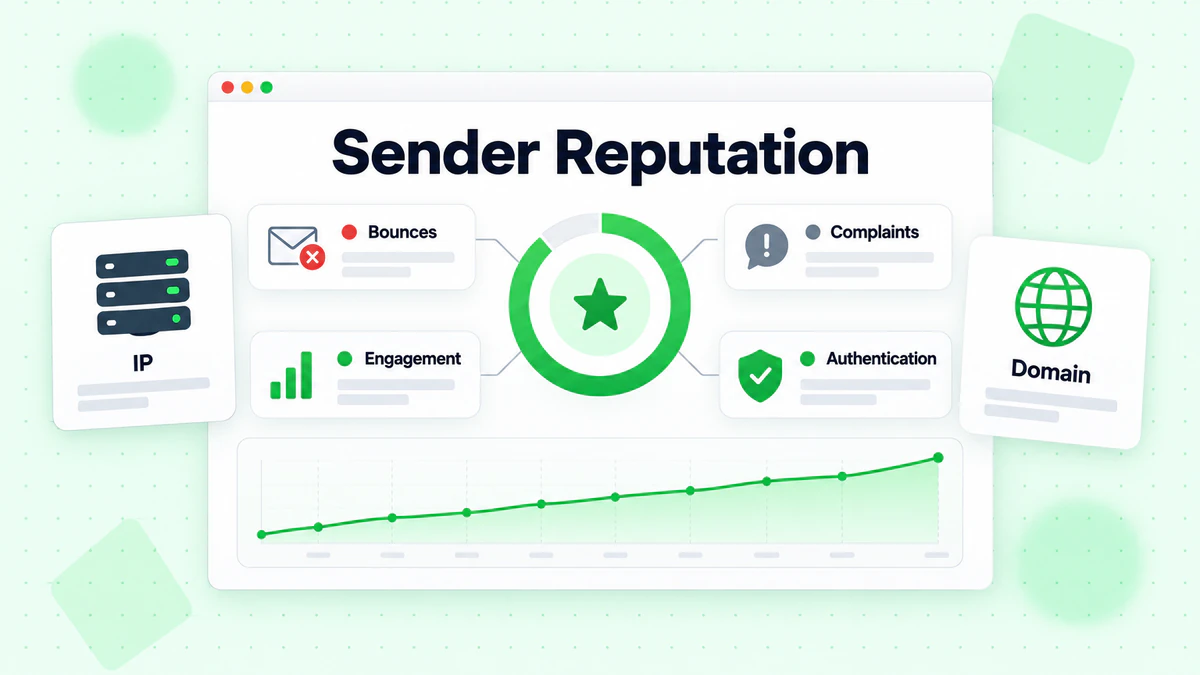
What Is Sender Reputation?
Sender reputation is a score assigned to your sending IP addresses and domains based on your email sending behavior and recipient responses.
Reputation Components:
IP Reputation: Score attached to the IP address(es) you send from.
Domain Reputation: Score attached to your sending domain.
Both Matter: Mailbox providers consider both IP and domain reputation when making filtering decisions.
Factors That Affect Reputation
Positive Reputation Signals:
- High engagement rates (opens, clicks, replies)
- Low bounce rates
- Low spam complaint rates
- Consistent sending volumes
- Proper authentication
- Engaged subscriber base
Negative Reputation Signals:
- High bounce rates (especially hard bounces)
- Spam complaints
- Spam trap hits
- Low engagement
- Sudden volume spikes
- Sending to invalid addresses
- Poor authentication
Monitoring Your Reputation
Google Postmaster Tools: Free tool for Gmail reputation monitoring:
- Domain and IP reputation scores
- Spam rate reporting
- Authentication success rates
- Delivery errors
Microsoft SNDS (Smart Network Data Services): Insights for Outlook/Hotmail:
- Complaint rates
- Spam trap hits
- Filter results
Third-Party Reputation Tools:
- Sender Score (by Validity)
- Talos Intelligence
- BarracudaCentral
Reputation Recovery
If your reputation is damaged:
Immediate Actions:
- Stop sending to unengaged subscribers
- Verify entire list to remove invalid addresses with email verification
- Review recent sends for content issues
- Check authentication configuration
Recovery Strategy:
- Pause non-essential sends: Focus only on transactional emails and highly engaged segments
- Clean aggressively: Remove anyone who hasn't engaged in 60-90 days using re-engagement strategies
- Verify remaining list: Use bulk email verification to ensure every address is valid
- Ramp slowly: Gradually increase volume as metrics improve
- Monitor closely: Watch reputation metrics daily during recovery
Recovery Timeline: Reputation recovery takes weeks to months. There's no quick fix.
Email Authentication
Authentication proves your emails are legitimately from you.
SPF (Sender Policy Framework)
SPF specifies which servers can send email for your domain.
How SPF Works:
- You publish an SPF record in your DNS
- Record lists authorized sending servers
- Receiving servers check if sender's IP is authorized
- Email fails SPF if sent from unauthorized server
SPF Record Structure:
v=spf1 include:_spf.google.com include:amazonses.com -all
Components:
v=spf1- SPF versioninclude:- Authorized third-party servers-all- Reject emails from unauthorized servers
SPF Best Practices:
- Include all legitimate sending sources
- Use
-all(hard fail) rather than~all(soft fail) - Keep record under 10 DNS lookups
- Update when adding/removing email services
DKIM (DomainKeys Identified Mail)
DKIM adds a digital signature to verify email integrity.
How DKIM Works:
- Your server signs emails with a private key
- Public key published in DNS
- Receiving servers verify signature with public key
- Failed verification indicates tampering
DKIM Record Structure:
selector._domainkey.yourdomain.com
v=DKIM1; k=rsa; p=[public key]
DKIM Best Practices:
- Use 2048-bit keys (minimum)
- Rotate keys periodically
- Configure for all sending services
- Sign with your domain, not ESP's domain
DMARC (Domain-based Message Authentication, Reporting, and Conformance)
DMARC ties SPF and DKIM together with policy and reporting.
How DMARC Works:
- Specifies what to do when SPF/DKIM fail
- Provides reporting on authentication results
- Enables domain alignment checking
DMARC Record Structure:
v=DMARC1; p=quarantine; rua=mailto:dmarc@yourdomain.com; pct=100
DMARC Policies:
p=none- Monitor only, don't rejectp=quarantine- Send failures to spamp=reject- Block failures entirely
DMARC Implementation Path:
- Start with
p=noneto collect data - Analyze reports for legitimate failures
- Fix authentication issues
- Move to
p=quarantine - Eventually move to
p=reject
BIMI (Brand Indicators for Message Identification)
BIMI displays your logo next to emails in supported inboxes.
BIMI Requirements:
- Valid DMARC with
p=quarantineorp=reject - Verified Mark Certificate (VMC) from approved issuer
- SVG logo meeting specifications
BIMI Benefits:
- Brand recognition in inbox
- Visual trust indicator
- Competitive differentiation
Authentication Troubleshooting
Common Issues:
SPF Failures:
- Sending from unauthorized IP
- SPF record exceeds 10 lookups
- Incorrect syntax
DKIM Failures:
- Key mismatch
- Signature corruption in transit
- Selector not found
DMARC Failures:
- SPF and DKIM both fail
- Domain alignment issues
- Policy misconfiguration
Diagnosis Steps:
- Send test email to mail-tester.com or similar
- Check message headers for authentication results
- Review DMARC reports for patterns
- Verify DNS records are correct
List Hygiene and Quality
List quality directly impacts deliverability.
Why List Hygiene Matters
Impact of Bad Addresses:
Hard Bounces: Sending to invalid addresses tells mailbox providers you don't maintain your list. High bounce rates damage reputation.
Spam Traps: Former valid addresses converted to traps catch senders with poor hygiene. Hitting traps severely damages reputation.
Engagement Dilution: Inactive subscribers lower your engagement rates, signaling to ISPs that your content isn't wanted.
Types of Problematic Addresses
Hard Bounce Addresses:
- Addresses that don't exist
- Domains that don't exist
- Typos (gnail.com instead of gmail.com)
- Abandoned addresses deleted by provider
Spam Traps:
- Pristine Traps: Addresses that were never valid, published to catch scrapers
- Recycled Traps: Once-valid addresses abandoned and repurposed as traps
- Typo Traps: Common misspellings that catch poor data collection
Role-Based Addresses:
- info@, support@, admin@
- Often monitored by multiple people
- Higher complaint risk
- Not personal subscribers
Disposable Addresses:
- Temporary email addresses
- Used once and abandoned
- Will bounce eventually
List Cleaning Best Practices
Ongoing Maintenance:
Remove Hard Bounces Immediately: Never send to an address that hard bounced. Once is a mistake; twice damages reputation.
Monitor Soft Bounces: Track addresses that soft bounce repeatedly. Convert to hard bounce after 3-5 consecutive soft bounces.
Sunset Inactive Subscribers: Remove subscribers who haven't engaged in 6-12 months (after re-engagement attempts).
Validate New Addresses: Verify email addresses at point of collection to prevent bad data from entering your list.
Email Verification
Professional email verification catches problems before they hurt you. Learn more in our complete guide to email verification.
What Verification Catches:
- Invalid addresses (syntax errors, non-existent domains)
- Non-existent mailboxes
- Known spam traps
- Disposable email addresses
- Role-based addresses
- Catch-all domains (potential risk)
When to Verify:
Before Major Campaigns: Verify before important sends to maximize deliverability.
Periodically: Verify your full list quarterly or when you notice declining metrics with bulk verification.
At Collection: Implement real-time verification at signup to prevent bad addresses from entering.
After List Import: Always verify lists from offline collection, events, or purchased sources.
ROI of Verification: Verification costs pennies per address. A single spam trap hit or reputation damage costs far more in lost revenue and recovery effort.
Engagement and Content
How subscribers interact with your emails affects deliverability.
The Engagement Feedback Loop
Mailbox providers track how recipients interact with your emails.
Positive Engagement Signals:
- Opening emails
- Clicking links
- Replying to emails
- Moving from spam to inbox
- Adding to contacts
- Forwarding to others
Negative Engagement Signals:
- Marking as spam
- Deleting without opening
- Ignoring (never opening)
- Unsubscribing
- Moving to spam folder
The Loop:
- High engagement → Better inbox placement → More visibility → Higher engagement
- Low engagement → Worse placement → Less visibility → Lower engagement
Content Factors
Spam Filter Triggers:
While filters have evolved beyond simple keyword scanning, certain content patterns still increase spam risk:
High-Risk Practices:
- ALL CAPS in subject lines or body
- Excessive exclamation points!!!
- Misleading subject lines
- Image-only emails (no text)
- Hidden text (white text on white background)
- Shortened URLs (bit.ly, etc.)
- Too many links
- Unbalanced text-to-image ratio
Lower-Risk Practices:
- Clear, honest subject lines
- Good text-to-image balance
- Plain text alternative included
- Full URLs from recognizable domains
- Professional HTML formatting
Content Best Practices:
- Write subject lines that accurately reflect content
- Include both HTML and plain text versions
- Maintain reasonable image-to-text ratio
- Use recognizable sender name and address
- Include clear unsubscribe option
- Avoid formatting that looks "spammy"
Engagement-Based Sending
Adjust sending based on subscriber engagement.
Engagement Segmentation:
Highly Engaged (opened/clicked recently):
- Full email frequency
- Priority for campaigns
- Likely to reach inbox
Moderately Engaged (opened in past 30-60 days):
- Regular frequency
- Standard campaigns
- Monitor for decline
Low Engagement (60-90 days no activity):
- Reduced frequency
- Re-engagement attempts
- Risk to reputation
Unengaged (90+ days no activity):
- Stop regular sends
- Final re-engagement
- Remove if no response
Technical Infrastructure
Technical setup affects deliverability.
IP Considerations
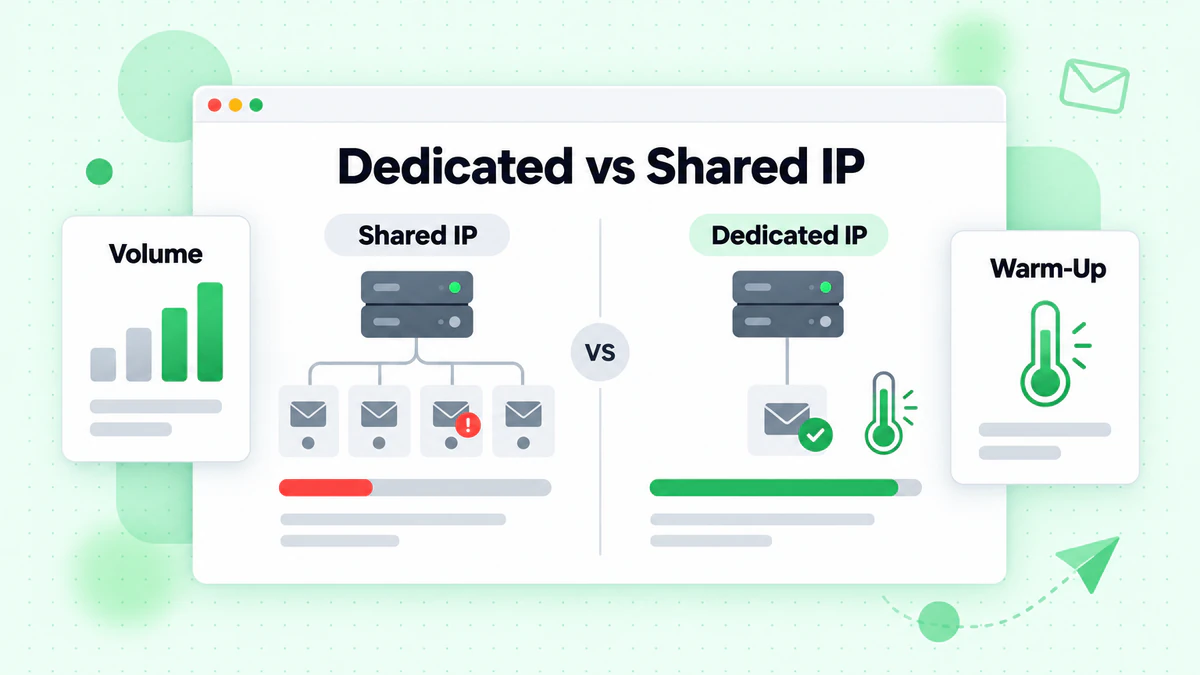
Dedicated vs. Shared IPs:
Shared IPs (most ESPs):
- Share reputation with other senders
- Good for lower volumes
- ESP manages reputation
- Risk from bad neighbors
Dedicated IPs:
- Your reputation alone
- Better for high volumes (100K+/month)
- Requires warming and management
- Full control and responsibility
IP Warming
New IPs start with no reputation and must be warmed.
Warming Process: Start with low volume to engaged subscribers, gradually increasing.
Sample Warming Schedule:
Week 1:
- Day 1: 50 emails
- Day 2: 100 emails
- Day 3: 200 emails
- Day 4: 400 emails
- Day 5: 800 emails
- Day 6-7: 1,500 emails
Week 2:
- Day 8-9: 3,000 emails
- Day 10-11: 6,000 emails
- Day 12-14: 12,000 emails
Week 3-4:
- Continue doubling every 2-3 days
- Adjust based on bounce/complaint rates
Warming Best Practices:
- Send only to most engaged subscribers during warming
- Monitor metrics closely
- Slow down if bounces or complaints spike
- Maintain consistency—gaps reset progress
DNS Configuration
Required DNS Records:
- SPF record for authentication
- DKIM public key for signatures
- DMARC policy record
- MX records for receiving
Additional Records:
- Reverse DNS (PTR) for sending IPs
- BIMI record (if using)
Configuration Checklist:
- [ ] SPF record includes all sending sources
- [ ] DKIM configured for all sending domains
- [ ] DMARC policy published
- [ ] Reverse DNS configured for dedicated IPs
- [ ] Records propagated and verified
Monitoring and Troubleshooting
Proactive monitoring catches issues before they escalate.
Key Metrics to Track
Delivery Metrics:
- Delivery Rate: Should be 95%+ consistently
- Bounce Rate: Keep under 2% (hard bounces under 0.5%)
- Spam Complaint Rate: Keep under 0.1%
Engagement Metrics:
- Open Rate: Varies by industry, track trends
- Click Rate: Engagement indicator
- Unsubscribe Rate: Keep under 0.5%
Reputation Metrics:
- Google Postmaster reputation scores
- Microsoft SNDS metrics
- Third-party reputation scores
Setting Up Monitoring
Daily Monitoring:
- Delivery rate by campaign
- Bounce breakdown (hard vs. soft)
- Complaint rate
- Major ISP performance (Gmail, Microsoft, Yahoo)
Weekly Monitoring:
- Reputation scores
- Engagement trends
- List growth and hygiene
- Comparative performance
Monthly Analysis:
- Deliverability trends
- Segment performance differences
- Seasonal patterns
- Authentication report review
Troubleshooting Common Issues
Sudden Deliverability Drop:
Diagnosis:
- Check for recent list additions (bad data?)
- Review spam complaint spike
- Check authentication (DNS changes?)
- Look for volume changes
Common Causes:
- Bad list import
- Content trigger
- Authentication failure
- Reputation damage
Specific ISP Issues:
Gmail Issues:
- Check Google Postmaster Tools
- Review content for promotional triggers
- Verify DMARC alignment
Microsoft Issues:
- Check SNDS dashboard
- Review Junk Mail Reporting Program
- Verify SPF/DKIM
Yahoo Issues:
- Monitor complaint feedback loop
- Check authentication
- Review sending patterns
Feedback Loops
Feedback loops provide spam complaint data.
How Feedback Loops Work:
- Subscriber marks email as spam
- ISP sends complaint notification to you
- You receive notification with subscriber address
- You should immediately remove that subscriber
Setting Up Feedback Loops:
- Gmail: Via Google Postmaster Tools
- Microsoft: Junk Mail Reporting Program
- Yahoo: Complaint Feedback Loop
- Other ISPs: Various programs available
Using Feedback Loop Data:
- Immediately remove complainers
- Analyze patterns (certain campaigns?)
- Investigate high complaint addresses
- Improve content causing complaints
Building a Deliverability Program
Systematic approach to maintaining deliverability.
Proactive Best Practices
List Management:
- Verify all new addresses at collection
- Remove hard bounces immediately
- Implement sunset policy for inactives
- Conduct regular list hygiene sweeps
Authentication:
- Maintain current SPF/DKIM/DMARC
- Monitor authentication reports
- Update when changing services
- Work toward strict DMARC policy
Sending Practices:
- Consistent sending patterns
- Engagement-based segmentation
- Test campaigns before full send
- Monitor all sends in real-time
Content Standards:
- Avoid spam trigger patterns
- Honest, accurate subject lines
- Professional formatting
- Clear unsubscribe options
Regular Maintenance Schedule
Daily:
- Monitor delivery rates
- Check for bounce spikes
- Review complaint rates
Weekly:
- Analyze engagement trends
- Review reputation scores
- Process feedback loop complaints
Monthly:
- Full list hygiene audit
- Authentication verification
- Performance analysis
- Strategy adjustments
Quarterly:
- Complete list verification
- Infrastructure review
- Process audit
- Goal setting
Incident Response
When deliverability issues occur:
Immediate Response (within hours):
- Identify the scope (all sends or specific?)
- Stop problematic sends
- Gather data (bounce codes, complaints)
- Form initial hypothesis
Investigation (1-2 days):
- Deep dive into data
- Check all technical elements
- Review recent changes
- Identify root cause
Remediation (days to weeks):
- Fix identified issues
- Clean affected lists
- Adjust sending strategy
- Ramp back carefully
Post-Incident (ongoing):
- Document what happened
- Implement preventive measures
- Monitor for recurrence
- Update processes
Deliverability Quick Reference
Pre-Send Checklist
- [ ] List verified recently
- [ ] Authentication passing
- [ ] Content reviewed for triggers
- [ ] Subject line accurate
- [ ] Unsubscribe link visible
- [ ] Plain text alternative included
- [ ] Test email checked across clients
Warning Signs
Investigate if you see:
- Bounce rate above 2%
- Hard bounce rate above 0.5%
- Complaint rate above 0.1%
- Sudden open rate drop
- Reputation score decline
- Delivery failures at specific ISPs
Emergency Response
If deliverability crashes:
- Stop all non-essential sends
- Check authentication (did something change?)
- Review recent sends for issues
- Verify list quality
- Contact ESP for insights
- Implement recovery plan
Conclusion
Email deliverability is the foundation of email marketing success. Without reaching the inbox, even the best content, offers, and strategies fail. By maintaining strong authentication, protecting your sender reputation, keeping your list clean, and following best practices, you maximize the chances of reaching every subscriber who wants to hear from you.
Remember these key principles:
- Reputation is everything: Guard it carefully and recover quickly from damage
- Authentication is required: SPF, DKIM, and DMARC are non-negotiable
- List quality matters: Dirty lists guarantee deliverability problems
- Engagement feeds placement: Subscribers who engage help you reach more inboxes
- Monitor constantly: Catch issues before they become crises
- Act on data: When metrics decline, investigate and fix
Deliverability isn't a one-time setup—it's an ongoing discipline. The effort pays dividends in every campaign as more subscribers receive, open, and act on your emails.
The first step to better deliverability is ensuring you're sending to valid, deliverable addresses. Start with BillionVerify to verify your email list and build the foundation for inbox success.