



Email marketing delivers the highest ROI of any marketing channel—$36-42 for every $1 spent. For small businesses with limited budgets, this makes email the most cost-effective way to reach customers, build relationships, and drive sales. This guide covers practical, budget-conscious email marketing strategies specifically designed for small business needs.
Why Email Marketing for Small Business
Understanding the unique advantages for SMBs.
The Small Business Advantage
Email Levels the Playing Field:
- Same inbox as Fortune 500 companies
- Direct access to customers
- No algorithm controlling reach
- Relationship-based marketing
- Cost-effective at any scale
What Email Provides:
- Ownership (your list, your asset)
- Control (you decide what to send)
- Reach (direct to inbox)
- Measurement (clear ROI tracking)
- Scalability (grows with you)
ROI Comparison
| Channel | Typical ROI | Control | Cost |
|---|---|---|---|
| Email Marketing | $36-42:$1 | High | Low |
| Social Media | $2-5:$1 | Low | Medium |
| Paid Ads | $2-8:$1 | Medium | High |
| Content Marketing | $5-15:$1 | High | Medium |
| Direct Mail | $4-7:$1 | High | High |
Why Email Wins:
- Lowest cost per contact
- Highest engagement rates
- Best attribution clarity
- Owned audience (not rented)
Common Small Business Concerns
"I don't have time": Email automation handles repetitive tasks. Initial setup pays off indefinitely.
"I don't have a big list": Small, engaged lists outperform large, unengaged ones. Start where you are.
"I'm not a writer": Templates and simple formats work great. Authenticity beats polish.
"I don't know the technology": Modern platforms are designed for non-technical users. Learning curve is minimal.
Getting Started
Building your foundation.
Choosing an Email Platform
Key Features for Small Business:
- Easy-to-use interface
- Free or affordable pricing
- Basic automation
- Mobile-friendly templates
- List management
- Analytics
Popular Options by Size:
Just Starting (0-500 contacts):
- Mailchimp (Free tier)
- Brevo (Free tier)
- MailerLite (Free tier)
Growing (500-5,000 contacts):
- ConvertKit
- Mailchimp
- ActiveCampaign
Established (5,000+ contacts):
- ActiveCampaign
- Drip
- Klaviyo
Setting Up Your Account
Initial Configuration:
- Create account
- Add business information
- Set up sending domain
- Authenticate (SPF, DKIM)
- Import existing contacts
- Create first template
Important Settings:
- From name (recognizable)
- Reply-to email (monitored)
- Physical address (required)
- Unsubscribe handling
Building Your First List
Start With What You Have:
- Existing customer emails
- Business card contacts
- Website inquiries
- Social media followers (who opt in)
Important: Only add people who have given permission. Purchased lists damage deliverability and violate laws.
Growing From Zero: If starting fresh, focus on website capture first.
List Building Strategies
Growing your subscriber base.
Website Capture
Essential Elements:
Pop-up Form:
HEADLINE: [Compelling offer]
SUBHEADLINE: [What they get]
FORM FIELD: Email address
BUTTON: [Action-oriented text]
Timing Options:
- Exit intent (when leaving)
- Time delay (30-60 seconds)
- Scroll depth (50-70% of page)
Placement Ideas:
- Homepage hero section
- Blog sidebar
- Footer on all pages
- Checkout process
- Contact page
Lead Magnets for Small Business
High-Value, Low-Cost Options:
Educational:
- Industry tips guide
- How-to checklist
- Buying guide
- FAQ document
Tools:
- Template downloads
- Calculator/tool access
- Resource list
- Vendor comparison
Access:
- Exclusive discounts
- Early access to sales
- Member-only content
- Insider information
Example by Business Type:
| Business | Lead Magnet |
|---|---|
| Restaurant | "10 Secret Menu Recipes" |
| Contractor | "Home Maintenance Checklist" |
| Consultant | "Free Strategy Template" |
| Retailer | "15% Off First Order" |
| Service Business | "Pricing Guide" |
In-Person Capture
For Physical Locations:
- Point of sale signup
- Business card drop (with permission)
- Event sign-up sheets
- QR codes on receipts
- Tablet at checkout
For Service Businesses:
- Client intake forms
- Proposal follow-ups
- Quote requests
- Appointment booking
Social Media Integration
Convert Followers to Subscribers:
- Link in bio to landing page
- Regular posts about email benefits
- Exclusive email-only content teasers
- Social-specific lead magnets
Essential Email Types
The emails every small business needs.
Welcome Email
Purpose: First impression, set expectations, deliver value
Template:
Subject: Welcome to [Business Name]!

Hi [Name],

Thanks for joining our email list!

Here's what you can expect:
• [Type of content]
• [Frequency]
• [Special benefits]

[If lead magnet] Your [resource] is attached/linked below.

As a welcome gift, here's [offer/discount/resource].

Got questions? Just reply to this email.

[Your Name]
[Business Name]
Regular Newsletter
Purpose: Stay top of mind, provide value, build relationship
Simple Format:
Subject: [This Week/Month] at [Business Name]

Hi [Name],

[1-2 sentence personal note or update]

WHAT'S NEW
[Brief update about business, products, or services]

HELPFUL TIP
[One useful piece of advice relevant to your business]

[OPTIONAL: FEATURED PRODUCT/SERVICE]
[Brief description with link]

Thanks for being part of our community!

[Your Name]
Frequency Options:
- Weekly (high engagement businesses)
- Bi-weekly (balanced approach)
- Monthly (minimum recommended)
Promotional Email
Purpose: Drive sales and bookings
Template:
Subject: [Offer] + [Urgency/Reason]

Hi [Name],

[One sentence context/reason for offer]

THE OFFER
[Clear description of what they get]

[Price/Discount details]

[Call to Action Button]

[Brief urgency statement if applicable]

Questions? Reply to this email.

[Your Name]
Best Practices:
- Don't over-promote (3:1 value to promo ratio)
- Make offers genuine
- Include clear expiration
- Segment when possible
Request/Feedback Email
Purpose: Gather reviews, feedback, referrals
Template:
Subject: Quick favor? (2 minutes)

Hi [Name],

I hope you're enjoying [product/service].

Would you mind taking 2 minutes to [leave a review/share feedback]?

[Direct link to review platform or survey]

Your feedback helps us improve and helps others
find us.

Thank you so much!

[Your Name]
Essential Automations
Set-and-forget emails that work 24/7.
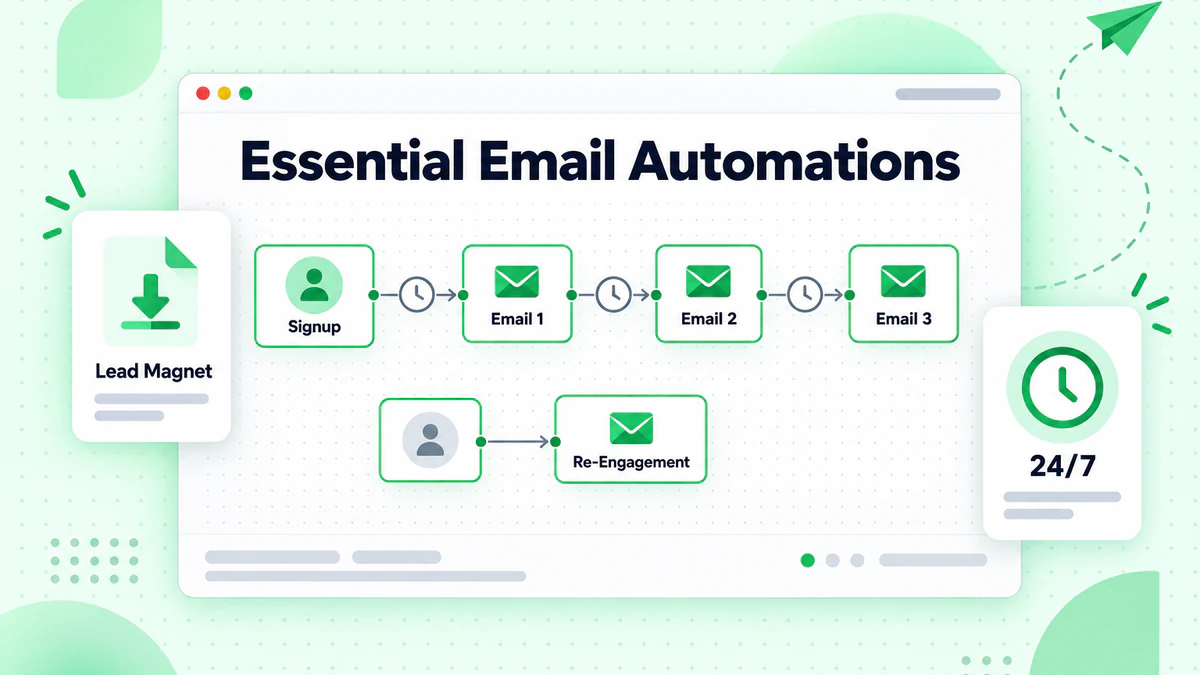
Welcome Sequence
3-Email Welcome Series:
Email 1 (Immediate):
- Welcome message
- Deliver lead magnet
- Set expectations
Email 2 (Day 2-3):
- Introduce your story/business
- Share your "why"
- Build connection
Email 3 (Day 5-7):
- Showcase key offering
- Include testimonial
- Soft call to action
Post-Purchase Sequence
After Someone Buys:
Email 1 (Immediate):
- Order confirmation
- What to expect
- Contact for questions
Email 2 (Day 3-5):
- Check-in on satisfaction
- Usage tips
- Support resources
Email 3 (Day 14-21):
- Request review
- Cross-sell related items
- Referral request
Re-Engagement Sequence
When Subscribers Go Quiet:
Email 1 (60 days inactive):
- "We miss you"
- Reminder of value
- Special offer to return
Email 2 (75 days inactive):
- "Still want to hear from us?"
- Last chance message
- Easy unsubscribe
Email 3 (90 days inactive):
- Final goodbye
- Remove from list if no engagement
Content Ideas
What to write about.
Content Calendar Framework
Monthly Planning:
| Week | Content Type | Purpose |
|---|---|---|
| 1 | Educational | Provide value |
| 2 | Behind-the-scenes | Build connection |
| 3 | Product/Service | Soft promotion |
| 4 | Customer story | Social proof |
Industry-Specific Ideas
Retail/E-commerce:
- New arrivals
- Style guides
- Customer photos
- Sale announcements
- Behind-the-scenes
Service Business:
- Tips and advice
- Project showcases
- Team spotlights
- FAQ answers
- Process explanations
Restaurant/Food:
- Recipes
- Ingredient stories
- Menu updates
- Event announcements
- Chef features
Professional Services:
- Industry insights
- Case studies
- How-to guides
- Tool recommendations
- Regulatory updates
Content Creation Tips
Keep It Simple:
- One main topic per email
- Short paragraphs (2-3 sentences)
- Scannable format
- Clear next step
Be Authentic:
- Write like you talk
- Share real stories
- Admit mistakes
- Show personality
Repurpose Content:
- Blog posts become emails
- Customer questions become tips
- Social posts expand to articles
- Reviews become testimonials
Segmentation Basics
Sending the right message to the right people.
Simple Segmentation for Small Business
Start With These:
Purchase History:
- Customers vs. non-customers
- Product categories purchased
- Purchase recency
Engagement Level:
- Active (opened recently)
- Inactive (no opens in 90 days)
Source:
- How they signed up
- Which lead magnet
- Where they found you
Practical Segmentation Examples
Segment 1: New Subscribers (Last 30 Days)
- More frequent emails
- Educational content
- Welcome offers
Segment 2: Active Customers
- Loyalty rewards
- New product announcements
- Referral requests
Segment 3: Lapsed Customers
- Re-engagement offers
- "We miss you" campaigns
- Updated offerings
Segment 4: High-Value Customers
- VIP treatment
- Early access
- Personal outreach
Measuring Success
Tracking what matters.
Key Metrics to Watch
Email Metrics:
| Metric | What It Means | Target |
|---|---|---|
| Open Rate | Subject line effectiveness | 20-30% |
| Click Rate | Content engagement | 2-5% |
| Unsubscribe Rate | Content relevance | <0.5% |
| Bounce Rate | List health | <2% |
Business Metrics:
- Revenue from email
- Customers acquired
- Repeat purchases
- Referrals generated
Simple Dashboard
Track Monthly:
- Total subscribers
- New subscribers
- Unsubscribes
- Average open rate
- Average click rate
- Revenue attributed to email
What Good Looks Like
Healthy Small Business Email Program:
- List growing 5%+ monthly
- Open rates 25%+
- Click rates 3%+
- Unsubscribe rates <0.5%
- Positive revenue attribution
Common Mistakes
What to avoid.
Mistake 1: Inconsistent Sending
Problem: Random emails, no schedule. Fix: Set a realistic schedule and stick to it.
Mistake 2: All Promotion, No Value
Problem: Every email sells something. Fix: Follow 3:1 value to promotion ratio.
Mistake 3: Ignoring Mobile
Problem: Emails look bad on phones. Fix: Use mobile-responsive templates, test on mobile.
Mistake 4: No Personalization
Problem: Generic "Dear Customer" emails. Fix: Use names, segment content, write conversationally.
Mistake 5: Neglecting List Health
Problem: Sending to invalid or unengaged addresses. Fix: Regular cleaning, re-engagement campaigns.
Mistake 6: Complex Unsubscribe
Problem: Hard to opt out, hidden links. Fix: Clear, one-click unsubscribe.
Mistake 7: Not Testing
Problem: Sending without checking. Fix: Always send test email first.
Budget-Friendly Tools
Maximize impact without breaking the bank.
Free/Low-Cost ESP Options
Completely Free Tiers:
- Mailchimp: Up to 500 contacts
- Brevo: 300 emails/day
- MailerLite: Up to 1,000 contacts
Affordable Paid Options:
- $10-30/month for most small businesses
- ConvertKit, Mailchimp, ActiveCampaign
Supporting Tools
Free Design Tools:
- Canva (email graphics)
- Unsplash (free photos)
- Coolors (color palettes)
Free Productivity:
- Google Docs (copy drafting)
- Trello (content planning)
- Google Analytics (tracking)
When to Upgrade
Signs You Need More:
- Hitting contact limits
- Need advanced automation
- Want better segmentation
- Require integrations
- Need better support
Getting Help
When and how to get support.
DIY vs. Outsourcing
Do It Yourself If:
- Budget is primary concern
- You have time to learn
- List is under 5,000
- Simple automation needs
Consider Help If:
- No time to manage
- Complex automation needed
- Advanced strategy required
- Rapid growth needed
Finding Affordable Help
Options:
- Freelance email marketers
- Virtual assistants
- Marketing agencies (small business focused)
- Platform-specific consultants
What to Look For:
- Experience with your industry
- Small business references
- Transparent pricing
- Clear deliverables
90-Day Quick Start Plan
Getting up and running fast.
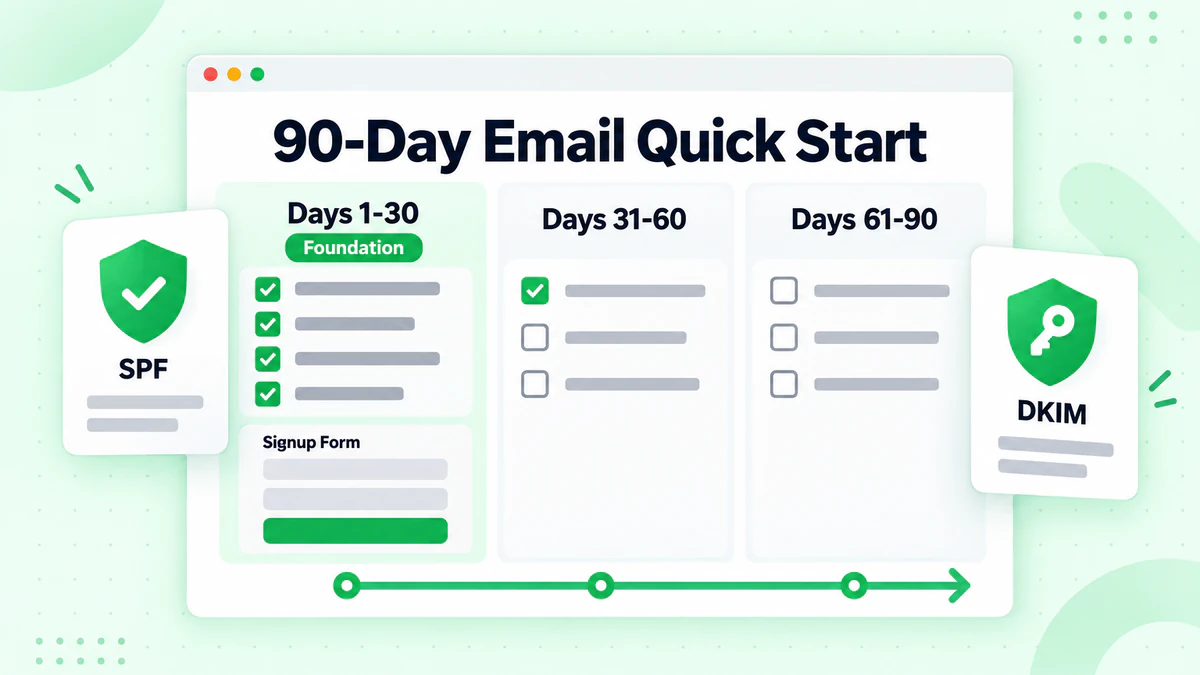
Days 1-30: Foundation
Week 1:
- [ ] Choose and set up email platform
- [ ] Import existing contacts (with permission)
- [ ] Set up authentication (SPF, DKIM)
- [ ] Create one email template
Week 2:
- [ ] Add signup form to website
- [ ] Create simple lead magnet
- [ ] Write and send welcome email
- [ ] Send first newsletter
Week 3-4:
- [ ] Set up welcome automation
- [ ] Send second newsletter
- [ ] Review initial metrics
- [ ] Gather feedback
Days 31-60: Growth
Week 5-6:
- [ ] Add additional signup points
- [ ] Create second lead magnet
- [ ] Send promotional email
- [ ] Build post-purchase sequence
Week 7-8:
- [ ] Implement basic segmentation
- [ ] Send segmented campaign
- [ ] Test subject lines
- [ ] Review and optimize
Days 61-90: Optimization
Week 9-10:
- [ ] Analyze what's working
- [ ] Double down on winners
- [ ] Create content calendar
- [ ] Build re-engagement sequence
Week 11-12:
- [ ] Clean list (remove invalids)
- [ ] Survey subscribers
- [ ] Plan next quarter
- [ ] Document processes
Small Business Email Checklist
Setup
- [ ] Platform selected and configured
- [ ] Authentication completed
- [ ] Templates created
- [ ] Legal compliance checked
List Building
- [ ] Website signup form live
- [ ] Lead magnet available
- [ ] In-person capture system
- [ ] Social promotion planned
Content
- [ ] Welcome email written
- [ ] Newsletter template ready
- [ ] Promotional template ready
- [ ] Content calendar started
Automation
- [ ] Welcome sequence active
- [ ] Post-purchase sequence (if applicable)
- [ ] Re-engagement planned
Maintenance
- [ ] Sending schedule set
- [ ] Metrics tracking started
- [ ] List cleaning scheduled
- [ ] Regular review planned
Data Quality for Small Business
Why list health matters most when you're small.
The Small Business Challenge
Limited Resources Mean:
- Every email counts more
- Deliverability issues hurt faster
- Can't afford wasted sends
- Reputation damage is costly
Simple List Hygiene
Verify New Emails: Catch invalid addresses at signup before they cause problems using real-time verification.
Regular Cleaning: Remove invalid and unengaged addresses quarterly with bulk email verification.
Monitor Bounces: Watch bounce rates closely and address issues immediately. Learn how to reduce your bounce rate effectively.
Impact of Clean Lists
Clean List Benefits:
- Better inbox placement
- Higher engagement rates
- Accurate metrics
- Lower costs
- Better ROI
Conclusion
Email marketing offers small businesses the best return on marketing investment. With the right foundation, simple automations, and consistent effort, you can build a powerful email program that competes with larger competitors.
Key small business email principles:
- Start simple: Basic emails done consistently beat complex campaigns done rarely
- Provide value first: Build trust before selling
- Automate basics: Welcome and follow-up sequences work while you sleep
- Stay consistent: Regular sending beats sporadic blasts
- Keep it clean: List quality determines delivery success
Your email program is only as good as your list. Invalid addresses waste limited resources and hurt deliverability. Learn more about email verification best practices to protect your sender reputation.
For small businesses, combining email list cleaning with the strategies in our email marketing guide creates a powerful foundation for growth. Ready to build your small business email program on a foundation of valid addresses? Start with BillionVerify to verify emails and maximize your marketing ROI.
Small businesses can also grow prospect lists from local business directories including Yelp and Yellow Pages, or use Google Maps lead scraping for local B2B outreach—verify all contacts before sending.