


Good cold email subject lines are short, specific and true to the message inside. They name a reason for writing to this person, in a few words, without a trick. The trick matters most. US law, Gmail's sender guidelines and the email standard itself all treat a misleading subject line as a defect, so an honest line is also the safe one.
This guide covers three things. First, what the rules say about a subject line, quoted from the FTC, the US Code, Google, Mailchimp and the RFCs. Second, 40 examples sorted by approach, each run through a script that applies the length and prefix limits. Third, how to test subject lines for cold emails without fooling yourself with open rates. All sources were consulted in November 2026. We have no connection with any company or agency cited, and providers change their rules often, so recheck a page before you build a process on it. BillionVerify is an email verification service, and one section shows where it fits.
Key facts (checked November 2026):
- The FTC's CAN-SPAM guide says the subject line must accurately reflect the content of the message, makes no exception for business-to-business email, and sets penalties of up to $53,088 per email.
- 15 U.S.C. 7704(a)(2) makes it unlawful to send commercial email with a subject heading likely to mislead a recipient, acting reasonably, about a material fact regarding the message.
- Google's email sender guidelines say not to send subject lines starting with Re: or Fwd: unless the messages are actual replies or forwards.
- Mailchimp's subject line advice is no more than 9 words and 60 characters, no more than 3 punctuation marks and no more than 1 emoji.
- RFC 5322, section 3.6.5, describes the Subject field as a short string identifying the topic of the message.
- Apple's Mail Privacy Protection prevents senders from seeing whether a recipient has opened a message, so open rate is an unreliable test metric.
What a Subject Line Has to Do
A subject line has a single job, which is to earn a decision from a stranger in a second or two. Your recipient sees the sender name, the subject and a few words of preview text. Nothing else is known about you yet. The standard that defines the field is modest about it. RFC 5322 treats it as a label for the topic, and the same section says all the informational fields are optional.
That modest definition is a useful guide. A subject line names the topic, and the topic has to be something the reader would recognize as theirs. A vague opener such as "Quick question" names nothing. A line such as "Your dispatch backlog at Acme Freight" names a subject the reader may actually have. The difference comes from research on the account, not from clever wording.
Mailchimp's guidance says personalization is shown to increase open rates for most of its users. It also advises being direct and descriptive rather than trendy, because seasonal slogans such as "Fall into savings" offer no specific hook. That advice comes from newsletters sent to subscribers, so treat it as a starting hypothesis for cold outreach, not a result. Cold emails go to people who have not asked to hear from you, and that raises the cost of every misleading word.
Mailchimp's A/B testing guide lists four things you can vary in an email: the subject line, the From name, the content and the send time. The subject line is one lever of four. A strong line on top of a bad list or a weak offer will still fail, and the sections below return to that point.
Rules for Cold Email Subject Lines
Three groups of rules apply to subject lines for cold emails: the law, the mailbox provider and the format standard. They overlap on a single idea, which is that the line must be an honest label for the message.
The law: the line must match the email
The FTC's compliance guide lists "Don't use deceptive subject lines" among the main CAN-SPAM requirements. The wording has to match what the email delivers. The Act covers all commercial email, not just bulk mail, and B2B senders get no carve-out. The fine is set per email, so a bad template multiplies the problem, and both the brand being promoted and the sender may be held responsible.
The statute is more precise. It bars a sender from initiating a commercial message when the sender knows, or can fairly be assumed to know, that the heading would probably deceive a reasonable reader about something material. Two words do the work. "Material" means a fake detail that changes the decision to open. "Reasonably" means the test is the reader's view, not your intent.
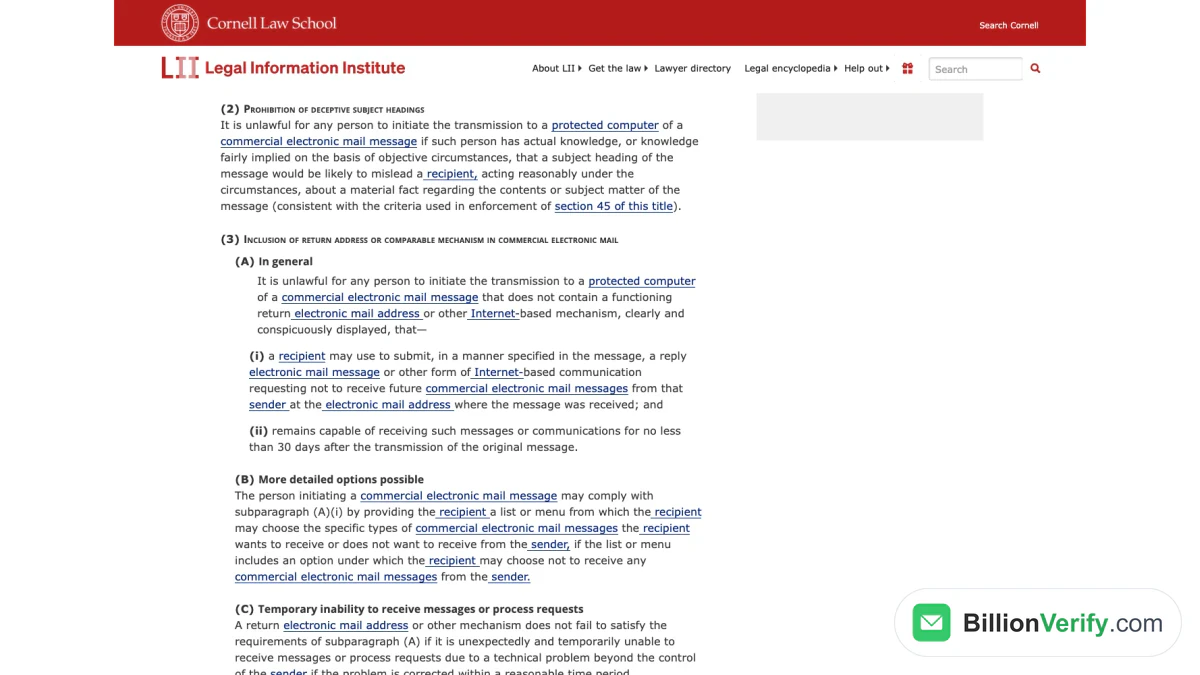
Screenshot: the Cornell Legal Information Institute copy of the Act's ban on deceptive subject headings, as read in November 2026.
Other jurisdictions add their own conditions. The UK Information Commissioner's Office says you can email or text any corporate body, such as a company or limited liability partnership, but sole traders and some partnerships are treated as individuals and need consent or a prior purchase. Its guidance says you must not disguise or conceal your identity, and it notes the page is under review after the Data (Use and Access) Act. Canada's anti-spam legislation site says the law focuses on commercial electronic messages and lists false or misleading electronic representations in its legal definition of spam. Our CAN-SPAM Act article goes deeper on the US rules. None of this is legal advice, so check your own market with counsel.
Gmail: no fake reply prefix, and watch complaints
Google's sender guidelines make the same point in practical terms. Subjects, headers and display names should represent the sender and the content honestly. The example Google gives is cold email's oldest trick, a fake reply marker on a first message. The same page also bans emojis or odd characters that pose as graphics to deceive or influence recipients.
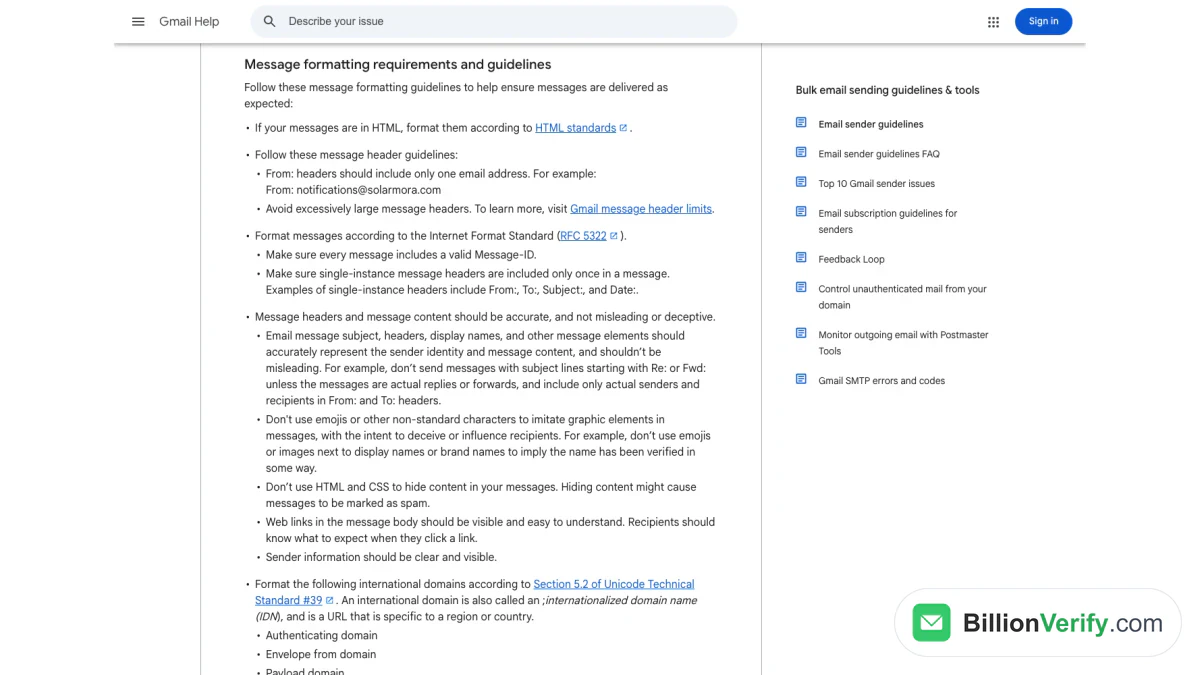
Screenshot: the formatting rules in Google's guidance for Gmail senders, taken in November 2026.
The same document sets the numbers that decide whether a subject line is ever seen. Senders should keep the spam rate reported in Postmaster Tools below 0.10% and avoid ever reaching 0.30%. Yahoo's sender requirements use the same 0.3% ceiling and calculate the rate on mail delivered to the inbox. A subject line that tempts someone to open and then disappoints them can produce spam reports, and those reports are what the providers measure.
Google also lists a sending practice to avoid that cold email teams should read twice. It says not to send messages to people who did not sign up to get messages from you, because those recipients might mark your messages as spam and future messages to them will be marked as spam. That is a deliverability warning from Google, not a statement about the law. It is one more reason a cold message must be narrow, relevant and easy to leave. Our cold email deliverability guide covers authentication and volume.
An older template list, including an earlier version of this page, used "Re: [Company]'s expansion" as a trigger-event line. Under Google's wording that is the exact case to avoid, so none of the examples below use it.
The format: how a subject is stored and sent
The Subject field is plain text with a few technical limits. RFC 5322 says each line of a message must be no more than 998 characters and should be no more than 78. A longer subject is folded onto a continuation line, which mail software joins back together. You do not control the folding, and mailbox apps cut long subjects to fit the screen, so length is a design choice, not a protocol problem.
Characters outside ASCII are handled by RFC 2047, which defines encoded words. An emoji or an umlaut in a subject is converted to an =?utf-8?q?...?= token on the wire. A single encoded word may not be more than 75 characters long, so a subject full of emojis gets long very quickly. Python's standard library shows what a sending tool does for you.
from email.message import EmailMessage

for subject in ["Quick question about dispatch software",
                "Quick question \U0001F69A about dispatch software",
                "Fragen zur Disposition für Müller GmbH"]:
    msg = EmailMessage()
    msg["Subject"] = subject
    print(msg.as_string().splitlines()[0])

# Subject: Quick question about dispatch software
# Subject: Quick question =?utf-8?q?=F0=9F=9A=9A?= about dispatch software
# Subject: Fragen zur Disposition =?utf-8?q?f=C3=BCr_M=C3=BCller?= GmbH
The output was produced with Python 3.15. The practical lesson is that any non-ASCII character works but takes more bytes, and that tools which build raw headers by hand should let a library do the encoding.
Subject Line Length: Words, Characters and Mobile
Shorter is the common advice, and Mailchimp puts numbers on it. The same article says shorter is often better for recipients on mobile devices, and it sets the ceiling at nine words and sixty characters. It caps punctuation at three marks, because a pile of them can read as spam, and allows a single emoji, used to supplement words rather than replace them. Operating systems also draw emojis differently, so Mailchimp says to test.
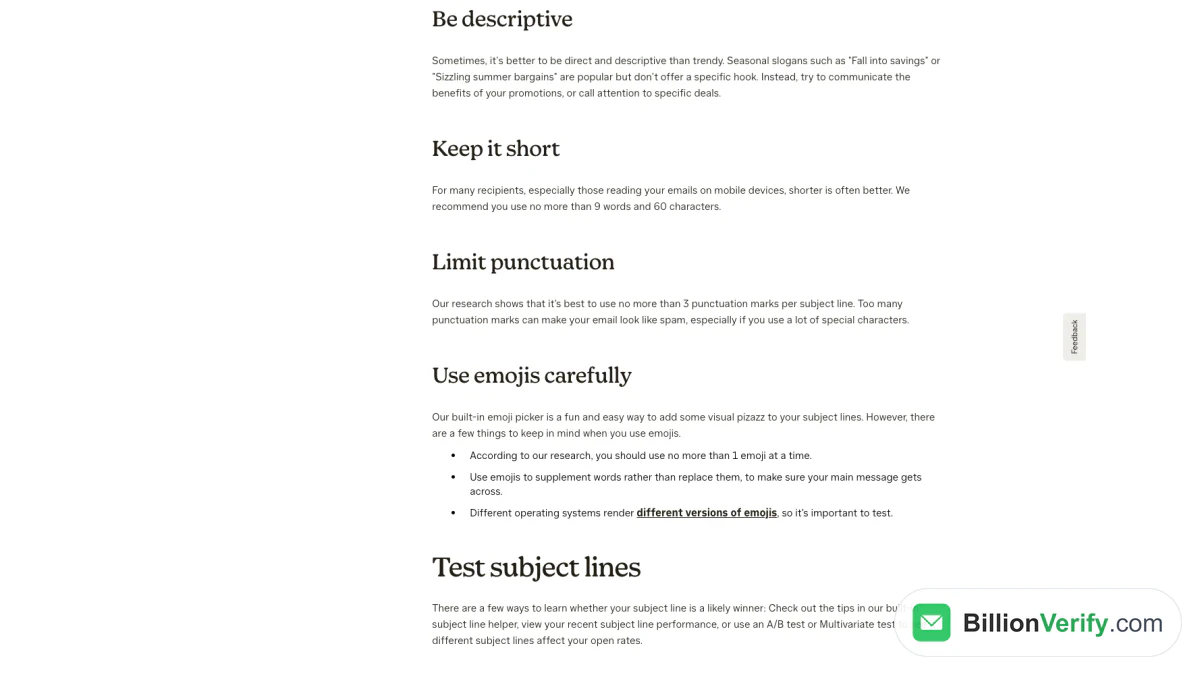
Screenshot: the Keep it short, Limit punctuation and Use emojis carefully tips on Mailchimp's guidance page, viewed in November 2026.
Treat these as limits that guard against obvious mistakes, not as a target. Mailchimp's tips come from the open rates of emails sent through its platform, which is built for lists of subscribers. A cold sequence has different readers and a different goal. Mailchimp's reason is mobile reading, so the first three or four words should carry the topic, but nothing in a vendor help page proves that six words beat nine for your audience. Your own test, described later, settles it.
Many inboxes show preview text next to the subject, so write the first sentence of the email to complete the thought. If the subject promises a specific observation and the first sentence starts "I'm writing to introduce...", the preview wastes the space. Start the body with the specific observation instead.
The Best Cold Email Subject Lines by Approach
These 40 subject lines for cold emails are grouped by the reason they give the reader to open. Each is written to be true when you fill in the brackets, which is the condition that keeps it inside the law and Gmail's rules. Numbers and names in the examples are placeholders, so use a real figure from a real source or drop the number. The examples were not run against any audience, so none comes with an open or reply rate. Each one passed the lint function in the script below once the brackets were filled with a typical company name. That means sixty characters or fewer, nine words or fewer, three marks of punctuation at most and no fake prefix.
Sales email subject lines and cold outreach lines overlap heavily. Sales email subject lines sent to people who already know you can be plainer, because the reader has context. A stranger needs the specific reason. An earlier article on sales email subject lines listed eight patterns, such as curiosity, social proof, urgency and collaboration, and the eight patterns are folded into the groups below.
Personalized and specific
Specific lines work because they prove you looked at a single account. The detail can be a product, a team, a location or a process. A name alone is weak, since merge tags are cheap and readers know it. The better pattern puts a company fact where a generic noun would be.
| Subject line | Why it fits |
|---|---|
| Your dispatch backlog at [Company] | Points at work the reader is responsible for |
| [Brand]'s second warehouse | Points to a public fact |
| Idea for [Account]'s onboarding emails | Promises a single idea, not a pitch |
| [First name], a thought on carrier invoices | Uses the name once, with a topic |
| Cutting returns at [Brand] | States the outcome you want to discuss |
Trigger events
A trigger line connects your email to something that just happened, such as a funding round, a hire, a launch or a new office. It is the easiest approach to fake, so the rule is simple: the event must be real and recent, and you must be able to link to a public source if asked.
| Subject line | Why it fits |
|---|---|
| Congrats on the Series A, [First name] | Opens with news the reader knows |
| Hiring a second SDR at [Firm]? | Reads a job posting |
| Your new Berlin office | A location change that creates new work |
| After the pricing page redesign | Refers to a visible change |
| Saw the [Company] launch on Tuesday | Dated and checkable |
Questions
A question works when the reader can answer it from memory, in a single line, and it is a real question. Asking who owns a task also solves a common cold email problem, which is reaching the wrong person. Avoid yes-or-no questions with an obvious pitch behind them, because they read as bait.
| Subject line | Why it fits |
|---|---|
| Who owns carrier onboarding at [Firm]? | Routes the email to the right owner |
| Still exporting leads by hand? | Describes a task the reader may do |
| Is [Account] hiring for RevOps? | Checks a fact you could not find |
| Right person for vendor security reviews? | Asks for a referral |
| How does [Brand] verify signups? | Opens a topic, not a sale |
Curiosity
A curiosity line holds back a detail and gives it in the body. It is the second most abused approach, so it carries a strict condition: the email must pay off the promise in its first two sentences. If the subject says there is an odd line in the SPF record, the body must show the line. A vague teaser that leads to a generic pitch is the deceptive pattern the FTC warns about.
| Subject line | Why it fits |
|---|---|
| An odd line in your SPF record | Specific, checkable, answered in the body |
| A gap in [Account]'s demo flow | Names the place, not the fix |
| What your sign-up form lets through | Invites a look at something real |
| Three emails on your list will bounce | Only if you checked and can show them |
| Why your trial users go quiet | Needs data or a clear point of view |
Outcomes and proof
A proof line states a result for someone like the reader. It needs a real customer, a real number and permission to use both. Without those, use a plain benefit line instead. If you do have the proof, put the most specific noun first and the number second, so the line still reads well when cut off on a phone.
| Subject line | Why it fits |
|---|---|
| How Acme cut invoice errors by 40 hours | A named result, if you can document it |
| Hotel group: 12 fewer bounces a day | Industry label plus a concrete change |
| What a 30-seat team changed in May | A time frame the reader can picture |
| Case study: a logistics team like [Firm] | Signals relevance before the pitch |
| Faster quote approvals for [Brand] | A plain benefit with no number |
Pain points
A pain line names a problem the reader probably has and avoids blaming them for it. Keep it neutral and short. The problem-agitation-solution pattern from sales books belongs in the body of the email, because a subject line has no room to agitate.
| Subject line | Why it fits |
|---|---|
| Bounced invoices at [Firm]? | A concrete symptom |
| Spreadsheet quotes are slowing deals | A common cause, stated plainly |
| Why renewals slip at [Account] | Needs a view from your research |
| Support tickets piling up? | Short and easy to recognize |
| Lost trials, found the leak | A teaser that the body must explain |
Real deadlines
Urgency is the approach most likely to cross into deception. A line may mention a date only when the date is real: a budget close, an event, a price change, a limited pilot. If the deadline moves every time you send, the line misleads the reader about a material fact.
| Subject line | Why it fits |
|---|---|
| Before your Q1 budget closes | Only if you know their fiscal calendar |
| Webinar seat for Thursday, [First name] | A real event on a real date |
| Pricing changes on 1 December | A change you have announced |
| Your audit window ends 15 December | A date from a public rule |
| Last slot in the December pilot | Only if the slot is last |
Referrals and partnerships
A referral line borrows trust from someone the reader knows. It is also the line that does the most damage if it is false, so use it only with a real introduction or an actual shared context. A partnership line works the same way, and it should say what the two companies might do together.
| Subject line | Why it fits |
|---|---|
| [Mutual contact] suggested I write | Needs that person's real OK |
| Introduced by [Mutual contact] | A true introduction, not a name drop |
| Joint webinar with [Brand]? | A specific proposal |
| Partnership thoughts for [Firm] and us | Frames the email as a two-way offer |
| From the [Event] booth list | Only if the reader visited |
Check Email Subject Lines Before You Send
A pre-send check catches the mistakes that cost the most: a subject that is too long, a subject with too many marks, a fake prefix, and a merge field that came back empty. The empty field is the least obvious. HubSpot's documentation says that if no default value is set for a personalization token, the token appears as blank. A template like "Quick question about {{company}}'s {{topic}}" then goes out as "Quick question about Northwind's", which looks like a mistake because it is one.
The script below fills {{field}} or {{field | fallback}} tags the way most sending tools do, then reports empty fields and the limits from Mailchimp and Google. The tag syntax here is generic, so use your sending tool's own syntax in production. The limits are the guidance quoted above, not a universal truth.
import re

TAG = re.compile(r"\{\{\s*([a-z_]+)\s*(?:\|\s*([^}]*?))?\s*\}\}")
EMOJI = re.compile("[\U0001F300-\U0001FAFF☀-➿]")
PUNCTUATION = set("!?.,:;-\"#$%&*@")

def render(template: str, row: dict) -> tuple[str, list[str]]:
    """Fill {{field}} or {{field | fallback}}; return the subject and any fields left empty."""
    empty = []

    def fill(match):
        field, fallback = match.group(1), match.group(2)
        value = (row.get(field) or "").strip()
        if value:
            return value
        if fallback is None:
            empty.append(field)
            return ""
        return fallback

    return " ".join(TAG.sub(fill, template).split()), empty

def lint(subject: str) -> list[str]:
    problems = []
    words = len(subject.split())
    marks = sum(c in PUNCTUATION for c in subject)
    if len(subject) > 60:
        problems.append(f"{len(subject)} characters")
    if words > 9:
        problems.append(f"{words} words")
    if marks > 3:
        problems.append(f"{marks} punctuation marks")
    if len(EMOJI.findall(subject)) > 1:
        problems.append("more than one emoji")
    if re.match(r"(?i)\s*(re|fwd?):", subject):
        problems.append("fake Re: or Fwd: prefix")
    return problems

template = "Quick question about {{company | your team}}'s {{topic}}"
rows = [
    {"company": "Acme Freight", "topic": "dispatch software"},
    {"company": "", "topic": "dispatch software"},
    {"company": "Northwind", "topic": ""},
    {"company": "Globex", "topic": "AMAZING offer!!! Act now!!!"},
]
for row in rows:
    subject, empty = render(template, row)
    verdict = [f"empty field: {name}" for name in empty] + lint(subject)
    print(f"{subject:<58} {verdict or 'ok'}")

print(lint("Re: our call"))

# Quick question about Acme Freight's dispatch software      ok
# Quick question about your team's dispatch software         ok
# Quick question about Northwind's                           ['empty field: topic']
# Quick question about Globex's AMAZING offer!!! Act now!!!  ['6 punctuation marks']
# ['fake Re: or Fwd: prefix']
Run it on the first 20 rows of every list before the campaign starts, not on a single sample. The second row shows the right use of a fallback, since "your team" reads naturally. The third row has no fallback and should block the send. Rows that fail should be fixed in the data or removed from the batch.
Why Email Subject Lines Cannot Fix Deliverability
A subject line only matters if the message reaches the inbox. Google requires SPF or DKIM from all senders, and requires SPF, DKIM and DMARC from anyone sending more than 5,000 messages a day to Gmail accounts. Marketing messages in that group must also support one-click unsubscribe. Missing authentication, a high complaint rate or a burst of bounces moves cold emails to spam before anyone reads a word of them.
A DMARC checker shows whether the policy for your sending domain is published and valid. Do that before you spend a week on wording.
The cheapest deliverability fix sits earlier still, in the list. A line aimed at the wrong person, or an address that no longer exists, produces a bounce, and bounces count against the domain you send from. For a handful of addresses, the free email checker tests syntax, DNS, MX and a live SMTP response, and it reports disposable, role and catch-all results separately. For a whole list, BillionVerify's free verifier runs the same layers in bulk or through the API. Valid and invalid results cost 1 credit each and unknown results cost nothing. The free plan gives 20 credits on each day you use it, up to 600 a month, with no credit card. Verify before you start drafting. Our cold email outreach guide covers the rest of the sequence.
If you only have a name and a company, a reverse email lookup reads the domain, organization and mail routing behind an address before you reach out. Sales teams that also call can run numbers through a phone number validator, which checks a number for its country, line type and E.164 format. Both help the personalization section above, because a specific subject line needs a specific, correct contact behind it.
How to Test Cold Email Subject Lines
Testing is where most cold email advice goes wrong, because the easy metric is the wrong one. Mailchimp's tools pick winners by open rate, click rate or revenue, which suits newsletters. Instantly's guide to subject line testing makes a different recommendation for cold outreach: choose one winning metric, and for cold outreach make it reply rate. The reason is measurement. Apple documents a Mail setting that hides open activity from senders, so opens from those readers are not visible.
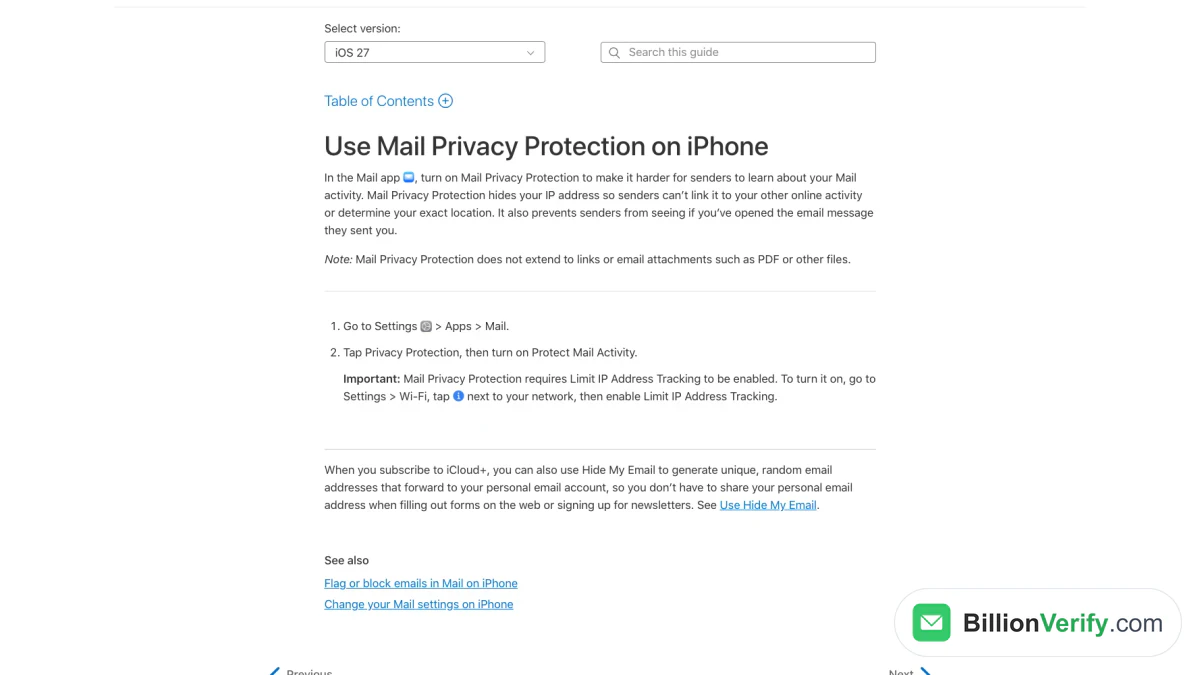
Screenshot: Apple's iPhone guide to its mail privacy setting, with the note that senders cannot tell whether a message was opened, seen in November 2026.
Test a single change at a time
Mailchimp's test documentation describes the clean setup. Create versions that are identical in every way but the subject line, send them to randomly selected parts of the audience, and choose the winner on a single metric. It allows up to 3 variations of one variable per test. Instantly's guide says the same in different words: keep the sender, audience, day and body identical, and change only the subject.
For cold email, that means splitting a single verified list at random, sending both versions in the same window and counting replies. Do not compare Monday's batch with Thursday's. Our guide to split testing email goes beyond subject lines.
Decide the sample size first
If few people answer your cold emails, small tests are noisy. A difference of a few replies between two batches of 200 can easily be chance. Evan Miller's note on A/B testing explains the trap. If you check a running test and stop when it looks significant, the reported significance means nothing, because the calculation assumes the sample size was fixed in advance.
The function below gives the recipients needed per variant to detect a lift in replies. It uses the standard two-proportion formula at 5% significance and 80% power. Other calculators may differ by a few recipients.
from math import ceil, sqrt
from statistics import NormalDist

def per_variant(baseline: float, lift: float, alpha: float = 0.05, power: float = 0.80) -> int:
    """Recipients needed per variant to detect an absolute lift (two-sided z-test, two proportions)."""
    p1, p2 = baseline, baseline + lift
    z = NormalDist().inv_cdf
    za, zb = z(1 - alpha / 2), z(power)
    pbar = (p1 + p2) / 2
    n = ((za * sqrt(2 * pbar * (1 - pbar)) + zb * sqrt(p1 * (1 - p1) + p2 * (1 - p2))) ** 2) / lift**2
    return ceil(n)

for base, lift in [(0.03, 0.01), (0.03, 0.02), (0.05, 0.02), (0.10, 0.03)]:
    print(f"{base:.0%} -> {base + lift:.0%}: {per_variant(base, lift):,} per variant")

# 3% -> 4%: 5,301 per variant
# 3% -> 5%: 1,506 per variant
# 5% -> 7%: 2,213 per variant
# 10% -> 13%: 1,774 per variant
Read the output as a warning. To see a lift of a single point on a 3% base, you need more than 5,000 recipients per variant. Most cold lists are smaller. If yours is, test only large differences, such as a question against a plain statement, or run the same test across several campaigns and add the results. Do not read a winner into a few extra replies.
Keep a log
Write down the exact text, the audience segment, the send window, the number sent, the replies and what you concluded. A written log prevents the most common waste, which is re-testing an idea your team already tried. It also shows where a result came from when a new teammate asks why every line starts with a question.
Subject Lines for Follow-Ups
A follow-up in a sequence usually stays in the same thread, and email clients thread messages by their headers, not by the subject text. Google allows that prefix only on actual replies, so a follow-up that adds it to a message nobody answered breaks the rule. Keep the original subject, or write a new honest one. Follow-ups to cold emails should read like a person continuing a conversation. Our guides on follow-up email subject lines and sending cold email follow-ups cover the wording, and the cold email templates post shows full messages. The cold email personalization guide covers the research behind the specific lines above.
FAQs
What is a good subject line for a cold email?
A good one is short, names a topic the recipient cares about and matches the email inside. A line that points at the reader's own work is specific and checkable. Mailchimp's nine-word ceiling is a sensible guard, and a test on your own list decides the rest.
What are the best cold email subject lines?
The best ones are specific, short and honest, and your own test decides which wins. Start from the approach that fits what you are writing about, such as a trigger event or a direct question, and fill it with a fact about the account. Our grouped list above gives forty starting points.
Are sales email subject lines different from cold ones?
A little. Sales email subject lines to warm contacts can lean on shared context, while lines for cold emails must carry the reason themselves. The legal and Gmail rules are identical for both, because they turn on what the email says, not on how well you know the reader.
Can I add Re: to a first email?
No, not unless the message is a genuine answer to something the recipient sent. Google's Gmail rules name that prefix as a misleading pattern. The FTC's honesty rule covers the same trick, and it carries risk even when no spam filter catches it.
Are emojis safe in email subject lines?
A single emoji is within Mailchimp's guidance, as long as it supplements the words. Google's guidelines object to emojis that fake a verification badge. Emojis also render differently by operating system and add encoded bytes to the header, so test them with your own audience.
Do spam trigger words matter?
Less than authentication and complaint rates do. The Google and Yahoo sender documents read for this guide publish authentication requirements and spam-rate thresholds, not lists of banned subject words. Mailchimp links heavy punctuation to a spammy look, so write plainly and keep marks to a minimum.
How many emails do I need to test two subject lines?
It depends on the lift you want to detect. On a 3% base, the script above gives roughly 1,500 recipients each way for a two-point gain and over 5,000 each way for a one-point gain. Fix the number before the test starts and do not stop early.
Is a subject line required in an email?
The standard does not require one, since its informational fields, Subject included, are all optional. In practice a cold email without one gives the recipient nothing to judge.
Watch: How to Verify Emails Before You Import Them Into Lemlist
