



What is Pipedrive?
Pipedrive is a sales-focused customer relationship management (CRM) platform designed specifically for sales teams who want to manage their pipeline more effectively. Founded in 2010 by salespeople for salespeople, Pipedrive has grown to serve over 100,000 companies worldwide across more than 179 countries.
Core Capabilities:
- Visual Sales Pipeline: Drag-and-drop interface for managing deals through customizable sales stages
- Contact & Lead Management: Centralized database for all contacts, organizations, and communication history
- Activity Tracking: Schedule calls, meetings, and tasks with automatic reminders and follow-ups
- Email Integration: Two-way sync with Gmail, Outlook, and other email providers
- Sales Reporting: Real-time dashboards and insights into pipeline performance and forecasting
- Mobile CRM: Full-featured mobile apps for iOS and Android for sales on the go
- Automation: Workflow automation to eliminate repetitive tasks and speed up sales processes
Why Sales Teams Love Pipedrive:
- Simple and Intuitive: Unlike complex enterprise CRMs, Pipedrive is designed for ease of use with minimal training required
- Visual Interface: Color-coded pipeline view makes it easy to see deal status at a glance
- Activity-Based Selling: Focus on activities that drive deals forward, not just data entry
- High Customization: Adapt the CRM to your sales process, not the other way around
- Fair Pricing: Affordable plans starting at $14/user/month with no hidden fees
- 99.99% Uptime: Reliable infrastructure ensures your sales team always has access
Popular Use Cases:
- B2B sales teams managing complex, multi-stage deals
- Real estate agents tracking property leads and viewings
- SaaS companies managing trial-to-paid conversions
- Consulting firms managing proposal pipelines
- E-commerce businesses tracking wholesale opportunities
- Recruitment agencies managing candidate pipelines
However, Pipedrive's effectiveness in driving sales depends entirely on the quality of your contact data. Invalid email addresses in your pipeline can lead to wasted sales efforts, missed opportunities, and inaccurate forecasting—which is where our email verification service becomes essential.
Why Integrate BillionVerify with Pipedrive?
While Pipedrive excels at pipeline management, it doesn't verify the quality of email addresses when leads are added to your CRM. If your Pipedrive database contains invalid or risky contact data, you'll encounter serious problems:
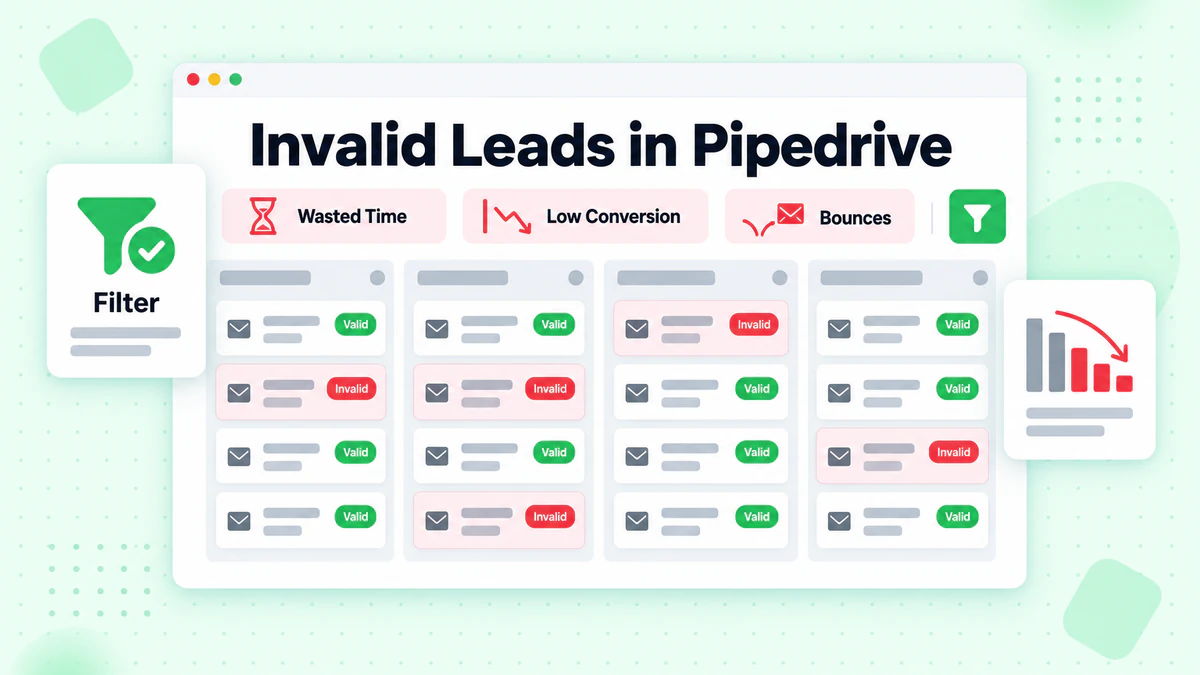
- ❌ Wasted Sales Time: Reps spend hours trying to reach non-existent email addresses
- ❌ Low Conversion Rates: Invalid contacts inflate your pipeline and reduce actual conversion rates
- ❌ Inaccurate Forecasting: Bad data leads to unreliable sales projections and missed quotas
- ❌ Poor Email Deliverability: High bounce rates from invalid emails damage your domain reputation
- ❌ CRM Clutter: Outdated and fake contacts make it harder to focus on real opportunities
The Solution
BillionVerify + Pipedrive integration helps you:
- ✅ Verify Leads in Real-Time: Validate email addresses the moment they're added to Pipedrive
- ✅ Clean Existing Contacts: Bulk verify your entire Pipedrive database to remove invalid data
- ✅ Improve Lead Quality: Detect disposable, catch-all, and role-based emails automatically
- ✅ Boost Sales Efficiency: Ensure your team only works on genuine, reachable leads
- ✅ Accurate Pipeline Metrics: Make data-driven decisions based on clean, verified contact data
How It Works
The integration follows this workflow:
- Lead Entry: A new lead or contact is added to Pipedrive (manually, via API, or through web forms)
- Automatic Trigger: BillionVerify webhook or API integration is triggered
- Email Verification: Our API verifies the email in real-time with multi-layered checks:
- Syntax validation (RFC 5322 compliance)
- DNS lookup (domain exists and is active)
- MX record verification (mail server configured)
- SMTP handshake (mailbox exists and accepts mail)
- Risk detection (disposable, catch-all, role-based)
- Result Processing:
- ✅ Valid emails: Lead moves to active stage, ready for outreach
- ❌ Invalid emails: Lead tagged as "Invalid Email" for removal or investigation
- ⚠️ Risky emails: Lead flagged for manual review or lower priority
- Data Update: Pipedrive custom fields are updated with verification status, risk level, and metadata
Integration Methods
Method 1: API Integration (Recommended)
Use the BillionVerify API to verify emails before or after they're added to Pipedrive.
Prerequisites
- BillionVerify API key (get yours here)
- Pipedrive API token (Settings > Personal > API)
- Basic programming knowledge (JavaScript, Python, or PHP)
Architecture
Pipedrive Webhook
      ↓
Your Backend Server
      ↓
BillionVerify API
      ↓
Pipedrive API (Update Contact)
JavaScript Example
// Example: Verify email when person is added to Pipedrive

const axios = require('axios');

// Pipedrive webhook handler
app.post('/webhook/pipedrive-person-added', async (req, res) => {
  const { current } = req.body;
  const { id, email, org_name, name } = current;

  // Skip if no email provided
  if (!email || !email[0]) {
    return res.status(200).send({ success: true, skipped: 'no_email' });
  }

  const personEmail = email[0].value;
  const personId = id;

  try {
    // Step 1: Verify email with BillionVerify
    const verificationResult = await axios.post(
      'https://api.billionverify.com/v1/verify',
      { email: personEmail },
      {
        headers: {
          'Authorization': `Bearer ${process.env.BILLIONVERIFY_API_KEY}`,
          'Content-Type': 'application/json'
        }
      }
    );

    const { status, risk_level, is_disposable, is_catch_all, is_role } = verificationResult.data;

    // Step 2: Update person in Pipedrive with verification results
    const pipedriveApiToken = process.env.PIPEDRIVE_API_TOKEN;

    // Determine lead quality score
    let leadQuality = 'Unknown';
    if (status === 'valid' && risk_level === 'low' && !is_disposable && !is_role) {
      leadQuality = 'High Quality';
    } else if (status === 'valid' && (risk_level === 'medium' || is_catch_all)) {
      leadQuality = 'Medium Quality';
    } else if (status === 'invalid') {
      leadQuality = 'Invalid';
    } else {
      leadQuality = 'Low Quality';
    }

    // Update Pipedrive custom fields
    await axios.put(
      `https://api.pipedrive.com/v1/persons/${personId}`,
      {
        // Custom fields (replace with your actual field keys)
        '12345abc': status,                    // Email Status field
        '67890def': risk_level,                // Risk Level field
        'abcde123': leadQuality,               // Lead Quality Score field
        'fghij456': is_disposable ? 'Yes' : 'No',  // Disposable field
        'klmno789': is_catch_all ? 'Yes' : 'No',   // Catch-all field
        'pqrst012': is_role ? 'Yes' : 'No'         // Role Account field
      },
      {
        params: {
          api_token: pipedriveApiToken
        }
      }
    );

    // Step 3: Add note to person with verification details
    await axios.post(
      'https://api.pipedrive.com/v1/notes',
      {
        content: `Email Verification Results:
- Status: ${status}
- Risk Level: ${risk_level}
- Lead Quality: ${leadQuality}
- Disposable: ${is_disposable ? 'Yes' : 'No'}
- Catch-all: ${is_catch_all ? 'Yes' : 'No'}
- Role Account: ${is_role ? 'Yes' : 'No'}

Verified by BillionVerify on ${new Date().toISOString()}`,
        person_id: personId,
        pinned_to_person_flag: 1
      },
      {
        params: {
          api_token: pipedriveApiToken
        }
      }
    );

    // Step 4: Add label/tag based on quality
    if (leadQuality === 'Invalid') {
      // Mark deal as lost or archive person
      console.log(`Invalid email detected: ${personEmail} for ${name}`);
    }

    res.status(200).send({ success: true, leadQuality });
  } catch (error) {
    console.error('Verification error:', error);
    res.status(500).send({ error: 'Verification failed' });
  }
});
Python Example
import requests
from flask import Flask, request

app = Flask(__name__)

BILLIONVERIFY_API_KEY = 'your_billionverify_api_key'
PIPEDRIVE_API_TOKEN = 'your_pipedrive_api_token'

@app.route('/webhook/pipedrive-person-added', methods=['POST'])
def verify_pipedrive_person():
    data = request.json
    current = data.get('current', {})
    person_id = current.get('id')
    emails = current.get('email', [])
    name = current.get('name', 'Unknown')

    # Skip if no email
    if not emails or not emails[0].get('value'):
        return {'success': True, 'skipped': 'no_email'}, 200

    person_email = emails[0]['value']

    try:
        # Step 1: Verify email with BillionVerify
        verification_response = requests.post(
            'https://api.billionverify.com/v1/verify',
            json={'email': person_email},
            headers={
                'Authorization': f'Bearer {BILLIONVERIFY_API_KEY}',
                'Content-Type': 'application/json'
            }
        )
        result = verification_response.json()

        # Step 2: Determine lead quality
        status = result['status']
        risk_level = result['risk_level']
        is_disposable = result.get('is_disposable', False)
        is_catch_all = result.get('is_catch_all', False)
        is_role = result.get('is_role', False)

        if status == 'valid' and risk_level == 'low' and not is_disposable and not is_role:
            lead_quality = 'High Quality'
        elif status == 'valid' and (risk_level == 'medium' or is_catch_all):
            lead_quality = 'Medium Quality'
        elif status == 'invalid':
            lead_quality = 'Invalid'
        else:
            lead_quality = 'Low Quality'

        # Step 3: Update Pipedrive person custom fields
        update_data = {
            '12345abc': status,
            '67890def': risk_level,
            'abcde123': lead_quality,
            'fghij456': 'Yes' if is_disposable else 'No',
            'klmno789': 'Yes' if is_catch_all else 'No',
            'pqrst012': 'Yes' if is_role else 'No'
        }

        requests.put(
            f'https://api.pipedrive.com/v1/persons/{person_id}',
            json=update_data,
            params={'api_token': PIPEDRIVE_API_TOKEN}
        )

        # Step 4: Add note with verification details
        note_content = f"""Email Verification Results:
- Status: {status}
- Risk Level: {risk_level}
- Lead Quality: {lead_quality}
- Disposable: {'Yes' if is_disposable else 'No'}
- Catch-all: {'Yes' if is_catch_all else 'No'}
- Role Account: {'Yes' if is_role else 'No'}

Verified by BillionVerify"""

        requests.post(
            'https://api.pipedrive.com/v1/notes',
            json={
                'content': note_content,
                'person_id': person_id,
                'pinned_to_person_flag': 1
            },
            params={'api_token': PIPEDRIVE_API_TOKEN}
        )

        return {'success': True, 'lead_quality': lead_quality}, 200

    except Exception as e:
        print(f'Verification error: {e}')
        return {'error': 'Verification failed'}, 500

if __name__ == '__main__':
    app.run(port=5000)
Method 2: Zapier Integration (No-Code)
Connect Pipedrive and BillionVerify using Zapier for automated workflows without coding.
Example Zap Workflow
Trigger: New Person Added in Pipedrive ↓ Action: Verify Email with BillionVerify (Webhooks) ↓ Action: Update Person in Pipedrive
- Add custom field values (email status, risk level)
- Add note with verification results
- Tag person based on lead quality
Setup Steps
Connect Pipedrive to Zapier
- Log in to Zapier
- Create new Zap
- Choose "Pipedrive" as trigger
- Select "New Person" event
- Connect your Pipedrive account
- Test trigger to ensure connection works
Add BillionVerify Action
- Click "+" to add action
- Search for "Webhooks by Zapier"
- Choose "POST" action
- Configure:
- URL:
https://api.billionverify.com/v1/verify - Headers:
Authorization: Bearer YOUR_BILLIONVERIFY_API_KEY - Data:
{"email": "{{person_email}}"}
- URL:
- Test action with sample email
Update Pipedrive Person
- Add another Pipedrive action
- Choose "Update Person"
- Map person ID from trigger
- Set custom fields based on BillionVerify response:
- Email Status:
{{verification_status}} - Risk Level:
{{risk_level}} - Lead Quality: Use conditional logic based on status
- Email Status:
- Test update action
Add Note to Person (Optional)
- Add another Pipedrive action
- Choose "Create Note"
- Link to person ID
- Include verification results in note content
- Pin note to person for easy reference
Test and Activate
- Test entire workflow with sample data
- Verify fields update correctly in Pipedrive
- Check note appears with verification details
- Turn on the Zap
Method 3: Make (Integromat) Integration
Use Make for more complex automation scenarios with advanced logic.
Example Make Scenario
Trigger: Watch Persons in Pipedrive ↓ Filter: Only process if email exists ↓ Action: HTTP Request to BillionVerify API ↓ Router: Split flow based on verification result
- Path 1: Valid emails → Update "Hot Lead" status
- Path 2: Invalid emails → Move to "Dead Leads" stage
- Path 3: Risky emails → Add to "Review Required" list ↓ Action: Update Pipedrive person with results
Key Features
🔄 Real-time Lead Validation
Verify email addresses instantly as leads are added to Pipedrive using our email verification API:
- Prevent invalid emails from entering your sales pipeline
- Automatically flag low-quality leads for review
- Improve lead scoring and prioritization
Use case: Lead capture forms, manual lead entry, imported contact lists
🧹 Bulk Contact Database Cleaning
Clean your entire Pipedrive contact database with our bulk email verification service:
- Upload CSV exports of your Pipedrive contacts
- Process up to 1 million emails in a single batch
- Verify 100,000+ contacts per hour
- Download results with detailed verification metadata
- Re-import clean data back to Pipedrive
Use case: Database hygiene, pre-campaign contact verification, sales territory assignments
📊 Deal Pipeline Data Hygiene
Maintain clean contact data throughout your sales pipeline with email list cleaning automation:
- Automatically verify contacts when deals move to specific stages
- Schedule periodic re-verification of aging contacts
- Remove invalid contacts before sales outreach
- Ensure accurate data for forecasting and reporting
Use case: Stage-based verification, deal health checks, conversion optimization
🎯 Advanced Risk Detection
Go beyond basic email validation with specialized detection features:
- Catch-all detection: Identify accept-all domains that may hide invalid mailboxes
- Disposable email detection: Block temporary emails (mailinator.com, guerrillamail.com, 10minutemail.com)
- Role account detection: Flag generic emails (info@, sales@, support@, admin@)
- Syntax validation: Ensure proper email format and RFC 5322 compliance
- Domain health check: Verify domain reputation and MX configuration
Use case: Lead quality scoring, fraud prevention, B2B vs. B2C segmentation
Pricing
BillionVerify offers flexible pricing that scales with your Pipedrive usage:
| Plan | Credits | Price | Price per Email | Best For |
|---|---|---|---|---|
| Free Trial | 100 | $0 | Free | Testing the integration |
| Starter | 1,000 | $5 | $0.005 | Small sales teams |
| Growth | 10,000 | $40 | $0.004 | Growing sales pipelines |
| Professional | 50,000 | $175 | $0.0035 | Mid-sized sales teams |
| Business | 100,000 | $300 | $0.003 | Large CRM databases |
| Enterprise | Custom | Custom | From $0.002 | High-volume verification |
Special Offer for Pipedrive Users
Get started with BillionVerify and save:
- ✅ 100 free verification credits (no credit card required)
- ✅ 20% off your first month (any monthly plan)
- ✅ Free setup assistance (we'll help you integrate)
- ✅ Dedicated support (priority email and chat support)
To claim: Sign up and email support@billionverify.com with your Pipedrive company domain. Learn more about our pricing plans.
Use Cases
Use Case 1: B2B Lead Generation Quality Control
Challenge: A B2B SaaS company generates 2,000 leads per month through web forms and imports them to Pipedrive. However, 35% of these leads have invalid or low-quality email addresses (disposable, role-based, or fake), wasting sales reps' time.
Solution: Integrate BillionVerify real-time validation on all lead capture points before adding to Pipedrive.
Implementation:
- API integration validates emails before Pipedrive import
- Invalid emails are rejected at the form level
- Risky emails are flagged in a separate "Low Priority" pipeline
Results:
- ✅ Lead quality improved by 45%
- ✅ Sales team productivity increased by 28%
- ✅ Invalid contact rate reduced from 35% to 2%
- ✅ Sales cycle shortened by 12 days on average
- ✅ Conversion rate improved from 8% to 13%
Use Case 2: CRM Database Hygiene for Email Campaigns
Challenge: A real estate agency has 15,000 contacts in Pipedrive collected over 5 years. They want to launch an email campaign but suspect many contacts are outdated or invalid.
Solution: Use bulk email verification to clean the entire Pipedrive database before campaign launch.
Implementation:
- Export all contacts from Pipedrive as CSV
- Upload to BillionVerify for bulk verification
- Identify 4,200 invalid emails (28%)
- Re-import verified data with updated custom fields
- Segment contacts by verification status for targeted campaigns
Results:
- ✅ Identified and removed 4,200 invalid contacts (28%)
- ✅ Email bounce rate reduced from 22% to 0.8%
- ✅ Campaign open rate increased from 12% to 31%
- ✅ Saved $450/month in wasted email sends
- ✅ Improved domain reputation and deliverability
Use Case 3: Sales Pipeline Accuracy for Forecasting
Challenge: A consulting firm's sales pipeline in Pipedrive shows 150 active deals, but actual conversion rates are much lower than forecasted because many deals have invalid contact information.
Solution: Implement automated verification at the "Qualified Lead" stage to ensure only reachable contacts move forward.
Implementation:
- Zapier automation triggers when deal reaches "Qualified" stage
- BillionVerify API validates the primary contact's email
- Valid contacts: Deal stays in qualified stage
- Invalid contacts: Deal moves to "Dead Lead" stage automatically
- Verification results added to deal notes
Results:
- ✅ Sales forecast accuracy improved by 38%
- ✅ Pipeline value reflects actual reachable opportunities
- ✅ Win rate increased from 18% to 29%
- ✅ Sales reps focus on genuine prospects only
- ✅ Quota attainment improved from 75% to 92%
FAQ About Pipedrive Integration
How does this integration work with Pipedrive?
The BillionVerify + Pipedrive integration works via API or automation platforms (Zapier, Make). When a new person or organization is added to Pipedrive, our API verifies the email address in real-time (less than 1 second). Results are written back to Pipedrive custom fields, and contacts are tagged/updated based on verification status.
Will it slow down my lead entry workflow?
No. BillionVerify's API responds in less than 1 second on average. For even faster performance, you can use asynchronous validation (verify after lead is created) or batch processing for bulk imports.
Can I verify existing Pipedrive contacts?
Yes! You can:
- Export your Pipedrive contacts/persons as CSV
- Upload to BillionVerify's bulk verification tool
- Download verified results with metadata
- Re-import to Pipedrive using CSV import or API
- Update custom fields with verification status
Or use our API to automate this process entirely.
What happens to invalid contacts?
You have full control over how to handle invalid contacts:
- Tag them as "Invalid Email" for manual review
- Move to a separate "Dead Leads" pipeline
- Archive them to keep records but exclude from active pipeline
- Delete them permanently (not recommended for audit purposes)
- Add note with invalidity reason for future reference
We recommend tagging and moving to an inactive pipeline to maintain data history.
How accurate is the verification?
BillionVerify maintains 99.9% accuracy through multi-layered verification:
- Syntax validation (RFC 5322 standard)
- DNS lookup (domain exists and is configured)
- MX record verification (mail server exists)
- SMTP handshake (mailbox exists and accepts mail)
- Risk detection (catch-all, disposable, role accounts)
Our verification is more thorough than simple syntax checks or basic SMTP pings.
Can I verify emails for deals, not just persons?
Yes! Pipedrive deals are linked to persons and organizations. You can:
- Verify the primary contact email when a deal is created or moved to a specific stage
- Verify all associated persons for a deal
- Use custom fields on deals to store verification status
- Trigger verification based on deal value or pipeline stage
Does BillionVerify support Pipedrive custom fields?
Yes. You can map verification results to any Pipedrive custom fields:
- Email Validation Status (Valid/Invalid/Risky)
- Risk Level (Low/Medium/High)
- Lead Quality Score (calculated based on verification)
- Verification Date
- Catch-all Domain (Yes/No)
- Disposable Email (Yes/No)
- Role-Based Account (Yes/No)
Create these custom fields in Pipedrive first, then map them in your integration.
Is there a free trial?
Yes! BillionVerify offers:
- ✅ 100 free verification credits (no credit card required)
- ✅ Full access to all features (no limitations)
- ✅ 30-day money-back guarantee on paid plans
- ✅ Free integration support (we'll help you set up)
How secure is the integration?
BillionVerify takes security seriously:
- 🔒 Encryption: All API calls use HTTPS/TLS 1.3
- 🔒 GDPR Compliant: We don't permanently store your contact data
- 🔒 SOC 2 Certified: Industry-standard security practices
- 🔒 API Key Security: Keys are encrypted and can be rotated anytime
- 🔒 Data Privacy: Emails are processed in real-time and not retained
Verification requests are processed immediately and not stored. Full audit logs available for enterprise customers.
Ready to Get Started?
Improve your Pipedrive lead quality and sales efficiency with BillionVerify today:
- ✅ 99.9% verification accuracy - The highest in the industry
- ✅ Less than 1 second verification speed - No workflow delays
- ✅ Seamless integration - Set up in 15 minutes with API or Zapier
- ✅ Flexible pricing - Pay only for what you use, starting at $5
- ✅ 24/7 support - Dedicated assistance for Pipedrive users
Ready to clean your sales pipeline and boost conversions? Start your free trial today with 100 free verification credits - no credit card required.