



Managing high-volume email lists can quickly become overwhelming when multiple sources, inconsistent formats, and duplicate entries threaten campaign deliverability. For email marketing managers, accurate and organized contact data is the backbone of every successful outreach. This guide walks through the essential steps to set up an efficient bulk email verification workflow, ensuring your next global campaign reaches the right inboxes and strengthens your reputation.
Quick Summary
| Key Point | Explanation |
|---|---|
| 1. Consolidate Email Lists | Combine all email contacts into a single spreadsheet for organization and accuracy. |
| 2. Configure Verification Settings | Set up authentication, rules, and integrate with existing systems for effective verification. |
| 3. Upload Cleaned Data | Securely upload and validate your email lists to identify issues that affect deliverability. |
| 4. Analyze Verification Reports | Review results to understand list health and take action on invalid or risky emails. |
| 5. Implement Quality Checks | Conduct thorough checks on data quality to ensure the highest standards before exporting. |
Step 1: Prepare Email Lists for Bulk Verification
Preparing your email lists for bulk verification is a critical foundation for successful email marketing campaigns. This process involves systematically organizing, cleaning, and validating your contact database to ensure maximum deliverability and engagement.
Start by consolidating all your email contact sources into a single, comprehensive spreadsheet. This typically includes lists from customer relationship management (CRM) systems, marketing automation platforms, event registrations, and previous campaign databases. Focus on collecting these lists from official contact management sources, ensuring you have comprehensive and accurate data.
Your preparation process should include several key steps:
- Eliminate duplicate entries by using spreadsheet deduplication tools
- Standardize email address formatting (lowercase, remove extra spaces)
- Remove invalid or malformed email addresses
- Verify data completeness (ensure each entry has required fields)
- Check for consistency in naming conventions
Pay special attention to data quality. Remove entries with obvious errors like missing domain names, incorrect email formats (no @ symbol), or generic placeholder emails. By meticulously organizing credential-like verification processes, you create a solid foundation for accurate bulk email verification.
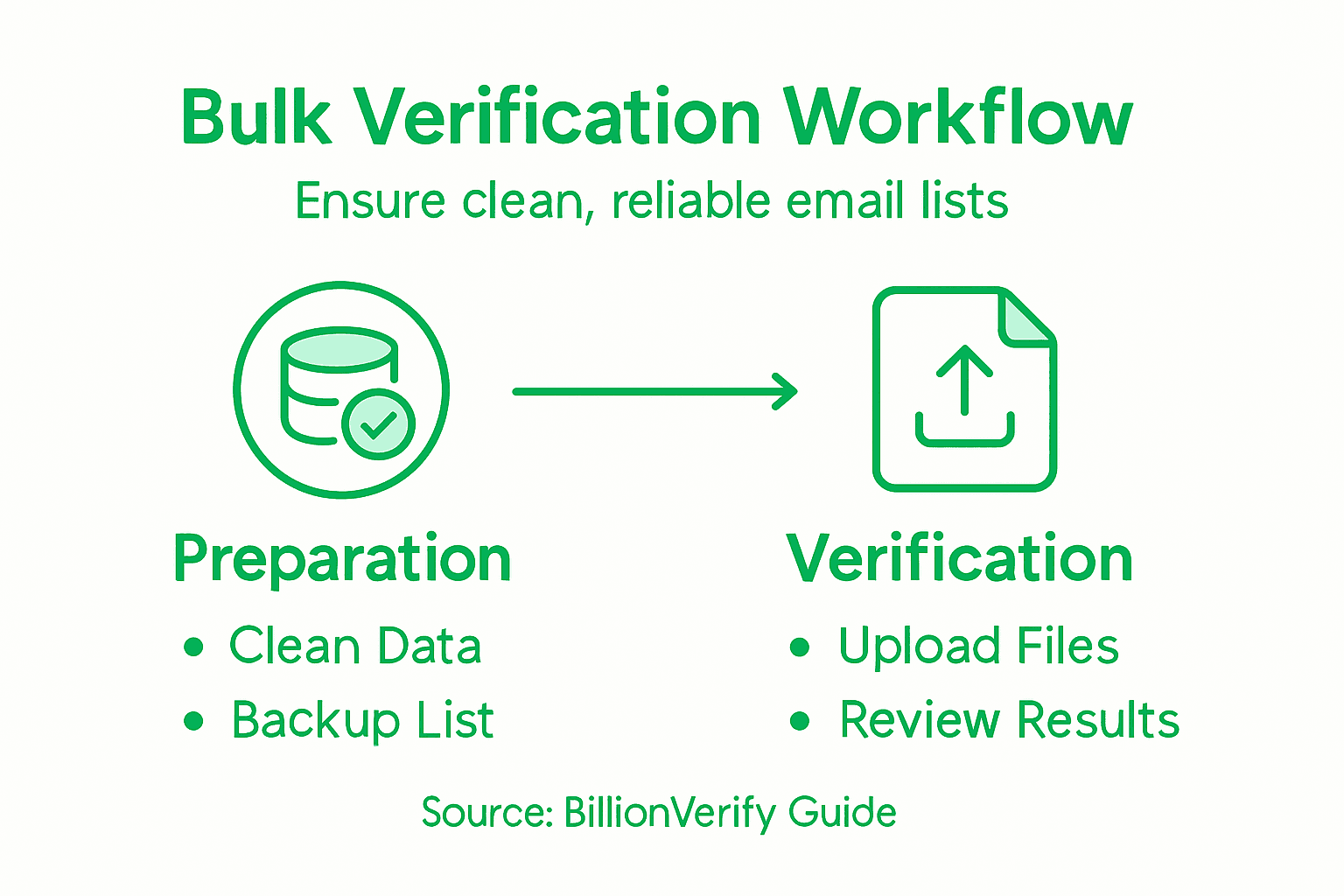
Pro tip: Create a backup of your original email list before any cleaning process to ensure you can always revert to the original dataset if needed.
Step 2: Configure BillionVerify Settings and Integrations
Configuring BillionVerify settings is a crucial step in establishing an efficient email verification workflow. This process involves setting up authentication, defining verification parameters, and connecting your email verification system with existing marketing and CRM platforms.
Begin by accessing the BillionVerify dashboard and configuring authentication parameters for your specific organizational needs. You'll need to set up API keys, define verification rules, and establish data handling preferences. The configuration typically involves several critical steps:
- Generate unique API credentials for secure access
- Set verification sensitivity levels
- Configure email validation rules
- Define data export and integration settings
- Establish automatic synchronization schedules
Professional email verification requires precise configuration to ensure maximum data accuracy and system performance.
Pay special attention to integration mapping for data validation, which allows seamless connection with your existing marketing automation platforms. This involves matching data fields, setting up import/export protocols, and ensuring compatibility between BillionVerify and your current systems.
The following table summarizes key integration settings to optimize your email verification workflow:
| Setting | Purpose | Recommended Action |
|---|---|---|
| API Credentials | Secure platform access | Store confidentially |
| Data Export Preferences | Control data sharing | Enable encrypted exports |
| Synchronization Schedule | Automate updates between systems | Schedule weekly syncs |
| Validation Rules | Define verification strictness | Use moderate sensitivity |
Pro tip: Always test your integration settings with a small subset of email data before running full-scale verifications to identify and resolve any potential configuration issues.
Step 3: Upload Lists and Initiate Verification Process
Uploading your prepared email lists and initiating the verification process is a critical step in maintaining high-quality contact databases. This phase transforms your meticulously cleaned spreadsheets into actionable insights about email list health and deliverability.
Begin by securely uploading verification requests through the BillionVerify platform. Navigate to the bulk upload section, where you can select your prepared CSV or Excel file for processing. The platform typically supports multiple file formats and provides immediate validation checks:
- Check file compatibility before uploading
- Verify column headers and data structure
- Ensure no special characters or formatting errors
- Select appropriate verification mode
- Review upload summary before final submission
Accurate list uploads are the foundation of successful email verification workflows.
After selecting your file, electronic verification services will automatically begin processing your email list. The system will systematically validate each email address, checking for syntax, domain existence, and potential deliverability issues.

Pro tip: Always keep a local backup of your original email list before uploading, ensuring you can revert or cross-reference if needed during the verification process.
Step 4: Review Verification Results and Reports
Reviewing verification results is a critical phase where you transform raw data into actionable insights about your email list's quality and deliverability. This step allows you to understand the precise health of your contact database and make informed decisions about list management.
Access the comprehensive verification report by reviewing detailed verification entries, which provides a complete breakdown of your email addresses. The report typically categorizes email addresses into several critical segments:
- Valid emails ready for marketing campaigns
- Invalid addresses to be removed
- Risky emails requiring further investigation
- Disposable or temporary email addresses
- Role-based email accounts
Quality verification reports are your roadmap to maintaining a clean, high-performing email list.
Pay close attention to data quality indicators and verification outcomes that highlight potential issues with your email list. Focus on understanding the nuanced categories of email verification results, which go beyond simple valid/invalid classifications.
Here's a quick reference table to common email verification result categories and their business significance:
| Category | Typical Example | Business Impact |
|---|---|---|
| Valid Email | user@domain.com | High deliverability; safe to use |
| Invalid Address | incorrect@domain | Will bounce; should be removed |
| Risky Email | user@unfamiliar.com | May affect sender reputation |
| Disposable Email | temp@mailinator.com | Low value; avoid sending |
| Role-based Email | info@domain.com | Limited engagement; review usage |
Pro tip: Create a systematic approach to list management by setting up automated workflows that segregate and handle different email address categories based on your verification results.
Step 5: Implement Quality Checks and Export Clean Data
Implementing rigorous quality checks and exporting clean data represents the final critical stage in your email verification workflow. This process ensures your email list meets the highest standards of accuracy and usability for marketing campaigns.
Data validation techniques help you systematically filter and refine your email database. Implement comprehensive quality checks that go beyond basic verification:
- Remove duplicate email addresses
- Standardize email formatting
- Filter out role-based and generic emails
- Validate domain authenticity
- Check for syntax and structural integrity
High-quality data is the foundation of successful email marketing strategies.
Apply Quality Assurance and Quality Control processes to ensure your exported data meets rigorous standards. This involves not just removing invalid entries but also preparing your list for seamless integration with marketing platforms and CRM systems.
Pro tip: Create an automated validation workflow that runs quality checks each time you import or export email lists to maintain consistent data hygiene.
Streamline Your Bulk Email Verification with BillionVerify
Managing clean email lists is essential to avoid costly bounces and protect your sender reputation. This article highlights key challenges like eliminating invalid, disposable, and role-based emails while setting up reliable workflows for bulk verification. If you want to take control of your email list quality and boost campaign deliverability BillionVerify has the precise solutions you need.
BillionVerify offers a powerful bulk email list cleaning service with 99.9% accuracy that tackles the pain points discussed including disposable email detection and role-based email identification. Our real-time verification API and detailed reports provide the confidence you need to maintain healthy email databases and maximize engagement.
Ready to master your bulk email verification workflow and ensure your lists are truly clean Visit BillionVerify today to get started with our trusted verification platform. Experience how easy it is to implement quality checks, automate verification, and export clean, actionable data now.
Frequently Asked Questions
What are the key steps in preparing email lists for bulk verification?
To prepare your email lists for bulk verification, start by consolidating all contact sources into a single spreadsheet. Then, eliminate duplicates, standardize email formatting, remove invalid addresses, and check for data completeness.
How do I configure settings for a bulk email verification tool?
To configure the settings for a bulk email verification tool, access the dashboard to set up authentication, define verification parameters, and connect the tool with your existing marketing systems. Ensure you generate unique API credentials and configure email validation rules based on your needs.
What should I do after uploading my email lists for verification?
After uploading your email lists for verification, monitor the verification progress and review the detailed verification results once completed. Focus on categorizing email addresses into valid, invalid, and risky categories to manage your list effectively.
How do I implement quality checks after verification?
To implement quality checks after verification, systematically filter out duplicates, standardize your email formatting, and remove role-based email addresses. Conduct these checks to ensure your list remains clean and reduces delivery issues.
What are the benefits of maintaining a clean email list?
Maintaining a clean email list improves your email deliverability and engagement rates, reducing bounce rates and enhancing campaign performance. Regularly cleaning your list can improve your overall marketing outcomes by up to 20%.