

The Brevo login page lives at login.brevo.com. Open it, enter your Brevo email and secret, and press Log In. The same page also carries three buttons that skip typing, and an old Sendinblue link ends up there too.
This guide shows what the Brevo login page looks like and how each route in works. It also covers old Sendinblue and Newsletter2Go accounts, a lost password, the extra code called 2FA, and the usual reasons an attempt fails. Every Brevo fact comes from Brevo's own websites, read in November 2026. We are not affiliated with Brevo. BillionVerify is an email verification service, and the last section explains why a Brevo user might want one.
Key facts (checked November 2026):
- The Brevo sign in page at login.brevo.com has an Email address box, a Password box and a Log In button, plus three extra routes.
- A blog post dated May 4, 2023 on brevo.com announced that Sendinblue is now Brevo, and my.sendinblue.com now opens the Brevo login.
- Single sign-on through SAML sits in the Enterprise column of Brevo's price list, and the login page carries a Sign in with SAML button.
- A Brevo product update from September 2026 says an identity check now comes before sensitive actions, and it is not repeated for one hour.
- Brevo's developer documentation separates SMTP keys from API keys, and the SMTP relay takes the former.
- BillionVerify gives 20 free credits on each day you use your account, with no card needed.
Where Is the Brevo Login Page?
Brevo sign in runs through a single page for all its products. We opened each address below in November 2026 and noted where the browser ended up.
| Address | What happened | Use it for |
|---|---|---|
| login.brevo.com | The Brevo page opened | Normal Brevo accounts |
| app.brevo.com/account/login | Goes to login.brevo.com | Old bookmarks |
| my.sendinblue.com | Goes there as well | Links from the Sendinblue days |
| www.sendinblue.com | Redirected to www.brevo.com | The old public site |
| www.newsletter2go.com | Moves to login.newsletter2go.com | Newsletter2Go users |
Save the first address as a bookmark and use it every day. A bookmark spares you a search and keeps you away from look-alike pages.
The Brevo Login Form
The page is short. A heading reads Log In. Below it sit two required boxes, Email address and Password, with a small eye icon that reveals what you typed. A dark button labelled Log In follows. After the word OR come three more buttons, each starting with the words Sign in with: Google, Apple and SAML.
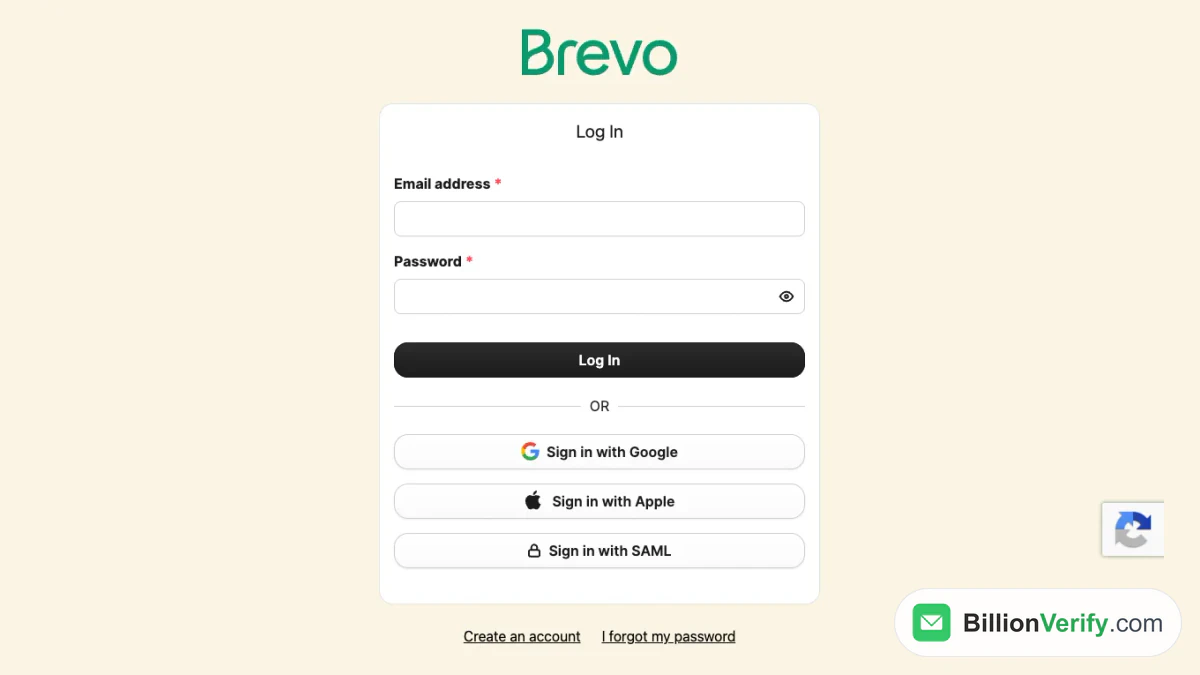
Screenshot: the Brevo login page, seen at login.brevo.com.
Two links wait under the card. One opens the registration screen, and "I forgot my password" opens the reset screen covered further down. A cookie notice may cover the card on a first visit, so accept or reject it before you click anything else.
Brevo Connexion on the French Site, Login on the German One
Brevo's public site comes in several languages, including French and German. On the French site, the button in the top right corner reads Connexion, next to "Gratuit. Inscrivez-vous !" for a new account. On the German site, where Brevo sign in begins at a button called Login, the registration button reads Kostenlos anmelden. Both buttons lead to the same page.
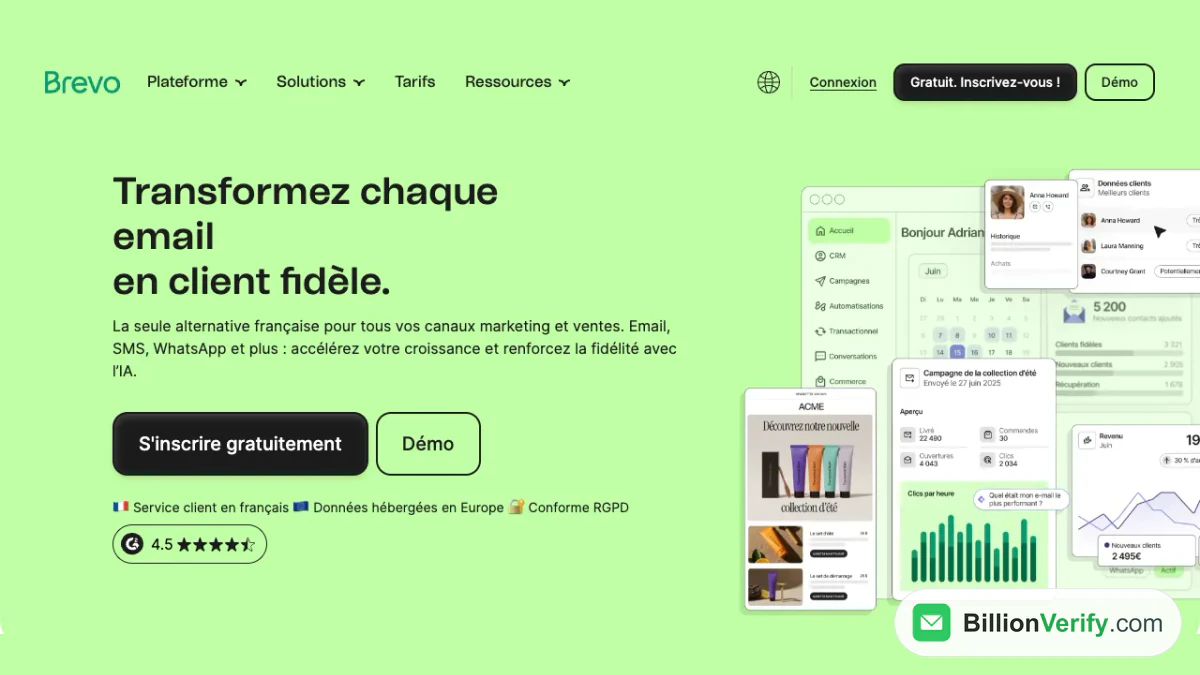
Screenshot: the Connexion button on Brevo's French site.
The page itself showed English labels when we opened it, even after we added a language setting to the address. Expect the same words whichever Brevo site you came from. Brevo's pricing page says support is available in 6 languages.
Brevo Sign In Through Google, Apple or SAML
Brevo offers three ways past the typed secret. Pick the route you used when you made the account, because the routes are not interchangeable.
- Google: choose the Google profile tied to your Brevo address.
- Apple: approve the request in the Apple window that opens.
- SAML: enter your work address and press Continue. A box tells you that you will be redirected to your company's login page.
SAML suits companies that manage access through their own identity provider, and Brevo puts SSO & SAML in its Enterprise plan. The Continue button stays grey until the work address is filled in. If your employer set up the account, ask the administrator which route they chose.
Create a Brevo Account
The registration link opens onboarding.brevo.com/account/register. On its pricing page, Brevo lists a free plan with the words "Free forever, no credit card needed". Paid plans are named Starter, Standard, Professional and Enterprise, and the Starter plan is listed from 5,000 emails per month.
Choose the registration method you plan to keep. An account made with Google opens with the Google button, while one made with an email opens with the two boxes. If you cannot remember which you used, try the boxes first and fall back to the reset link. Our Brevo review covers what each plan includes.
Brevo Login for Sendinblue Accounts
Sendinblue is the former name of Brevo. The company's blog post of May 4, 2023, titled "From Sendinblue to Brevo: Introducing our new name & brand", explains that the product outgrew a name built around newsletters. It says the company created Sendinblue in 2012 and grew from an email marketing platform into a full CRM suite. You can read it on Brevo's blog.
For the person at the keyboard, the practical effect is small. When we opened my.sendinblue.com, the browser landed on login.brevo.com, and the address carried a next parameter that points at the old dashboard path. A saved link therefore still works. Use the address you registered with, and the reset link if the secret is gone.
The pages we read do not describe any special step for older accounts. If the page rejects you, do not make a second account. A second account starts with an empty contact list, so reset the first one instead.
SMTP Credentials Are Not Your Login
Many accounts send through SMTP, and those credentials look like login details. Brevo's SMTP relay documentation says to copy your SMTP username and password from the SMTP tab under SMTP and API settings, and to use an SMTP key, not an API key, for relay connections.
That pair belongs to your website or mail client, not to the Brevo login page. The values sit in your account settings. Typing them into the sign-in boxes will fail.
Newsletter2Go Sign-In
Newsletter2Go is an email platform with a German-language screen that now carries the Brevo name, and it runs apart from the Brevo login. When we opened www.newsletter2go.com, it ended on login.newsletter2go.com, a page titled "Newsletter2go Login - Brevo". The page carries a link into the Newsletter2Go form, a link for opening a new Brevo account, and a support mailbox.
The Newsletter2Go sign-in lives at ui.newsletter2go.com/login. It shows the Newsletter2Go name with the words "by Brevo" beneath it. The labels are German: E-Mail Adresse, Passwort and a blue button reading Einloggen. Two links sit under the card, "Noch kein Account?" for new users and "Passwort vergessen?" for a reset.
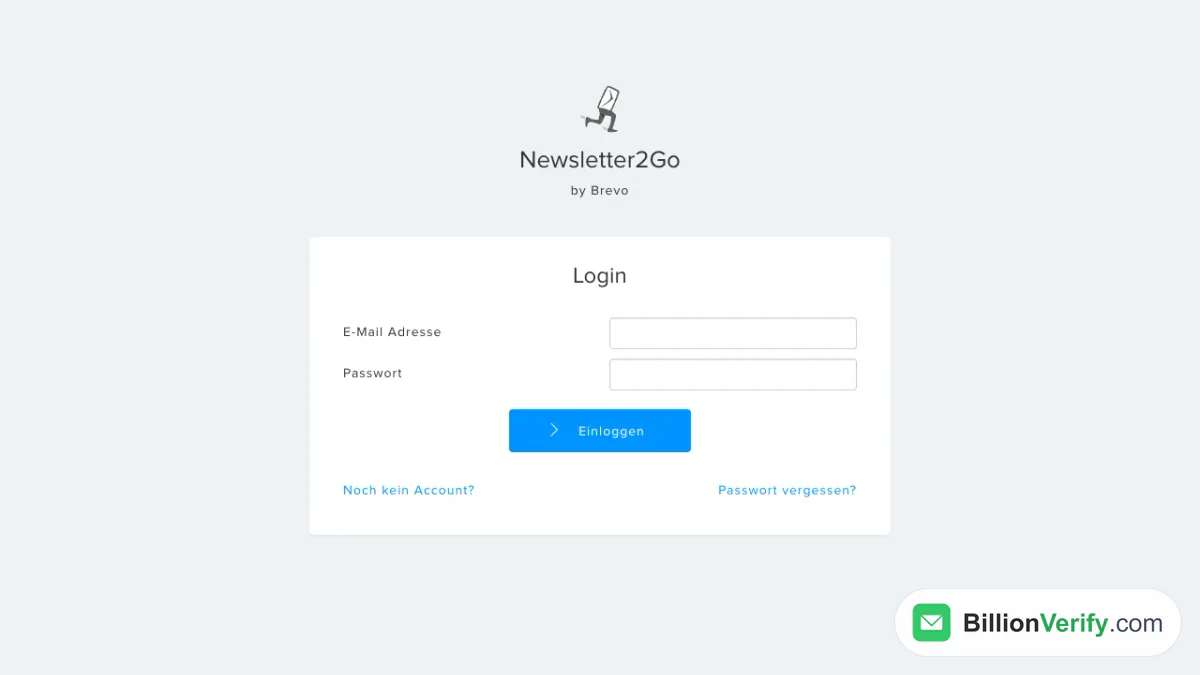
Screenshot: the Newsletter2Go form at ui.newsletter2go.com, labelled "by Brevo".
Brevo also keeps a German page called "Newsletter2Go Login" on its own site. It says "Jetzt einloggen. Noch kein Brevo Account? Jetzt Account erstellen." and its main button reads "Hier geht's zum Newsletter2Go Login". An old Newsletter2Go account does not open on the Brevo card unless you also made a Brevo account.
Forgot Your Brevo Password?
The reset flow starts from the main screen. Press the forgot link and the browser opens login.brevo.com/forgot-password.
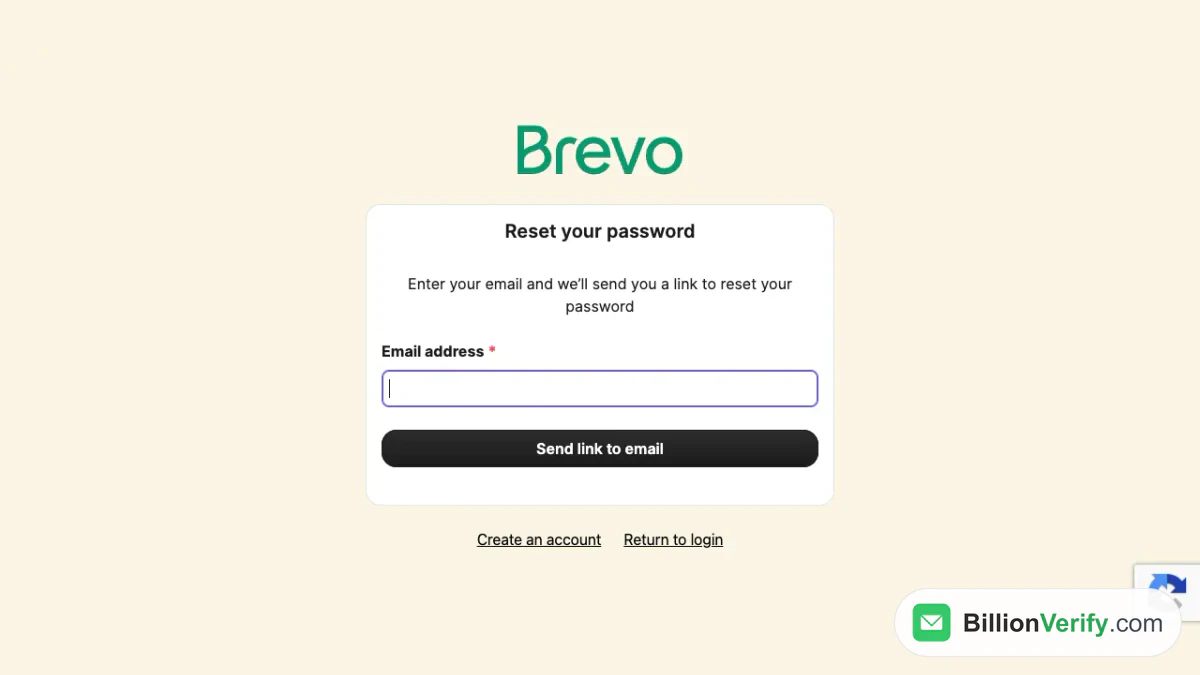
Screenshot: the reset screen of the Brevo page.
The screen says: "Enter your email and we'll send you a link to reset your password." Follow these steps:
- Type the Brevo email of your account.
- Press Send link to email.
- Open the message from Brevo and follow its link.
- Choose a new secret and finish the form.
- Go back to the start and use it.
Two more links wait below, one for registration and one that returns you to the start. If no message arrives, look in the spam folder and check that the address matches your registration. An account created through a provider button has no Brevo secret to reset, so use that button instead.
Changing One You Already Know
You can also change a working one while signed in. A product update of September 15, 2026 adds a check: Brevo now asks you to verify it is you before you create API or SMTP keys, change 2FA settings, make a user an admin, invite users, change your login email or change your password.
With 2FA on, you confirm with its code. Without it, Brevo sends a one-time code to your verified email or to your phone by SMS. After you verify, Brevo does not ask again for an hour, so a batch of changes does not stall. See the step-up authentication update for the wording.
2FA for Your Brevo Account
Two-factor authentication adds a code on top of the password. Brevo's September 2026 product update refers to 2FA settings, and it names the 2FA code as the way to confirm those sensitive actions. The public Brevo pages we checked do not describe the setup screens or the recovery steps, so follow what your account shows when you switch it on. Changing the setting is itself one of the actions that triggers the identity check described above.
What to Do When You Cannot Log In
When an attempt fails, the cause is usually small. Work through these checks before you contact anyone.
- Check the address. Make sure the browser shows login.brevo.com and not a look-alike.
- Check the route. An account opened via Google needs the Google button, and one made with Apple needs the Apple button.
- Check the keyboard. Use the eye icon to read the Brevo email you typed, and watch Caps Lock.
- Check the second step. With 2FA on, a code follows the first screen.
- Check the service. Brevo runs a status page at status.brevo.com.
- Start a reset. Keep the new one in a password manager.
If your credentials suddenly stop working although you typed them correctly, treat it as a possible takeover and start the reset.
Contacting Brevo Support
You can write to Brevo even when you cannot get in. The Contact Brevo page on the Brevo website has a Get support card for customers with a Contact support button, and it links the Help Center and the Community as well. The plan table gives every paid plan email support, and phone support starts at the Professional plan.
A Suspended or Hacked Account
Treat unexpected emails you did not send, spam complaints from contacts, contacts you never added and surprise reset messages as signs of a takeover. The order of work is simple:
- Change the secret, from the reset link or while signed in.
- Find out how it happened, such as a leaked login or a published API key.
- Delete the old API keys and SMTP keys, and create new ones.
- Switch on 2FA.
- Write to the support team and say what you fixed.
Making new keys now needs the identity check from the September 2026 update, so keep your phone or 2FA app at hand.
Fake Brevo Pages and Suspicious Messages
A popular sign-in invites copies. A fake message may say that your Brevo account is suspended and then point to a page that imitates it. Treat every such message with care, even when the sender name looks right.
- Read the address bar. The real page sat on login.brevo.com when we checked.
- Type the address yourself. Never start from a link in a message.
- Use the bookmark. One saved link beats a search each day.
Two free BillionVerify tools help with the rest. Our reverse email lookup reads the domain and public details tied to a sender. If a message asks you to call a number, our phone number validator shows whether it is valid for its country and what kind of line it is.
Importing a List? Verify It Before You Send
Not everyone opens Brevo for the same reason. Many of you log in to upload contacts and send a campaign, and that is where a list check pays off.
Brevo is clear about the risk. Its post on email bounce rate says a consistently high bounce rate hurts your sender reputation, and that anything over a 5% benchmark is a reason to clean the list. The same post says that with Brevo, hard bounces are automatically blacklisted so the contact is not mailed again. That protects later sends, but only after the bounce has already happened. A free email address checker can test one address live before it ever reaches Brevo.
A check before the import covers that gap. BillionVerify's email verifier tests single addresses, and bulk email verification handles whole files. A Brevo integration is listed on our site for lists that already live in your account. What to know:
- valid and invalid results cost 1 credit each, and unknown results are free
- a free re-check is available within 24 hours
- catch-all addresses get their own label and are not counted as valid
- the free allowance is 20 credits per active day, up to 600 a month, and it never expires
- you can use a REST API, an MCP server, or one of 25+ integrations
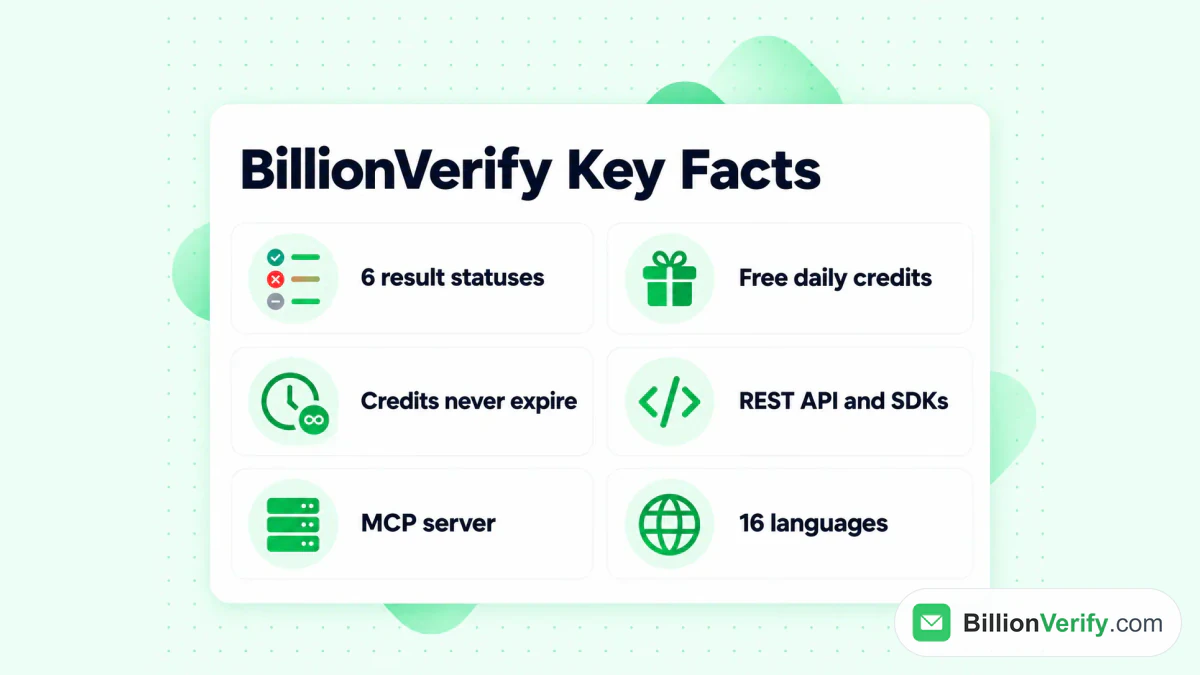
The idea is simple: verify the file first, then upload only the addresses that can receive mail.
FAQs
How do I log in to Brevo?
Go to login.brevo.com, type your login details and press Log In. You can use one of the other three buttons on the same page instead. If 2FA is on, a code follows.
What is the difference between Brevo sign in and login?
There is none. Both words describe the same page. Its main button says "Log In" and the others say "Sign in with", so either term finds it.
Does my Sendinblue login still work?
A Sendinblue address sends you to the Brevo login page. When we opened my.sendinblue.com, it ended on login.brevo.com. Use the Brevo email of the account, and begin a reset if the secret is lost.
Is the Newsletter2Go sign-in the same as the Brevo one?
No, Newsletter2Go keeps its own screen at ui.newsletter2go.com/login. It is tagged "by Brevo" and is written in German. A Brevo account and a Newsletter2Go account are separate unless you created both.
How do I reset a lost Brevo password?
Use the forgot link under the card, type your address and submit it. Brevo then mails you a link for a new one. A signed-in user can also change it in the account settings.
Why does Brevo ask for a code when I change settings?
Brevo added an identity check in September 2026 for sensitive actions. It covers new API keys, SMTP keys, 2FA changes, admin rights, invitations, a new login email and a new secret. Once verified, it stays quiet for an hour.
Can I get into Brevo without typing a password?
Yes, through the single sign-on buttons. Each has its own place on the page.
Who can I contact if I cannot get in?
Open Contact on brevo.com and choose support. Support is offered in six languages.
Watch: How to Verify an Email: Single, Bulk, File and API
Watch: How to Validate a Phone Number: Free Phone Number Validator
